

Published on July 26, 2022
5 min to read
How to Share Reels on Instagram to Get More Engagements

Summarize with AI

Table of contents
Summarize with AI

ChatGPT

Claude

Perplexity
Share

Vista Social

X (Twitter)


I kid you not, learning how to share Reels on Instagram the right way can skyrocket your engagement rates.
It’s true!
Data shows that Instagram Reels generate 67% more engagement than standard IG videos.
As a busy agency, you need every win you can get to improve engagements and sharing Instagram Reels is a great way to achieve that.
The key is to share Instagram Reels the right way, use reliable tools, and optimize your efforts to drive more audience engagement.
In this IG Reels tutorial, we’ll cover tips on how to share Reels on Instagram and other platforms, including the dos and don’ts and frequently asked questions about sharing this type of content.
(Must read: IG Reels Tutorial: The Ultimate Guide [Tips, Steps, Tools])
Table of contents
What you’ll learn:
- How to share Instagram reels
- Do’s and don’ts for sharing Instagram reels
- FAQs for sharing Instagram reels
How to share Instagram reels
Sharing your IG Reels all over Instagram and other social channels helps you reach a wider audience.
The more people watch your Instagram Reels, the better your chances of getting more engagements and conversions.
The big catch is that creating and sharing Instagram Reels content can take time and effort, adding to your agency’s already overflowing workload.
Simplify and streamline creating and sharing Reels with a modern social media marketing platform.
Suggested Article: 142+ Instagram Poll Questions to Ask Your Followers
Vista Social lets you share an Instagram Reel quickly and easily with these steps.
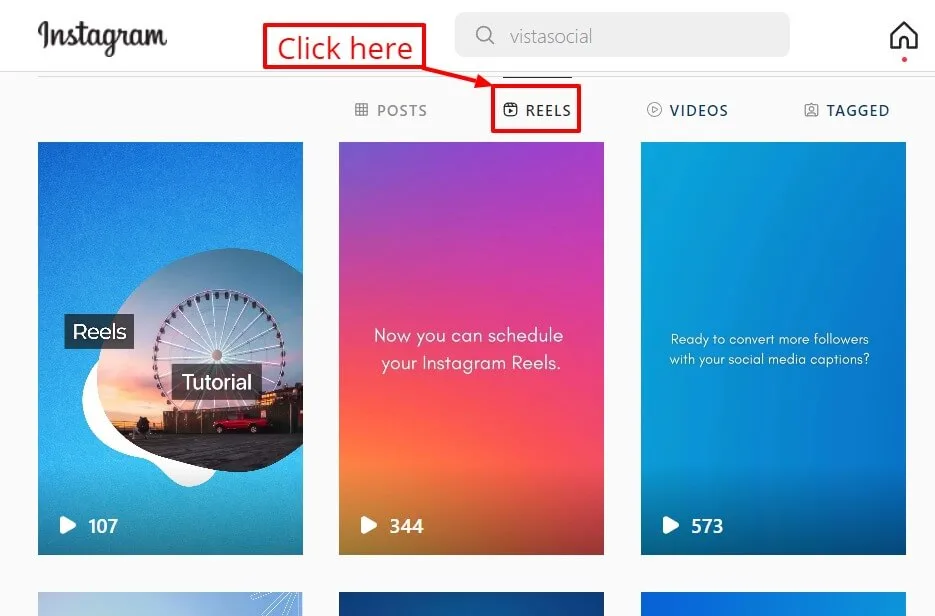
Step 1: After opening the Instagram app on your web browser, navigate to the profile and the Reels tab.
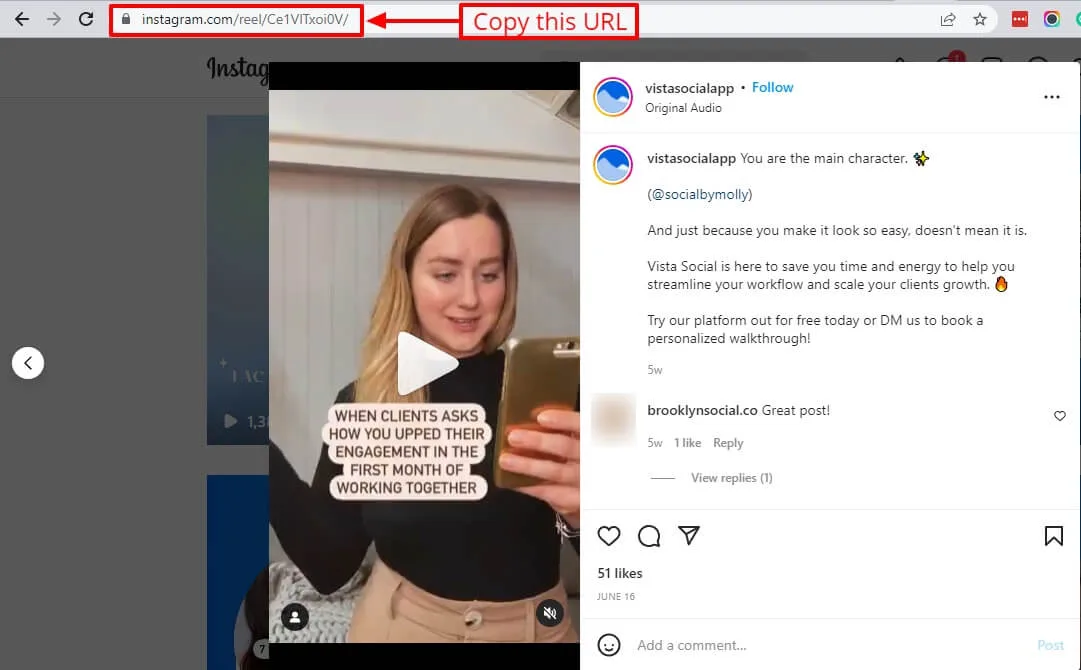
Step 2: Open the Instagram Reel you want to share. Then, copy the URL from the browser tab.
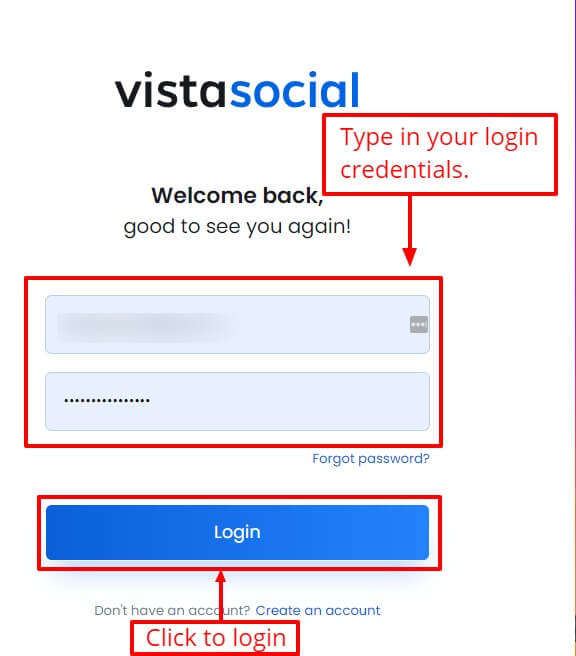
Step 3: Sign in (if you haven’t yet) and launch the Vista Social platform.
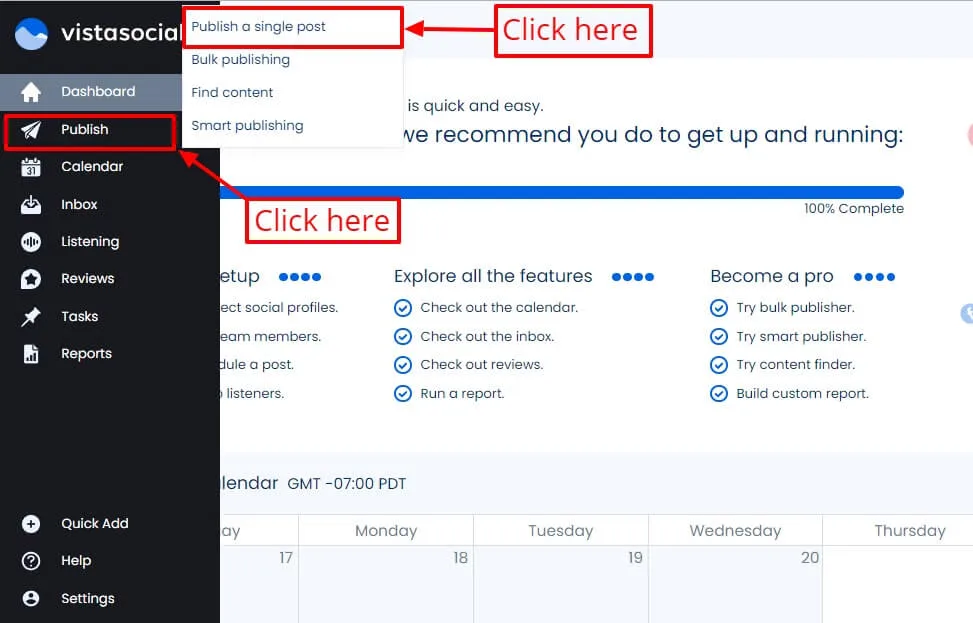
Step 4: Select Publish, then Publish a single post on Vista Social’s left-hand side panel.
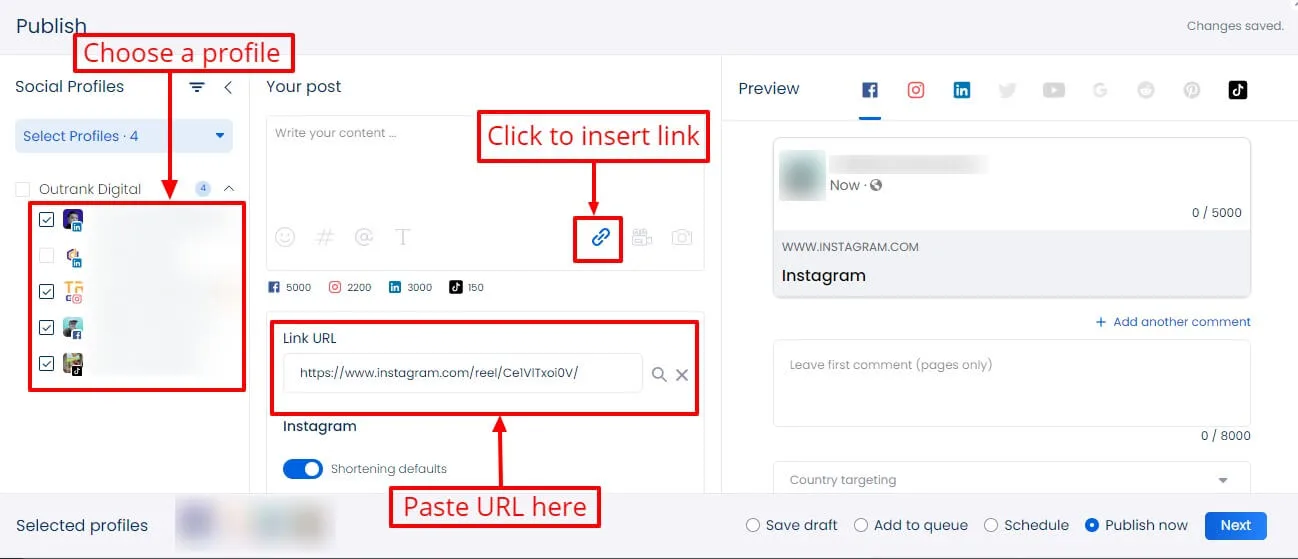
Step 5: Choose the profiles you want to use or share the Instagram Reel.
Then, click the button to insert a link and paste the IG Reel URL you copied into the Link URL field.
Suggested Article: 431+ Best One-Word Instagram Captions to COPY & PASTE! [2022]
Step 6: Write the caption, add a compelling photo thumbnail, include relevant Instagram Reels hashtags, and publish when you’re done.
Posting Reels is seamless since you can add your Instagram content to a queue.
You can also schedule Instagram Reels to auto-publish on peak times and dates to help raise your client’s engagement rate.
Follow the same steps when sharing other posts, such as Instagram Stories, video content, and other valuable content on multiple social profiles.
You can also create your own Reels and other content ideas, such as a short form video, and publish them easily on the specific client’s Instagram feed and profile.
If you’re learning how to repost a Reel on Instagram and want to share it as fresh content, it’s a no-brainer to tweak a few elements, such as the description, hashtags, and thumbnails.
Suggested Article: 487+ Best, Most Popular, Viral Hashtags for Instagram this 2022
This way, the new Reels don’t appear visibly recycled.
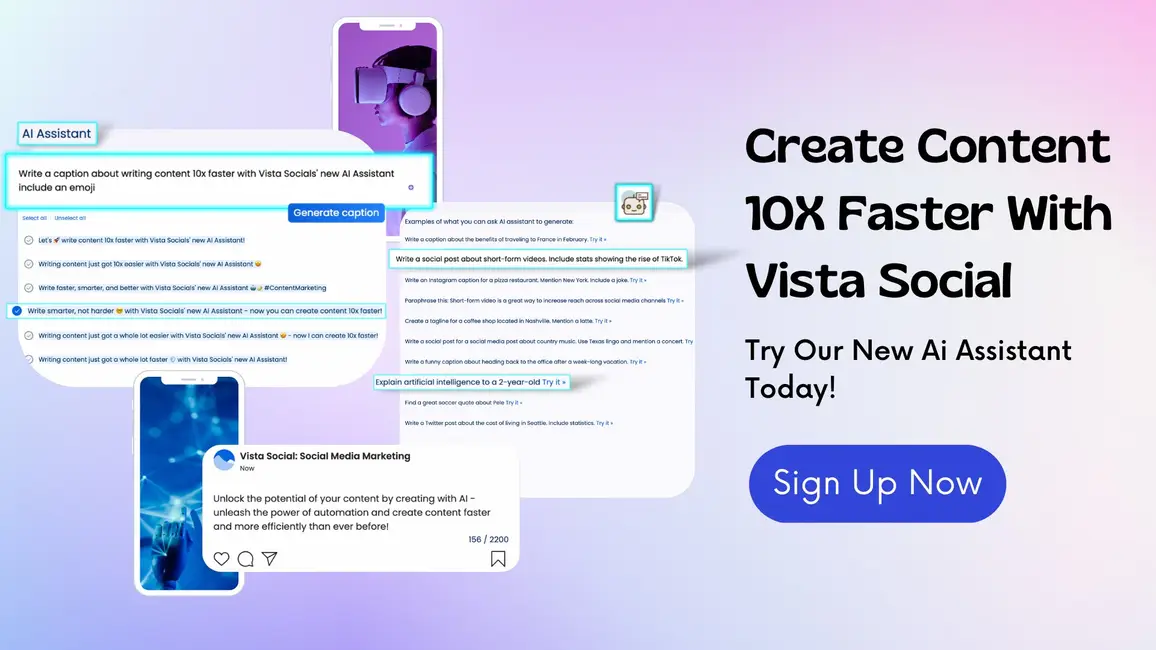
Ready to give your content workflow and posts a major upgrade? Try AI Assistant powered by ChatGPT today! 🤖💙
Do’s and don’ts for sharing Instagram reels
Ensure your efforts drive more engagement by learning from these time-tested Instagram Reels tips on what to do (and not do).
Do’s
- Use popular or trending music. Add currently trending songs on Instagram Reels and Tik Tok. Many Instagram users will recognize the music, enticing them to watch your IG Reels and TikTok videos.
However, don’t use music that has been used repeatedly. Audiences could get sick of hearing it and stay away from your shared Reels.
- Throw in creative elements. Spice up Instagram Reels by including creative elements. For instance, add transitions in your videos using a reliable content creator tool.
Get inspiration from creative Instagram Reels examples and weave them into your content creation process.
- Jump into timely trends. Create and share Reels that participate in popular trends while staying true to the client’s branding and engagement campaigns.
Take the same approach when including trending topics and elements in Instagram Stories and other videos for social media.
- Create or plan your Reels in batches. It can take time and effort to create content or plan the existing Reels to share across multiple social media feeds.
Save precious hours and work more efficiently by creating and planning the Reels you want to share in batches.
Doing so helps ensure you continuously churn out educational content (and other valuable posts) to increase engagement.
Suggested Article: Most Viewed Instagram Videos that SMM Agencies Can Learn From
Don’ts
- Add too many texts. Too many text overlays (including on-screen text) can crowd the IG Reels and drown out the visuals. Consider adding a voice-over or your own audio clip instead to maintain the Instagram aesthetic.
Also, avoid placing text where it becomes unreadable, such as putting them too close to the borders and the bottom part of the Reel.
- Share Reels that are exact copies of other specific content. Share unique, relevant content related to the client’s brand. Avoid reposting Instagram Reels for the sake of going viral.
Additionally, try not to share too much of the same content across a single Instagram account.
Know what makes Instagram Reels vs Story different to post what will likely get people talking.
- Show the TikTok watermark. It’s common and strategic to share TikTok content in Instagram Reels. However, displaying the TikTok watermark can make the Reel look recycled and unoriginal.
Consider removing the watermark or sharing the original video to IG Reels and other apps and platforms.
Suggested Article: Best Questions to Ask on Instagram Story for Brands
FAQs for sharing Instagram reels
Below are some of the burning questions people have about sharing Reels.
1. What is the optimum Reels length for engagement?
The best Instagram Reels length depends on what you want to achieve.
For instance, the optimum Reels length to increase views is three to fifteen seconds, while the best duration to encourage comments is seven to eighteen seconds.
Suggested Article: How to Get Followers on Instagram Without Following
2. Can you embed IG Reels on a website?
Yes.
Web developers can do this by manually coding and embedding the content into the website.
You can also use a reliable social media aggregation tool to integrate Reels into your website seamlessly.
3. Can you mute the original sound in a Reel?
Yes.
After creating content for Reels, mute the original audio and click Preview.
Then, click or tap the music icon and move the camera audio slider control to zero to mute the sound.
Suggested Article: Content Pillars for Instagram: Examples, Tips, And Steps
Repost Instagram reels to engage more audiences
Make the most of IG Reels by sharing them across Instagram and other social media and marketing channels.
Use a sophisticated social media marketing platform such as Vista Social to streamline creating and sharing Reels, saving you a lot of time and energy.

Try Vista Social for free
A social media management platform that actually helps you grow with easy-to-use content planning, scheduling, engagement and analytics tools.
Get Started NowAbout the Author

Content Writer
Jimmy Rodela is a social media and content marketing consultant with over 9 years of experience, with work appearing on sites such as Business.com, Yahoo, SEMRush, and SearchEnginePeople. He specializes in social media, content marketing, SaaS, small business strategy, marketing automation, and content development.
Loading related tools...

The most complete social media management platform for teams who demand more.






Tools
PublishingAnalyticsEngagementIntegrations
FacebookInstagramLinkedInRedditSnapchatThreadsTikTokX (Twitter)YouTubeMCPVista Page (link-in-bio)All IntegrationsCopyright © 2026 Vista Social LLC. All Rights Reserved.