


POWERED BY AI
Bluesky management tools for business
It's time to own your content and audience on decentralized social media. Build your community on Bluesky with Vista Social's all-in-one Bluesky management suite, offering flexible planning, posting, engagement, and analytics tools.
No credit card required
Free trial available
Cancel anytime

#1 Easiest to use software | 2026
Top 5 Fastest Growing Products, 2026
Top 10 Highest Satisfaction Products, 2026
Trusted by over 30,000 brands and agencies, recognized among the best social media management tools on G2





Everything you need for Bluesky management
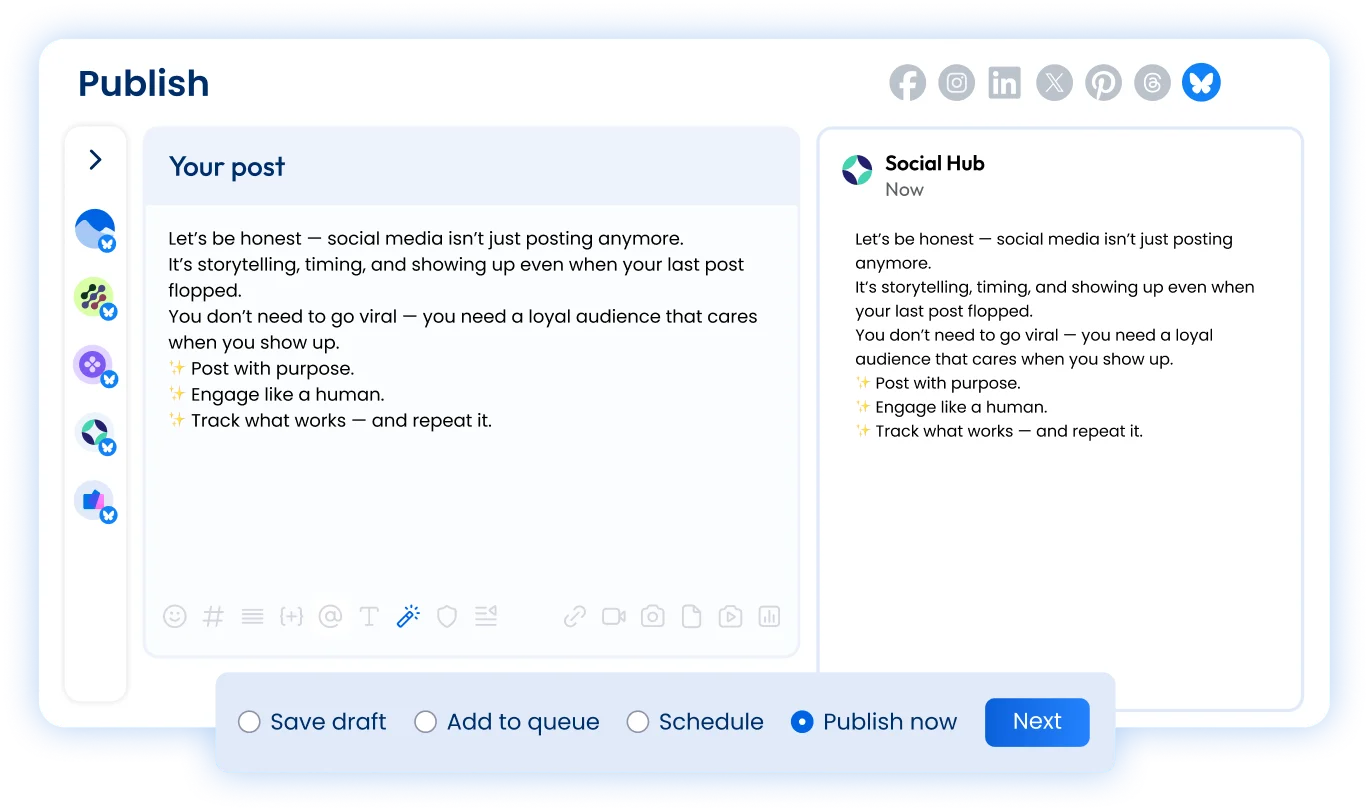
Connect one or multiple Bluesky profiles to Vista Social and start sharing engaging content with your audience. Plan, schedule, and analyze your Bluesky posts with one easy-to-use platform.
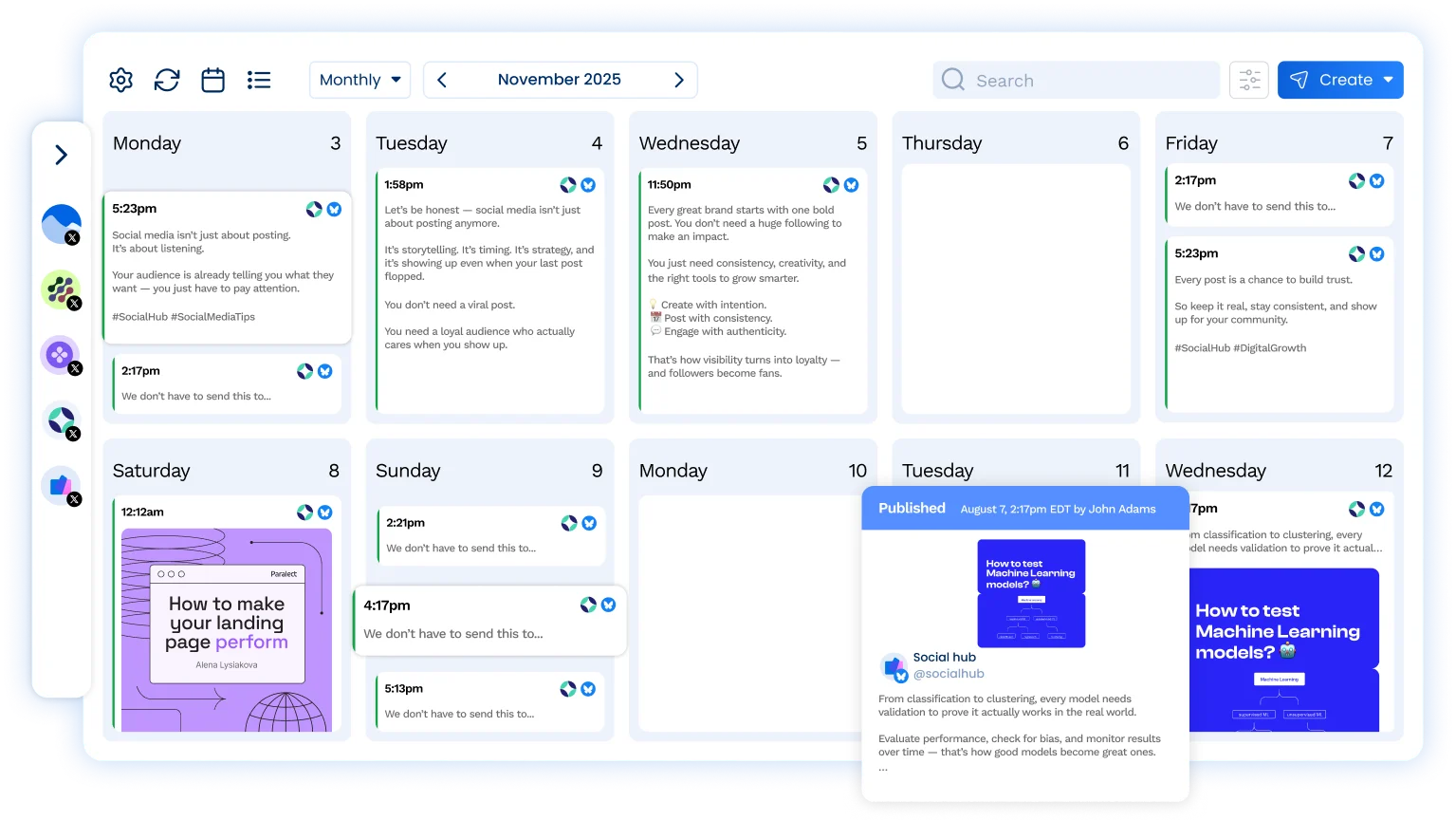
Keep your calendar filled with Bluesky content

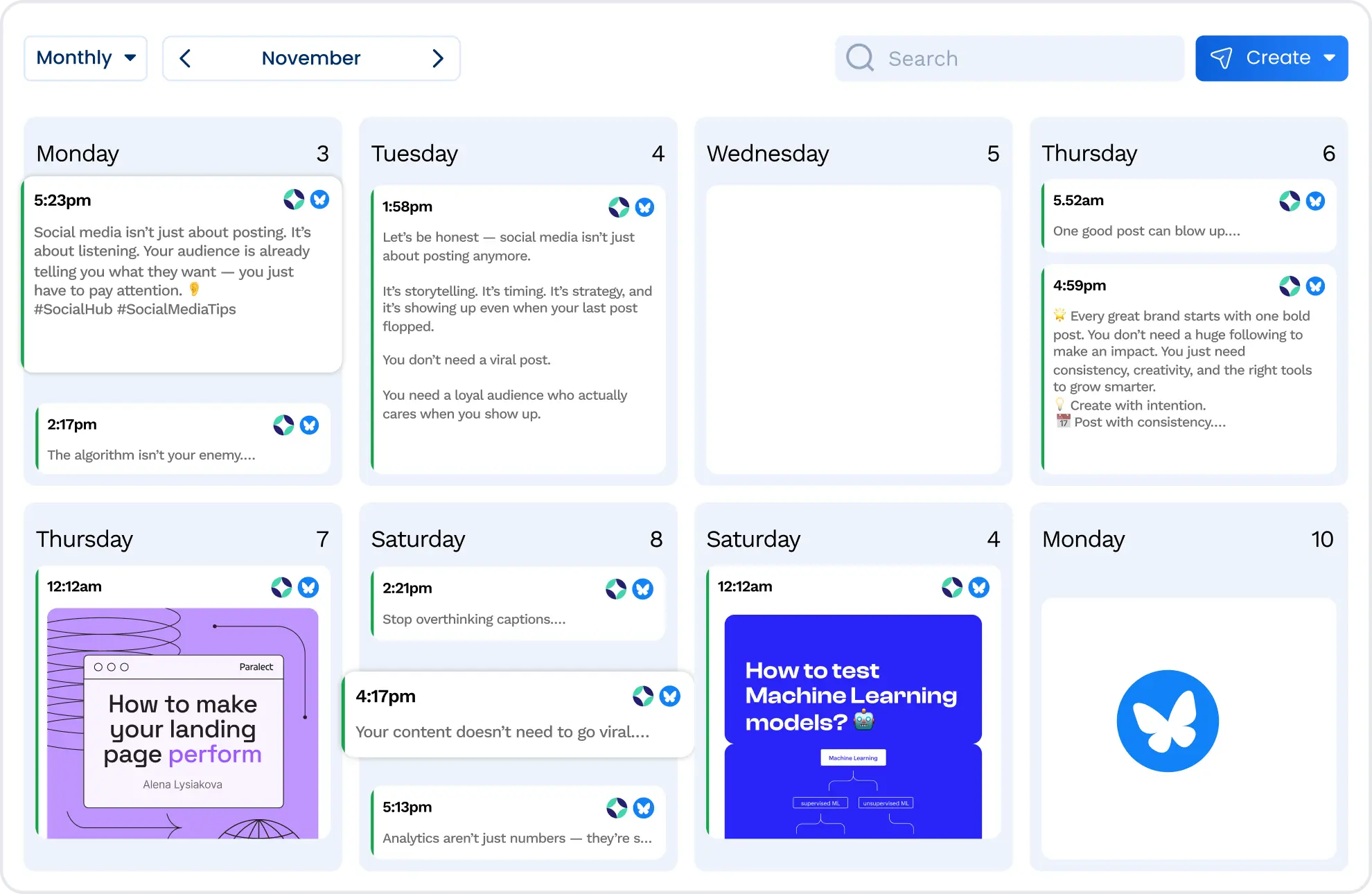
Vista Social makes it easy to keep your content calendar full of Bluesky posts with an ideation station, AI assistance, and intuitive scheduling capabilities.
Be active on the platform

Engagement is key, and Vista Social lets you see all of your Bluesky post replies in the Social Inbox, making it easy to find and respond to every customer interaction.
Stay on top of your Bluesky analytics

Get access to dynamic data visualizations that help you get a bird’s eye view of your Bluesky performance so you can create more content your audience will love.
Streamline Bluesky content creation
Expedite your creation process
Let Vista Social’s ChatGPT-powered AI assistant give you a starting point for your Bluesky content, drastically reducing the time it takes to create new posts.
Schedule your Bluesky posts to auto-publish
Put your Bluesky posting on autopilot by creating and scheduling your content in advance. Sit back and watch as your posts auto-publish.
Reorganize your social media calendar
Easily drag-and-drop your Bluesky posts around the visual content calendar until you’ve perfected your content strategy.

Build your community on Bluesky
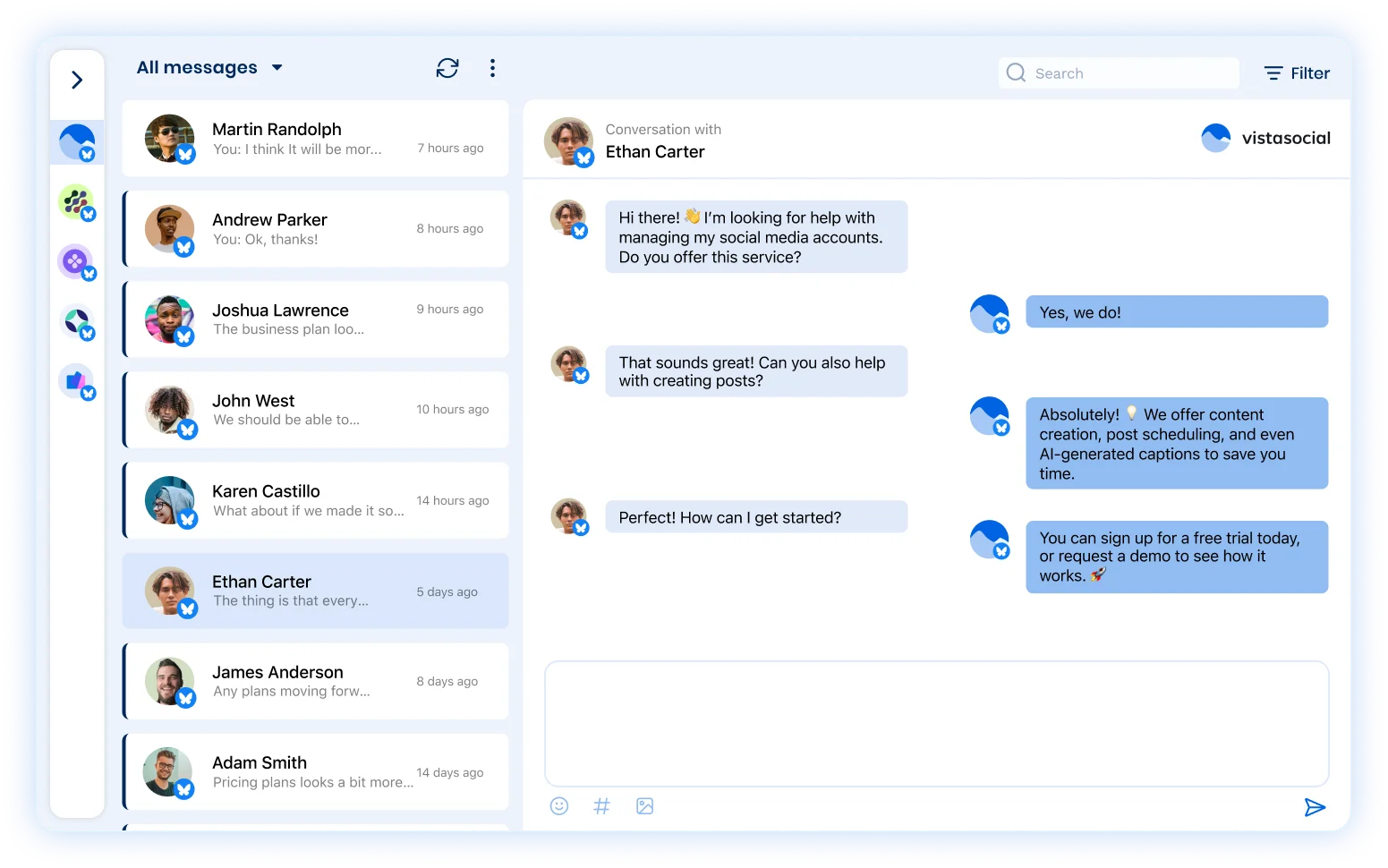
Easily respond to all replies
View all replies to your Bluesky posts in the Vista Social Inbox so you can quickly respond from one central dashboard.
Collaborate with your team
Assign replies to different team members so your community managers and customer support team can respond to the right conversations.
Stay organized with the Social CRM
Leave notes with follower information in the Social Inbox so you can handle each response with the right level of care.
Access dynamic reports for your Bluesky performance
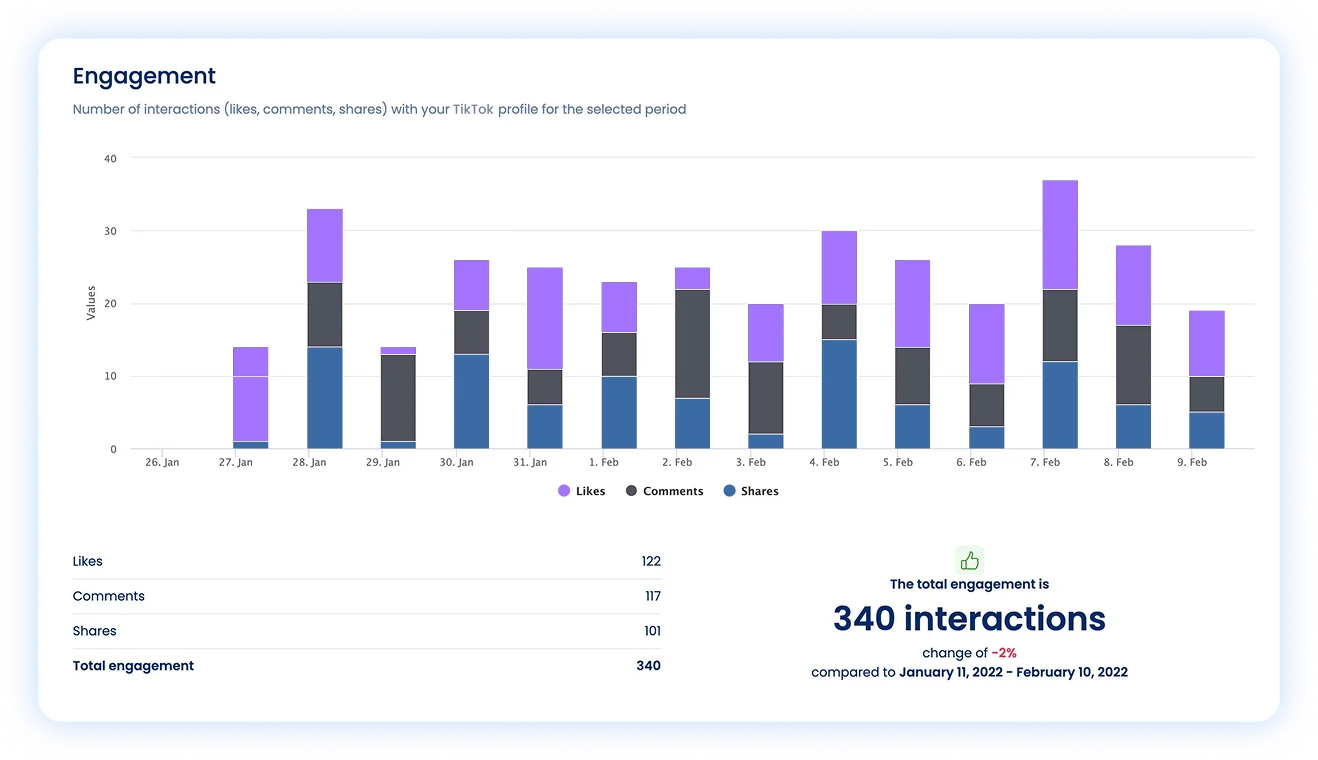
Get easy-to-understand visual reports
Vista Social provides you with data on followers, likes, replies, and reposts with easy-to-read data visualizations and dynamic charts.
Discover your top posts
Dig into your Bluesky post performance report to find out which posts resonate most with your audience so you can replicate that strategy.
Customize and export reports
Export insightful reports or customize and build your own. Automatically generate reports to send to your team or clients.
Take your Bluesky marketing to the next level

Scheduling
Input and schedule multiple social media posts to keep your Bluesky presence active and engaging.

Boosting
Boost high-performing Bluesky posts to reach an even wider audience, increase engagement, and grow your following.

Optimal send times
Find the best times to publish your Bluesky posts based on when your specific audience is most active.

AI Assistant
Create even more on-brand and engaging Bluesky content with the help of Vista Social’s AI assistant.

Media library
Upload and organize images, videos, PDFs, and more to the Vista Social media library to include in your Bluesky posts.

Post queues
Set predefined times of when you would like to post to Bluesky so you can easily add new posts to your queue.

Shared calendar
Manage Bluesky content in a collaborative visual calendar so everyone on your team is on the same page.

Mobile app
Seamlessly manage your Bluesky presence on-the-go with Vista Social’s easy-to-use mobile app.

URL Tracking
Add tracking data to your Bluesky links to get an even better look into your overall content performance.
Bluesky Frequently asked questions
Yes, you can connect as many Bluesky profiles as you like to your Vista Social account and schedule your posts.
Yes, you can publish image or video posts to Bluesky profiles right from your Vista Social account. You can also schedule posts with GIFs to further engage your followers.
While not considered swipeable carousels, you can publish multi-image posts that contain up to 4 images to Bluesky profiles right from your Vista Social account.
Yes, you can respond to replies on your Bluesky posts using the Vista Social Inbox.
Yes, we offer a comprehensive set of reports that include Bluesky. These reports can be scheduled and exported in CSV and PDF formats.

stronger relationships on social
Vista Social helps you understand and reach your audience, engage your community and measure performance with the only all-in-one social media management with easy-to-use features like publishing, engagement, reviews, reports and listening.

The most complete social media management platform for teams who demand more.





Tools
PublishingAnalyticsEngagementIntegrations
FacebookInstagramLinkedInRedditSnapchatThreadsTikTokX (Twitter)YouTubeMCPVista Page (link-in-bio)All IntegrationsCopyright © 2026 Vista Social LLC. All Rights Reserved.