

Published on July 29, 2026
8 min to read
Steal My AI Social Media Workflow

Summarize with AI

Table of contents
Summarize with AI

ChatGPT

Claude

Perplexity
Share

Vista Social

X (Twitter)


AI can write a caption in seconds. Great. But what still stands between that caption and getting it published?
The visual needs to be created, each network needs its own version, someone needs to approve it, and it needs a place on the calendar. After publishing, the results need to shape what I do next.
I built this workflow to handle the entire week. Ask Vista executes my requests, Skills preserve processes, and Agents run recurring jobs before I have to remember them. The setup is below.
The short version
- Monday: Use recent performance to choose one theme worth developing.
- Build: Turn that direction into distinct posts for each network, then create the media in the same workspace.
- Protect: Edit the idea, check the details, and keep public actions behind approval.
- Close and scale: Schedule the week, carry Friday’s lesson into Monday, and then give dependable jobs to Skills and Agents.
Table of contents
1. Let last week choose this week’s theme
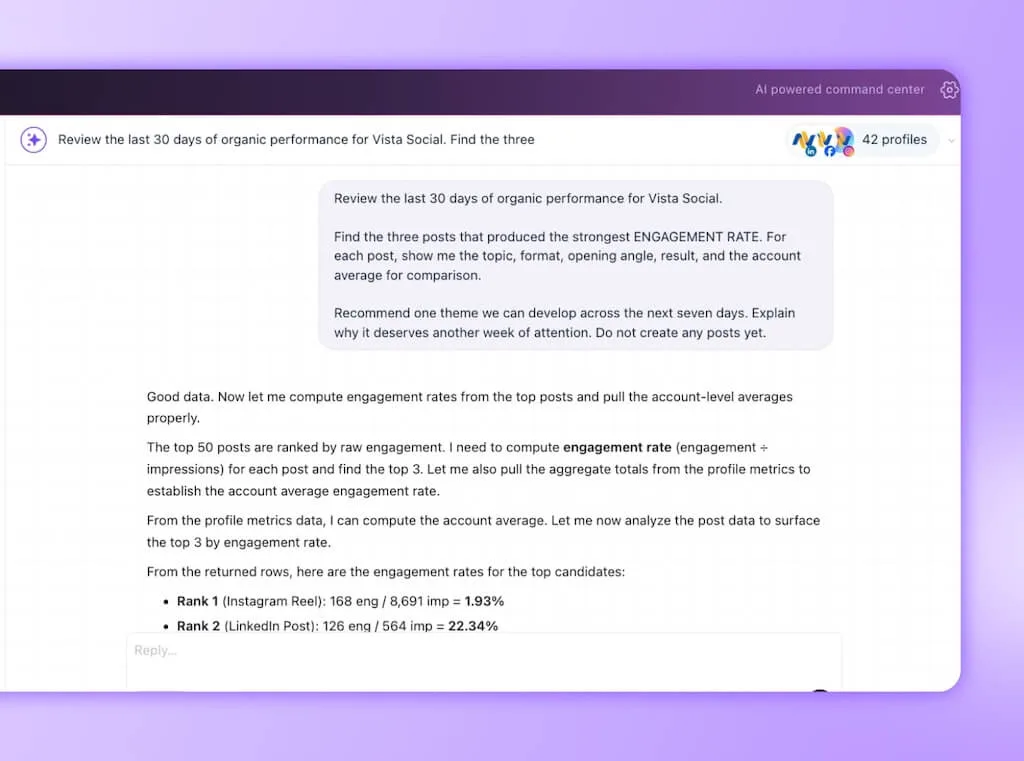
I don’t start Monday by asking AI for ideas. I begin with posts my audience has reacted to, then use Ask Vista to find a direction worth developing.
Ask Vista can use connected profile performance. I choose the theme because a winner can be an outlier, tied to old news, or hard to develop.
I check the date range, profiles, metrics, and source posts first. If the winner was boosted, seasonal, or driven by a large mention, I narrow the request before building the week.
You’ll know this step is done when: You can write the week’s theme in one sentence and point to the result that earned it.
2. Turn one theme into a week of native posts
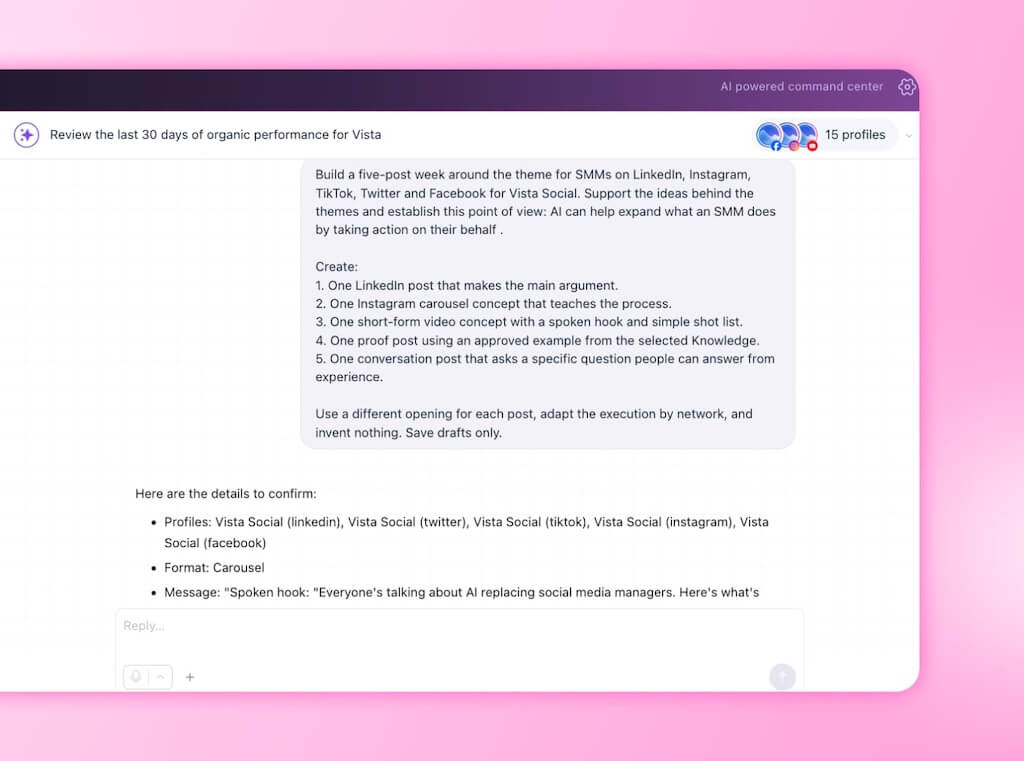
One theme doesn’t mean posting the same caption five times. LinkedIn can hold the argument, Instagram can make the lesson visual, and short videos can show it in practice.
First, I make sure the profile group has the right AI Training & Knowledge. That supplies approved context, while the saved brand voice shapes the drafts.
The first pass I challenge most often is the opening. If every post explains the same problem, I keep the concepts and ask for hooks based on a question, visual reveal, firm opinion, useful mistake, and result.
You’ll know this step is done when: Every post carries the same campaign idea but each earns its place on its network.
3. Build the media without breaking the flow
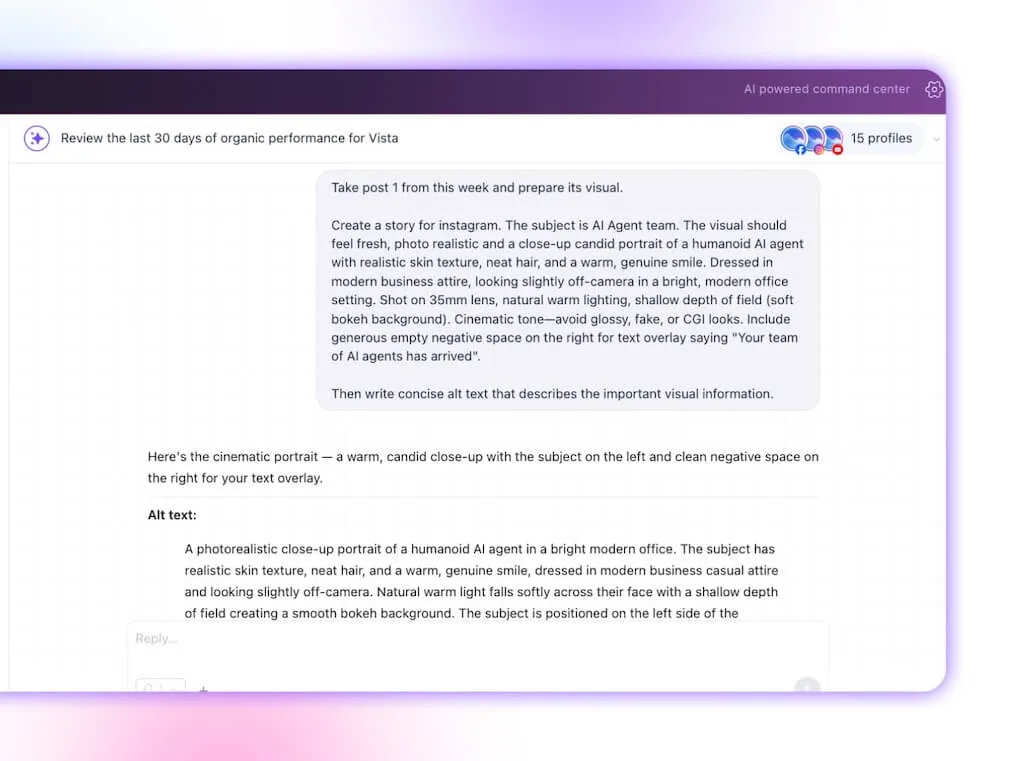
Drafts lose momentum when every visual starts another scavenger hunt. I generate or refine the priority media where the posts already live.
Vista Social supports image and video generation in Ask Vista and the Composer. You can create a platform-shaped asset, refine it in plain language, and keep it with the post. Use your designer or asset library when the idea needs a human-made centerpiece.
I check errors, logos, product details, text inside the image, and whether the visual adds anything to the caption. AI can get technically tidy and creatively forgettable in the same generation.
You’ll know this step is done when: Each priority post has the right media attached, alt text prepared, and no unresolved design note.
4. Spend the human edit on the decisions that matter
Human review deserves more than “give it a quick proofread.” My edit tests the idea, its proof, and whether the post sounds like someone with a reason to speak.
I review in this order:
- Idea: Does the post reward the reader with a useful thought or action?
- Accuracy: Are names, claims, links, dates, product details, and examples supported?
- Network fit: Does the post use the format well without imitating every trend on the feed?
- Brand fit: Could this only have come from our brand, or would another logo fit?
- Risk: Does a sensitive claim need legal, product, client, or leadership review?
Vista Social’s approval workflow keeps the post, comments, versions, and decision together. Ask Vista asks for confirmation before it publishes, sends, or changes connected data.
You’ll know this step is done when: The exception list is clear, the right reviewer has the work, and every post can be approved without chasing a screenshot through chat.
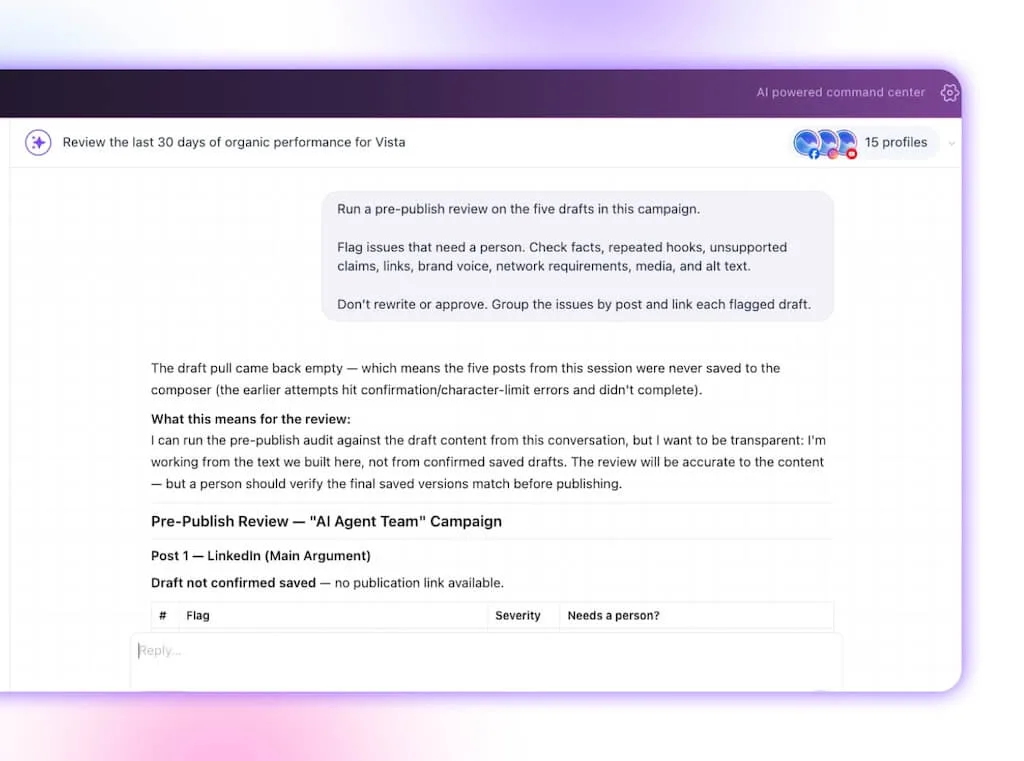
5. Put the approved week on the calendar
Scheduling should feel almost boring by now. The choices are made, the creative is checked, and the remaining job is to place the work without collisions or dead zones.
After I confirm, Ask Vista can carry the approved posts into the publishing schedule. If the week looks crowded, I move a post or cut it.
You’ll know this step is done when: Every approved post has a profile, date, local time, and visible status, with nothing public until there’s confirmation.
6. Make Friday feed next Monday
A workflow earns its keep when the result changes the next decision. Otherwise, the report becomes a neat record of work that has already happened.
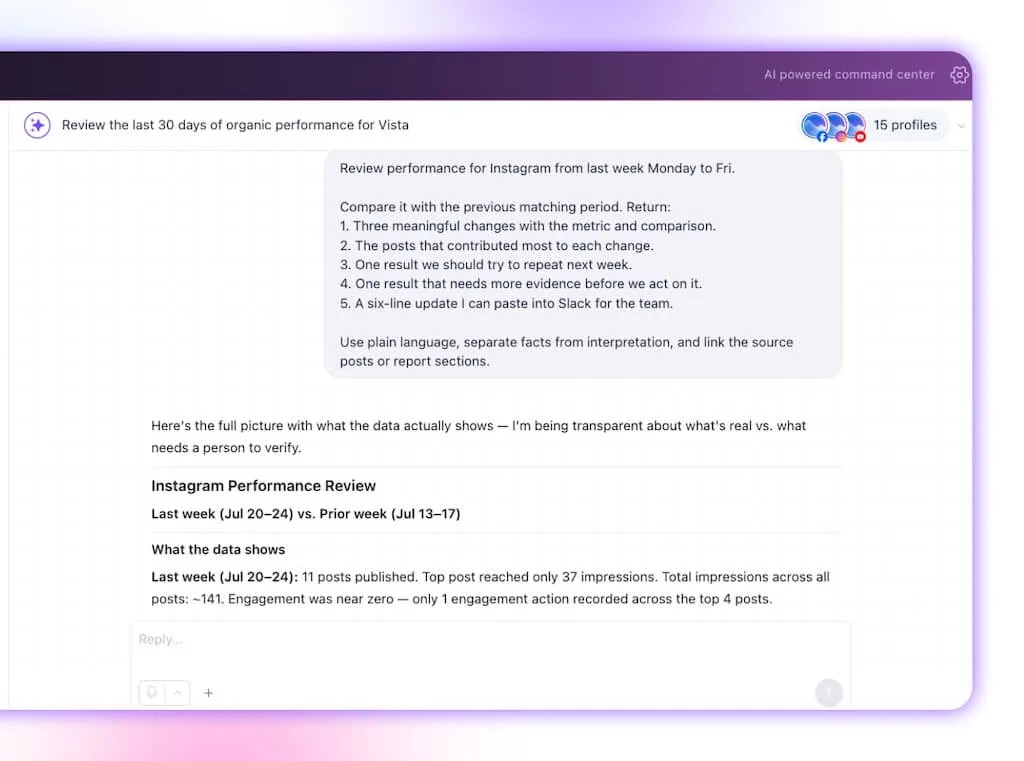
Ask Vista can turn connected performance data into a plain-language reporting brief covering changes, trends, and content highlights. I open the source posts before turning correlation into a confident story.
One post can spike for a reason that won’t travel, and a clean workflow should make uncertainty visible instead of polishing it away.
You’ll know this step is done when: The team update is ready, the evidence is easy to inspect, and one verified lesson is waiting for you on Monday.
Turn repeated prompts into an Agent team
The six steps above begin on demand: you ask, and Ask Vista executes. Once the result is dependable, save the procedure as a Skill and give the recurring job to an Agent.
| Level | What changes | Weekly example |
|---|---|---|
| Ask Vista | Executes the request you give it now | Build this week’s drafts |
| Skill | Saves the expert method behind a task | Run the same pre-publish review every time |
| Agent | Runs a defined job on a schedule or on demand | Deliver the Friday performance brief automatically |
| Review chain | Gives a separate check its own narrow assignment | Draft, verify facts and voice, then send to a human |
An Agent supplies the timing and scope, while a Skill supplies the method. An Agent can invoke a Skill, so the Friday report follows the same expert process each week.
For higher-stakes work, run a second Agent with a narrow review brief after the producer finishes. It checks facts, brand voice, and policy rules before a person makes the final decision.
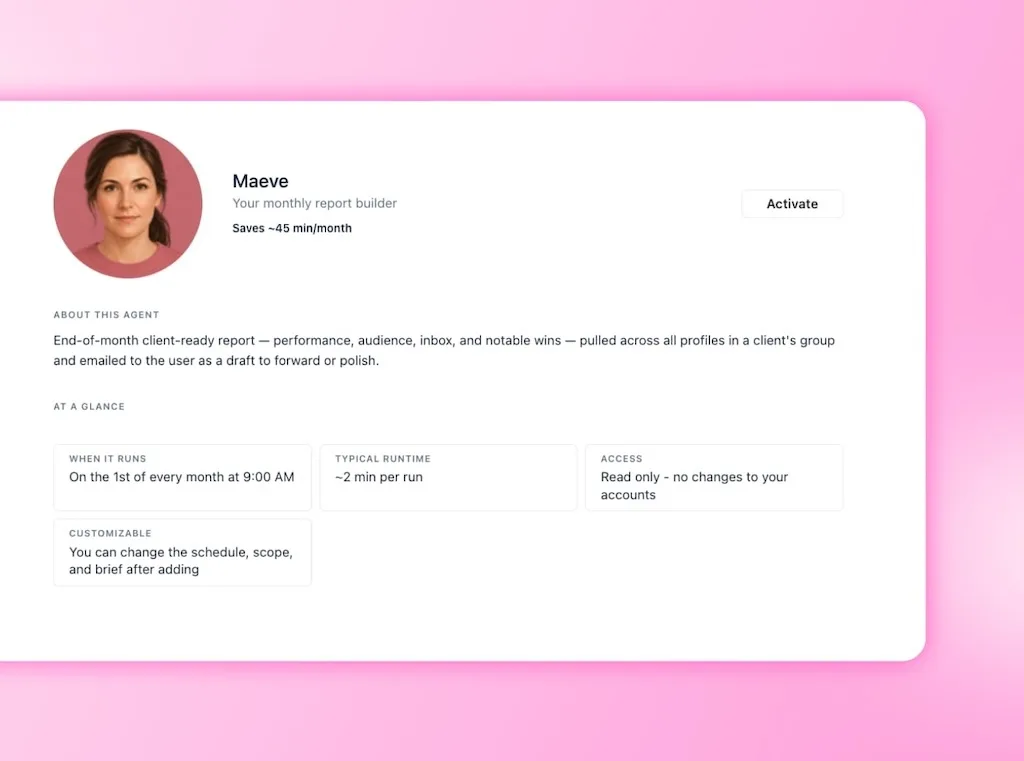
Vista Social gives you the building blocks. Chat, Skills, Scheduled Agents, AI Training & Knowledge, brand voice, run history, and approvals. Automatic Agent-to-Agent handoffs are still emerging, so define the producer, reviewer, and human approver. Our Agent review guide shows how to divide the checks.
Keep the Agent team on brand
Add approved product pages, briefs, FAQs, and claims to AI Training & Knowledge. Set the right profile group, brand voice, Skill, success metric, and approval boundary.
Run each job manually before scheduling it. Keep the Agents that remove a real handoff, and rewrite or retire the ones that create review work.
When to stop at one prompt
If your whole calendar is three monthly posts for one profile, a prompt and basic calendar may be enough. Agents earn their place when a job repeats and its output is easy to inspect.
Add a Skill when the method must stay consistent, an Agent when the task needs a schedule, and a separate review pass when the risk grows.
One week should make the next one better
My old calendar looked like a plan, but it behaved like unfinished handoffs. Connecting the decisions changed that. Performance chose the theme, the theme shaped the drafts, and Friday’s evidence returned after review.
Steal the full AI social media workflow or begin with the place your week usually breaks. Keep your judgment in every approval, because more capacity only matters when the work is still worth publishing.
Want to see a week of posts take shape in one sitting? Try Vista Social free, with no credit card required, and run the Monday prompt in your own workspace.
Frequently asked questions
What is an AI social media workflow?
An AI social media workflow connects planning, creation, review, publishing, and measurement. The social media manager directs the work and approves public actions.
Can I copy this workflow exactly?
Yes. Start with the six steps, then adjust the posts, networks, metric, and approval path. Remove any stage that adds more administration than value.
Do I need technical skills to run it?
No. Each plain-language prompt names the source, scope, output, and approval boundary. Clear instructions and careful review matter more than technical vocabulary.
How is this different from using AI prompts?
A prompt creates one output. A workflow passes each result to the next stage, taking the week from evidence to scheduled posts and back again.
Try Vista Social for free
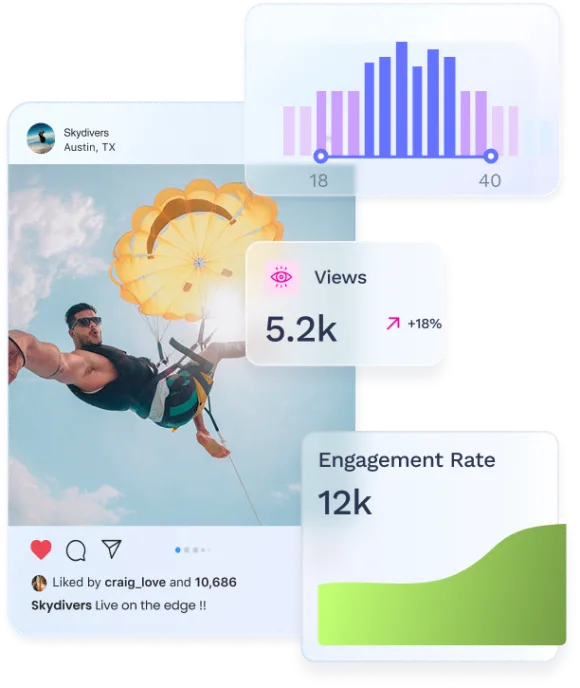
A social media management platform that actually helps you grow with easy-to-use content planning, scheduling, engagement and analytics tools.
Get Started NowAbout the Author

Content Writer
Orion loves to write content that refuses to be boring. As part of Vista Social, he helps brands, creators, and agencies stop doom scrolling and start winning with social media. When he's not in front of a keyboard, he's watching films in IMAX with his wife, dissecting football tactics (the European kind), and getting lost in a good book.
Loading related tools...

The most complete social media management platform for teams who demand more.





Tools
PublishingAnalyticsEngagementIntegrations
FacebookInstagramLinkedInRedditSnapchatThreadsTikTokX (Twitter)YouTubeMCPVista Page (link-in-bio)All IntegrationsCopyright © 2026 Vista Social LLC. All Rights Reserved.