


Published on August 26, 2026
7 min to read
Social Media Project Management Without the Second Tool

Summarize with AI

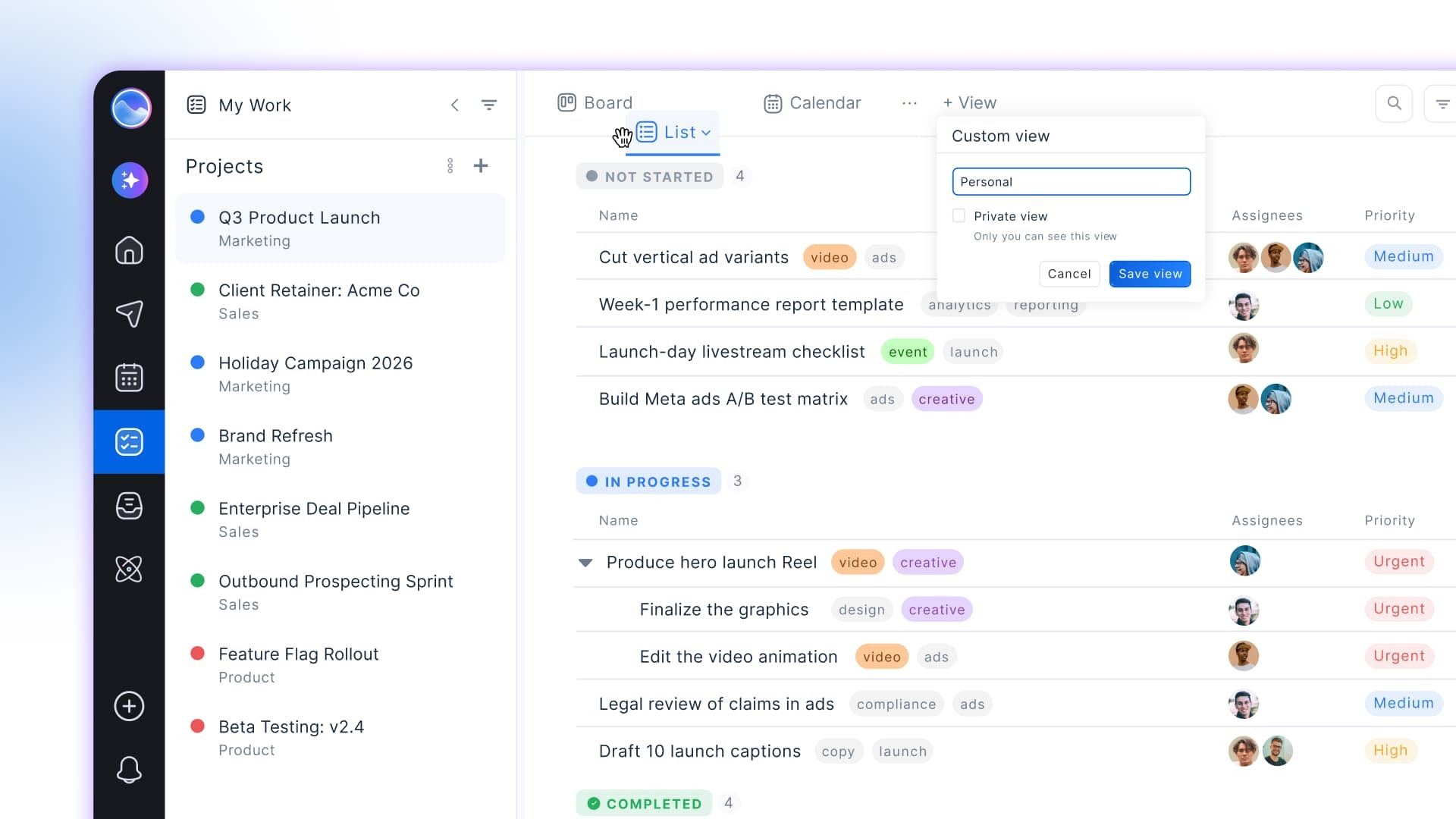
Table of contents
Summarize with AI

ChatGPT

Claude

Perplexity
Share

Vista Social

X (Twitter)


Count the tabs open on your second monitor. Posts live in Vista Social, while the work about them lives in Asana. You sit in the middle, copying a comment into a card and explaining which client it belongs to.
Both tools may be doing their jobs. The friction sits in the handoff between them. Each time a post, comment, review, or report becomes a task elsewhere, somebody has to describe the work again.
Then come the questions neither tab can answer alone: Did this post publish, and did anyone respond to the message? The social media project management setup looks tidy, but the SMM still has to piece together the full story.
That repeated explanation is the translation tax. It takes time from content work and grows with every client, profile, and teammate.
A task works differently when it carries the social item that created it.
The short version
- Switching adds up: Harvard’s 2026 study counted 814 daily app changes for the median employee.
- What changes: A social-native task keeps a live route back to the post, conversation, review, or report behind it.
- Wider scope: General project tools still suit cross-department planning, staffing, and Gantt timelines.
- Start small: Move one recurring handoff and count how many explanations disappear.
Table of contents
What is social media project management?
Social media project management is the practice of planning, assigning, and tracking the work behind social campaigns. It covers briefs, drafts, approvals, publishing, and the follow-ups created by comments and messages.
A content calendar tells you when something should publish, while project management for social media teams shows who owns the work and what has to happen next.
The setup often spans a social tool stack because the project board and social platform were chosen for different jobs. Friction appears when the board needs information that only the social platform holds.
What is the two-tool setup actually costing you?
The price goes beyond a second subscription because the team also pays in time. Each handoff requires somebody to copy information, check both versions, and return to the place where the work began.
A 2026 Harvard Business School working paper analyzed 103 million application events from 1,017 employees across eight organizations. The median employee switched apps 814 times per workday, while the mean was 943. An application remained in the foreground for 27.8 seconds on average before the next switch.
The preprint is under review, and the sample wasn’t limited to social teams. Still, the behavior is familiar to anyone moving between an inbox and a project board. Organizational researcher Sophie Leroy calls the focus left behind after a switch “attention residue.” In a 2025 UW interview, she explained:
“As people switch between meetings and tasks, the brain struggles to let go and move on.”
Sophie Leroy, UW interview
For an SMM, that means the return trip can cost attention as well as time. After creating the task, you still have to find your place in the inbox and remember what you were handling before the handoff.
Let’s take Thursday, for example. A customer asks for a spec sheet under the launch Reel, and the designer owns the follow-up. You copy the comment into Asana, name the profile, find the post URL, set Friday as the due date, and return to the inbox.
Four minutes have gone into describing work that already existed:
| Handoff step | Time |
|---|---|
| Copy the comment and identify the profile | 35 seconds |
| Open the project tool and create a card | 40 seconds |
| Explain the request and name the correct post | 1 minute 5 seconds |
| Find and paste the live post link | 50 seconds |
| Add the owner, due date, and status | 30 seconds |
| Return to the inbox and recover your place | 20 seconds |
| Total | 4 minutes |
Although four minutes is easy to dismiss once, the same trip repeats across comments, review requests, campaign changes, and client questions. The project board starts charging your team per handoff.
Some small requests never reach the board because creating the card takes longer than completing the work. The board can then look cleaner than the week was, while reactive jobs remain in the inbox.
What does a task attached to a post actually do?
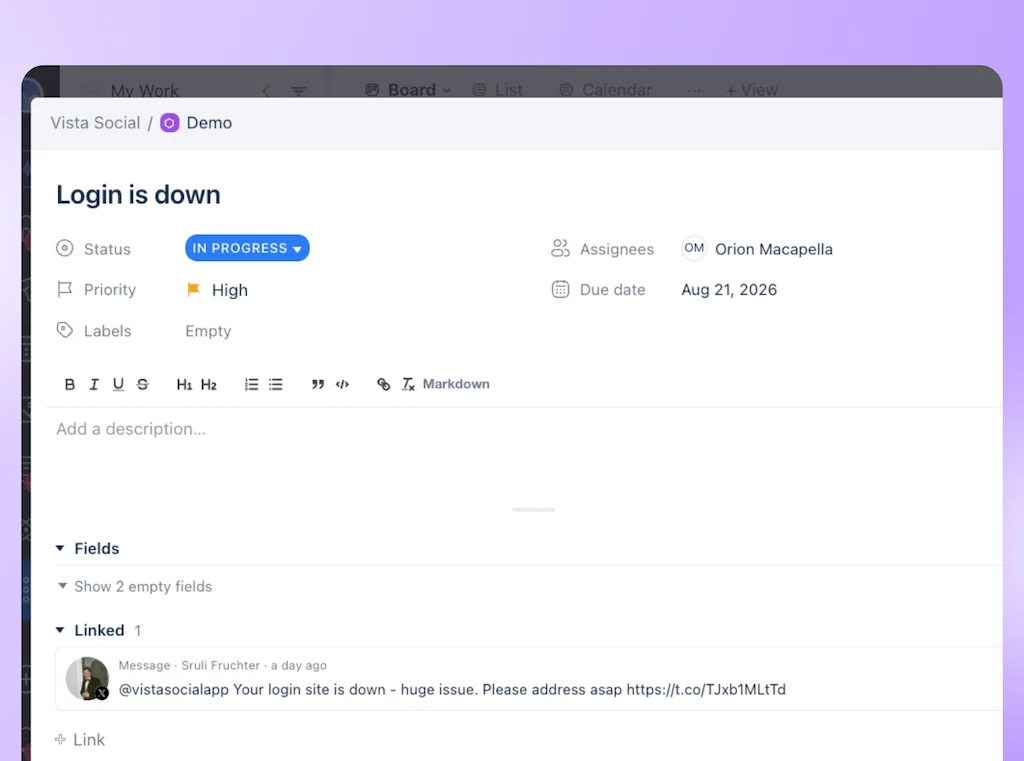
A task attached to a social item carries a live link back to its source. Because the assignee can open the conversation, post, review, or report behind the request, they don’t have to rely on a pasted summary or old screenshot.
Imagine that spec-sheet comment again. From the shared inbox, you create a task, assign the designer, set the due date, and choose the project’s status. The task keeps its link to the original conversation, so the designer can read the customer’s exact question and see which profile received it.
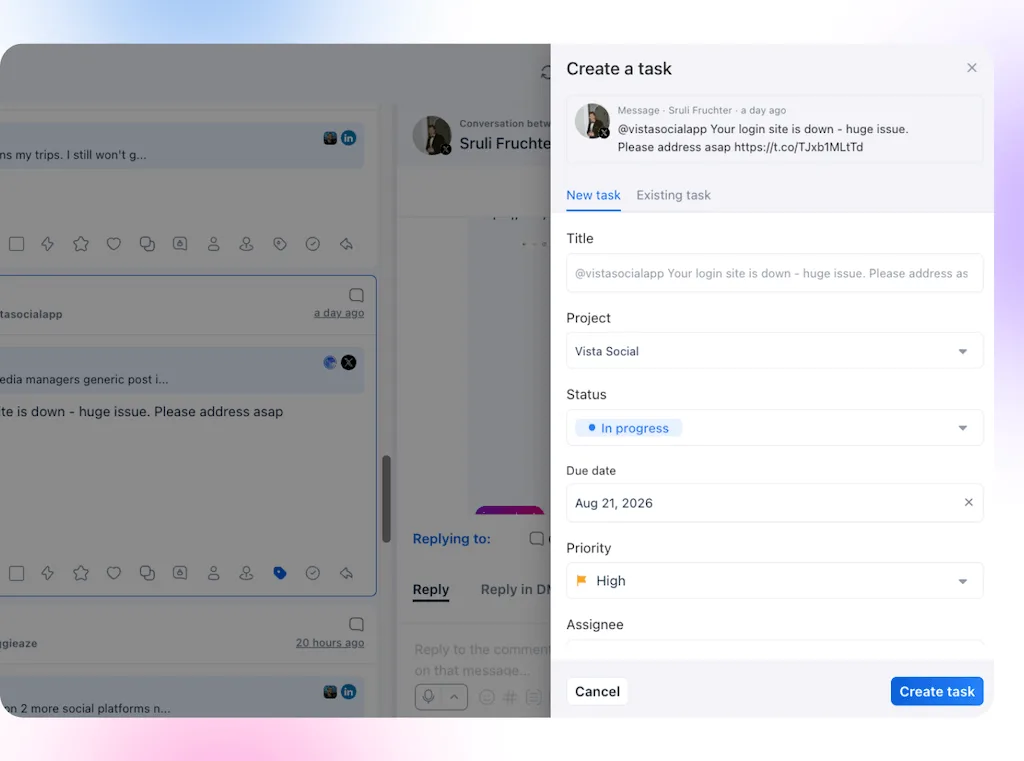
The task holds the assignee, due date, priority, labels, subtasks, attachments, comments, and a custom status. Pressing Shift+T from another screen also creates a linked task, which removes the hunt for its URL.
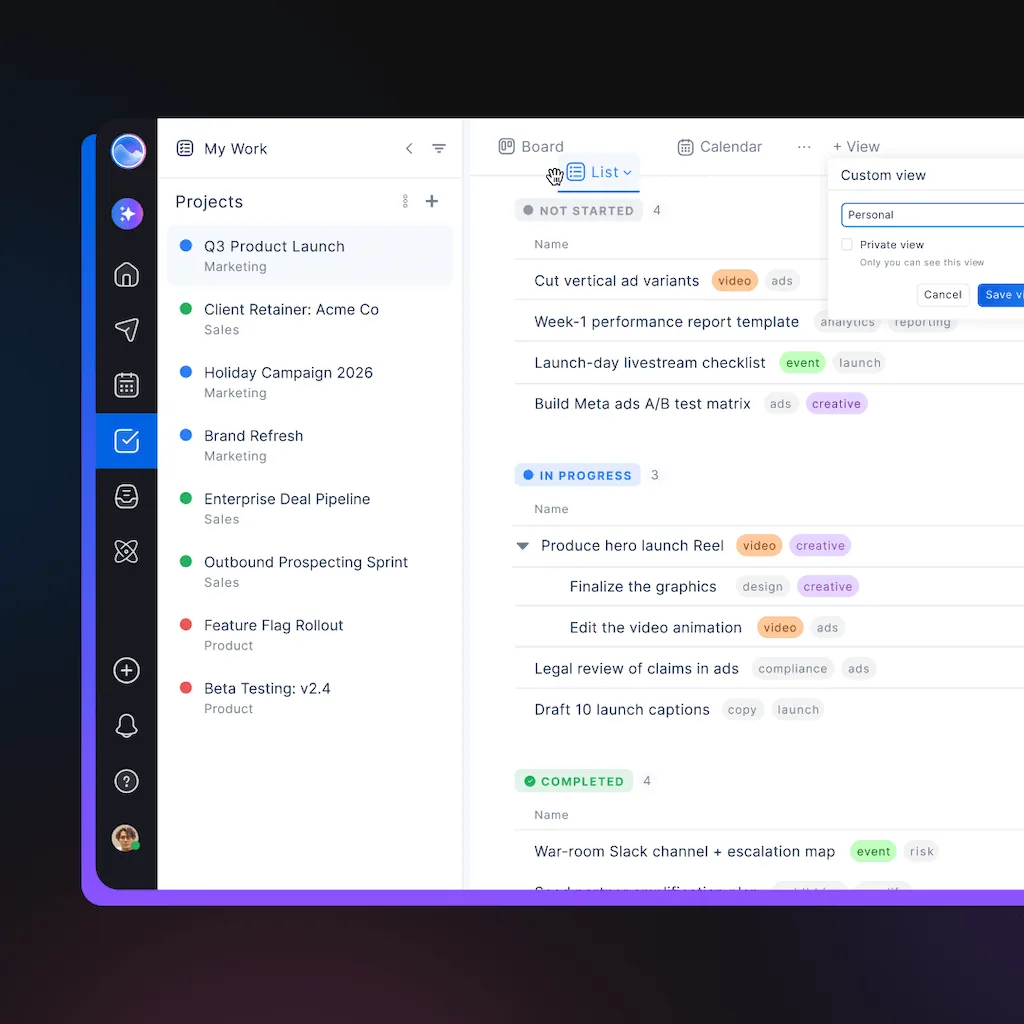
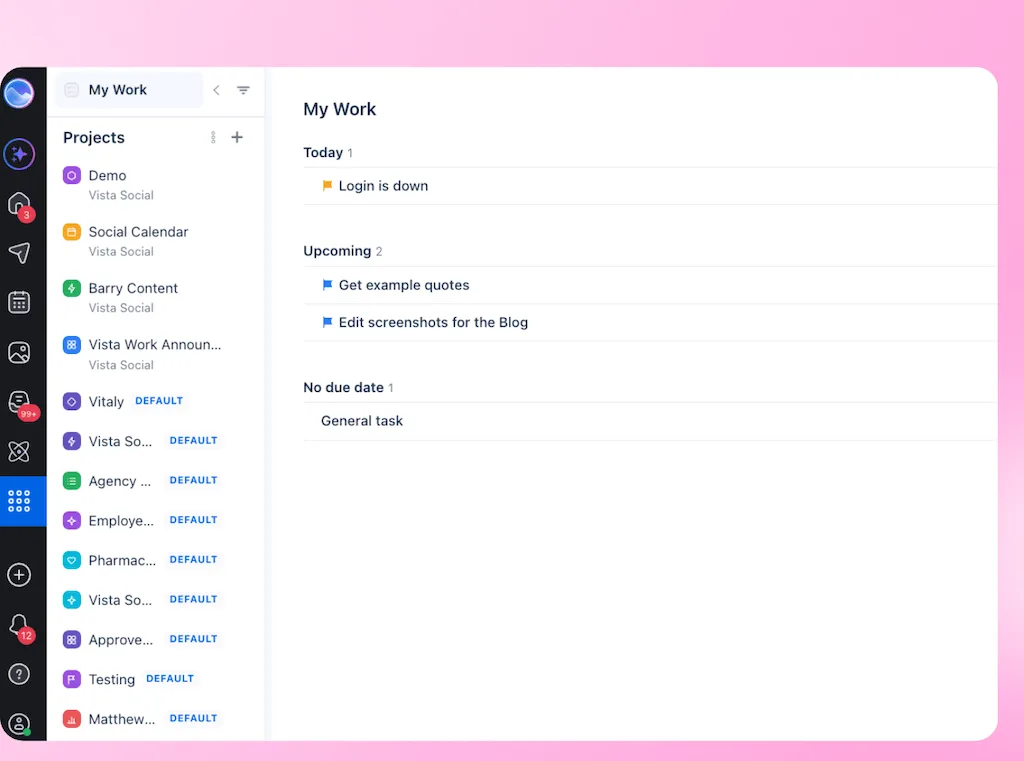
Vista Work shows the same work as a board, list, or calendar. My Work gathers one person’s assignments from different projects, so an agency manager can see what is due across three clients without opening each account separately.
AI belongs here when it removes setup work. After you prompt them, Ask Vista and approved AI tools can work with tasks through Vista Social’s MCP tools. Automations can also create tasks from inbox messages and macros.
DM automations handle repeatable actions, while people set priorities, check the output, and approve anything public.
Why do approvals take so long?
Approval slows down when the reviewer first has to find the current version. A card that says “Approve launch post” can hold up the decision because it leaves out the caption, creative, profile, and latest feedback.
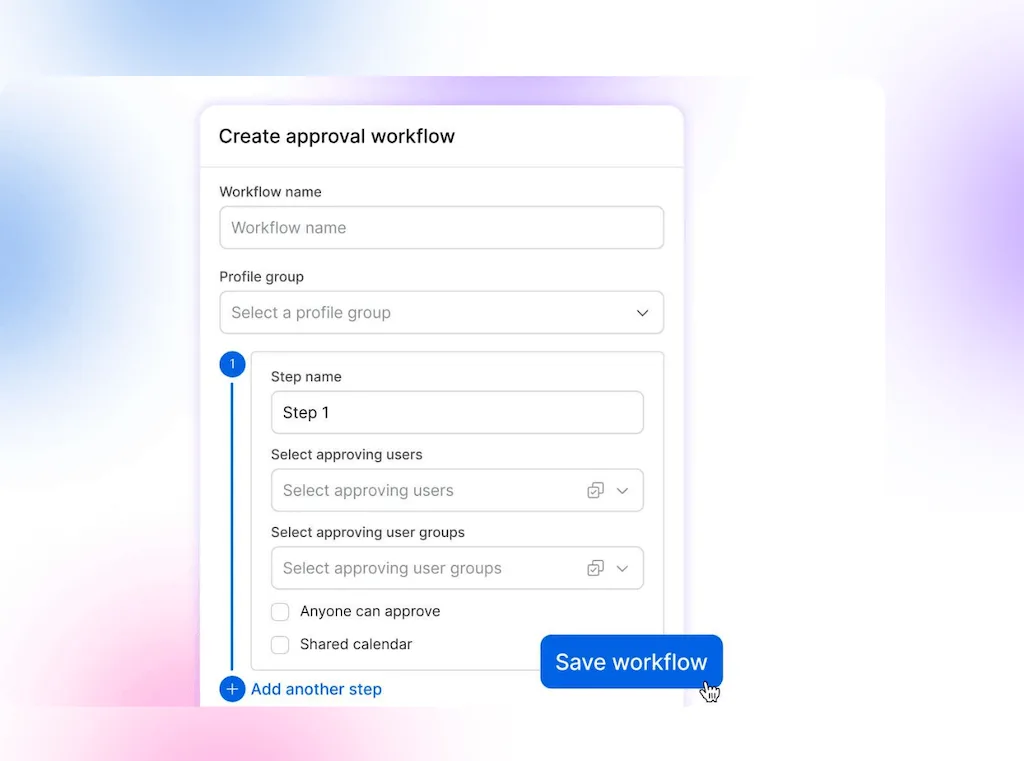
A faster approval depends on a visible review path. The approver should receive the exact post, owner, due date, and review status in one request. Because custom stages such as Ready for review, Changes requested, and Approved are visible, the team can see where a decision is waiting.
For agencies, that structure begins during client onboarding. Agree on who approves, what they review, and each stage’s deadline before the first campaign reaches them. That way, a live deadline isn’t the first test of the process.
Review time should be spent judging the work, not locating it.
Frequently asked questions
Do small teams need project management software for social media?
Solo managers and two-person teams with a simple calendar may not need it. Add project management when ownership, approvals, or incoming requests become hard to track.
Can clients see Vista Work tasks?
Clients can take part because Vista Social applies the access granted to their role. Confirm the client role and profile-group setup before moving an active approval process.
Does Vista Work have Gantt or timeline views?
Vista Work offers board, list, and calendar views, plus My Work for personal assignments. Keep a broader project platform when Gantt planning or company-wide resource management is essential.
How do agencies manage social media for multiple clients?
Separate the work by client or profile group, then keep the approval stages consistent where the process matches. My Work gives each teammate one view of today’s, upcoming, and overdue assignments across projects.
How much time do teams lose switching between tools?
The middle participant in Harvard’s 2026 dataset logged 814 daily switches. The sample wasn’t social-specific, so time one handoff before estimating your cost.
Is Vista Work included in every Vista Social plan?
Vista Work is included on every paid Vista Social tier as of August 19, 2026. Confirm current packaging on the pricing page before publishing because plan details can change.
Try Vista Social for free
A social media management platform that actually helps you grow with easy-to-use content planning, scheduling, engagement and analytics tools.
Get Started NowAbout the Author

Content Writer
Orion loves to write content that refuses to be boring. As part of Vista Social, he helps brands, creators, and agencies stop doom scrolling and start winning with social media. When he's not in front of a keyboard, he's watching films in IMAX with his wife, dissecting football tactics (the European kind), and getting lost in a good book.