


How to Keep a Human in the Loop as Your Social Team Adopts AI
October 16, 2026
9 min read

Summarize with AI

Table of contents
Share

Vista Social

X (Twitter)


In May 2025, Klarna’s CEO told Bloomberg the company was hiring human customer-service staff again to ensure customers could speak to a person if they wanted. Entrepreneur’s reporting described the renewed focus on service quality.
Fifteen months earlier, Klarna had announced an assistant handling 2.3 million conversations in its first month, a workload it described as equivalent to 700 full-time agents. Human support was available at launch; the later hiring discussion highlighted why volume alone wasn’t enough to judge the service.
For your social team, the opportunity is better work: reports ready for interpretation, earlier warnings, and less time collecting context. Keeping a human in the loop gives the people who know your markets the authority to improve that work, while agents handle the repeated checks around it.
The short version
- Assign the decisions first: Name who approves public work, owns local context, and handles sensitive conversations.
- Use an approved connection: MCP lets an authorized AI assistant work with Vista Social’s available account tools; start with a narrow task and account scope.
- Expand through evidence: Test reporting before drafting, and prove the approval route before allowing public actions.
- Evaluate the whole job: Include review effort, corrections, and account coverage when deciding whether the pilot is worth expanding.
Table of contents
Tell the team what changes before asking for tasks
Discuss the purpose of the pilot before collecting a list of work to automate. Otherwise, asking what an agent could take over can sound like asking people to justify their jobs.
Use this message to start the conversation, then agree on the details with your team.
Agree how the pilot’s data will be used. A long approval wait might reflect an unavailable legal contact or an understaffed review step. A queue-watching test shouldn’t turn into a ranking of individual employees.
Decide which work to hand over
Use the table with the operator to choose one first task. Look for a repeated check with a clear source and useful result, keeping the related decision with someone who knows the account.
| Let the agent prepare or check | Keep this decision with your team |
|---|---|
| Account results and a performance recap | Explain local context and decide what should change |
| Posts waiting for approval and the current step | Review the content and authorize publication |
| Unanswered messages and routine reply options | Handle sensitive conversations and exceptions |
| Calendar gaps across selected locations | Decide whether more content is appropriate |
| Draft variations from an approved brief | Check facts, rights and suitability for each market |
For example, an agent can flag a quiet location. Your regional manager knows whether the silence reflects a missed handoff or a local incident that makes promotional content inappropriate. Give the agent the check and the manager the decision.
Start with your company’s approved AI tools
You don’t need a separate AI environment for every regional team. MCP, or Model Context Protocol, connects an approved AI assistant to tools in systems such as Vista Social. It lets the assistant retrieve account results or inspect calendar posts within its permitted access.
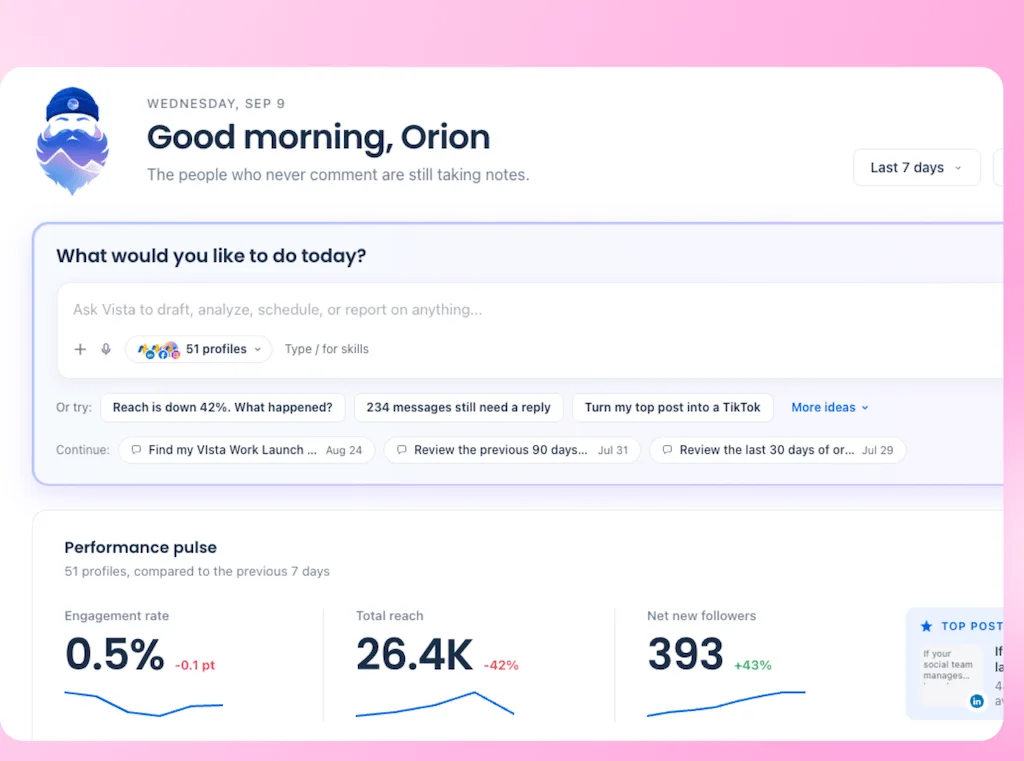
For the pilot, use that connection or Ask Vista inside Vista Social to inspect the same selected accounts. Confirm the identity, data scope, and allowed actions with your security team. Permission to use an assistant isn’t permission to give it every social account or business document.
Keep the first question easy to verify: which posts for the selected region are waiting for approval, and which step holds each one? Check the answer against the calendar before making it a recurring job.
Roll out the workflow in five steps
Start with one region or location group and a reviewer who has time to test the work. Expand only when the handoff works for that team.
1. Record the task, scope, and baseline
Turn the task you selected into a short assignment. Agree on what a correct result looks like before judging the agent’s first attempt.
- Record the scope: Name the task owner, selected profiles, source information, and exclusions. A regional check shouldn’t silently expand to every account in the workspace.
- Run it once in Vista Social: Ask Vista or your approved MCP-connected assistant can retrieve the selected profiles’ results or list pending posts. Compare the response with the report or calendar.
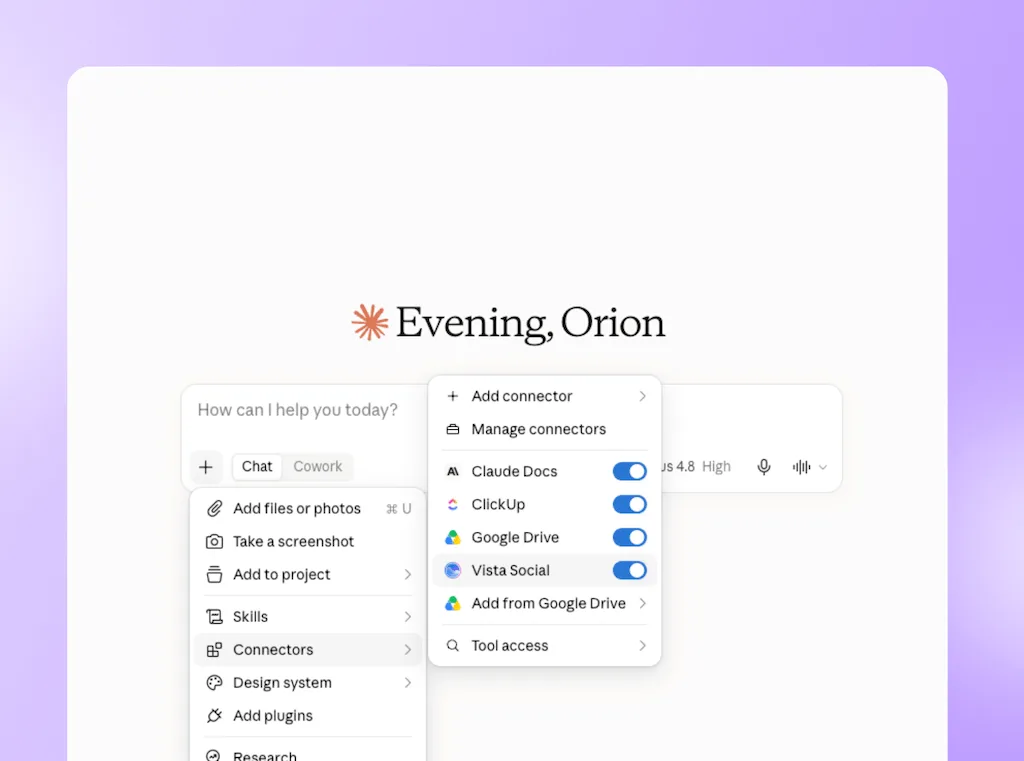
- Keep a baseline: Record the manual review effort, missed items, and corrections. That gives you something concrete to compare with the pilot.
Done when: The owner can explain what the agent should return and what it must leave alone.
2. Test the access and approval route
Give each content type a reviewer and a backup. A local service update and an incident statement need different expertise; sending everything to headquarters can move the bottleneck.
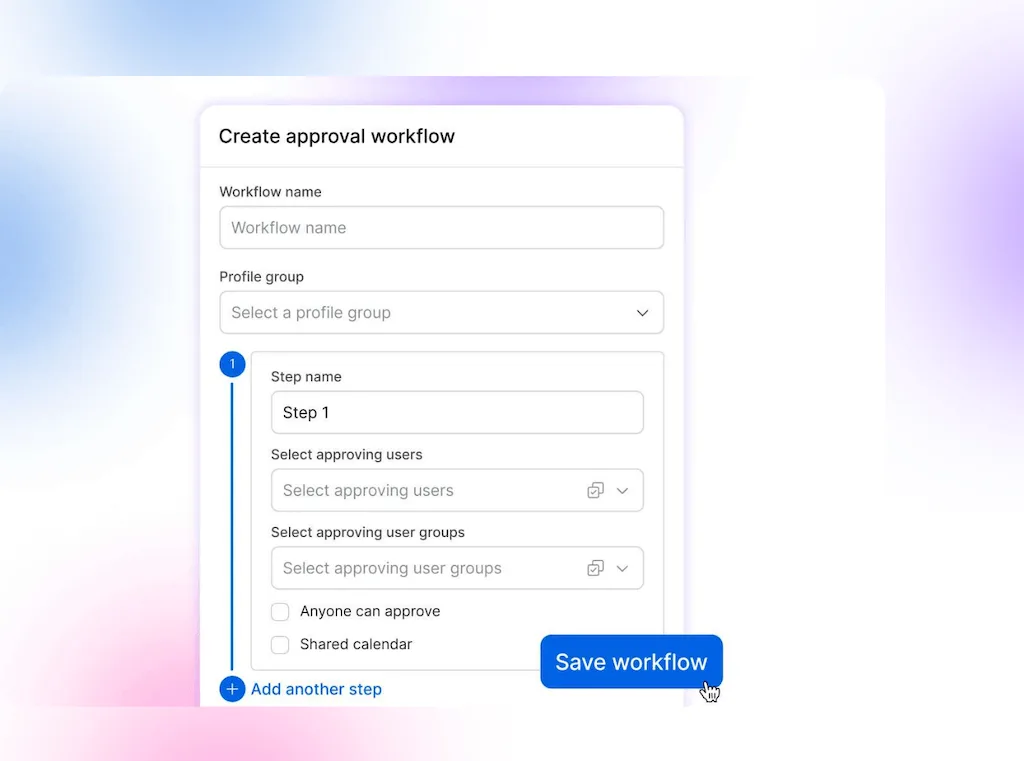
- Set the Vista Social access: Configure publishing access and the default approval workflow for the profile group. Contributor access prevents that user from publishing directly and sends their posts through the configured review process.
- Check the actual identity: Review the access used by the assistant or agent, including any broader publishing rights. Restricting a contributor doesn’t automatically restrict a separate integration account.
- Test a non-public sample: Check rejection, an unavailable approver, and the final status. The approval-workflow walkthrough helps you configure this part of your social media governance.
Done when: The intended identity can’t bypass required review, and a colleague can find the reviewer, status, and approval history.
3. Schedule checks that return findings internally
Use a suggested two-week test to compare the agent with the manual process. Include a busy day or changed schedule so the trial tests exceptions as well as normal work.
- Configure the Vista Social agent: Start with the weekly performance reporter or approval-flow watcher. Set the profiles, cadence, and internal recipient, then inspect a completed run.
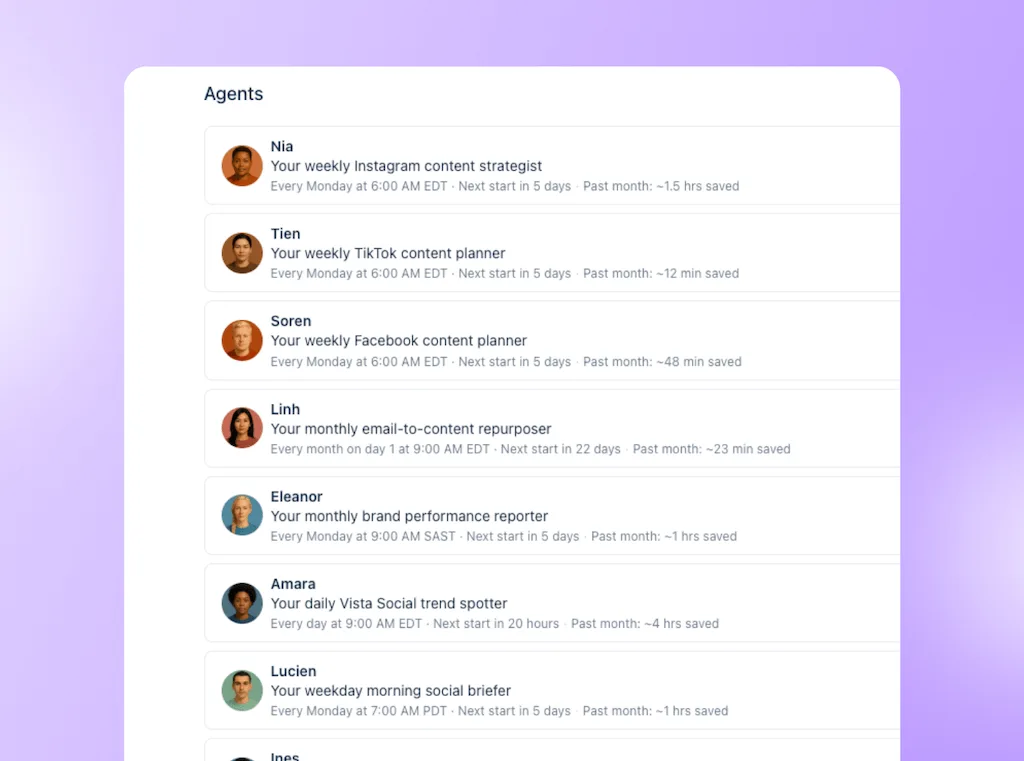
- Verify what needs attention: Look for missed posts, wrong dates, and false alarms. The approval watcher surfaces stuck posts; the approver still decides whether they can move forward.
- Keep delivery with the team: Review the findings internally before adding leadership or other external recipients. Show the operator how to pause the agent and report a problem.
Done when: The operator can verify the result and show that corrections don’t outweigh the value of the check.
4. Add drafts through the tested review process
Let the operator choose the next useful handoff. Allocate time to review the new work, rather than assuming faster drafting creates spare review capacity.
- Supply current context: Provide the approved brief, selected accounts, and local requirements. Approval of the source brief doesn’t approve every adaptation made from it.
- Prepare drafts in Ask Vista: Use the connected account context and instructions, keep the drafts in the configured approval workflow, and inspect the actual reviewer and status.
- Test a difficult draft: Check a changed offer, an unsupported claim, and a rejection. Use the feedback to improve source material and instructions, not to blame the reviewer for repeated corrections.
Done when: A person can reject or amend the draft without a public action, and the team can verify the resulting status and history.
5. Combine agents only when it improves the handoff
Once individual jobs are useful, combine related checks into a briefing the manager can use. Avoid adding another layer of notifications that someone has to reconcile.
- Combine related Vista Social checks: An orchestrator can run existing agents, such as a performance reporter and an approval watcher, and bring their results together.
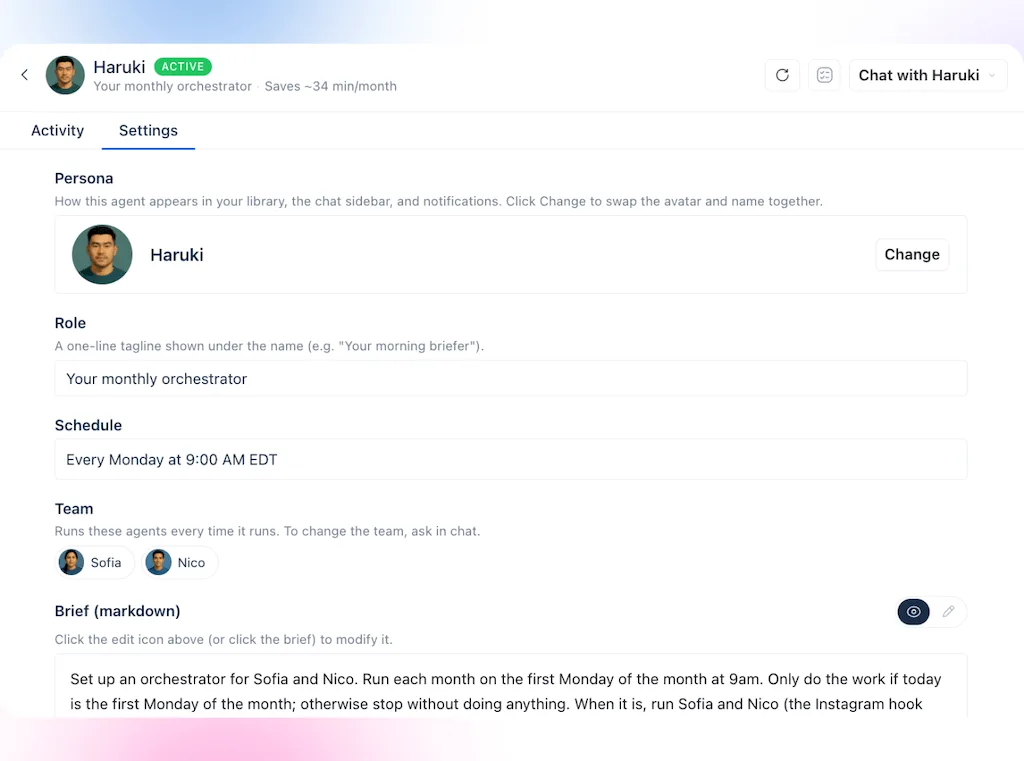
- Inspect every member’s actions: Check permissions, email delivery, and publishing actions before grouping agents. A combined summary doesn’t create a new approval gate or remove an existing permission.
- Give review agents a specific question: If a second agent checks draft quality, provide a distinct brief and approved evidence. The guide to agents checking each other’s work explains the pattern; agreement between agents still needs human scrutiny.
Done when: The combined result removes a real handoff, and its owner knows how to pause it and investigate an incomplete or incorrect run.
Show leadership what the pilot improved
Report what your team can now cover reliably, with the cost of review included. Use the same measures before and during the pilot:
| What to compare | Evidence to keep | What it tells you |
|---|---|---|
| Account coverage | Included profiles, excluded locations and completed checks | Whether more of the business receives a dependable service |
| Review quality | Missed items, corrections, rejections and approval-test results | Whether the output is useful and the controls hold |
| Community service | Overdue conversations, repeat contacts and unsuitable replies | Whether faster handling has improved the experience |
| Total effort and cost | Setup, training, review time, corrections and AI credits | Whether the whole job is worth repeating |
The marketing automation ROI guide covers the cost calculation. Keep estimated capacity separate from spending reductions, and show what the team used that capacity to improve. More generated work isn’t a useful result if review has become the new backlog.
Complete the pilot record before expanding
Use this checklist at the end of the test. Add the actual names and links so a colleague can inspect the decision without reconstructing the pilot.
If the approval test fails or no one can own review, pause expansion. A company that has already decided to cut the team first needs a staffing and service-risk discussion; a rollout checklist won’t supply the missing judgment.
Give your team a clear role in the AI plan
Your team should be able to point to the work an agent has taken, the decisions they still own and the improvements that justify continuing. That gives you a stronger answer to leadership than output volume, and gives the people doing the work a meaningful role in shaping the change.
Book a Vista Social walkthrough with one recurring task and its review owner. Use it to inspect account access, a completed agent result and the approval route before asking the wider team to adopt the workflow.
Frequently asked questions
Does human in the loop mean someone checks every AI action?
No. Place review before the decisions that carry risk, such as publishing content or sending a sensitive response. A read-and-report agent can collect results on its schedule, with a person checking the interpretation before it is shared or acted on.
How do you address job concerns without making false promises?
Explain the changes you control and acknowledge the staffing decisions you don’t. Agree how roles, training and review work will change, and show what the pilot improves rather than translating tasks into person-equivalent savings.
Can an AI agent approve its own social posts?
Available tools and permissions can allow approval actions. Keep public sign-off with a named person, and test that the identity and configured workflow enforce that choice before adding publishing work.
When should you pause an AI rollout?
Pause when access is wrong, required review can be bypassed, or repeated errors make the output more costly to check than to prepare manually. Correct the setup and rerun the test before adding accounts or actions.
About the Author

Content Writer
Orion loves to write content that refuses to be boring. As part of Vista Social, he helps brands, creators, and agencies stop doom scrolling and start winning with social media. When he's not in front of a keyboard, he's watching films in IMAX with his wife, dissecting football tactics (the European kind), and getting lost in a good book.