

Published on February 2, 2026
6 min to read
20 AI Prompts to Manage Social Using Vista Social MCP

Summarize with AI

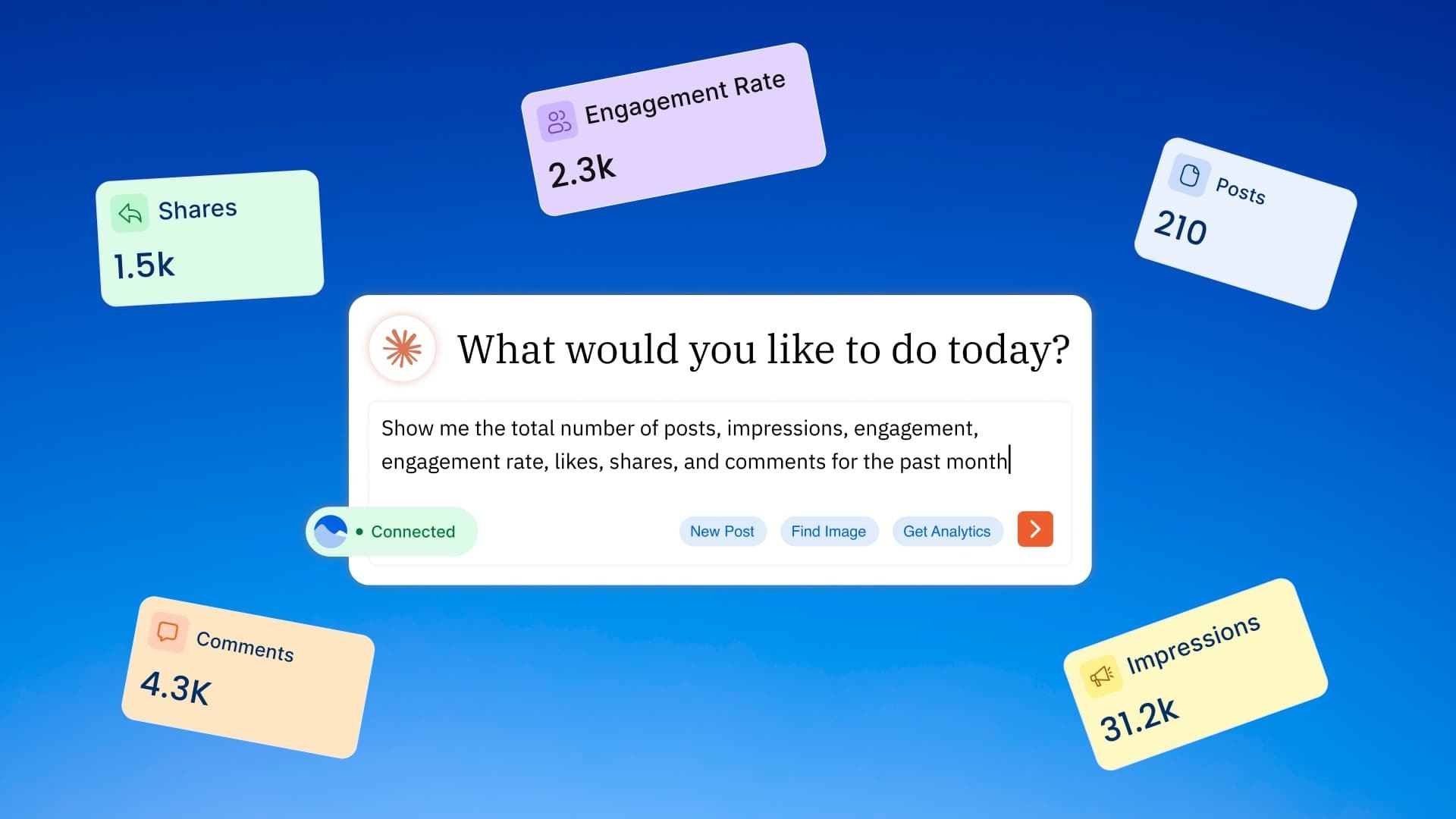
Table of contents
Summarize with AI

ChatGPT

Claude

Perplexity
Share

Vista Social

X (Twitter)


If you’re looking to make your life as a social media manager easier, you need MCP—a fancy term for an AI connector.
Enabling Vista Social MCP simply means you can use your favorite AI tool to talk directly to Vista Social using plain-language prompts you’re already writing every day.
Instead of jumping between tabs, copying data, and piecing together reports, you can ask for exactly what you need (i.e., to plan content, schedule posts, pull performance, respond to engagement, organize calendars, coordinate with teammates, the list goes on and on…) and get it done faster, with fewer mistakes and more consistency.
Marketers who work this way move from simply “managing social” to running an entire system. That means shipping more high-quality content, spotting opportunities sooner, and reacting to audiences in near real time, so they’ll outpace competitors still stuck in manual workflows.
But if you’re using MCP for the first time, you might not know where to start to unlock its full potential. So we’ve got 20 MCP prompts you can use to manage your strategy with AI.
Table of contents
1. Schedule a week of posts in minutes
Plan a simple weekly cadence across your key channels without overthinking the details. Your AI tool of choice can create and schedule content for you within minutes, ensuring that your channels are never empty even when you’re short on time.
Example prompt: “Schedule 5 posts for next week for our @Acme profiles: 2 product tips, 2 UGC highlights, 1 culture post. Use our queue where possible and spread them Mon–Fri.”
2. Never miss your best posting windows
Lean into the times your audience actually engages, per profile. Vista Social is already analyzing this data for you—now you can easily schedule your content at the best times for your specific channels.
Example prompt: “For our Instagram and LinkedIn profiles, what are our optimal publish times this month? Schedule next week’s posts into those windows.”
3. Queue-first evergreen engine
Keep evergreen content flowing automatically while you focus on campaigns. This will keep your channels full of always-relevant content while you dedicate time to specific launches or promos.
Example prompt: “Set up a queue-based schedule for our evergreen tips series and schedule 10 posts into the next available queue slots.”
4. Pre-flight check before you hit publish
Catch common issues (length, missing link, formatting) before anything goes out. This is perfect for when you need another set of eyes to make sure there are no mistakes made, especially at the end of a long week.
Example prompt: “Validate this draft for LinkedIn and suggest fixes if anything will get truncated or rejected: [paste draft].”
5. Campaign calendar you can actually run
Turn launches, promos, holidays, and other key dates into a shared marketing calendar. Let AI jumpstart the organizing so all you have to do are little tweaks to make it perfect.
Example prompt: “Add calendar notes for our Spring Sale (Mar 10–17), product webinar (Mar 21), and content deadlines (creative due Mar 1). Color-code by campaign.”
6. Turn a brainstorm into an idea backlog
Already working inside your AI tool to brainstorm some content themes? Start working on building up an idea backlog—something you can have your AI tool insert right into your Ideas dashboard in Vista Social.
Example prompt: “Create 15 post ideas for our remote work productivity theme, grouped by Reels, carousels, and LinkedIn text posts.”
7. Upload and organize assets
Drop in product image/video URLs and instantly have them ready for publishing. Organize them into folders to make them easy to find again and again.
Example prompt: “Import these 6 asset URLs into our media library and label them ‘Spring Sale 2026’ with short descriptions.”
8. Find the right approval workflow
Make sure brand/legal sign-off happens automatically, not in messy threads. Keep your content approval organized and make sure you’re always going through the right channels.
Example prompt: “What approval workflows do we have available, and which one should we use for paid campaign posts vs. organic?”
9. Audit your content schedule to find gaps
Discover gaps (like weekends, product lines, regions) without having to spend the time conducting deep analysis across your content calendar. This is especially helpful if you manage a large volume of platforms or accounts.
Example prompt: “Show me everything scheduled for the next 14 days for our ‘North America’ profile group and call out any empty days.”
11. Daily pulse report for stakeholders
Generate a lightweight performance narrative you can paste into Slack/email to share with the rest of your team or stakeholders.
Example prompt: “Give me a daily metrics summary for the last 14 days for our main profiles and highlight any unusual spikes or drops.”
12. Benchmark against your industry (and stop flying blind)
See how your brand stacks up against others in your industry and what “good” looks like. Then you can also get recommendations on how to improve and stand up better against the competition.
Example prompt: “Benchmark our Instagram and TikTok profiles against industry averages and tell me the 3 biggest opportunities to close the gap.”
13. Prioritize your inbox based on what needs attention first
Get a prioritized list of comments/mentions/messages and what to do with them. AI can determine sentiment or context around each message, helping you to prioritize what needs to be addressed first.
Example prompt: “Review today’s inbox items across our profiles and prioritize: urgent complaints, purchase questions, and influencer mentions.”
14. Pay attention to brand sentiment so you can be prepared
Spot early warning signals from the tone of comments/replies/mentions. This will help you stay on top of your brand’s reputation and be prepared in case a crisis arises.
Example prompt: “From the last 7 days of inbox activity, summarize sentiment themes and flag any emerging negative topics with examples.”
15. Fast, on-brand replies (that don’t sound robotic)
Respond quickly while keeping voice and policy consistent. Perfect for those days you’re low on brain power or have an overwhelming number of inbox messages across your brand pages.
Example prompt: “Draft replies to these 15 comments in our friendly brand voice: shipping question, sizing confusion, refund request, and a positive review.”
16. Provide internal feedback to your team
Get analysis of post performance to share with your team. MCP makes it easy for you to keep the context attached to the corresponding post so the team learns what works.
Example prompt: “Add an internal comment to the March 12 post summarizing what performed well, what didn’t, and what we should test next.”
17. Organize everything by brand/campaign
Keep teams, reporting, and calendars aligned via profile groups. MCP helps you to instantly create and organize your profile groups so you can save more time.
Example prompt: “Create profile groups for ‘Acme – US’, ‘Acme – UK’, and ‘Acme – Partners’ and suggest which profiles belong in each.”
18. Find the right profile fast (even in a big org)
Stop scrolling through dozens (or hundreds) of profiles. Let MCP help you instantly find the right social media profile that you need to create content, respond to comments, or analyze performance on.
Example prompt: “Find all profiles related to ‘Acme Wellness’ and show me which networks each profile is connected to.”
19. Add the right teammate to the right place
Scale collaboration without giving everyone access to everything. Vista Social already lets you create user groups and profile groups. MCP makes it even easier to keep everything organized.
Example prompt: “Invite our new community manager and give them access only to the ‘Acme – US’ profile group.”
20. Suggest improvements to the assistant itself
As you use MCP more and more, you might discover some features you’d like to see more of. Right inside your AI assistant, you can report missing features or rough edges so the workflow gets even better.
Example prompt: “Submit feedback: We need saved reply templates per profile group + a way to tag inbox items as ‘needs legal review’.”
Use these MCP prompts to streamline your strategy
Marketing is moving toward “ask and act” workflows, where ideas, data, and execution happen in one smooth loop.
Connecting your AI to Vista Social is a simple step that removes friction from the work you’re already doing. Instead of you moving around your SMM tool, you only need to pay attention to your AI interface.
Now, your AI is handling the planning, scheduling, reporting, and community management so you can ship more, respond faster, and make better decisions without adding more tools or more hours.
The teams that adopt this now won’t just save time; they’ll build momentum, stay more consistent, and outpace competitors who are still stuck stitching everything together manually.

Try Vista Social for free
A social media management platform that actually helps you grow with easy-to-use content planning, scheduling, engagement and analytics tools.
Get Started NowAbout the Author

Content Writer
Chloe West is a content marketing manager for Vista Social. She has over seven years of experience in digital marketing for B2B SaaS companies. When she's not working, you'll find her spending time with her family, reading a book, or watering her plants.
Loading related tools...




Tools
PublishingAnalyticsEngagementIntegrations
FacebookInstagramLinkedInRedditSnapchatThreadsTikTokX (Twitter)YouTubeBlueskyVista Page (link-in-bio)All IntegrationsCopyright © 2026 Vista Social LLC. All Rights Reserved.