

Published on August 2, 2023
12 min to read
How to Get Notes on Instagram: Easy Fixes & Steps

Summarize with AI

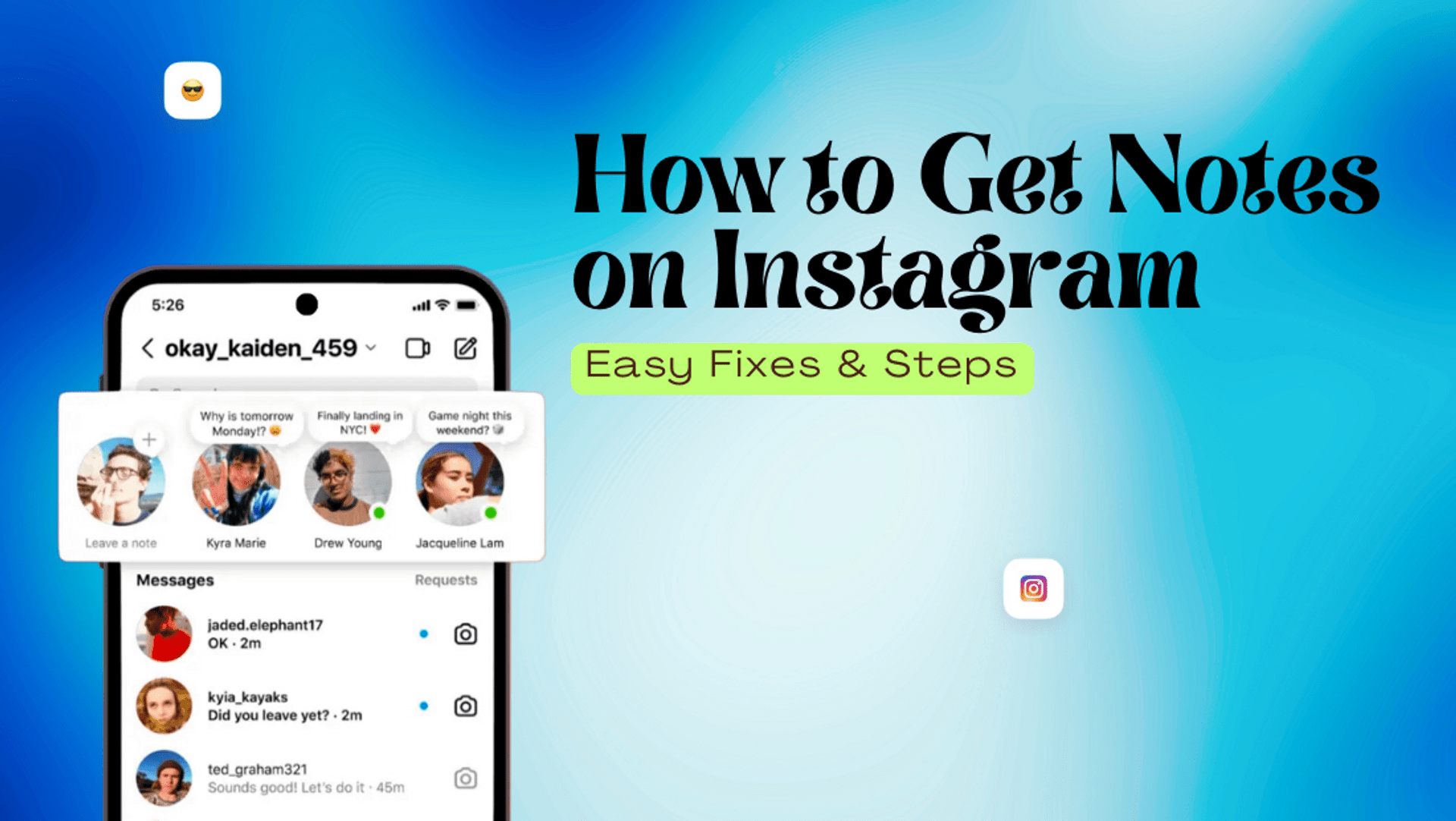
Table of contents
Summarize with AI

ChatGPT

Claude

Perplexity
Share

Vista Social

X (Twitter)


Instagram Notes are little messages that pop up for your followers. They are a quick way to share what’s on your mind or grab attention. Sometimes they don’t show up or it feels like nobody sees them, which can be frustrating.
The good news is it doesn’t have to be complicated. This guide will show you how to post a Note, make sure it’s visible, then fix the issues that might be holding it back.
Once you’ve got the hang of it, leaving Notes will feel effortless. Your followers will actually notice what you share.
Table of contents
How to Get Notes on Instagram
One of the new sharing features on Instagram is Notes. It lets users share quick thoughts with followers through short text and emoji posts. Notes appear on the chat profile photo as a small bubble and disappear after a day.
You can post fun and eye-catching IG Notes to help your clients connect with their audiences without any fuss. Create your client’s first Instagram Note with these steps.
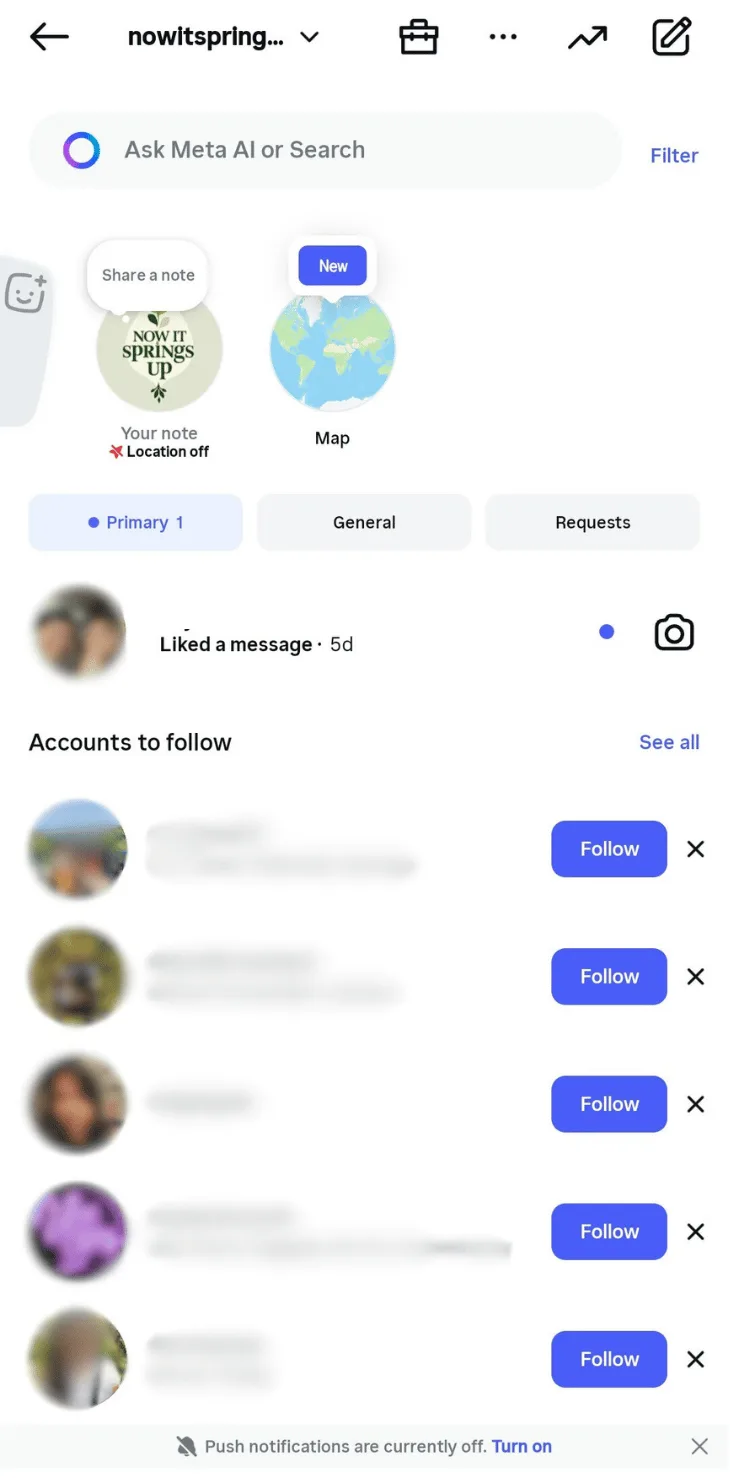
Step 1: Open the Instagram app on your mobile device
Launch the Instagram mobile app and log in to your client’s account. Tap the Messages icon at the top right.

Select your client’s profile pic icon at the top.
Step 2: Write your client’s Note
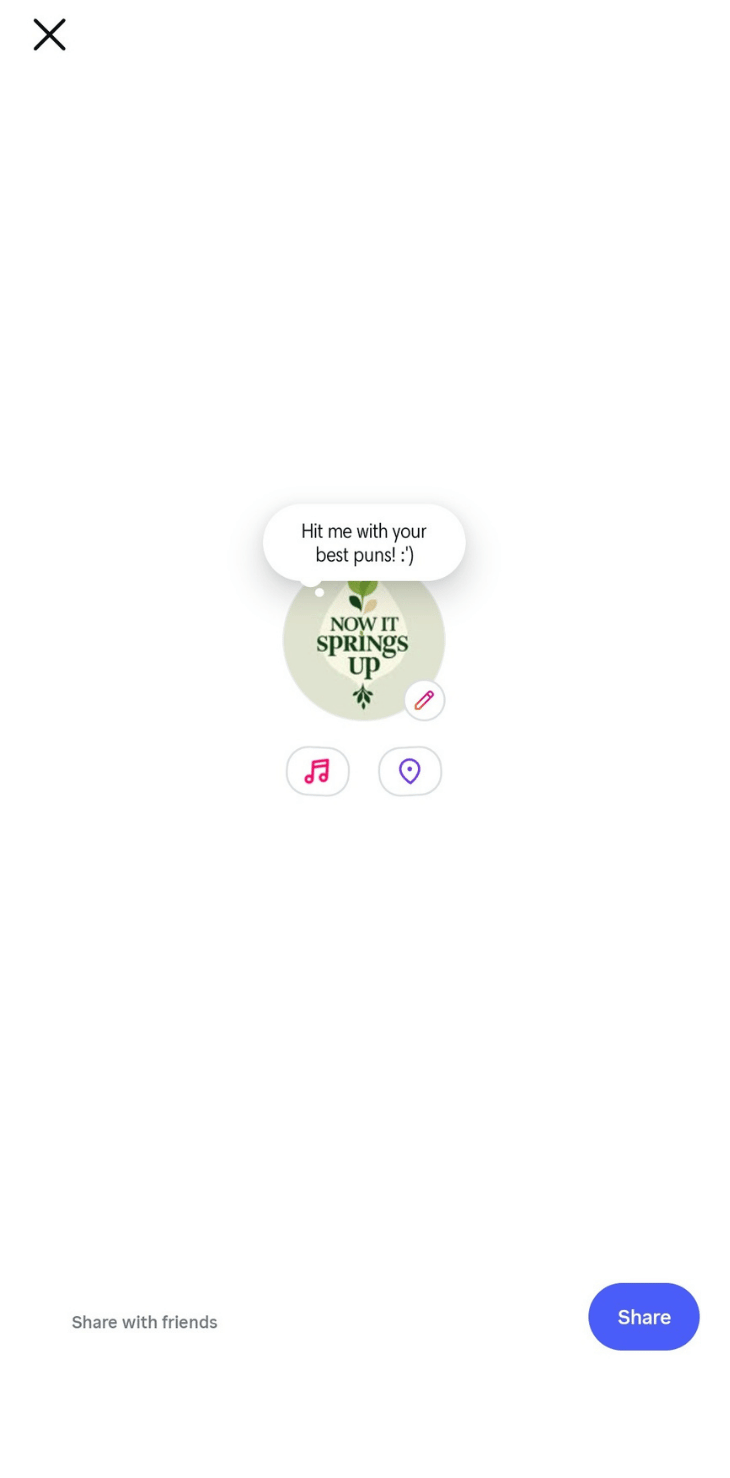
Tap the “Share what’s on your mind” field and type your client’s Note. Ask a fun question, share a quick idea, or drop something playful that gets your client’s followers to respond.
Try something like “Got any suggestions for aesthetic Instagram filters?” or “Hit me with your best puns.” Ever notice how some followers react faster than others? The Instagram following list order breaks down why that happens.
If you’re learning how to add a collaborator on Instagram for clients, you can also use Notes to spark interest or start simple conversations around those upcoming collab posts.
Step 3: Share away
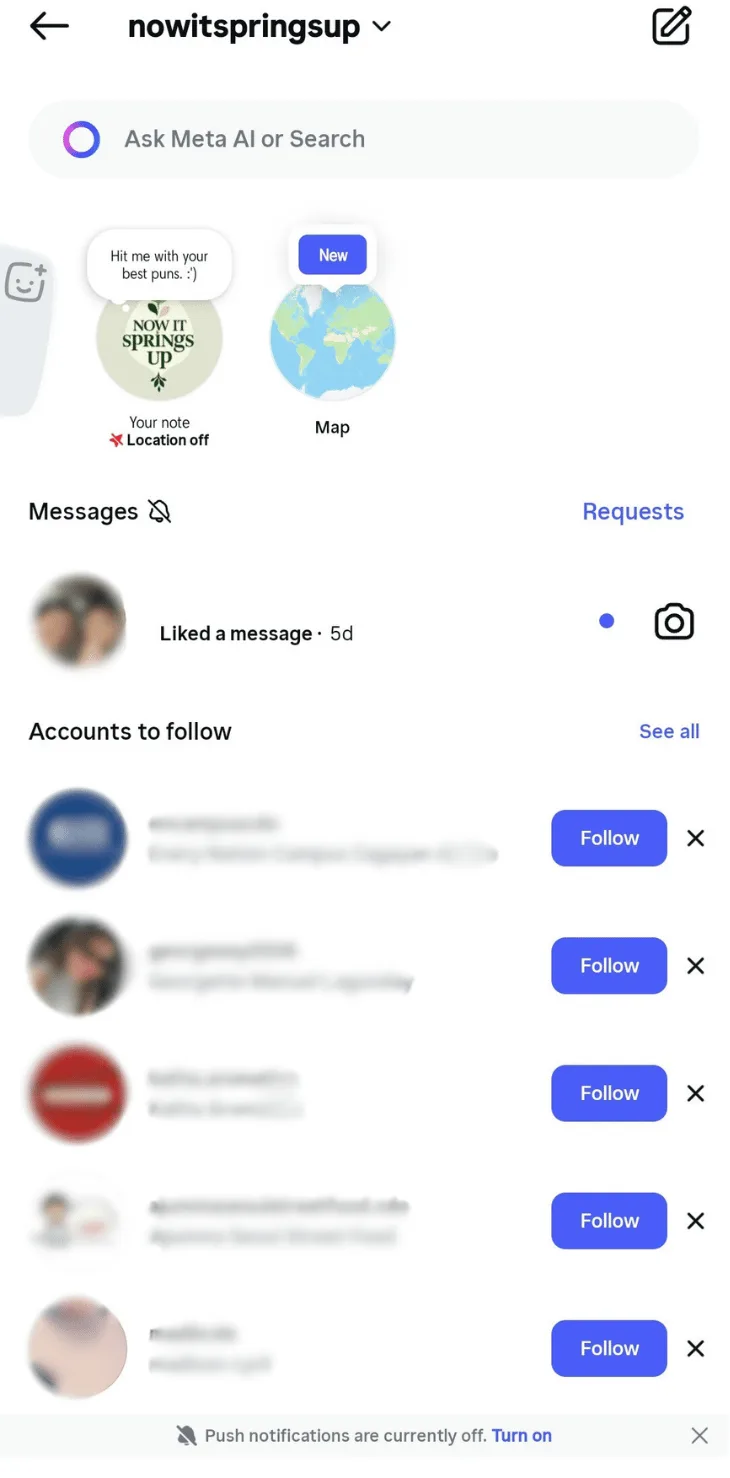
Tap Share once you’re happy with the Note. You can share your client’s Notes with their followers or with their Close Friends if they already have that list set up. Your client’s Note will show at the top of their chat profile photo, and their followers can see and reply to it for the next day.
If you want to help your clients start simple conversations with followers, reply to their Notes to get a quick conversation going. The message stays private between you and the other user.
New Instagram Notes Features
Instagram Notes has grown a lot over the past couple of years, so you’ll see more creative options now. You can enhance Notes with media, and Instagram keeps adding more ways to do this. To create a Note, tap the music icon at the bottom of the profile picture and search for the track your client wants to use.
Your clients can record short video moments for their Notes, and Instagram often updates how long these clips can be. Go to Messages on Instagram and tap your client’s profile picture. Then, select the blue button at the bottom to record a quick video and share it with followers.
A quick note on Instagram Notes (😉): Notes are only shared with Instagram followers who follow your clients back or with their Close Friends list. Your clients can use Instagram Notes to share the latest tunes they’re listening to or promote a music track.
How to Mute Notes on Instagram
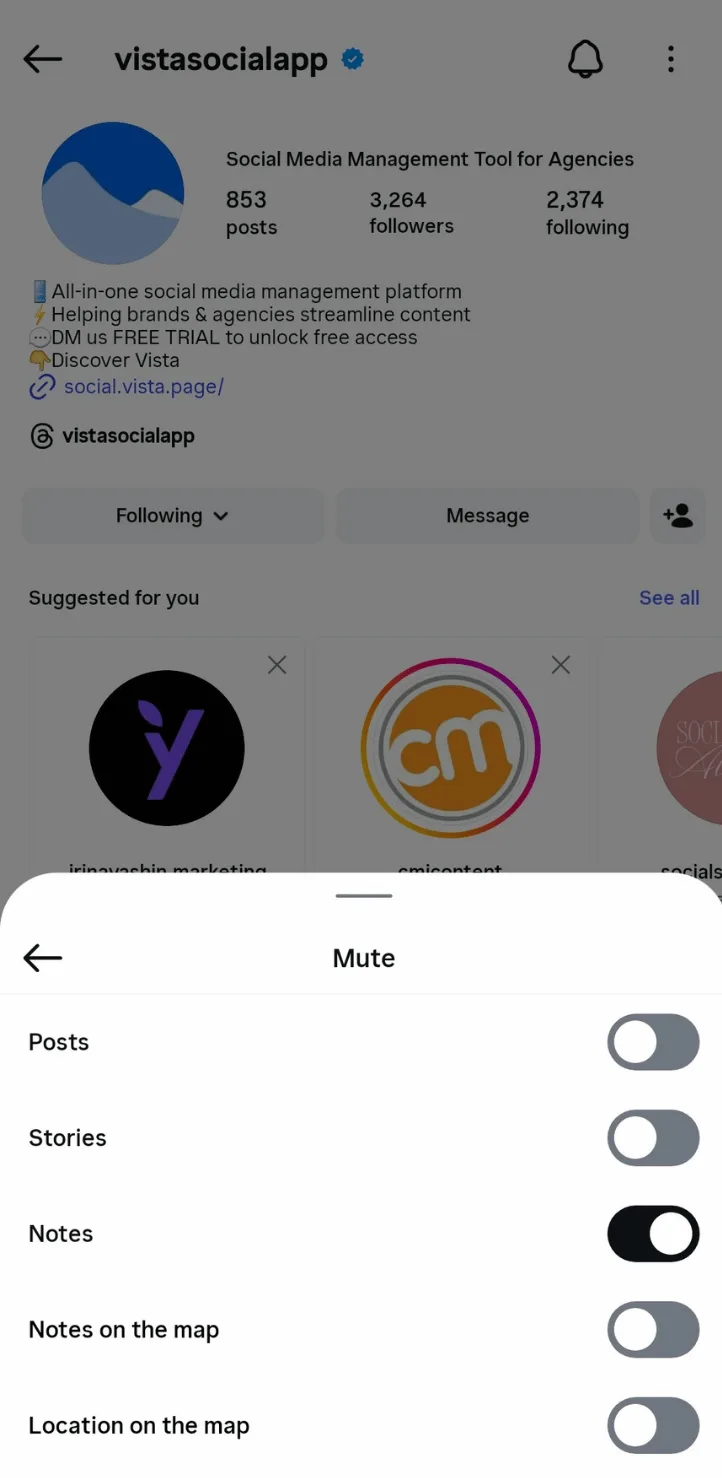
You can mute Instagram Notes from other users, like muting posts and Stories for your clients. Navigate to the user profile your client wants to mute. Tap the Following button on their profile and choose Mute. Toggle the Notes switch to mute it, and you’re done.
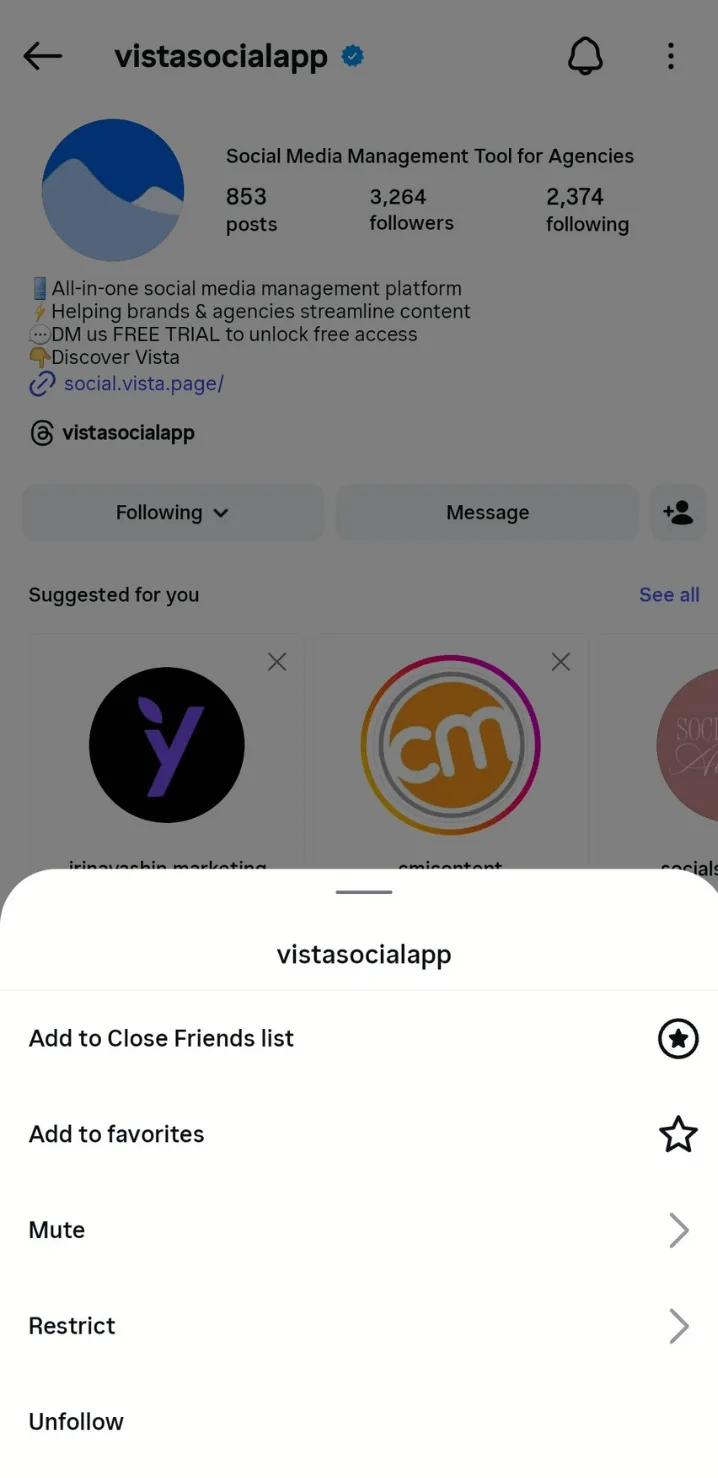
Follow the same steps and turn the switch back on if your client wants to see that user’s Notes again. You can also tap and hold a user’s Note in the chat section and select Mute notes for a quicker shortcut.
To see your client’s muted Notes, tap the menu icon on their profile and open Settings and privacy.
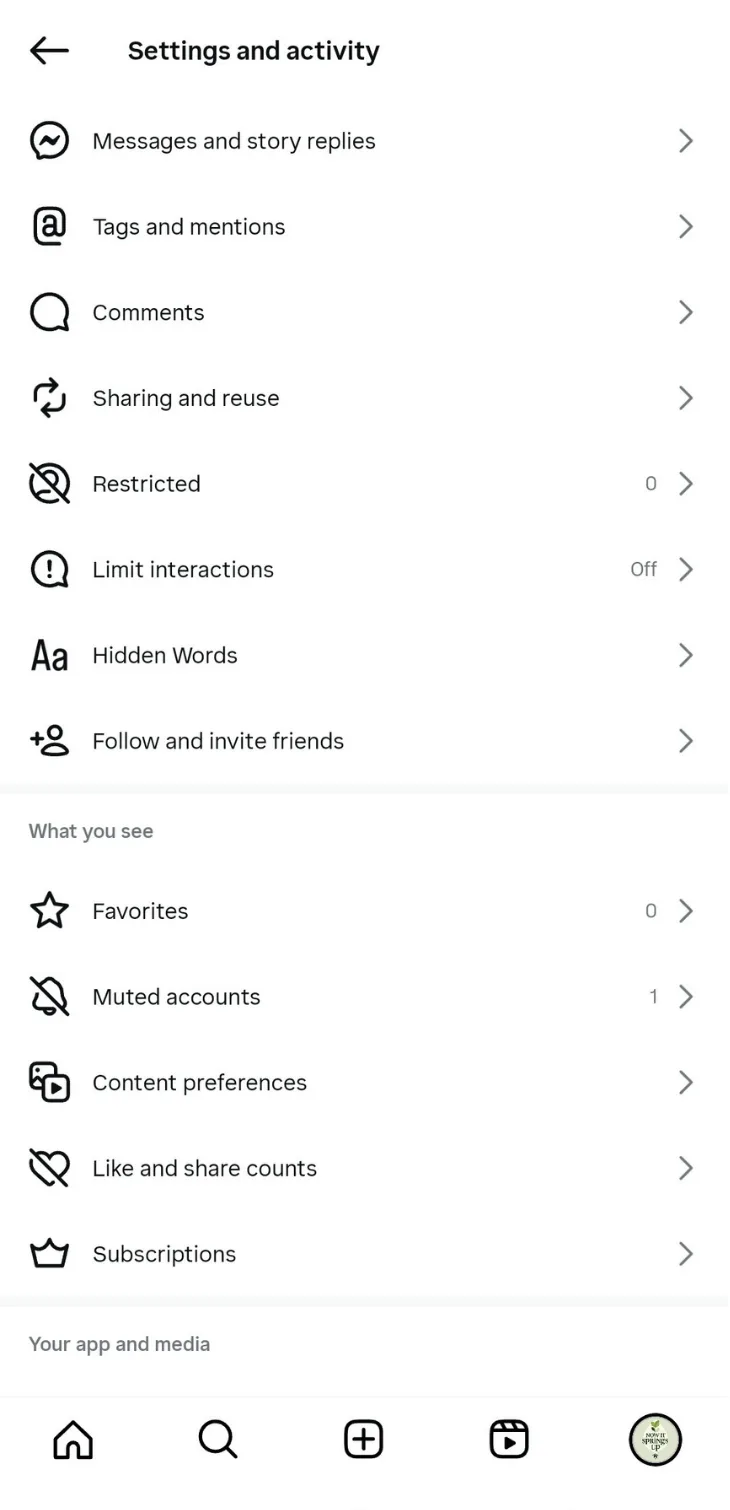
Tap Muted accounts to see everyone your client has muted, along with which options are turned off.
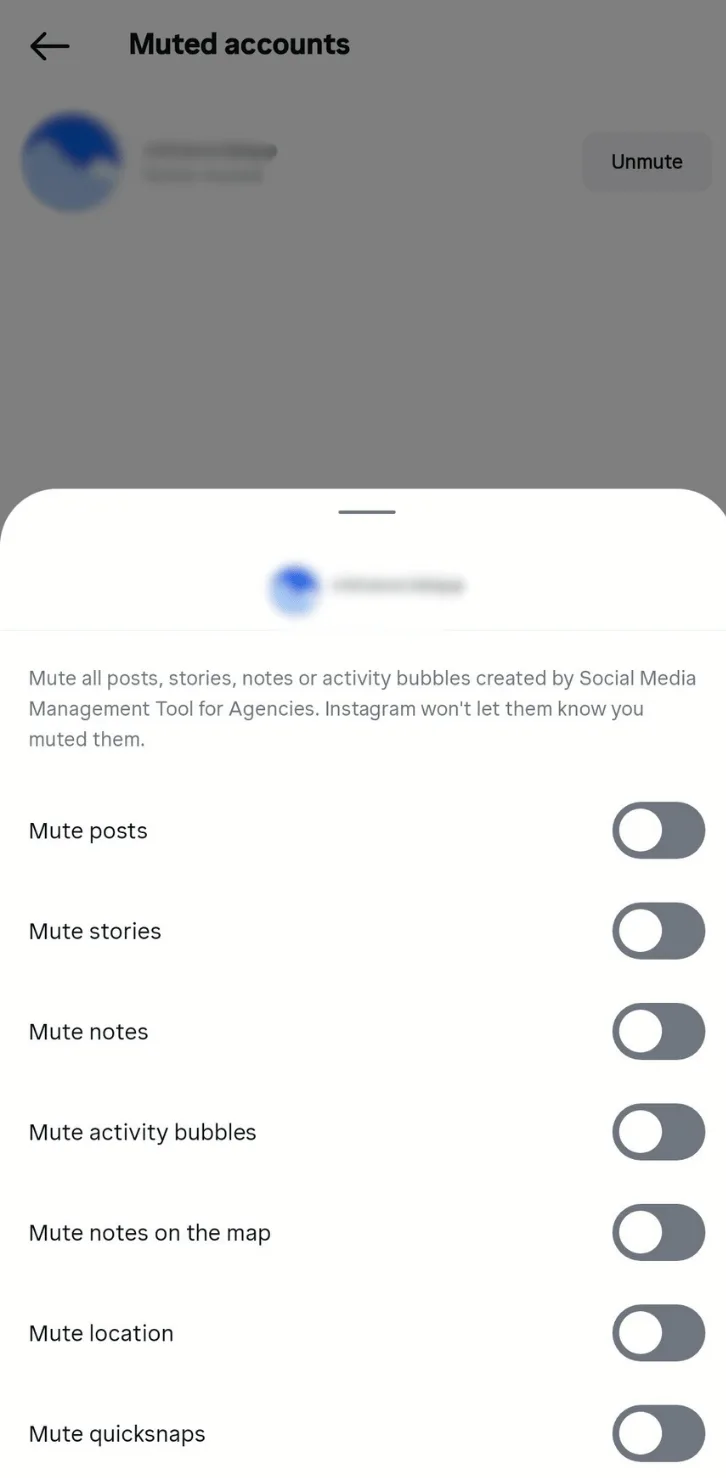
How to Delete Notes on Instagram
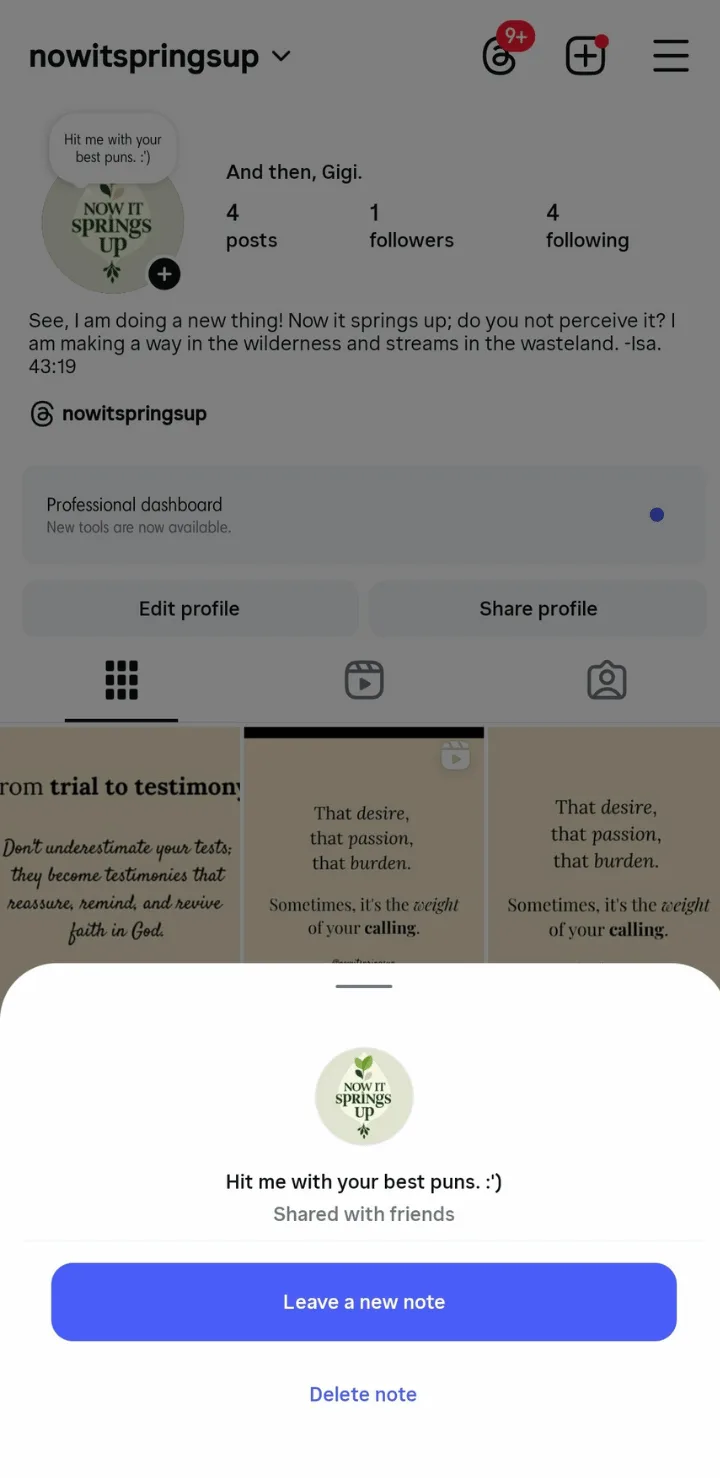
You can only post one Instagram Note for clients at a time, but you can replace the Note within 24 hours. For instance, you can replace your client’s previously published Note with a shorter version like “Got any photo dump captions?”
All you need to do is open your client’s Note in the chat area, tap it, then follow the prompts to leave a new note or delete the existing one.
How to Troubleshoot and Fix Notes on Instagram
The Instagram Notes feature isn’t available to all countries. If your clients are in a region where Notes is available and it still doesn’t show up, it’s time to do a little troubleshooting.
Start with these simple fixes to help your clients get Notes working on Instagram.
1. Uninstall and Reinstall the Instagram Mobile App
You can remove and reinstall the app on iPhone or Android to reset Instagram without losing your client’s info, and this usually forces the app to update as well.
Follow these steps:
- Open Settings on your iPhone and tap General
- Go to iPhone Storage to view your installed apps
- Select Instagram, offload it, then reinstall it to refresh the app
On Android, tap and hold the Instagram app to remove it. Reinstall the app from the Play Store. After the installation is complete, open Instagram again and the Notes feature should appear if the problem was caused by the app.
2. Update the IG App
The Instagram Notes feature can go AWOL sometimes, but a simple fix often works: updating the app.
Open the App Store or Play Store, search for Instagram, then tap Update if it appears.
After updating, open Instagram again and check the Messages page to see if Notes shows up.
3. Switch on Activity Status
You won’t see Notes on your client’s Instagram account if their activity status is off.
Check your client’s activity status by opening their profile and tapping the menu icon at the top right. From there, go to Settings and privacy, scroll down, then select Messages and story replies.
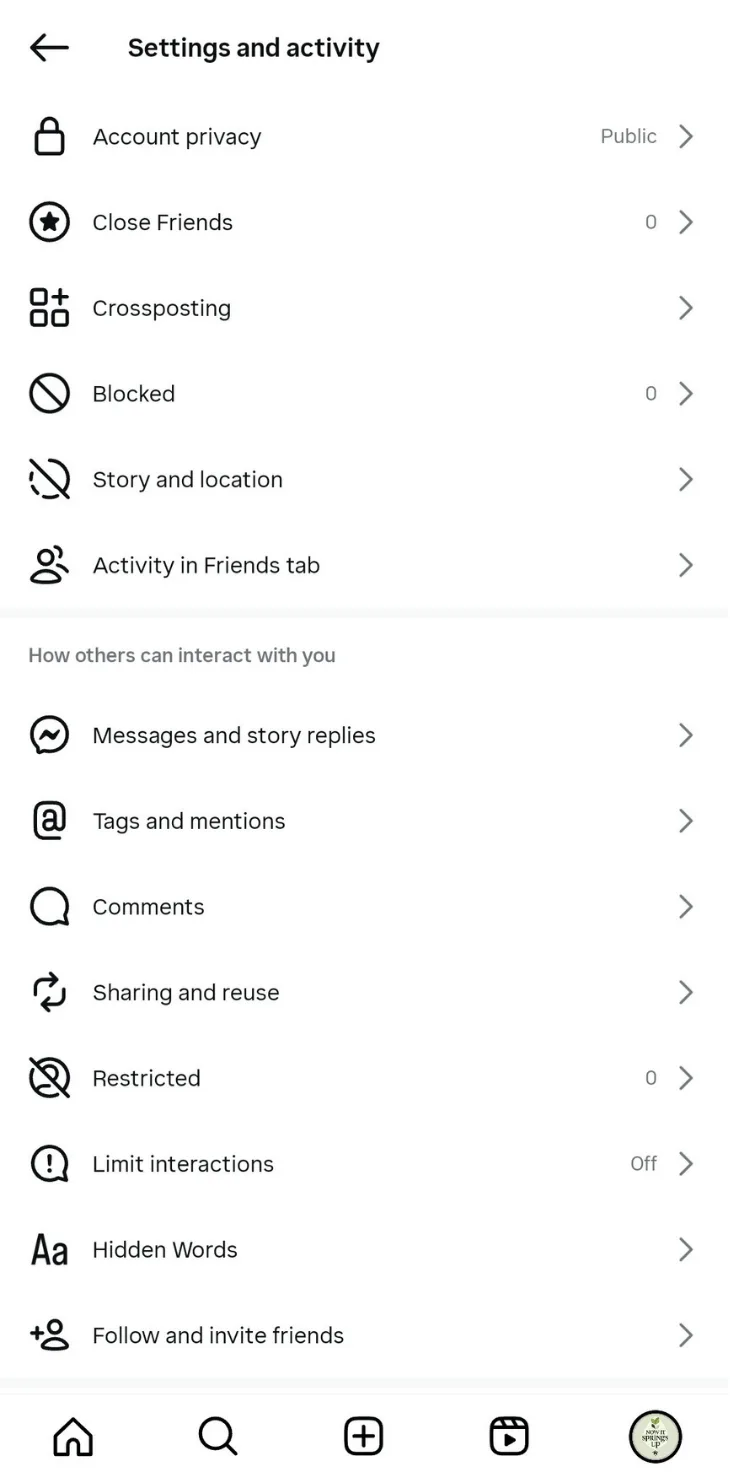
Tap Show activity status and turn the slider on.
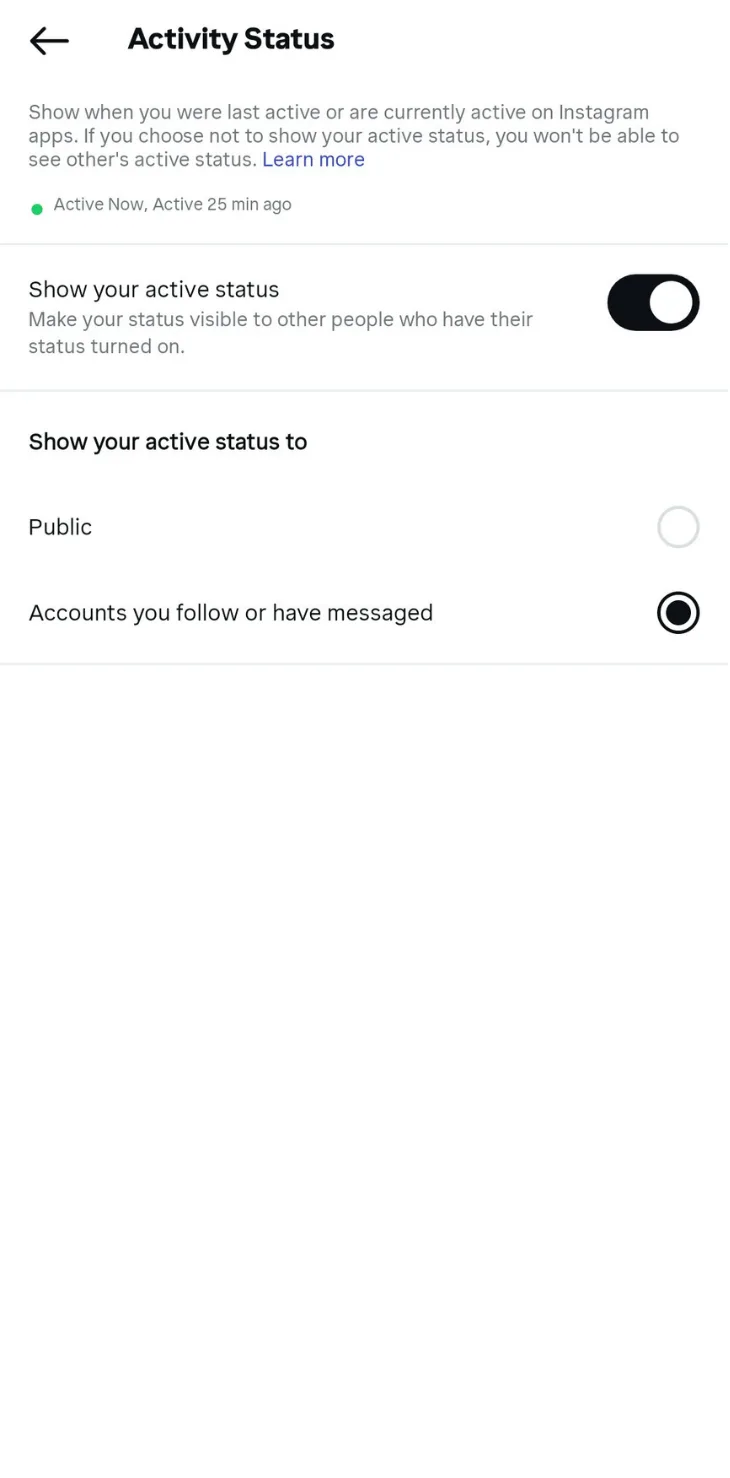
Go to Messages to see if Instagram Notes are now showing for your client.
4. Use a Professional Account
If the steps above don’t work, consider switching your client to a Professional Instagram account and going back to a personal account.
Go to your client’s profile and tap the menu icon in the upper right. Go to Settings and privacy and look for the section that lets you switch to a professional setup.
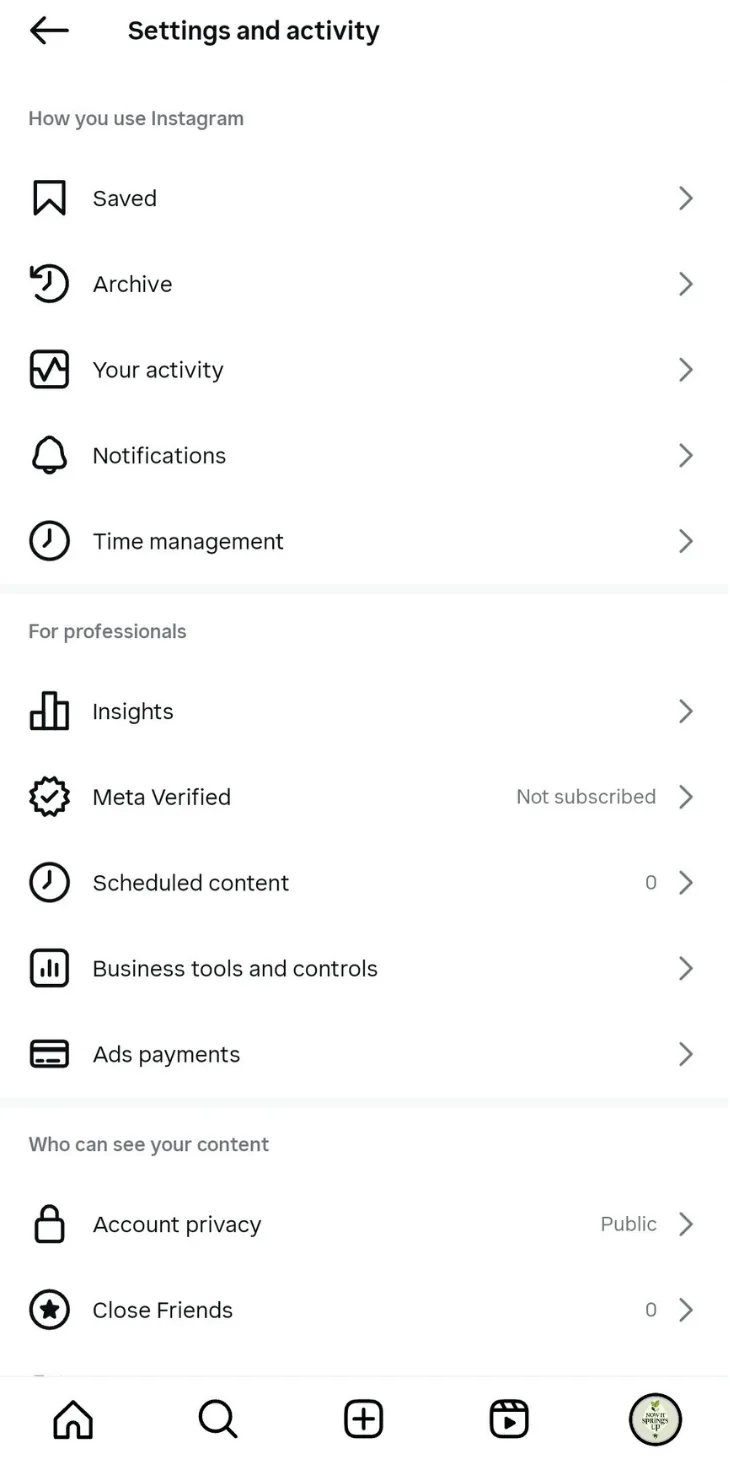
Tap Switch to professional account and follow the prompts.
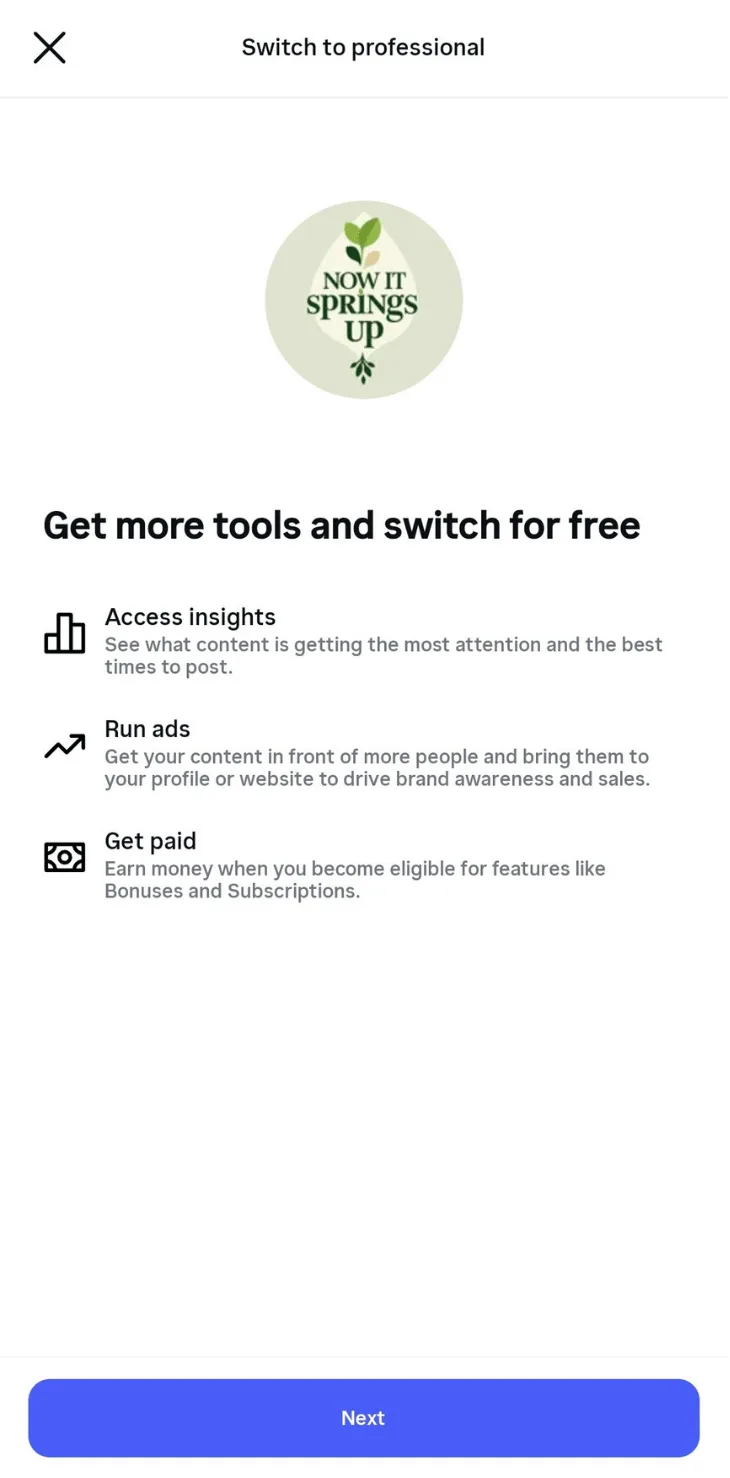
Follow the prompts until you reach the confirmation screen.
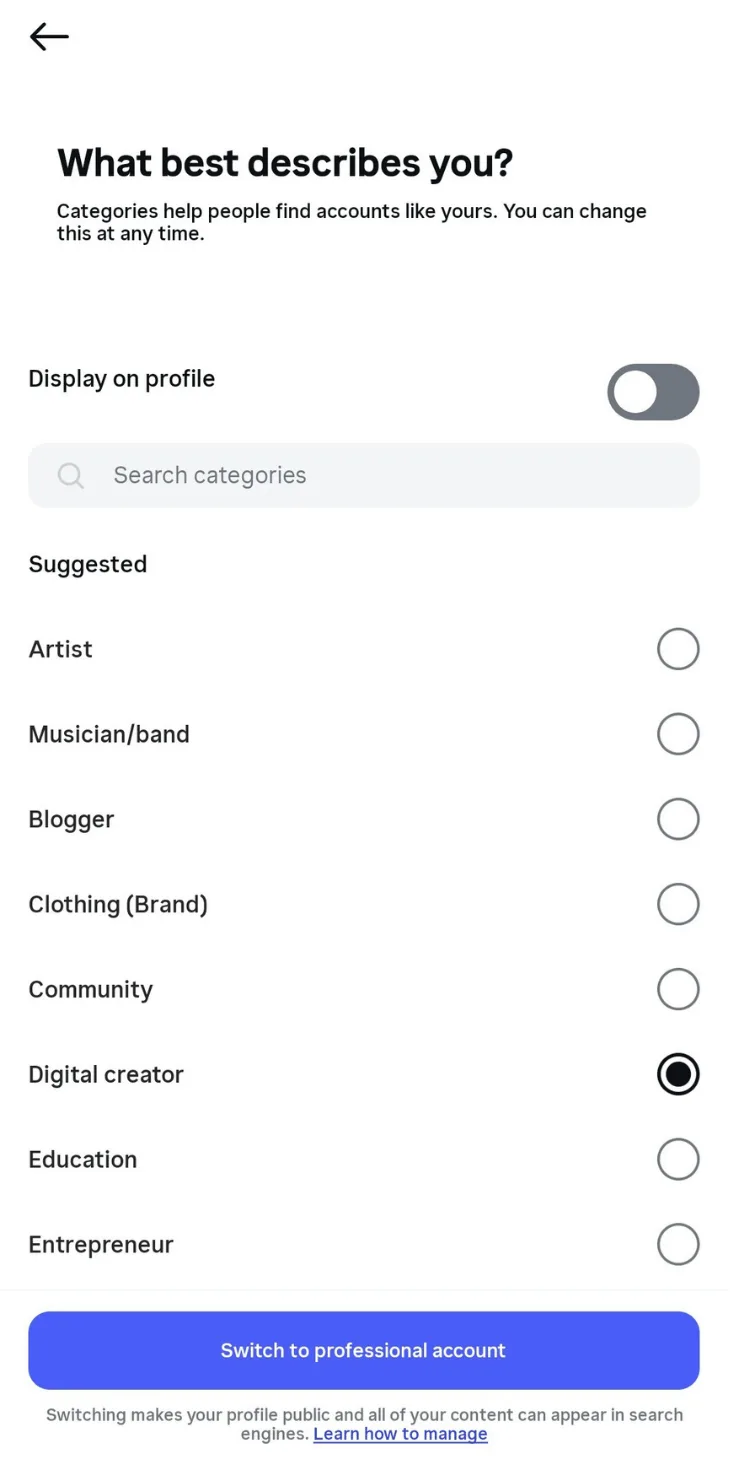
Go back to Messages to see if Instagram Notes appear. To switch your client back to a Personal account, return to Settings and privacy. Scroll down until you see the option to change the account type and switch it back when you’re ready.
Switch your client’s account back to a personal account. If this fix worked, the Instagram Notes option should stay visible in your client’s Messages.
5. Get Help From Instagram
When all else fails, and your clients still don’t have Notes, contact Instagram Help Desk to get assistance from their support team.
To contact Instagram’s support team, open Settings and privacy on your client’s profile page, then scroll down to Help under More Info and Support.
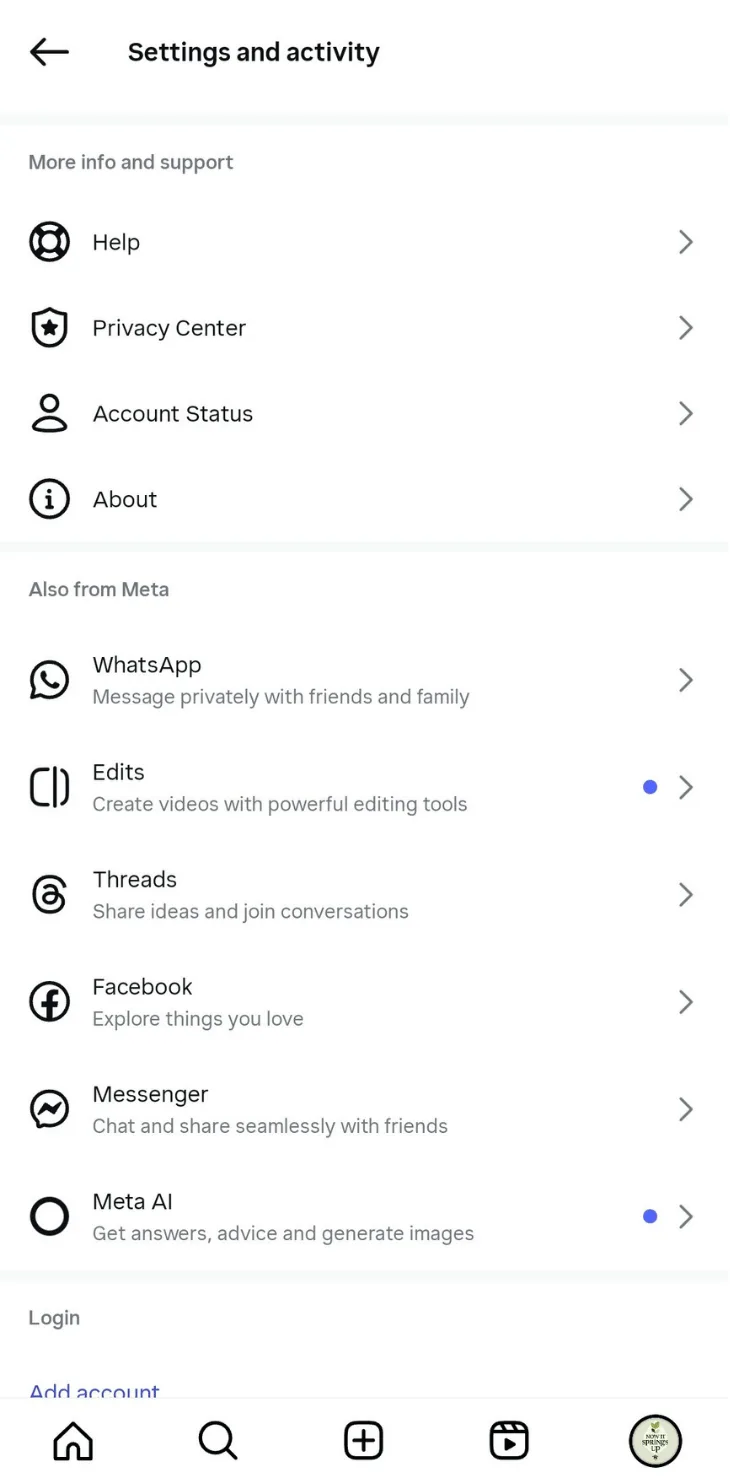
Select Report a Problem.
Instagram may ask you to send a screenshot or screen recording of the issue, depending on the device you use. You can turn off that option and tap Report a problem to submit the issue the usual way.
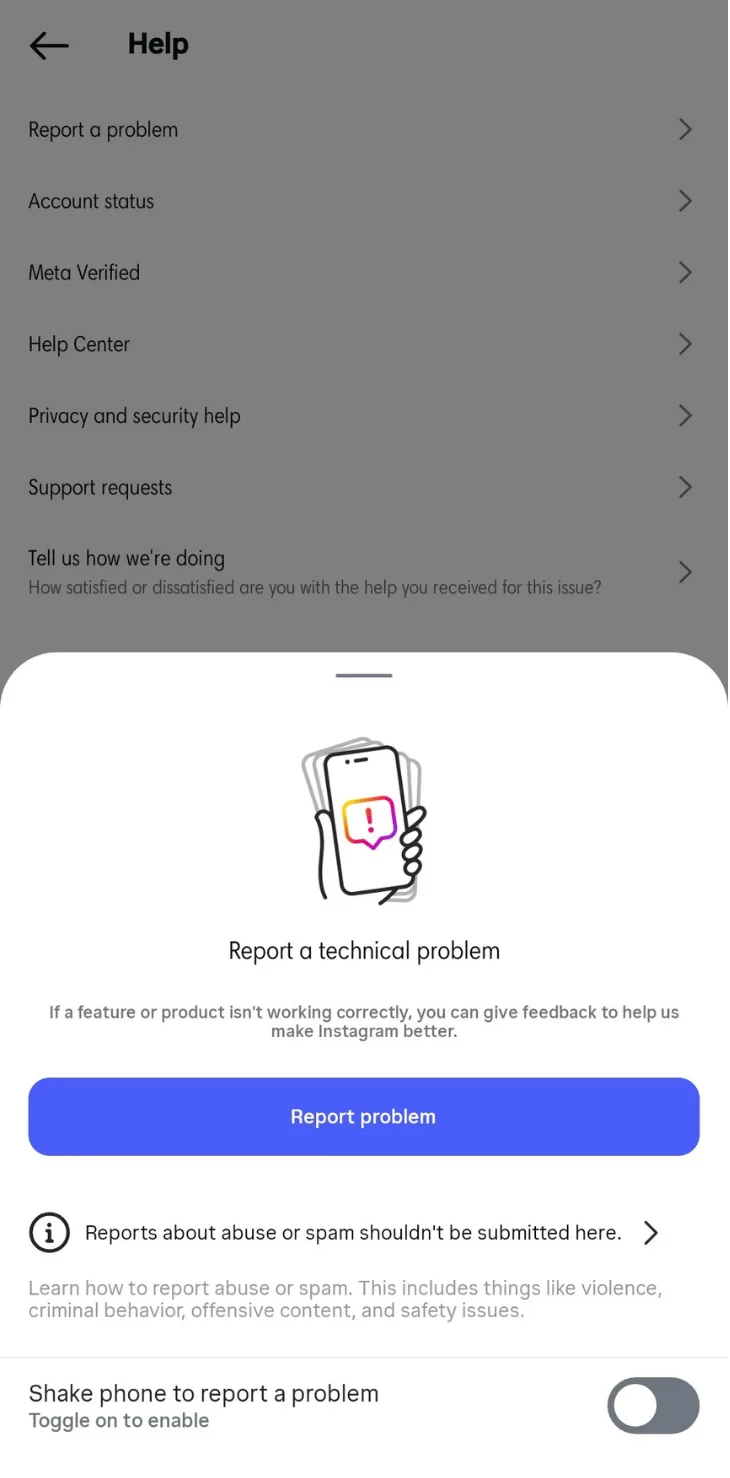
Describe your issue, for example when Instagram Notes do not appear on your client’s account, then upload a screenshot. Send the report and wait for Instagram’s response. Besides reporting a problem, you can use the Help option to get support for other issues, including submitting an Instagram appeal form.
Tips to Use Notes on Instagram to Boost Engagement
Instagram Notes can help boost your clients’ engagement strategies if you know how to use them well. Below are simple ways to help you do just that.
1. Share Short Behind-The-Scenes (BTS) Teasers
Most people enjoy exclusive BTS footage from Instagram users they follow. Use IG Notes to give a sneak peek at upcoming events or show a part of your client’s daily life. This approach shares quick BTS moments that spark curiosity and encourage followers to return.
2. Highlight Interactive Quizzes and Polls
Do your clients run interactive content in their Stories, like quizzes or polls? Highlight these in your clients’ Instagram Notes to attract more followers’ attention.
Doing this spreads the word about your clients’ interactive Instagram Stories and encourages more followers to join in. And since Stories often bring up privacy questions, Does Instagram notify when you screenshot a Story explains how those notifications really work.
When you need to choose the right format for your client, Instagram Reels vs. Story shows how each one works, so you can decide what fits best.
3. Shoutout Announcements and Countdowns
Announce your clients’ upcoming product launches or special events in their Instagram Notes. Don’t waste the chance to promote your clients’ activities and exclusive offers on Instagram. You can also do a countdown in your clients’ Notes to build anticipation and keep their followers in the loop about what’s next.
For example, you could write a simple “Five days until our big sale” Note and keep counting down each day.
4. Do Quick Q&As
Besides Instagram Stories, you can also leverage your clients’ Notes to do quick Q&As with audiences.
Ask a question like “What’s your go to weird food combo?” in your clients’ Notes to spark quick conversations with followers.
5. Mention Other Instagram Users
Instagram lets you mention others in Notes (if the other user allows it). Mentioning users who follow your clients will send them a notification in their Chats list or Inbox.
Your clients can use the Mention feature in Notes to give contest winners a shoutout or show appreciation to loyal followers.
For clients who partner with creators, Instagram Branded Content explains the right way to label those posts. And when you need help finding the right people to tag, knowing how to find contacts on Instagram makes that process much easier.
6. Lead Followers to the Bio
The link in the Instagram bio is where you usually find the URL to other relevant landing and product pages.
Help clients drive more traffic to those pages by mentioning their link in bio. When people start checking the profile more often, can you see who views your Instagram answers the common question about whether Instagram shows who viewed the profile.
For example, if your client has a new product, they can create a Note that says, “New product alert! Check out our link in bio.” to lead people to the profile URL and the product page.
It can help boost traffic and sales, which supports your clients’ Instagram monetization efforts. For clients looking to earn through Instagram, How to Monetize Instagram covers the different ways they can do it.
To help your clients make a stronger first impression, Instagram Profile Tips shows simple ways to fine-tune their profile.
7. Share Content Snippets
Pique interest by sharing small snippets of your clients’ new posts or updates in their Notes. For instance, lead followers to your client’s Instagram post about Quick Tips to Be Productive by sharing a Note that says, “Want to be more productive? We’ve got the answers.”
When a post needs a stronger caption, one-word Instagram captions give you quick ideas you can plug in right away. Post Notes to share quick snippets from your clients’ other content and spark audience interest.
8. Be Creative
You can say a lot in a short Note, even with the character limit. Don’t be afraid to experiment and be creative to make the most of your clients’ Notes.
As long as you play by the rules and keep everything above board, your clients’ Instagram Notes can be excellent engagement boosters. It helps to check what other popular Instagram users do with their Notes and take inspiration for your clients.
It also helps to create drafts first and send them to clients for review before anything goes live, and if you need a quick walkthrough on how that works, the guide on Instagram Drafts explains the steps clearly.
Manage Multiple Instagram Client Accounts With Ease
Managing multiple Instagram and other social media client accounts can get chaotic.
But you can achieve order in the chaos with Vista Social.
The modern Social Media Management platform lets you handle social media publishing, while managing your clients’ accounts in a seamless and unified way. One of the platform’s strongest features is its Instagram management tools. It includes a Visual Instagram Planner that lets you organize your clients’ posts and schedule them with ease.
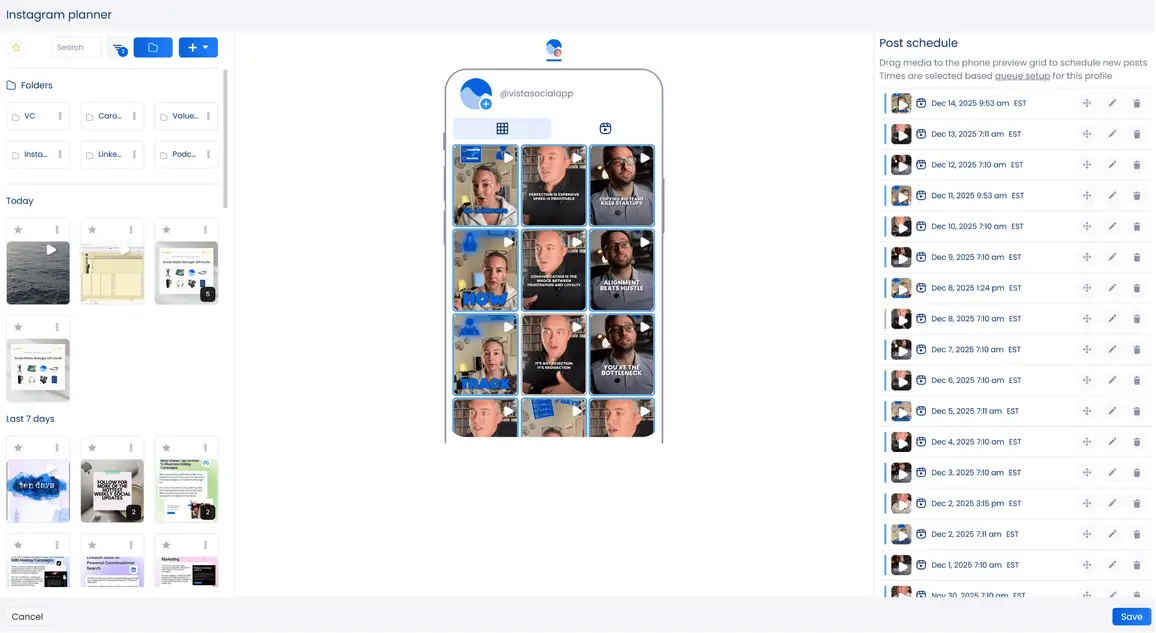
Set an auto-publishing schedule, and Vista Social will do the rest.
If you’re learning how to make a collage on Instagram for your clients’ posts, use Vista Social’s built-in Canva integration to create visuals without leaving the platform.
The platform’s other key features include a Content Calendar that help you manage and review your clients’ content efficiently.
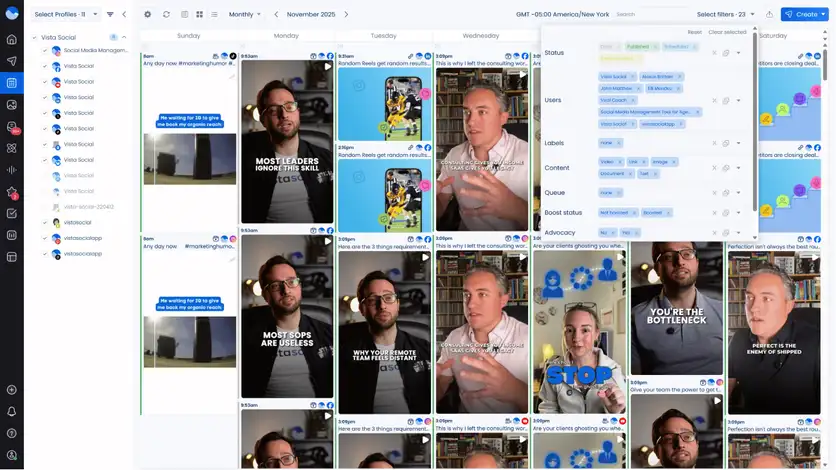
Vista Social’s approval workflow streamlines peer review while also supporting client collaboration and legal or compliance steps.
Vista Social’s other helpful features include the following:
- AI Assistant powered by ChatGPT that creates captions or taglines from a single prompt
- Link in bio tool with Vista Page, a customizable landing page where you can add forms or calendars and track performance
- Free AI Hashtag generator that suggests relevant and trending hashtags based on your topic
- Tag products or locations or mention users in your clients’ posts from one place
- A social media engagement with a unified Social Inbox that brings all client interactions together in one place.
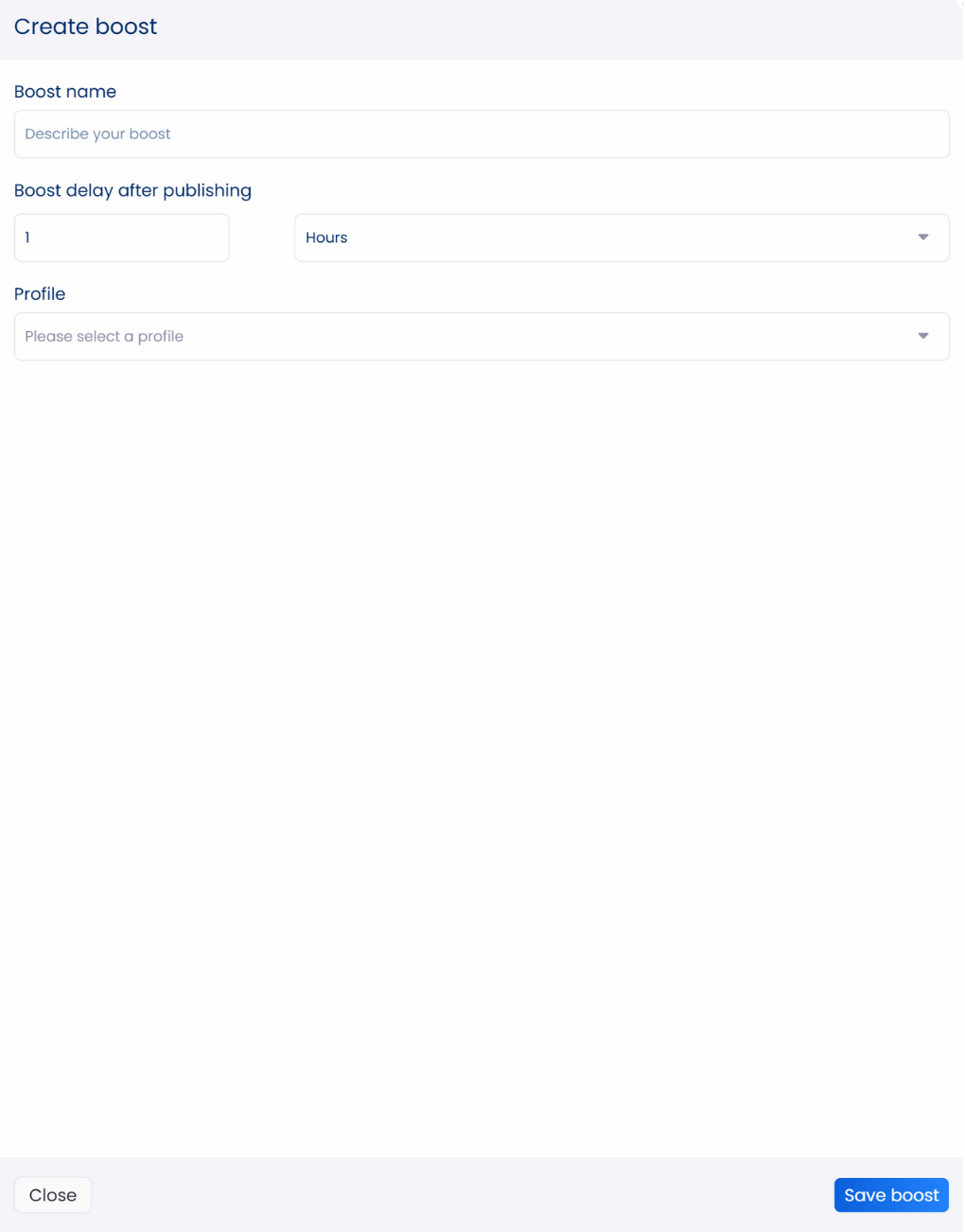
- Boosting tools that promote scheduled or published posts once you set up your boost configuration
Additionally, Vista Social’s social media analytics feature now includes a grid view for your reports.
This gives you a simple side-by-side view of key metrics from your clients’ profiles for easy tracking and comparison.
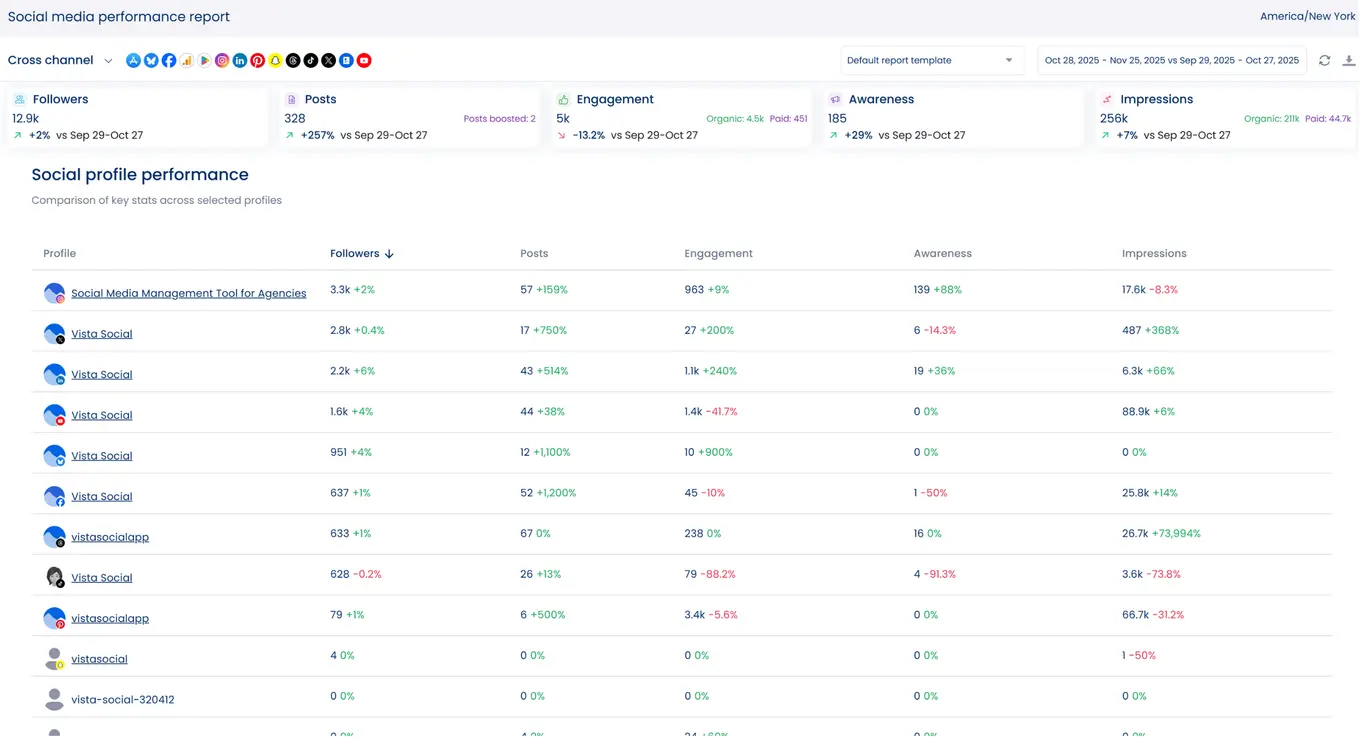
Share reports through links or export reports to CSV or PDF files to share with clients or team members.

Vista Social simplifies your social media management tasks, from learning how to post longer videos on Instagram and scheduling them for auto-publishing to measuring content performance with Instagram reports.
If you want to publish carousels without extra steps, the guide on Direct publishing Instagram Carousel Posts walks you through how to do it inside Vista Social.
How to get Notes on Instagram: What are the dos and donts?
Make the most of your clients’ Instagram Notes by following a few simple best practices and avoiding the common pitfalls.
Do’
- Keep your Notes concise: Instagram Notes give you only 60 characters, so keep the message tight so it stands out.
- Engage audiences with your Notes: Think of IG Notes as a small space to start conversations with your followers and encourage replies.
- Time your Notes right: Post them when your clients’ audiences are most active so they get seen faster and spark more engagement.
- Leverage Notes for exclusive insights: Share quick updates that make followers feel closer to your clients and part of what’s happening behind the scenes.
- Experiment with your Notes content: Instagram now lets you add media, so try different styles to see what engages your clients’ followers.
- Make your Notes relevant: Keep them connected to what your clients’ audiences actually care about so the Notes feel useful.
Don’ts
- Overuse Notes: Posting too many can overwhelm followers, and some may end up muting your clients’ Notes.
- Be inconsistent: Keep the tone of your clients’ Notes aligned with the rest of their Instagram content so their brand still feels familiar.
- Post irrelevant Notes: Keep the message focused so it doesn’t feel like clutter in someone’s inbox.
Get Notes on Instagram to boost engagement
Don’t overlook the IG Notes feature. Use it to boost engagement and help your clients pull in more leads and sales.
Also, remember to support your social media work with a reliable management platform like Vista Social.
P.S. If you’re new here, Vista Social is a comprehensive social media management platform designed for anyone managing social media. Its features make collaboration easier and simplify daily tasks.
A growing number of agencies and brands use it to simplify their social media tasks and keep workflows running efficiently.
Try Vista Social for free and see how it can transform your daily social media workflows.
FAQs How to Get Notes on Instagram
Below are common questions that IG users ask about Instagram Notes.
Will people get an alert when I upload Instagram Notes?
Instagram users won’t get an alert when you post your client’s Note, but they can still see it at the top of their Chats.
Can you see the users who viewed your notes?
No. Unlike Instagram Stories, you can’t see who viewed your client’s Notes.
How can you tell if a message is a response to my Note?
Instagram shows a small label that says “User X replied to your Note” above the message.
Can you report Instagram Notes?
Yes, if someone’s Notes content violates the Instagram Community Guidelines. Instagram has tools and reviewers that can flag or remove Notes that may violate its Community Guidelines.
Even if a Note expires after 24 hours, it can still be reviewed. Instagram Notes that violate the guidelines can get the account reported or even blocked.
Learning how to know if someone blocked you on Instagram can help whenever you need to check if someone blocked your client.
Can you edit your Instagram Note after posting?
Unfortunately, you can’t edit your client’s Instagram Note after it goes up. The only way to change it is to leave a new Note or delete the current one and replace it.
Can you turn off the Notes feature on Instagram?
There’s no option to turn off your client’s Instagram Notes feature. Your client can only choose not to post a Note, which keeps the space blank.

Try Vista Social for free
A social media management platform that actually helps you grow with easy-to-use content planning, scheduling, engagement and analytics tools.
Get Started NowAbout the Author

Content Writer
Jimmy Rodela is a social media and content marketing consultant with over 9 years of experience, with work appearing on sites such as Business.com, Yahoo, SEMRush, and SearchEnginePeople. He specializes in social media, content marketing, SaaS, small business strategy, marketing automation, and content development.
Loading related tools...

The most complete social media management platform for teams who demand more.






Tools
PublishingAnalyticsEngagementIntegrations
FacebookInstagramLinkedInRedditSnapchatThreadsTikTokX (Twitter)YouTubeMCPVista Page (link-in-bio)All IntegrationsCopyright © 2026 Vista Social LLC. All Rights Reserved.