


Your AI Social Media Assistant Needs Fewer Steps
July 28, 2026
10 min read

Summarize with AI

Table of contents
Share

Vista Social

X (Twitter)


A strong launch caption is sitting on your clipboard, but the post is nowhere near the calendar. The image still needs a second crop, the alt text field is empty, and the LinkedIn version needs a different opening.
You resize the creative and export it, then upload the file and adjust the copy. After that, you choose the profiles and check the tags. You set the times, send the post for approval, and remember the fourteen unread comments in your inbox.
The AI finished its part in seconds, yet turning the answer into approved social content still took the better part of an hour. A smarter model can leave a busy social media manager feeling no faster when every handoff after the answer remains manual.
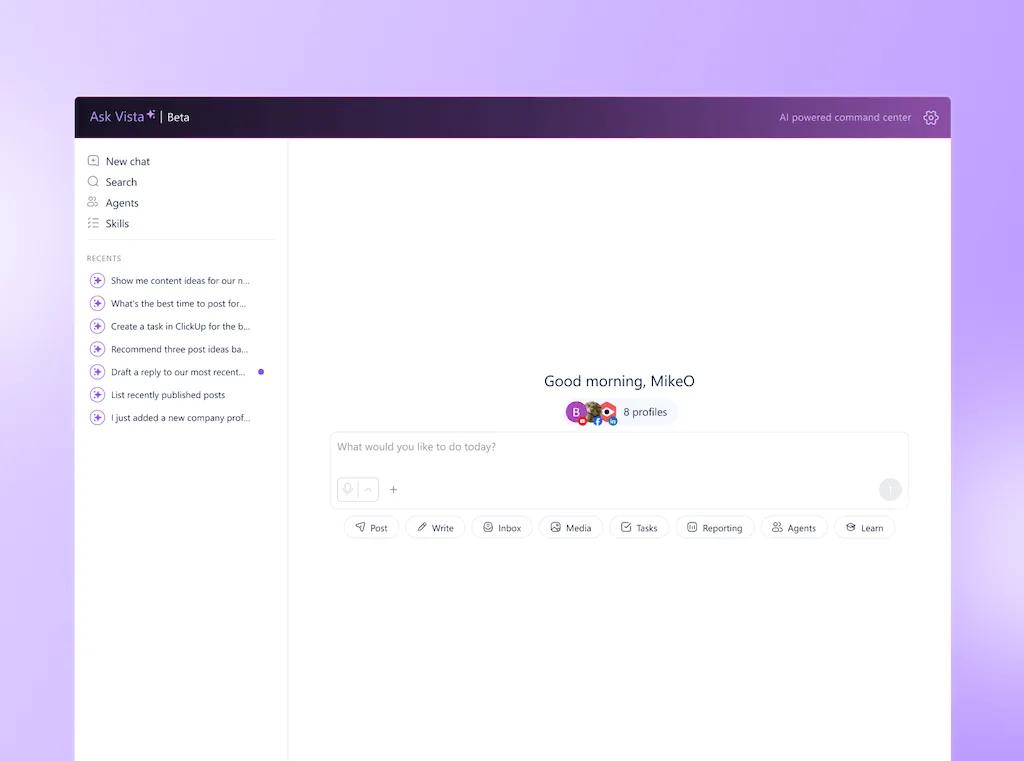
An AI social media assistant earns its place by shortening that whole route. It should move the launch post from request to review inside the workspace where your accounts already live. Every public decision still stays with you.
This article follows that one post all the way through. By the end, you’ll have a simple test for any AI tool. Count the completed steps, repeated context, and decisions that still need a person.
The short version
- Count the handoffs: Fast copy saves little time when resizing, scheduling, approvals, replies, and reporting still happen elsewhere.
- Test one real post: Give every tool the same launch request and count what you still have to move or rebuild by hand.
- Look for finished work: A useful assistant prepares the post inside your social workspace instead of leaving an answer on your clipboard.
- Keep the judgment: Human approval protects the brand while AI handles repetitive preparation and coordination.
Table of contents
Why smarter AI can still leave you doing the work
Return to the launch post. The chatbot wrote the caption well, but it can’t see which client profile should receive it. It also can’t check the live calendar or find the approver for a product claim.
A 2026 Salesforce survey found that 76% of workers said their preferred AI tools lacked company data or work context. People who used AI inside and outside their work systems moved among four AI options on average.
For a social media manager, that missing context creates three kinds of work:
- The context repeats: You paste the audience, campaign goal, product details, and tone into another conversation.
- The translation pass: You turn one general answer into versions that fit each profile and network.
- The delivery relay: You move the copy and media into the scheduler, then rebuild the approval trail somewhere else.
ChatGPT and Claude handle open-ended thinking well. Memory, Projects, and scheduled Tasks can also retain useful instructions or run recurring prompts, so any fair comparison should give them credit for that.
Your social workspace still holds the live calendar, connected profiles, permissions, inbox, and results. A general chatbot can help you think through the launch. A connected assistant can prepare the resulting work for your team to review.
See how Ask Vista works with a request inside the social workspace.
What changes when an AI assistant can act
Run the same launch request through both routes and the distinction becomes easy to see. The chatbot route ends when the answer appears; the assistant route continues until the post is ready for your decision.
| Launch-post stage | Standalone chatbot | Connected assistant | Human responsibility |
|---|---|---|---|
| Campaign context | Uses the brief and files you add | Uses your request plus selected workspace context | Confirm the goal and approved source material |
| Caption | Returns a general draft | Prepares copy for the chosen social profiles | Check the hook, claims, and channel fit |
| Media | Suggests an idea or prompt | Creates or attaches media in the publishing flow | Review the creative and final crop |
| Scheduling | Suggests a time | Places the draft on the calendar or prepares it for scheduling | Confirm timing and campaign conflicts |
| Approval | Leaves you to move the work | Sends the prepared post into the review path | Edit, approve, reject, or escalate |
This table gives you a better product test than asking which tool writes the sharpest caption. Use the same prompt, source material, and target profiles, then compare how much finished work each tool places in front of you.
Use a completion score
You can make the comparison more concrete with a simple completion score. Count every manual action in your current workflow, then count how many remain after the assistant has prepared its work.
For example, imagine the launch post currently takes twelve manual actions from idea to approval. If a connected assistant leaves five actions for you, it has removed seven of the original twelve, or roughly 58%.
The final five actions aren’t a product failure when they contain the judgment you meant to keep. Reviewing a claim, choosing the better creative, and approving a public post are valuable decisions; copying text between windows isn’t.
How disconnected AI adds more steps
Adding a specialist AI tool for every task can make each individual task faster while the complete workflow grows heavier. Your caption sits in one app, the generated image in another, and the scheduler has no record of how either one was approved.
Workday research published in 2026 examined this handoff problem across professions. One in five professionals lost more than seven hours a week to moving information among systems.
Social media work carries the same risk. One post can touch creative, publishing, collaboration, engagement, and reporting before its useful life is over.
Audit the full route
Pick one recurring post and follow it from the first request to the first performance check. Include the small moves that disappear from memory when someone asks how long publishing takes.
- Count every transfer: Record each copy, paste, download, upload, and manual field entry.
- Mark repeated context: Note every place where you explain the same audience, campaign, or brand rule again.
- Track return trips: Include the moments when feedback sends you back to the chatbot or design tool.
- Keep human decisions separate: Approval and creative judgment belong in the workflow, so don’t count them as waste.
- Measure the follow-up: Add the inbox check and performance pull that happens after the post goes live.
Run the audit during a normal working week, not during a polished product demo. A tool earns its place when it removes transfers under real conditions. That includes a late edit and an approver asking for a new crop.
Stack consolidation can also improve visibility. The reasons teams switch often include bringing publishing and engagement together with collaboration and reporting. The people involved can still see the status of the work.
You can try Vista free with no credit card and run the launch-post audit inside one workspace.
How to let AI act without losing control
Our launch post has now reached the point where responsibility matters most. AI can prepare and format the draft before placing it in the review path. Somebody still needs to own the claim, timing, and final creative call.
A useful approval model gives AI more room where the risk is low and keeps people from the decisions that can affect the brand.
| Control level | Good work for AI | What stays human |
|---|---|---|
| Prepare freely | Gather analytics, summarize activity, check the calendar, and organize source material | Interpret what the findings mean |
| Draft for review | Prepare captions, replies, images, reports, and proposed times | Edit for accuracy, tone, and context |
| Confirm before action | Stage a post, reply, or connected-account change | Approve or reject the public action |
| Keep human-led | Crisis responses, legal claims, sensitive complaints, and original campaign direction | Make the call and accept responsibility for it |
This structure avoids two bad outcomes. Tight control everywhere turns the assistant into another suggestion box, while loose control on sensitive work asks software to carry judgment it doesn’t have.
Decide by consequence
When you’re unsure where a task belongs, ask what happens if the first attempt is wrong. A clumsy internal summary can be corrected before anyone sees it. A dismissive public reply can become the story your team spends the afternoon managing.
Comment workflows show how the boundary works in practice. You can automate replies around defined triggers. Escalation rules should send sensitive topics and unclear intent to a person before a public response goes out.
Three tests for choosing an AI social media tool
A polished demo can make any assistant look fast, so test it with the same launch post we’ve followed through this article. Bring the source material, choose two networks, and ask the tool to leave both versions ready for review.
Test 1: Can it work with the right context?
The assistant should be able to use the profiles, scheduled content, and performance data needed for the request. Brand facts and voice still need deliberate setup; connection to a social account doesn’t give AI automatic knowledge of your products or policies.
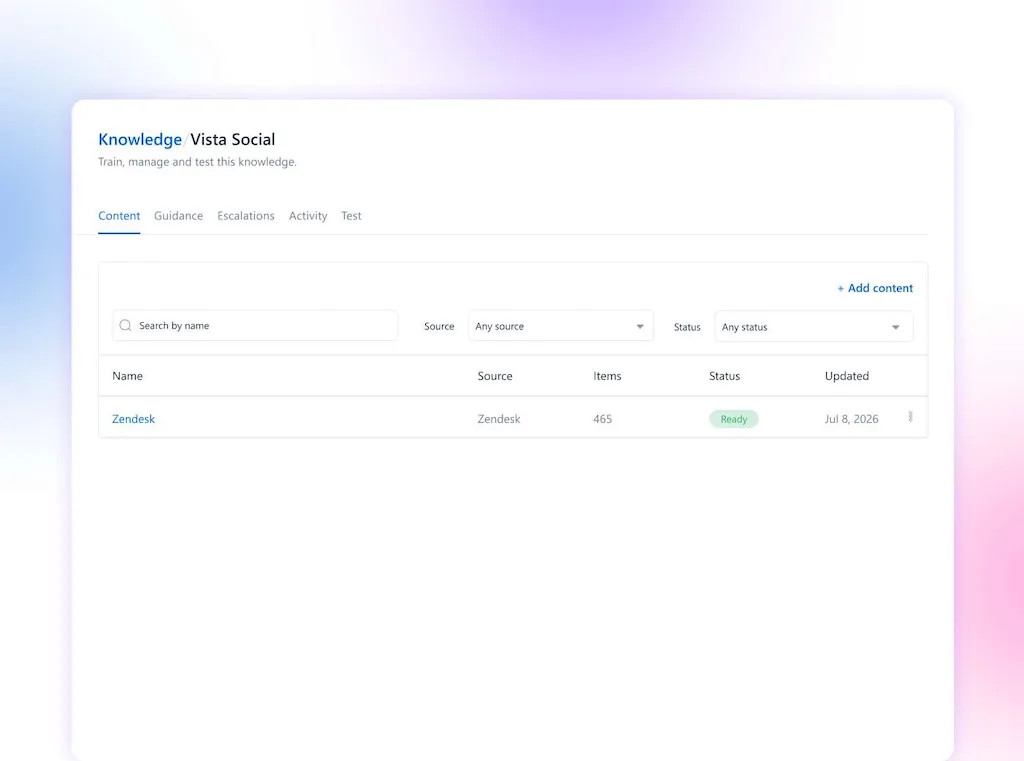
In Vista Social, brand context comes from AI Training & Knowledge. You add approved sources and guidance for a profile group, then select the relevant knowledge source when AI creates content or handles a conversation.
Test 2: How much of the job does it finish?
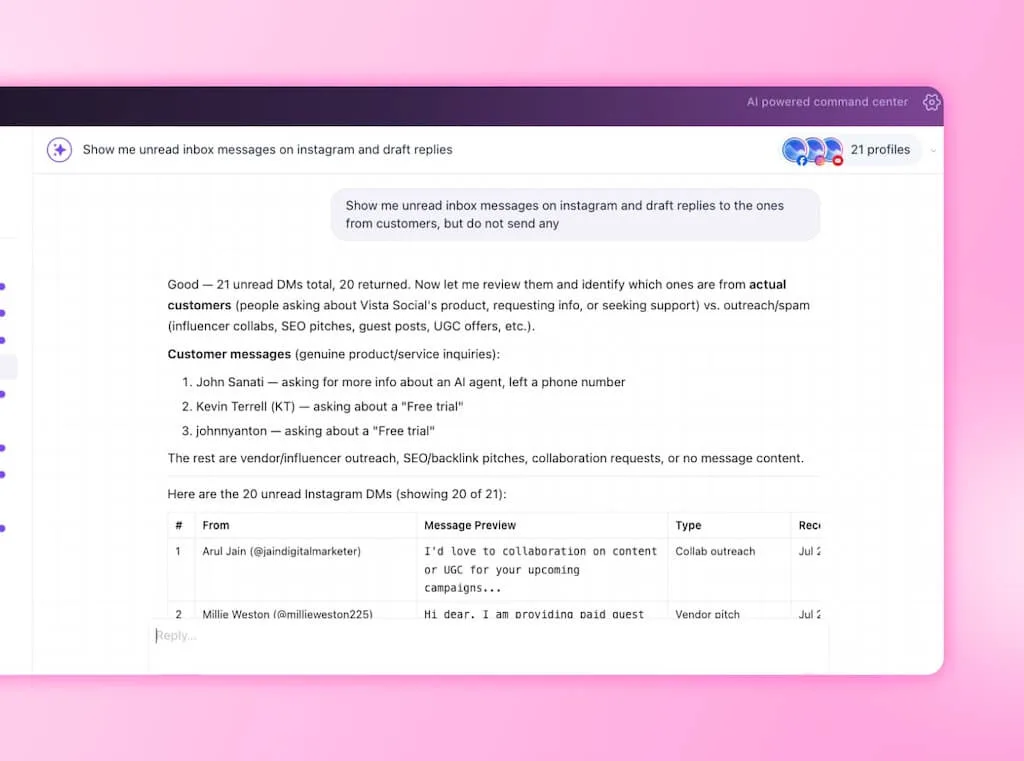
Ask for an outcome instead of a caption: “Use these release notes to prepare LinkedIn and Instagram launch posts for next week. Create a suitable image and leave both drafts ready for review.”
Then check where the work appears. A finished draft belongs in the publishing flow, while another block of text still leaves you carrying it elsewhere.
Vista Social’s Ask Vista command center can work across more than 50 tools covering publishing, analytics, inbox management, media generation, tasks, and reporting. Its media tools can also generate and refine images or videos inside Ask Vista and the Composer.
Test 3: Is the approval point obvious?
You should be able to see what the assistant prepared and where it plans to place the work. The review screen should also make the result of your approval clear.
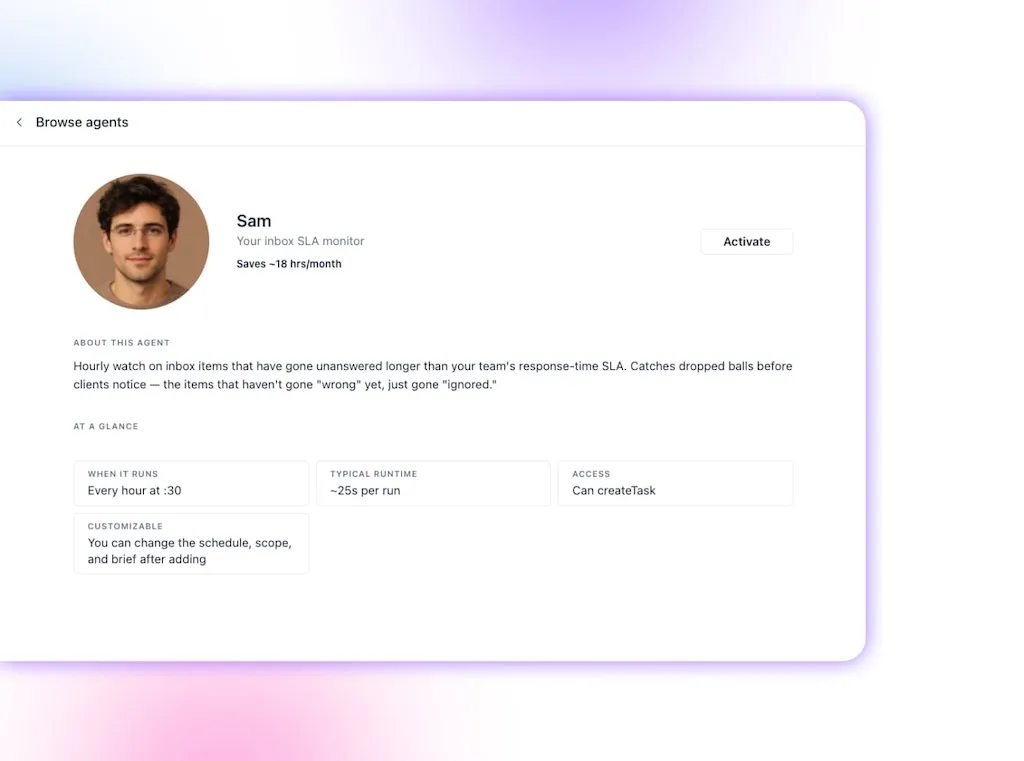
Recurring work can move into Agents, while Skills give the assistant reusable instructions for jobs you want handled the same way each time. The public action still needs a clear consent point, even when the preparation runs on a schedule.
Run a fifteen-minute trial
You can learn more from one messy real request than from twenty feature cards. Use this quick trial and write down the result while the workflow is fresh:
- Give it the source: Add a real release note, event brief, or approved campaign page.
- Name the destination: Choose the profiles, networks, timing window, and review owner.
- Request the outcome: Ask for prepared posts in the workspace rather than copy in the chat.
- Change one detail: Request a new crop or revised claim and watch where the edit travels.
- Count what remains: Record the manual moves and keep the human decisions in a separate column.
The test should tell you whether the assistant understands the work around the caption. It should also expose where missing connections will send you back to downloading, uploading, and rebuilding context.
There is first-party evidence for the consolidation payoff. In a 2026 customer story, ClickUp reported a 70% cut in weekly scheduling and coordination time. The work fell from eight to ten hours down to two or three.
That result came before Ask Vista launched, so it measures the value of bringing the workflow together on its own. Connected assistance builds on that shared workspace and helps prepare more of the work inside it.
If you post occasionally to one network and enjoy handling every step yourself, a standalone chatbot may cover what you need. It also remains a strong choice for broad brainstorming that has no reason to touch a live social account.
For a busy multi-account workflow, the fifteen-minute test will give you a clearer answer. See how Ask Vista handles your own request inside the workspace.
Count the steps your AI leaves behind
The launch caption from the opening no longer has to sit on your clipboard while you carry it through the rest of the stack. The assistant can prepare each network version and attach the media. It can also build the calendar cards and start the review path where the work already lives.
Your best measure is still the work left for you. Count the handoffs and separate repetitive movement from human judgment. Choose the assistant that returns more time for decisions your audience will notice.
The point of AI in social media is to extend the person running it. You keep the taste, context, accountability, and final say while the assistant carries more of the repetitive route.
Start your free trial with no credit card, then run one real launch post through Ask Vista and count the steps that remain.
Frequently asked questions
What is an AI social media assistant?
An AI social media assistant connects AI with a social workspace so it can prepare posts, replies, schedules, and reports. It uses the context available for the request and keeps public actions subject to human approval.
What’s the difference between a chatbot and an AI social media assistant?
A chatbot produces an answer in its own conversation window. An AI social media assistant can use the request to prepare work inside your connected social workspace, which removes manual transfers before review.
Can AI actually publish and schedule my posts?
Yes, a connected assistant can prepare and schedule social posts. A clear approval gate should let you review the content and confirm the action before anything appears publicly.
Is “agentic AI” for social media just hype?
The label is useful when the product can complete a multi-step task. Test whether your request becomes prepared work inside the social workspace. If it returns text for you to move, the workflow remains unfinished.
What should I look for in an AI social media tool?
Look for access to the context needed for the job, the ability to work across several social tasks, and a visible human approval point. Use one real workflow and count the manual actions that remain.
Do I still need ChatGPT if I have an AI social media assistant?
You may want both because they serve different jobs. A general chatbot is strong for open-ended thinking. A connected assistant prepares social work in the workspace that holds your accounts.
About the Author

Content Writer
Orion loves to write content that refuses to be boring. As part of Vista Social, he helps brands, creators, and agencies stop doom scrolling and start winning with social media. When he's not in front of a keyboard, he's watching films in IMAX with his wife, dissecting football tactics (the European kind), and getting lost in a good book.