

Published on May 5, 2026
9 min to read
How to Automate Instagram Comments (& Do You Want To?)

Summarize with AI

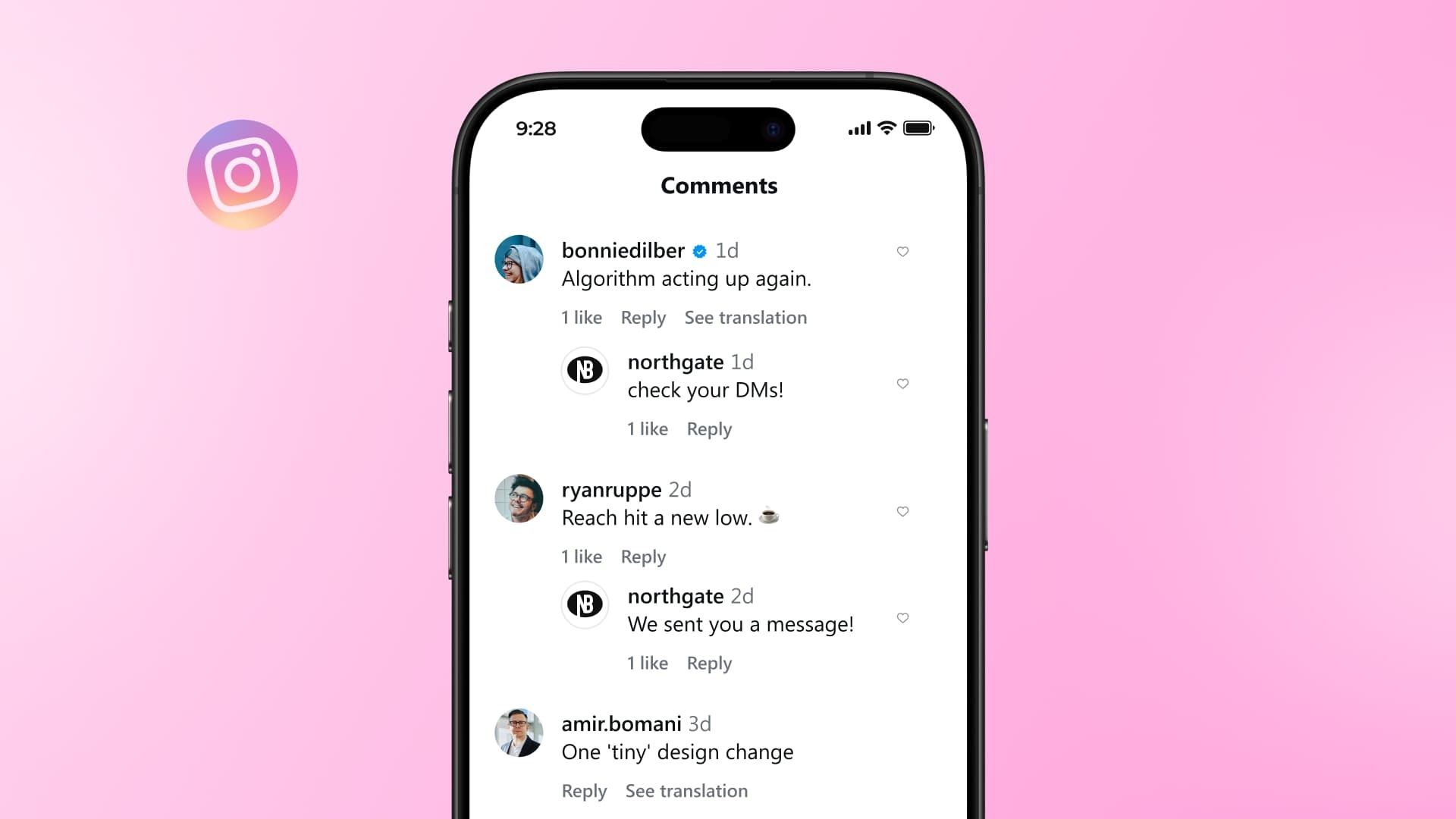
Table of contents
Summarize with AI

ChatGPT

Claude

Perplexity
Share

Vista Social

X (Twitter)


If you manage social media for a living, your to-do list never really ends. Between content planning, publishing, reporting, and community management, there’s always something competing for your attention.
So when you hear the word “automation,” it sounds like a lifeline—because who wouldn’t want one less thing to do manually?
But when it comes to automating Instagram comments, things get a little more complicated. Done right, it’s a genuine time-saver that helps you respond to your audience faster and keep engagement moving. Done wrong, it makes your brand look like a bot, annoys your followers, and can even put your account at risk.
This guide breaks down what Instagram comment automation actually means, when it makes sense, and when you’re better off typing your reply yourself.
We’ll also walk through how to set it up responsibly using Vista Social, so you can automate without sounding like a bot.
Table of contents
What do we mean by automating Instagram comments?
Before going any further, it’s worth clearing up a common mix-up. When people talk about automating Instagram comments, they’re usually referring to one of two very different things.
One version is outbound comment automation, where a tool automatically leaves comments on other people’s posts on your behalf. Think generic phrases like “Love this!” or “Great content!” scattered across dozens of accounts.
This type of automation is widely considered spam, and it violates Instagram’s terms of service. And it’s the fastest way to get your account flagged, restricted, or even permanently banned.
Not only that, but bot-like accounts are a major fraud concern with regards to influencer marketing. Brands don’t want influencers to inflate their follower counts (in fact 56.5% of marketers list fake/bot followers as their biggest influencer risk concern), and if it looks like your account only engages using spammy, bot-like responses, you’re going to get flagged.
The other type of Instagram comment automation—and the much better one to use—is inbound comment automation, which works in the opposite direction. You set up automatic replies to comments that people leave on your own posts.
For example, someone comments a keyword like “LINK” on your Reel, and they instantly get a reply or a DM with the resource they asked for. Or someone leaves a comment asking a question and you have an automation set up with an auto-responder to that question.
These types of automation are fully supported by Meta when done through their official API, and that’s what we’ll be focusing on throughout this post.
That distinction matters because the two approaches couldn’t be more different. Outbound automation tries to fake engagement, while inbound automation helps you manage real engagement at scale.
Platforms like Vista Social make it easy to do exactly that. When your posts are pulling in hundreds of comments about a product launch or a giveaway, you can’t realistically respond to every single one by hand.
That’s where Instagram DM automation becomes a practical solution rather than a shortcut.
The case for automating Instagram comments (and when not to)
There are some situations where automating your Instagram comment responses isn’t just helpful. It’s a smart move.
When automation makes sense
A few scenarios stand out as clear wins for comment automation:
- Promotions, launches, and giveaways. Imagine you post a Reel about a new product, and your caption says “Comment DETAILS for the full rundown.” Within an hour, you’ve got 200 comments with the same keyword. Responding to each one manually would eat your entire afternoon, but an automated reply or DM trigger handles that in seconds.
- Frequently asked questions. If you constantly get the same comments asking about your hours, pricing, or shipping policy, a keyword-triggered response saves you from copy-pasting the same answer over and over again.
- Comment-to-DM workflows. These move a conversation from a public comment into a private message so you can share a link, capture a lead, or continue the conversation one-on-one. They’re one of the most effective ways to turn casual engagement into real results.
Response speed matters for another reason, too. Instagram’s algorithm pays attention to how quickly and how often you engage with your audience. Faster replies signal an active, responsive account, which can help your content reach more people.
With Instagram now reaching over 1.74 billion people worldwide, Instagram marketing is only getting more competitive. That kind of response-time edge matters.
When you should skip automation
Not every comment deserves a templated response. These are the situations where a human should always step in:
- Personal or thoughtful comments. When someone leaves a genuine, personal comment on your post, they’re opening a door to a real conversation. Hitting them with a canned reply closes it. Those moments are where you build real relationships with followers, and no automation can replicate that.
- Customer complaints and service issues. If someone comments that their order arrived damaged or that they’ve been waiting two weeks for support, an automated “Thanks for reaching out!” will only make things worse. These situations need a human who can read the room, show empathy, and actually solve the problem.
- Sensitive or high-stakes moments. If your brand is navigating a PR issue, a product recall, or any kind of public criticism, automated replies can amplify the wrong message at exactly the wrong time. If a comment calls for judgment, nuance, or emotional awareness, it’s always better to have a human respond. This is crisis management 101.
How to automate Instagram comments with Vista Social
Setting up comment automation in Vista Social is straightforward, and you don’t need any technical background to get started. Here’s a step-by-step walkthrough.
Step 1: Make sure your Instagram account is connected
Before you can build any automation, you’ll need a Vista Social account with your Instagram Business or Creator profile connected. Personal Instagram accounts don’t support API-based automation, so you’ll need a professional account type. If you haven’t switched yet, it’s free and takes about 30 seconds in your Instagram settings.
Step 2: Navigate to Automations
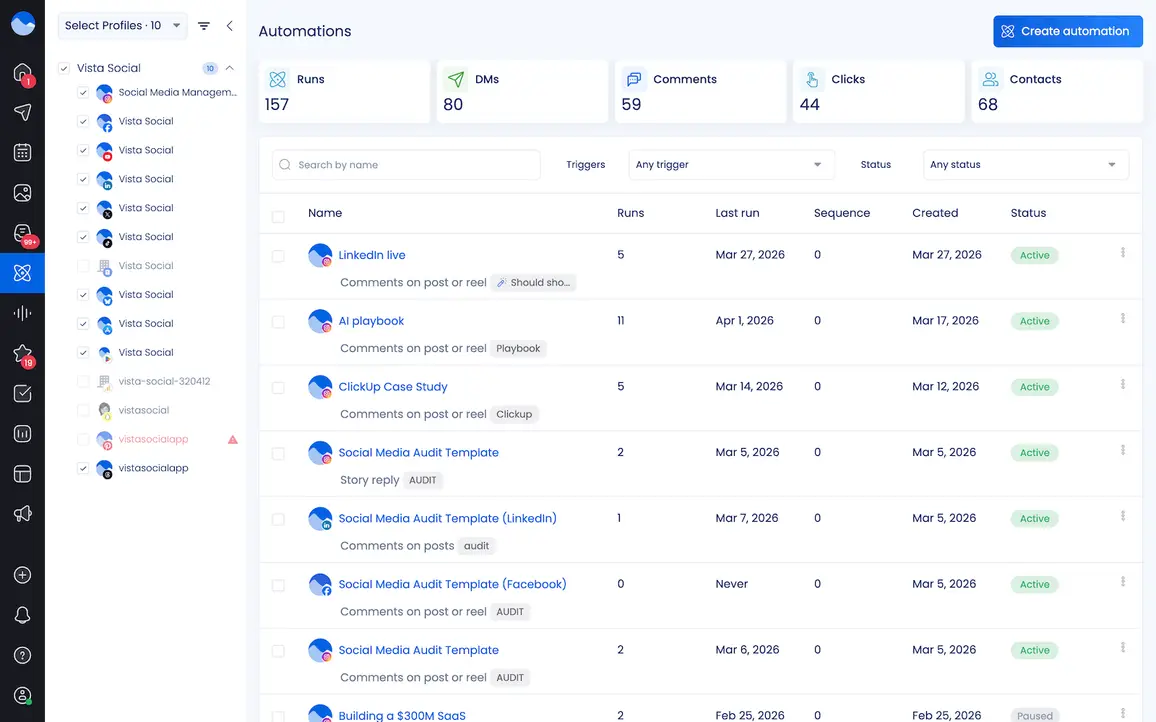
Once you’re logged in to Vista Social, head to the Automations section in the left sidebar. This is your dashboard for creating, managing, and monitoring all of your automation workflows.
Step 3: Create a new automation
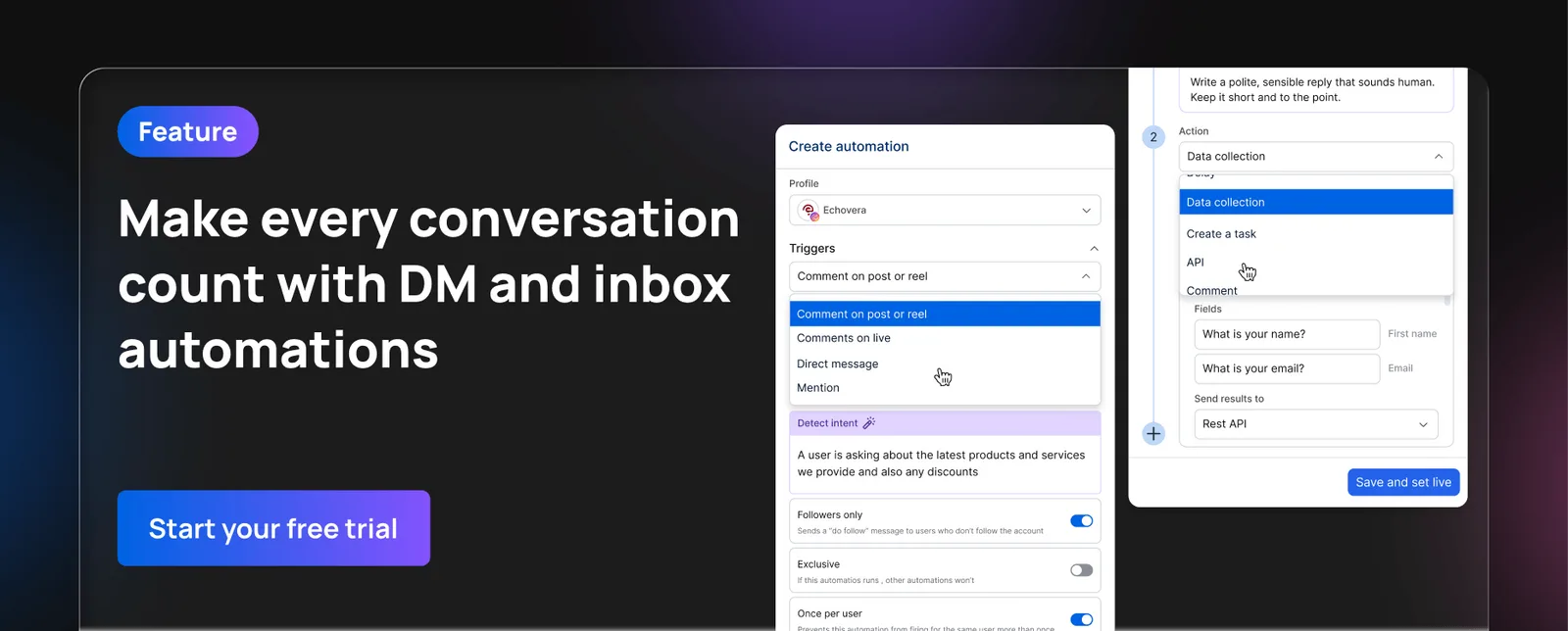
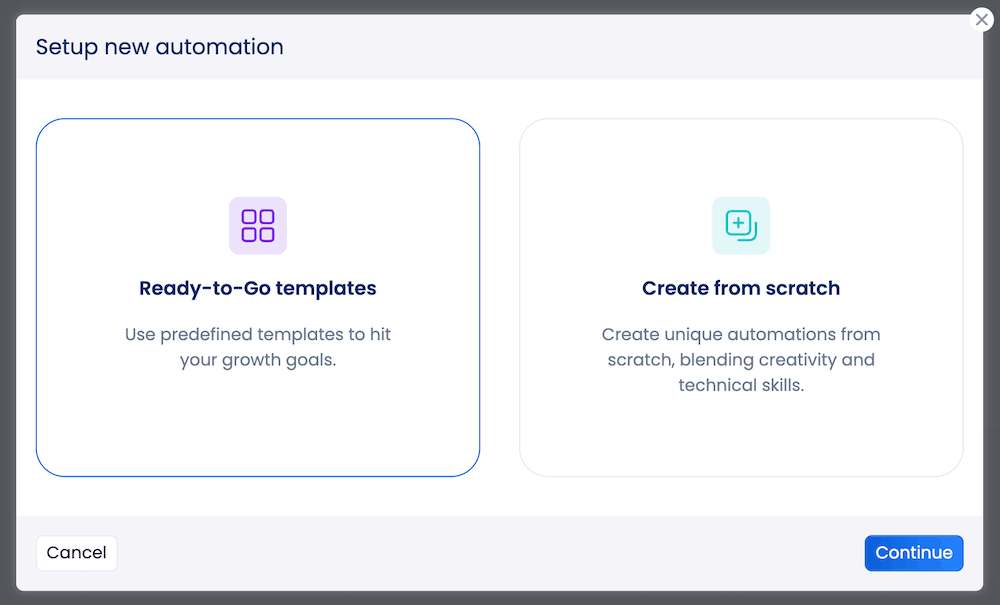
Click the “Create automation” button. You’ll see the option to choose from ready-to-go templates or start from scratch. If you’re new to automation, the Ready-to-Go templates are a great starting point. Vista Social offers pre-built flows for common use cases like auto-sending DM links when someone comments on a post.
Or just click Create from scratch to play with the feature and set up your own automation.
Step 4: Fill in the details
In this window, you need to name your automation and make sure it’s connected to the social media profile that you want (in this case, Instagram).
Then, choose what kicks off the automation. If we’re doing comments, you can choose to have it activate on a specific post or Reel, any of your posts or Reels, or even on a live video if you plan to broadcast soon.
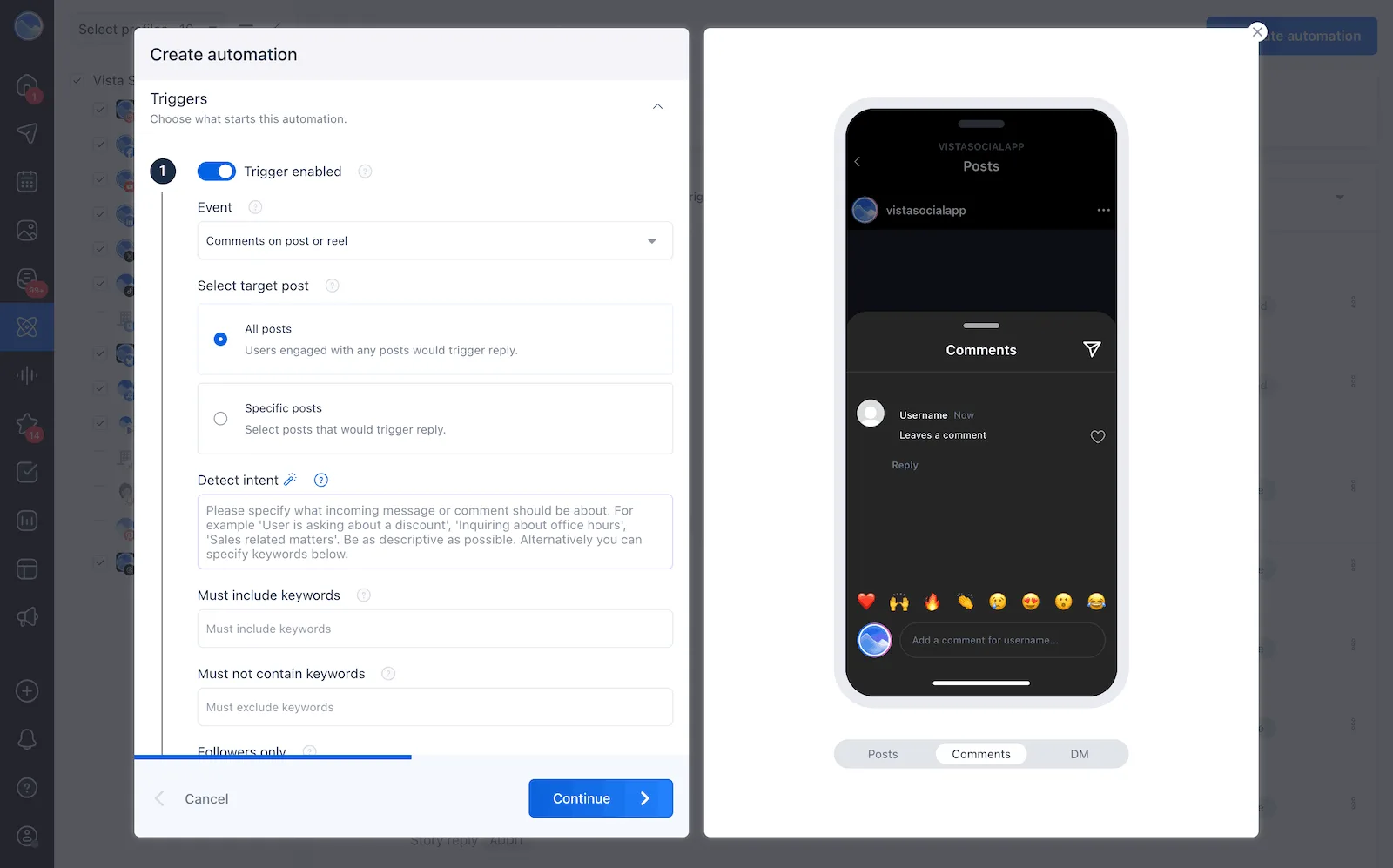
From there, decide whether the automation triggers on any comment, if you want to use AI to detect certain types of comments, or only when someone uses a specific keyword or phrase. For example, you might set “LINK” or “INFO” as your trigger words.
You can also choose to limit the automation to followers only. If someone isn’t following you yet, Vista Social lets you set a custom message that encourages them to follow before they receive the automated content.
Step 5: Build your response flow
Now you’ll decide what actually happens when someone triggers the automation. You can set up a public comment reply, a private DM, or both.
For DM flows, you’ll craft an initial message that starts the conversation—this is called an Opening DM, and it helps the Instagram API know that a user actually wants to hear from your brand. When the recipient taps a button inside that message, it opens a 24-hour messaging window where you can send follow-up content, links, or offers.
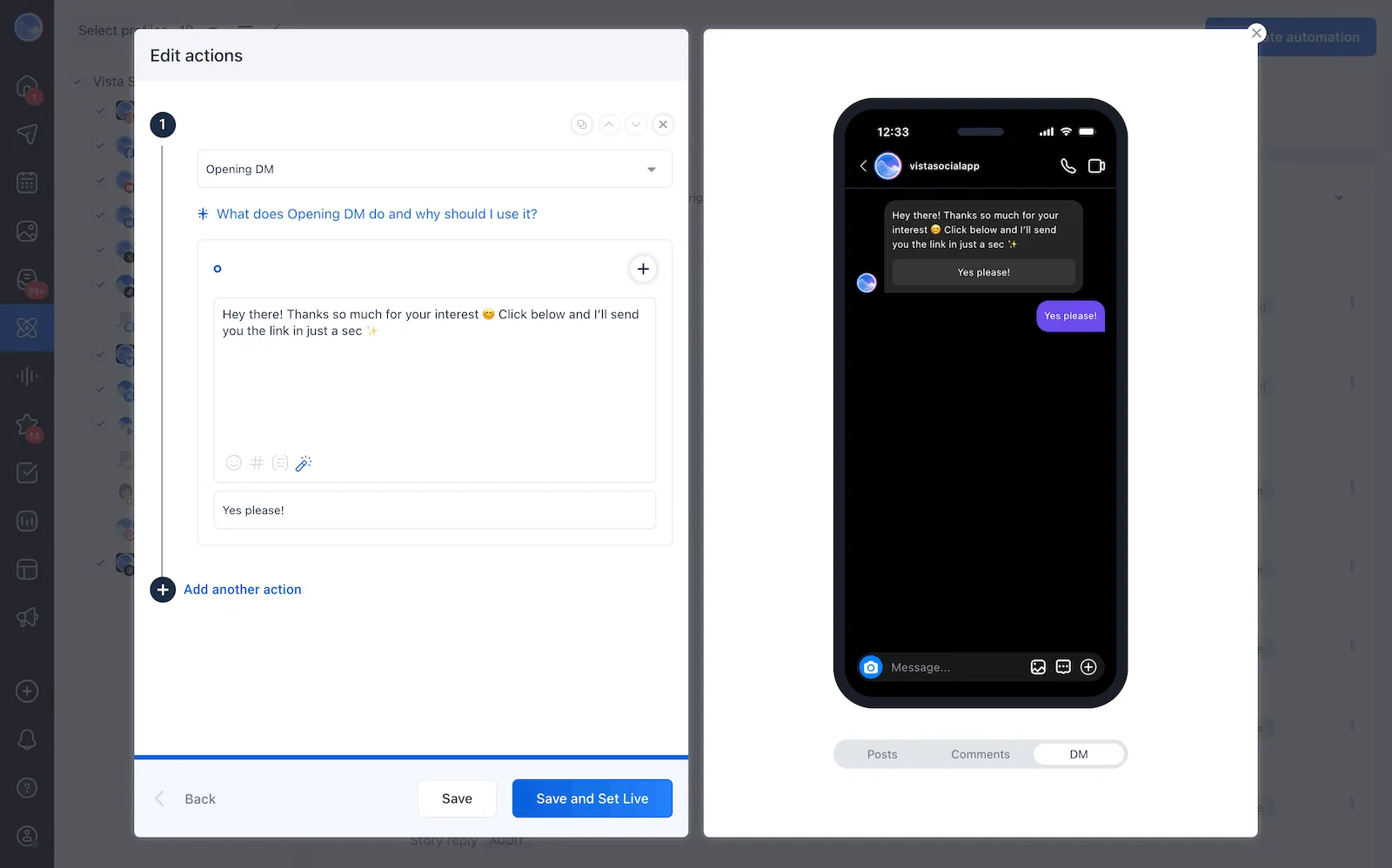
From there, you can add even more actions, like sending a follow up DM with a link, PDF attachment, or response to a question.
Vista Social gives you two options for keeping your replies fresh:
- You can use the Dynamic AI Reply feature, which generates a unique, human-sounding response for every interaction based on a custom prompt you provide
- Or you can write multiple reply variations manually, and Vista Social will rotate through them so the same message doesn’t repeat over and over
This is especially important if you’re setting up automations that comment back. You don’t want the exact same comment to show up again and again on your feed—it’ll be immediately obvious that you’re automating this and will feel spammy to your audience and to the algorithm.
Step 6: Review and activate
Before going live, preview your automation to make sure everything looks right. Check your trigger words, review your response messages, and confirm that the right Instagram account is selected. Once you’re satisfied, activate the workflow, and do a quick test run from a separate account to make sure it works.
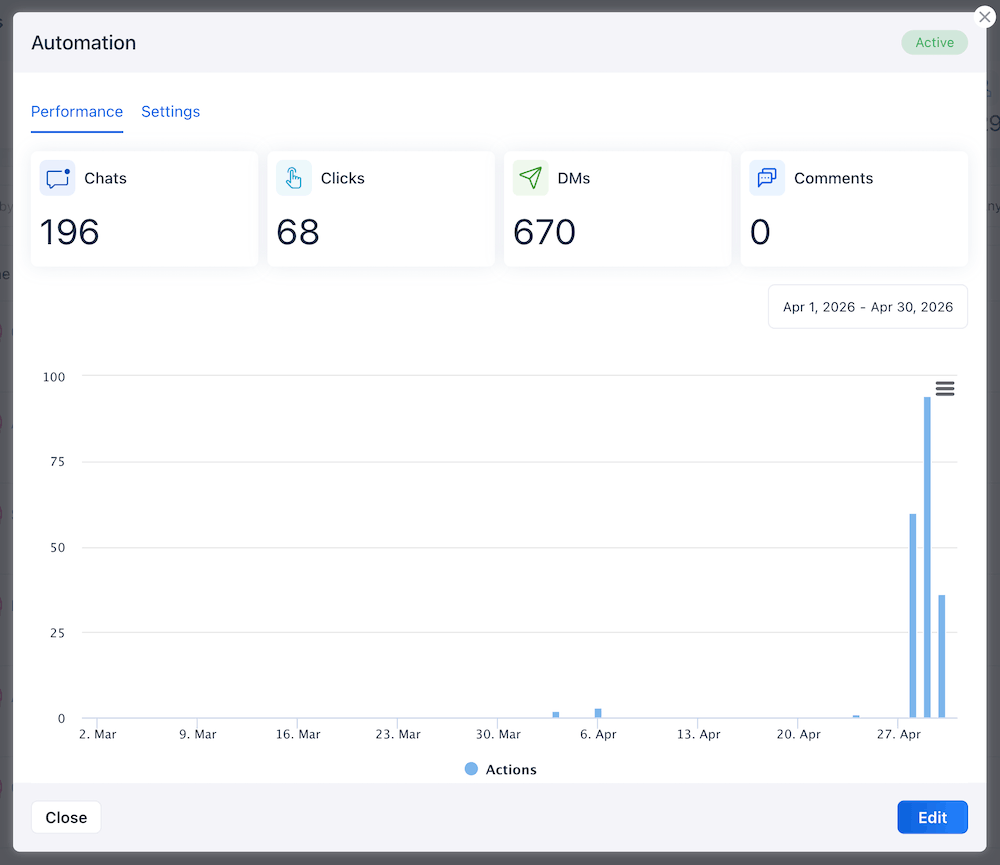
From here, you can monitor how your automations are performing directly from the dashboard. Vista Social tracks how many times each automation has run, so you can see what’s working and adjust as needed.
Best practices if you do automate
Automation can save you hours every week, but only if it’s set up thoughtfully. A poorly configured workflow can damage your reputation just as fast as it can boost your engagement. These five practices will help you get the results without the risk.
Use official API-based tools only
This one isn’t negotiable. Any tool that asks for your Instagram password directly, or that uses browser extensions and unofficial workarounds, is operating outside of Meta’s guidelines. That puts your account at serious risk of being throttled, restricted, or permanently banned.
Stick with tools that connect through Meta’s official OAuth process, where you authenticate through Instagram’s own login screen and grant specific permissions.
Vista Social is an official and approved Meta application, which means every automation runs within the platform’s rules. According to Meta’s developer documentation, all automated messaging must go through the official API, and tools must pass Meta’s app review process to gain access.
Keep automated replies short, human, and varied
Nothing screams “bot” louder than the same generic response appearing under every comment on your post. Social platforms have even started flagging accounts that send identical text repeatedly, which can quietly limit your reach.
The fix is variation. If you’re writing replies manually, create at least 10 different versions of each response. Mix up the phrasing, the tone, and the length so that no two replies look the same in a comment thread.
Vista Social makes this easy by rotating through your variations automatically. If you’d rather not write dozens of variations yourself, Vista Social’s AI-powered reply feature is the other route. You provide a custom prompt that describes your brand voice and the context of the response, and the AI generates a fresh, unique reply for each interaction. Whichever option you pick, every response should feel like a real person wrote it.
Always have a human-review layer
Automation handles the routine stuff well, but it shouldn’t run completely unsupervised. Build in regular check-ins where a team member reviews automated responses and the comments they’re replying to. This is especially important in the first few days after launching a new workflow, when you’re still learning how your audience interacts with the triggers.
You’ll also want a clear escalation path. Make sure your team knows which types of comments need to be pulled out of the automated flow and handled personally. A solid social media automation setup doesn’t remove humans from the process. It frees them up to focus on the interactions that actually need a personal response.
Monitor sentiment
The risk that most teams overlook with automation is that it amplifies whatever it touches. If your automated response is helpful and well-timed, it amplifies a positive experience. But if it fires off a cheerful reply to someone who’s frustrated or upset, it amplifies that frustration.
Pay attention to the sentiment of incoming comments, not just the keywords. Some automation tools, including Vista Social, offer AI intent detection that can read the context of a comment and route it accordingly.
A comment containing your trigger word but paired with a complaint shouldn’t get the same response as an enthusiastic question. Use these tools to build smarter workflows that respond differently based on what the commenter actually needs.
Audit regularly
Your automation workflows aren’t a set-it-and-forget-it project. Products change, promotions end, links expire, and your audience’s expectations shift over time. A response that worked perfectly during a product launch might feel stale or irrelevant two months later.
Set a recurring reminder to review your active automations. Check that your trigger keywords still make sense, that your reply content is still accurate, and that your Instagram content strategy still aligns with what your automations are doing. Look at the data, too. If an automation has fired thousands of times but engagement on those posts is flat, it might be time to rethink the approach.
Use Instagram comment automation strategically
The goal of Instagram comment automation has never been to cut corners. It’s about freeing up your time so you can show up for your audience consistently, even when the comments are rolling in faster than you can type. The brands that get this right are the ones that treat automation as a support system, not a replacement for genuine engagement.
Use it for repetitive, high-volume moments. Step in personally for the conversations that matter. And whatever you do, make sure you’re using a tool that keeps your account safe and your responses feeling human. If you’re ready to start building comment automations that actually work, Vista Social’s DM Automations can help you set up your first workflow in minutes.

Try Vista Social for free
A social media management platform that actually helps you grow with easy-to-use content planning, scheduling, engagement and analytics tools.
Get Started NowAbout the Author

Content Writer
Russell Tan is a content marketing specialist with over 7 years of experience creating content across gaming, healthcare, outdoor hospitality, and travel—because sticking to just one industry would’ve been boring. Outside of her current role as marketing specialist for Vista Social, Russell is busy plotting epic action-fantasy worlds, chasing adrenaline rushes (skydiving is next, maybe?), or racking up way too many hours in her favorite games.
Loading related tools...

The most complete social media management platform for teams who demand more.






Tools
PublishingAnalyticsEngagementIntegrations
FacebookInstagramLinkedInRedditSnapchatThreadsTikTokX (Twitter)YouTubeMCPVista Page (link-in-bio)All IntegrationsCopyright © 2026 Vista Social LLC. All Rights Reserved.