


Your Social Person Left? A 30-Day Social Media Handover Plan
October 30, 2026
9 min read

Summarize with AI

Table of contents
Share

Vista Social

X (Twitter)


Your social media manager has left, and “just keeping social going” has landed on your to-do list. Fair enough, until you’re checking Instagram between customers and spending the end of the day working out whether tomorrow’s post is ready.
You need customers to get answers and your accounts to stay active, without social becoming a second job. Hiring might be part of the answer, but there’s work to cover before anyone’s first day.
This social media handover plan helps you secure account access, pick up unfinished conversations, and get the next posts ready. It shows how AI can prepare drafts and daily briefings for your review, while you stay responsible for business decisions and customer care.
Table of contents
How to use this 30-day plan
Use the month to get essential work running, repeat it over several weekly cycles, and choose ongoing support. The windows overlap: access and replies start together, and posting resumes when the material is checked. These are planning checkpoints, not a researched recovery deadline.
From day one, keep a short daily note of time spent, corrections needed, overdue replies, and inquiries or bookings. Mark account recovery separately from recurring work, and record confirmed bookings separately from open inquiries. That gives you something concrete to review at the end of the month.
The short version
- Days 1-3: Establish account access and give waiting customers an answer or a follow-up time. Keep unresolved recovery requests moving separately.
- Days 1-7: Put a small, checked batch live using current business facts and useful existing material.
- Days 4-21: Test the daily checks, fix recurring errors, and make the routine clear enough for a backup to cover.
- Days 21-30: Review the ongoing workload and decide which jobs need more human support. Hire sooner if the need is already clear.
Days 1-3: Secure access and cover customer replies
Start both jobs on day one. If you have help, the owner handles access and billing while a teammate answers customers. On your own, handle urgent inquiries on the channels you can reach, then return to account recovery.
Collect the handover material in one place
If the person is available, ask what is approved, which offers are ending, and which customer promises need attention. Those answers are more useful than a folder of captions with no explanation.
- Accounts and recovery: Record every business profile, its admin-role holders, login email, and recovery methods. Two-factor authentication means the extra code or approval requested after a password.
- Current commitments: Find scheduled posts, drafts, live ads, automated replies, and open customer conversations. Check dates, prices, budgets, and offers before leaving them running.
- Files and subscriptions: Locate approved photos, videos, brand files, usage permissions, tool subscriptions, and billing owners.
A company-approved AI assistant can turn supplied notes and exports into a checklist. Keep passwords, recovery codes, and unapproved customer data out of prompts. Verify its list against the actual accounts.
Test your own access before removing theirs
Accept your authorized invitation and sign in. Check that you can manage admins and recover the account as well as publish. Facebook and LinkedIn use personal profiles for Page administration; don’t take over the former employee’s personal login.
| Platform | Control to establish | Where to check | Watch for |
|---|---|---|---|
| Full control of the Page and the business portfolio managing it | Page access; Meta Business Suite’s People and business-asset settings | Publishing access alone doesn’t let you manage other admins. | |
| Business-controlled login, recovery and two-factor methods; appropriate business-asset access | Instagram account/security settings; the Instagram asset in Meta Business Suite | Access through Facebook doesn’t prove you can recover the Instagram login. | |
| Super admin access for the Page | Page admin view: Settings, then Manage admins | A current super admin must add you. | |
| Google Business Profile | Primary ownership under an account the business controls | Business Profile settings, then People and access | New owners and managers must wait seven days for certain ownership and removal actions. |
| TikTok | Business-controlled login and recovery; Business Center admin/account permissions if used | Account/security settings; Business Center members and accounts | Ad-only permission doesn’t give full account management. Check the underlying login too. |
Follow the current Meta access checks, LinkedIn admin guide, Google ownership guide and TikTok permission guide. Admin control and legal ownership are separate; get legal advice if ownership is disputed.
Once current access and recovery work, remove the former employee’s business roles and sessions and change shared business passwords. Check connected tools and billing separately. If you cannot gain access, open official recovery requests and record an owner and next action for each.
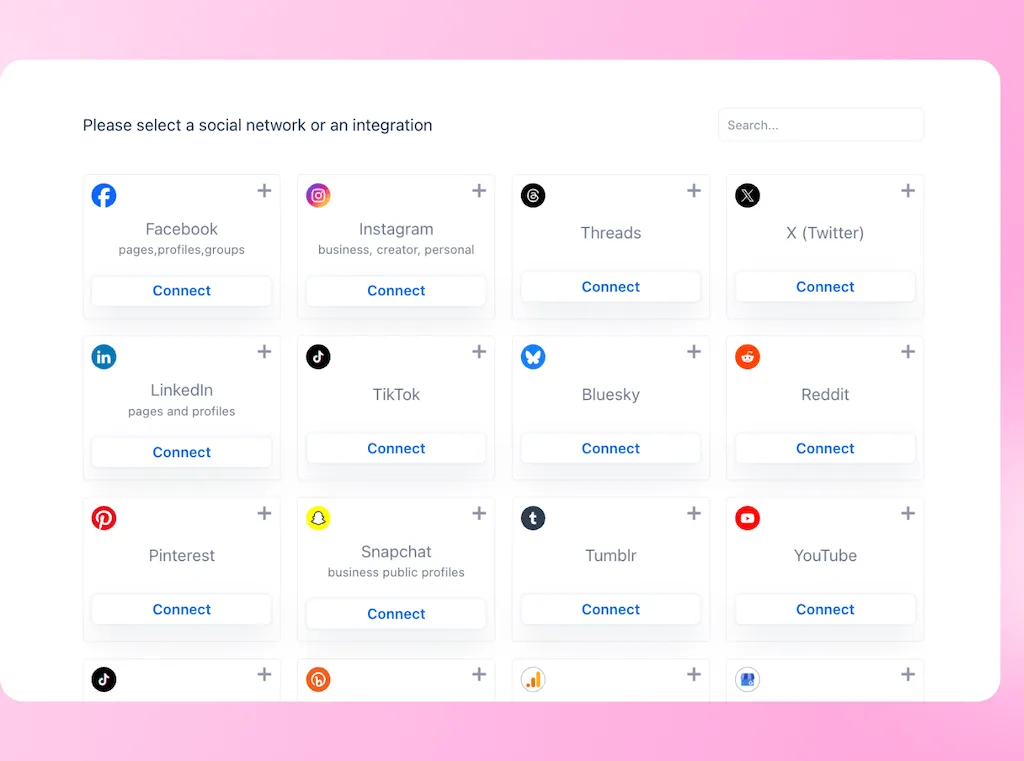
Connect or reauthorize profiles in Vista Social with current authorized access, then test again after departure changes. A connected profile doesn’t transfer ownership or guarantee the connection survives changes to the person who authorized it.
Give each waiting customer a next step
Work through accessible messages, comments, and reviews. Prioritize quote requests, bookings, complaints, and existing customers awaiting a promise. For something you cannot resolve immediately, give a realistic follow-up: “We’re checking availability and will get back to you by 3 PM tomorrow.”
Reviews need coverage too. BrightLocal’s 2026 survey of 1,002 US adults found that 97% read reviews for local businesses. Give the daily check a named person and backup; a holding reply still needs someone to deliver the answer.
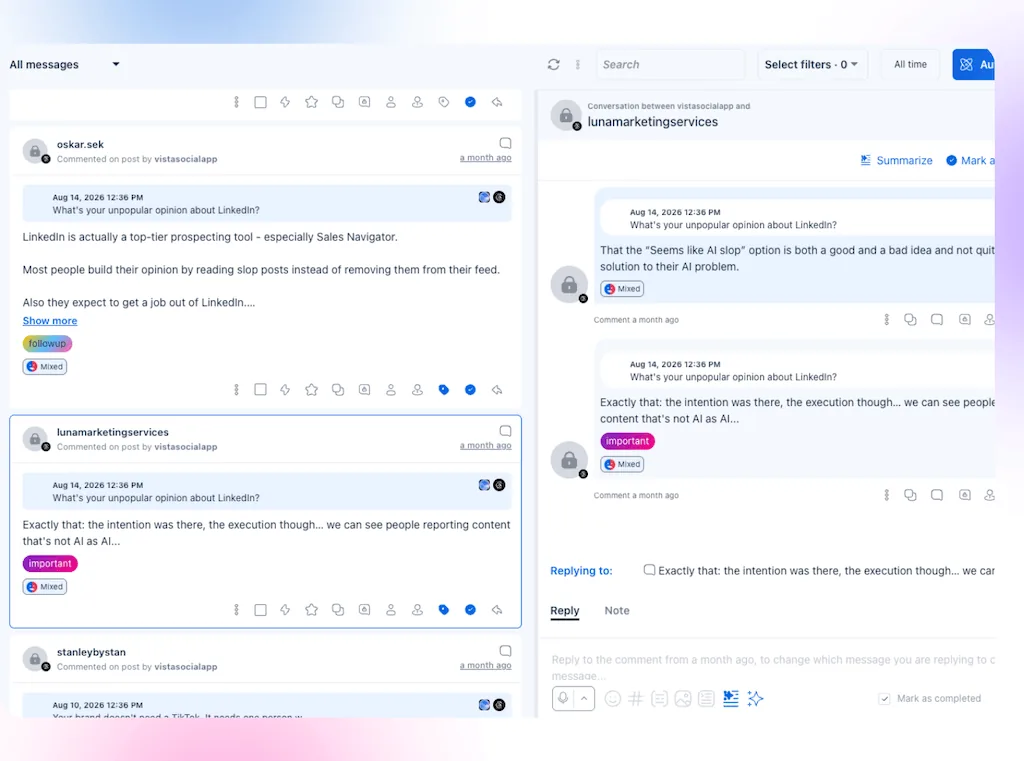
In Vista Social, use Inbox for supported comments and messages and Reviews for connected review sources. Check native apps for missing history, delayed updates, or unsupported replies. Our social inbox guide covers the wider lead-handling process once immediate coverage is in place.
Done when: You can use the priority accounts, customer follow-ups have owners and deadlines, and blocked accounts have active recovery requests. Finish outstanding transfers as the platforms allow.
Days 1-7: Prepare and publish your first checked posts
Once customers are covered, check the calendar. Keep approved posts running if they’re still accurate. Begin new drafts when you have usable access, current business details, and someone to review them.
Look back over the last 90 days where history is available. Find useful customer questions, posts you can update, and evidence of inquiries or bookings. Likes can help find a starting point, but they don’t establish which posts brought customers.
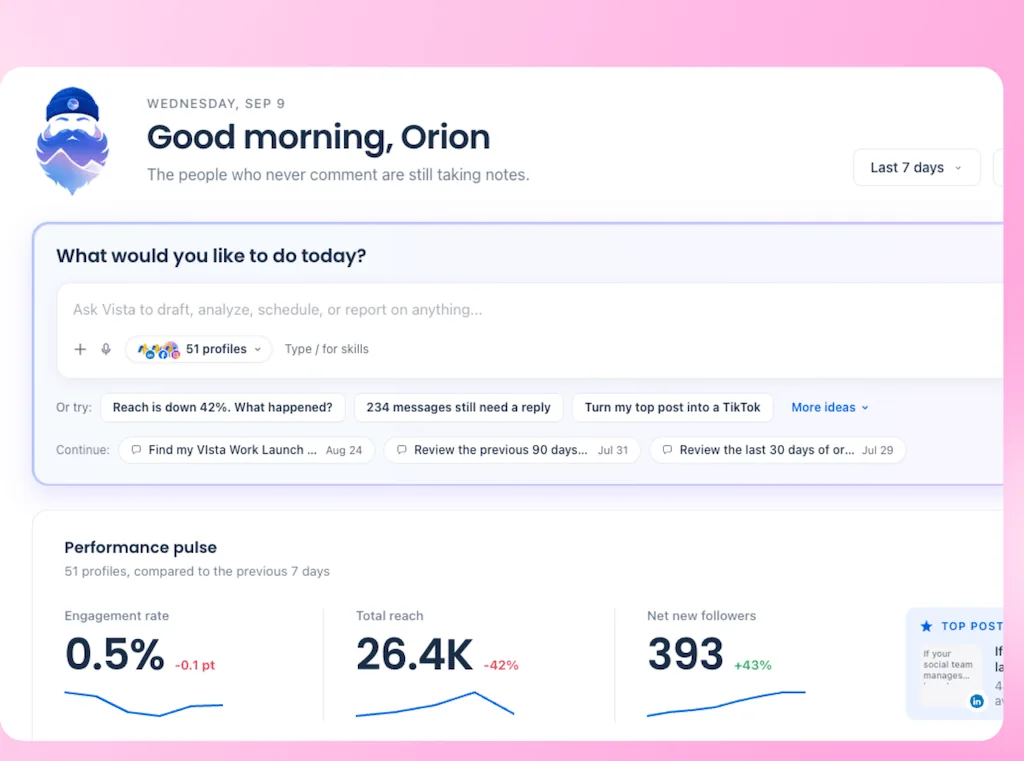
Ask Vista works with connected posts, analytics, and account context. Ask it for a shortlist, then check the linked posts and customer records. Use native analytics or approved exports for missing history rather than assuming a new connection imports the full period.
Turn rough business notes into a draft you can check
You don’t need to write a polished brief first. Here’s an illustrative example for a bike workshop:
- Business notes: “Repair slots available this Saturday; ask customers to message their bike type and problem; use our workshop photo; don’t promise same-day repairs.”
- Draft to review: “Need to get your bike looked at? We have repair appointments available this Saturday. Send us your bike type and what’s going wrong, and we’ll help you book a slot.”
The owner supplies the facts and booking instructions; AI helps turn them into readable copy. Check capacity and photo rights before using it.
Once checked, authorize scheduling for the right accounts and dates, then open the calendar to confirm what was saved. Where your account requires an approval step, test that it holds the post for the intended reviewer. A prompt asking for review isn’t a substitute for checking that setup.
Done when: A small batch is checked and live or scheduled, with a person responsible for replies. One sound post is enough to restart while you prepare the rest.
Days 4-21: Test and refine the daily checks
With the first posts running, make sure the next batch doesn’t become another scramble. Start with a workload you can review, such as two or three posts a week, then adjust to your customers and capacity. Begin this routine earlier if you’re ready.
The recovery work is temporary. The routine you’re building should leave you reviewing prepared posts and handling customer questions that need you, rather than rebuilding everything each morning.
Use Ask Vista agents for recurring checks. These scheduled jobs prepare findings for you to act on.
| Recurring job | What the agent prepares | What you still do |
|---|---|---|
| Morning briefing | Inbox findings, today’s scheduled posts and yesterday’s results | Check the sources and choose today’s actions |
| Unanswered-message check | Items beyond your chosen response target | Answer or assign them; handle sensitive conversations |
| Calendar-gap check | Empty days in the coming week | Decide whether another post is useful and provide missing material |
Test each job against its source before relying on it. The agent task guide covers other options; add one when there is a recurring job for it, rather than switching on the whole library. The same checks can stay manual, with a regular time and owner.
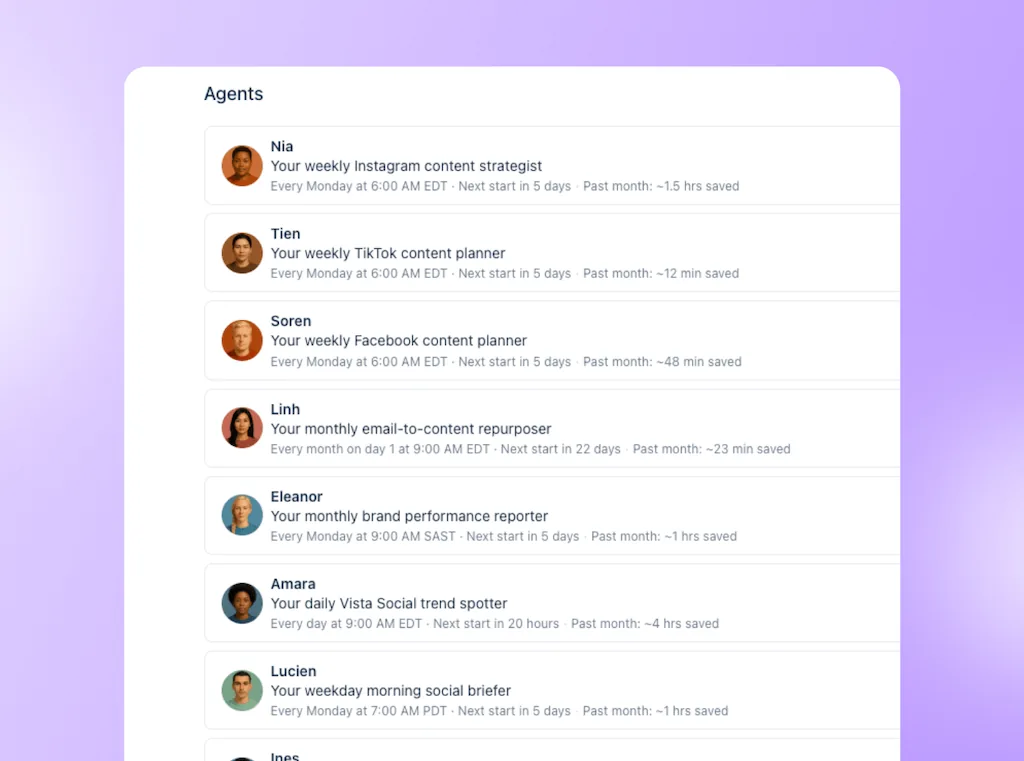
Correct the instructions when the same error returns, and get qualified review where a claim needs expertise. Use the time you get back for a current photo, an accurate answer, or a customer conversation.
Done when: Your regular checks have verified results and a named person to act on them, and a backup can find the next job without rebuilding the process.
Days 21-30: Decide which work needs more human help
Review your daily notes for time spent, repeated corrections, overdue replies, inquiries, and confirmed bookings. Separate one-off recovery effort from the work that will continue every week. Otherwise, a difficult transfer can make the ongoing job look bigger than it is.
Compare complete weeks where possible, and allow for customers who are still deciding. An open quote isn’t a lost sale or a confirmed booking.
| What the month reveals | A practical next move |
|---|---|
| Drafts need little correction, but you lack new photos or video | Arrange creative help for that gap rather than buying a full service by default |
| Customers wait because nobody can cover replies reliably | Give someone recurring customer coverage, regardless of how quickly posts are drafted |
| Claims or technical answers keep needing specialist correction | Add a qualified reviewer and improve the approved source material |
| Reviewing, answering and creating still crowd out running the business | Define ongoing staff or agency support around those observed jobs |
You can recruit or commission help before day 30 if the gap is already clear. Use our hiring guide for recruitment; this review tells you what to ask that person to own.
Compare the cost of covering the same recurring jobs: preparing your posts, compiling the briefing, and checking for unanswered messages. For a person doing that work, use the paid hours or a quote for those tasks.
For Ask Vista, count the subscription, additional AI usage, and setup time. Include your review and follow-up time in both routes, and budget separately for work such as photography or specialist advice.
Done when: You’ve named the ongoing owner, chosen the help needed now, and set the next review.
Copy this handover record
Copy this into a document your backup can open. Replace the example entries with actual findings, names, and deadlines. Keep credentials in your approved password manager, not this record.
| Account or job | Current access/status | Owner | Next action | Deadline |
|---|---|---|---|---|
| Can publish; recovery phone unconfirmed | [Name] | Check recovery access and business contact details | [Date/time] | |
| Customer follow-up | Availability question unanswered | [Name] | Confirm availability and reply | [Date/time] |
| Next post | Draft ready for fact check | [Name] | Check offer and photo rights, then authorize scheduling | [Date/time] |
| Daily briefing | First run needs checking | [Name] | Compare findings with Inbox and Calendar | [Date/time] |
Frequently asked questions
Why does this plan cover 30 days?
A month gives you several weekly work cycles to review before choosing ongoing support. Start immediately and adjust the checkpoints to your access, workload and customer buying cycle.
Can we publish before every account is recovered?
Yes, on accounts you can access properly, once the material is accurate and reviewed. Continue the separate recovery cases and keep contact details current on the profiles still visible to customers.
What if the person already left without a handover?
Build the record from current admins, approved files, subscription records and native accounts. Use official recovery processes for missing access, and don’t give a stranger credentials in return for a guaranteed recovery promise.
Can a general AI assistant do the handover for us?
It can help organize approved notes, documents and exports you supply. It doesn’t establish account ownership, recover an inaccessible profile or gain live account access from a prompt alone. Use verified authorized connections for account actions and keep someone accountable for the result.
Should we announce that our social media manager left?
Only when customers need that information. If the person was a public face or named contact, explain who will help them now. An internal staffing change doesn’t need a farewell post by default.
Do we have to wait before hiring a replacement?
No. Hire or arrange help immediately when the need is clear, particularly for original filming, relationships or specialist judgment. The review helps define the work; it doesn’t require the owner to cover an unsuitable workload for a month.
About the Author

Content Writer
Orion loves to write content that refuses to be boring. As part of Vista Social, he helps brands, creators, and agencies stop doom scrolling and start winning with social media. When he's not in front of a keyboard, he's watching films in IMAX with his wife, dissecting football tactics (the European kind), and getting lost in a good book.