


AI-Generated Content Disclosure: Platform Rules for Brand Teams
November 3, 2026
9 min read

Summarize with AI

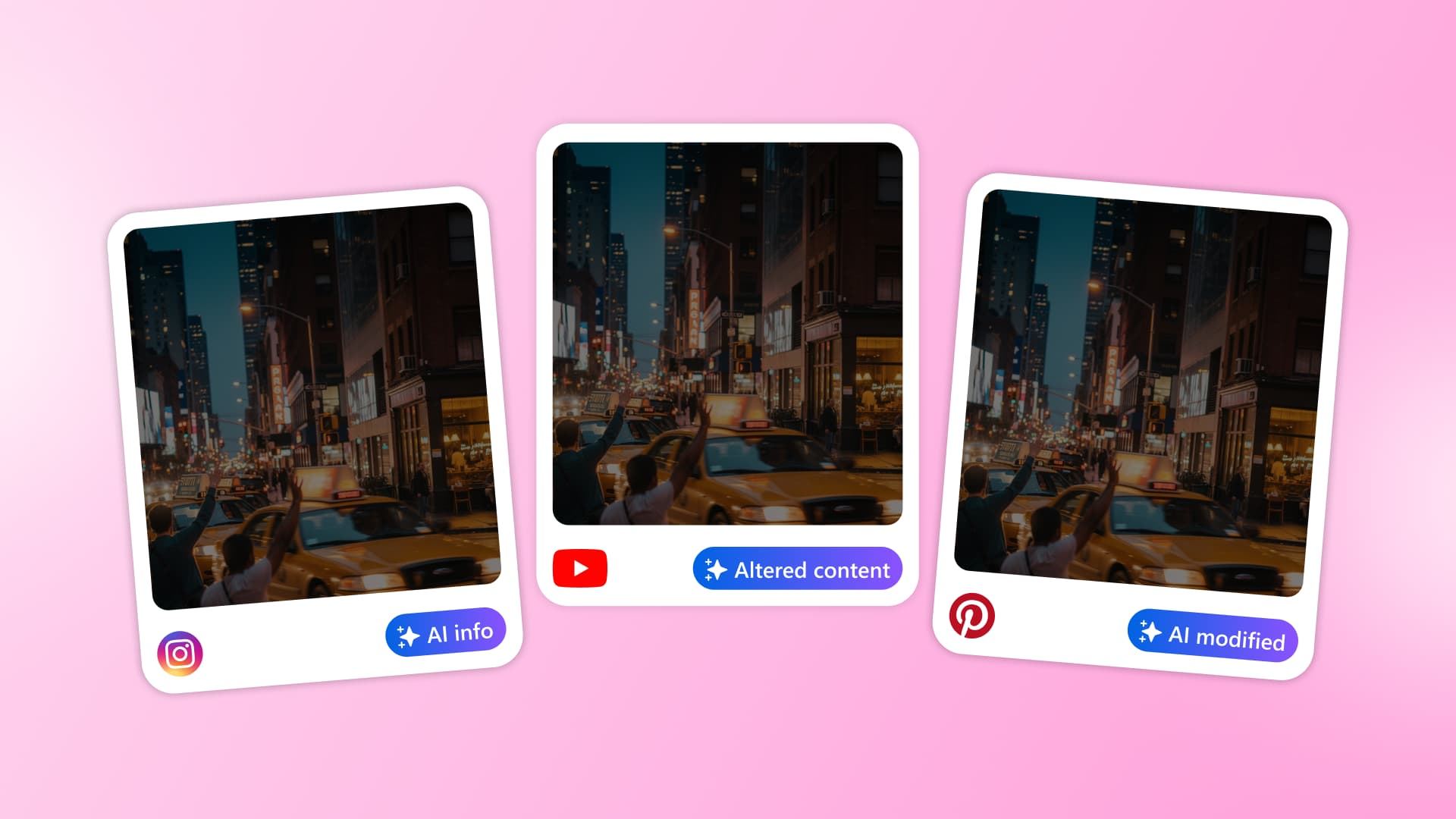
Table of contents
Share

Vista Social

X (Twitter)


Your designer uses AI to extend a campaign background so it fits a vertical post. The image looks right, the team is ready to schedule it, and someone asks, “Do we need to label this?” You’d like to give them a straight answer without turning a routine edit into a research assignment.
The answer can change between Instagram, TikTok, and YouTube, even when you’re reusing the same creative. Across several brands, that leaves plenty of room for people to make different calls with perfectly good intentions.
Here’s how to work out what needs a label, understand the labels platforms add themselves, and give your brands a shared approach to AI-generated content disclosure. The aim is to settle the question while the post is still in front of you.
The short version
- Requirements differ: Format, realism, destination, and paid placement affect the answer. A label on one network doesn’t settle the others.
- Automatic labels are separate: Platforms can label content from file information or detection, without your team selecting a badge.
- Decide before approval: Record what AI changed, each destination’s disclosure, and who approved the decision.
Table of contents
What AI-generated content disclosure means
AI-generated content disclosure tells your audience that AI created or materially changed what they’re seeing or hearing. An AI label is the platform’s badge or notice. A caption can disclose AI use without producing a badge; a platform can add a badge without your team selecting it.
Our AI-generated content guide covers production. Here, the question is what viewers should be told about the finished post.
Check what changed before deciding what to disclose
“We used AI” isn’t enough information. Brainstorming a caption is different from generating a realistic customer testimonial or replacing someone’s voice. Ask the person supplying the asset to describe the change: “extended the studio background” gives the reviewer more to assess than “AI-enhanced.”
Then identify the destination. An organic image, a video with synthetic narration, and a paid placement can need different treatment, even when they share the same campaign creative.
Two brands can use the same asset and need different labels because they’re publishing on different platforms or in different markets. Keep a note of what AI changed and why each disclosure was chosen so you can explain those differences when Legal asks without chasing everyone who worked on the campaign.
AI label rules by platform: checked November 2026
This table covers organic posts. Paid placements and legal obligations need separate checks.
| Platform | What you need to disclose | What the platform may add | Check before release |
|---|---|---|---|
| Instagram and Facebook | Meta may require a label for photorealistic video or realistic-sounding audio that was digitally created or altered. Its help page excludes images from that particular requirement. | “AI info” can appear when Meta detects AI-generation signals or someone discloses AI use. Information about detected AI edits may appear in the post menu. | The image exception doesn’t override your house rule or applicable law. Meta guidance. |
| TikTok | Label AI-generated content containing realistic images, audio or video. TikTok also encourages labels on fully generated or significantly AI-edited content. | TikTok may automatically label content it identifies as AI-generated or significantly AI-edited. | Decide before upload rather than relying on automatic detection. TikTok guidance. |
| YouTube | Disclose realistic, meaningfully altered or synthetic content. Examples include AI-generated music. Minor aesthetic edits and production assistance generally don’t need disclosure. | YouTube may label content made with its AI tools, carrying C2PA metadata or detected as AI-generated or altered. | Check the finished audio and video, including narration and music. YouTube guidance. |
| Its Content Credentials guide explains provenance display, not a universal self-label requirement. | A C2PA icon on images and videos with supported credentials opens available origin and editing information. | Credentials can describe camera capture too. The icon alone doesn’t mean AI created the content. LinkedIn guidance. | |
| Its guide describes labels based on detection or information supplied by the content owner. | “AI modified” may appear on organic image Pins following metadata analysis or classifier detection. | Pinterest accepts appeals for disputed labels. Pinterest guidance. |
Rules checked November 3, 2026. Recheck before using a new format and review the reference quarterly.
Paid ads need their own check
Don’t carry the organic table straight into a media-buying brief. Meta’s June 1, 2026 update puts information about ads detected as using third-party AI in “About this ad.” Certain social-issue, election, and political ads still require advertiser disclosure.
Agree on the paid-content review with Legal and your media team. Requiring Legal approval for every paid AI asset is an internal choice, not a universal platform rule.
Why an edited photo can get an automatic label
Your caption isn’t the only place a platform can find information about how an image was made. The file may contain Content Credentials: records of its origin and editing history, including camera capture, AI generation, or later changes. They use a standard called C2PA, designed to make tampering with those records detectable.
That helps explain why a lightly retouched photo can receive an AI label. Meta acknowledged this problem in 2024, renamed “Made with AI” to “AI info,” and later announced different placement for the two cases: the post menu for detected AI edits and a visible label for detected AI-generated content. Meta’s explanation.
Keep the original file and a short note of the edits, then check what appears when you publish a non-sensitive test through your approved workflow. Leave the origin information intact, and don’t assume a file without it is AI-free. If a label looks wrong, your originals and editing notes can help explain what happened when you ask the platform to review it.
What the EU AI Act adds
Platform labels are only part of the picture. If your brands publish for EU audiences, your team also needs to check the legal disclosure requirements.
Article 50 is the section of the EU AI Act that sets transparency duties for certain uses of AI. These duties have applied since August 2, 2026.
For brand publishers, one important requirement covers deepfakes: AI-generated or manipulated images and audio or video that falsely appear authentic, such as realistic footage of an event that never happened. It isn’t a blanket requirement to label every AI-assisted edit.
Three distinctions matter when reviewing a post:
- Audience-facing disclosure: People must receive a clear disclosure by the first time they see or hear the content. Information hidden inside the file isn’t enough.
- Public-interest text: AI-written content informing people about subjects such as health or safety has a separate disclosure rule. An exception applies where there is substantive human review or editorial control and someone holds editorial responsibility. A grammar check alone doesn’t qualify.
- Creative work: Evidently artistic, satirical, or fictional work has a tailored provision allowing disclosure that doesn’t disrupt its enjoyment. That isn’t permission to skip disclosure altogether.
Ask Legal which duties apply to your markets and how the disclosure should appear. This isn’t legal advice; our compliance guide covers the wider responsibilities.
What J.Crew’s campaign shows about late disclosure
In August 2025, J.Crew faced criticism over retro-style Instagram images initially published without disclosing their AI origin. Viewers spotted visual inconsistencies; later artist credit didn’t settle the questions. Once the audience starts investigating, your team has to explain both the creative and why its origin wasn’t clear.
Disclosure isn’t a shortcut to trust, either. In Nuremberg Institute for Market Decisions experiments, identical advertising received more negative evaluations when described as AI-generated, with lower stated willingness to click. Plan the creative and disclosure together rather than promising a label will improve reception.
Give every brand the same three review questions
Ask these before final approval:
- Realism: What could viewers believe is real? Identify the person, voice, product, place, or event represented.
- AI’s contribution: What did AI create or change? Removing an object may be cosmetic, or it may change a scene’s meaning.
- Destination: Where will this version appear? Name platforms, markets, and organic or paid placement, including any audio-specific requirements.
A useful house default is to disclose realistic AI-generated or materially altered media across your brands, using native controls and clear wording as appropriate. Legal approves the baseline; destination requirements can add to it. Don’t label untouched material “just in case”: TikTok warns against misleading AI labels.
Example disclosure decision
This is a hypothetical completed record, not a product test:
- Asset: Store-launch video, version 3, with realistic AI-generated narration.
- Destinations: Instagram Reels and TikTok, organic posts for the UK brand.
- Decision: Apply each destination’s AI disclosure under the approved house rule; use “AI-generated narration” as supporting wording.
- Owner: Jordan Lee, the designated brand approver, approved the asset and disclosure together.
- Release check: Publisher Sam verified both saved settings before release and recorded the visible labels after publication.
Keep the version reference, reasoning, reviewer, and release result with the post. Recheck the affected decision if the asset, audio, or destination changes. Add this requirement to your existing AI usage policy rather than creating another policy project.
Create, review, and publish AI content in Vista Social
You’ve decided how your team should handle AI disclosure. Now give people a way to follow that decision while they’re actually making the content. In Vista Social, you can create the visual, prepare the caption, bring in a teammate, and move the post through approval without rebuilding the handoff in another tool.
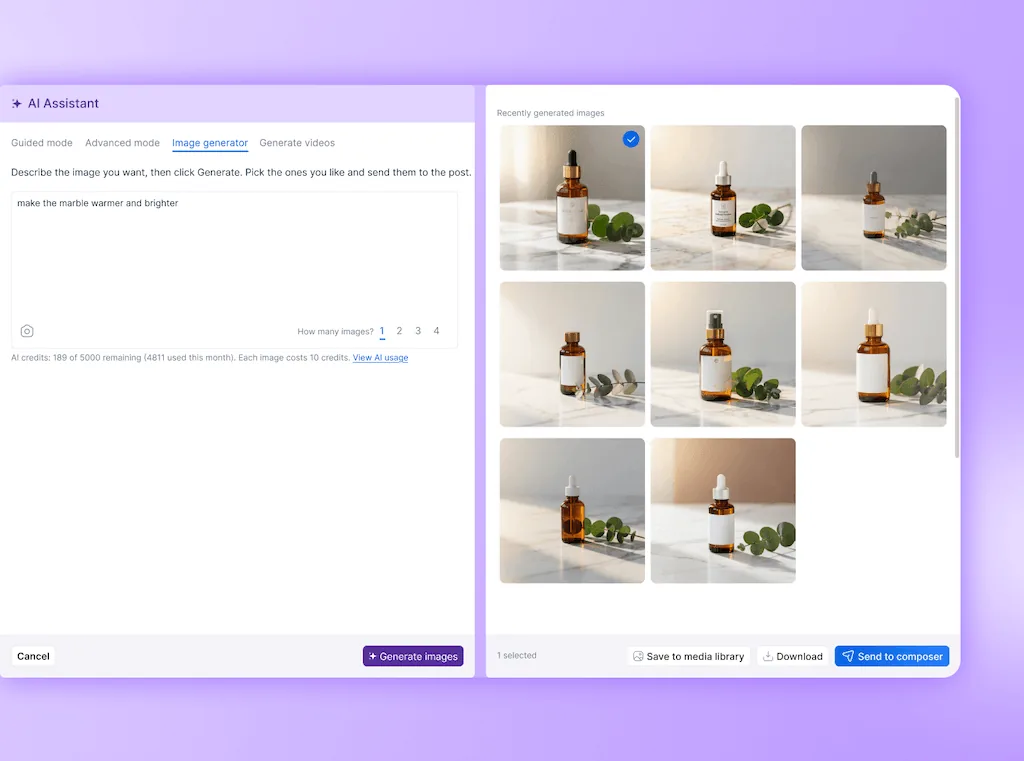
- Create the content with Ask Vista: Generate an image or short video, work on the caption, and prepare the post for review. Save the visual to your Media Library or attach it to the post so your teammate can review the actual creative alongside the wording. Check the finished asset for misleading details as well as brand fit.
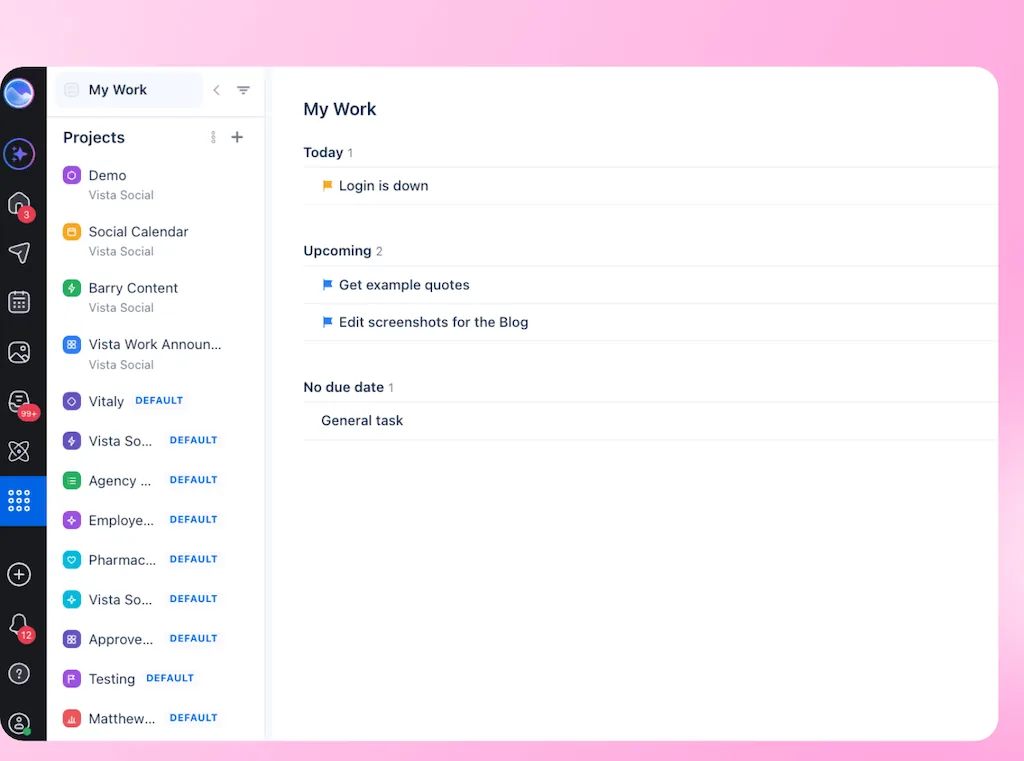
- Give the handoff an owner: Create a linked Vista Work task, assign a teammate, and set a deadline. Include what AI created or changed, the intended networks, and the disclosure question they need to resolve. You can link the post and its Ask Vista conversation, keeping the background within reach instead of asking someone to piece it together from messages.
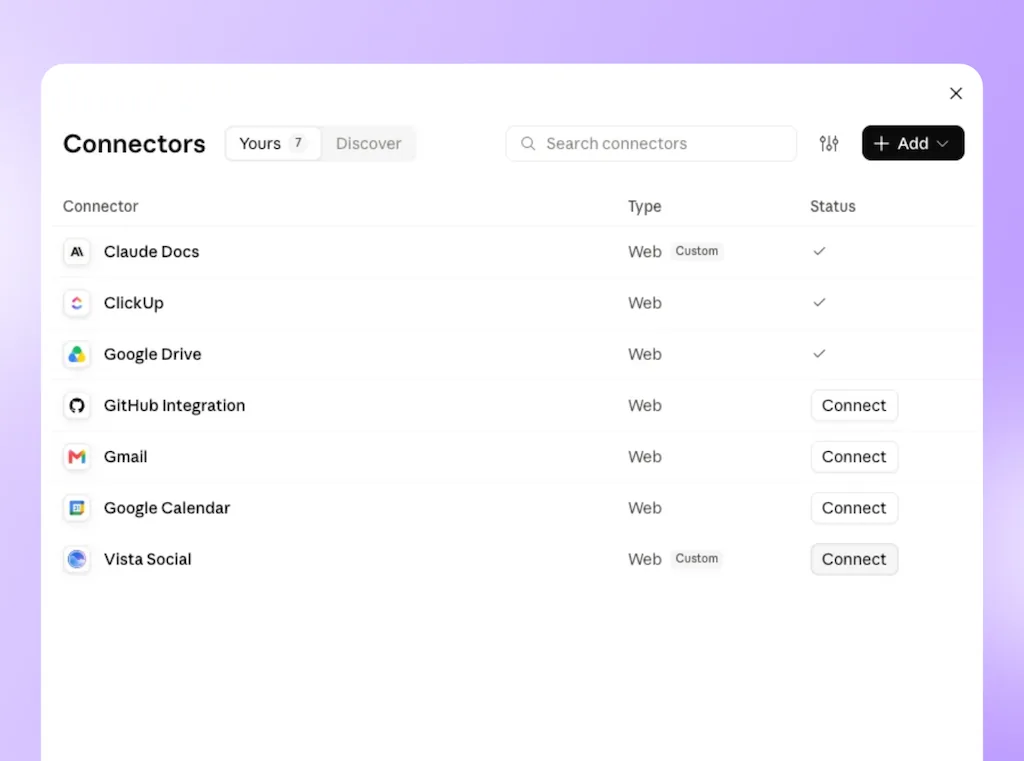
- Apply the disclosure settings: Once the reviewer has decided what’s needed, set the supported AI labels through Vista Social’s MCP connection, which lets an approved AI assistant work with your authorized account access. Supported label options cover Facebook, Instagram, TikTok, X, and YouTube. Check the saved settings for the specific network, format, and publishing route before release.
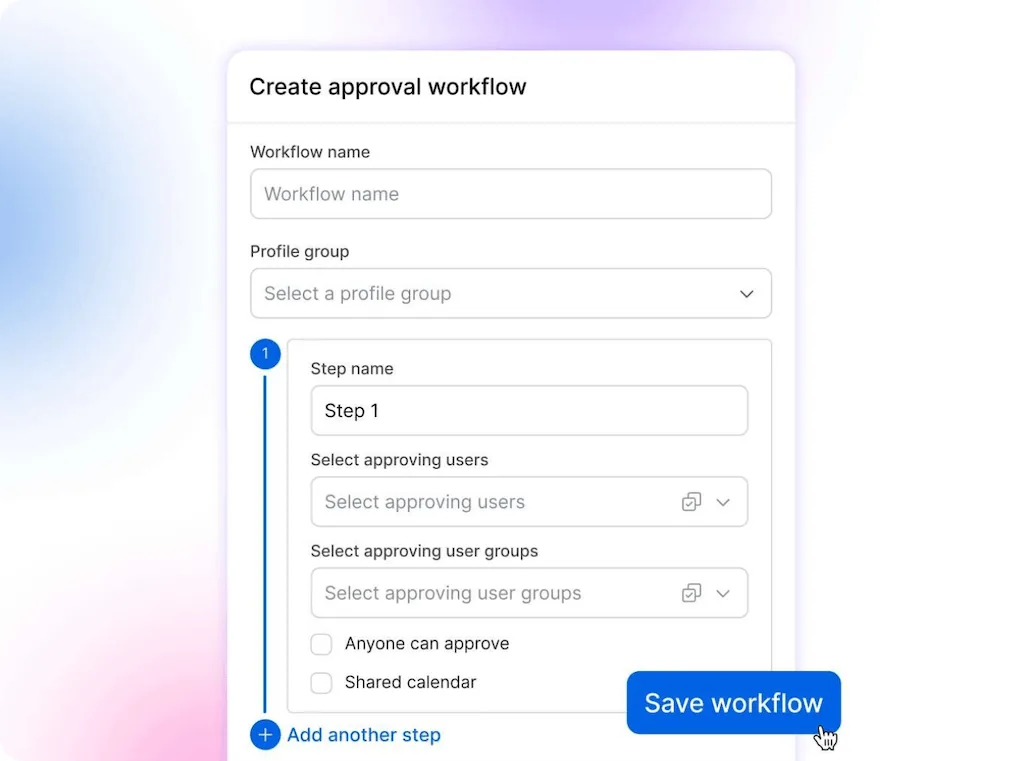
- Keep publishing approval explicit: Assign the post to your configured approval workflow so the appropriate reviewers can check the content and disclosure together. Completing a Vista Work task isn’t the same as approving a post for publication. The publishing decision belongs in the post’s approval workflow.
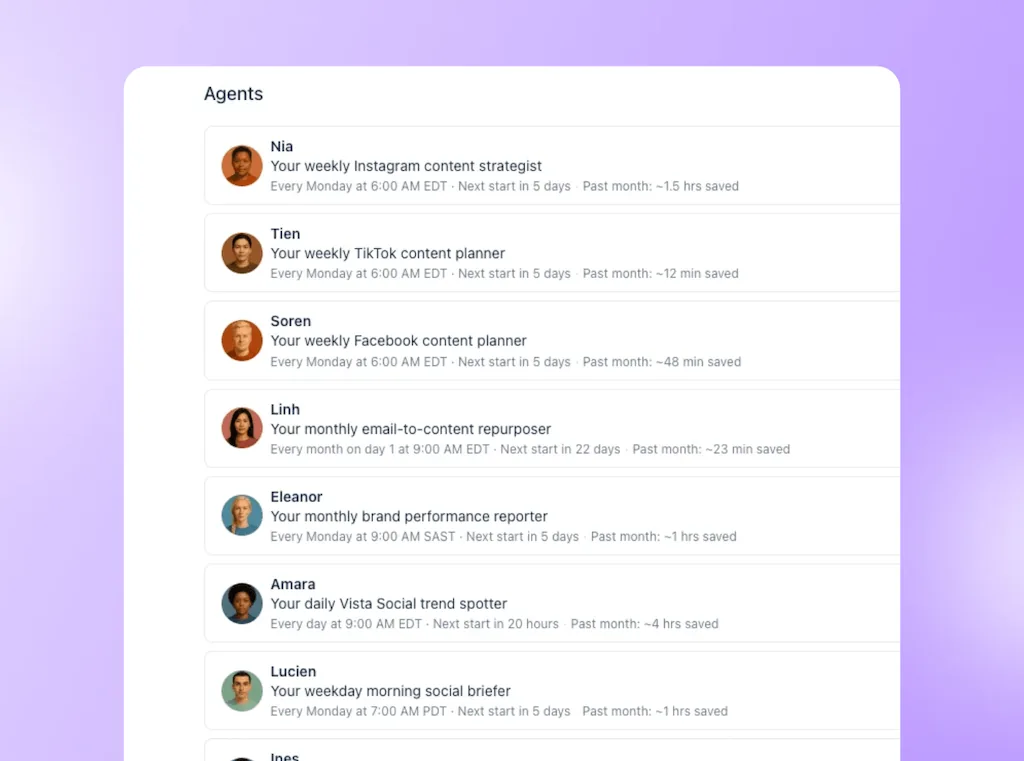
- Schedule the approved version: Ask Vista can schedule posts within your permissions and configured approval requirements. For recurring work, you can configure an action-capable agent to handle scheduling too. Test its instructions and scope before relying on scheduled runs.
- Follow the work through: Review task comments and updates in Vista Work, while linked posts reflect their current publishing status. After publication, check the live post for the visible disclosure. Your team can follow the creative, review and release without starting another round of “where did we leave this?”
Ask Vista agents and multi-step approvals are available on Advanced, Scale and Enterprise. AI image and video generation uses plan credits. Your team makes the disclosure decision and checks the published result, including any AI labels the platform adds automatically.
Make AI disclosure part of your publishing routine
AI content is already part of the work. Your team needs a reliable way to decide what requires disclosure, get the right person’s approval and check what audiences actually see. When those decisions stay with the post, a question from Legal doesn’t have to become an afternoon of chasing messages.
Start your Vista Social free trial and take one AI-made post through creation, handoff, review and scheduling. Give your team a process they can follow on the next campaign, with the reasoning still there when someone asks.
Frequently asked questions
Do AI-generated images need a label on Instagram?
Meta’s help page excludes images from its stated organic disclosure requirement, but Instagram can still add “AI info.” Your house rule or applicable law may require more.
Does an AI label reduce reach?
TikTok says enabling its AI-generated content setting won’t affect video distribution when the content follows its Community Guidelines. That doesn’t guarantee audience response or describe every network’s ranking system.
What if a platform labels a real photo as AI-generated?
Keep the original and editing history, then check the correction route. Pinterest accepts appeals through support; TikTok says creators cannot remove automatic AI labels.
Do AI-written captions need disclosure?
YouTube exempts caption creation and script assistance from its AI disclosure. EU duties for public-interest text have a separate human review and editorial responsibility exception, so that platform exemption isn’t universal.
Does the EU AI Act cover brand social posts?
It can, depending on territorial scope, your role and the content, including deepfakes or public-interest text. Legal should assess the use case; this guide isn’t legal advice.
Who owns the disclosure decision?
Legal sets the baseline and escalation criteria; the designated reviewer applies them. The publisher checks the saved setting and published result.
About the Author

Content Writer
Orion loves to write content that refuses to be boring. As part of Vista Social, he helps brands, creators, and agencies stop doom scrolling and start winning with social media. When he's not in front of a keyboard, he's watching films in IMAX with his wife, dissecting football tactics (the European kind), and getting lost in a good book.