


The Leads You’re Losing in Your Social Inbox
August 7, 2026
9 min read

Summarize with AI

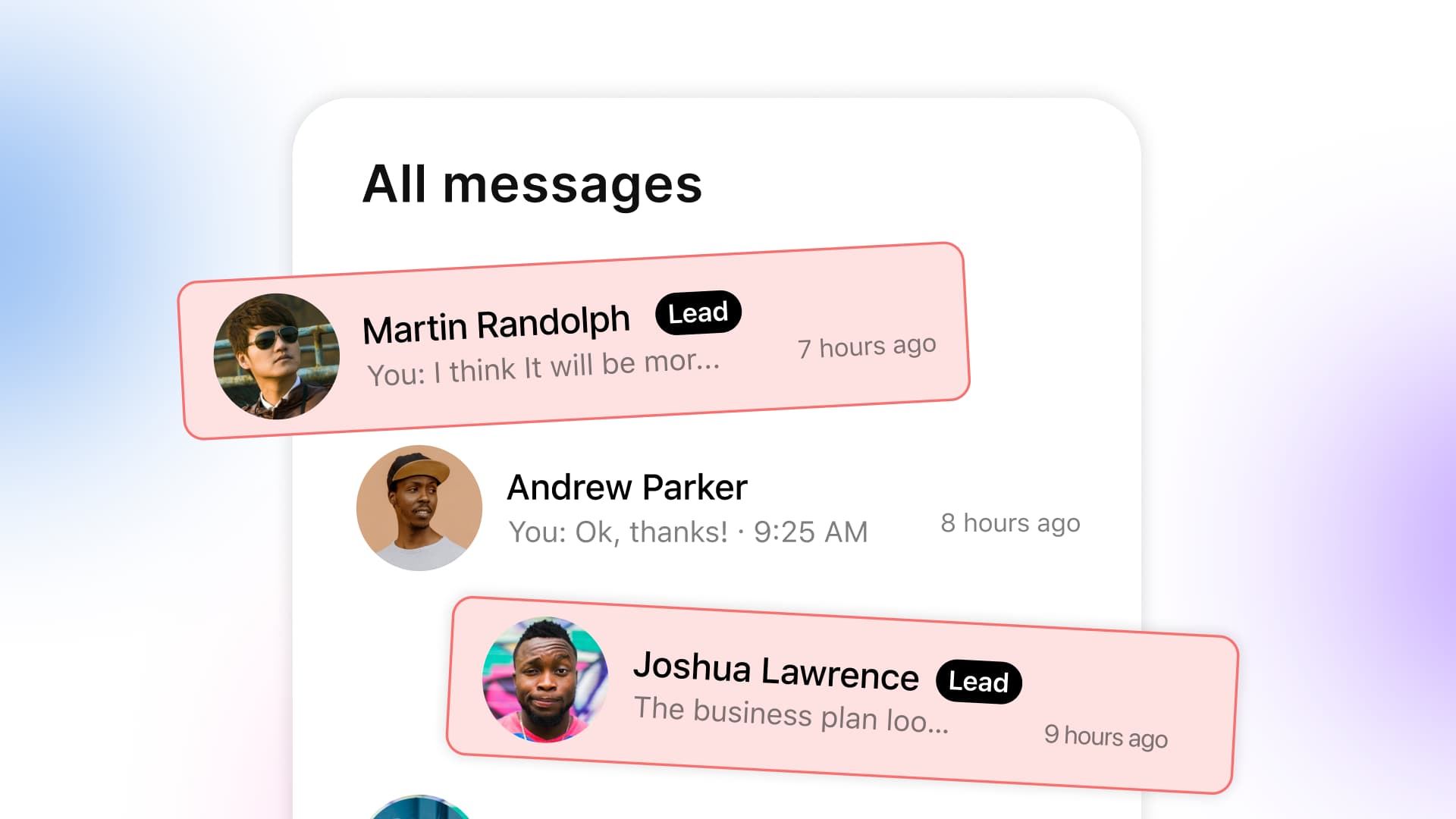
Table of contents
Share

Vista Social

X (Twitter)


Somewhere between the fire emojis and the sixth “are you hiring?” message is a person trying to buy from you, but their question looks ordinary.
They asked whether the blue version is still available and what shipping would cost for two because they were ready to decide. You meant to reply after clearing the easy messages. Three weeks passed, so their question is still sitting there.
A buyer who is ready to spend rarely treats one brand’s inbox as their only option because comparison is easy. They keep looking, ask another seller, and buy from the first business that gives them a useful answer.
Your product didn’t lose that sale. The buying signal reached you, but the rest of the inbox kept it away from the person who could help.
Social inbox triage fixes that. Routine questions get a quick answer, uncertain messages reach the right teammate, and buying intent reaches a human fast.
The short version
- Buying signals need priority: Move questions about price, stock, shipping, demos, or how to buy ahead of routine comments and spam.
- Response time matters: Use one hour as a working target for likely buyers, even when the final answer takes longer.
- Three routes are enough: Auto-handle repeat questions, route uncertain messages, and give buying intent to a person who can close the sale.
- People stay in charge: AI can recognize intent and prepare the first touch. A human handles context, judgment, and the buyer relationship.
Table of contents
What counts as buying intent on social media?
A buying signal is a message that shows someone may be ready to purchase. It asks about price, availability, sizing, shipping, a demo, a booking, or the next step required to buy.
Support questions and fan comments still deserve care because they shape the customer experience. Someone asking where to pay needs a faster route through the inbox.
The wording will change by business, so start with the questions buyers ask right before a sale. A salon may watch for “appointment” and “next opening.” A software company may care more about “demo,” “integrates,” and “pricing.”
| Message | What it tells you | Best first move |
|---|---|---|
| “Is the green one back in stock?” | The person has chosen a product and needs availability | Confirm stock or route to someone who can |
| “Can you ship two to Toronto?” | Quantity and delivery are already part of the decision | Acknowledge fast and assign a sales follow-up |
| “Does this work with Shopify?” | The buyer is checking fit before purchase | Route to a product specialist with context |
| “Hi” | There isn’t enough information yet | Ask one short qualifying question |
| “Where is my order?” | This is support for an existing purchase | Route to customer care |
| “Are you hiring?” | This belongs with recruiting information | Send the approved careers reply |
Simple keywords are a useful start, but they aren’t enough on their own. “How much longer will my order take?” contains commercial language, yet it is clearly a support request.
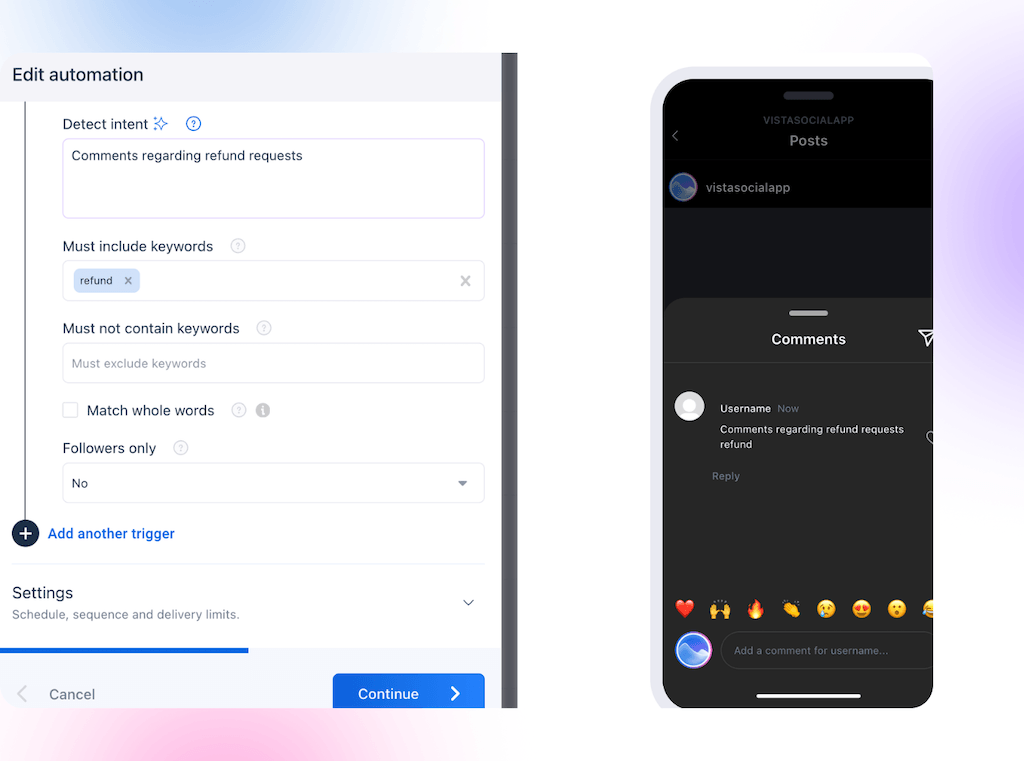
That is where AI intent detection helps because it reads the whole message. Likely buying signals then move into a review queue. A person should check anything uncertain because your team knows the product and current offer better than a model does.
If you want the wider daily workflow, our inbox guide covers filtering, ownership, and keeping conversations organized. Here, the job is narrower: make sure buying intent on social media reaches the right person before it goes cold.
Why a full inbox costs you sales
Social already plays a direct role in buying. In Salesforce’s sixth shopper report, 53% of shoppers said they discover products on social platforms. Another 25% said they purchase there, and 16% buy through messaging apps.
That activity creates messages that look ordinary on screen. “Do you have my size?” may be more valuable than hundreds of passive likes. It still arrives in the same queue as everything else.
The leak happens in a few predictable places:
- Easy-message bias: Quick reactions get answered first because clearing them feels productive.
- Channel gap: Instagram gets checked daily while Facebook, TikTok, reviews, or another profile waits in separate tabs.
- Ownership gap: Two people can see a message, but neither knows who is meant to follow up.
- Context gap: A buyer’s comment and earlier DM live in different places, so the next person starts cold.
Cars24 gives us a clearer view because those conversations became part of the sale. The used-car marketplace connected WhatsApp to customer intent and its CRM. The channel then supported test-drive bookings, inspections, reminders, and post-sale messages.
According to the 2024 Meta report produced with Bain and Company, sales involving those conversations grew 30% month over month. Cars24 is a large operation, but the practical lesson travels well. A message creates revenue when someone recognizes the intent and carries it into the next step.
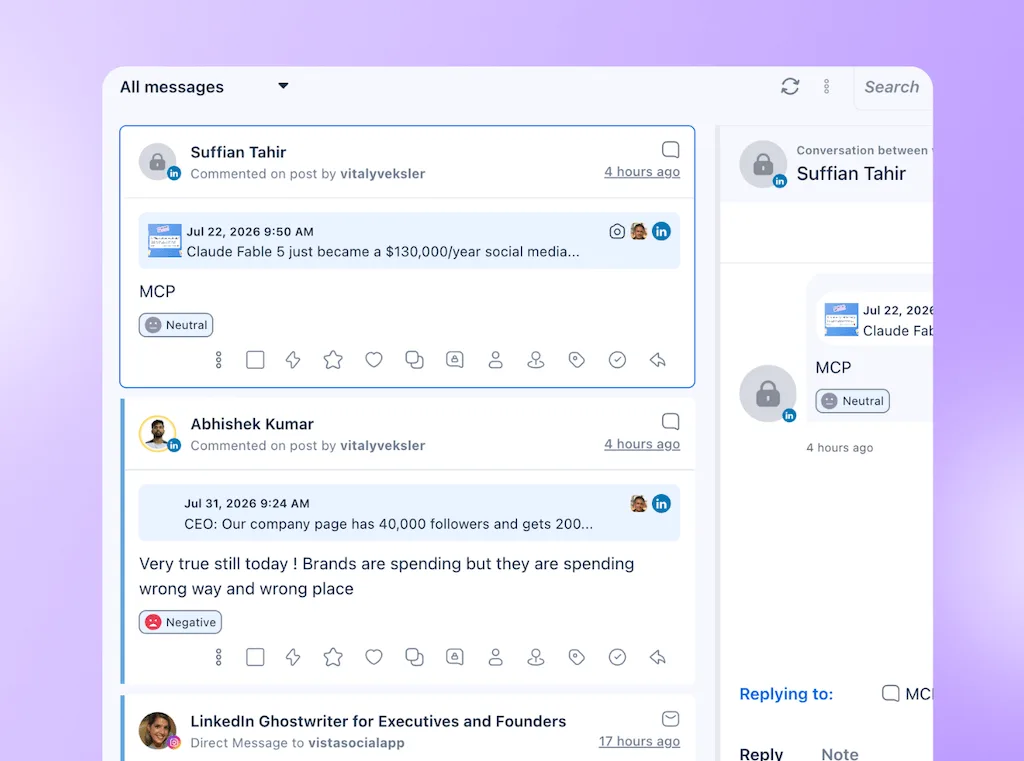
A shared inbox gives the team visibility, which is a good start. Triage adds priority and ownership. The likely buyer no longer waits behind the easiest message to answer.
How fast do you need to reply?
For a message that looks like buying intent, aim to send a useful first response within an hour. Fifteen minutes is better during covered business hours, but the first reply doesn’t need to solve the whole request.
There is no universal deadline for every social DM. A café confirming today’s stock works faster than a B2B company arranging a technical demo. Set a target that fits the value and urgency of the message.
| Priority | Example | First-response target | What the first reply should do |
|---|---|---|---|
| High intent | Price, availability, booking, demo, shipping | Within 15 to 60 minutes | Confirm receipt and assign a person |
| Needs context | “Can you help?” or a product-fit question | Within four business hours | Ask one useful question and route it |
| Routine | Hours, location, careers, standard policy | Immediate automated reply or same day | Give the approved answer |
| Low value or spam | Unrelated promotion, repeated junk, obvious scam | Filter or archive | Keep it out of the working queue |
HubSpot’s current service research reports that 82% of customers expect issues to be resolved immediately. That finding covers customer communication broadly, so it should not be presented as a one-hour rule for every DM. It does show why a buyer can experience a next-day reply as a slow one.
Our response-time guide covers channel expectations in more detail. Use it to set a wider policy, then give likely buyers the fastest route inside that policy.
The first-response clock should stop when the buyer receives something useful. “We got your message” adds little on its own. A good acknowledgment can confirm the product, collect one detail, or give a clear follow-up time.
Outside working hours, be candid. Tell people when the team returns and collect what the team needs next. Likely buyers should be waiting in a named person’s queue when coverage resumes.
The triage model that separates money from noise
Inbox triage means sorting incoming messages by the response they need. The working model is simple enough to remember: auto-handle the repeats, route the ambiguous, and escalate the intent.
- Auto-handle repeats: Give stable questions an approved answer without adding them to a person’s queue.
- Route uncertain messages: Ask for the missing detail, then assign the conversation to the right team.
- Escalate buying intent: Send a fast acknowledgment and create an open task for a human follow-up.
Auto-handle the repeats
Start with questions that have one stable answer. Store hours, shipping regions, return windows, careers links, and booking instructions are good candidates. Use facts your team keeps current.
Write each reply the way your team would answer it. Keep it short and include the next useful link or question. Give the person a clear route to a human when the approved answer does not fit.
You can build these flows with inbox automations and use DM automation when the next step involves collecting lead details. Begin with the two questions your team repeats most, then review the conversations before adding more.
Route the ambiguous
Some messages need one more detail before anyone can tell where they belong. “Can somebody help me?” could be support, a partnership request, or a buyer ready to place a large order.
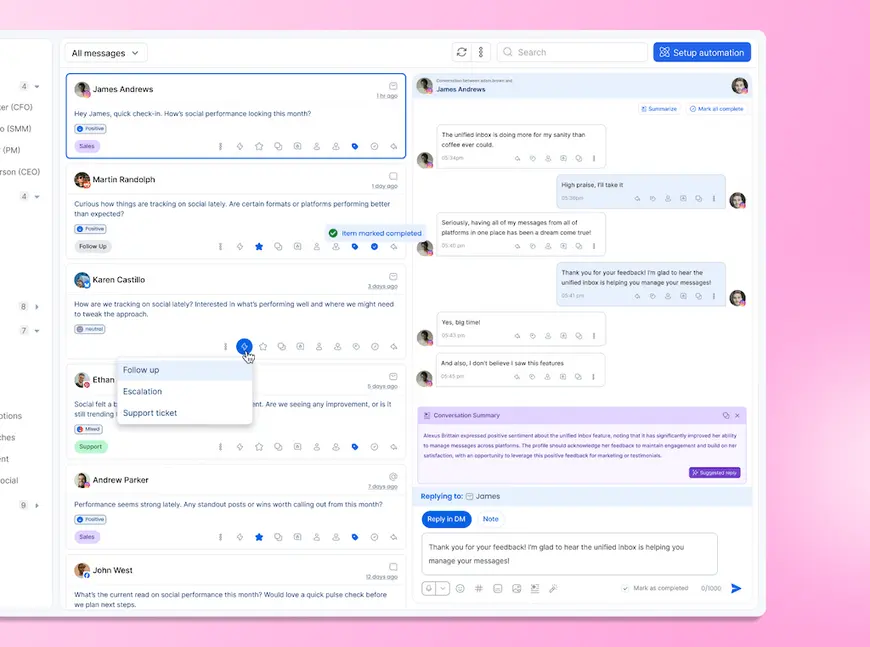
Use a short qualifying reply, then route the conversation based on the answer. Labels such as Sales, Support, Careers, and Partnership make the queue clear, while a task gives one person ownership.
In Vista Social, an inbox automation can add a label, create a task, and assign it to a person or group. It can also leave an internal note or send an email alert. Teams can assign work by capacity or round robin when several people share coverage.
Escalate the intent
Buying signals should jump the normal queue. Acknowledge questions about price, stock, quantity, demos, bookings, or purchase steps. Then create an open task for someone who can move the conversation forward.
AI intent detection can catch meaning beyond a fixed keyword list. “Could I get three before the 18th?” never says “buy” or “available.” The quantity and deadline still make the intent clear.
Automation buys the first touch, while a person handles the close. HubSpot’s Kipp Bodnar makes that preference clear in the company’s updated communication research:
“When reaching out to a company online, survey respondents preferred to message a human representative from your business (45%).”
Kipp Bodnar, HubSpot research
Your system should therefore get that person into the conversation sooner. Leave the task open until a human replies or records the next step. They can also close it when the message is not a sales opportunity.
If that queue would save a buyer from waiting, start free and test it with one profile. You won’t need a credit card, and the trial won’t become a paid subscription on its own.
Setting this up without hiring anyone
You can build a useful first version in an afternoon. Start with messages you already receive. Review the last 30 days and choose the smallest set of rules that would have saved a buyer time.
- List five message types: Start with two repeat questions, two buying signals, and one ambiguous message your team sees often.
- Write the first replies: Give repeat questions a complete answer. Give likely buyers a warm acknowledgment and a realistic follow-up time.
- Assign the owner: Decide who receives sales, support, partnership, and uncertain conversations. A label without an owner still leaves the work floating.
- Test awkward wording: Try misspellings, short replies, and indirect buying language before enabling a rule on live messages.
- Review the first week: Check false matches, missed signals, response time, and whether every sales task reached a person.
Vista Social’s unified Social Inbox brings supported comments, messages, mentions, and reviews into one place. Automations can reply, label, route, and create tasks. AI intent detection helps when buyers do not use the neat keywords you expected.
If you need to check the wider feature fit first, our platform guide explains what to compare across publishing, engagement, reporting, and AI-assisted work.
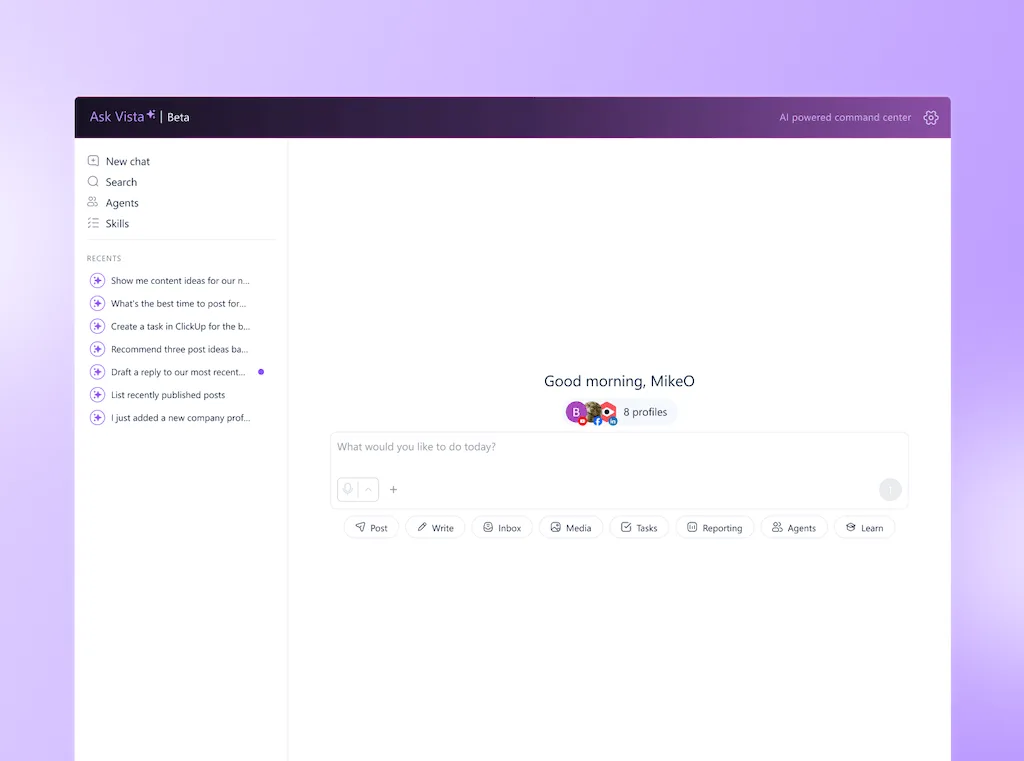
Ask Vista can review inbox conversations, apply labels, work with tasks, and surface follow-ups from a plain-language request. An AI agent can run that check on a schedule and report what needs attention. Keep buying signals in review mode because Ask Vista confirms with you before it sends or changes anything consequential.
Keep the setup proportional because a quiet inbox is easy to cover by hand. If you receive a handful of messages each week, answer them yourself.
If social leads already move reliably into a CRM Database, keep that workflow. Use inbox triage only to speed up the handoff to sales.
If your buyers are getting buried, try it free and build one repeat-question rule plus one sales escalation across your active profiles. There’s no credit card required.
How to audit what you’ve already missed
Go back 30 days and search for the language buyers use before a sale. Try words like “price,” “cost,” “available,” “stock,” “ship,” “book,” “demo,” “quote,” “size,” “order,” and any product-specific phrase that matters to your business.
Record the results in a small audit table so the leak becomes visible. You are looking for unanswered intent and slow handoffs, not trying to judge the person who was covering the inbox.
| What to record | Why it matters |
|---|---|
| Number of likely buying signals | Shows how much commercial intent reached social |
| Number without a useful reply | Gives you the clearest view of the leak |
| Median first-response time | Shows whether the problem is speed or sorting |
| Messages with no owner | Finds where shared visibility failed to create responsibility |
| Signals the rules would have missed | Improves your keywords and AI review examples |
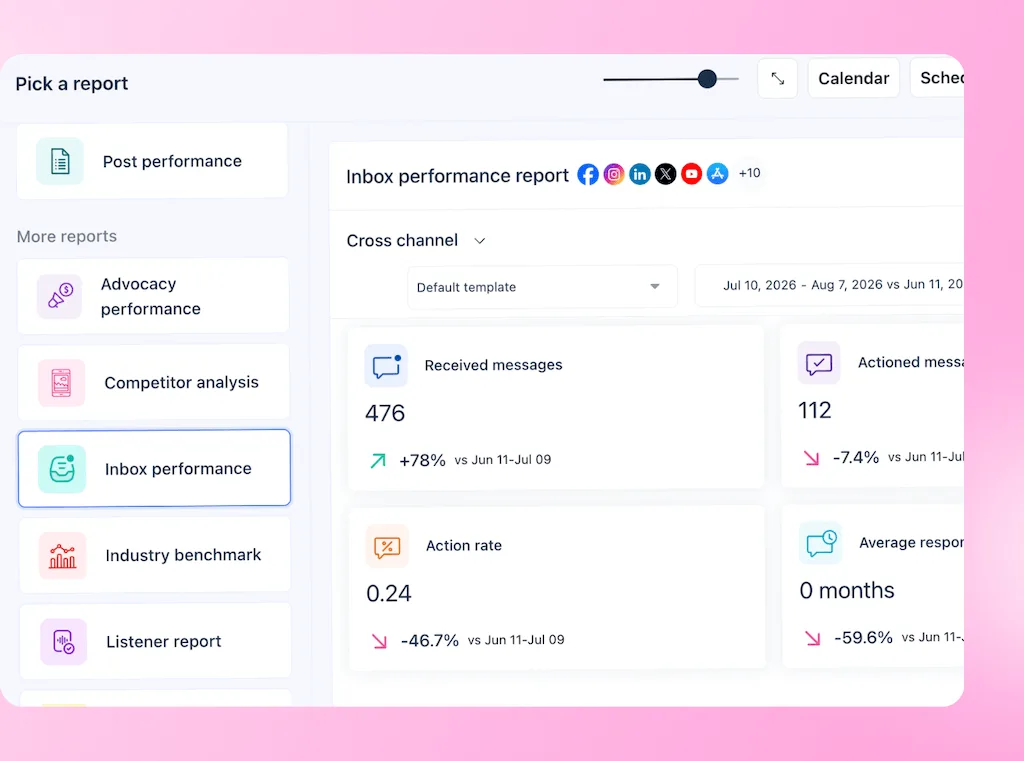
Vista Social’s Inbox Performance Report can show received and actioned conversations, action rate, average response time, and time-to-action ranges. It only measures actions taken inside Vista Social, so compare it with replies your team sent natively before drawing a conclusion.
The clearest missed message, for example, will show you where the route broke. Note when it arrived and why it stayed in the queue. Then name who should have received it and the single rule that would have helped.
Then fix that route first. The next person asking about two blue items should get an answer while they are still shopping. Buying intent on social media creates value because it reaches your team in time for a real conversation.
Frequently asked questions
How fast should you respond to a DM?
Aim to reply to buying intent within an hour and faster during covered business hours when you can. Routine questions can receive an approved answer. Complex requests need an acknowledgment and a clear follow-up time.
How is a support message different from a buying signal?
A support message asks about an existing order, account, or issue. A buying signal asks about price, stock, shipping, booking, a demo, or purchase steps. It should reach someone who can help the buyer move forward.
Can you automate DM replies without sounding robotic?
Yes, when automation handles stable questions and the first touch. Write in your normal brand voice and answer the specific question. Give uncertain messages and likely buyers to a person instead of forcing every conversation through a script.
How do you stop spam from burying real leads?
Filter obvious spam, auto-handle repeat questions, and place buying signals in a labeled priority queue with a named owner. Review borderline messages before archiving them because short or awkward wording can still come from a genuine buyer.
Does responding faster win more business?
Speed improves your chance of speaking with someone while they are still considering the purchase, but the reply also has to help. Track first-response time alongside follow-up completion and sales outcomes so your team improves the whole handoff.
About the Author

Content Writer
Orion loves to write content that refuses to be boring. As part of Vista Social, he helps brands, creators, and agencies stop doom scrolling and start winning with social media. When he's not in front of a keyboard, he's watching films in IMAX with his wife, dissecting football tactics (the European kind), and getting lost in a good book.