

Published on April 22, 2026
9 min to read
DM Automation for Lead Generation: How to Automate Data Collection on Social Media

Summarize with AI

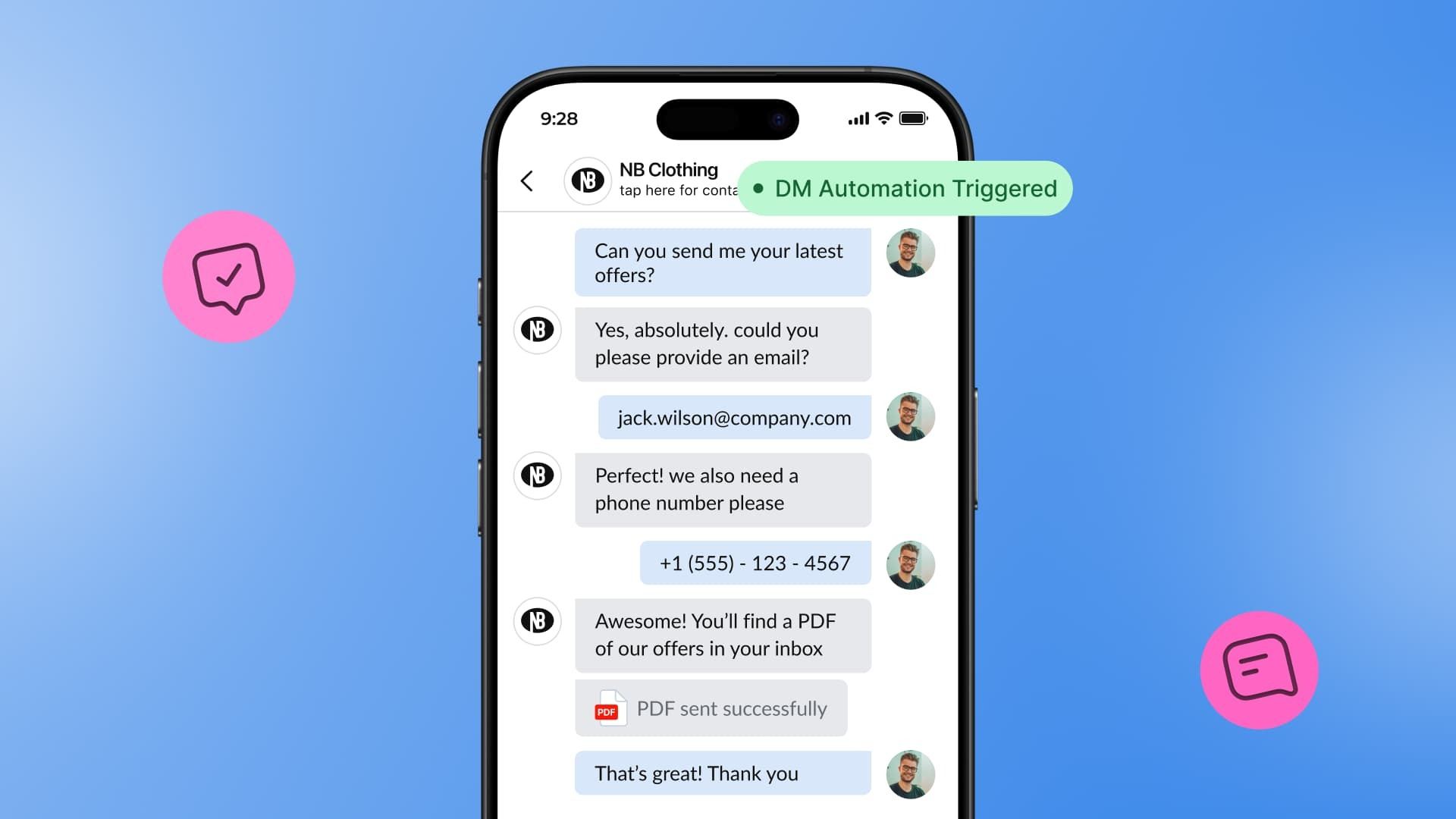
Table of contents
Summarize with AI

ChatGPT

Claude

Perplexity
Share

Vista Social

X (Twitter)


Did you know you can collect leads straight from social media? One of many marketers’ biggest complaints is that social media can be difficult to generate direct ROI.
But with DM automation and the right lead generation strategy, you can easily start gathering potential customer leads using your Instagram or other social media platforms.
Table of contents
What is DM automation for lead generation?
DM automation for lead generation refers to using automated workflows to collect contact information like email address and/or phone number from users directly within a social media platform’s direct messages.
Instead of redirecting someone to an external form or landing page, you guide them through a conversational journey inside the platform they’re already using.
Automation can be triggered in multiple ways:
- A user comments a keyword on a post (e.g., “Send the guide”)
- Someone sends a DM with a trigger word like “pricing” or “availability”
- You use AI intent detection to trigger an automation based on message contents
- Users respond to an Instagram Story or Reel and trigger an automated DM
From there, the automation takes over: asking for an email, offering a downloadable, qualifying a lead, or handing off to a sales rep. All while collecting valuable information in the background.
With tools like Vista Social, this experience is fully customizable—and available across multiple platforms including Instagram, Facebook, and TikTok.
How in-DM lead collection actually works
Let’s walk through a real-world example of how Vista Social helps you collect data directly in DMs:
- You post a Reel promoting a downloadable checklist and say, “Comment CHECKLIST to get it.”
- Someone comments with the keyword.
- Vista Social’s automation kicks in and sends them an Opening DM instantly. The DM thanks the user before the data collection automation chimes in and asks, “Where should we send the checklist? Drop your email below.”
- The user replies with their email.
- Vista Social captures the email, adds it to your list, and delivers the actual PDF checklist right inside the DM thread—without having to deal with external links, redirects, or “check your email” notices.
The user opens the PDF without ever leaving Instagram. You get the lead data in your system automatically. The whole thing feels personal, instant, and effortless—for both sides.
You can also use follow-up sequences:
- Ask for a name or business type to better qualify the lead.
- Offer bonus content or upsells.
- Tag users based on responses for future segmentation.
Plus, you can always share an external link or send an email later so your new lead has access to the freebie in more than one place.
How to set up DM automation for lead generation
Let’s walk through setting up the workflow right inside Vista Social. If you’re already a user, you can hop right on in and set this up yourself. If not, I think it’s high time you make yourself an account and try it out.
Step 1: Create a new automation
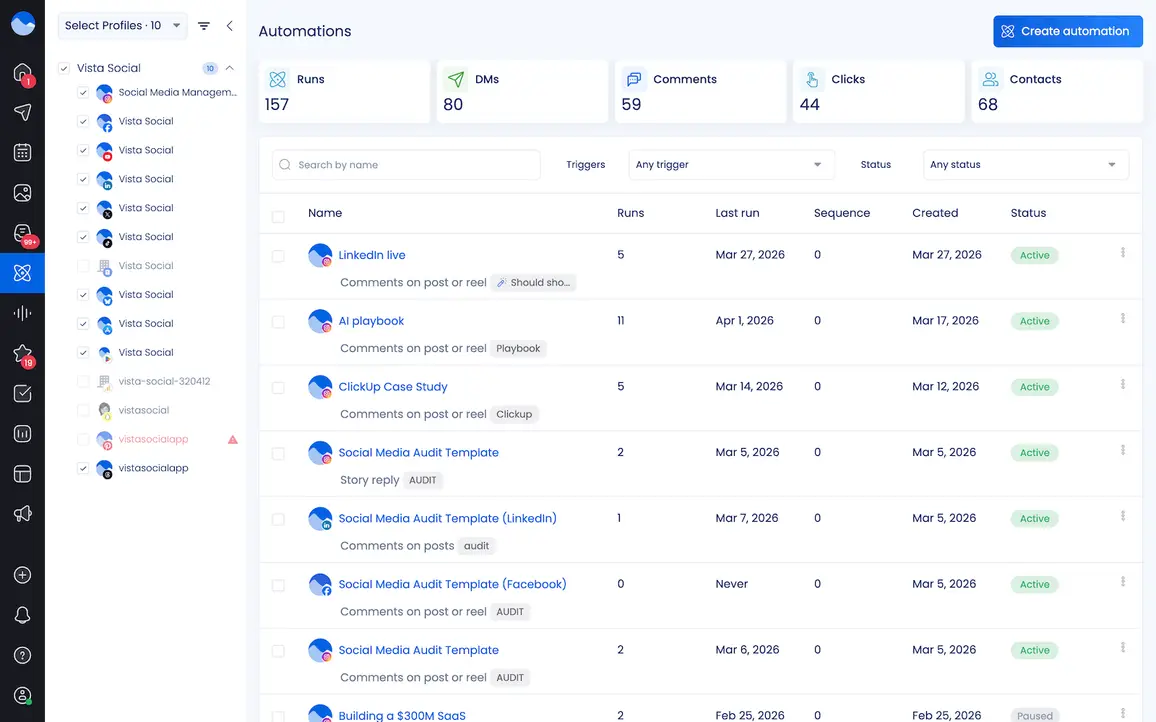
In Vista Social, you’ll head to the Automations tab in the left hand sidebar. Click Create automation to get started.
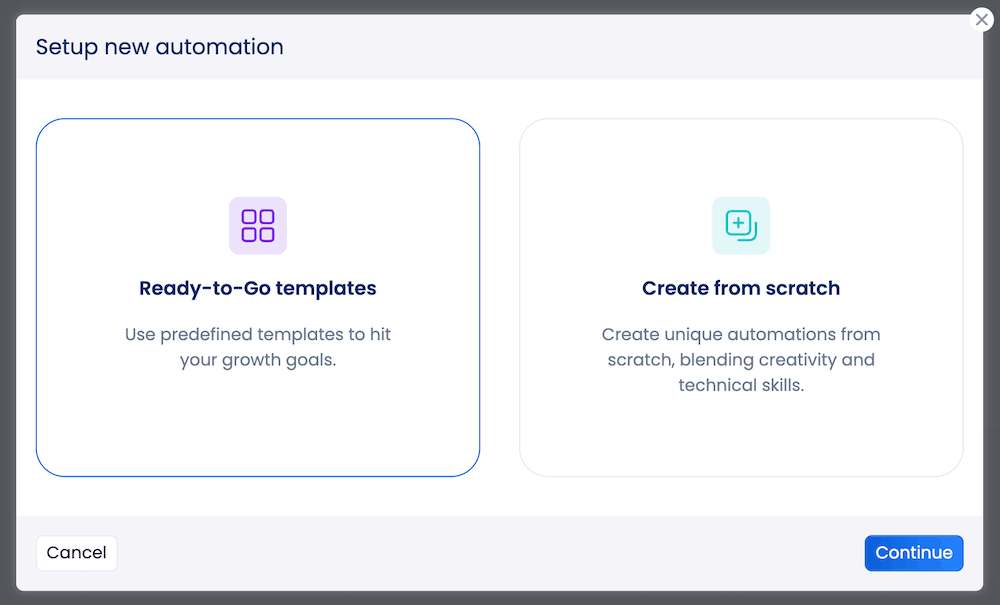
Then click Create from scratch from the popup that appears before clicking Continue.
Step 2: Select your social media profile
Let’s make a note that PDF attachments in DMs is currently only supported by Instagram. And in-DM data collection is supported by Instagram, Facebook, and TikTok. (You’ll see all of the available automation actions when you play around with the feature.)
So start by deciding what you want to automate and for which of your profiles. We’ll be setting up an Instagram DM automation for the purposes of this tutorial to give you the full effect (PDF attachment and all).
Select Instagram from your list of profiles and give your new automation a name.
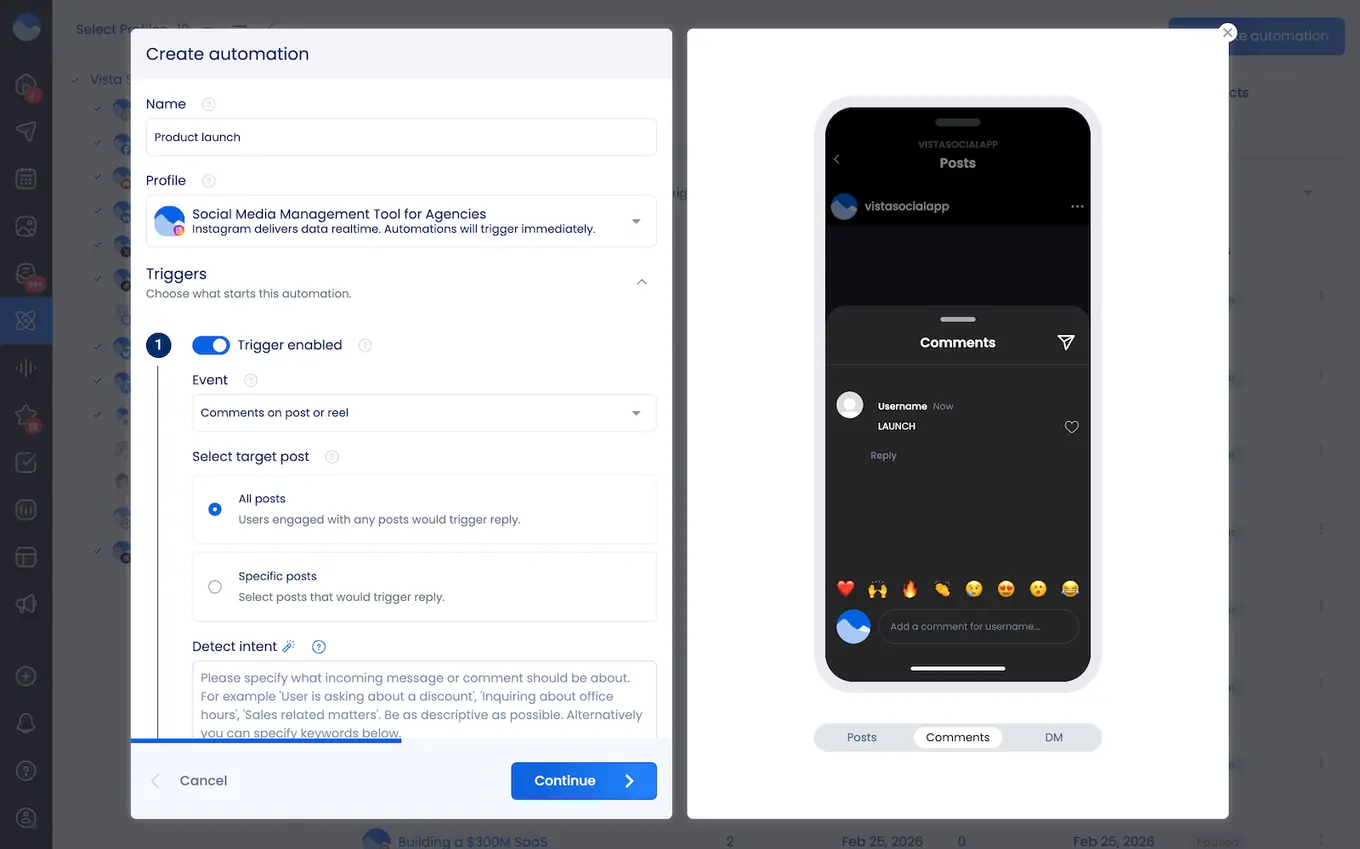
Step 3: Choose your trigger
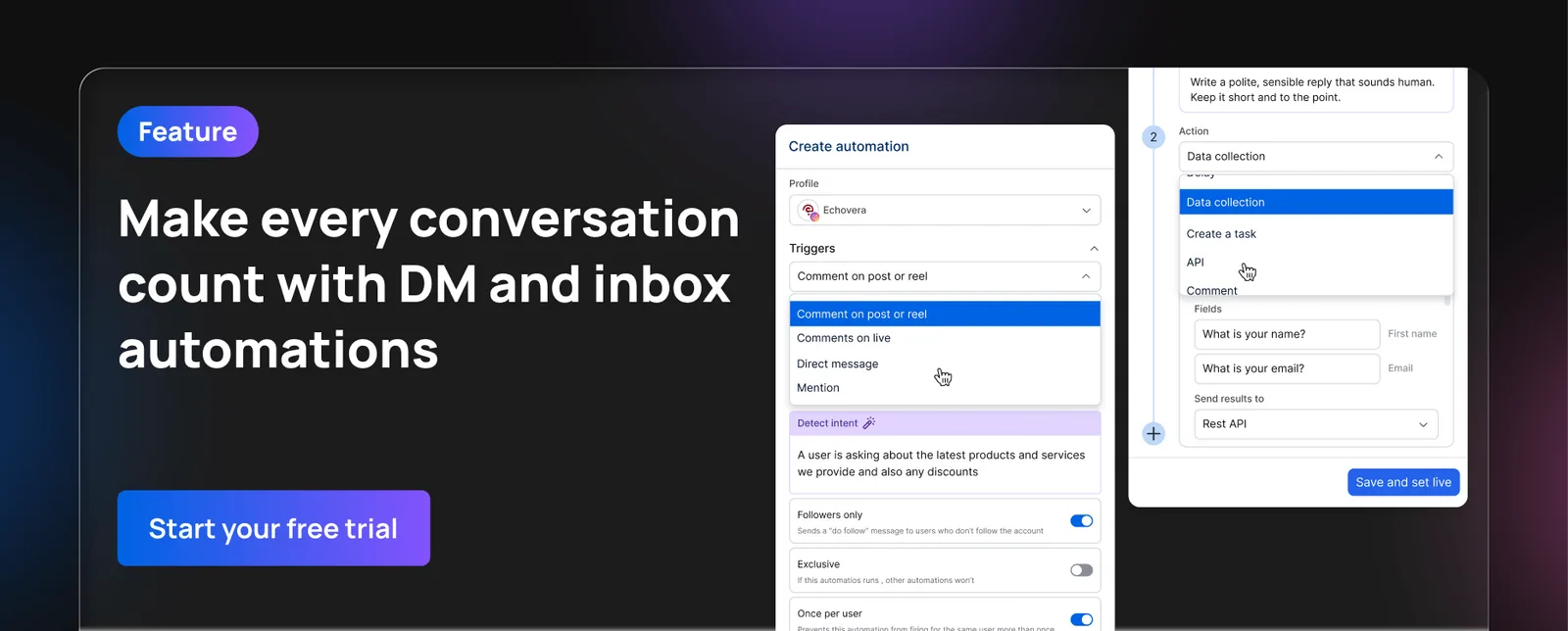
You can choose between triggers like:
- Comments on a post or reel
- Comments on a live video
- Direct messages
- Mentions
- Story replies
And each of these can funnel into different lead gen DM automations depending on what your offer is. Cool, right?
Let’s just go with Comments on a post or reel.
So then, you’ll want to set your trigger word. While you can also take advantage of our AI intent detection feature to have AI analyze what your DMs are saying, then triggering automations accordingly, for this type of promo, having people comment a specific trigger word is the most straightforward.
Set your trigger word to be something like GUIDE or FREEBIE or a keyword related to the specific offer. Make sure to use something unique enough, especially if you plan to create multiple lead magnet offerings to use in automations over time as part of your strategy.
Place your trigger word in the text field under Must include keywords, then click Continue.
Step 4: Set your automated action(s)
Once your trigger is set, it’s time to build out the rest of your automation workflow.
Here’s what the full flow will look like:
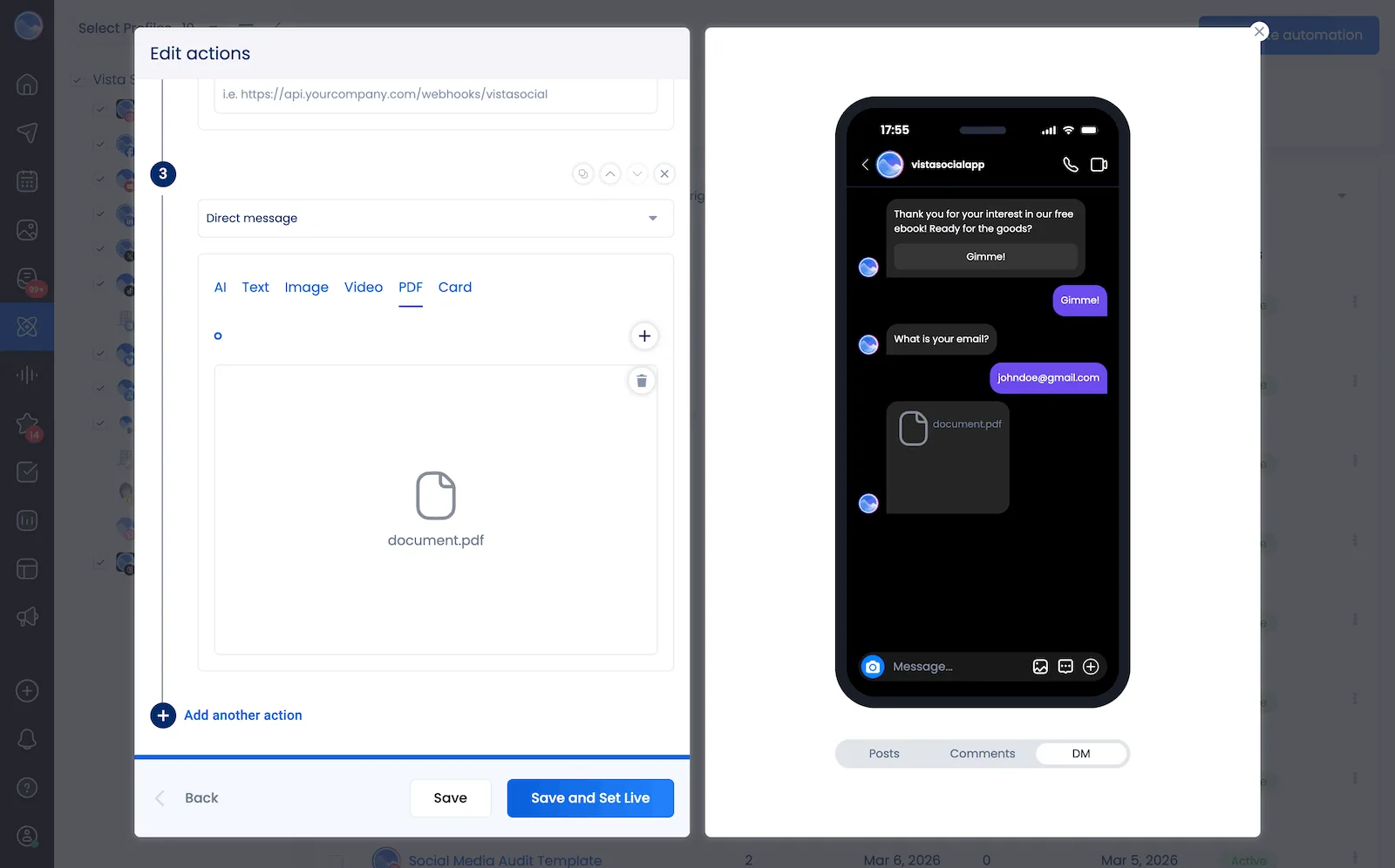
Now let’s break down how to get there:
- Opening DM: Start with an opening DM in any Instagram DM automation you create. This enables the two-way conversation between you and the end user, ensuring your automations will fully go through.
- Data collection: Next, you can add fields into the data collection option for asking for name, email, or whatever you want to add into your CRM.
- Direct message: Then you can just attach the PDF right inside a DM automation! You can add multiple automations if you want to include multiple types of messages, like text along with a link and your PDF.
Once you’re satisfied that the preview in the right side of the automation looks correct, you can click Save and Set Live.
Step 5: Test your new DM automation
Head to Instagram and use a separate account (i.e., test from your personal on the brand account) to comment your trigger word on an old post to test that everything works properly.
And then boom! You’re ready to start collecting leads right inside your Instagram DMs. The perfect solution to tracking social media ROI and generating leads for your business.
The strategic benefits of in-DM lead gen
This isn’t just about automation—it’s about creating a more strategic, performance-driven approach to community engagement. Here’s how it pays off:
- Better conversion rates: Users stay on-platform, lowering drop-off risk.
- Higher engagement: Interactions feel personal, not transactional.
- Real-time responses: Instant gratification builds trust and momentum.
- Smarter segmentation: Collect data you can actually use to customize follow-ups.
- Faster lead qualification: Identify hot vs. cold leads automatically.
How to design high-converting DM flows
If you want to collect leads without annoying your audience, your automation needs to be thoughtful and user-friendly. Here’s how to build it right:
Speak like a human
Write your messages the way you’d text a friend. That doesn’t mean being overly casual—but ditch the jargon and robotic tone. Personal = powerful.
Provide real value
Before you ask for an email, offer something of value. A freebie, exclusive tip, behind-the-scenes content, or early access to a product. Give before you get.
Use one ask per message
Don’t overwhelm users with multiple questions at once. Break the flow into one question per step to keep them engaged.
Optimize for mobile
Most people will read your messages on a phone. Use short paragraphs, spacing, and clear calls to action.
Test different entry points
Try using different keywords, content formats (Reels, Stories, Lives), and CTA language to see what triggers the most responses.
What to avoid when creating DM flows
Even the best tools can fall flat if used the wrong way. Avoid these common missteps:
- Over-automation: Not every message should be auto-generated. Leave space for manual replies when needed.
- Misaligned tone: If your brand voice is warm and playful, your automation should match. Consistency builds trust.
- Not following up: Capturing a lead is just step one. Make sure they’re added to your email flows, tagged in your CRM, or followed up by sales. If the lead is high-value, a personalized cold email follow-up can be the bridge that turns a social media interaction into a closed deal.
- Lack of consent: Be transparent about what you’re collecting and how you’ll use it. Better yet—get explicit opt-ins.
- Neglecting performance data: If you’re not tracking what’s working, you’re leaving money on the table.
How to track DM lead gen performance
To know whether your automations are actually driving business impact, track:
- Lead volume: How many new leads are you capturing per campaign?
- Completion rate: How many people start vs. finish your flow?
- Engagement rate: Are users replying, clicking, and interacting?
- Conversion rate: What percentage go on to purchase, book, or convert?
- Time to first response: Are users receiving fast answers to their questions?
- User feedback/sentiment: Are users enjoying the interaction, or do you see negative replies?
Vista Social’s built-in reporting makes it easy to track these metrics and adjust in real time.
The future of lead generation is conversational
As attention spans shrink and expectations rise, brands need to show up with speed, personalization, and value. The inbox is no longer just for support—it’s your new sales funnel.
With Vista Social, you can:
- Build lead-gen flows that actually get responses
- Collect real data that fuels your marketing
- Engage with your audience in a way that feels natural, not intrusive
- Manage everything from one sleek dashboard
The brands that win on social in the next year won’t just be posting. They’ll be conversing. And those conversations? They’ll be automated, personalized, and designed to convert.
Let’s get you started
Your audience is already talking to you. Let’s make it count.
Start using Vista Social’s DM Automation to:
- Collect emails and phone numbers directly in Instagram, Facebook, and TikTok DMs
- Automatically respond to keyword triggers and comments
- Deliver content instantly and track results in real-time
- Connect your inbox to your CRM and email platform without code
👉 Try Vista Social today and start turning conversations into customers—automatically.
You’ve already done the hard work of building an engaged audience. Now let’s turn that attention into leads that convert.

Try Vista Social for free
A social media management platform that actually helps you grow with easy-to-use content planning, scheduling, engagement and analytics tools.
Get Started NowAbout the Author

Head of Social Media @ Vista Social
As Vista Social's Head of Social Media, Alexus Brittain leads the charge in steering the company's organic social media strategies. With a wealth of expertise gained from several years in the field, Alexus is deeply immersed in the ever-evolving landscape of social media, continually staying at the forefront of the latest trends and best practices.
Loading related tools...

The most complete social media management platform for teams who demand more.






Tools
PublishingAnalyticsEngagementIntegrations
FacebookInstagramLinkedInRedditSnapchatThreadsTikTokX (Twitter)YouTubeMCPVista Page (link-in-bio)All IntegrationsCopyright © 2026 Vista Social LLC. All Rights Reserved.