


Answering Every Comment Within an Hour Is Making You Worse at Your Job
July 6, 2026
10 min read

Summarize with AI

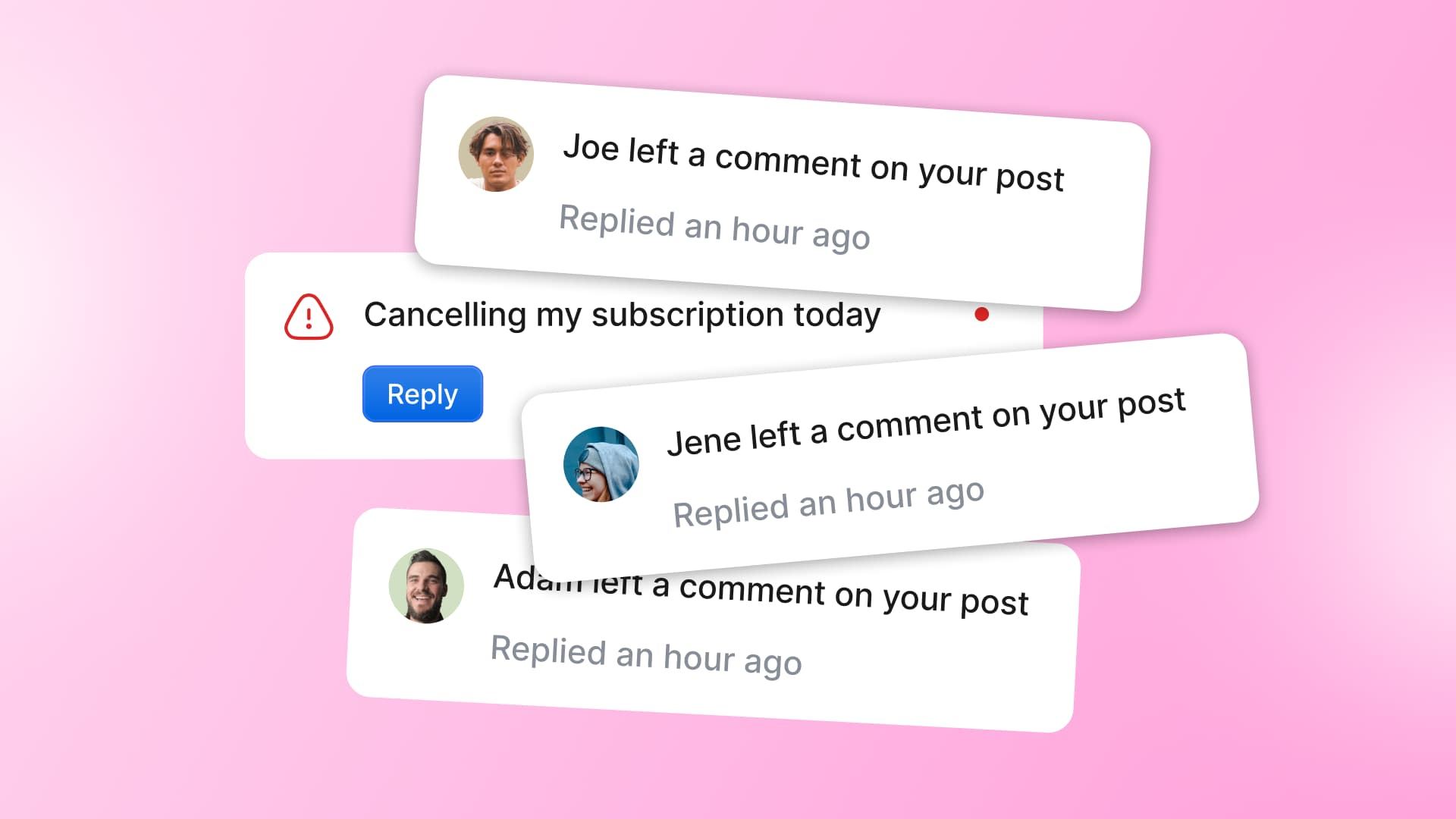
Table of contents
Share

Vista Social

X (Twitter)


You’re finally deep in the work you were actually hired for, planning the week’s posts, when your watch buzzes. A comment on this morning’s Reel. It says “obsessed 😍,” so you tap the heart, reply with a wave, and drop back into the plan.
Where were you? You reread the last line to find your place. Then it buzzes again. A mention, a DM, two more comments. By the time you look up, an hour’s gone and the plan hasn’t moved. You answered a dozen comments that needed nothing from you, and the one message that actually mattered, a customer on their way out the door, got skimmed past because it looked like all the rest.
Here’s what the “reply within an hour” rule never tells you. The goal was never to answer everything fast. It was to catch the one thing that matters fast and stop letting the rest run your day. A healthy social media response time comes from knowing which comment actually needs speed. So let’s take the always-on habit apart and build the triage system that replaces it.
The short version:
- Not every comment is urgent: Only 39% of people expect a reply inside an hour, and a compliment and a churn-risk complaint are nowhere near the same job.
- Monitoring everything has a real cost: A peer-reviewed 2023 study clocked workers at 65 notifications a day and found fewer interruptions meant better performance. Chasing pings eats the strategy work you were hired for.
- Speed on everything buries the few that count: When it all feels urgent, nothing gets prioritized, and the message that could have saved a customer waits behind a wall of emoji.
- Triage is the fix: Priority rules flag what’s urgent, automation and AI handle the routine, you approve the drafts, and you show up in person only for the few that are flagged.
Table of contents
Does every comment really deserve a reply within an hour?
Short answer: no. HubSpot found that 39% of social media users expect a response within 60 minutes. What matters is the flip side. Roughly six in ten people aren’t sitting there with a stopwatch, so most of the one-hour pressure is one you put on yourself.
The messages that genuinely need a fast lane are the time-sensitive ones. A service issue. A complaint. A “is this in stock?” from someone with their card already out. Those deserve minutes. A “this is so cute” on a carousel does not, and treating the two the same is where it all goes wrong.
Hold every message to that one-hour bar and you turn yourself into a manual alert system, reacting to a heart emoji with the same jolt as a refund demand. Give each the speed it actually needs, and let the rest wait for a batch pass.
The cost of being a human alert system
Every time you flip to a notification, it costs more than the ten seconds it looks like. You answer the comment, but you don’t snap cleanly back to the plan. A sliver of your head stays on it while you hunt for where you were.
There’s a name for it. Attention residue is the drop in focus that lingers after you switch tasks, because part of your mind stays stuck on the one you just left. Climbing back to full depth takes real minutes you don’t get back.
The research puts numbers on it. A peer-reviewed study in the Journal of Occupational Health tracked knowledge workers at about 65 notifications a day and found that fewer interruptions led to better performance and less irritation.
And staying sharp is getting harder. Attention researcher Gloria Mark of UC Irvine, reported by Dropbox in 2025, puts the average time we spend on one screen at just 47 seconds, down from about two and a half minutes twenty years ago. You’re watching an always-on inbox with a shrinking attention span. That’s a workflow problem, not a discipline one you can white-knuckle through.
Why ‘just respond faster’ backfires
Here’s the part that stings. All that frantic monitoring doesn’t even make you good at the thing you’re monitoring for. When every message feels equally urgent, none of them gets the priority it needs.
Picture the two that land at once. One is a “😍.” The other is a customer typing “been on hold two days, about done with you.” You knock out the easy one first because it’s easy, and the hard one sits because it needs a real reply and your focus is already spent. Speed didn’t protect the message that could have saved that customer. It buried it.
That’s the case for social media customer service, the “go faster” advice keeps missing. A flat average response time hides the number you should actually care about: how fast you reply to the messages that carry money, trust, or a public complaint.
Pam Didner, who has spent years helping enterprise teams untangle their marketing operations, puts it in one line:
“The real challenge isn’t the technology — it’s the workflow architecture behind it.”
Pam Didner, Scaling AI in Marketing: Why Workflows and GEO Optimization Deserve Your Time
You don’t have a speed problem. You have an architecture problem. Every message drops into the same flat queue and triggers the same panic, so the system chooses your priorities for you, and it chooses badly. The way out is to build that system on purpose.
How to set up a triage workflow in a unified inbox
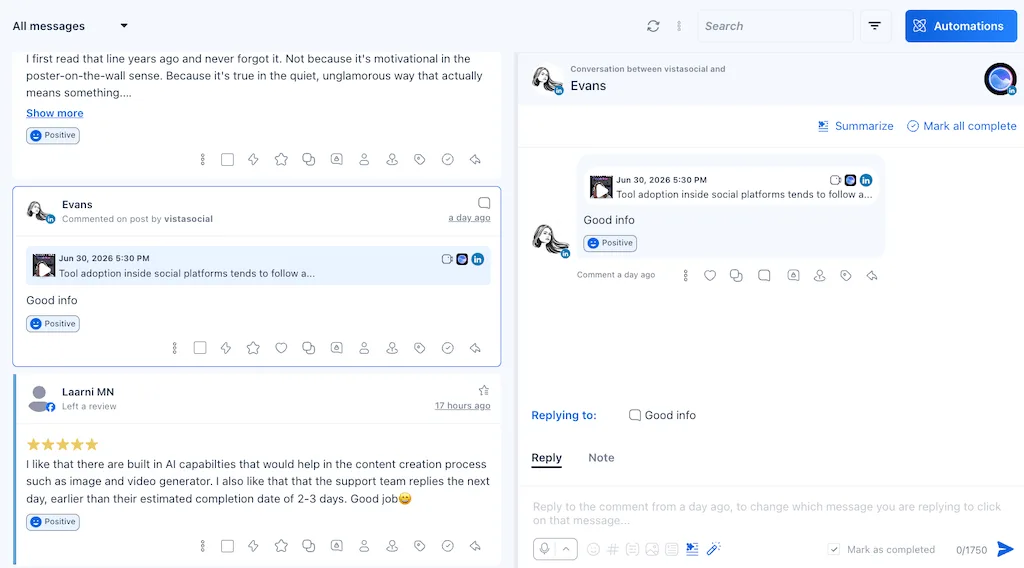
The three-tier model only works if you can see every message in one place. If your comments live on Instagram, your DMs on three other apps, and your reviews somewhere you forget to check, you can’t triage them. You can only panic. So the first job is one queue, and the rest is teaching that queue to sort itself.
This is the part you can set up this week. Five steps:
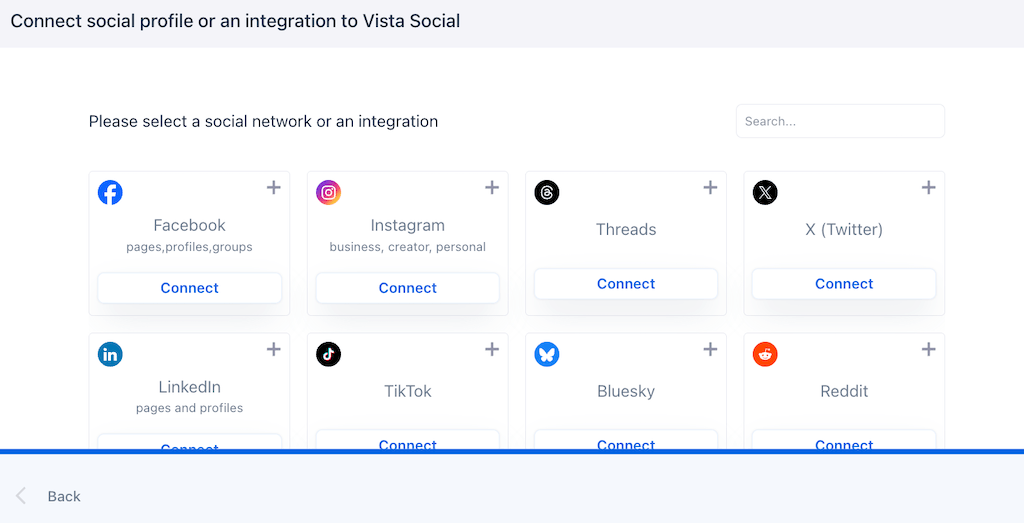
- 1. Connect every channel into one inbox: Link your profiles so a single unified inbox pulls every comment, DM, mention, and review into one stream. Nothing hides in a platform you forgot to open, and the fear of a complaint slipping through goes with it.
- 2. Sort the last week into three tiers: Before you automate anything, read a few days of real messages and label each one Tier 1, 2, or 3. The pattern shows up fast: mostly Tier 3 noise, a slice of Tier 2 questions, and a small, sharp few that actually needed you.
- 3. Set priority rules so Tier 1 surfaces on its own: Flag the message types that need a fast human reply. Keywords like “refund,” “broken,” “cancel,” or “how do I buy?” can push a message to the top with a real-time alert, while the low-stakes stuff waits for your batch pass.
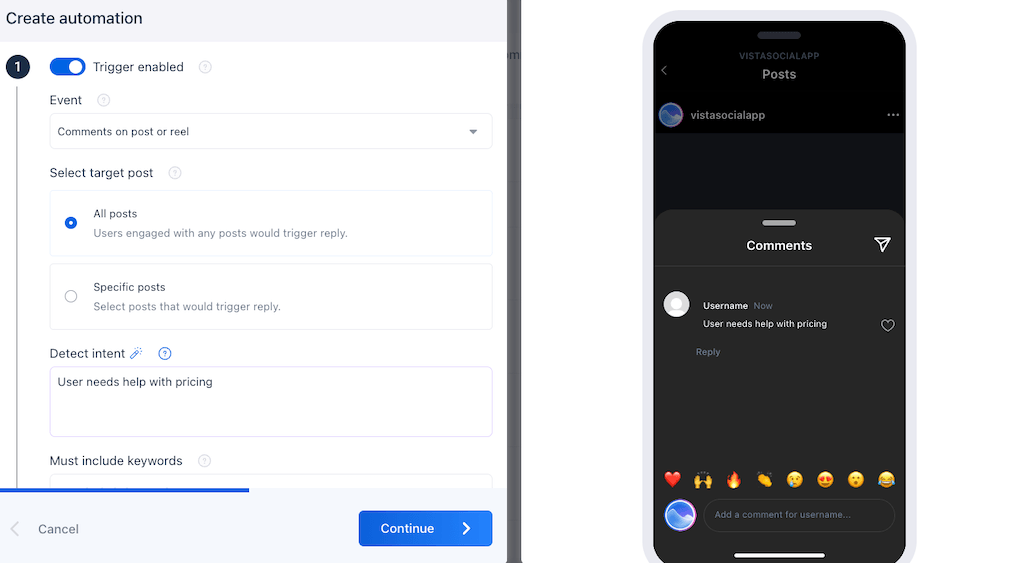
- 4. Automate the Tier 3 noise: Turn on automation and intent detection so a “what are your hours?” gets answered on the spot and never reaches your queue. Keep a small library of saved replies too, so a solid Tier 2 answer is one click instead of a fresh write every time.
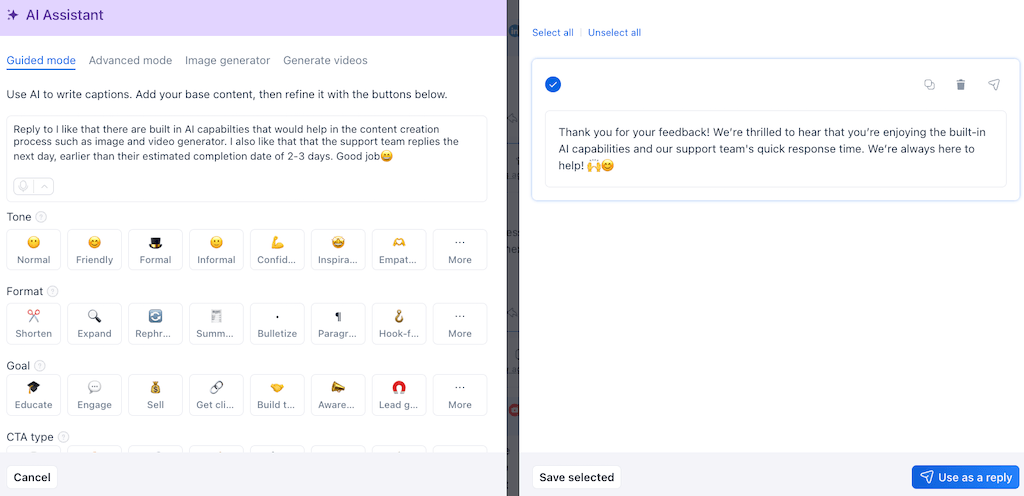
- 5. Switch on AI-drafted replies you approve: AI drafts a response in your brand voice and puts it in front of you to approve, tweak, or send. A routine reply takes five seconds instead of five minutes, and nothing goes out that you didn’t okay.
Once those five are in place, your inbox does the sorting you used to do by hand. Here’s the whole model on one page:
| Tier | What lands here | Target response | How you handle it |
|---|---|---|---|
| Tier 1 | Complaints, service issues, buying questions, public reviews | Minutes to an hour | Real-time alert, human reply, jumps the line |
| Tier 2 | General questions, low-stakes engagement that earns a reply | Same day | Two batch passes a day, saved or AI-drafted replies |
| Tier 3 | Repeat FAQs, one-word praise, emoji, spam | Automated or none | Automation and intent detection, no human touch |
One honest note on the AI. Ask Vista is the account-aware assistant that can act across your connected accounts, always with your approval before anything posts or sends. For triage, that approval step is the whole point. A human stays in the loop on anything that reaches a customer.
You don’t have to keep running as a human alert system. Bring every comment into one inbox with Vista Social, set your priority rules, and let the routine handle itself.
What this looks like when a real team does it
You don’t have to take this on faith. A team in a completely different field ran the exact experiment, measured it, and published the result. A 2025 peer-reviewed study tracked a busy practice that was drowning in inbound requests, all handled in the order they arrived. They switched to a triage-first system that sorted every incoming request by urgency before anyone touched it.
The result was a 35% reduction in average wait times, and the share of requests answered inside the fastest response window jumped to 72.9%. They didn’t add staff or tell people to hurry. They stopped treating every request as equally urgent and let a system decide the order of play.
When you should ignore all of this
Triage earns its keep at volume. If you’re a small brand getting five comments a day, you don’t need a three-tier system. You just need to reply, and honestly, enjoy it. Answering every person by hand is a luxury that disappears the moment you grow.
A couple of other honest limits. Automation is for the routine, not the raw nerve. The model here is AI-drafts, you-approve, never fire-and-forget, so a tone-deaf bot never auto-replies to a serious complaint. Anything flagged high-stakes waits for a human, on purpose.
And if your boss measures you on a flat response-time number, don’t fight the metric. Upgrade it. Show them response time on priority messages, the number that actually protects customers.
The next time your watch buzzes
Picture the same afternoon, deep in the plan. This time your watch stays quiet. The “obsessed 😍” got a saved reply in your batch pass and the “what are your hours?” was answered before you saw it. And the one message that mattered, the customer about to walk, pinged you the second it landed. You caught it, and you kept working.
That’s the trade the whole system buys you. Not a faster social media response time on everything, but a fast one where it counts, and your focus is back everywhere else. You were never failing by skipping a comment. You were just missing the system that sorts the inbox for you.
Once that system is doing the deciding, replies stop being fires to put out and start building an actual community, the work triage was meant to free you up for.
Stop being the alert system and start running one. Bring every comment, DM, mention, and review into one Vista Social inbox, free, and give your focus back to the work only you can do.
Frequently asked questions
How fast should you respond to social media comments?
It depends on the message. Service issues, complaints, and buying questions deserve a fast reply, minutes to an hour, because those are time-sensitive and often public. Compliments and low-stakes comments can be batched later in the day. Measure your social media response time on the messages that actually matter, not on a flat average that hides them.
Do you have to reply to every comment on social media?
No. You should acknowledge and prioritize, but you don’t owe every emoji a same-minute response. Automate or batch the routine, one-word praise, repeated FAQs, and spam so you free up real focus for the messages that need a genuine human reply. Trying to answer everything instantly is what buries the few that count.
What is a good social media response time?
For genuine customer service and sales-intent messages, aim for fast, often within an hour. For everything else, same-day is perfectly fine. The most useful metric isn’t a single blanket number. It’s your response time on priority messages, because that’s the one that protects customers and shows whether your triage is working.
Is constantly checking social media notifications bad for productivity?
Yes. A peer-reviewed 2023 study in the Journal of Occupational Health clocked workers at about 65 notifications a day and found that fewer interruptions led to higher performance and lower irritation. The switching cost compounds across a day, so constant notification-chasing eats the strategic work you were hired to do. Batching low-priority replies beats reacting to every buzz.
How do you manage a high volume of comments and DMs?
Triage. Bring every channel into one unified inbox, set priority rules so urgent messages surface on their own, automate the repeat and low-stakes replies, use AI to draft responses you approve for the middle tier, and personally handle only the flagged few. That way a system decides what’s urgent instead of you sorting it manually all day.
About the Author

Content Writer
Orion loves to write content that refuses to be boring. As part of Vista Social, he helps brands, creators, and agencies stop doom scrolling and start winning with social media. When he's not in front of a keyboard, he's watching films in IMAX with his wife, dissecting football tactics (the European kind), and getting lost in a good book.