


Published on July 31, 2026
12 min to read
Quarterly Social Media Planning: Ask AI to Draft Every Account

Summarize with AI

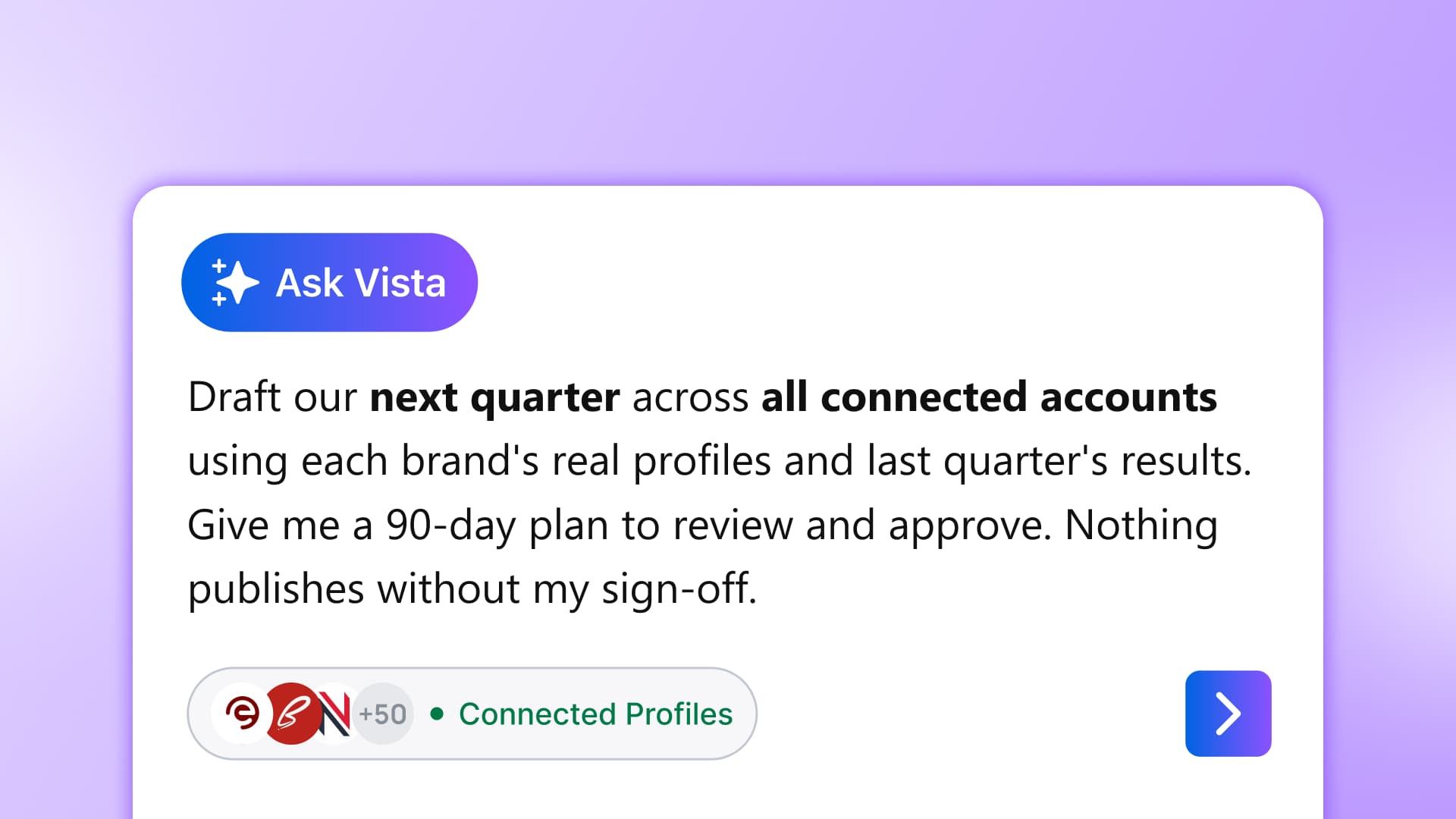
Table of contents
Summarize with AI

ChatGPT

Claude

Perplexity
Share

Vista Social

X (Twitter)


“Which spreadsheet is current?” is a lousy way to open a quarterly planning meeting. If you manage several brands or regions, you know how the conversation gets there.
One team moved a launch, another changed its priority, and the performance export everyone needs is still waiting in Downloads. All of it needs sorting before the team can build a credible plan.
That makes the assembly work a good job to hand over to an account-aware AI. It can read the profiles and recent performance already connected to your social workspace, then prepare a 90-day draft for you to question, improve, and approve.
This walkthrough shows you how to use Vista Social for that first draft. By the end, you’ll have one quarterly social media plan your team can review and turn into scheduled work.
The short version
- Account-aware planning: The AI works from your connected profiles and recent performance, so the draft begins with your brands.
- One coherent quarter: Themes, campaigns, key dates, platform priorities, and key performance indicators (KPIs) appear in one draft.
- Human-owned strategy: The AI assembles the material, while you decide what deserves budget, local context, and calendar space.
- Approval stays with you: Any live publish, send, or account change waits for your confirmation.
Table of contents
Step 1: Group accounts by brand or region
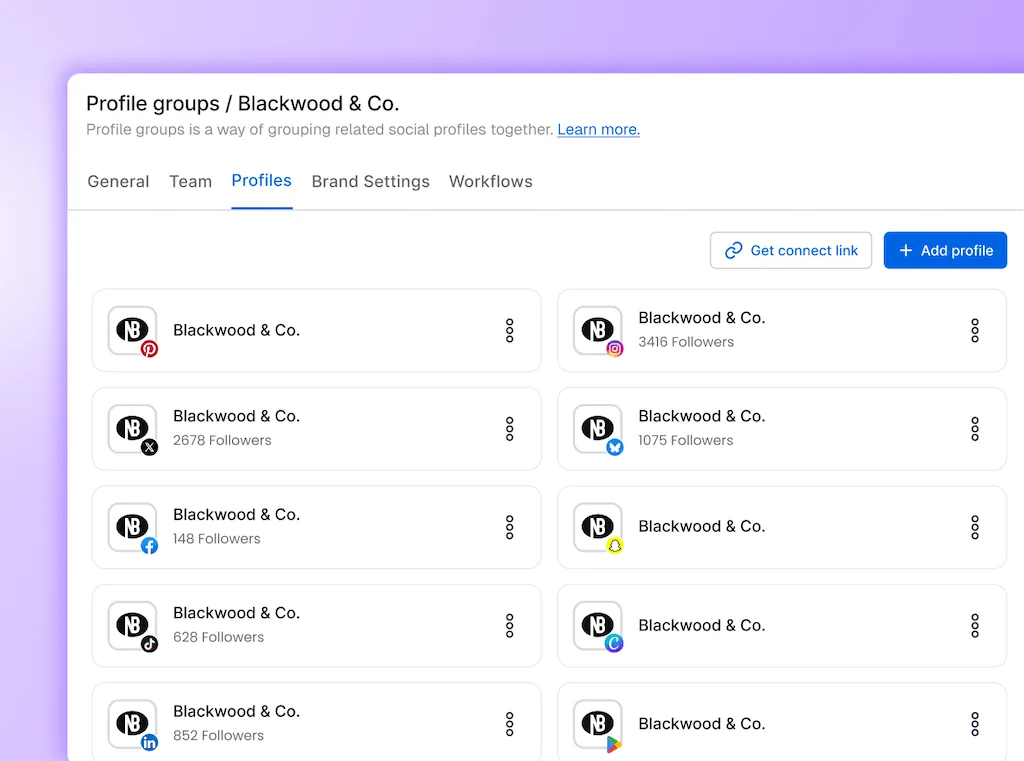
Start by deciding which accounts need to make sense together. A global brand may use one profile group per region, while a portfolio team may group by brand and keep each product line separate.
In Vista Social, profile groups are containers for a brand, client, campaign, project, or related set of profiles. They also scope calendars, reports, user access, time zones, and AI Training & Knowledge. The group becomes a practical planning boundary instead of another folder name.
- Choose one planning unit: Begin with the brand or region reviewed by the same leadership group.
- Check membership: Confirm every profile that should influence the quarter sits in the group, and remove any account that belongs to a different decision-maker.
- Name it plainly: “North America Q3” is easier to review than an internal abbreviation only two people understand.
- Set access: Give the right contributors and approvers permission to the group before the draft starts moving.
The Vista Social fast path: Profile groups spare you from selecting the same accounts again for every report, post, and approval. Once the boundary is right, the rest of the workflow keeps using the same set.
You’ll know this step is done when one selection gives you every account that belongs in the quarter and none that don’t.
Step 2: Have AI read last quarter across every account
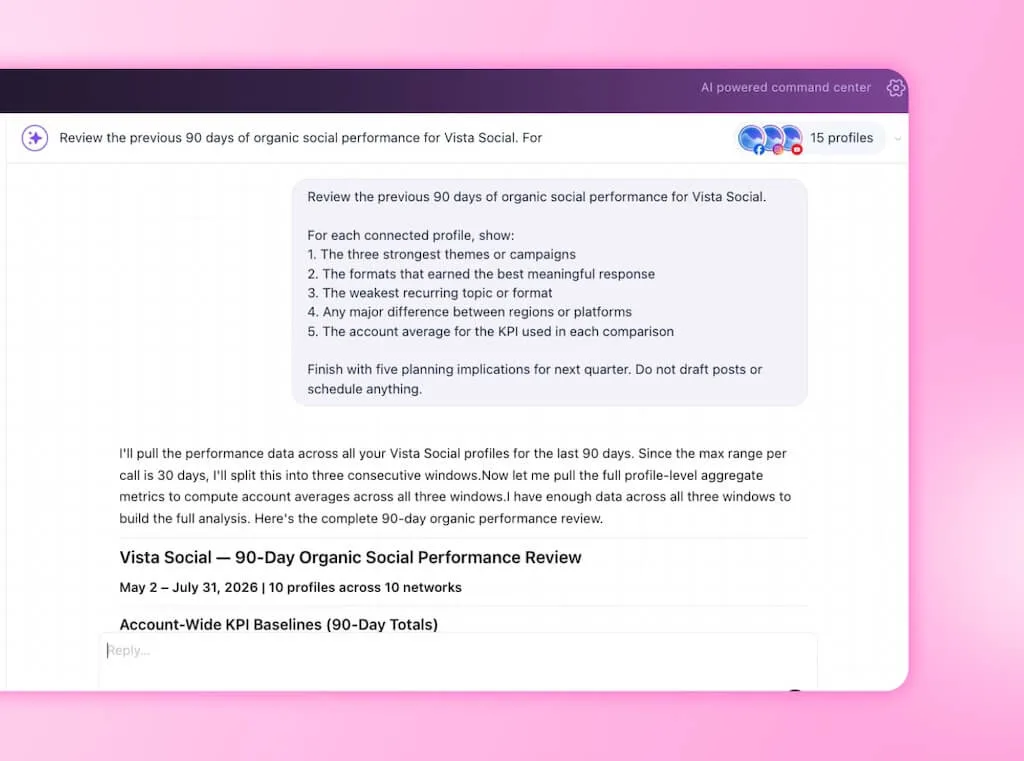
Open Ask Vista and point it at the profile group, then ask for an audit of the previous 90 days. Keep this pass diagnostic. You want a short evidence base for the plan, not a fresh batch of post ideas.
Read the answer with your own context beside it. Paid support, a partnership, or a news moment may explain a spike the account data can’t. Add those exceptions before they become recommendations.
The Vista Social fast path: Ask Vista analyzes the connected account set without separate exports or a rebuilt comparison in another chat. You review one evidence summary while the campaign context is still fresh.
This step is done when you can name what deserves another quarter of attention, what needs a different treatment, and what should be retired.
Step 3: Build the campaign calendar
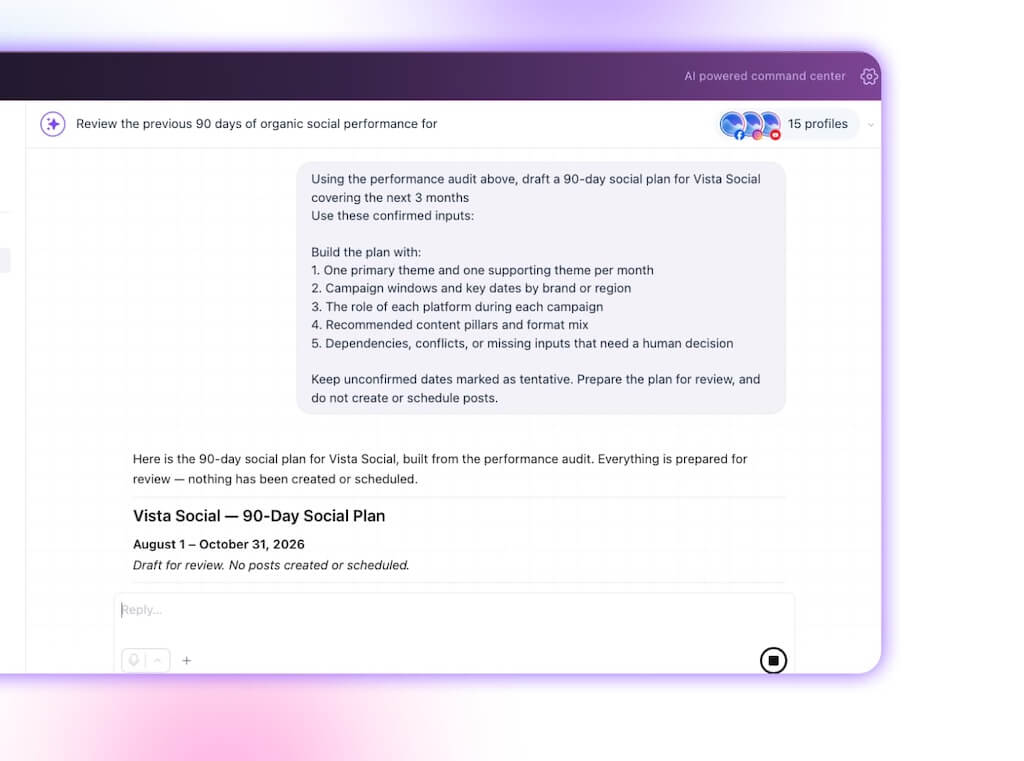
Now add the inputs that don’t live in social analytics. Give the assistant confirmed launches, campaign windows, deadlines, tentpole dates, regional exclusions, and leadership themes. Mark uncertain dates as tentative so the draft doesn’t treat a placeholder like a commitment.
The output should stay at quarter level. Ask for monthly themes and campaign windows before individual posts, because a calendar packed with captions can still lack a clear idea.
Review the draft from the top down. Check whether the quarter has one recognizable idea and whether regional activity supports it. Make sure the same audience isn’t being asked to care about too many things at once.
The Vista Social fast path: The assistant holds the audit and your new campaign inputs in the same planning conversation. You can ask it to shift one market, shorten a launch window, or rebalance a platform without rebuilding the calendar by hand.
A VP should be able to skim the three monthly themes and understand the quarter before opening the campaign details.
Step 4: Align the plan with goals and KPIs
Give every platform a job, then choose the KPI that proves whether it did that job. If LinkedIn supports demand generation, qualified site visits or assisted pipeline will tell you more than reactions alone. For Instagram consideration, saves, shares, profile activity, and video completion may carry more meaning.
Our guide to social goals can help when the business objective still needs translating into a measurable social target.
| Platform role | Example quarterly goal | Useful KPI | Review question |
|---|---|---|---|
| Build awareness | Reach more qualified people in a target region | Non-follower reach, video completion | Did the right audience stay long enough to understand the idea? |
| Create consideration | Increase deeper engagement with campaign education | Saves, shares, profile activity | Did people treat the content as useful enough to keep or pass on? |
| Support demand | Send interested visitors to a campaign destination | Qualified clicks, conversions, assisted pipeline | Did social create movement beyond the feed? |
| Strengthen community | Improve the quality and speed of audience interaction | Meaningful replies, response time, sentiment | Did the brand become easier to talk to? |
The Vista Social fast path: The performance baseline and the plan live beside each other, which keeps targets tied to the accounts they measure. You avoid a second spreadsheet that starts clean and drifts out of date by the first review.
This step is complete when every major campaign has a business reason, a platform role, and a defined KPI your team can report.
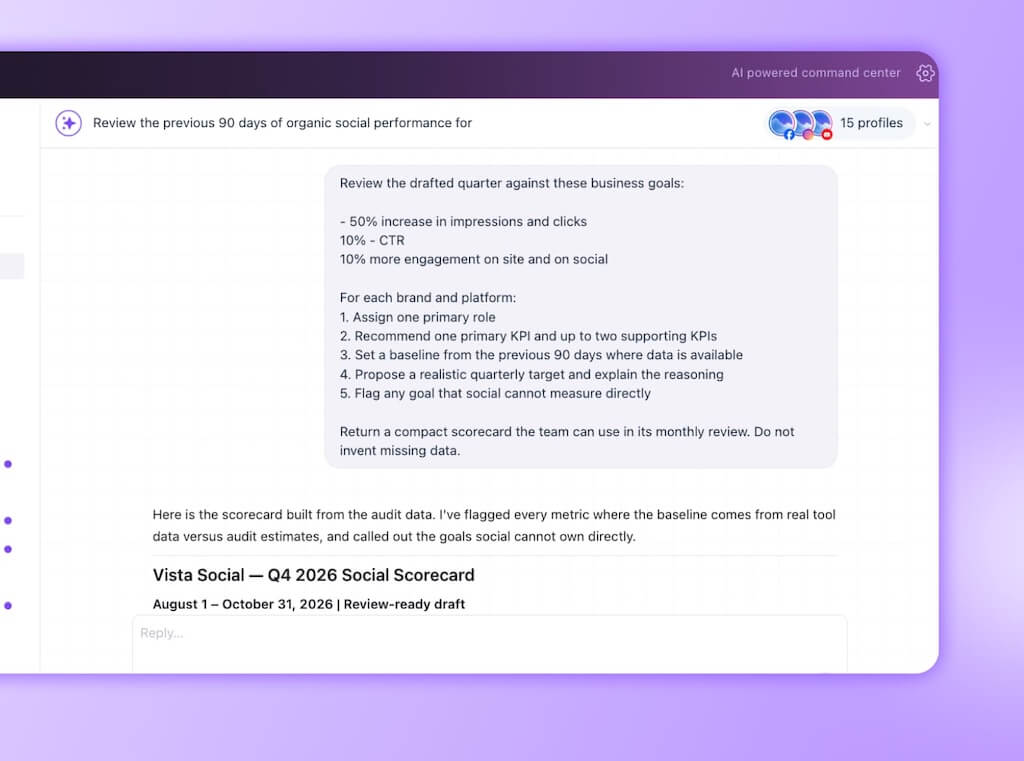
Step 5: Review and approve the plan
The draft earns its keep by giving you something specific to disagree with. Read it once for strategic coherence, again for brand and regional context, and a third time for feasibility.
- Keep the evidence-backed choices: Retain themes and formats supported by the audit when they also fit the coming quarter.
- Rewrite the judgment calls: Adjust market nuance, cultural context, brand risk, creative ambition, and internal politics with the people who own them.
- Challenge false precision: Remove targets or dates that look exact but rest on missing data or an unsettled launch.
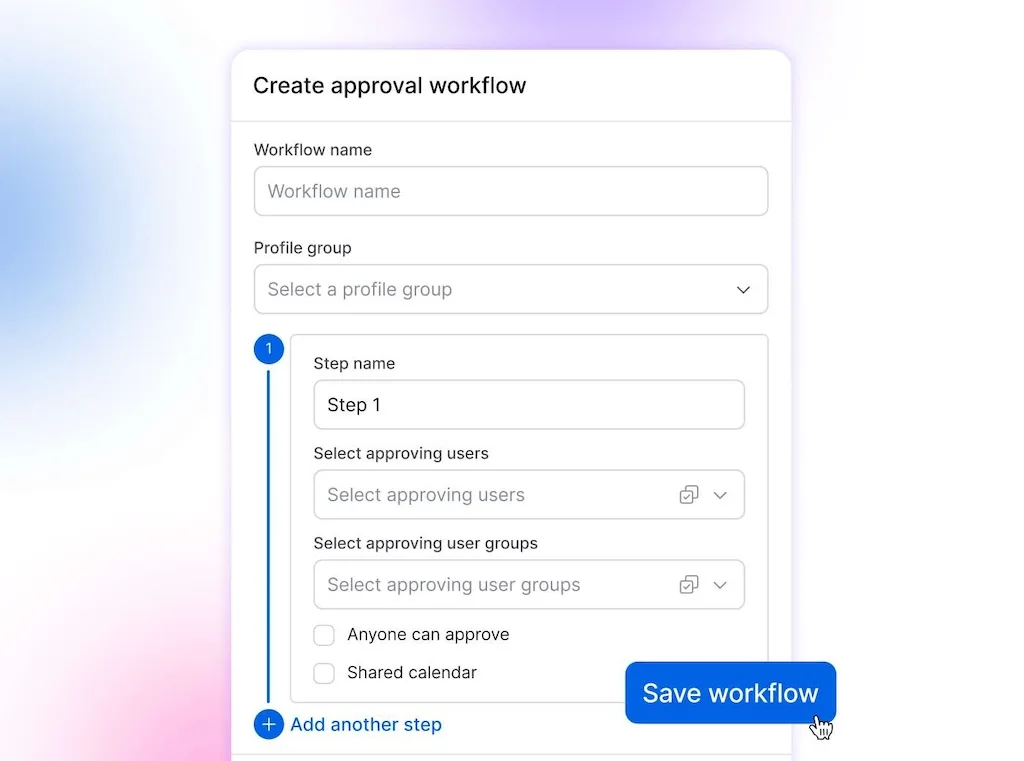
- Route the work: send content through the people responsible for brand, legal, regional, or executive approval.
Use brand voice guidance to sharpen how each brand should sound. Vista Social’s AI Training & Knowledge can ground selected output in approved brand material. Multi-step approval workflows can route posts through the reviewers your organization requires, and both features are documented on Advanced and higher.
Ask Vista confirms before it publishes, sends, or changes anything on a live account. Keep that boundary in place, especially while the team is testing the method with its first profile group.
The Vista Social fast path: Comments, approvals, account permissions, and the working calendar stay close to the draft. Feedback doesn’t have to be copied from email into a sheet and then copied again into the publishing tool.
This step is complete when the plan has named owners and visible unresolved items. Leadership should approve the direction before post production begins.
Step 6: Turn the approved plan into scheduled work
Move only the approved part of the quarter into production. Create campaign labels, assign owners, load confirmed dates, and schedule the posts that are ready, while tentative work remains in draft.
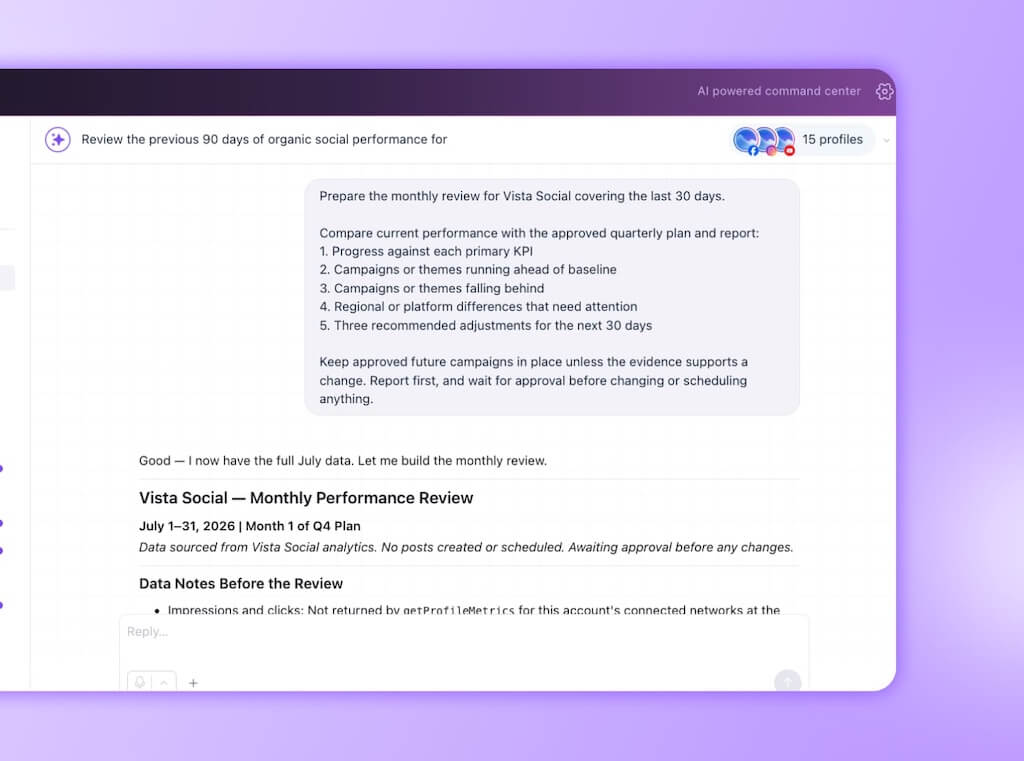
Then set a monthly review that compares the plan with current performance. The quarter gives the team direction. Monthly checks let you respond when a format fades, a launch moves, or one region finds an angle worth expanding.
Use the 30-day playbook to turn each approved month into a sustainable publishing rhythm. If the review needs a fixed cadence, an Ask Vista Agent can run the report on schedule and bring back the findings.
The Vista Social fast path: The plan, publishing calendar, profile-group reports, and scheduled review can live in one operating loop. A moved launch or weak theme becomes an adjustment to the current plan instead of another version of the spreadsheet.
The workflow is running when your monthly meeting starts with decisions to make. Nobody has to spend the opening minutes finding the current report.
Build the draft in Vista Social, then move only the approved work into the calendar.
Common quarterly planning mistakes
The safest version of this workflow keeps AI close to the evidence and humans close to the decisions. Four mistakes weaken that division of labor.
- Starting with post ideas: Individual captions create the illusion of progress before the quarter has themes, goals, or campaign priorities.
- Planning one tab at a time: Separate drafts may look polished in isolation while competing dates and repeated ideas remain invisible.
- Skipping the edit: Account access provides context, but it can’t settle a regional sensitivity, a political trade-off, or a risky brand call without you.
- Treating 90 days as fixed: A quarterly plan sets direction. The monthly review keeps that direction useful as performance and business priorities change.
When this method is too much
If you manage one or two accounts and your quarterly spreadsheet stays accurate without much effort, keep it. The payoff from account-aware AI grows with the number of profiles, reviewers, regions, and campaign inputs you need to reconcile.
For a larger organization, pilot the method with one profile group before changing the planning process everywhere. You will get a fair comparison without asking every regional team to learn a new workflow at once.
Start the next meeting with a draft
The next quarterly planning meeting can start with something worth discussing: a draft the team can challenge. The dates are in one place, the evidence is attached, and nobody burns the opening stretch asking which file is current.
Set up one profile group, run the audit, and let Ask Vista prepare the first 90-day plan. You can spend the meeting on the calls that deserve a room full of people: what to prioritize, what each region needs, and what you’re willing to put your name on.
If your rollout needs custom capacity, onboarding, or dedicated support, book a demo and bring the planning workflow you want to replace.
Frequently asked questions
What is quarterly social media planning?
It is the process of mapping 90 days of social activity before the quarter starts. A useful plan covers monthly themes, campaigns, key dates, platform priorities, and KPIs, then gets adjusted during monthly performance reviews.
Can AI create a social media plan for a full quarter?
Yes, if the assistant can work from the accounts and performance data it is planning. It can prepare themes, campaign windows, platform roles, and KPIs, while the marketing team edits the recommendations and approves what moves forward.
How do you plan social media across multiple brands or regions?
Start with the account boundary. Group the profiles that need to align, then review the prior quarter across that set. Draft one plan with shared themes, local campaign dates, and exceptions.
How far ahead should a social team plan?
Ninety days is useful for themes, campaigns, resource planning, and key dates. Review the plan monthly so recent performance and changes to the business can shape the next 30 days without losing the quarter’s direction.
Is it safe to let AI work with brand accounts?
Use a draft-first workflow with permission controls and human review before any public action. Ask Vista confirms before publishing, sending, or changing anything. Vista Social’s approval workflows keep final sign-off with the people responsible for the brand.
Which Vista Social plan supports this workflow?
Ask Vista, including Chat, Agents, and Skills, is available across Vista Social plans. AI Training & Knowledge and multi-step approvals are available on Advanced and higher. You can try Vista Social free without a credit card, then check the current pricing page if your process needs those governance and grounding features.
Try Vista Social for free
A social media management platform that actually helps you grow with easy-to-use content planning, scheduling, engagement and analytics tools.
Get Started NowAbout the Author

Content Writer
Orion loves to write content that refuses to be boring. As part of Vista Social, he helps brands, creators, and agencies stop doom scrolling and start winning with social media. When he's not in front of a keyboard, he's watching films in IMAX with his wife, dissecting football tactics (the European kind), and getting lost in a good book.