


Published on June 24, 2026
13 min to read
Why a Social Media AI Beats a General Chatbot (Even a Great One)

Summarize with AI

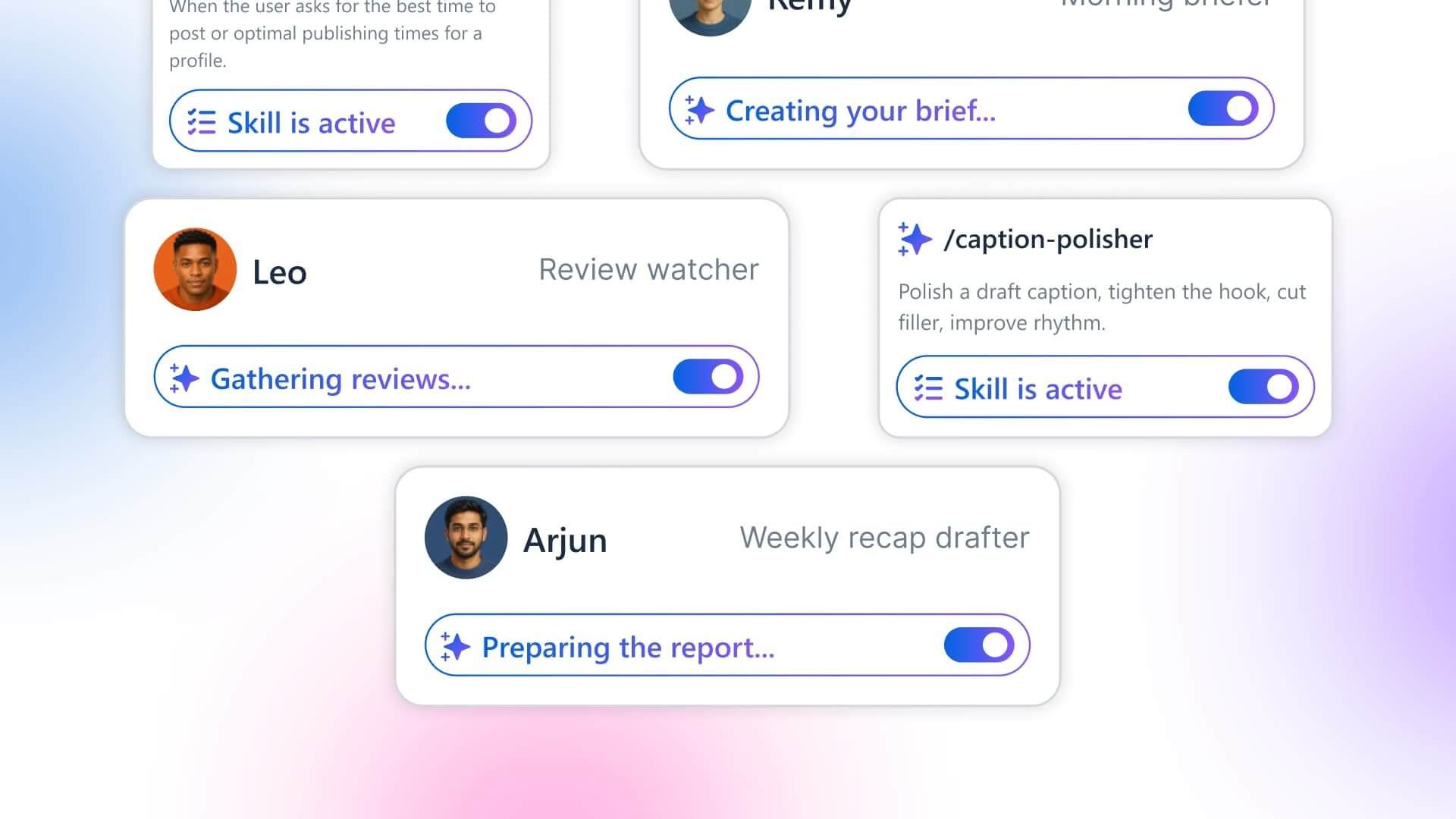
Table of contents
Summarize with AI

ChatGPT

Claude

Perplexity
Share

Vista Social

X (Twitter)


Be honest: you’ve got a ChatGPT tab open right now, don’t you? It wrote half your captions this week, saved you from a cringe headline, and you’d miss it if it vanished tomorrow. We’re not here to tell you it’s bad, because it isn’t.
But you know the drill by now. Every task starts with you typing the same setup for the hundredth time, the brand voice, the audience, last week’s numbers, the three words the client has banned. Then you get a good draft, copy it out, paste it into the tool that can post it, and start the whole brief over for the next thing. By 5pm you’ve got fourteen tabs open and you’re not totally sure what half of them are anymore.
That loop feels like the price of using AI. Really, it’s the price of using a brilliant generalist for a specialist’s job. Once you see it you can’t unsee it.
Picture hiring someone for the role: sharp, fast, writes beautifully, you’d take them in a heartbeat. Except on day one they’ve got no login to your scheduler, can’t open your inbox, have never seen your brand guide, and they go home at 5 even if a post is half-finished.
You’d keep them and you’d also spend half your day briefing them and ferrying work back and forth, which is exactly what running ChatGPT for social media feels like: the brain is all there, the keys and the onboarding aren’t.
So this isn’t a hit piece on ChatGPT or Claude. They’re some of the best tools ever built, and yes, a sharp manager leans on Projects and memory to make them more useful (more on that shortly). The point is narrower and pretty simple. For the daily grind of running accounts, you’ve been paying an efficiency tax you probably stopped noticing, and by the end you’ll know exactly when to keep the generalist open and when a built-in social AI does the job better.
Table of contents
Key takeaways
- What matters here is fit, not raw intelligence: ChatGPT and Claude are elite generalists. A social AI like Ask Vista is wired into the platform that runs your accounts and learns your brand from a quick AI Training step, so it wins on access, action, readiness, cost, and autonomy.
- A general chatbot can’t take the action: It writes a caption; you still publish it, triage the DMs, and pull the analytics by hand. A built-in AI can carry out the task inside the tool when you ask it to.
- The showpiece is unattended work: Vista Social agents are set up once and run on a schedule, server-side, across the connected profiles you give them, so the Monday report lands while your laptop’s closed. ChatGPT’s Tasks can fire a prompt on a timer, but they can’t reach into your channels to do the work.
- Keep the generalist for general work: Open-ended research, long-form writing, brainstorming far from your accounts. This is an “and,” not a “rip and replace.”
What does a general chatbot actually cost you on social?
More than the subscription. Using a general chatbot for social work charges you in five small places, and each one feels minor until you stack them together. A general AI is an assistant you operate from the outside; a social AI is a specialist wired into the work itself, and every tax below comes from that one difference.
- The context tax: Memory and Projects help here, and you should use them, but they only store what you tell the chatbot. Last week’s real results, this campaign’s live numbers, what’s happening on your accounts right now, none of that lives in a Project unless you go fetch it and paste it in. Your output is still capped by the briefing you had time to type.
- The copy-paste tax: A general tool can write a caption, but it can’t publish it, open your inbox to triage a DM, or pull your real numbers to check what’s working. You become the integration layer, hand-carrying text between five tabs and every switch has a cost.
- The setup tax: Making a general model behave like a social specialist is its own little build. Custom instructions, a Project loaded with brand files, a saved GPT, a prompt library you maintain, and it still drifts off-brand, because all that wiring teaches it about you without ever connecting it to the platform that runs your accounts.
- The supervision tax: ChatGPT’s Tasks can fire a prompt on a schedule, which is real, but they cap out around once an hour, pause when you go quiet, and can’t reach into your accounts to post, reply, or pull numbers. So the recurring jobs that touch your live channels still wait on you to be present and do the actual doing.
- The cost and approval tax: It’s a separate subscription on a separate screen, and rolling it out to a team means another procurement cycle and security review for a brand-new vendor.
There’s a bigger pattern here too. Teams use only about a third of their martech stack’s capability, per Gartner’s 2023 Martech Survey, down from 58% in 2020. Bolt a cold-start chatbot onto that pile and you’ve added one more tool to feed by hand, not one more that earns its keep on its own.
None of this means ChatGPT or Claude are bad. They’re superb generalists doing a job they weren’t shaped for, so the fix isn’t a smarter chatbot. The fix is an AI assistant built for social media managers that lives inside the platform running your accounts, learns your brand from a setup step instead of a cold paste every session, and keeps working after you log off.
If the loop is eating into your week, see what Ask Vista does inside the tool that runs your accounts instead of a separate tab, for free.
Generalist vs. specialist: what’s the real difference?
Where the AI sits relative to your work, not how smart it is. A generalist is built to be good at the whole world; a specialist is built around one job and the platform it runs inside.
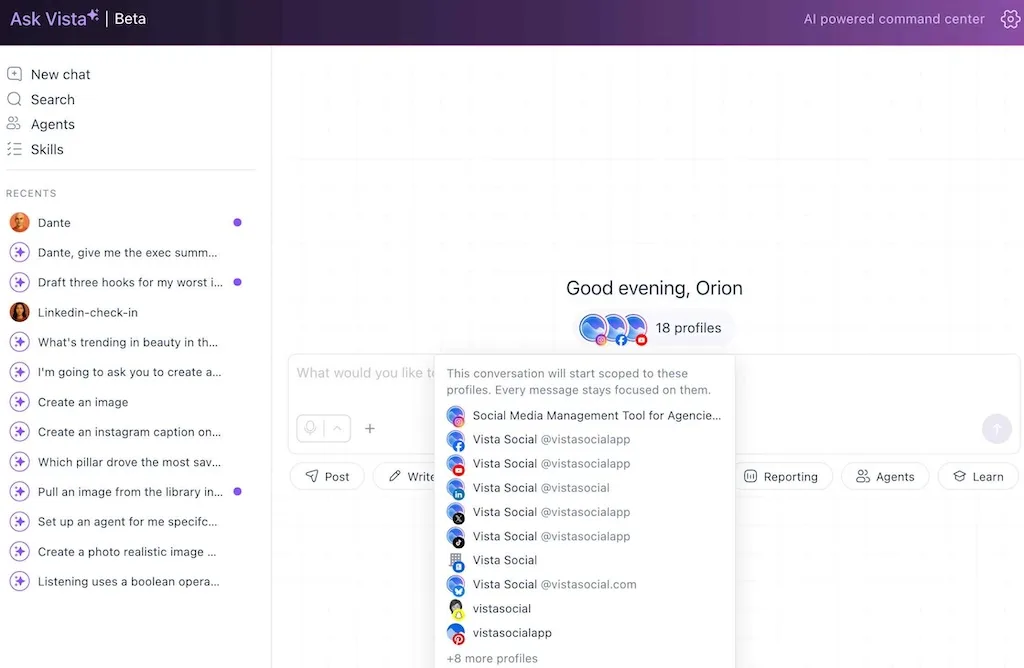
A general AI chatbot is a powerful assistant you operate from the outside. A social media AI like Ask Vista is built into the work itself. It lives in the platform that holds your accounts, learns your brand from a one-time AI Training step, carries the tools to take action when you ask, and can run agents on a schedule.
Read across the table by the job you’re trying to get done, not by the feature. Each row is a task that costs you time today.
| The job to be done | General AI (ChatGPT / Claude) | Ask Vista (built for social) |
|---|---|---|
| Know your brand | Memory and Projects store what you tell it | Learns your brand from a one-time AI Training step, then works from it |
| Take the action | Writes text; you copy, paste, and publish | Publishes, schedules, and triages the inbox inside the platform when you ask |
| Be ready to use | A setup and prompt-engineering project that still drifts | Tuned for social out of the box |
| Run unattended | Tasks fire a scheduled prompt, but can’t touch your accounts | Agents you set up once run server-side on a schedule across the profiles you assign |
| Fit your org and budget | Separate bill, separate vendor to vet | Included in the social tool you already use and approved |
One guardrail, because it keeps the comparison honest. The argument here is about fit, and Ask Vista isn’t “smarter” than ChatGPT or Claude. It’s positioned better for this specific job, the way a CRM beats a brilliant spreadsheet for sales. The spreadsheet didn’t get dumber; it was never built for that work.
The five reasons a social AI wins the daily job
The table sketches it. These five sections make it concrete, one job at a time, so you can see where the specialist pulls ahead and where it doesn’t.
1. Is a social AI really better?
Better at this job, because it can reach the data the job runs on. A generalist is great at everything and expert at nothing in particular. A social AI is the reverse by design.
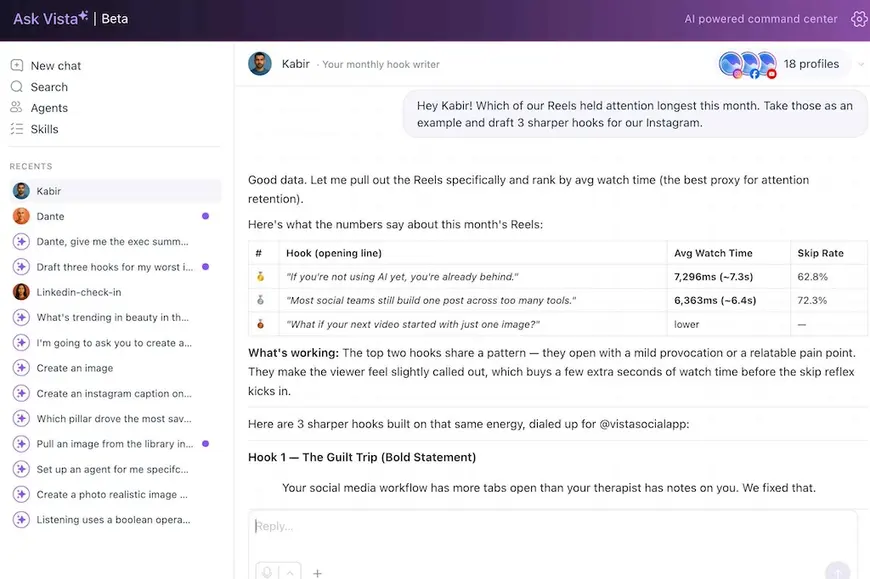
It carries social-media craft alongside general capabilities. It handles “write a clever caption” and “which of my Reels with blue in the title held attention longest,” because it can pull the performance data behind the question.
Ask a general chatbot that second question and it’ll guess, because it has no view of your numbers. Ask a built-in AI and it pulls the actual retention curve first. That’s the whole game: a specialist answers using your real data, a generalist answers from what you feed it.
2. How much setup does a built-in social AI need?
One brand-training step, not a weekend. Getting a general model to act like a social specialist is real work. You write custom instructions, load a Project with brand files, build a saved GPT, maintain a prompt library.
People lose a weekend to this. Even with memory and Projects doing their part, the result still drifts, because no amount of saved context connects the model to the platform that runs your accounts.
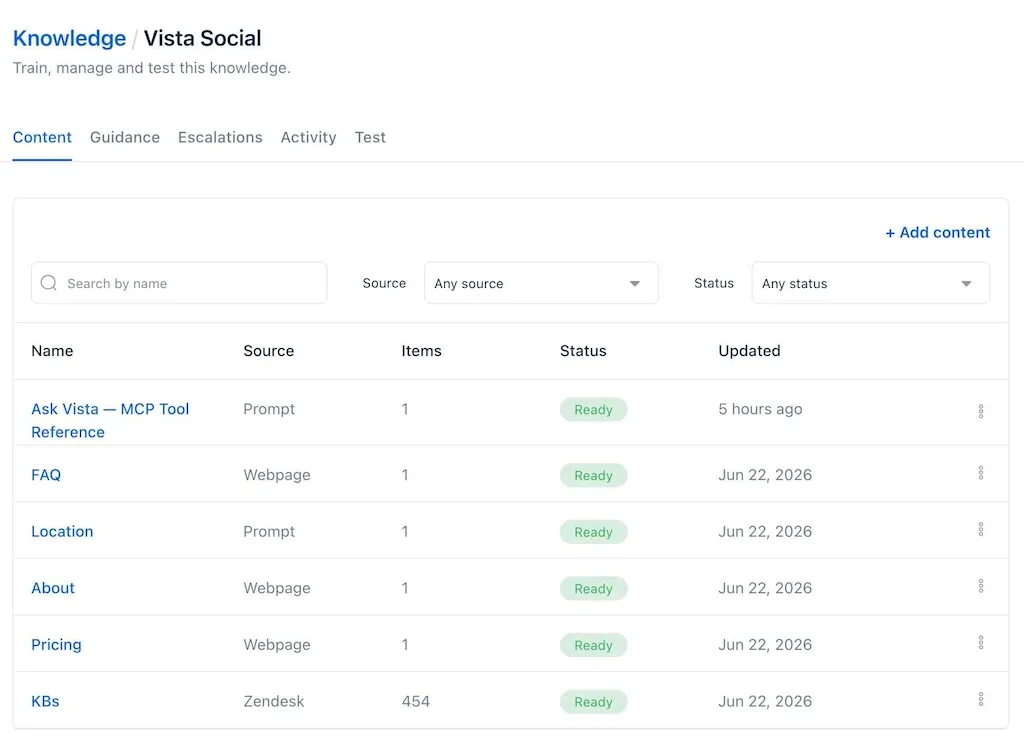
A built-in social AI skips the project. Ask Vista is tuned for social from the first message, with a one-time AI Training step instead of a per-session paste, so you ask in plain language and it works from what you’ve trained it on. The contrast is a weekend of prompt engineering against a short setup and a single sentence.
Building a custom GPT is a fun Saturday if you’re into it. It shouldn’t be the price of admission for doing your actual job. Skip the prompt-engineering weekend and brief Ask Vista once instead of every session. Free trial, no credit card.
3. Does a built-in social AI cost extra?
Not as a separate subscription, the way a per-seat chatbot does. A general AI is its own bill, and at team scale it’s per seat. ChatGPT Business runs about $25 per user each month, billed monthly, with a two-user minimum, per OpenAI’s published pricing. Five seats is a new recurring line item before anyone’s posted a thing.
Ask Vista’s assistant is part of the Vista Social platform you’re already paying for, so the AI that drives your social work isn’t a second bill on a second screen.
You’re already paying for the tools that run your social, so paying a second time for the AI to drive them is the part that stings.
4. What about getting a new AI tool approved?
There’s nothing new to approve when the AI lives in a tool you already cleared. This one is especially relevant for agencies and bigger teams. Adopting another external AI across an org triggers procurement, a security review, and a data-handling sign-off, because it’s a brand-new vendor touching your data. That’s weeks, sometimes a quarter, before anyone’s allowed to use it.
Ask Vista lives inside a platform your organization already vetted and approved. There’s no net-new vendor to get past IT and no extra place your data goes to live. The capability shows up inside a tool that already cleared the bar.
5. Can an AI run my social tasks while my computer is off?
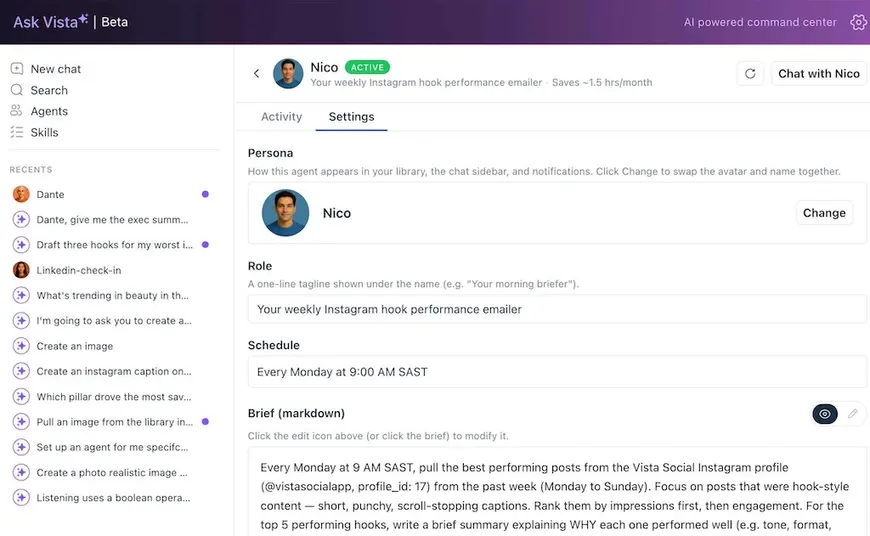
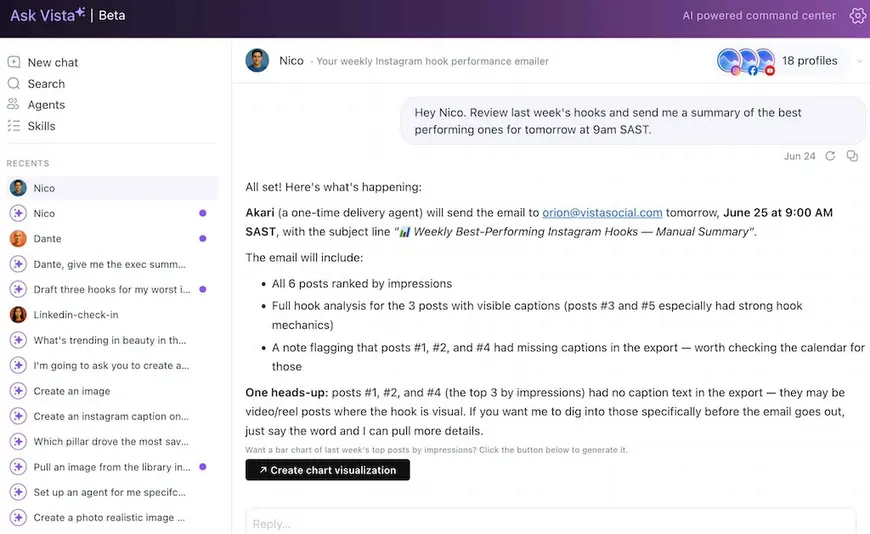
Yes, when it runs server-side on a schedule, which is exactly what a Vista Social agent does. You set up “every Monday at 9 AM, email me last week’s performance with the three biggest movers,” then you close your laptop, go to sleep, take the weekend. The agent runs across the profiles you assigned it, and the report is waiting when you open your inbox Monday, before your coffee’s even cool.
ChatGPT’s Tasks can fire a prompt on a timer, so it’s not nothing. The difference is what runs: a Task can ask the model to think, but it can’t reach into your channels to pull the week’s numbers, post the carousel, or scan the comments, and it pauses when you go quiet. A Vista Social agent runs server-side and takes the action, so the recurring work, the reports and the scans and the trend checks, stops depending on you being at the desk.
There’s a guardrail worth saying out loud, because autonomy without it is a liability. You choose which profiles an agent can touch, and anything irreversible, posting, sending, or changing data, asks for your sign-off first. The work runs on its own, but the decisions that touch your audience stay yours.
A scheduled prompt can’t run your accounts for you; an agent can.
Build your first scheduled agent and let the Monday report write itself while you’re away from the desk. Free trial, no credit card.
When you should still use ChatGPT or Claude
Read this part as advice, not a concession. A specialist wins the daily social job, but it doesn’t win every job, and pretending it did would be the kind of overclaim you’d rightly tune out.
Keep the generalist open for the work that lives outside your accounts:
- Open-ended research and thinking: Mapping a new market, pressure-testing a strategy, working through a problem that has nothing to do with this week’s posts.
- Long-form writing beyond social: A whitepaper, a sales email sequence, a script, the kind of writing where breadth beats account-level context.
- Brainstorming far from your data: Naming a product, sketching a campaign concept from scratch, riffing before there’s anything to measure.
- Anything non-social: Coding, spreadsheets, summarizing a contract. A generalist is the right tool the moment the task leaves your social accounts.
The rule of thumb: if the job needs your accounts, your inbox, or your real numbers, the specialist is faster. If it’s pure thinking from a blank page, the generalist is hard to beat. Most social managers want both.
What does switching look like?
It’s not a rip-and-replace, and nobody’s asking you to close the ChatGPT tab. You keep the generalist for general things and let an AI social media manager run the social job, which is the part it was built for. Treating a built-in assistant as your ChatGPT alternative for social media work doesn’t mean dropping ChatGPT for everything else.
The first win is fast. Instead of a weekend wiring up a custom GPT, you type one sentence into an assistant that already lives in the platform running your accounts. Set up a single agent, a weekly recap or a daily comment scan, and you’ve moved one recurring job off your plate for good; add the next one when you’re ready.
You don’t need a smarter assistant. You need one that lives where your accounts already do, learns your brand from one setup pass, and keeps working after you’ve logged off. The generalist will still be there in the other tab when you need it, which, for the daily job, might turn out to be less than you’d think.
Keep the brilliant generalist for thinking, and hand the daily social work to an AI built for the job. Try Ask Vista free and let it take the first task off your plate. Free trial, no credit card.
Frequently asked questions
Can I use ChatGPT for social media management?
You can use it for parts of the work, and plenty of managers do. ChatGPT for social media managers is excellent at drafting captions, brainstorming ideas, and rewriting copy. What it can’t do is reach your accounts, publish a post, triage your inbox, or pull your real analytics, so you stay the middleman moving its output into the tools that take action.
Is a dedicated social media AI better than ChatGPT or Claude?
It depends on the job. For open-ended writing and research, ChatGPT and Claude are often the better choice. For the daily work of running accounts, a built-in social AI wins, because it lives in the platform that holds your profiles, is trained on your brand voice, and can take the action itself rather than handing you text to move by hand.
What can a built-in social media AI do that ChatGPT can’t?
It can act inside the platform that runs your accounts instead of only describing what to do. That means publishing and scheduling posts, triaging your inbox, pulling analytics, and running scheduled agents across the profiles you assign while you’re offline. A general chatbot produces text you then carry into other tools yourself.
Do I still need ChatGPT if I have Ask Vista?
For general work, yes. Long-form writing outside social, research, brainstorming far from your accounts, and non-marketing tasks are still a generalist’s strength. The two tools serve different jobs, so most managers keep both and point each at the work it does best.
Can AI run my social media tasks while my computer is off?
Yes, when the AI runs server-side on a schedule. Vista Social agents execute on Vista Social’s servers across the profiles you assign them, so a Monday-morning report or an hourly comment scan happens whether or not your laptop is open, then arrives by email or notification. ChatGPT’s Tasks can fire a scheduled prompt, but they can’t reach into your channels to pull the numbers or post, so the part that touches your live accounts still needs the built-in agent.
Is it cheaper to use an AI built into my social tool than a ChatGPT subscription?
Often, because a built-in assistant is part of the platform you already pay for rather than a new per-seat bill. ChatGPT Business is roughly $25 per user each month.
Do I have to set up or train Ask Vista like a custom GPT?
There’s a quick brand-training step, and that’s the whole setup. A custom GPT is a build-it-yourself project that still can’t reach the platform running your accounts. Ask Vista is tuned for social from the first message, so once you’ve trained it on your brand voice through the AI Training step, you ask in plain language and skip the prompt engineering weekend entirely.
Is my data safer using an AI inside a tool we already approved?
It’s usually simpler from a security standpoint, which teams feel as less risk. An AI built into a platform your org already vetted adds no new vendor and no extra place your data lives, so there’s nothing fresh for procurement or security to review. A separate AI subscription is another vendor relationship and another data-handling sign-off to clear.

Try Vista Social for free
A social media management platform that actually helps you grow with easy-to-use content planning, scheduling, engagement and analytics tools.
Get Started NowAbout the Author

Content Writer
Orion loves to write content that refuses to be boring. As part of Vista Social, he helps brands, creators, and agencies stop doom scrolling and start winning with social media. When he's not in front of a keyboard, he's watching films in IMAX with his wife, dissecting football tactics (the European kind), and getting lost in a good book.