


Published on September 15, 2026
12 min to read
Vista Social vs. Zoho Social: Which Tool Fits Your Team in 2026?

Summarize with AI

Table of contents
Summarize with AI

ChatGPT

Claude

Perplexity
Share

Vista Social

X (Twitter)


Zoho Social makes its strongest case when a comment becomes a sales lead or support ticket. The handoff to Zoho CRM and Zoho Desk is native. That matters because teams already using those products can keep social nearby.
The decision changes when the social team needs its platform to carry more of the job. Publishing starts the work. Then approvals, inbox ownership, reviews, reports, projects, and AI decide how many tools the team opens each day.
That is the choice behind Vista Social vs Zoho Social in 2026. Zoho Social fits a solo user on a tight budget or a team invested in Zoho.
Vista Social is our overall winner for agencies and brand teams. It offers more depth without tying social to a CRM suite.
We checked the current plans, channels, and product docs. You will see where each platform earns its place and what a low starting price may leave out.
The short version
- Overall winner: Vista Social covers more of the work around social, including projects, reviews, listening, DM automations, and connected AI.
- Budget pick: Zoho Social offers a free plan and starts at $15 per month for Standard.
- Zoho Social’s edge: Native Zoho CRM and Zoho Desk handoffs are valuable for companies already using that ecosystem.
- Vista Social’s edge: Agencies and brand teams get deeper social workflows without building the operation around another Zoho product.
Table of contents
Quick verdict
Choose Vista Social when several people share social and need one place to plan, approve, publish, respond, and report. Profile Groups separate clients or brands. Meanwhile, Vista Work and Ask Vista connect tasks with source content and live account data.
Choose Zoho Social when the next step already lives in Zoho CRM or Desk. It is also a credible low-cost scheduler for one person. Premium, however, unlocks the Inbox, approvals, custom reports, and business-system handoffs.
| Platform | Best fit | Strongest advantage | Check before choosing |
| Vista Social | Agencies, multi-brand companies, multi-location brands, and collaborative social teams | Broad social operations with AI that can use live account context | Match the plan to your profiles, users, and optional add-ons |
| Zoho Social | Solo users and teams already using Zoho CRM or Zoho Desk | Low starting price and native Zoho ecosystem handoffs | Check which plan unlocks the Inbox, approvals, reports, and team features |
Try Vista with your real calendar, inbox, approval route, and report. The trial lasts 14 days, and no credit card is required.
Pricing comparison
Zoho Social wins on entry price. Vista Social charges more because its plans include larger profile limits and a wider set of workflows.
The useful calculation goes beyond the first monthly number. Count your people, brands, and channels, then check the plan required for inbox work, approvals, reports, listening, and clients.
Vista Social pricing
Vista Social’s current monthly plans are:
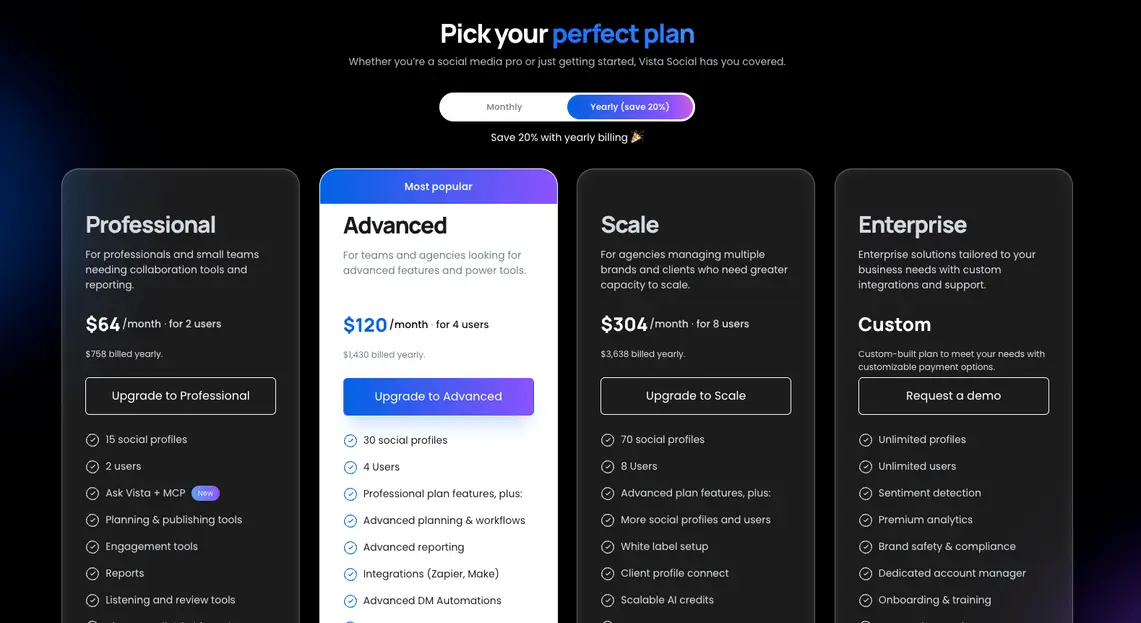
- Professional: $79 per month for two users, 15 profiles, and 1,000 AI credits.
- Advanced: $149 per month for four users, 30 profiles, and 2,000 AI credits.
- Scale: $379 per month for eight users, 70 profiles, and 3,500 AI credits.
- Enterprise: Custom pricing with customizable or unlimited users and profiles.
With annual billing, the plans display at $64, $120, and $304 per month. The yearly bills are $758, $1,430, and $3,638. X costs $29 monthly, while wider online listening starts at $75 per month.
Zoho Social pricing
Zoho Social prices each business plan around a brand, meaning one set of included channels. The list below uses monthly billing, with annual rates shown where available.
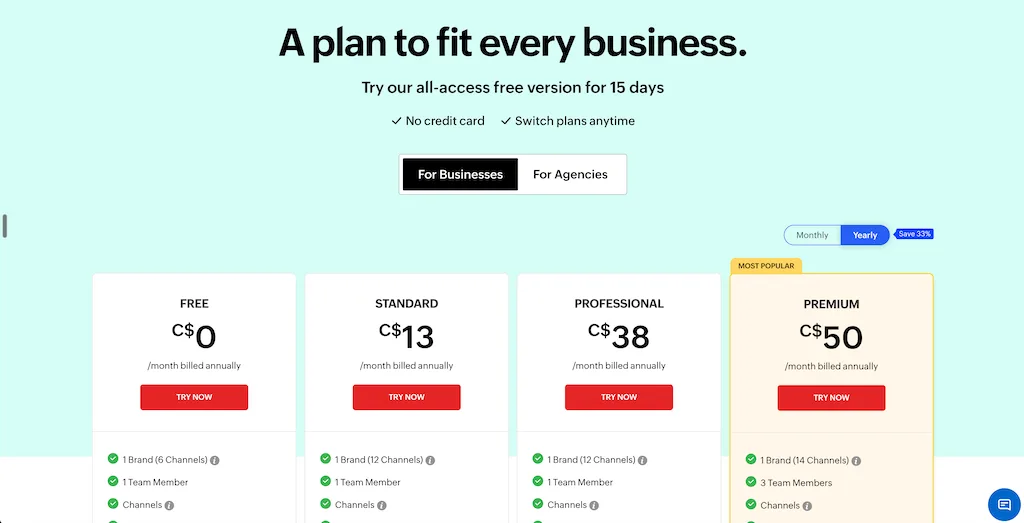
- Free: $0 for one user, one brand, six channels, and five AI credits.
- Standard: $15 monthly or $10 with annual billing. It covers one user, one brand, 12 channels, and 40 AI credits.
- Professional: $40 monthly or $30 with annual billing. It keeps the same user, brand, channel, and AI limits, then adds stronger publishing and monitoring tools.
- Premium: $65 monthly or $40 with annual billing for three users, one brand, 14 channels, and 80 AI credits.
- Agency: $320 monthly for five users and 10 brands.
- Agency Plus: $460 monthly for five users and 20 brands.
Premium is the working-team comparison point because it adds the unified Inbox, approvals, collaboration, custom reports, CRM, and Desk. Zoho Standard serves a more basic job.
What will your team pay?
These examples use monthly billing and public plan limits. The feature sets differ, so the final column explains what the lower number does and does not settle.
| Team setup | Vista Social | Zoho Social | What the math tells you |
| One user with six core channels and basic publishing | $79 on Professional | $0 on Free | Zoho is the obvious price pick for a basic solo calendar |
| One user needing bulk scheduling and monitoring | $79 on Professional | $40 on Professional | Zoho costs less, while Vista Social covers more work beyond publishing |
| Three users needing an Inbox and approvals | $149 on Advanced | $65 on Premium | Zoho is cheaper for one brand; Vista includes 30 profiles and broader workflows |
| Five users managing up to 10 brands | $379 on Scale | $320 on Agency | Zoho costs $59 less; Vista includes eight users, 70 profiles, and more social-specific tools |
Zoho Social remains cheaper in these examples. Vista Social becomes more valuable when its projects, reviews, automation, listening, reports, and AI replace other software.
Use our pricing guide to compare the full software basket rather than one attractive starting price.
Platform support
Both platforms cover the major networks and several newer channels. Zoho Social also added YouTube to every paid plan in 2026. Standard and Professional now cover 12 connections.
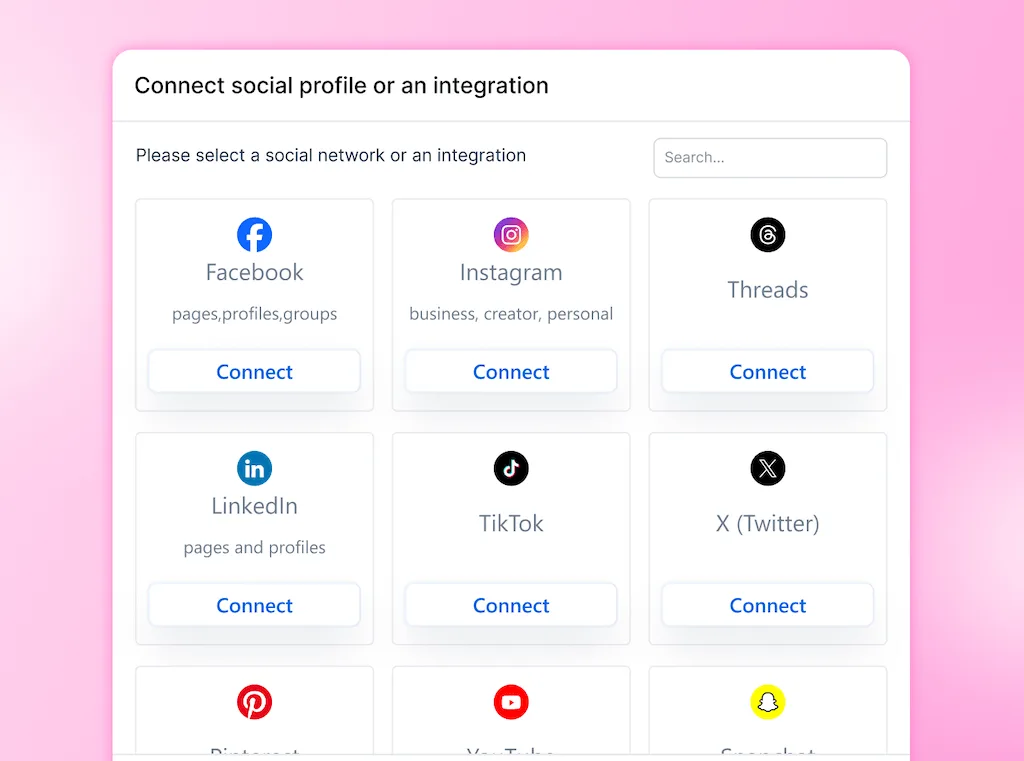
The edges may settle the choice. Vista Social supports Reddit, Snapchat, and Tumblr, while WhatsApp Business and Telegram join Zoho on Premium. Both connect Google Business Profile, Threads, Bluesky, Mastodon, and X.
How the network coverage compares
| Platform | Publicly documented coverage |
| Vista Social | Facebook, Instagram, LinkedIn, Google Business Profile, YouTube, TikTok, Pinterest, Reddit, Snapchat, Tumblr, Threads, Bluesky, Mastodon, X as an add-on, and review sources |
| Zoho Social | Facebook, Instagram, LinkedIn profiles and company pages, Google Business Profile, YouTube, Pinterest, TikTok, Mastodon, Threads, Bluesky, and X; Premium adds WhatsApp Business and Telegram |
A connection does not guarantee the same post types, messages, comments, or metrics. Therefore, test the formats your team relies on before moving a live calendar.
Vista Social has the stronger fit when Reddit, Snapchat, Tumblr, or a wider review operation matters. Zoho Social wins when WhatsApp Business, Telegram, and its native CRM or support workflow belong in the same system.
Scheduling and publishing
Both tools are capable schedulers. Zoho Social grows stronger at Professional and Premium. Vista Social, meanwhile, gives multi-brand teams more control around each post.
Post limits and planning
- Vista Social: Paid plans include unlimited scheduling, bulk publishing, queues, and saved captions. They also add optimal-time guidance, profile-level edits, and several publishing dates for one post.
- Zoho Social: Standard includes scheduling and a publishing calendar. Professional then adds bulk scheduling, CustomQ, repeat posting, RSS feeds, a media library, Canva, and a pause switch.
Zoho Professional is a strong publishing package for one person. Premium also adds SmartQ timing, UTM parameters, post discussions, and approvals for a team.
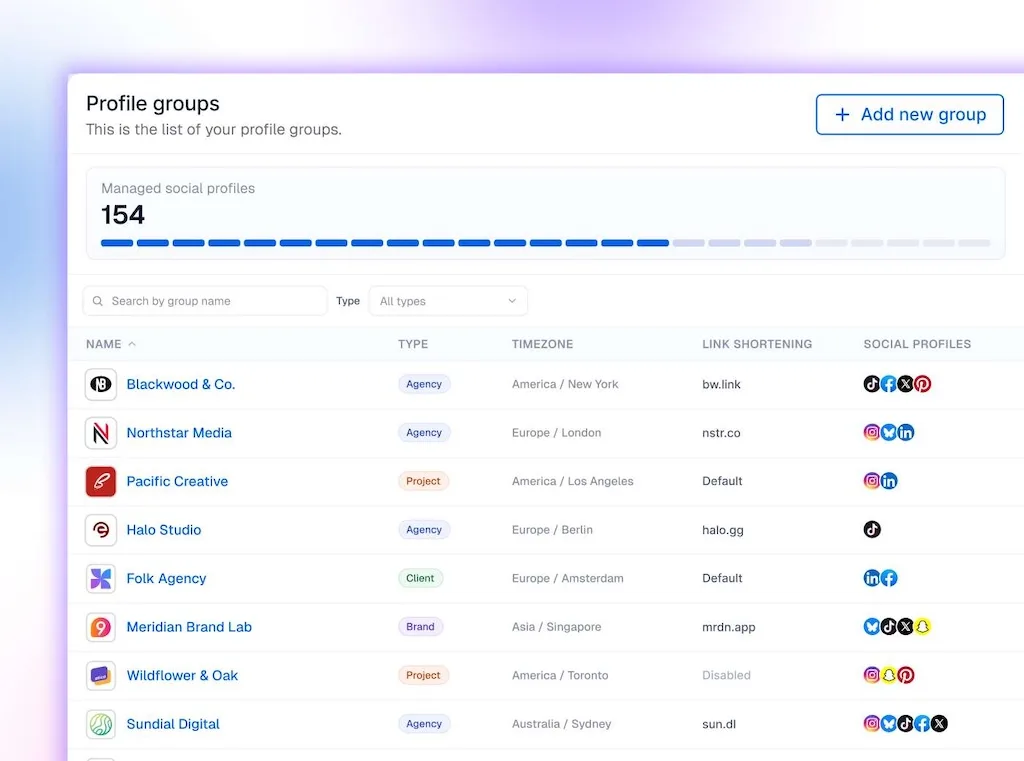
Vista Social separates clients and brands through Profile Groups. Each group carries its own profiles, calendar, inbox, reports, permissions, and settings, so accounts do not blur together.
Team approvals
Zoho Social adds approvals, post discussions, custom roles, and collaboration on Premium. Agency plans also add client invitations, custom views, portal branding, and branded reports.
Vista Social includes one approval stage on Professional. Advanced adds multi-stage workflows for teams that need brand, legal, regional, or client review in a set order.
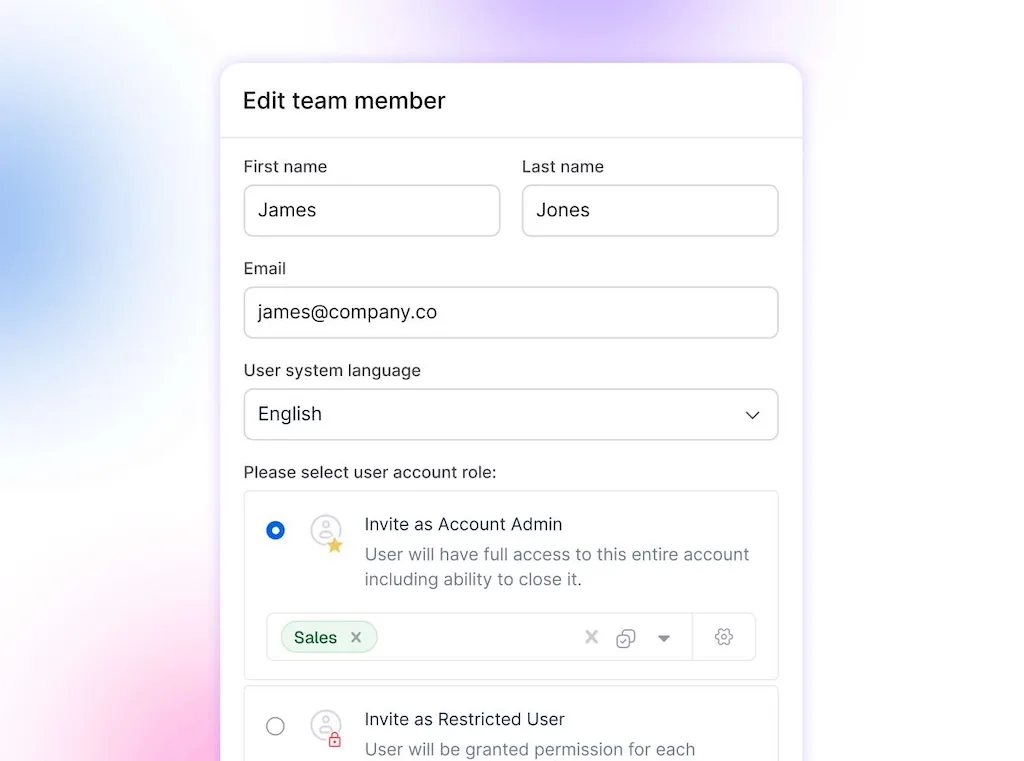
External reviewers can use a shared calendar link without taking a full seat. Their feedback stays beside the current post, as our approval guide explains.
Analytics and reporting
The plan matters more than the logo here. Zoho Social provides useful analytics, although longer history and report delivery require higher tiers.
Vista Social starts wider. It also adds custom, scheduled, and white-label options.
What each reporting system does well
- Vista Social: Profile, post, cross-channel, competitor, web, and review reports. Teams can schedule delivery, share live links, customize reports, and add white labeling where supported.
- Zoho Social: Summary, audience, engagement, performance, reach, post, video, and Google Business Profile reports. Premium adds a customizable Reports dashboard, while Agency adds scheduled and branded delivery.
Zoho Standard retains 15 days of data, while Professional extends the window to three months. Premium and Agency keep one year, and those tiers also unlock report exports and schedules.
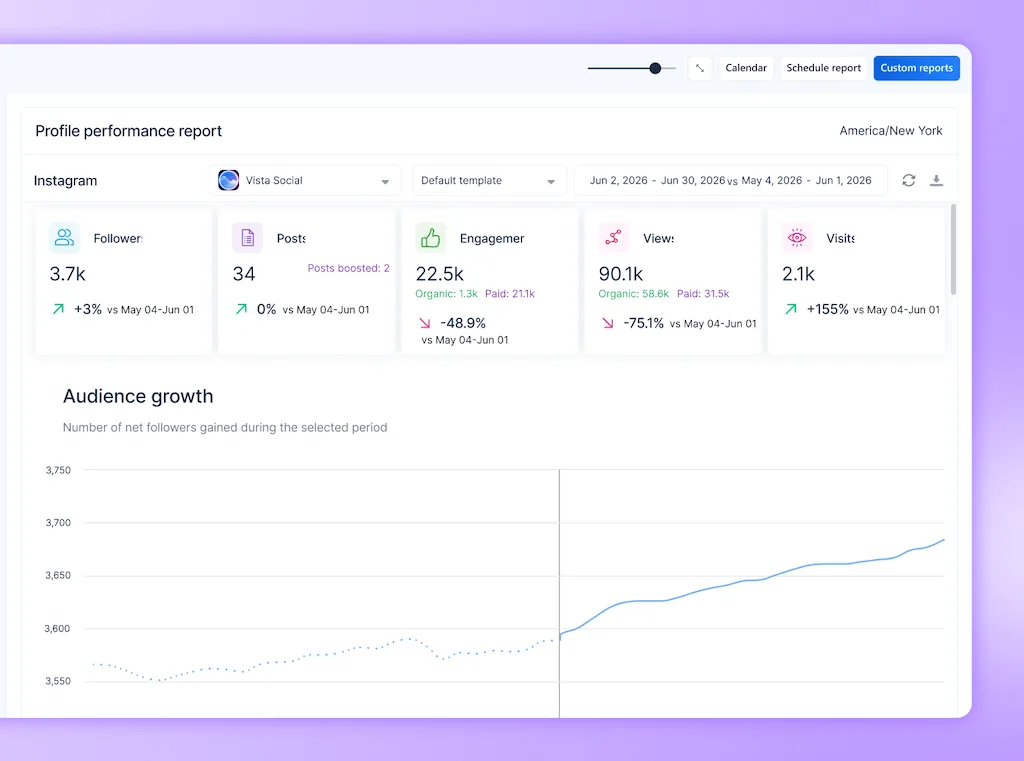
Vista Social is stronger when an agency needs repeatable reports across many brands. It combines competitor, review, and cross-channel views. Ask Vista can also inspect live account data and explain a change.
Our analytics guide explains why two dashboards can report different totals and what to confirm before sharing a result.
CRM context
Zoho Social has a clear advantage when activity needs to enter Zoho CRM. Teams can connect interactions with leads and contacts, so sales receives the context without a manual rebuild.
Zoho Desk offers a similar route for support. A social issue can become a ticket, then the service team continues in its usual system.
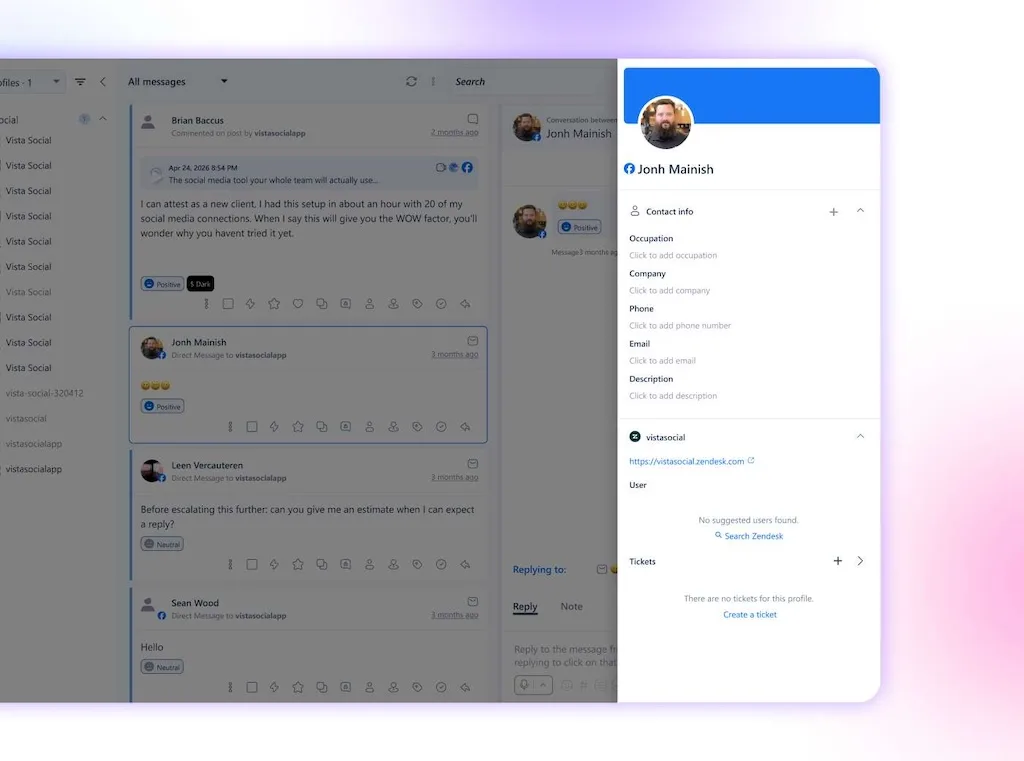
Vista Social keeps more response, assignment, reporting, and follow-up work in the social workspace. That suits teams whose next action usually remains with social.
Engagement and inbox
Zoho Social’s Inbox is more capable than older comparisons suggest. It has assignment rules, filters, priority, history, saved replies, and Zia-assisted responses.
Access depends on the plan. The unified Inbox begins at Premium, so Standard and Professional users work with a more limited setup.
How each inbox works
- Vista Social: Assign conversations, add notes and labels, use macros, manage spam, and separate work by Profile Group. A conversation can become a Vista Work task with the live thread attached.
- Zoho Social: Premium and above combine supported comments, messages, reviews, and other interactions in one queue. The Inbox also adds rules, saved replies, custom views, priority, and ownership.
Zoho Social’s Inbox fits neatly with its business apps. A sales-ready interaction can move into CRM, while a service problem becomes a Desk ticket.
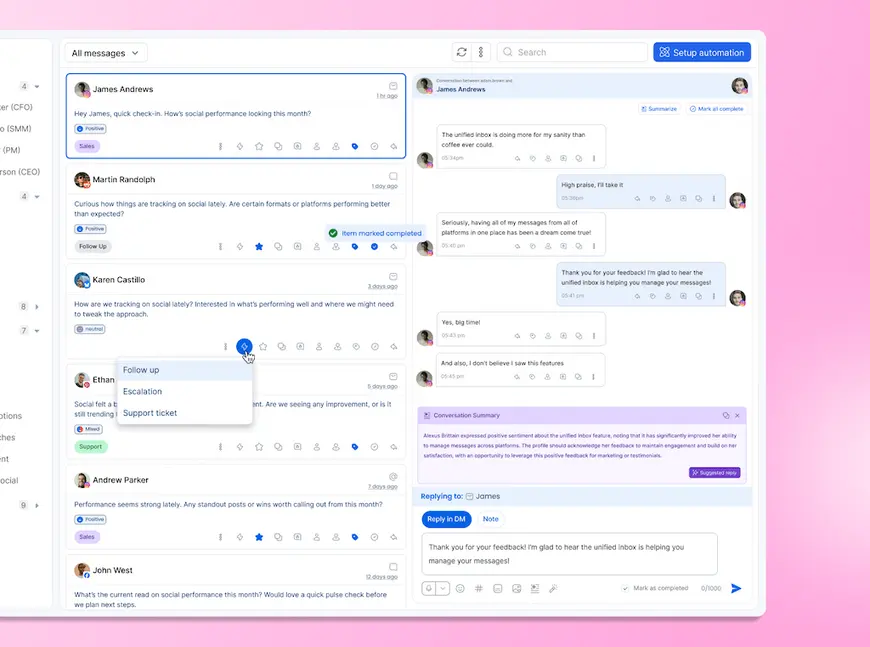
Vista Social lets the team handle more before a message leaves the platform. Routing, macros, linked tasks, and owners also help across several clients or brands.
DM automations
Vista Social’s visual DM automation builder can react to supported messages, comments, mentions, story replies, or reviews. A flow can answer a common question, collect details, label the conversation, assign an owner, or create a task.
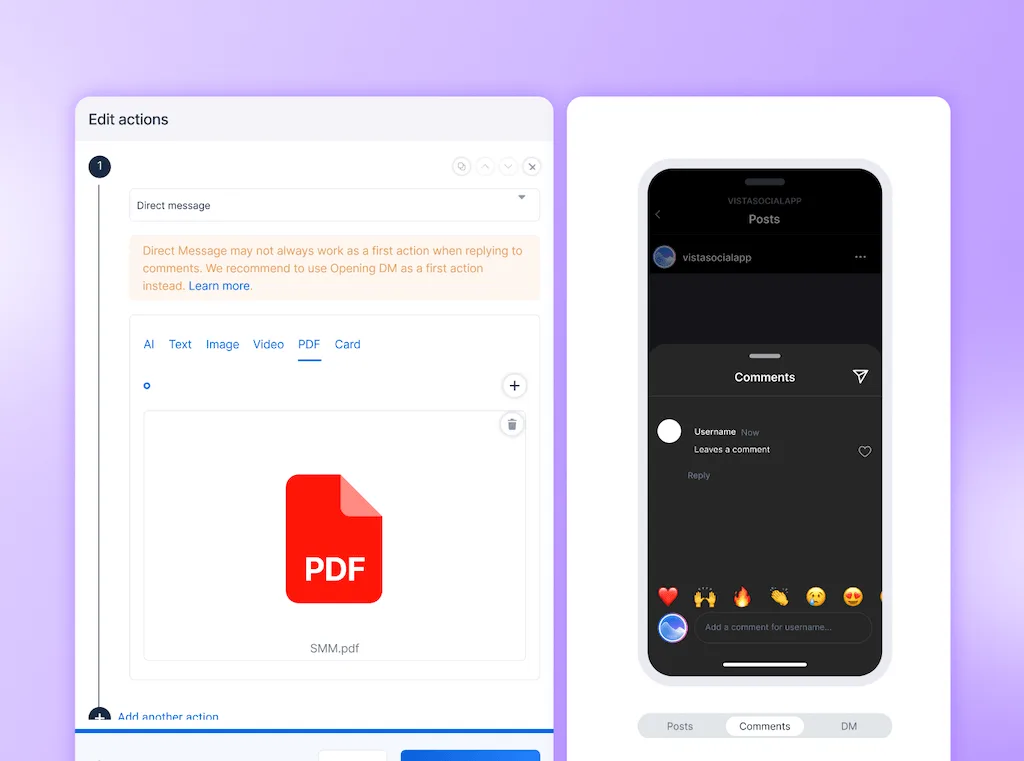
Zoho Social can use Zia to draft an Inbox reply and can route customer information into CRM or Desk. Its public product documentation does not describe an equivalent native, multi-step DM automation builder.
During a busy campaign, Zoho helps a person reply and hand off the result. Vista Social can complete several repeatable steps before a person takes over, too.
Open Vista Social with one active inbox. Then test how quickly a message gains an owner, a response, and a next step. The 14-day trial does not require a credit card.
AI tools
Both products place AI inside daily social work. Zoho’s Zia focuses on posts and replies. Vista Social’s AI also reaches live data, approved brand knowledge, saved processes, and scheduled work.
Vista Social’s connected AI
Ask Vista can work with live data from selected profiles, posts, inbox activity, reports, reviews, listening, and Vista Work. Because that context already exists, the manager does not have to copy every number or thread into a separate chatbot.
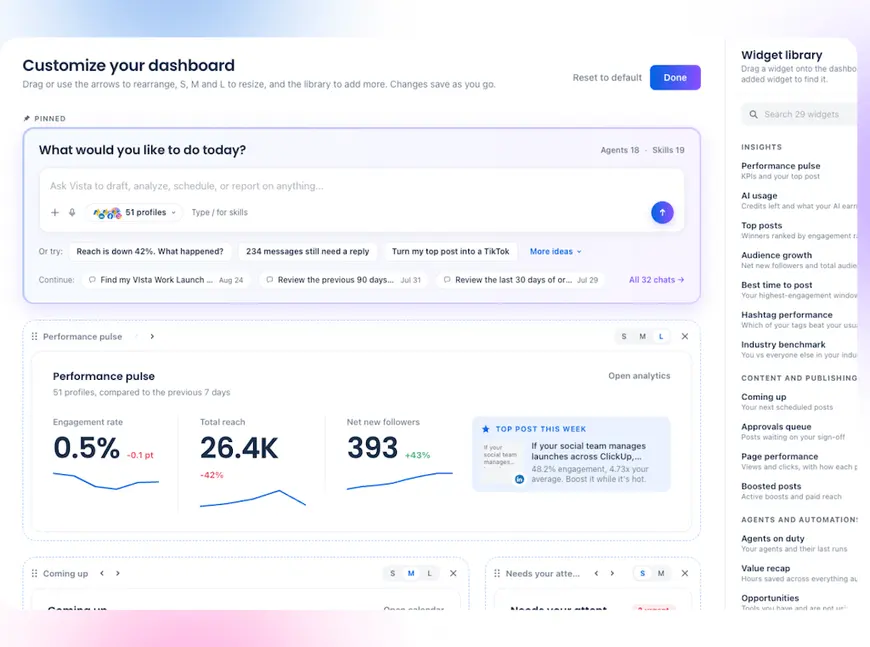
- Use current context: Ask Vista can reason over the social information already in the workspace.
- Ground the answer: AI Training & Knowledge supplies approved brand facts, guidance, and escalation rules on supported plans.
- Reuse a process: Skills save the team’s method for recurring analysis, drafting, or review.
- Run scheduled work: Agents can run a saved process on time and prepare the result for human review.
- Connect the stack: MCP Connectors bring in approved context. Ask Vista can then work with tools such as Slack, Notion, ClickUp, Linear, and HubSpot.
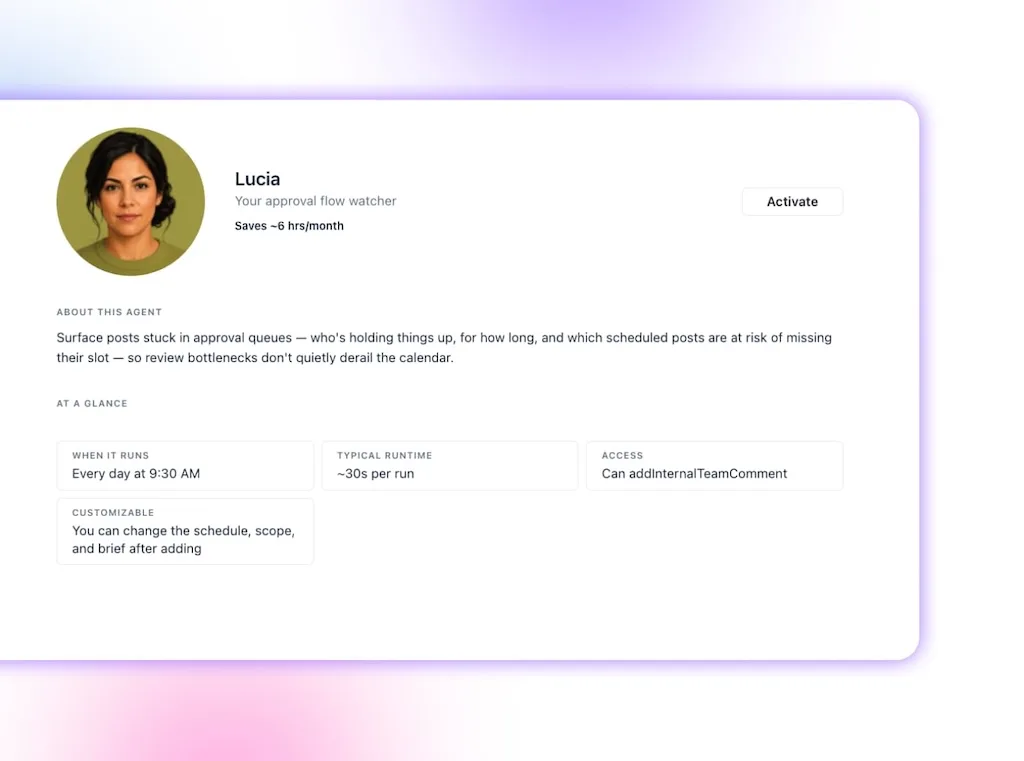
A scheduled Agent could prepare a Monday report before the manager logs in. The recap uses live data and the team’s saved method, while the manager starts with a useful draft.
Zoho Social’s Zia
Zia can generate or rewrite captions and draft Inbox replies. Admins control access, while teams can connect an OpenAI API key after the included credits run out.
Monthly allowances are five credits on Free, 40 on Standard and Professional, and 80 on the three higher tiers. Usage varies with each request’s length and complexity.
Zoho says included Zia credits are unavailable in its EU, South Africa, and UAE data centers. Teams there should check whether Bring Your Own Key meets their security and billing needs.
| AI question | Vista Social | Zoho Social |
| Can it draft social copy? | Yes | Yes, through Zia |
| Can it help with inbox replies? | Yes | Yes, on plans with Inbox access |
| Can it use live social data? | Yes, through Ask Vista | Public documentation focuses on composing and replying |
| Can it use approved brand knowledge? | Yes, through AI Training & Knowledge | Tone controls and prompt context are available, but no equivalent social knowledge layer is documented |
| Can it save a repeatable method? | Yes, through Skills | No matching feature appears in current public docs |
| Can it run scheduled work? | Yes, through Agents | Current public materials do not list an equivalent |
Zia is useful writing help inside Zoho. Vista Social goes deeper because its AI can read the social operation. It can also apply a saved method and prepare the next action.
Additional features
After publishing and reporting, the wider product choices come into view. Vista Social focuses on the social operation, while Zoho connects social with its larger business suite.
| Capability | Vista Social | Zoho Social |
| Broader listening | Available as an add-on | Network-level Monitoring |
| Review sources | Wider multi-source workspace | Facebook and Google Business Profile |
| Link in bio | Vista Page | No native tool documented |
| Social project work | Vista Work | Publishing collaboration |
| Employee advocacy | Available as an add-on | No native program documented |
Social listening
Zoho calls its feature Monitoring. Professional includes five monitoring columns, while Premium and the Agency plans increase the limit to 15.
Those columns can track X keywords, Instagram hashtags, Threads searches, Bluesky activity, and supported reviews. It is useful for monitoring activity inside those networks.
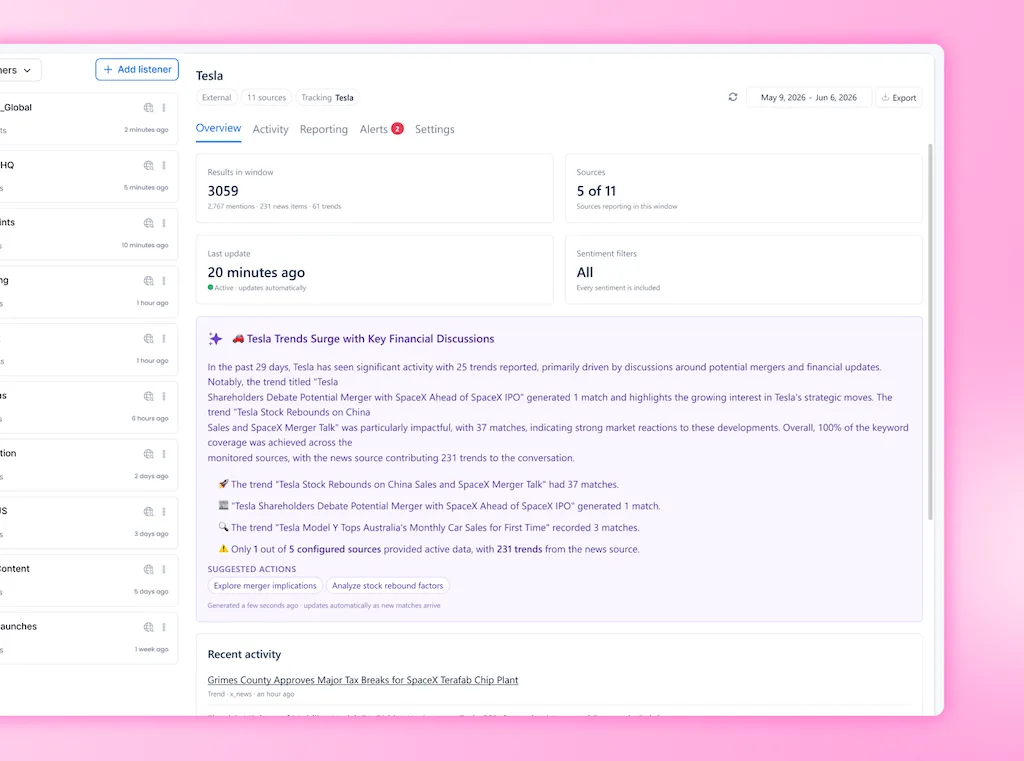
Vista Social includes listening around connected profiles. The optional Advanced Listening layer also searches public social, web, and news sources. It then adds themes, sentiment, alerts, and analysis.
Review management
Zoho Social monitors Facebook ratings plus Google Business Profile feedback and questions. Premium can also bring supported review activity into the Inbox for response and assignment.
Vista Social provides a dedicated review workspace. Professional covers Facebook and Google Business Profile. Higher plans add Trustpilot, Yelp, TripAdvisor, OpenTable, the Apple App Store, and Google Play, with reply support varying by source.
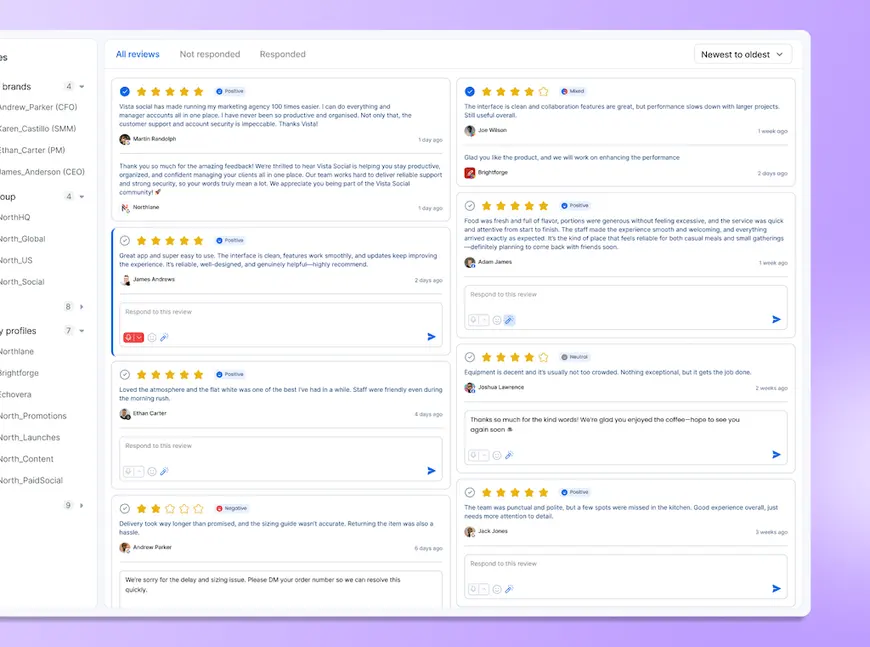
The wider source list helps multi-location brands, hospitality groups, restaurants, and software teams because their reputation spans several sites.
Link in bio
Vista Page gives users a link-in-bio builder with custom domains and Google Tag Manager on supported plans. It also keeps the page beside the social calendar.
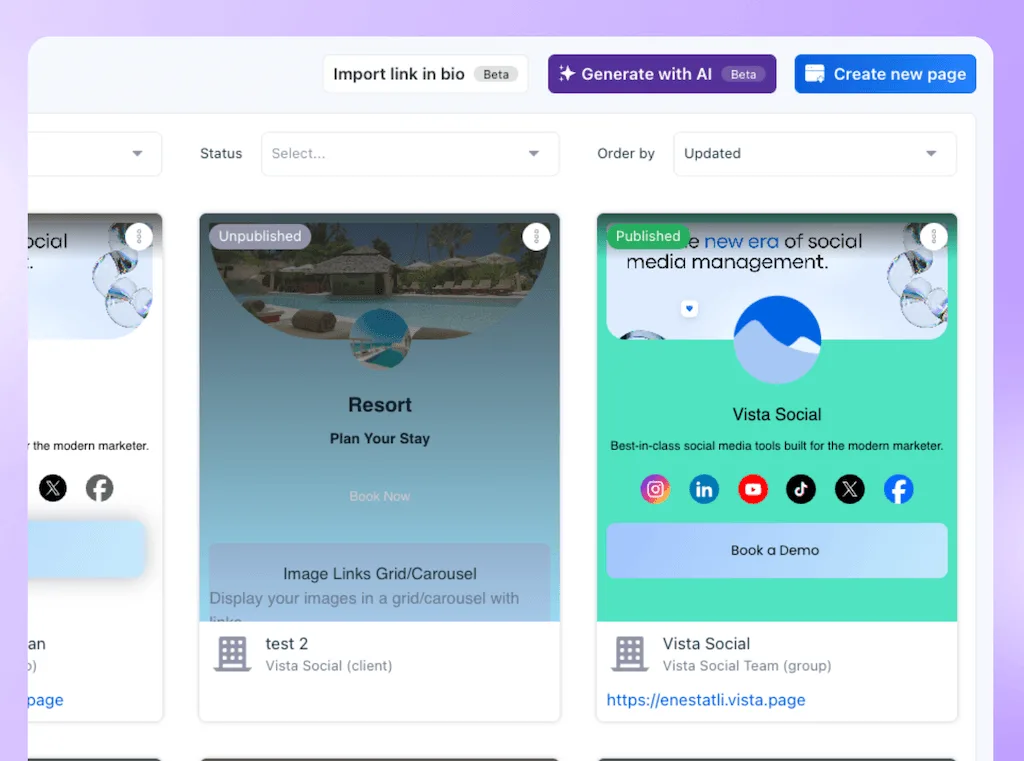
Zoho Social does not document a native link-in-bio builder. Therefore, teams that need one should include another tool in the cost comparison.
Project work
Vista Work brings projects, tasks, boards, lists, calendars, owners, comments, and due dates into Vista Social. A task also keeps a live link to its source post, conversation, review, report, or idea.
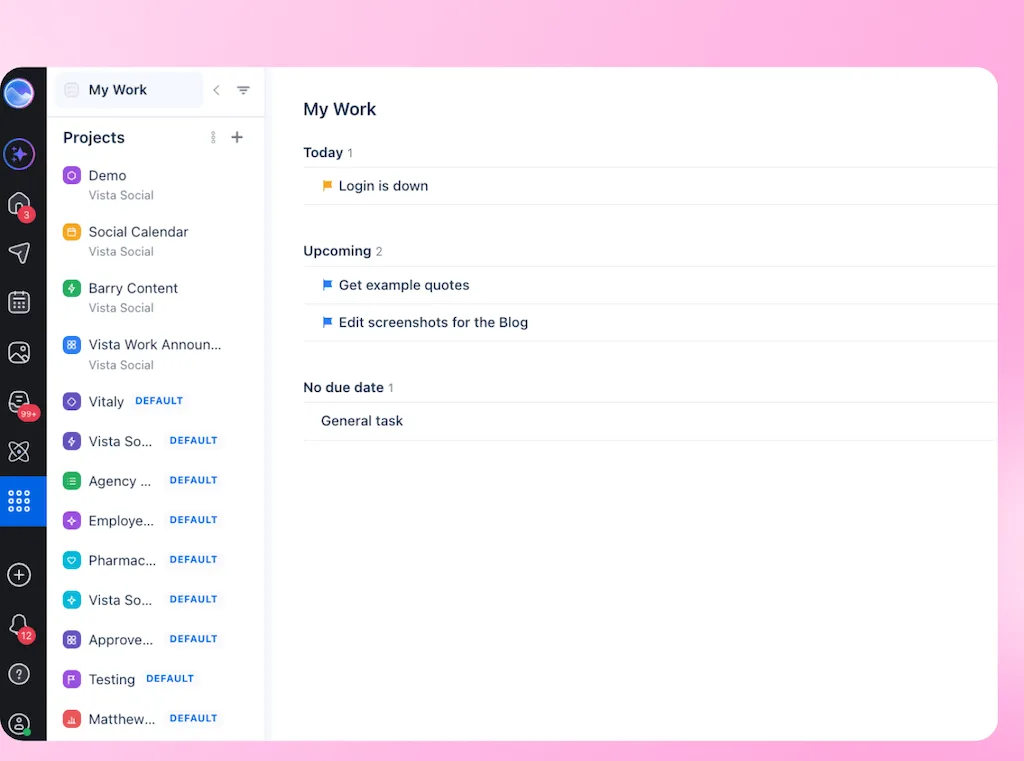
Zoho Social has post discussions, assignments, approvals, and collaboration, but it does not present them as a full project workspace.
Employee advocacy
Vista Social offers Employee Advocacy as an add-on. Teams can distribute approved content to employees and track participation without passing copy around in email or chat.
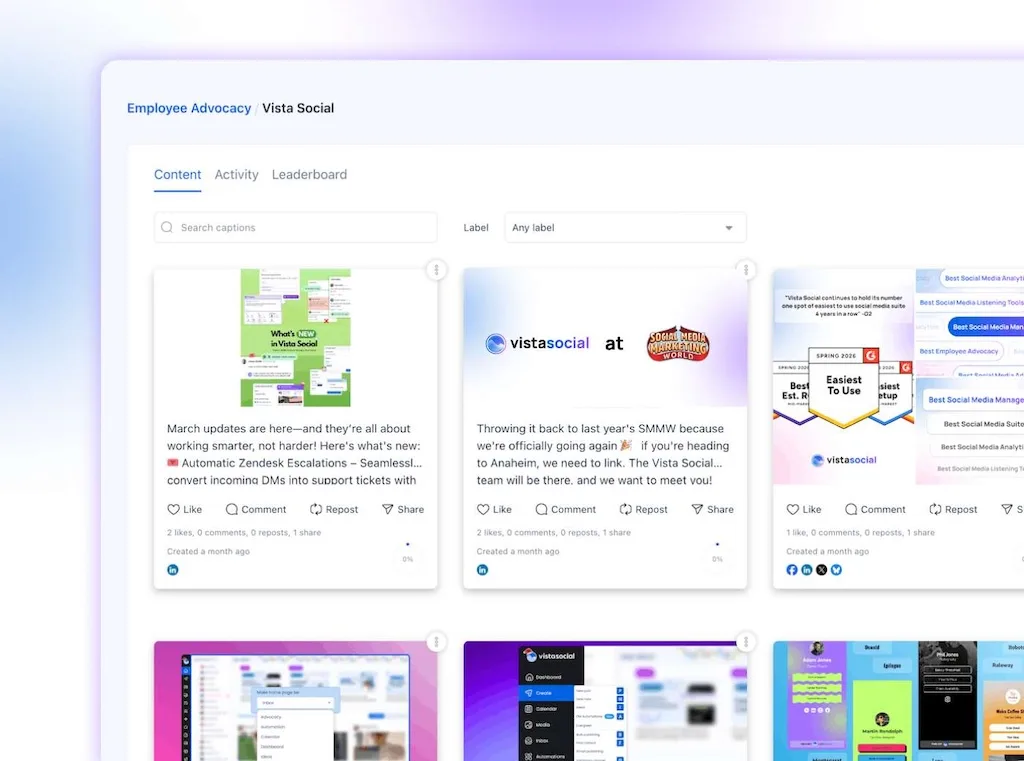
Zoho Social does not list a native advocacy program, so companies may need another product for that job.
Who should choose each tool?
Who should choose Vista Social?
Choose Vista Social when social is a team operation. It fits agencies, multi-location brands, and company teams. The platform brings inbox work, approvals, reviews, reports, listening, projects, and AI together.
Vista Social also makes sense when the company does not run on Zoho CRM or Desk. The team can then invest in social depth instead.
The best-fit signs are practical:
- Several people need clear ownership across posts and conversations.
- Clients or stakeholders need an approval route that does not require a full seat.
- Reviews arrive from more places than Facebook and Google.
- The team wants project work and source content connected.
- AI should use live account data and approved brand knowledge.
Who should choose Zoho Social?
Choose Zoho Social when CRM or Desk already carries customer work after social. The native link can beat a longer feature list because sales and support receive the information in a familiar system.
Zoho Social is also the better value for a solo user who needs reliable publishing and basic reports at a low cost. Professional then adds monitoring, bulk scheduling, repeat posting, and a media library.
Premium is the realistic starting point for a team. At $65 per month, it adds three users, Inbox, approvals, custom reports, business integrations, WhatsApp Business, and Telegram.
Our 2026 verdict
Zoho Social has a convincing answer when a social lead or support issue must enter another business system. Its native CRM and Desk routes save a handoff and keep customer information connected.
Vista Social wins the wider comparison because an SMM’s day involves more than one handoff. The team may approve a post, assign a message, and check reviews. It can also build a report, track work, and ask AI what changed.
Keeping those jobs near the source gives the team fewer places to check. It also preserves the context that the next person needs.
Choose Zoho Social for the Zoho ecosystem or a low-cost solo calendar. Choose Vista Social when the platform must support both the calendar and the team behind it.
Start free with Vista Social for 14 days, with no credit card required. Connect a real brand, run one approval, clear one inbox queue, and build one report before you decide.
Frequently asked questions
Is Vista Social better than Zoho Social?
Vista Social is better for agencies and in-house teams that need broad workflows, deeper AI, reviews, listening, and projects. Zoho Social is better for users tied to its CRM or Desk and solo buyers prioritizing price.
How does Vista Social pricing compare to Zoho Social?
Vista Social starts at $79 per month. Zoho offers a $0 tier, while Standard begins at $15 monthly. Vista costs more because its plans include more profiles and wider tools.
Does Vista Social have social listening?
Yes. Connected-profile listening is included, while Advanced Listening adds wider online coverage for $75 per month.
Can Zoho Social manage reviews?
Yes. Zoho Social monitors Facebook ratings and feedback or questions from Google Business Profile. Vista Social adds more review sources on higher plans.
Is Vista Social good for agencies?
Yes. Profile Groups, approvals, shared calendars, white labeling, reports, reviews, Vista Work, and Ask Vista also support teams with several clients or brands.
Does Vista Social have a free trial?
Yes. Vista Social offers a 14-day free trial with no credit card required.
Is it hard to switch from Zoho Social to Vista Social?
The effort depends on the number of brands, users, scheduled posts, and approval routes involved. Test one representative brand first, then move the remaining profiles after the team confirms the new workflow.
Try Vista Social for free
A social media management platform that actually helps you grow with easy-to-use content planning, scheduling, engagement and analytics tools.
Get Started NowAbout the Author

Content Writer
Orion loves to write content that refuses to be boring. As part of Vista Social, he helps brands, creators, and agencies stop doom scrolling and start winning with social media. When he's not in front of a keyboard, he's watching films in IMAX with his wife, dissecting football tactics (the European kind), and getting lost in a good book.