


How Social Media Tool Pricing Actually Works
August 12, 2026
10 min read

Summarize with AI

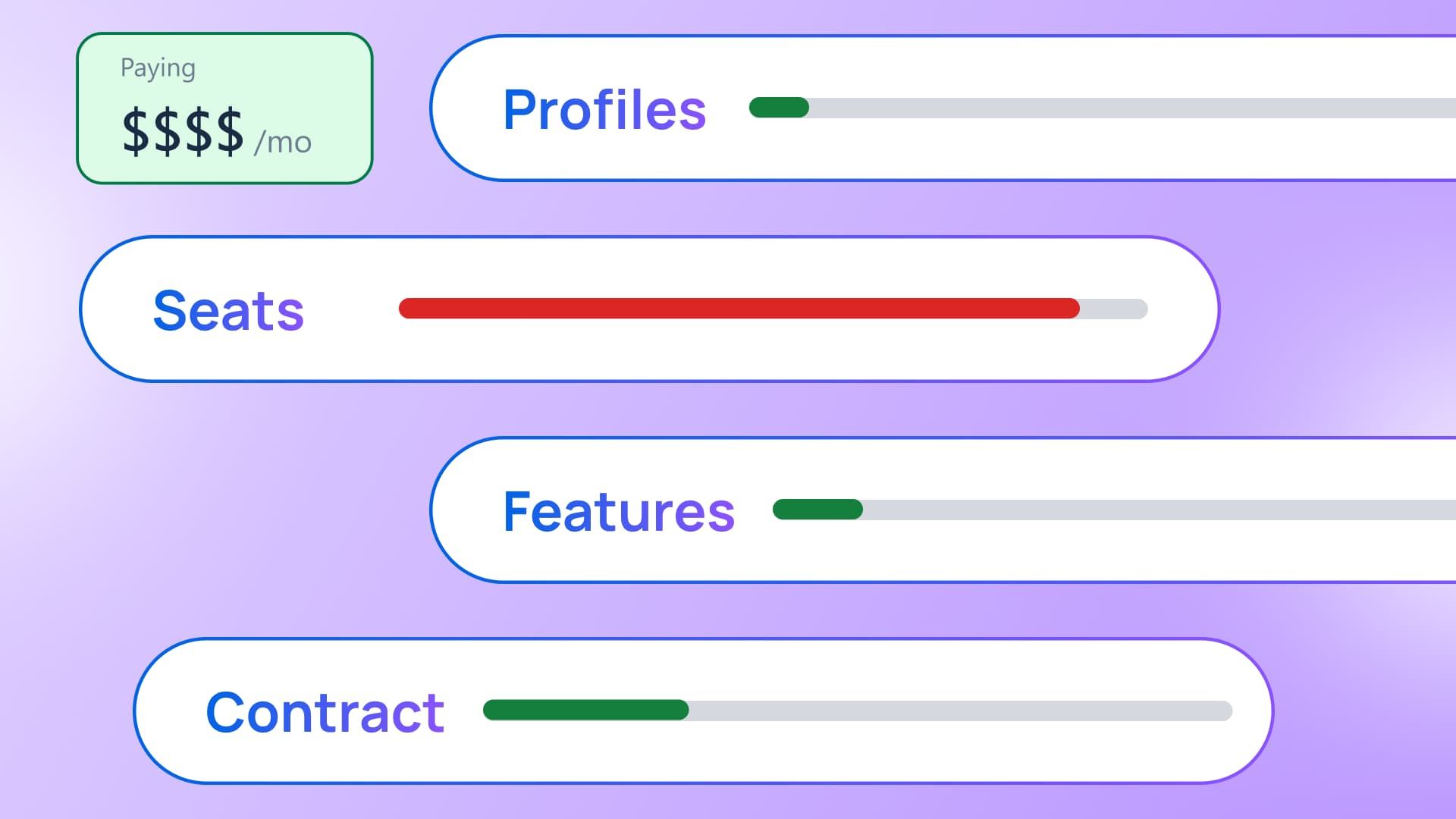
Table of contents
Share

Vista Social

X (Twitter)


How can a social media plan fit your team today and blow the budget four months later? A plan can hold every profile and seat you have now but fail when one client, one hire, or one security request arrives.
Your headcount can stay flat while the client list grows. Your profile count can also stay flat until IT asks for single sign-on. The pricing page shows where your business is now, while your quote depends on what happens next.
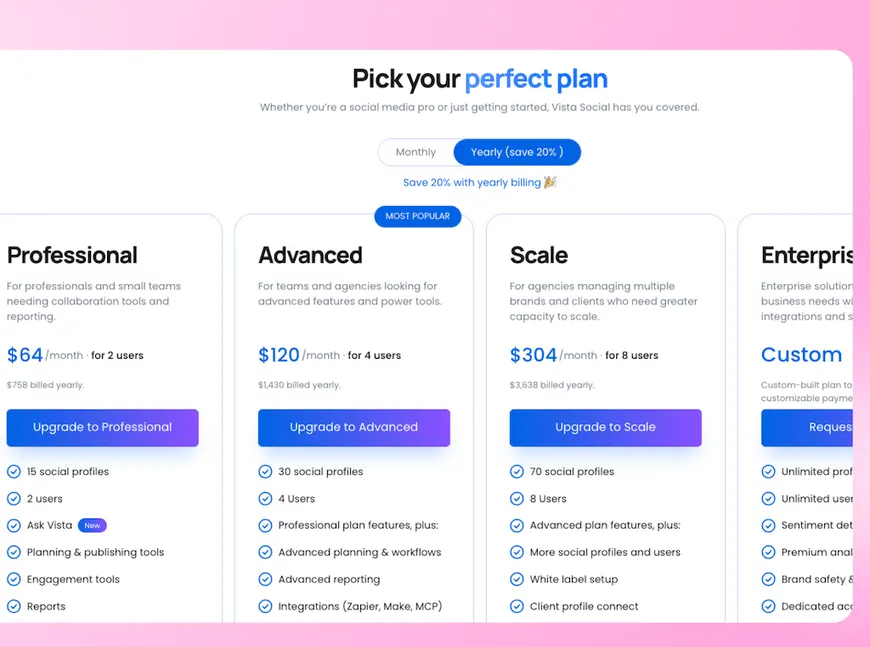
Social media management tool pricing runs on four dials. Connected profiles, user seats, features, and contract length. Comparing plans properly means working out when each dial will move and how much the smallest available increase costs.
Vista Social uses the same basic model, so this method has to work on our current pricing too. You can use it to examine any vendor before you sign.
The short version
- Four dials set the price: Profiles cover connected destinations and seats cover people with access. Features shape what the team can do, while contract length affects the rate and flexibility.
- The smallest increase matters: Some plans let you add one seat or profile at a time. Others make you buy a larger tier for that single extra unit.
- Feature gates have different causes: Direct costs and security work leave less room to move. A feature used to separate customer types may allow another configuration.
- Definitions decide the total: Count every destination and confirm any usage charges. Map the plan against the next twelve months before comparing quotes.
Table of contents
What are the four dials every vendor prices on?
A social media tool’s price rests on four numbers. Vendors count profiles, people, features, and the length of your commitment, then bundle those numbers into a plan or tier.
Those numbers rarely move together. An agency can add three clients without hiring anyone, while an in-house team can add two reviewers without connecting another account.
| Pricing dial | What it counts | What can change it | How the price grows |
|---|---|---|---|
| Connected profiles | Social accounts, pages, review listings, and other linked destinations | New clients, brands, locations, or networks | One profile at a time, or a whole tier when the current cap is full |
| User seats | People who need their own login and access | New staff, contractors, clients, approvers, or regional teams | One seat at a time, or a tier that includes a larger seat bundle |
| Features | The tools, controls, data, and links your team can use | Security reviews, new services, client needs, or reporting work | Often a whole tier because one required feature can change the plan |
| Contract length | How long you agree to pay | Buying rules, budget cycles, or confidence in the tool | A lower annual rate, more monthly freedom, or a longer term for a certain setup |
The entry price gives you one point on this table. Your platform checklist should record every allowance because the monthly total won’t show which one runs out first.
Find your first pricing cliff
A pricing slope lets you buy one more unit. If the sixth seat has its own fee, the plan can follow the growth of your team.
A pricing cliff appears when the smallest purchase is much larger than the need. If the sixth seat requires a tier built for twenty users, the bill grows far beyond that one login.
Test the plan against a year of growth
Say an agency starts the year with 24 connected profiles and four users. The shortlisted plan allows 30 profiles, five users, the current workflow features, and an annual commitment.
Illustrative example, not a customer account or a representation of any vendor’s current plans.
| Month | What changes | Profiles | Users | Feature need | What happens |
|---|---|---|---|---|---|
| 1 | The agency signs | 24 | 4 | Current workflow fits | All four dials fit the selected plan |
| 4 | A new client adds six profiles | 30 | 4 | No change | The profile allowance is now full |
| 6 | A client security review requires single sign-on | 30 | 4 | New security requirement | The feature dial reaches its limit first |
| 7 | Another client adds six profiles | 36 | 4 | Same security requirement | The profile cap is crossed one month later |
| 8 | A strategist joins | 36 | 5 | No change | The seat allowance is now full |
| 11 | A coordinator joins | 36 | 6 | No change | The seat cap is crossed before renewal |
| 12 | Renewal arrives | 36 | 6 | Security requirement remains | The agency needs a configuration that fits all three changed dials |
Profiles look like the first likely limit on the original spreadsheet, but the security request changes the plan in month six. The agency still has room for another user and six profiles when its current plan stops fitting.
Run this table for your own next twelve months. Our multi-location guide can help when store openings drive the profile number, while hiring plans and security reviews will give you the other dates.
Why does each dial exist?
Vendors use each dial for a different pricing job. Some follow a cost the software company has to cover, while others help organize plans around different types of buyers.
Profiles follow account scale
Every connected destination brings storage, API traffic, analytics, and support work. Costs differ by network, but the profile count gives a vendor a useful measure of account size.
Seats follow access
Another login may cost little to create, but it gives another person access to workflows, approvals, data, and client work. Seat pricing can feel detached from cost because it measures how widely the team uses the tool.
Features and contracts work differently
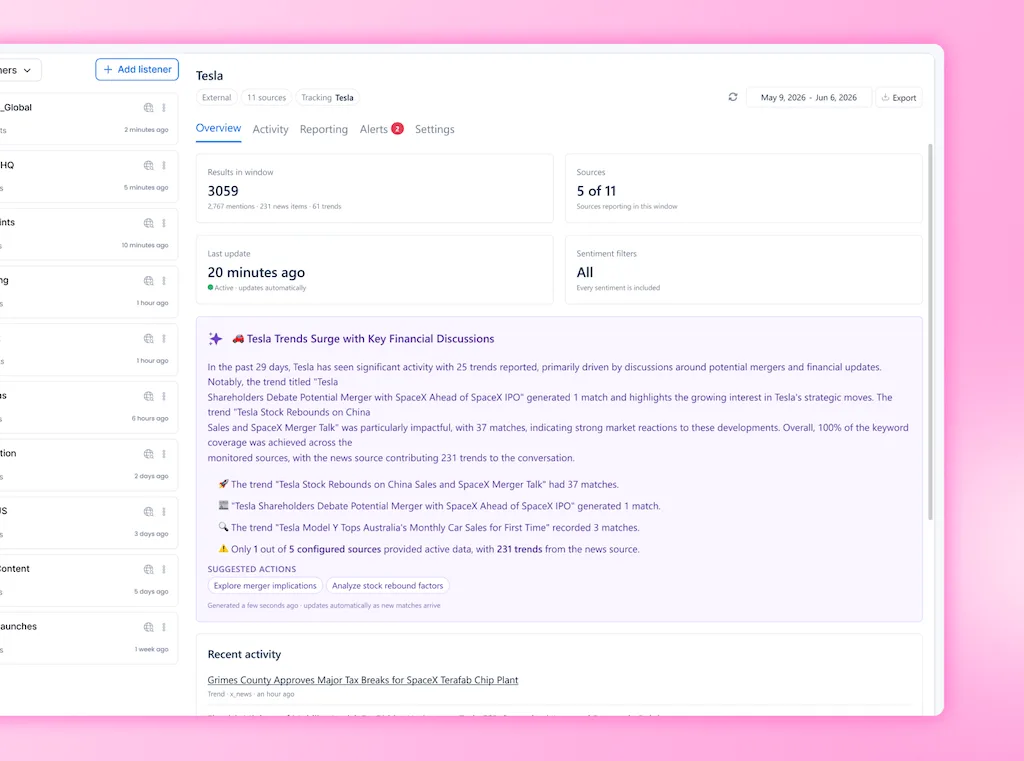
Listening data may create a direct third-party bill, and single sign-on may require extra security or support work. Other features sit higher because vendors use them to separate small-business and enterprise plans.
Annual payment gives a vendor revenue it can plan around, which is why the discount can be genuine. You give up some flexibility in return, so test the configuration before the saving means much.
Annual billing is easier to judge after you settle the other three dials. If you can’t test the deciding feature, a lower rate may leave you committed to an unproven setup.
What actually counts as one profile?
A social profile usually means one connected destination rather than one brand. One company can end up with dozens of profiles because regional pages, store listings, review sites, and app listings each count.
That definition matters because the allowance printed beside it has no context on its own. A 50-profile plan can fill up fast for a 40-location brand. Each location may have its own Google Business Profile and local social account.
| Connected destination | How it may be counted | What to confirm |
|---|---|---|
| Facebook Page | One profile per connected Page | Whether each regional or client Page uses a separate slot |
| Instagram account | One profile per account | Whether creator and business accounts follow the same rule |
| LinkedIn Page | One profile per organization or showcase Page | Whether showcase Pages consume their own slots |
| Google Business Profile | One profile per connected location | Whether every store or office listing counts separately |
| Review site | One profile per connected listing | Which review networks are included and how locations are counted |
| App store listing | One profile per connected app listing | Whether each operating system or regional listing is separate |
| X account | One profile plus possible usage-sensitive costs | Whether X is included, added separately, or subject to another allowance |
The profile allowance may be only one part of how the subscription grows. Pricing teams call it hybrid pricing when a plan combines two or more ways of charging. A social media tool might pair a recurring fee with separate charges for extra seats, profiles, usage, or add-ons.
That model is common, although it is not always easy for buyers to decode. In his 2026 survey of 230 B2B software and AI companies, B2B monetization advisor Kyle Poyar found that 37% used hybrid pricing, more than any other model in the survey.
“Companies with hybrid pricing are generally the happiest, yet struggle to explain their pricing to customers.”
Kyle Poyar, Monetization report
Poyar’s point matters because the plan price alone does not show how your bill will grow. Ask every vendor to label what is included, what is capped, what can be bought separately, and which change forces a new plan.
Start with the full account list and get the profile count in writing. Request the next price at one additional profile, one additional user, the required feature, and the next usage band.
Treat X as a separate cost question
As of August 12, 2026, the official X documentation says API v2 uses pay-per-usage pricing. Different endpoints and operations can carry different costs. Developers buy credits, and each request draws from that balance.
That creates a cost tied to activity as well as connection count. Your quote should state which X actions affect the price and what happens when you use the allowance or budget.
Which gates will move and which will not?
Vendors gate features for three broad reasons: direct cost, risk, or customer segmentation, meaning the buyer type each plan is built for. The reason helps you judge whether another plan shape may exist, though asking never guarantees one.
| Type of feature gate | Why it exists | Examples | Chance of another setup |
|---|---|---|---|
| Cost-based | The vendor pays another company or carries a clear usage cost | External listening data, heavy AI use, or paid data access | Low unless you also pay for the extra use |
| Risk-based | The feature brings security, support, setup, or legal work | API access, custom links, advanced controls, or complex data handling | Low to moderate because the extra work remains |
| Customer segmentation | The feature helps divide plans by the buyer expected to need it | White-label options, special reports, or some enterprise controls | Moderate because its place may not reflect a per-use bill |
Single sign-on shows why this gets messy. A six-person team can face the same security rule as a company with six thousand employees. Vendors often group SSO with a broader enterprise package because larger buyers request it more often.
A small team may end up buying a larger feature bundle for one security rule. The CMO Survey found that companies used only 56.4% of the martech tools they had purchased.
The survey doesn’t tell us why each tool went unused, so it can’t pin the blame on tier jumps. It does show why a large bundle bought for one requirement deserves scrutiny: marketing leaders said their martech payoffs were 34% lower than they had hoped.
A cost-based gate may come with a clear add-on because the vendor has a bill to pass through. Segmentation gates sometimes leave room for another plan shape, although the vendor doesn’t have to offer one.
Where do buyers actually get caught?
One extra profile or seat can trigger a full tier jump when the vendor doesn’t sell individual units. That is the clearest pricing cliff, and it often turns a small request into a much larger purchase.
A discount can create the same mismatch from another direction. Your organization qualifies, but the discount applies to a tier that can’t hold the profiles, seats, or features you need.
One required feature can reshape the quote as well. A security control, report, API link, or white-label need may place a small team in a plan built for a much larger company.
Counting rules create the fourth surprise. You budget for five brands, while the vendor counts every destination or location and uses the profile allowance far sooner than expected.
Third-party pricing tables go stale
Review and comparison pages are useful during early research, but their pricing tables aren’t reliable enough for a budget. Plan names, caps, add-ons, and billing terms can change before the article covering them gets updated.
Go back to the vendor’s own page for current information and date-stamp the figures in your spreadsheet. Anything that decides the purchase should also appear in the quote or a written reply. That includes the meaning of a profile and the limits of the trial.
What should you ask before you sign?
Use these seven questions on the next sales call, with your own numbers added to each one.
- What counts as one profile for my setup?: Send the full account list for the vendor to count, including local pages, review sites, and app listings.
- What is the smallest increment on each dial?: Find out how the quote changes when you add one profile, one user, one feature, or more flexibility.
- Which required features come with the plan?: Separate must-haves from nice-to-haves, then mark every item that creates an add-on or plan change.
- Can I test the deciding feature?: Name the workflow that will make or break the purchase and use it with your accounts, data, permissions, and approval process.
- Which discounts apply to this configuration?: Confirm the eligible tiers, contract terms, user types, and exclusions before finance records the saving.
- What will renewal cost after 30% growth?: Give the vendor your expected profile and user counts, then request the current configuration that would fit those renewal numbers.
- What becomes usage-based later?: Cover AI, listening data, API calls, storage, reporting volume, and network-specific activity. Record the allowance, overage method, alerts, and what stops working at the limit.
Get the answers in writing because the person who shows you the product may not prepare the invoice. A written configuration gives both sides something concrete to check.
Price the next version of your team
Go back to the pricing page and spreadsheet from the start, then add four dates. Mark when you’ll need another profile, user, feature, or contract. The nearest date tells you which part of the quote deserves the hardest questions now.
Your social media management tool pricing comparison now has the four dates that matter, and the lowest entry point can still win if it holds up against them. When you’re ready to run the same check against our model, see how we price our tool.
Frequently asked questions
Is per-profile or per-seat pricing better?
The better model depends on what grows faster in your business. Per-profile pricing can suit a larger team with a small account set, while per-seat pricing can suit a small team with many accounts. Since many vendors cap both, check which number reaches its limit first.
Why do software prices jump between tiers?
Tiers bundle caps and features for a type of customer. Needing one item from the next bundle can bring the cost of the whole plan.
Should I buy annually to get the discount?
Annual billing can reduce the rate because it gives the vendor steady revenue. Confirm the feature fit, likely growth, renewal terms, and cancellation rules before committing, especially when you couldn’t test the deciding workflow.
Can a small team negotiate software pricing?
You can ask, but a plan that fits is a safer goal than assuming a discount will appear. Check whether profiles, seats, or a required feature can be added on their own, and get any agreed setup in writing.
Do nonprofits get software discounts?
Some vendors offer them, but eligibility doesn’t tell you which plans qualify. Check the discount’s tier, term, documentation, renewal rules, and exclusions before using it in a budget.
Why can X cost extra in a social media tool?
X charges developers according to API use, and costs can vary by endpoint and operation. A social media vendor may price some X activity separately or place it under an allowance, so confirm the rule for the workflows you need.
How should I compare social media management tool pricing?
Use review sites to discover options, but don’t let them set the budget. Confirm current prices, limits, definitions, and billing terms on the vendor’s own site and in writing before you sign.
About the Author

Content Writer
Orion loves to write content that refuses to be boring. As part of Vista Social, he helps brands, creators, and agencies stop doom scrolling and start winning with social media. When he's not in front of a keyboard, he's watching films in IMAX with his wife, dissecting football tactics (the European kind), and getting lost in a good book.