


12 Social Media Manager Tasks to Hand to an AI Agent
July 22, 2026
12 min read

Summarize with AI

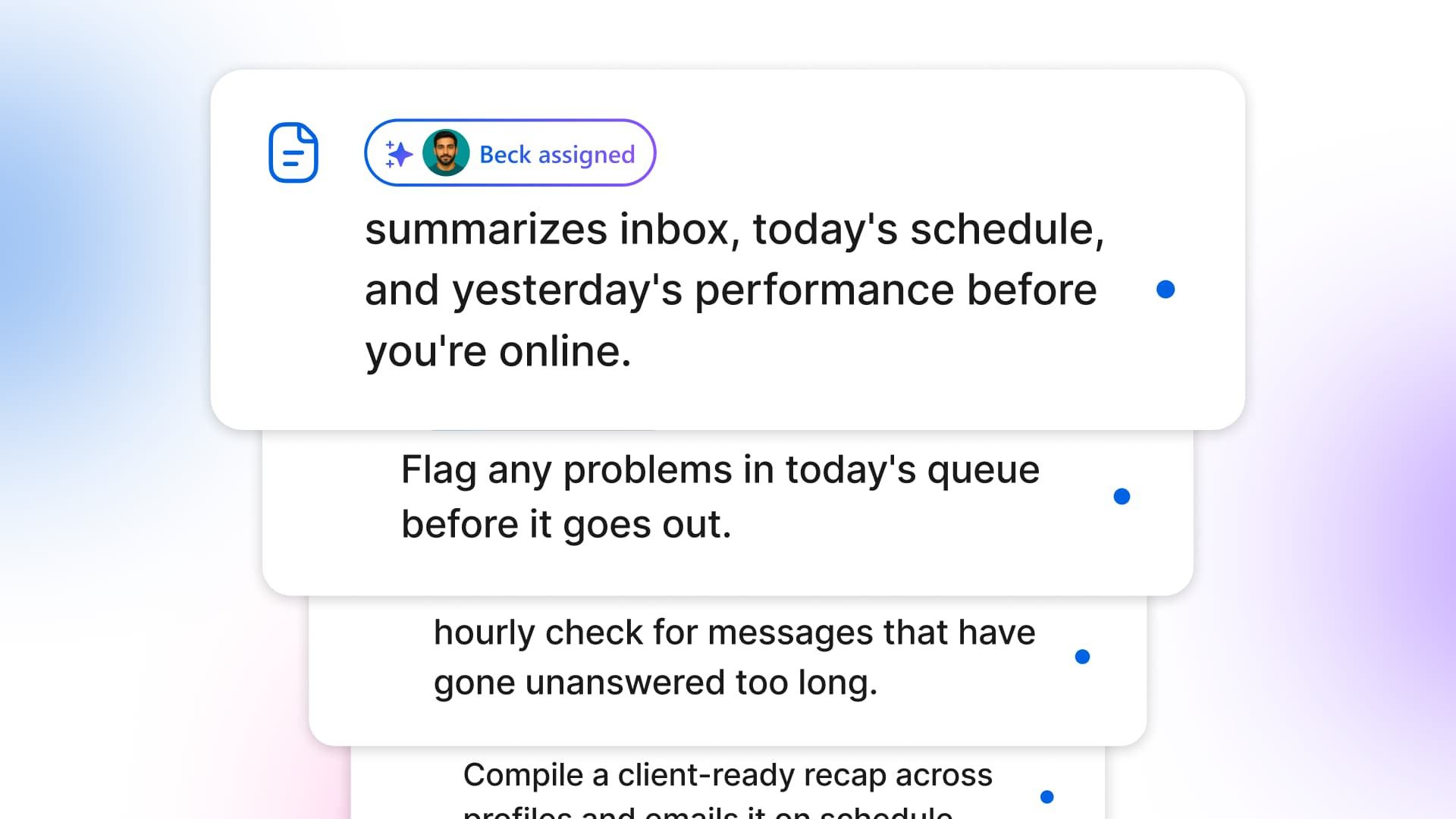
Table of contents
Share

Vista Social

X (Twitter)


The post you meant to plan is still an empty card on Thursday. Before you reach it, the inbox badge turns red, a two-star review from Saturday surfaces, and a client asks whether last week’s report is ready.
Your browser fills with social media manager tasks that matter, but few deserve your best creative energy. You check five places, update three people, and arrive at the work you were hired to do with less focus than you had when you opened the laptop.
Caption drafting is already fast. The bigger drag comes from the watching, checking, and remembering around every post. An AI agent can run those jobs on schedule, surface what needs attention, and leave the decisions with you.
The 12 tasks below recur, need limited judgment at first pass, and can be reviewed before they count. Strategy, sensitive replies, original creative direction, and final approval stay with the social media manager.
Table of contents
The short version if you’re scanning:
- Delegate the repeatable work: Give agents the checks and reminders that keep interrupting your day.
- Start with read-only agents: Let them watch and report before you give them work that needs approval.
- Keep judgment human: You decide what a result means and whether anything should go public.
- Begin with three tasks: A morning briefing, a review watch, and a weekly report to create a useful first test.
What counts as handing a task to an agent
An AI social media agent is an automation that runs a defined task on a schedule, then reports back or proposes an action without waiting for a fresh prompt. Handing it a task means setting the job, scope, timing, and approval rule once so the work keeps running while you’re elsewhere.
That makes it different from the caption assistant in a composer. The scheduled agent can work with connected account context and return on a cadence, while the composer helps when you ask it to create or revise content. Our command center guide explains how account-connected assistance works across your social workspace.
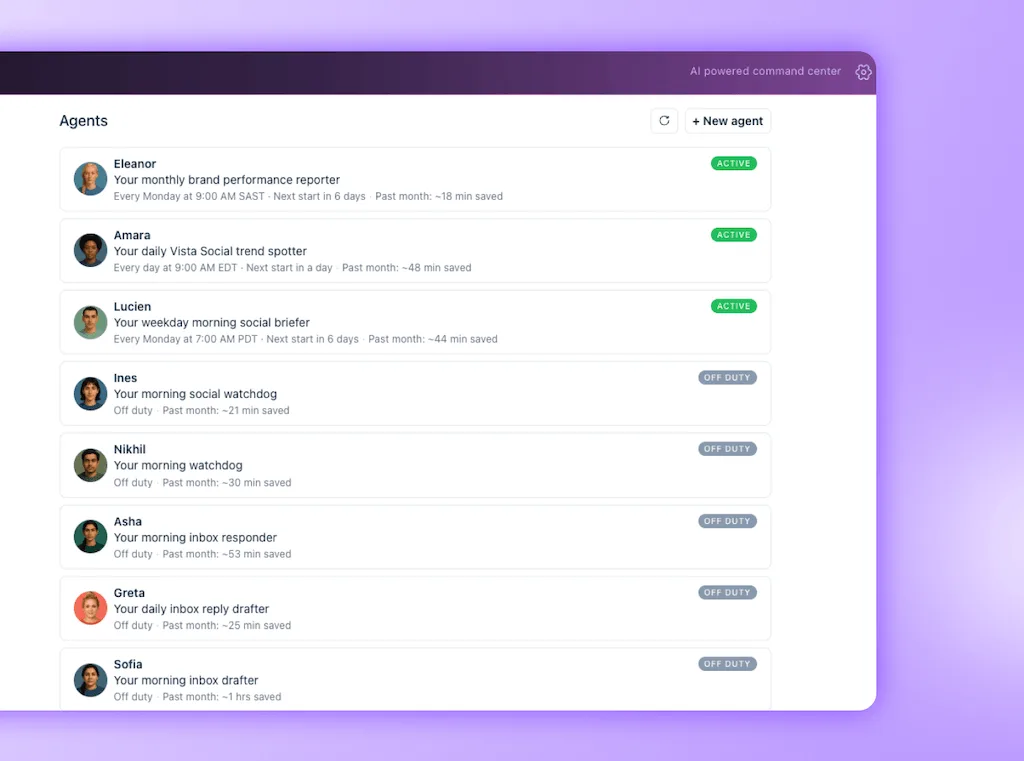
Vista Social’s agent library labels every agent with one of three control levels:
| Control level | What the agent does | What you do |
|---|---|---|
| Watches and reports | Reads the relevant account data and summarizes what it finds | Triage the result and decide the next move |
| Drafts for approval | Prepares a report, reply, or idea for review | Edit, approve, or discard it |
| Acts with consent | Proposes a small action and waits for permission | Give or withhold consent |
A useful virtual social media assistant covers repetitive work while brand decisions remain with you.
Ready to see which recurring jobs fit? Browse the agent library free, with no credit card required.
The daily radar for social media manager tasks
The first four agents cover the work that makes you feel responsible for every account at once. They watch, summarize, and flag, which gives you a clearer start without pretending that urgency and judgment are the same thing.
1. Get your morning briefing
The old routine starts with an inbox sweep, today’s calendar, yesterday’s post results, and whichever client messaged first. Forty minutes can disappear before you’ve decided what deserves attention.
- Old way: Open each platform and build the morning picture yourself.
- Agent job: Summarize the inbox, today’s scheduled posts, and yesterday’s performance before you sign in.
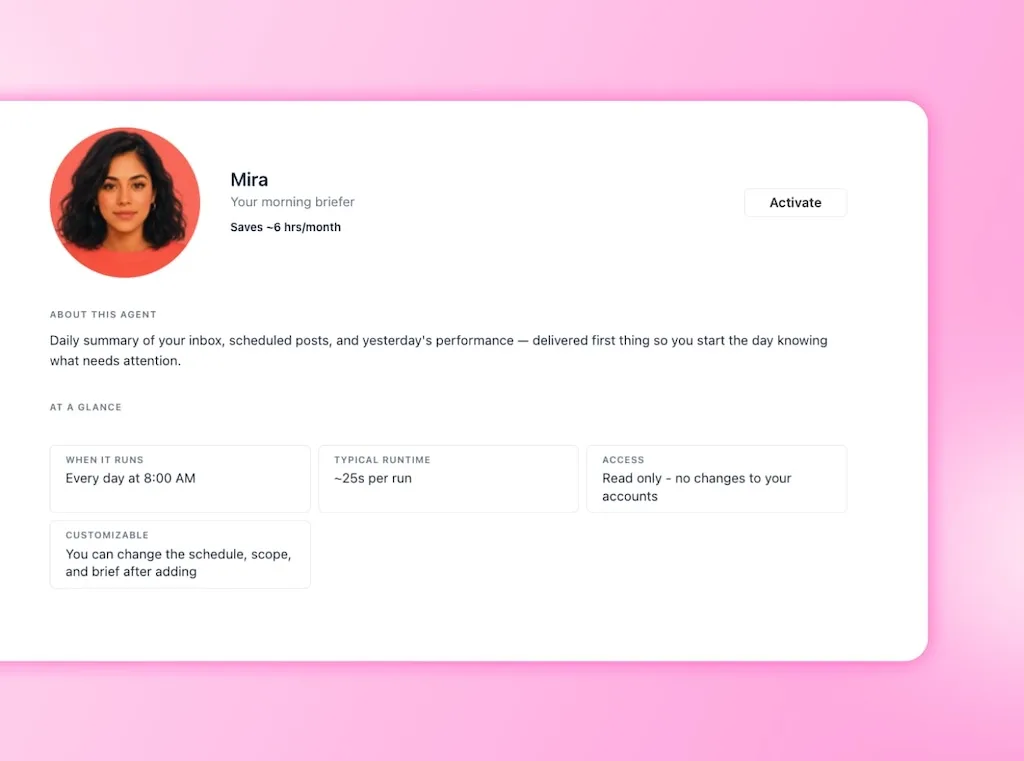
- Vista Social fast path: Mira, the morning briefer, runs on your chosen schedule and leaves one account-aware summary waiting, which removes the opening tab tour.
- Keep human: Read the briefing, set priorities, and handle anything that needs context beyond the numbers.
Mira can’t publish or reply. You begin with the information you need and pay more attention to the calls that shape the day.
2. Check today’s publishing queue
A scheduled post can look finished while hiding a missing image or a caption copied into the wrong profile. The manual fix is a pre-publish flow through every card, which becomes easy to rush when the day gets busy.
- Old way: Open each post and hope your eyes catch the problem in time.
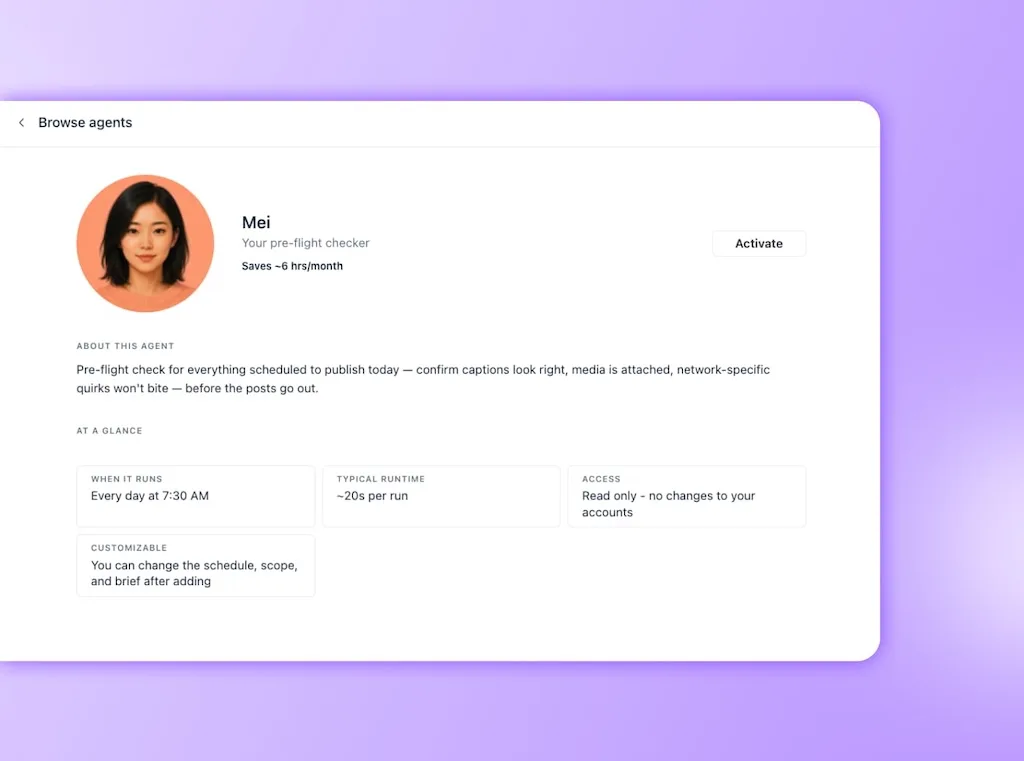
- Agent job: Review everything scheduled for today and flag captions, media, or network details that need another look.
- Vista Social fast path: Mei, the pre-flight checker, scans the day’s queue and hands you a short exception list instead of making you reread every completed post.
- Keep human: Decide how to fix each flag and approve any edit before the post moves forward.
The agent checks and reports. It doesn’t silently rewrite creative work that your team has already approved, so the final version stays under your control.
3. Watch the inbox response line
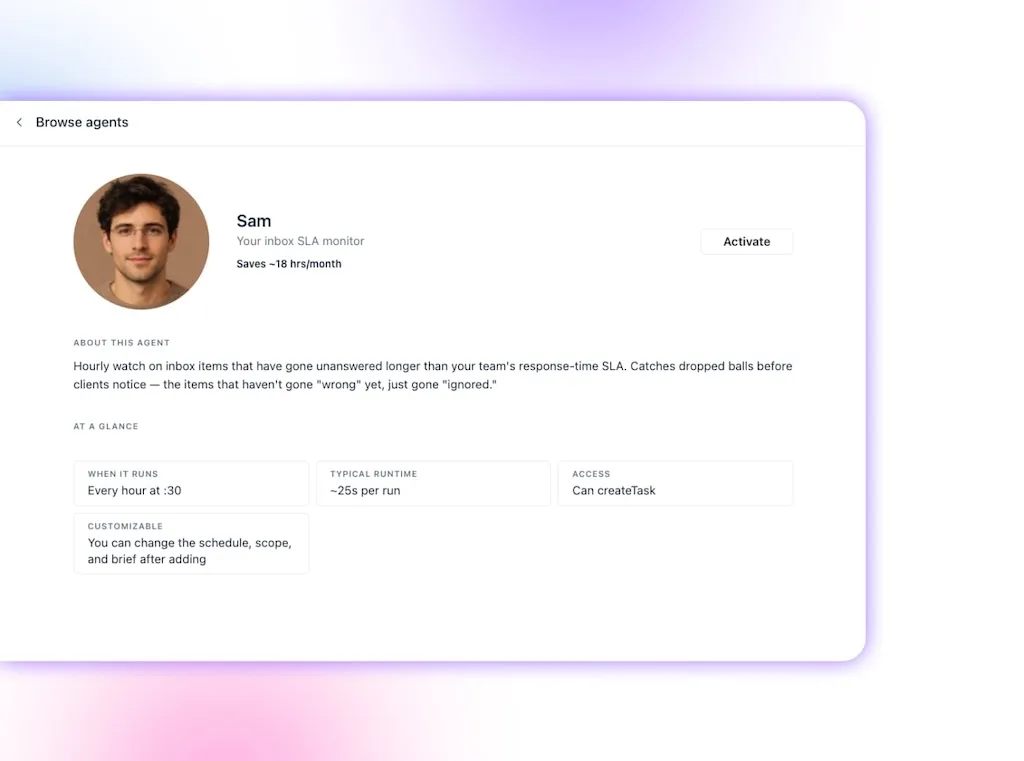
Refreshing the inbox all day gives you activity, but it rarely gives you a calm block of time. A service-level agreement (SLA) monitor is more useful because it watches the response timeline and surfaces conversations that are in danger of crossing it.
- Old way: Keep checking several inboxes and remember how long every message has waited.
- Agent job: Run an hourly watch for messages that remain unanswered past your team’s response target.
- Vista Social fast path: Sam, the inbox SLA monitor, uses the connected inbox to find overdue items, while inbox management keeps the conversations in one place.
- Keep human: Write or approve sensitive replies, especially when the customer is upset or the context is unclear.
This is where AI supports responsiveness without flattening every conversation into a canned answer. The agent finds the dropped ball, and you decide how the brand should pick it up.
4. Catch new reviews sooner
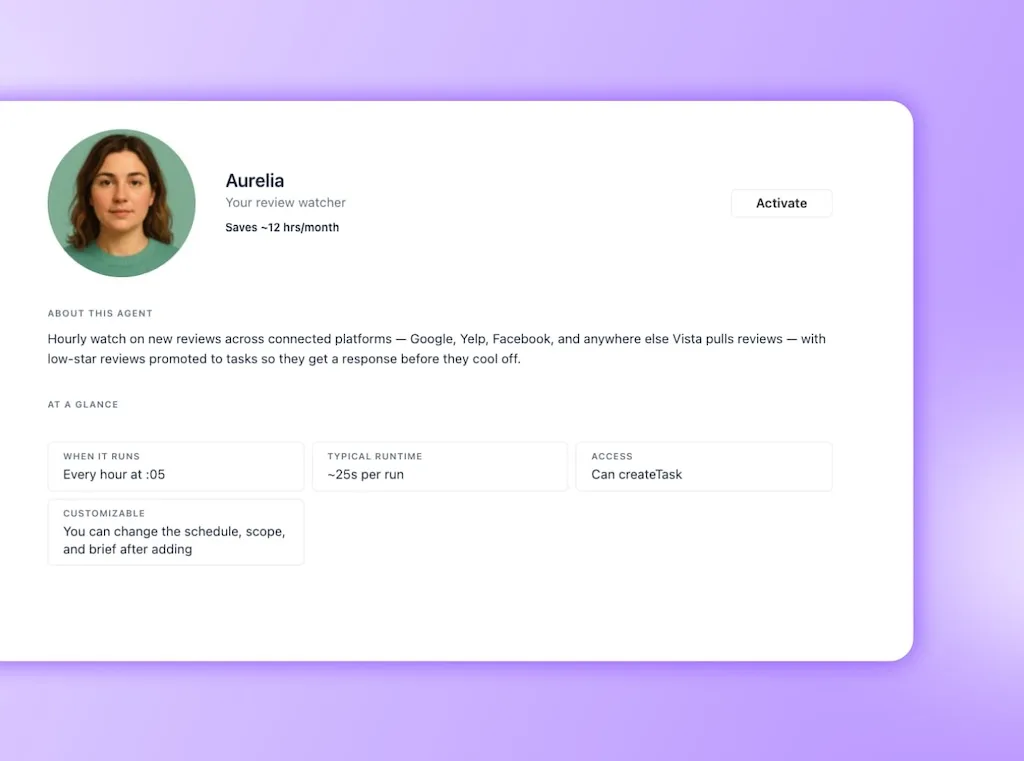
Reviews arrive across Google, Facebook, Yelp, and other connected sources. The painful one is rarely hard to answer because of its star rating alone; it is hard because you find it after the customer has spent days assuming nobody cares.
- Old way: Check each review source and hope the low-star review is still fresh when you see it.
- Agent job: Watch hourly for new reviews and promote low-star entries into visible tasks.
- Vista Social fast path: Aurelia, the review watcher, catches the new review and can pair with the /respond-to-review skill to prepare a draft based on the message’s customer intent.
- Keep human: Approve every public response and personally handle reviews involving harm, discrimination, legal claims, or a deeply frustrated customer.
The draft shortens the distance between discovery and response, but empathy still comes from the person who understands what happened. That is especially important when the reviewer needs recovery rather than a polished apology template.
Reporting on autopilot
Reporting often looks like one deliverable on a calendar. Anyone who has built one knows it contains a dozen smaller jobs: date ranges, exports, platform definitions, screenshots, comparisons, commentary, and the final email.
Salesforce’s marketing research found that 69% of marketers struggle to respond to customers promptly. Time spent rebuilding routine reports is time you can’t spend on the conversation or creative decision in front of you.
5. Build the weekly or monthly report
Friday reporting can eat the afternoon, one export at a time. The useful part comes after the collection, when you explain what moved and what the team should do next.
- Old way: Pull metrics from every profile, normalize the dates, find the story, and format the recap.
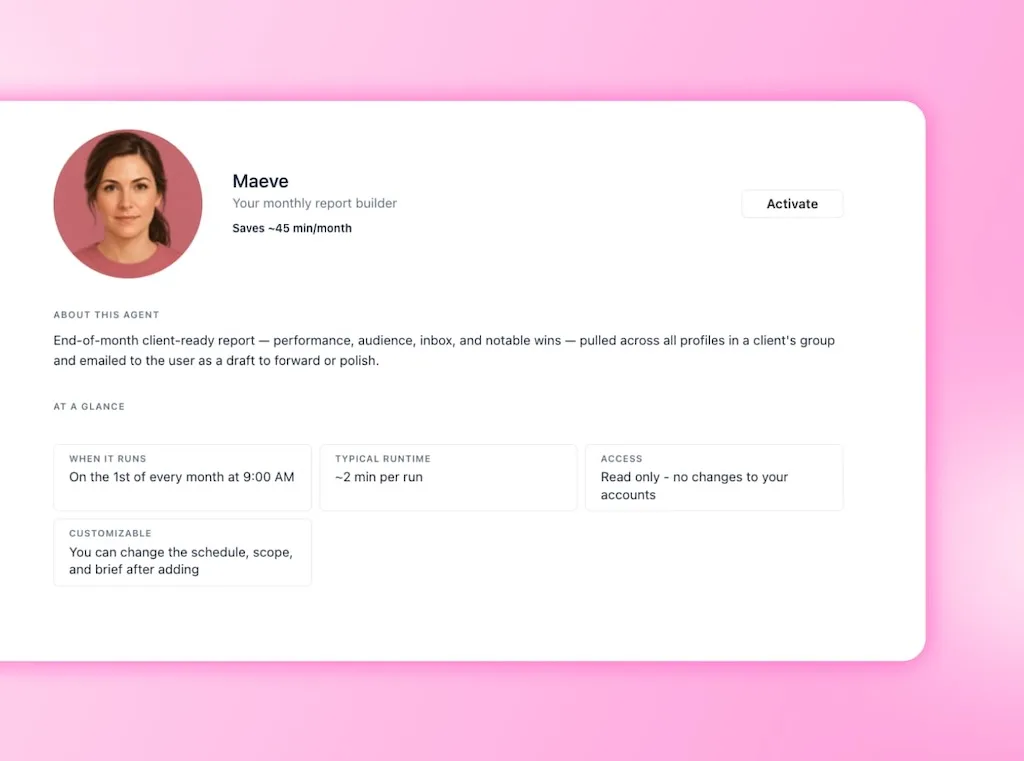
- Agent job: Compile a week-in-review or monthly report across the selected profiles and prepare the summary on schedule.
- Vista Social fast path: Arjun handles the weekly performance read, while Maeve builds the monthly draft. The AI reporting workflow keeps the source data and recap in the same workspace, which removes the spreadsheet relay.
- Keep human: Check the numbers, sharpen the narrative, and decide what recommendation the client or team should hear.
The agent handles assembly. You turn the movement in the data into a sensible next move.
6. Surface performance outliers
Your best lesson from the week may be buried halfway down a feed, especially when one post behaves differently from the account’s normal range. Finding it manually means comparing recent posts and deciding what counts as unusual before you can begin the analysis.
- Old way: Sort the feed by metrics and scan for posts that seem unusually strong or weak.
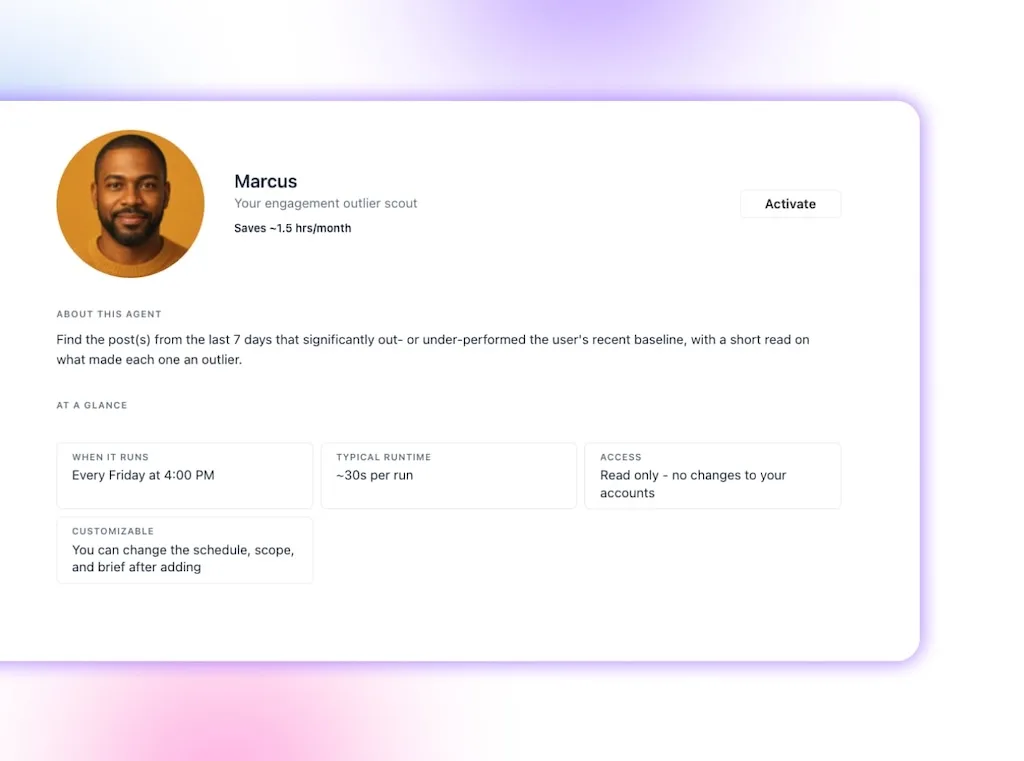
- Agent job: Compare the last seven days with the recent baseline and surface meaningful outliers.
- Vista Social fast path: Marcus, the engagement outlier scout, delivers the shortlist with an initial read, which spares you from hunting through normal posts to find the few worth studying.
- Keep human: Interpret why each post moved and decide whether the lesson belongs in your strategy.
An agent can locate the unusual result, but it doesn’t know whether the lift came from a brilliant hook, paid support, a customer mention, or pure timing. You bring the campaign context and turn the flag into learning.
Want the reporting desk working before Friday? Start a free trial with no credit card required and switch on your first report agent.
A calendar that fills itself
These four tasks protect the calendar from the slow leaks: an empty day, an idea bank at zero, a missed cultural moment, or a strong post forgotten in the archive. The agents create options and reminders, while your taste still decides what earns a place.
7. Find calendar gaps early
An empty Thursday is easy to solve on Monday and painful to discover on Thursday. The manual version depends on someone remembering to scan far enough ahead across every profile.
- Old way: Open each calendar and compare the coming week with its intended cadence.
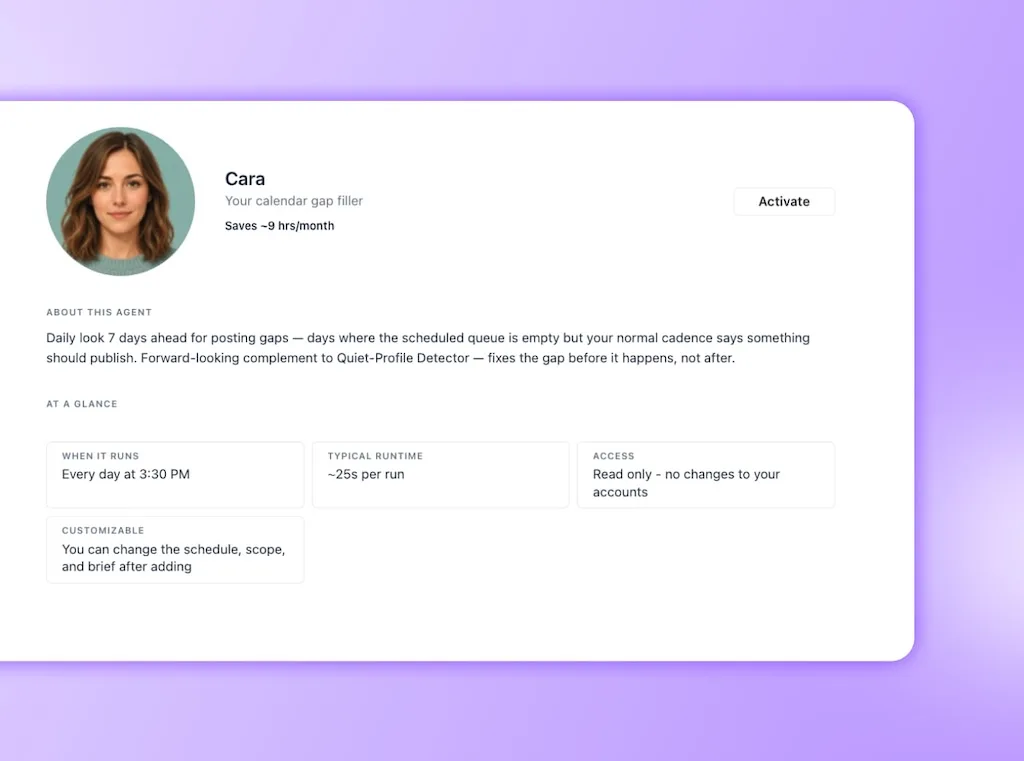
- Agent job: Look seven days ahead and flag empty days or profiles that have fallen below their normal rhythm.
- Vista Social fast path: Cara finds calendar gaps, while Owen spots profiles that have gone quiet. Together they replace the account-by-account scan with one list of places that need a plan.
- Keep human: Decide whether the gap needs a post and what would serve the audience there.
Consistency still needs a planning decision. Sometimes the right answer is to leave the day open, and the person running the strategy should make that call.
8. Keep the idea bank stocked
Creative work gets much harder when the session begins with an empty board and a deadline. A healthier idea bank holds rough starting points before you need them, so the first twenty minutes can go into choosing and shaping rather than panicking.
- Old way: Schedule an ideation session after the bank has already run dry.
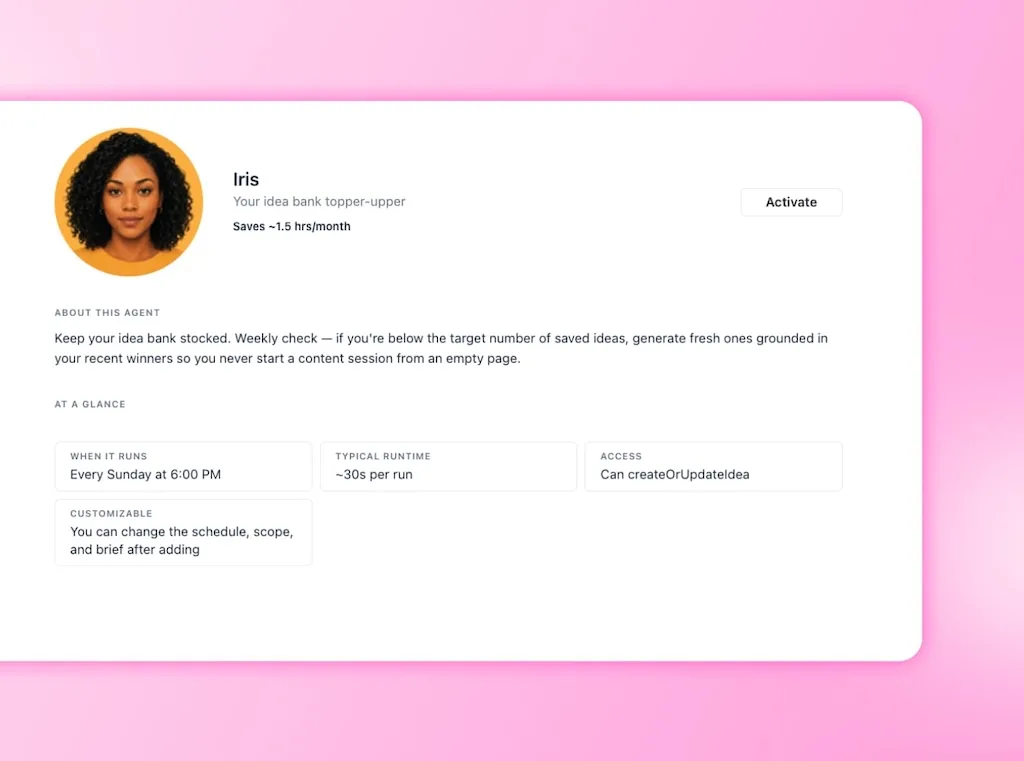
- Agent job: Check the saved-idea count weekly and add new prompts when it falls below your target.
- Vista Social fast path: Iris, the idea-bank topper-upper, grounds suggestions in recent winners and places drafts onto the idea board. You get starting material without another hunt for content ideas.
- Keep human: Curate the ideas, add a clear point of view, and decide which ones sound worthy of your audience’s time.
Iris drafts for approval, so an idea enters the bank as an option rather than a content order. The agent keeps the shelf stocked, and you still choose what gets cooked.
10. Watch for holidays and cultural moments
A cultural moment can be relevant to one client and painfully forced for another. The watch work is still useful because you need enough notice to make that judgment before the calendar is already full.
- Old way: Check several holiday lists and compare them with every client’s calendar.
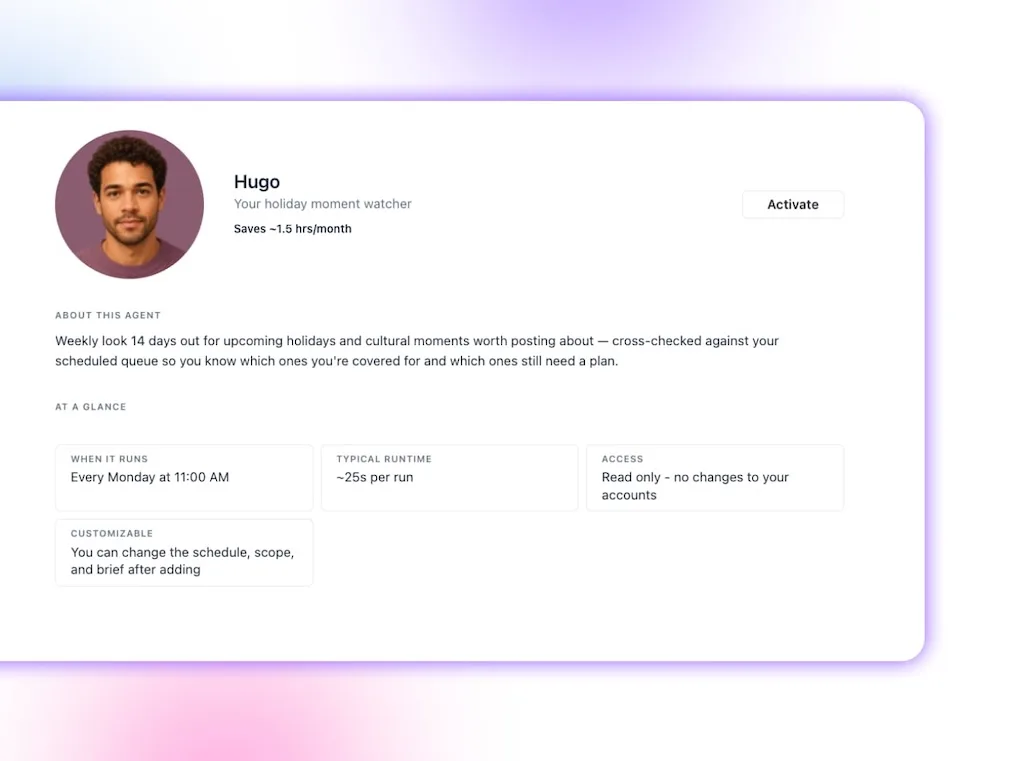
- Agent job: Look fourteen days ahead for upcoming holidays and moments, then identify which ones are not covered.
- Vista Social fast path: Hugo, the holiday moment watcher, cross-checks the dates against the queue and delivers a shortlist, which removes the date-hunting and duplicate calendar check.
- Keep human: Judge cultural fit, regional context, and whether the brand has anything useful to contribute.
Relevance can’t be automated into existence. A timely post still needs a reason to come from this brand, for this audience, on this account.
11. Bring back evergreen winners
A strong post often disappears into the archive because the team is busy feeding the next week. Recycling works when the old idea still fits, the audience has had time to refresh, and the new version earns its return.
- Old way: Search old posts, remember which ones performed well, and estimate whether they are ready to return.
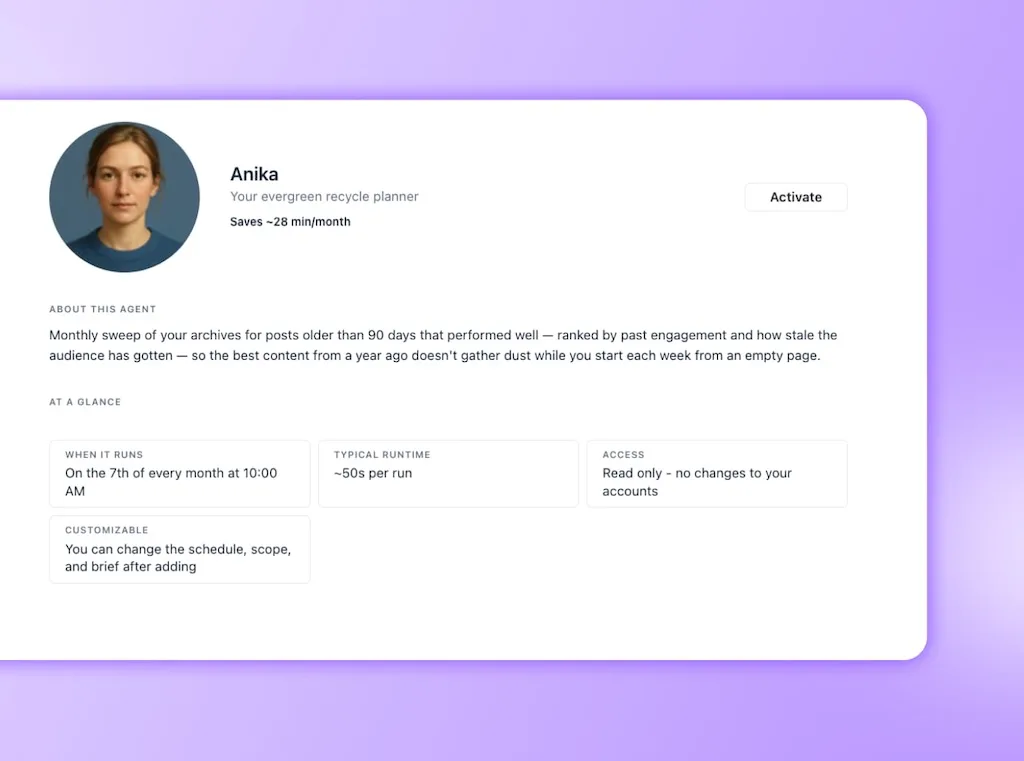
- Agent job: Run a monthly sweep for posts older than 90 days and rank the best recycling candidates.
- Vista Social fast path: Anika, the evergreen recycle planner, combines age and past engagement into a shortlist, which replaces the archive dig with a manageable review queue.
- Keep human: Refresh the hook, update stale details, and decide whether the idea still supports the current strategy.
Useful recycling depends on your edit. It gives the post a reason to return and protects the feed from feeling like reruns.
If your calendar keeps running dry, try the agent crew free with no credit card required and let the first shortlist come to you.
The optimization and team-flow chores
The final pair covers two jobs that are easy to postpone because neither looks urgent until performance slips or a post misses its window. A scheduled check gives both a reliable place in the week.
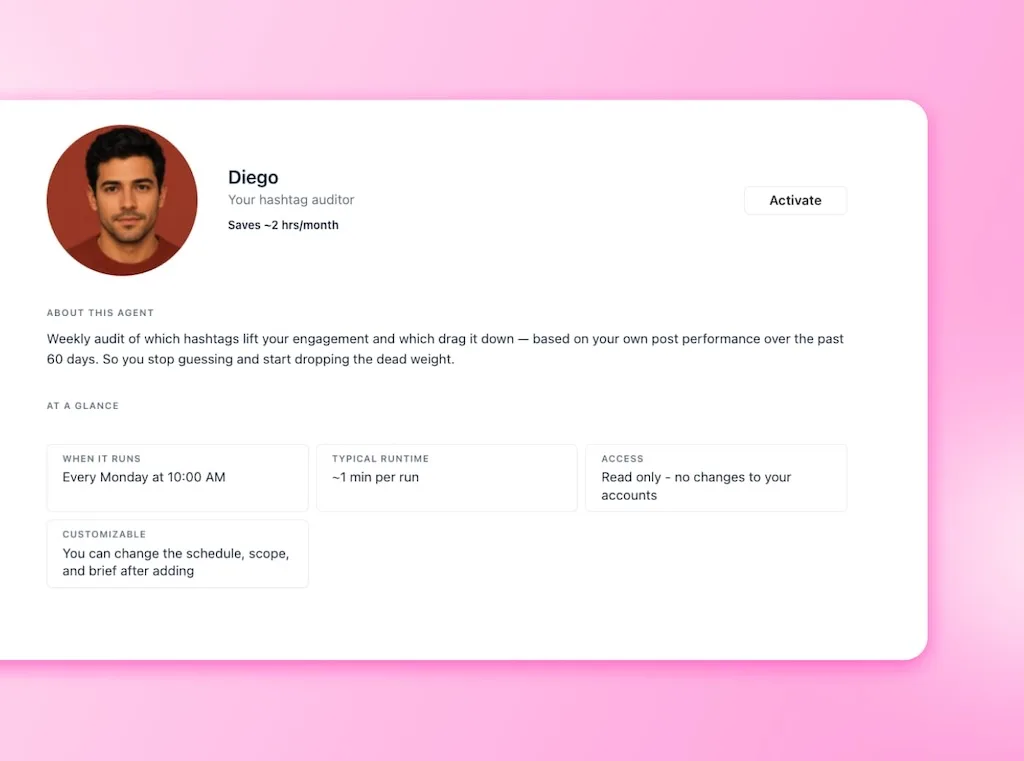
9. Audit hashtag performance
Hashtag habits can outlive the evidence behind them. Copying the same set into every post feels efficient, but it also makes it harder to notice which tags help discovery and which ones add noise.
- Old way: Reuse a saved block or compare tags by hand across recent posts.
- Agent job: Review the last 60 days and identify hashtags associated with stronger or weaker engagement.
- Vista Social fast path: Diego, the hashtag auditor, runs the comparison weekly and gives you a directional list, which removes the post-by-post spreadsheet work.
- Keep human: Treat the result as directional evidence and test it against the post topic and platform.
Hashtag performance is affected by content quality, audience, timing, and platform behavior. The audit points you toward a better test, while your judgment keeps correlation from becoming a lazy strategy.
12. Unblock the approval queue
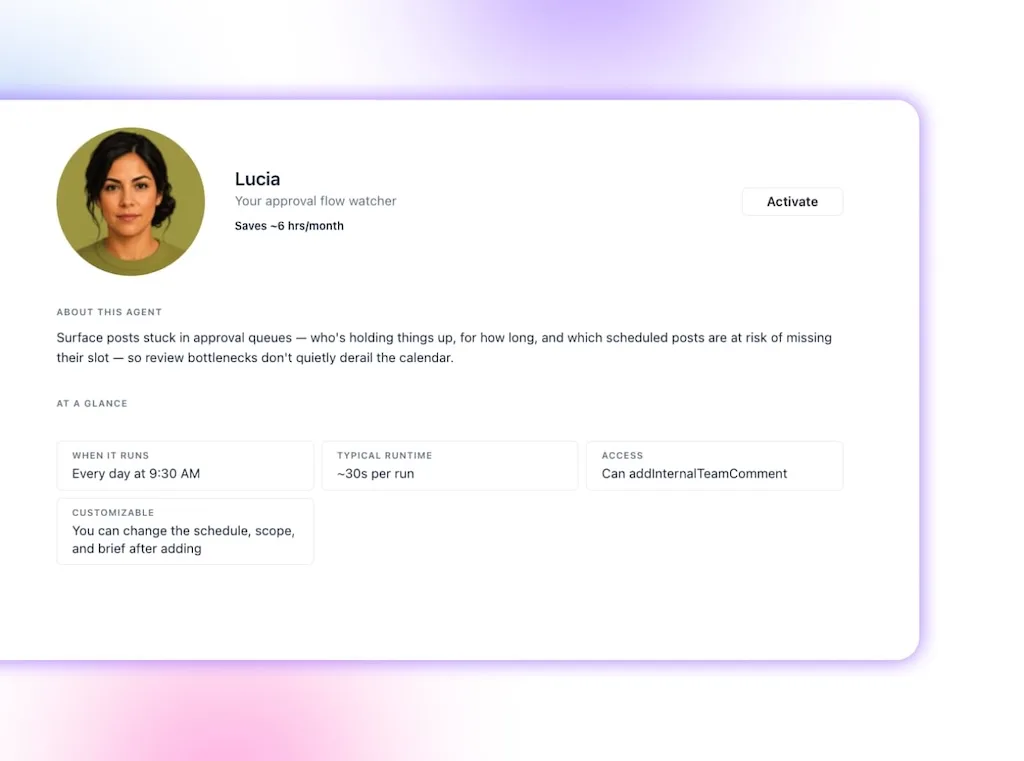
A finished post can spend three days waiting for one person who never saw the notification. By the time the delay becomes visible, the publish slot has passed and the social manager is rebuilding a calendar around someone else’s inbox.
- Old way: Open every pending post, find the current approver, and chase updates in chat or email.
- Agent job: Surface posts stuck in approval, show who currently holds them, and flag scheduled content at risk.
- Vista Social fast path: Lucia, the approval flow watcher, pairs with Vista Social’s approval controls to create one list of bottlenecks and their publishing impact.
- Keep human: Approvers still review and approve the post. The agent can flag the blockage, but it should never sign off on someone’s behalf.
This is a good example of AI protecting human responsibility. Lucia clears the coordination fog so the right person can make the call before the work misses its moment.
Which tasks to keep on your own desk
Keep final approval on anything public, sensitive or emotional replies, original strategy, and the creative call. Those parts of social media management rely on accountability, taste, cultural awareness, and relationships that can’t be reduced to a recurring check.
Robert Rose, a marketing strategist and chief strategy advisor at Content Marketing Institute, puts the career risk plainly:
“AI’s most dangerous use in a marketing career is as a substitute for judgment and taste.”
Robert Rose, Skills Trap (2026)
The useful delegation line follows the same principle. Let AI gather the overnight picture, flag the exception, assemble the report, or prepare a first draft. Spend the returned attention on the work that carries your name and judgment.
Microsoft’s 2026 research found that 66% of surveyed AI users said AI gave them more time for high-value work. Another 58% said they were producing work they couldn’t have created a year earlier.
Those numbers point toward a social media manager with more room to lead. Your value grows through deciding what deserves to happen, guiding the agents around that decision, and owning the outcome.
Our guide to smart automation goes deeper on where to draw that line. A simple rule works here: when a task requires empathy, accountability, original judgment, or a public yes, keep a person at the decision point.
How to start without turning your account over to a robot
Start with two or three agents that watch and report. A morning briefing, review watcher, and weekly performance recap give you useful coverage without allowing the system to publish, send, or change anything.
Use this one-week rollout:
- Choose the recurring pain: Pick the task that steals time every week or tends to slip when work gets busy.
- Check the control level: Begin with Watches and reports, then confirm the profiles, schedule, and scope.
- Review every result: Track what the agent caught, what it missed, and whether the summary saved you a manual check.
- Add one agent: Keep the useful one running and add the next task only after you trust the pattern.
Vista Social’s AI safety guidance says Scheduled Agents ask before they publish, send, or change anything on a connected account. Many agents in this list are read-only, which makes them a sensible first step for a team that wants proof before broader access.
The first week should feel almost boring. Fewer tabs, earlier warnings, and reports that arrive ready for your interpretation. Your social media manager tasks still lead to human decisions, but the repetitive runway stops consuming the energy you need to make them well.
Put the first three jobs on a schedule with a 14-day trial, free with no credit card required.
Frequently asked questions
What social media tasks can an AI agent do?
An AI agent can handle recurring, lower-judgment tasks such as morning briefings, queue checks, inbox and review monitoring, scheduled reports, calendar-gap alerts, idea generation, hashtag audits, evergreen recycling, and approval reminders. The agent should report or draft first, with a social media manager reviewing anything that could affect the public account.
Do AI agents replace social media managers?
No. They take repetitive watch-and-report work off the manager’s plate, which creates more room for strategy, creative thinking, audience relationships, and decisions. Managing the agents becomes another way for the social media manager to extend their reach while staying responsible for the result.
Which social media tasks should you not automate?
Keep final approval, sensitive replies, crisis judgment, strategy, and original creative direction with people. AI can collect context and prepare options, but someone who understands the audience and accepts responsibility should make the final call.
Do AI social media agents post without approval?
Vista Social’s Scheduled Agents confirm before publishing, sending, or changing anything on a connected account. Many agents only watch and report, while others prepare drafts or request consent for an action.
What does it cost to run AI agents for social media?
As of July 2026, Vista Social lists Professional at $79 per month and Advanced at $149 per month, with monthly AI credits included by plan. Pricing and Scheduled Agent access can change, so confirm the current plan details before publishing.
About the Author

Content Writer
Orion loves to write content that refuses to be boring. As part of Vista Social, he helps brands, creators, and agencies stop doom scrolling and start winning with social media. When he's not in front of a keyboard, he's watching films in IMAX with his wife, dissecting football tactics (the European kind), and getting lost in a good book.