


Published on July 9, 2026
9 min to read
Is AI Safe for Social Media? What Approval Gates Do

Summarize with AI

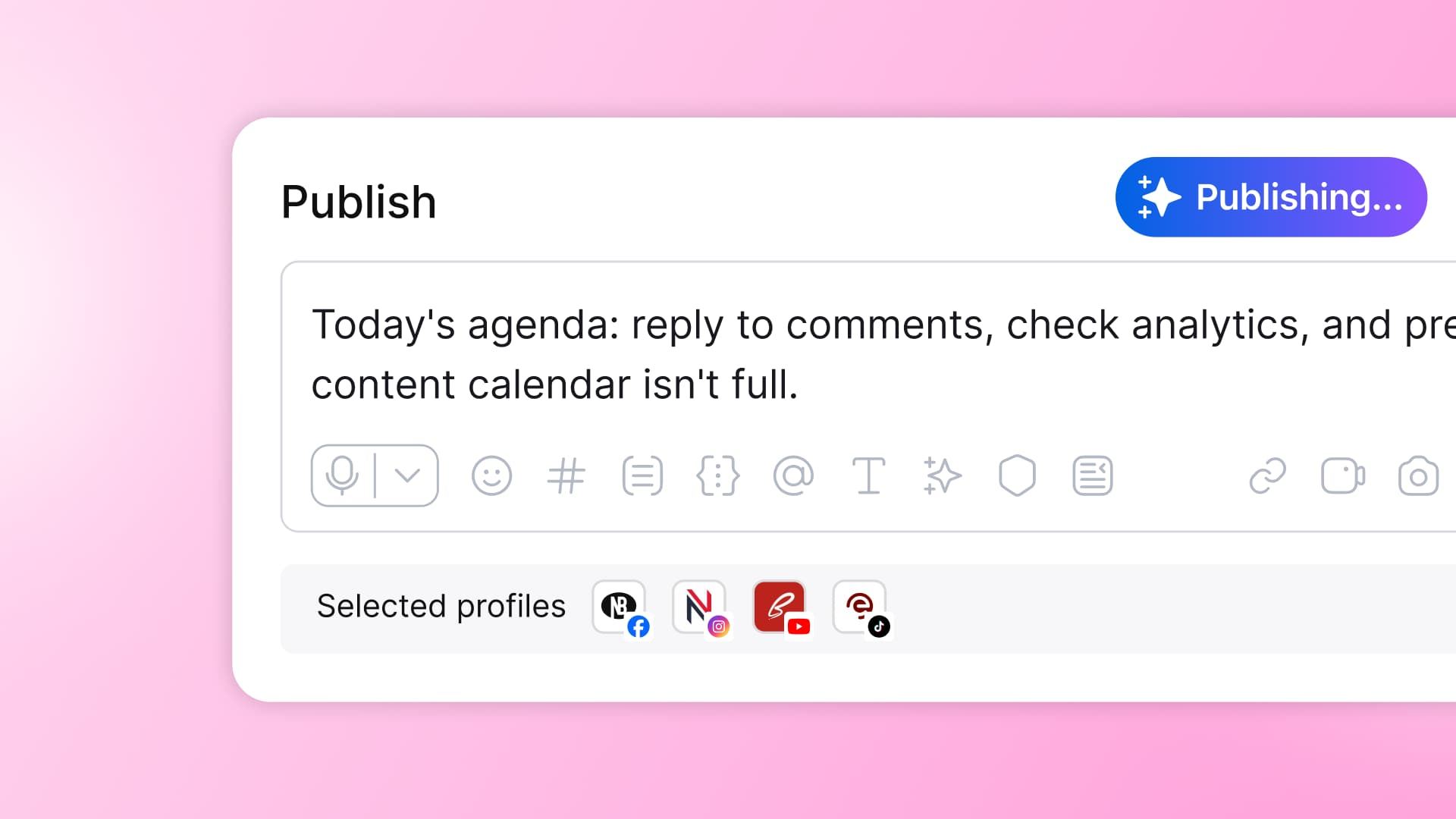
Table of contents
Summarize with AI

ChatGPT

Claude

Perplexity
Share

Vista Social

X (Twitter)


You found the toggle. Your new AI agent has spent the week quietly earning its keep. It’s been drafting posts in your brand voice, prepping a month of scheduling, and sorting the inbox into “reply now” and “ignore.” It’s good. It’s genuinely, unnervingly good.
Now there’s a switch labeled “run automatically,” and your hand is hovering over it, but you can’t make yourself flip it. Your name is on that account, and the 2 a.m. version is easy to picture: the AI reads a breaking news alert, decides your brand has a hot take, and posts it to 400,000 followers while you sleep.
That’s not overreacting. It’s the real question: is AI safe for social media, and if I let this thing publish for me, what actually happens when it goes to hit “post”?
Here’s the reassuring answer, and the whole point of this article: in a well-built tool, what happens is that it stops and asks you first. Safe AI isn’t smarter AI. It’s AI that waits for your yes.
A few things to know before you keep reading:
- The real risk is autonomy with no human approval step, not AI itself.
- An approval gate, a required human yes before any publish, send, or change, is what makes AI safe to use on live accounts.
- Good tools give you this by default, with brand guardrails and an audit trail, so the AI does the work and you keep control.
- You don’t have to choose between doing everything by hand and letting a robot loose.
Table of contents
So, is AI safe for social media?
Yes, AI is safe for social media when the tool keeps a human in the loop before any live action. It’s unsafe when it acts on your accounts with no approval step in between.
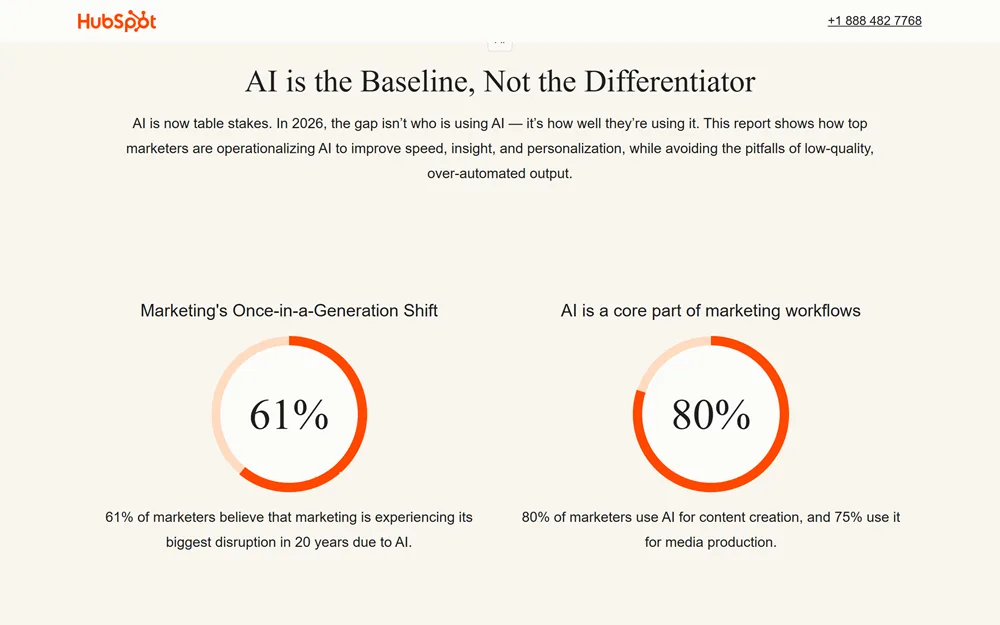
Most marketing teams aren’t asking whether AI is capable. Adoption has already settled that. 86.4% of marketing teams now say they use AI in at least a few marketing areas. 61% of marketers believe marketing is going through its biggest disruption in twenty years because of it. Nobody is debating whether AI belongs in the workflow anymore.
What they’re actually asking is narrower and scarier: can I let this thing act on its own, on a live account, without watching it every second? Here’s exactly what happens, mechanically, the moment an AI tries to publish, send, or change something, so you can see for yourself where the safety lives.
What actually happens when an AI goes to publish
Here’s the sequence, the way it plays out inside a well-built tool.
- The AI does the drafts. It writes the caption, picks the image, or prepares the reply, using whatever brand voice and context you’ve given it. This part runs on its own, and it should, since drafting isn’t the risky step.
- The AI stages the action instead of publishing or sending it. It puts the draft in front of you with a clear confirmation: “Ready to publish to [account]? Approve, edit, or cancel.” Nothing crosses the line from draft to live without you seeing that screen first.
- You approve, and only then does anything go live.
- The tool logs the action as a clear entry: what ran, when, and who approved it. You won’t find it buried in a settings page.
No step in that sequence lets the AI decide on its own to post something to a live account with 400,000 followers.
The same logic applies to a message, not just a post. When an AI reads an incoming DM and decides how to respond, the intelligence is in understanding what the person wants, not in deciding to fire off a reply unsupervised. If you want the deeper version of that, we’ve written about how AI reads intent before it acts on a message.
Most “AI in social media” articles skip this part entirely. They’ll tell you to use guardrails and keep a human in the loop, which is true but vague. What they don’t show you is what that looks like on the screen in the seconds before something publishes. That confirmation step is the whole ballgame.
How an approval gate actually works
An approval gate is a required human sign-off step between an AI-drafted action and that action going live. The AI prepares the post, the message, or the account change. A person confirms before anything reaches the account.
Human in the loop means something similar but broader. A person reviews and approves an AI’s high-stakes actions before they take effect, so the AI assists but never acts unsupervised on live accounts. The two terms describe the same core idea from slightly different angles.
Not everything needs the same level of scrutiny. Reading your inbox, analyzing your last month of posts, or drafting a caption can run freely in the background, because none of that touches your live account. Anything that publishes, sends a message, or changes account settings is a different category entirely, and that’s where the gate sits.
Brand-voice guardrails feed into this from the other direction. The AI’s drafts start closer to on-brand because they’re grounded in your actual voice and facts, not generic output. That means you’re approving something that already sounds like you instead of editing a stranger’s first draft every time.
Then there’s the audit trail, and this is the part your legal and security team will care about most. Every approved action leaves a record: what the AI drafted, who approved it, and when it went live. A governance review asks for exactly this when someone wants to know how AI touches your brand’s public accounts.
The real cost of skipping the gate
In February 2024, a grieving traveler asked Air Canada’s website chatbot about bereavement fares. The tribunal found that Mr. Moffatt was reasonable to rely on the chatbot’s information, that he would not have flown last-minute had he known he would need to pay the full fare, and that he suffered damages as a result of the inaccurate information.
Air Canada tried to argue the chatbot was a separate entity and shouldn’t count against the company. British Columbia’s Civil Resolution Tribunal rejected that defense outright and held the airline responsible for what its own AI told a customer.
This was a customer service chatbot, a different surface than a social media publishing tool. But the principle transfers cleanly: an AI that acts on a company’s behalf, with no human between its decision and the outcome, makes its mistakes the company’s liability.
Put a human approval step in front of that same action, and that failure mode disappears. The chatbot could still have gotten the policy wrong, but a person would have caught it before a customer relied on it.
That anxiety about losing control over AI-driven decisions isn’t a fringe worry, either. 69% of creators say they’re concerned about their content being used to train AI models without their permission, according to Adobe’s 2025 Creators’ Toolkit Report. It’s a different worry than the publishing fear driving this piece, but it comes from the same place: creators and marketers alike want a say in how AI touches what belongs to them, before it happens, not after.
Agents that work while you sleep, and still wait for your yes
Background agents can draft content, prep your schedule, and triage your inbox continuously, including overnight. That part runs without you. But the moment it’s time to publish a post, send a reply, or change something on a connected account, the agent stops and asks. It doesn’t guess that you’d probably be fine with it, it waits for you to say so.
Inside Vista Social, this looks like:
- Ask Vista: An assistant wired into your connected accounts that drafts, schedules, and triages for you, and asks before anything goes live.
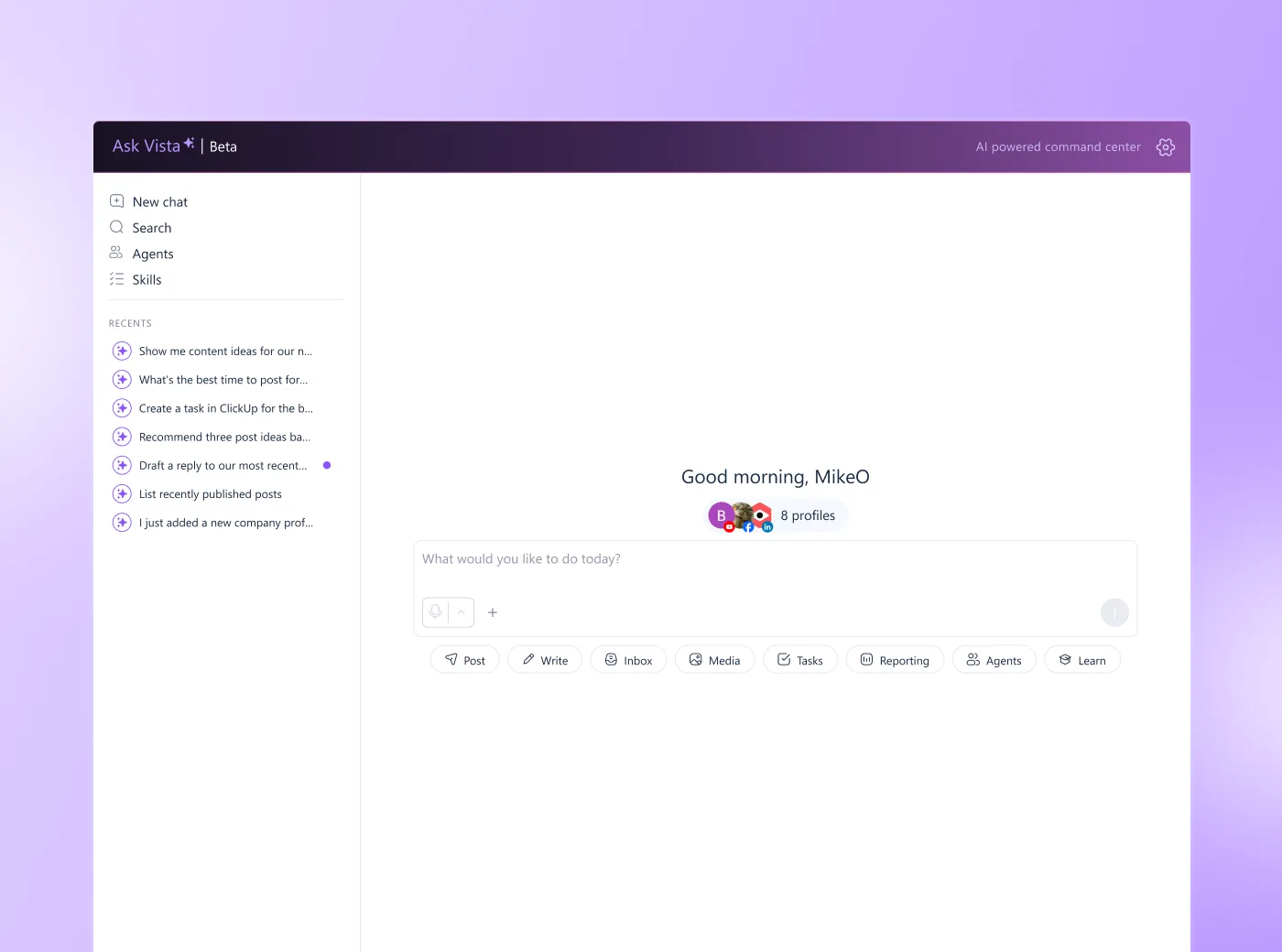
- Scheduled Agents: Run the same way on a timer, even overnight, and still confirm before any publish, send, or account change.
- Control levels: Every agent either watches and reports, drafts for your approval, or acts only with your explicit consent. Nothing posts, sends, or changes without your say-so.
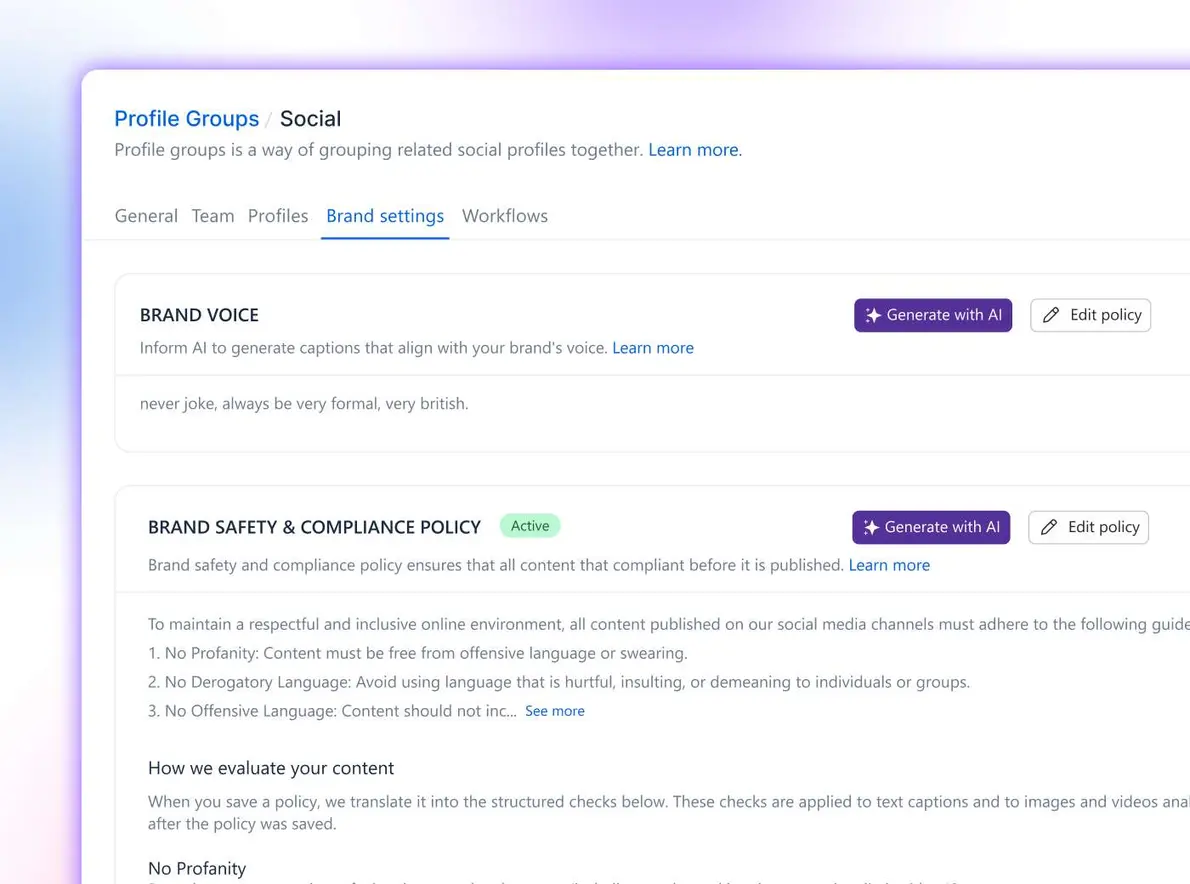
- Brand voice and AI Knowledge: Ground what the AI drafts in your actual facts and tone, so what lands in front of you for approval already sounds like your brand instead of generic AI output.
- Audit trail: Every approved action leaves a record, so you (and whoever runs governance review) can see exactly what ran and who signed off on it.
None of this is unique to one product. Human-in-the-loop publishing is becoming the standard a responsible tool is expected to meet, not a feature one company invented. If you’re evaluating your stack against that standard, whether that’s your current tool or you’re one of the teams rethinking their social stack, check for the approval gate first.
The same logic applies to comment and DM automation, which carries its own version of this fear. Automating engagement means letting something reply to real people on your behalf, and that’s worth thinking through carefully before you turn it on. We’ve written a full breakdown of whether you actually want to automate engagement and where the line sits.
How to keep AI on a leash you hold
This framework works with any tool, not just ours.
- Start with one low-stakes workflow. Let AI draft captions or prep a report before you let it touch anything that publishes. Drafting is where you build trust in its judgment without any risk attached.
- Keep approval gates on at first. Watch how the AI performs for a couple of weeks before you consider loosening anything. You’re learning its judgment, not just its output.
- Set your brand voice and guardrails before you scale up. The better the AI understands your brand, the less editing every approval requires, and the faster the process gets without cutting the human step out.
- Review the audit log regularly. It does more than satisfy compliance. It’s the fastest way to catch a pattern before it becomes a problem.
- Widen autonomy deliberately, one workflow at a time. Never all at once, and never because a tool made it the default.
When an approval gate is the wrong call
Not every team wants a gate on everything, and pretending otherwise would undercut the case for having one at all.
If your use case genuinely needs zero human touch at massive scale, thousands of purely templated posts a day, for example, an approval gate will feel like friction you don’t need. In that specific situation, deliberately auto-approving a narrow, low-risk workflow can be the right call. The key word is deliberately. That’s a decision you make with your eyes open about the trade-off, not a default you fall into because a toggle made it easy.
For the vast majority of teams managing live brand accounts with real audiences watching, that exception doesn’t apply, and the gate is doing exactly the job it should.
Frequently asked questions
Is it safe to use AI for social media?
Yes, when the tool keeps a human in the loop, meaning a person approves any publish, send, or account change before it happens. The risk comes from AI acting autonomously with no approval step, not from AI itself.
Will an AI tool post to my accounts without my approval?
In a well-designed tool, no. The AI drafts and prepares the action, then stops and asks you to confirm before anything reaches a live account. Nothing publishes unattended.
What is a human-in-the-loop approval workflow?
It’s a required human sign-off between an AI-drafted action and that action going live. The AI does the work, a person reviews and approves, and the step is logged for accountability.
Can AI agents run my social media on autopilot?
Background agents can continuously draft, schedule-prep, and triage, but a safe agent confirms before high-stakes actions like publishing or sending. You approve, it acts.
How do I stop AI from posting something off-brand?
Set your brand voice and guardrails so drafts start on-brand, keep approval gates on, begin with low-stakes workflows, and review the audit log. Widen the AI’s autonomy only once you trust its judgment.
Does AI-generated content need human review before posting?
Best practice, and the consensus across platform and legal guidance, is yes. A person should review AI-generated content for accuracy, tone, and brand fit before it publishes.
Try Vista Social for free
A social media management platform that actually helps you grow with easy-to-use content planning, scheduling, engagement and analytics tools.
Get Started NowAbout the Author

Content Writer
Russell Tan is a content marketing specialist with over 7 years of experience creating content across gaming, healthcare, outdoor hospitality, and travel—because sticking to just one industry would’ve been boring. Outside of her current role as marketing specialist for Vista Social, Russell is busy plotting epic action-fantasy worlds, chasing adrenaline rushes (skydiving is next, maybe?), or racking up way too many hours in her favorite games.