


How Much Time Should a Business Owner Spend on Social Media?
November 19, 2026
8 min read

Summarize with AI

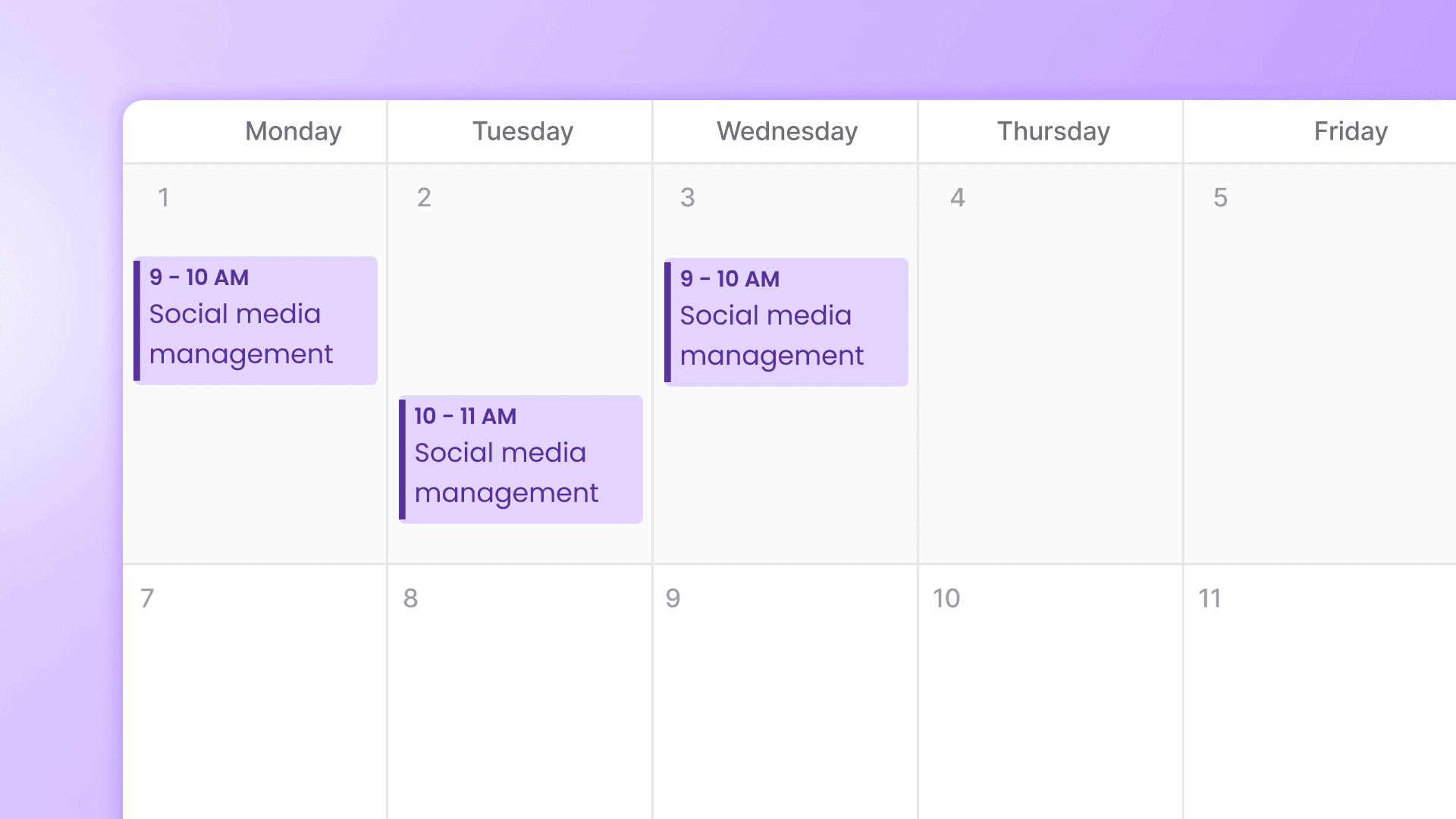
Table of contents
Share

Vista Social

X (Twitter)


When nobody else owns social, it tends to become your job by default. You answer a price question between customers, find a photo after work, and somehow end up spending the evening on a post you meant to finish at lunch.
For an established business maintaining one or two social networks, start with about three hours a week for simple content preparation, customer checks, and a weekly review. Longer customer conversations and substantial filming or editing need additional time.
Table of contents
The short version
- Budget three hours: A 90-minute batch, five 15-minute morning slots, and a 15-minute Friday review.
- Start with customers: Check messages and reviews before the feed.
- Count extra work: Substantial production and longer customer conversations need additional time.
Why three hours?
Markel’s July 2026 survey of 501 UK tradespeople and small business owners using social to market their businesses found that 77% managed their own accounts. For content creation, 54% spent one to three hours a week and 11% spent four to seven hours.
Those figures describe content creation in general, not an ideal total workload. Our three-hour budget includes customer checks and a weekly review; test it against your own workload.
What your three-hour week looks like
| When | Time | What you do | Finished when |
|---|---|---|---|
| One batch session | 90 minutes | Prepare, check and schedule simple posts | The week’s planned posts are scheduled |
| Each workday | 15 minutes × 5 | Ten-minute check plus five minutes for follow-up | Urgent items have a reply or next step |
| Friday | 15 minutes | Read daily notes and choose an adjustment | One decision for next week’s batch |
| Weekly total | 180 minutes | 90 + 75 + 15 minutes | Extra production and customer care need extra time |
Prepare the week’s posts in one sitting
Start with a finished job, a product customers ask about or an explanation you keep giving over the counter.
Ben Price, co-founder of UK home energy installer Heatable, told Startups.co.uk he spends three to five hours weekly on content drawn from installations, product tests, and customer questions.
- Choose: Gather saved photos, questions, and updates you have permission to share.
- Prepare and check: Write posts, make simple edits, and confirm prices, dates, and the customer’s next step.
- Schedule: Put checked posts in the calendar before ending the session.
Our content batching guide covers the preparation in more detail.
Use Friday’s review to choose next week’s work
Read your five daily notes and choose one useful post or customer question to revisit. If inquiries are low, check the offer and contact route before posting more. Update earlier inquiries when bookings arrive; one quiet week isn’t a verdict on the channel.
Keep routine work moving between sessions
If social has landed back with you, some preparation can be done before you sit down. In Vista Social:
- Prepare ideas: An Ask Vista agent can generate and save ideas from recent post performance. You choose and check the posts.
- Deliver a request link: Configure DM and comment automation for supported Instagram and Facebook interactions. Test the keyword rule and link before activation; personal booking questions still need you.
- Gather the morning check: A scheduled briefing brings open inbox items and today’s posts together for your review.
Start with the job that keeps getting missed.
When three hours is not enough
Plan more time or help when:
- Social drives sales: Inquiries need coverage when customers are buying.
- Content needs substantial production: Regular filming or detailed editing won’t fit this simple batch.
- You’re restarting: If the person who handled social has left, separate restarting the account from the weekly work of keeping it running.
Treat access recovery and asset organization as setup. Then decide what ongoing work to handle, delegate, or automate. Our small-business social guide covers the wider setup.
Budget weekend coverage if customers need answers then.
Your ten-minute daily checklist
A morning social check covers customer messages, reviews, today’s posts, and yesterday’s inquiries and bookings. Allow ten minutes, plus five for follow-up.
Budget extra time for longer conversations. If orders need quicker replies, arrange coverage during opening hours rather than relying on one morning check.
0 to 4 minutes: Answer messages
Open DMs, Facebook Page messages, Instagram message requests, and comments about your business. Look beyond question marks; “would love this for our office” can need a reply too.
- Answer first: Prices, availability, bookings, and complaints needing attention.
- Handle today: Other genuine questions, with a follow-up time if you need to check something.
- Acknowledge or skip: Acknowledge genuine casual comments where useful; skip reactions that need no response and obvious spam.
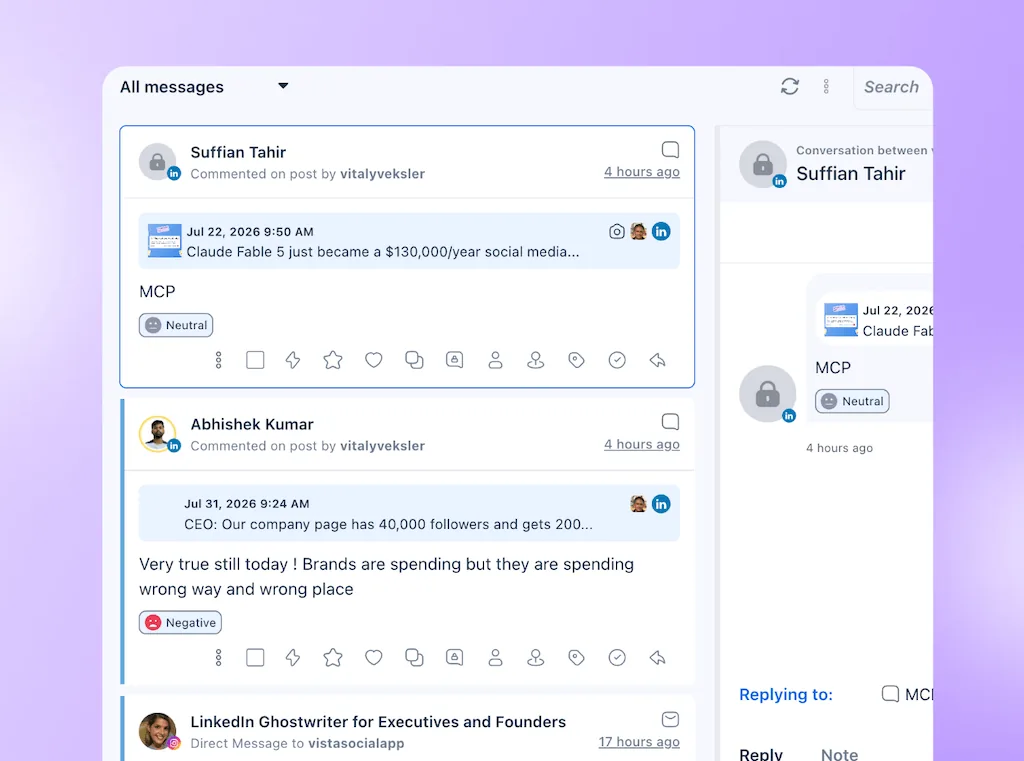
In Vista Social: Filter the inbox to unread messages and work through supported conversations without switching between profiles. Check Instagram message requests in the native app too; don’t assume every request has reached your connected inbox. Our guide to buying signals in your inbox helps you decide what to answer first.
4 to 6 minutes: Check reviews
BrightLocal’s 2026 survey of 1,002 US adults found that 89% expect owners to respond to reviews and 42% are unlikely to use a business that ignores them entirely. For timing, 19% expect a same-day response, and 81% expect one within a week.
- Handle urgent feedback: Acknowledge complaints publicly, then offer a private route to resolution without sharing customer details.
- Make replies personal: For positive reviews, mention something the customer actually said.
- Set a follow-up: Aim to reply within a day. If you need to investigate, record when you’ll respond and check that nothing is overdue.
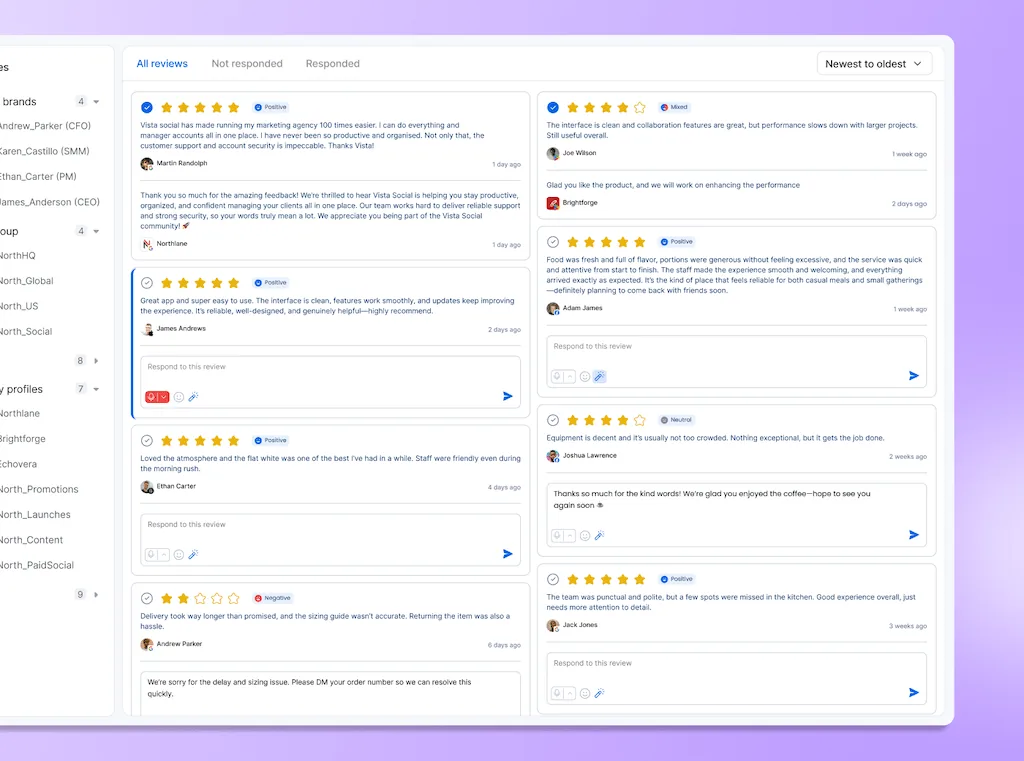
In Vista Social: Read connected reviews and reply to Google Business Profile and Facebook reviews from the platform. For sources without reply support, open the original site. Review management starts on Professional; our review guide covers the wider habit.
6 to 8 minutes: Check today’s posts
Check prices, hours, stock, and availability, plus weather or news where relevant. A patio promotion needs another look if the forecast has changed.
- Check the offer: Confirm the details against what your business can deliver today.
- Fix anything wrong: Correct or hold outdated content before it goes live.
- Leave gaps for later: Note an empty calendar for your batch session rather than starting an unplanned writing session.
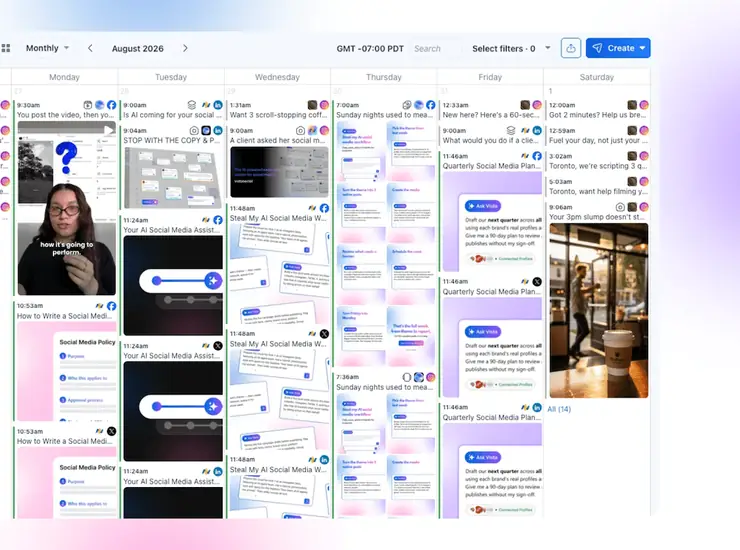
In Vista Social: Open today’s scheduled posts in the calendar and review the actual copy and media. Make necessary edits before publication. You still confirm stock, prices, and availability; a scheduled post isn’t proof that an offer is current.
8 to 10 minutes: Log inquiries and bookings
Note yesterday’s activity in one line: “Tue: 3 new Instagram quote inquiries; 1 earlier inquiry booked; 1 phone inquiry, source unknown.” The inquiry and its later booking are stages of one conversation, not two leads.
- Count the right things: Keep clicks, buying inquiries, bookings, and confirmed sales separate.
- Update earlier inquiries: Add the outcome when a customer decides, even if they first contacted you last week.
- Keep the gaps honest: Record unknown sources as unknown and write a line even when nothing new came in.
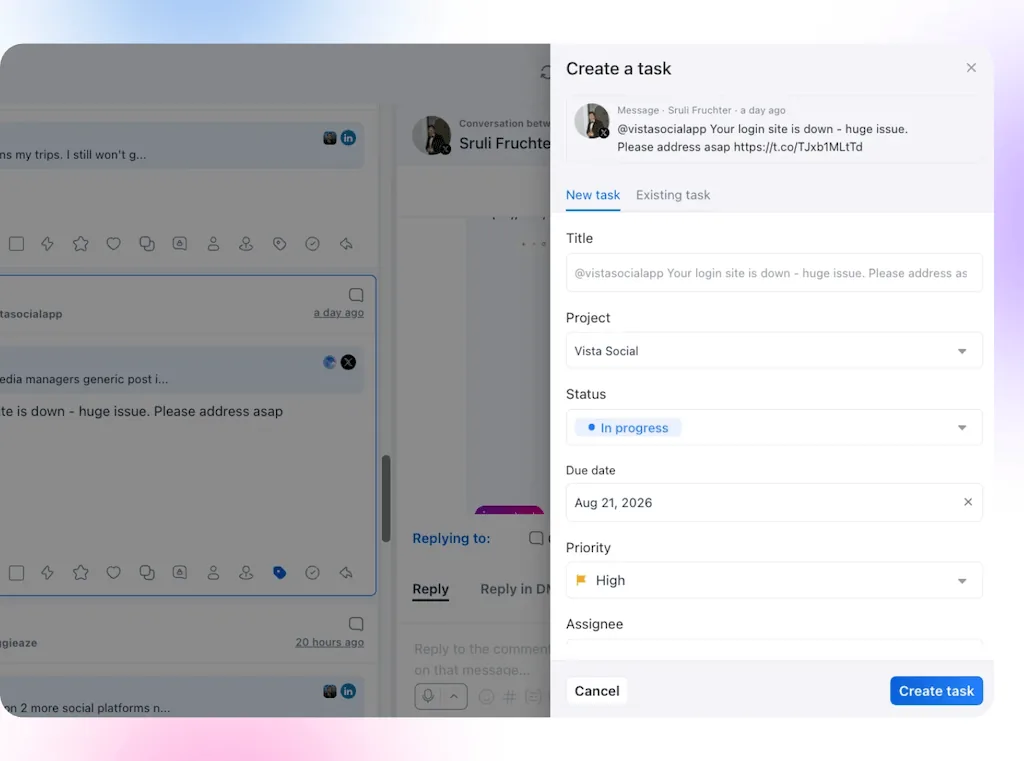
In Vista Social: Create a follow-up task from the customer’s message, keeping it linked to the conversation. Add the next step and due date so you can pick it up again. Record confirmed bookings in your own booking system or daily note; the task itself isn’t a sale.
Daily checklist summary
| Minutes | Check | Done when |
|---|---|---|
| 0 to 4 | Messages and buying questions | Potential customers have a reply or a follow-up time |
| 4 to 6 | New reviews | Replies are sent or follow-up times recorded, with nothing overdue |
| 6 to 8 | Today’s scheduled posts | Details are current and necessary corrections are handled |
| 8 to 10 | Inquiries and bookings | One factual line is recorded, including unknowns |
Use the morning briefing
Ask Vista’s morning briefer gathers open inbox items and today’s schedule from connected profiles. Choose profiles, schedule, and timezone, then check its first summary against your inbox and calendar.
For example, here’s how to act on the briefing, then finish the checks yourself:
- An overnight quote request: Open the original message and reply, or set a follow-up time.
- Today’s scheduled offer: Open the post linked from the schedule. You notice an old price, so you correct or hold it; the briefing doesn’t know whether the offer is valid.
- Check for new reviews: Open your review sources, read anything new, and respond or record a follow-up time.
Keep your inquiry and booking record yourself. A briefing doesn’t establish sales outcomes or replace the complete checklist.
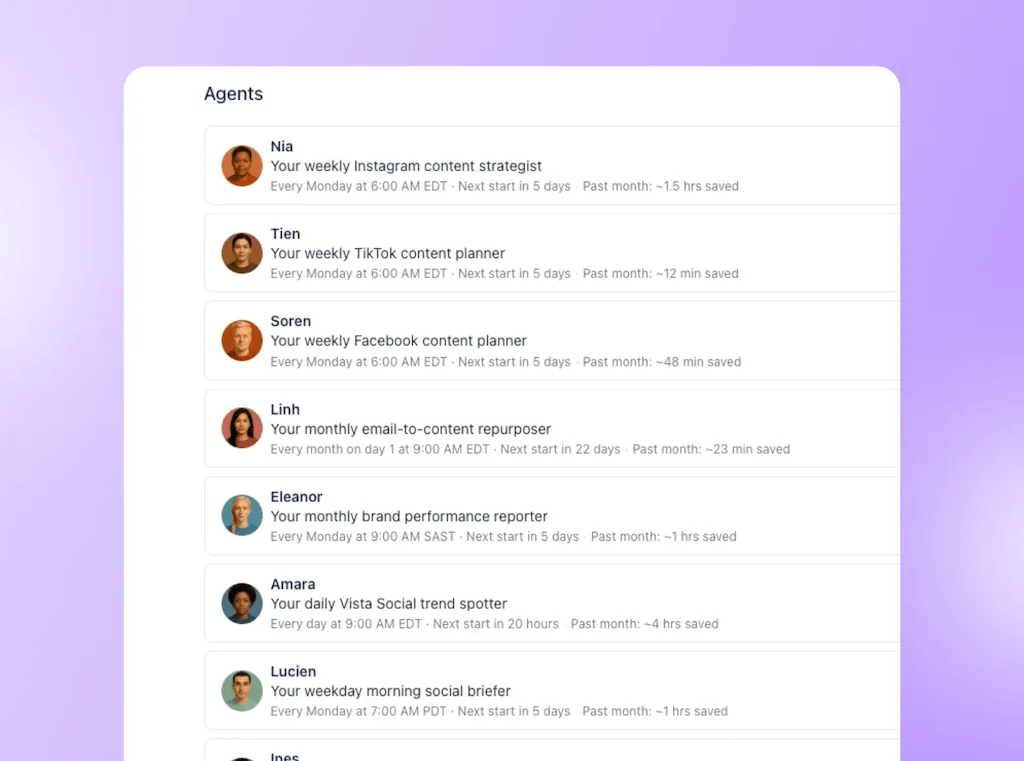
Agents are available on Advanced, Scale, and Enterprise and use AI credits. If credits run out, replenish them and reactivate the paused agent. See the agents guide for setup and limits.
With a handful of messages on one or two channels, native apps and this checklist are enough. A briefing earns its place when gathering information takes time you need for customers; it doesn’t cover replies while you’re away.
Start this week
You can care about social without giving it every spare moment. Preparing posts together and checking customers first gives you a clearer idea of what’s covered when you close the app and get back to the business.
Try the plan for a normal working week, then look at what needed more time. A useful booking conversation may deserve a longer slot. Searching for the same photos every morning is something to sort out before the next batch.
Adjust the routine around the work that matters, rather than trying to squeeze every job into three hours.
- This week: Block the batch session, five morning slots, and Friday review.
- Tomorrow: Open customer messages before the feed.
- Friday: Read your five daily notes and choose one change.
If finding messages across accounts keeps eating into those slots, start a 14-day Vista Social free trial and try bringing supported inquiries into one inbox.
See whether it leaves you spending more of your social time helping customers and less of it looking for the conversation.
Frequently asked questions
How often should a small business post on social media?
For a simple starting schedule, test a few useful feed posts a week across your one or two networks, protecting time for customer replies.
Is an hour a day on social media too much for a business owner?
An hour each workday is five hours a week. Whether it’s useful depends on the work: serving inquiries or filming content is different from repeatedly checking the feed. Log the jobs before cutting time.
How fast should a business reply to reviews?
Aim to check daily and reply within a day where practical. Acknowledge urgent complaints sooner; if you need to investigate, give a realistic follow-up time.
Can I see all my social messages in one place?
Vista Social brings supported messages, comments and reviews into its inbox. Coverage depends on network and permissions. Google Business Profile and Facebook review replies are supported; other sources can require a response on the original site.
Can AI run my social media for me?
AI can gather briefings, save ideas and create review follow-up tasks. You still check the output, handle customers and decide what gets published. Start with a read-only briefing before delegating actions that change content or send replies.
About the Author

Content Writer
Orion loves to write content that refuses to be boring. As part of Vista Social, he helps brands, creators, and agencies stop doom scrolling and start winning with social media. When he's not in front of a keyboard, he's watching films in IMAX with his wife, dissecting football tactics (the European kind), and getting lost in a good book.