


Introducing Ads Manager in Ask Vista: Run Paid Campaigns Where You Run Social
November 16, 2026
5 min read

Summarize with AI

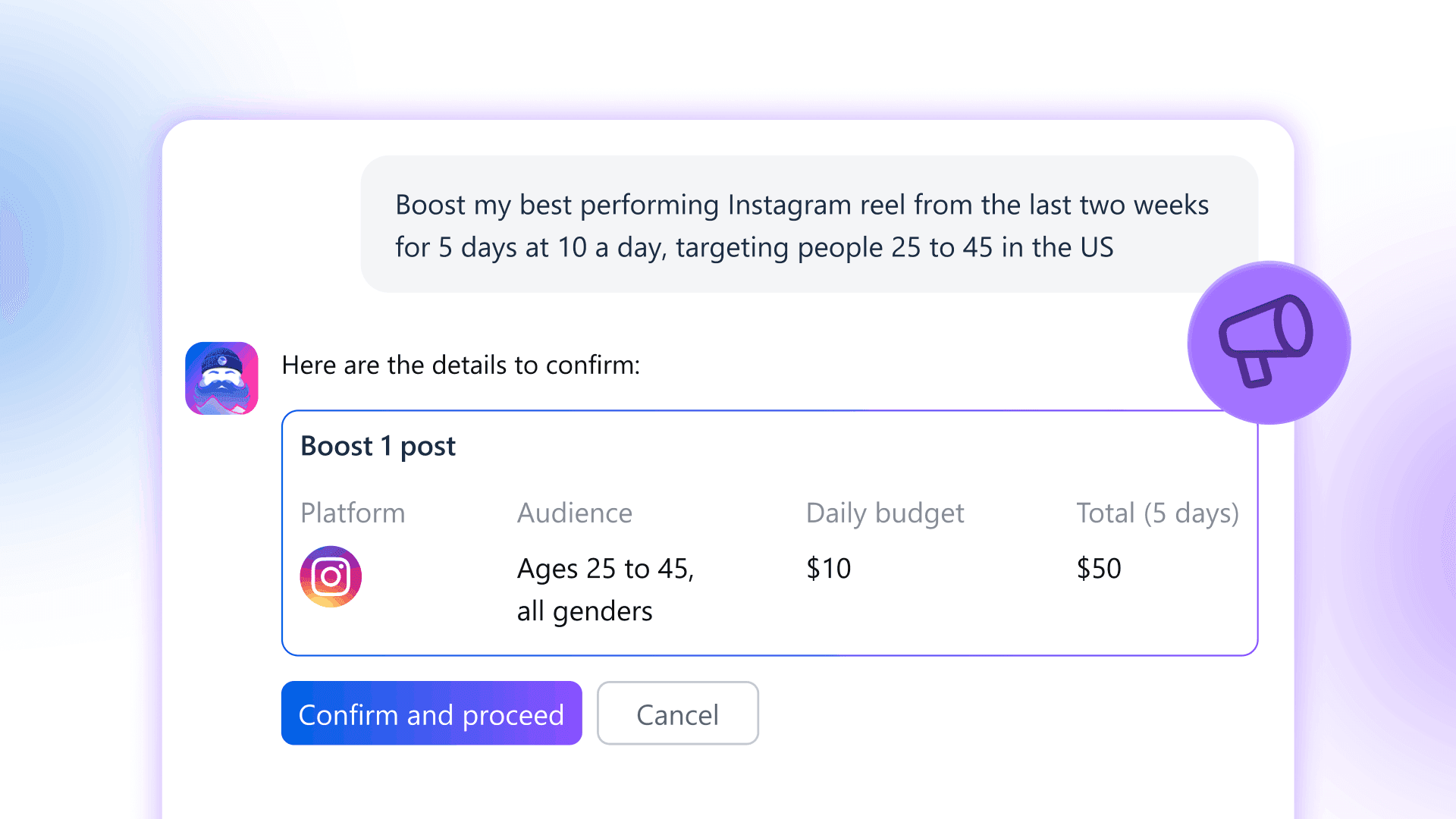
Table of contents
Share

Vista Social

X (Twitter)


Ads Manager is now live in Ask Vista, the AI assistant inside Vista Social. Review results, find out why a campaign isn’t spending, build or change campaigns, and boost posts on 10 ad networks from the same place you already publish and measure social. Every change shows a Confirm card first, and new campaigns and boosts start paused.
Ads Manager is available on the Advanced plan and higher. To start, connect your ad accounts, open Ask Vista, and ask which campaigns are running and what they’ve spent.
Table of contents
Why paid belongs next to your posts
Most teams run organic in one set of tools and paid in another. When someone asks to put budget behind a post, the social team knows how it performed, the paid team knows whether it’s already being promoted, and those answers live in different places.
Ask Vista already knows your posts and how they performed. Now it works with your ad accounts too, so you can go from “which post should we boost?” to a paused boost ready for review in one conversation.
What’s new
Vista Social already shows paid and organic results side by side. Ads Manager lets you act on them. Ask which campaigns are spending, follow up on one that looks off, and prepare a change without switching tools or losing track of the account.
The 10 networks cover paid social, search, and ads in ChatGPT. Each network keeps its own options, and Ask Vista only offers what that network supports.
| Ad networks | Supported work in Ads Manager |
|---|---|
| Meta (Facebook and Instagram) | Review performance, boost eligible posts, and create or edit supported campaigns. |
| LinkedIn, TikTok, Snapchat, Pinterest, and X | Review performance, create or edit supported campaigns, pause them, and adjust budgets. |
| Review performance, boost published posts, turn existing campaigns on or off, and adjust daily budgets. Build new campaigns in Reddit Ads Manager. | |
| Google Ads | Review Search and Performance Max results. Create or edit Search campaigns. |
| Microsoft Ads | Review results and create or edit Search campaigns. |
| OpenAI Ads (ads in ChatGPT) | Review performance and create or edit supported chat ad campaigns. |
What you can do right now
Find out why a campaign isn’t spending
Ask why a TikTok campaign hasn’t spent anything since Tuesday. Ask Vista checks delivery and tells you the reason the network reports, so your team has something concrete to fix instead of a zero in the spend column.
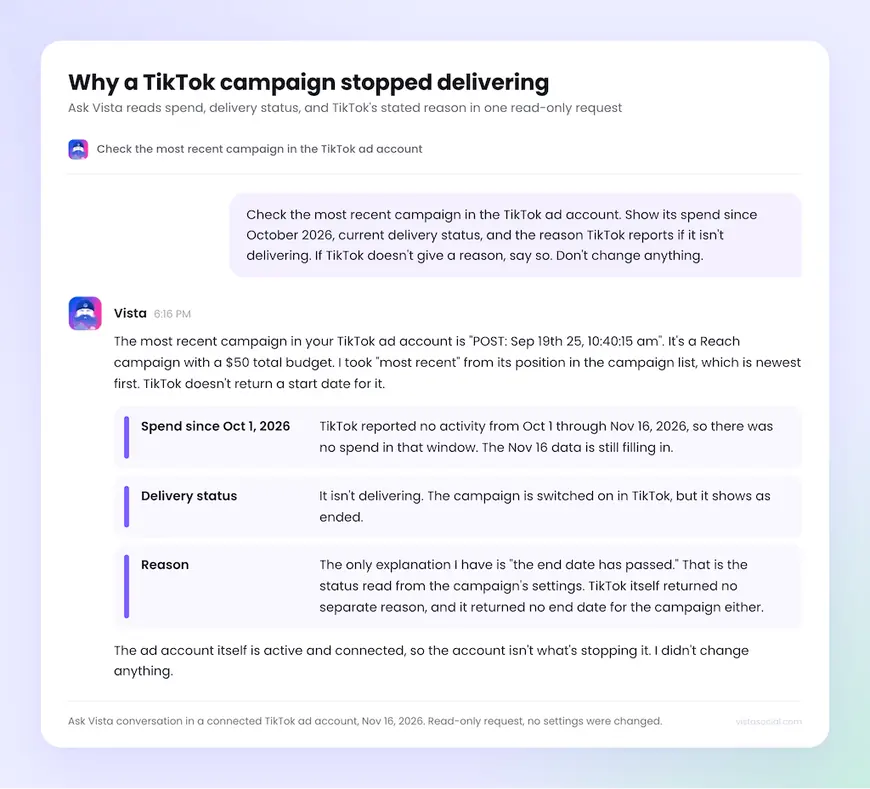
For a wider review, ask for spend, results, and cost per result by account and campaign across every connected network.
Build a Search campaign your paid team can inspect
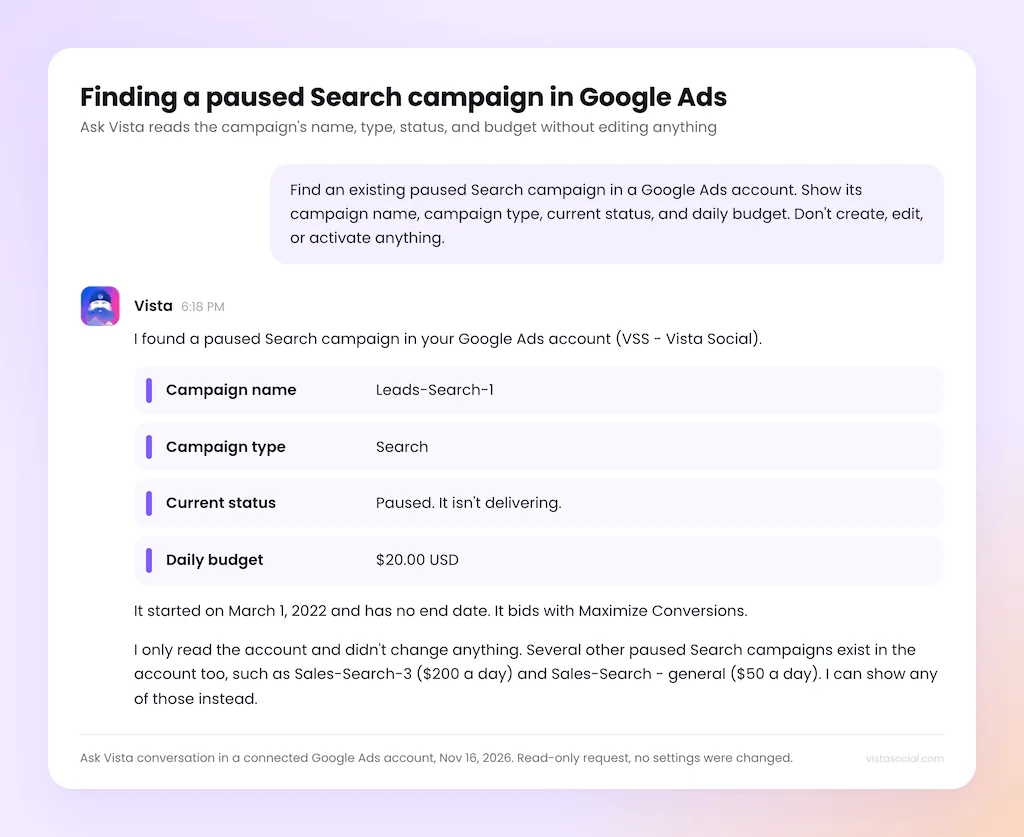
Give Ask Vista the Google Ads account, the market, your budget, the landing page, and your approved keywords, then ask it to prepare a Search campaign. When you confirm, it creates the campaign paused, so your team can review the ad, keywords, targeting, and budget before anything goes live. That helps when the creative is ready on Monday but the offer doesn’t launch until Wednesday.
Change a budget on a running campaign
Give Ask Vista the account, the campaign, and the new daily budget. The Confirm card shows the current and proposed budget, so you know exactly what’s changing before you confirm.
On Enterprise accounts with the audit log turned on, the Ads category records who made the change, so there’s a clear answer when finance asks about it next week.
Boost the posts that are already working
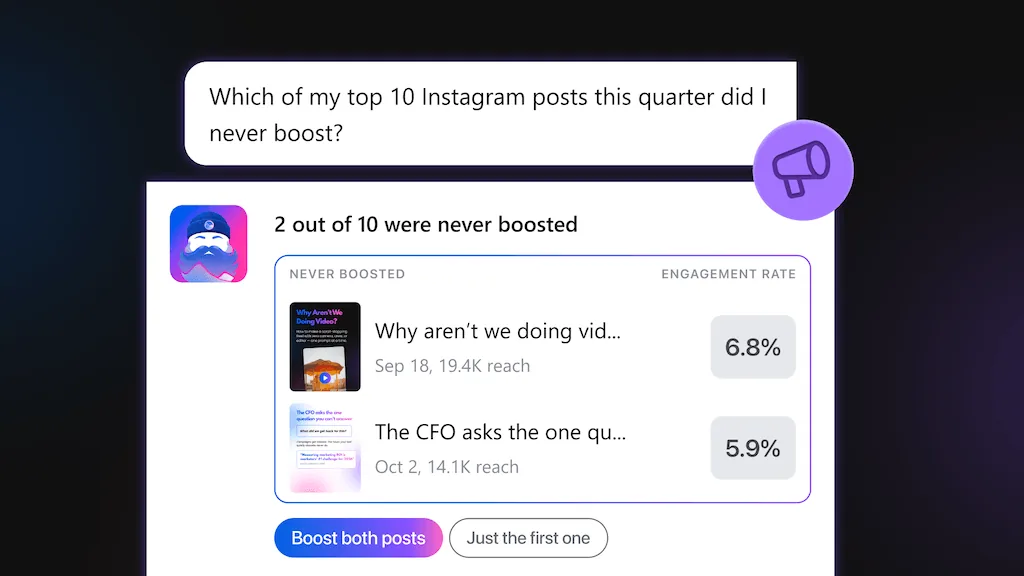
Because Ask Vista sees your published posts, you can start from what’s already resonating. Ask which of your top posts were never boosted, pick one, and decide what you want the test to show, like product-page visits.
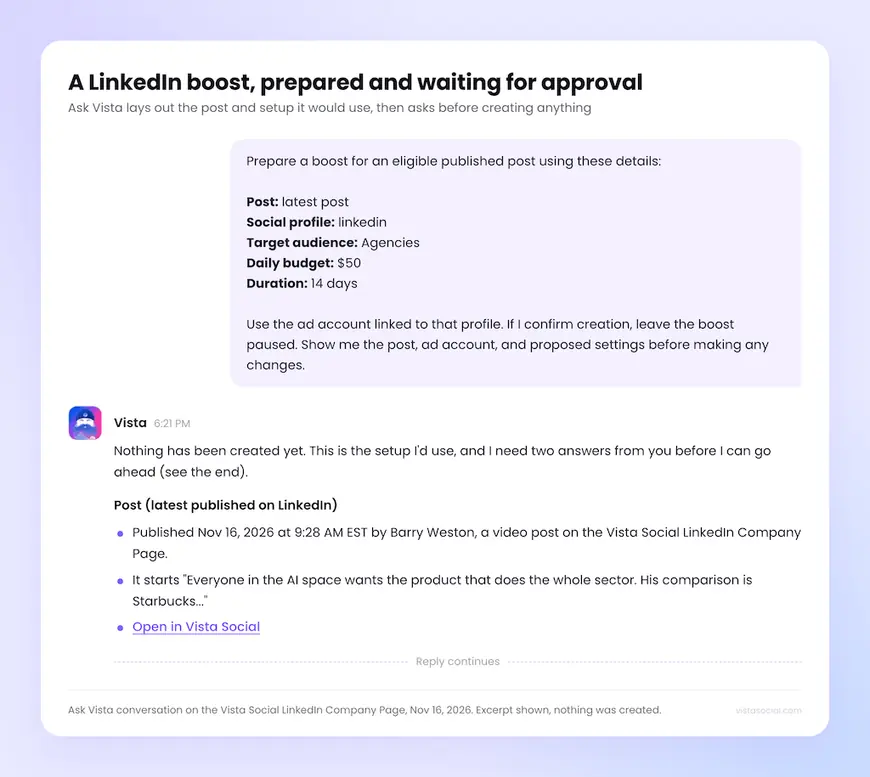
- Check the proposal: make sure the card names the right post and ad account, then review the audience, budget, and run dates.
- Inspect the paused boost: confirm creation and check the result. When you’re ready to run it, request activation and confirm that step too.
- Read the result against your goal: open the promoted post to see its paid and organic figures side by side.
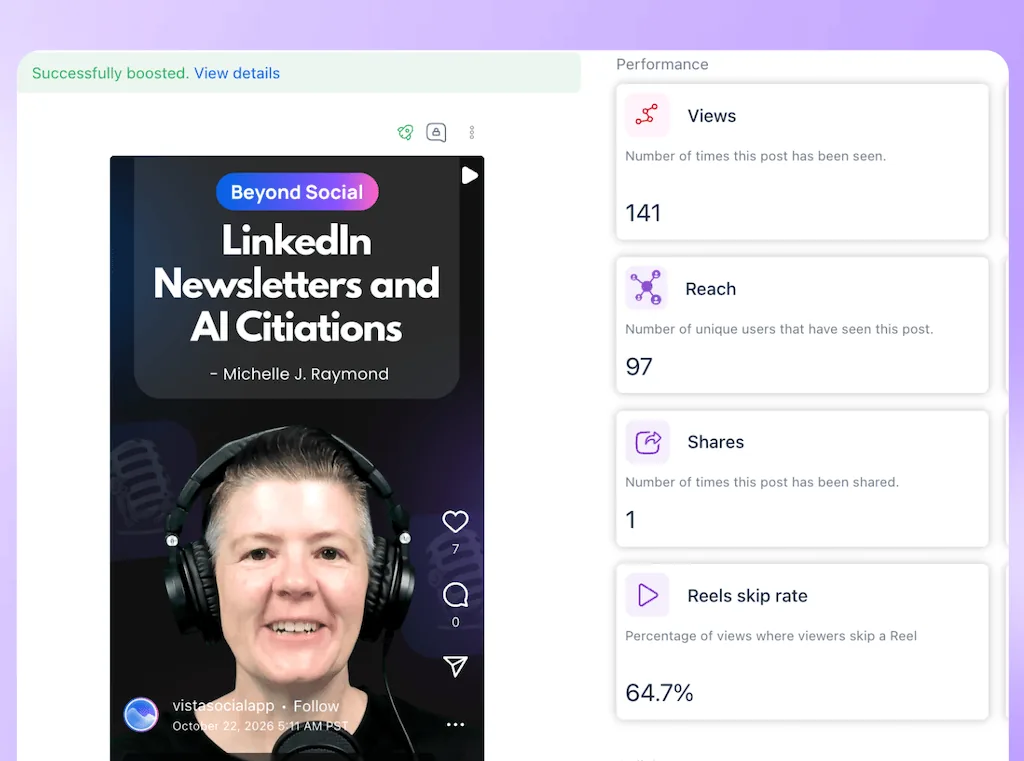
Still choosing what to test? Our research on what makes organic posts perform can help you shortlist a hook or format.
Give each team the right access
A regional lead might need to explain spend without being able to change it. Your paid lead might manage campaigns across regions. An agency might run another market’s account that headquarters needs to see. Vista Social handles all three.
Use profile groups to scope which ad accounts people can see, then set what they can do. If an ad account is linked in more than one group, people in either group with the right access can see it.
Set a daily cap per campaign before anyone asks for a budget change. You can also add a monthly limit that counts all spend on the ad account, including spend made directly on the network.
At that limit, Vista Social blocks new launches, boosts, and budget increases made through Vista Social. Existing ads keep running, and the limit doesn’t control changes made directly on the network.
Work from Claude or ChatGPT
If your team already uses Claude or ChatGPT connected to Vista Social, it can read ad performance and make supported changes within your Vista Social permissions and account limits.
The review step looks a little different there. Instead of a Confirm card, the assistant shows what will change and asks for your go-ahead in the conversation. A good first request is a read-only comparison of two accounts you know well.
What stays in each network’s ads manager
Billing, appeals, and campaign options Vista Social doesn’t support still live in each network’s own ads manager. If a network rejects your creative, for example, use its ads manager to review the policy decision or submit an appeal.
Get started with Ads Manager in Ask Vista
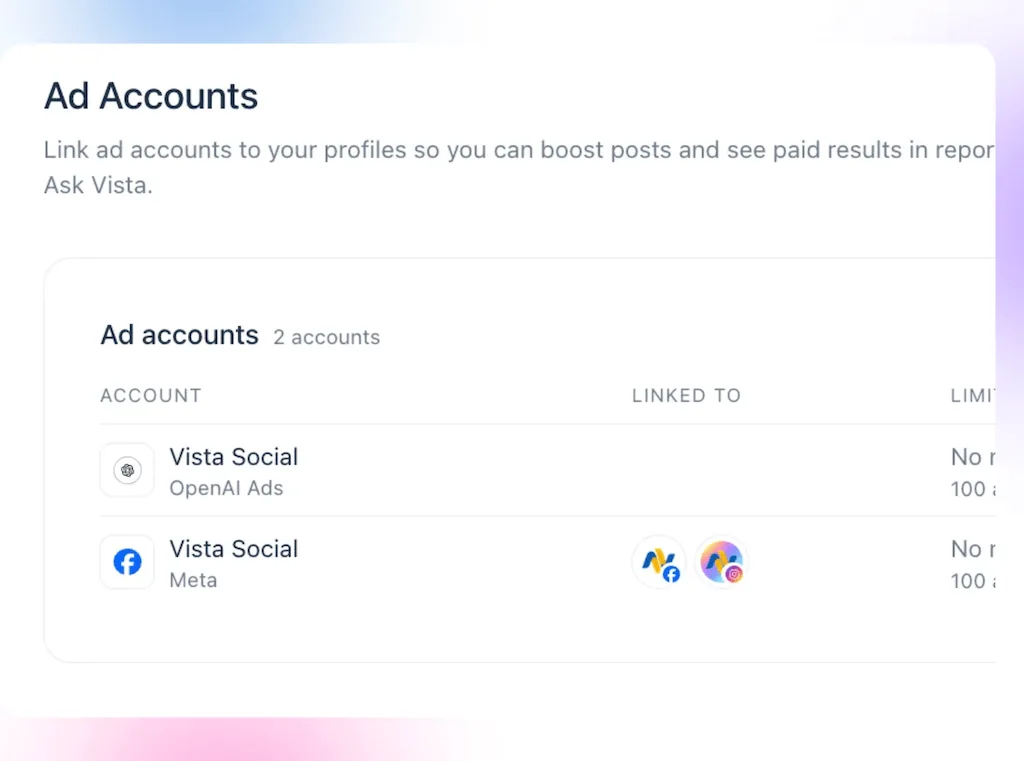
Already use Vista Social? Start with an ad account your team knows. Social ad accounts link through the matching social profile. Google Ads, Microsoft Ads, Reddit Ads, and OpenAI Ads connect in Settings > Profiles and Ads > Ad Accounts. Ask what ran last week and compare the answer with the account.
New to Vista Social? Book an Ads Manager walkthrough and bring one launch that spans paid and organic. We’ll show you how to find the post, review the campaign results, and see the proposed change before it goes to the network.
Frequently asked questions
Can Ask Vista spend money without my approval?
No. Every change shows a Confirm card first. New campaigns and boosts start paused, and spend only starts after you ask to turn them on and confirm.
What if Vista Social can’t read this month’s spend?
If you’ve set a monthly spend limit, Vista Social treats it as reached until it can read spend from the network again. You can still pause campaigns or lower budgets.
Can I connect an ad account without a social profile?
Yes. Google Ads, Microsoft Ads, Reddit Ads, and OpenAI Ads connect directly in Settings > Profiles and Ads > Ad Accounts. Social ad accounts such as Meta and TikTok link through a connected social profile.
Does disconnecting an ad account stop the ads?
No. Disconnecting stops Vista Social from using the account, but the ads can keep running on the network. If you need to stop spending, pause the campaigns and check their status before disconnecting.
About the Author

Content Writer
Orion loves to write content that refuses to be boring. As part of Vista Social, he helps brands, creators, and agencies stop doom scrolling and start winning with social media. When he's not in front of a keyboard, he's watching films in IMAX with his wife, dissecting football tactics (the European kind), and getting lost in a good book.