


Marketing Automation ROI: Make Your AI Prove It
July 16, 2026
12 min read

Summarize with AI

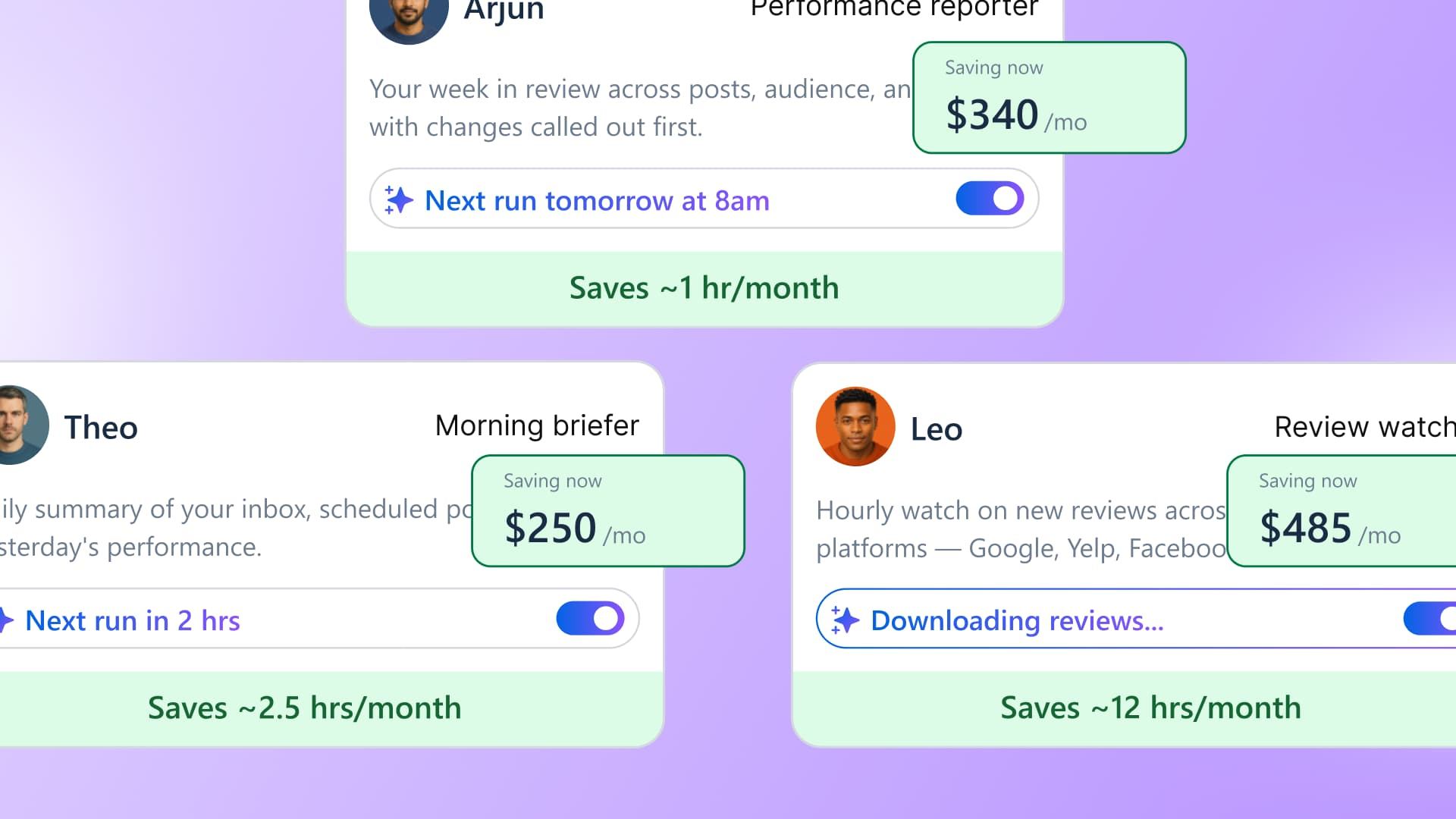
Table of contents
Share

Vista Social

X (Twitter)


Renewal season has a moment every marketer dreads. The CFO is going down the line items, subscription by subscription, and lands on your automation tool. “Walk me through this one,” they say, and you start reading off the feature list: it schedules, it drafts, it pulls reports, and it watches the inbox. Every word is true, but none of it answers the question they actually asked.
The question underneath is simple: “what did we get back for this?” For a lot of what automation does, you honestly can’t say, because the value showed up as time you didn’t spend, spread across months of small tasks nobody tracked. You know the tool earns its keep, but you can’t seem to prove it in those meetings.
The marketing automation ROI that’s hard to defend is the operational hours a tool takes off your plate. Those hours were real, and you could have put a price on them. They just weren’t kept track of anywhere, the way so much of a busy week never is. An AI agent that keeps its own record can hand you the receipt you’ve been missing, and the article below shows how to build it, price it, and carry it into the room.
The short version:
- The hardest ROI to prove is your own: Campaigns get tracked, but the operational hours your automation saves you tend to vanish because nobody writes them down.
- Time saved is money saved: Hours saved times a loaded rate is spending you avoided, as long as you agree on the rate with Finance and call the total a modeled estimate.
- Guessing after the fact never holds up: Trying to remember how many hours a tool saved you last quarter falls apart the second someone in a budget review pushes back.
- Let an agent keep its own count: When the automation logs what it ran and what it would have taken a person, the record builds itself, and you walk in with a dated log instead of a feature list.
Table of contents
What is marketing automation ROI?
In plain terms, it’s what you get back from your automation tool set against what it costs you. If the tool costs less than the value it hands you, you’re in the green. The catch is that the value shows up in two very different ways, and most of us only ever count one of them:
- The money side: Revenue and leads your automated campaigns brought in. This is the easy half, because it already shows up in your reports.
- The time side: The recurring work the tool absorbs so a person doesn’t have to. Building the weekly report, drafting first-pass captions, flagging the comments that need a human, and queuing posts across a dozen accounts.
That second one is where the trouble starts, and it’s usually the bigger of the two. None of it lands as revenue, yet all of it costs real hours when a person does it by hand. Skip it and you’re reporting maybe a third of what the tool did for you. Our guide on social media ROI covers the revenue side.
Why your own ROI is the hardest to prove
To prove any return, you need two numbers: what the tool costs and what it gives back. The problem is that only one of them gets recorded for you. Here’s how the two sides stack up:
- Cost is tracked to the cent: Finance has the invoice, so what you pay is exact and never in question.
- Savings aren’t tracked at all: The hours the tool hands back are just as real, but nothing records them as they happen.
- The return ends up a guess: With one side missing, you’re left reconstructing it later from half-finished spreadsheets and a strong hunch.
Here’s what that looks like in practice. Say you own the weekly performance report. A tool now assembles it, so it’s fifteen minutes to review instead of the two hours it used to eat every Monday. That’s an hour and forty-five minutes back every week, and nobody writes it down. Six months on, the budget review asks what the tool is doing to justify its cost, and you may struggle to come up with an adequate answer.
And the pressure to have that answer keeps climbing. The CMO Survey found that as AI adoption accelerates, marketing leaders face increasing pressure to demonstrate ROI amid slowing budget growth. It’s the exact thing marketers already find hardest. In HubSpot’s 2026 research, measuring marketing ROI was the number one challenge named for the year, cited by 33% of respondents.
Stop guessing at what your tools save you. Start a free Vista Social trial and watch the hours get logged as the work happens.
Is time saved actually ROI?
It’s a fair question, and it deserves a straight answer. No, time saved isn’t comparable to revenue generated. If your automation buys back ten hours a week, no fresh money lands in the bank on Friday. But it still counts as a kind of ROI called “cost avoidance.”
Those ten hours were going to be paid for one way or another, as salary spent on busywork, a contractor’s invoice, or a project you shelved for lack of time. When the tool soaks them up, that cost never shows up, and a cost you didn’t have to pay holds its own in any budget conversation.
And the numbers behind it are real. A 2025 study of small-business marketers by Talker Research found that AI saves around 13 hours per person each week, roughly a third of a 40-hour week handed back. That’s not a rounding error you can wave off. It’s the better part of a full day, every week, that used to disappear into tasks nobody was counting.
How do you turn hours saved into dollars?
The math is deliberately simple, which is part of why it survives scrutiny. Take the hours saved, multiply them by a loaded hourly rate you’ve agreed with Finance (loaded meaning it includes benefits, taxes, and overhead, not just base salary), and you’ve got your cost avoided.
The example below runs on Vista Social’s own pricing: the Professional plan is $79 a month, or $948 for the year, set against one recurring task, the weekly report, which drops from two hours by hand to fifteen minutes to review.
Here’s how to read it. The left column is each piece of the sum, the middle is the number it works out to, and the right shows where that number comes from. Follow it top to bottom and you land on the net gain from this one task.
| The piece of the sum | The number | Where it comes from |
|---|---|---|
| Hours saved per week | 1.75 | 2 hours by hand, 15 min to review |
| Weeks worked per year | 48 | Allowing for time off |
| Hours saved per year | 84 | 1.75 hours × 48 weeks |
| Loaded hourly rate | $40 | Agreed with Finance (illustrative) |
| Cost avoided per year | $3,360 | 84 hours × $40 (modeled estimate) |
| What the tool costs per year | $948 | Vista Social Professional, $79/mo |
| Net gain on this one task | $2,412 | $3,360 saved − $948 plan cost |
One recurring task already covers the whole subscription several times over, and that’s before the rest of what the tool handles: the first-draft captions, the inbox triage, the cross-account scheduling. Run the same sum on each and the plan cost stops being the line item you defend. It becomes the smallest number on the page.
Notice that the arithmetic itself is the easy part. What trips you up is the very first input: you need the hours saved, task by task, and that’s exactly the number nobody was keeping. When you’re defending a line item, a confident story about the time you save loses to a plain log of what was actually saved. Kyle Lacy, CMO at Docebo and the writer behind the Revenue Diaries newsletter, put the stakes bluntly:
“Most CMOs don’t get fired for spending too much. They get fired for not being able to defend what they spent.”
— Kyle Lacy, CMO at Docebo, The Revenue Diaries
You can’t defend what you never recorded. The arithmetic here is easy; the hard part is getting those hours logged in the first place, without piling one more tracking chore onto a plate that’s already full.
Can your automation report its own ROI?
The old way was to reconstruct the number at quarter-end: remember how long the report used to take, estimate backward, hedge every figure, and end up with something you didn’t trust and couldn’t defend. That’s guesswork, and it’s why the operational side so often gets dropped.
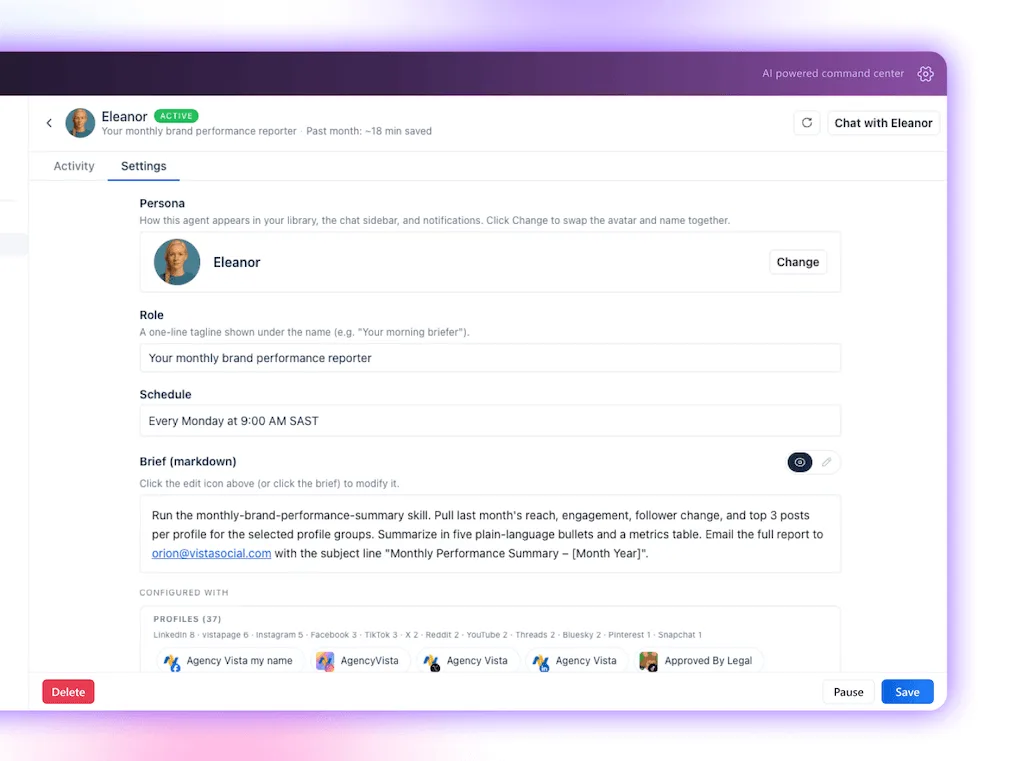
The better way is to let the work log itself as it happens, which is exactly what an AI agent is built for. It’s a task you describe once that runs on a schedule, and because it runs the task, it records what it did: how many times it ran, what it produced, and what that work would have taken a person by hand. The timesheet builds itself while the work happens.
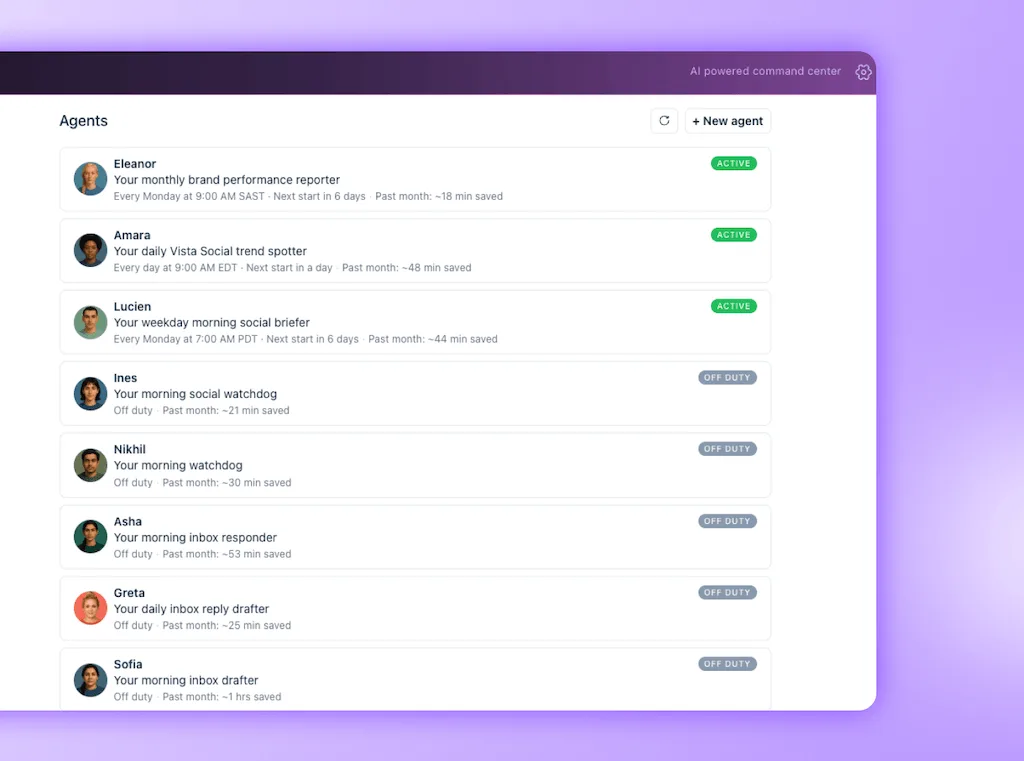
That’s how Vista Social’s AI agents work. You set one on a recurring job, it keeps its own record of what it handled, and Ask Vista pulls that log into a report you take straight to a review.
The Vista Social fast path: instead of reconstructing hours from memory at quarter-end, the agent logs each run and its modeled hours saved the moment it happens.
The nice part is you can start small and grow into it. Every Vista Social plan gives you AI to work with, and the more you lean on it, the more the agents take on: more recurring jobs running on their own and more of the logging and reporting handled before you ask. You’re always in the driver’s seat, too. The agents draft, log, and report by themselves, but anything that goes out the door waits for your go-ahead.
Not every task is worth an agent, though. The jobs that pay off share a shape:
- They recur: The hours stack up instead of being a one-off.
- High-volume: All small repetitive motions, which is where a person burns time and an agent shines.
- Never hit a timesheet: Quietly eating an afternoon nobody thinks to log.
The four below fit that shape, each paired with the Vista Social skill that runs it and drops the saving straight into the log.
| Recurring job that drains hours | What you get back | Vista Social skill that runs and logs it |
|---|---|---|
| Reading every comment and DM to find the few that need you | An hour a day back, and nothing urgent slips through | /triage-inbox sorts the queue and drafts replies, logging what it handled |
| Guessing when to post, account by account | More reach without the manual timing analysis | /best-time-to-post reads each profile’s data and schedules to it |
| Staring at a blank composer for the week’s posts | Days of ideation shrunk down to review time | /generate-post-ideas drafts on-brand options you approve or edit |
| Writing the after-the-fact recap of what worked | The weekly report assembled before Monday | /post-postmortem pulls the numbers and writes the summary |
Each is a job you were already doing by hand, with no stopwatch running. Hand it to a skill and the agent does two things at once: it gets the work done and records the run, so the afternoon you got back becomes a line in the report.
A real business already counted the hours
This isn’t theory. In 2025, Morgan Stanley pointed an in-house AI tool called DevGen.AI at a repetitive, painful job, translating decades of legacy code, and reported hard numbers on what it saved. The tool worked through nine million lines of code and saved developers 280,000 hours. None of those hours were ever going to show up as revenue on a slide. They showed up as work a team didn’t have to grind through, which is exactly the operational value social teams struggle to name.
The same play works on a job much closer to yours. Anthropic’s own marketing operations team moved the weekly metrics review, which used to eat one to two days a week, by hand onto a scheduled task that runs every Sunday evening. Work that took days now takes hours, and because the task keeps count, the hours saved are a figure you can point to instead of a feeling.
How do you prove automation’s ROI to leadership?
Once the record exists, the budget conversation stops being a defense and becomes a briefing. Bring the receipt, put it in Finance’s language, and be honest about what it is:
- Lead with the log, not the feature list: Open with the record of what the automation ran and the hours it saved. A CFO wants the outcome.
- Turn the hours into avoided cost: Apply the rate you agreed with Finance and show the dollar figure, marked as a modeled estimate.
- Keep cost avoidance in its own column: Never fold the operational savings into campaign revenue. Two clean columns read as honest.
- Say what it doesn’t cover: Hours saved is one half of the story and campaign performance is the other. Owning the gap before they find it earns you the benefit of the doubt on the rest.
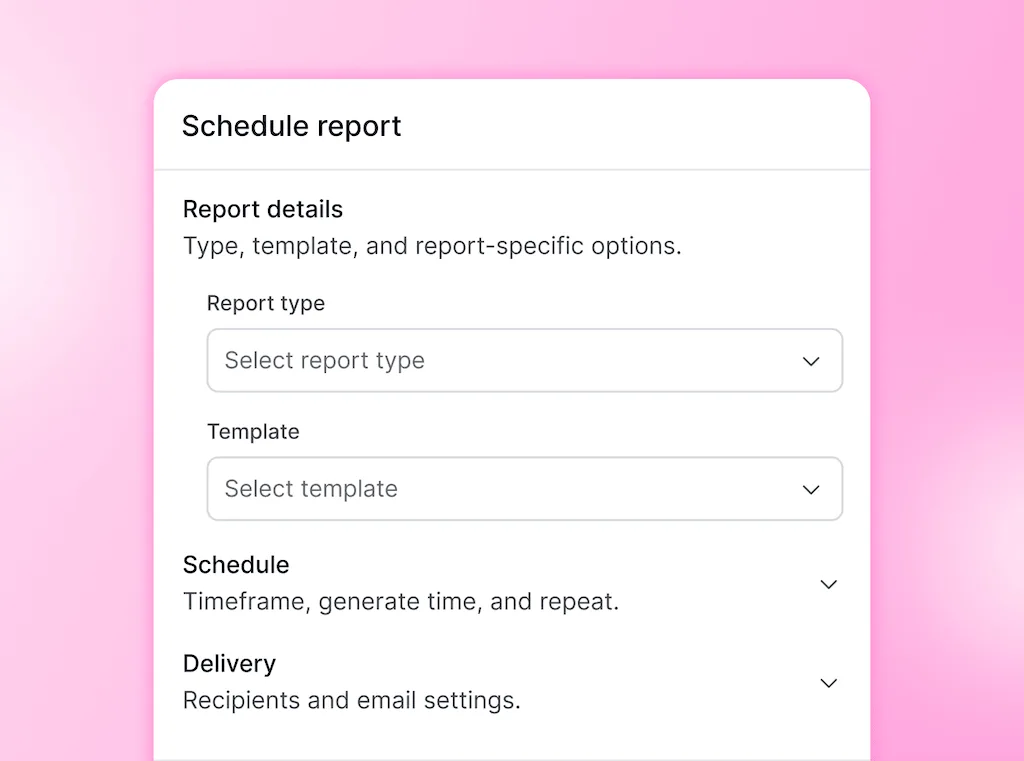
A single slide lands better than a deck. Tasks the automation absorbed, modeled hours saved, avoided cost, and a footnote naming the rate and the “modeled estimate” caveat. If you already send clients a monthly recap, our approach to client reporting folds the same numbers in, and Vista Social’s AI reporting can build it for you.
Walk into your next budget review with the receipt already tracked. Try Vista Social free and let your agents keep the log.
When hours-saved reporting isn’t enough
Hours-saved reporting does a lot of the work, but it won’t carry the whole ROI story on its own, and you’ll want to know its limits before a sharp CFO finds them for you. Here’s where it stops and what to pair it with:
- It doesn’t replace campaign ROI: Cost avoidance tells you what the tool saved in labor, not what your marketing earned in pipeline. You need both, and our guide on how to measure social media ROI handles the pipeline side.
- Saved time only counts if it’s redeployed: The hours become valuable when they go into strategy, creative, and the calls you never had time for, not when they simply evaporate.
- Not every task is worth metering: A job that runs once a quarter saves a rounding error. Keep the reporting on recurring, high-frequency work where the hours stack up.
Naming these limits doesn’t weaken your case. It’s what makes a skeptical person believe the rest, and it keeps you from leaving the biggest share of the tool’s value off the table.
The receipt was always the missing piece
The value of your automations was never fake or unmeasurable. Truth is, like a lot of things on your plate, it just wasn’t being tracked properly. The hours the tool saved you were real the whole time; they slipped past because you were heads-down doing the very work those hours freed up. And a thing that isn’t being recorded anywhere is a lot easier to fix than a thing that isn’t working.
The fix is to let the automation keep the record for you. When an agent meters its own output as it runs, the marketing automation ROI you could never quite prove becomes a dated log you hand across the table, translated into avoided cost and honest about being a modeled estimate. You stop reciting the feature list and start showing the receipt.
See what your automation is really worth. Start a free Vista Social trial.
Frequently asked questions
What is marketing automation ROI?
It’s the return your automation tool earns against what you pay for it. The catch is that the return arrives two ways: the revenue your automated campaigns drove and the money you didn’t have to spend because the tool handled hours a person otherwise would. Most people count the first and forget the second, which is often the larger slice.
Is time saved really a form of ROI?
It is, just not the revenue kind. Think of it as cost avoidance. Somebody was going to get paid for the hours the tool now handles, so when those hours disappear off your plate, that’s money you kept in the business. Finance is comfortable with avoided cost, as long as you’re upfront that it’s a modeled estimate and not cash that landed in the account.
How do you calculate the dollars saved by automation?
Grab the hours you save on each recurring task and multiply them by a loaded hourly rate, which is base salary plus benefits, taxes, and overhead. Add the tasks up, then set that total against what the tool costs you for the year. One honest rule: always call the result a modeled estimate, never audited savings. That’s the line that keeps it credible.
Can an AI agent track its own time saved?
Yes, and it’s the whole reason this gets easy. Because the agent runs the task itself, it can log every run, note what it produced, and estimate the time a person would have spent doing it by hand. So instead of scrambling to reconstruct a number at quarter-end, you’ve got a live record that builds itself while you get on with your day.
How do I prove automation’s ROI to my CFO?
Walk in with the dated log of runs and hours, turn it into avoided cost using the rate you and Finance agreed on, and keep that figure in its own column, well away from campaign revenue. Put it all on a single slide and say up front that it’s a modeled estimate. Owning the limits before anyone asks is exactly what makes the number survive the follow-up.
Does hours-saved reporting replace campaign ROI?
No, and it shouldn’t try to. Hours saved tells you what your automation spared you in labor; campaign metrics tell you what the marketing drove in revenue and pipeline. You want both on the table. Reporting the hours just makes sure you stop leaving the operational value, often the larger slice of what a tool does for you, quietly off to the side.
About the Author

Content Writer
Orion loves to write content that refuses to be boring. As part of Vista Social, he helps brands, creators, and agencies stop doom scrolling and start winning with social media. When he's not in front of a keyboard, he's watching films in IMAX with his wife, dissecting football tactics (the European kind), and getting lost in a good book.