


Published on August 4, 2026
11 min to read
How to Stop Duplicate Social Media Posts

Summarize with AI

Table of contents
Summarize with AI

ChatGPT

Claude

Perplexity
Share

Vista Social

X (Twitter)


How does a careful social team end up publishing the same campaign twice in 90 minutes?
It is easier than you might think. One person schedules the original post from the campaign plan. Later, someone else picks up a request in Slack and creates another version. Because they are working from different queues, neither person can see that the job is already covered.
By the time both posts are live, nobody on the team has caught the mistake. A sharp-eyed follower does, leaving your team to explain why the same campaign appeared twice.
Most teams respond by telling everyone to communicate more. Maybe they add another spreadsheet column or ask people to check Slack before scheduling. That can work for a while, but it still depends on every person remembering to update several places whenever something changes.
As more people, brands, and locations enter the picture, those small gaps become harder to manage. The team is paying attention. They simply do not have one reliable place to see everything that is already scheduled.
Duplicate posts are not a people problem. They are a visibility problem, and no amount of asking people to check first will fix a view that does not exist.
The short version
- Separate queues hide work: Duplicate and missed posts appear when each person sees only their own drafts or scheduled posts.
- The second person changes the job: Each teammate and account adds another handoff for memory to carry.
- Copies go stale: Spreadsheets and check-ins depend on somebody recording every change made elsewhere.
- Shared passwords create a second headache: One login gives broad access, but it weakens attribution and makes offboarding harder.
Table of contents
What are the three stages of social team coordination, and where does yours break?
A workflow that serves one person can feel effortless for months. Then a teammate joins and the same setup starts asking both people to remember what the other one knows. The Coordination Threshold is the point where personal memory can no longer explain the team’s full schedule.
Use the table below as a quick diagnosis. The third column shows the signs you’ll notice during a normal week, long before anybody calls the workflow broken.
| Stage | What coordination looks like | The tell you’ve outgrown it |
|---|---|---|
| 1. One person and no gap | One person drafts, reviews, and schedules, so their memory fills anything the calendar doesn’t show. | Coverage becomes confusing as soon as that person takes leave or hands off a campaign. |
| 2. Two or three people and informal pings | Teammates ask who is covering what in Slack, email, or a weekly check-in. | The same status question gets asked twice, or someone starts a post that another person has already drafted. |
| 3. Enough moving parts that informal coordination breaks | More people, brands, locations, or clients create several partial publishing plans. | Posts, approvals, and replies collide even after everyone was told to check first. |
Headcount is only part of the pressure. Two people covering six locations can create more handoffs than five people on one brand. Each location brings its own offers, events, approvals, and local requests.
The early warning is a string of ordinary questions. “Did you schedule the promotion?” soon becomes “Which version did the client approve?” Then someone asks, “Who replied to that person?” Once those questions fill the team chat, the calendar has stopped carrying enough of the work.
Why do the spreadsheet and the weekly check-in stop working?
A spreadsheet can be brilliant for planning a campaign. It gives the team room to map themes, note launch dates, and spot a thin week before content production begins. However, it becomes unreliable when the team treats it as proof of what’s scheduled.
The sheet is a hand-maintained copy of work being done elsewhere. Every edit and moved publish time has to make the return trip into the document. When someone misses an update, the tidy row and the live queue begin to tell different stories.
The weekly check-in has the same expiry date. It captures what people remember during the call.
However, it can’t include the client email that arrives an hour later. It also misses the post a regional teammate schedules that afternoon.
Watch for these signs during the next campaign:
- People verify the verifier: A teammate checks the spreadsheet, then asks in chat whether the row is still current.
- Friday work disappears: Someone schedules ahead before taking leave, but the change never reaches the document used on Monday.
- Approvals create extra copies: The client comments on a PDF or email while the social manager edits another version in the scheduler.
- Native changes stay native: A post gets moved inside the social network, yet the planning sheet still shows the old time.
You can keep the spreadsheet for ideas, campaigns, and early planning. The live calendar should show every draft, review, scheduled post, and owner because the team needs current information there.
It is not just what you post. It is who you reply to.
A duplicate post leaves public evidence on the feed. Duplicate inbox work can take longer to spot. Both conversations may look helpful from inside separate regional or departmental views.
Vista Social’s customer research found this at a global advocacy nonprofit. Several country teams unknowingly sent direct messages to the same users. Supporters then heard from the same organization more than once, while neither team knew another conversation had begun.
The same overlap can happen when two community managers answer one comment. One promises an update while the other asks the customer to send details again. Even when both replies are polite, the exchange makes the organization look disconnected and gives the customer more work.
Inbound ownership needs three visible details:
- Current status: Show whether a comment or direct message is new, in progress, or resolved.
- Named owner: Let the next teammate see who is responsible for the response.
- Internal context: Keep notes and decisions beside the conversation so the customer doesn’t have to repeat themselves.
The social media team workflow should therefore connect publishing and engagement. If the team can see every scheduled post but can’t see who is handling a sensitive reply, half of the coordination problem remains.
How do you give your team one shared view of what is scheduled?
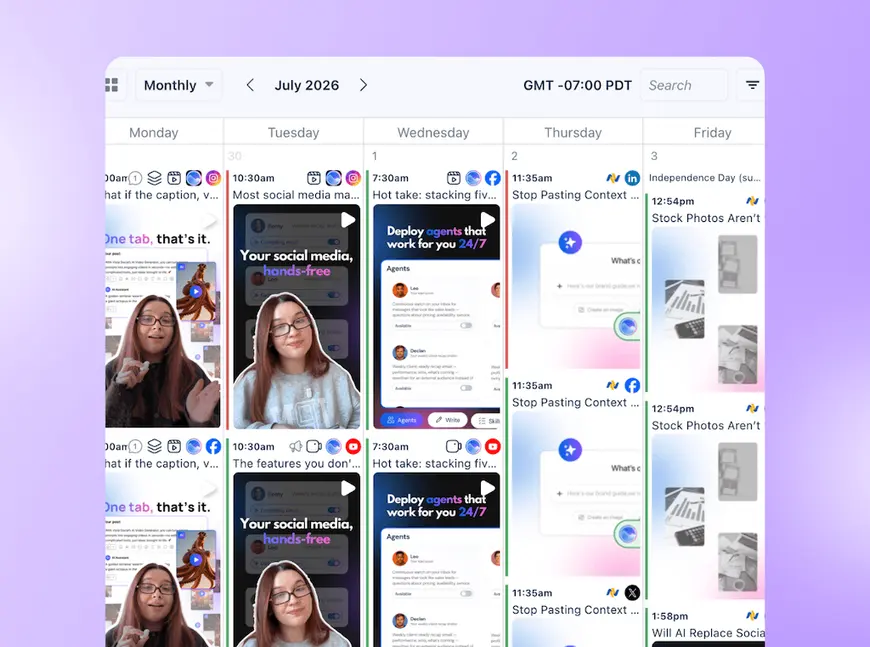
Use one publishing calendar for every contributor’s planned work. Then organize that view around the brands or clients they manage.
Each person should enter through their own account. Outside reviewers get a controlled view of the posts that need their attention.
What good social media team collaboration looks like in the calendar
A useful team calendar answers the questions that normally spill into chat:
- Ownership: Who is responsible for the post?
- Destination: Which profile will receive it?
- Review: Has the client approved the current version?
- Overlap: Did another person plan the same launch?
Build the view around four rules:
- Show all contributors by default: The calendar should reveal work across the team. It shouldn’t open on one person’s private queue.
- Group work around responsibility: Separate brands, clients, regions, or locations so people can focus without losing the wider record.
- Put a name on each post: Ownership should remain visible from draft through approval and scheduling.
- Keep review close to the post: Reviewers should see the current version and respond without borrowing an internal login.
Vista Social profile groups organize connected profiles, calendars, and user access around a brand, client, or location. A local teammate can focus on their own profiles. Meanwhile, the central team still sees how the full week fits together.
External reviewers don’t need another account to remember. A Shared Calendar link gives them a focused calendar view. They can review posts and record a decision there, so nobody has to copy another email back into the plan.
In our account, the route takes three clicks: open Publishing Calendar, choose the export icon, then select Share. The reviewer link is ready without opening another tool.
If you’re comparing setups, our guide to collaboration tools covers the wider process. You can also check the current user and profile allowances under Vista Social plans without turning this section into a pricing detour.
See how much calmer the week feels when every contributor works from one calendar in Vista Social.
How do you give people access without handing over the keys?
Start with the work each person needs to do, then give them access to the profiles and features that support it. A local contributor may need to draft posts for two locations, while the social lead needs oversight across every brand and the finance team may only need a report.
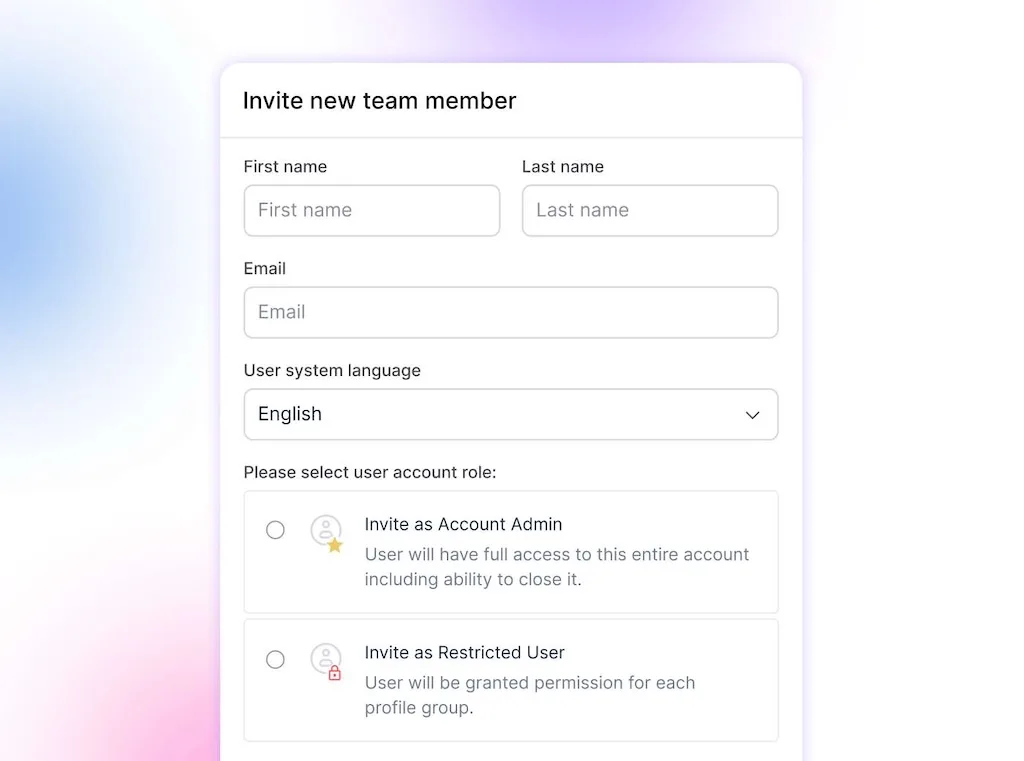
Vista Social separates those responsibilities through four permission levels:
- Account Admin: Manages the wider account, including users and settings that affect the whole organization.
- Profile Group Admin: Manages the selected profile groups they oversee without receiving the same reach across every brand.
- Restricted User: Receives View or Manage access feature by feature, which works well for specialists who need a narrower workspace.
- Contributor: Schedules work that goes through review, so a junior teammate or contractor can take part without bypassing the approval process.
These controls are granular social account permissions. They don’t replace an enterprise identity and access management program, but they give the social lead a practical way to add, adjust, and remove access person by person.
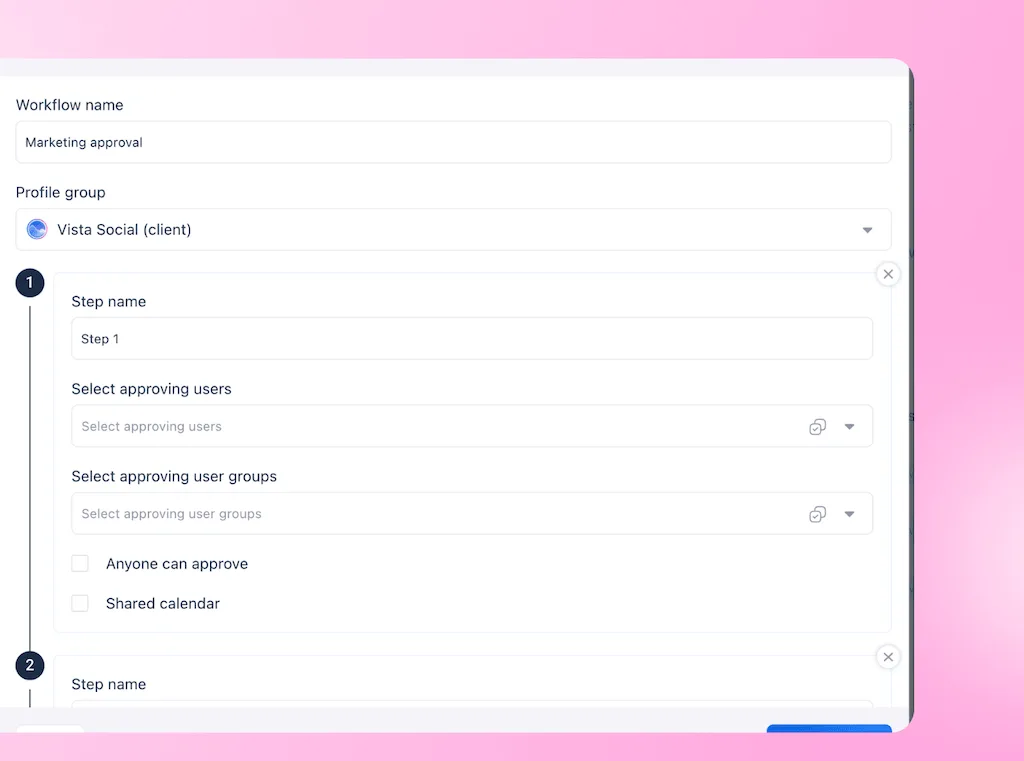
Clear team roles still matter because permissions can’t decide who should own a campaign. A documented approval process explains who checks what. Meanwhile, the visible review workflow shows where each post stands.
For an enterprise team, the value becomes clearer during a reorganization or agency change. An administrator can update one person’s access while the rest of the publishing operation keeps moving, and the activity record still points to named users.
What to check this week
You can diagnose the current setup without scheduling another workshop. Open the places your team uses for publishing, check the record, and answer three questions:
- Can anybody see the next two weeks? : One person should be able to open a single view across every relevant brand without asking teammates to list what they scheduled.
- Is anybody sharing a login? : Include contractors, interns, regional staff, and the old phone in the social cupboard that still receives authentication codes.
- Can you name the scheduler? : Pick the last ten posts and check whether the activity record shows who scheduled each one.
If the first answer is no, choose one brand and pull all drafts, reviews, and scheduled posts into the same calendar. Then invite each contributor under their own name and match their access to the work they already own.
Run the check again after one busy week, not after a quiet test day. Look for fewer “is anyone covering this?” messages, fewer duplicate drafts entering review, and a clean answer when somebody asks who changed a post.
A shared calendar won’t assign ownership for you. Write down who owns each profile, campaign, approval, and inbox queue, then let the tool make those decisions visible during the work.
Stop making your team ask around
Nobody should have to message three people before scheduling a post.
With one shared calendar, the questions that normally fill your team chat become much easier to answer. Is this campaign already scheduled? Who owns it? Has the latest version been approved? Which account is it going to?
Keep Slack for conversations and spreadsheets for early campaign planning. Let the publishing calendar carry the final schedule, including every post, owner, approval, and late change your team needs to know about.
Start with one busy week. Bring every contributor and scheduled post into the same view, then pay attention to how many “Has somebody already handled this?” messages disappear.
The next sharp-eyed follower should be commenting on your campaign, not pointing out that your team published it twice.
See your whole team’s calendar with a free 14-day Vista Social trial. No credit card required.
Frequently asked questions
Why does my team keep posting the same thing twice?
Two people can schedule the same message when each one sees only part of the upcoming plan. Bring drafts, reviews, and scheduled posts into one team calendar, then show the owner and destination profile on each item before it moves toward publication.
How many people does it take before a social team needs a shared calendar?
The need begins when a second person contributes to the same account. A two-person team may manage for a while via messages, but additional brands, locations, clients, and approval handoffs make a shared view useful much sooner than headcount alone suggests.
Is it safe for a social media team to share one login?
Named user accounts give you cleaner attribution and let you remove one person’s access without changing everyone’s credentials. Role-based permissions also limit each teammate to the profiles and features their work requires, which makes sharing one login hard to justify.
Can someone review our scheduled posts without a Vista Social account?
Yes. Vista Social can generate a Shared Calendar link for an outside reviewer. They can see the selected posts and record their decision without opening an account, and that feedback stays connected to the scheduled item.
What is the difference between a shared calendar and a content calendar spreadsheet?
A spreadsheet contains the plan somebody entered and updated by hand. A shared publishing calendar reflects the drafts, reviews, owners, times, and scheduled posts moving through the team’s live workflow, so fewer changes depend on a second manual update.
How do you stop two people replying to the same follower?
Use a shared inbox that shows prior replies, current status, internal notes, and a named owner. Assign sensitive conversations before work begins, especially when regional and central teams can reach the same audience.
Does a shared calendar fix unclear ownership of channels?
The calendar makes planned work and existing owners easier to see, but your team still has to divide responsibility across channels and campaigns. Record those decisions in your team roles, then reflect them through permissions and assignments.
Try Vista Social for free
A social media management platform that actually helps you grow with easy-to-use content planning, scheduling, engagement and analytics tools.
Get Started NowAbout the Author

Content Writer
Orion loves to write content that refuses to be boring. As part of Vista Social, he helps brands, creators, and agencies stop doom scrolling and start winning with social media. When he's not in front of a keyboard, he's watching films in IMAX with his wife, dissecting football tactics (the European kind), and getting lost in a good book.