


AI Usage Policy for Social Media Teams: Free Template
July 24, 2026
13 min read

Summarize with AI

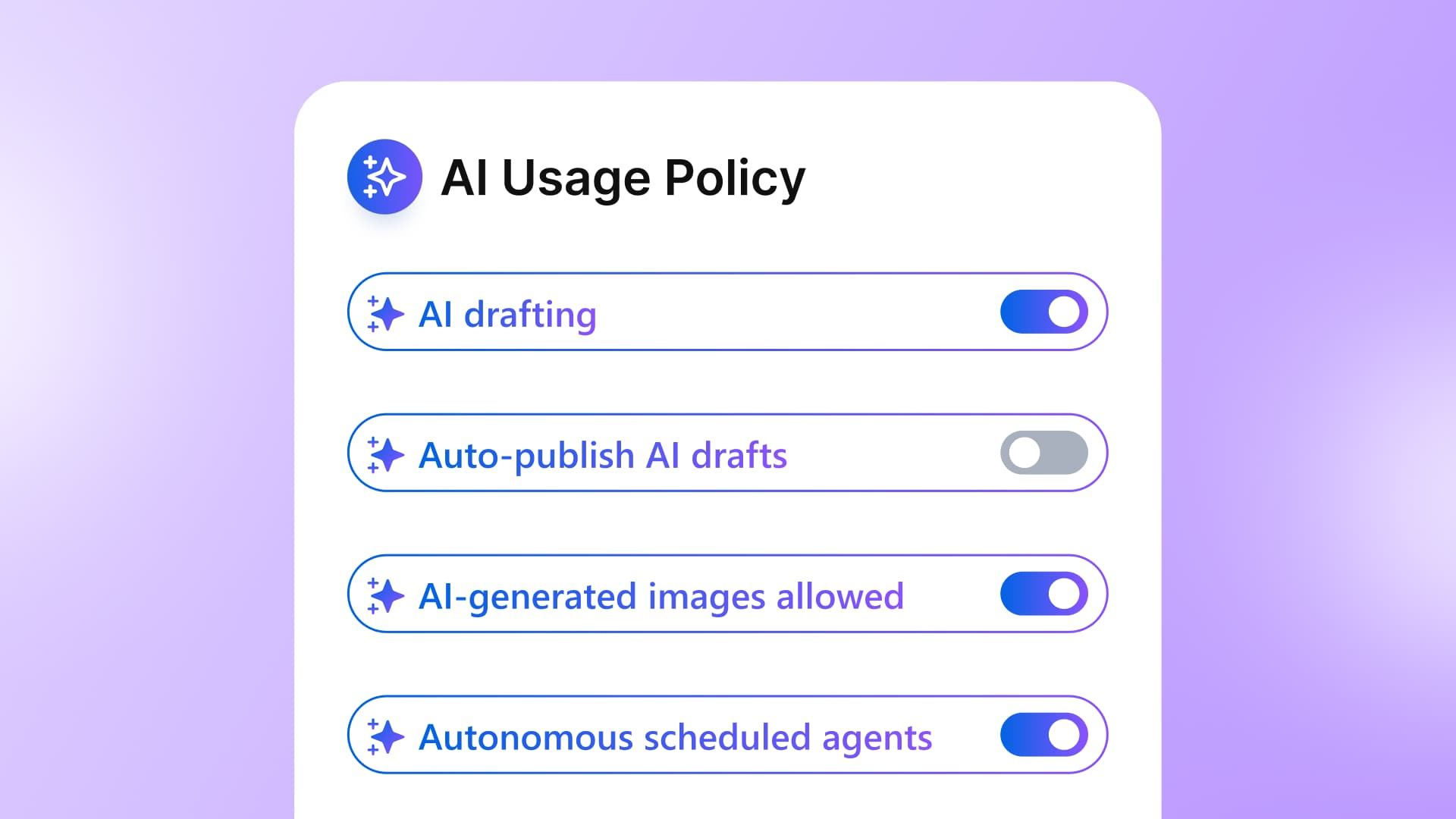
Table of contents
Share

Vista Social

X (Twitter)


AI is already part of social media work. The harder question is whether you can name every tool in use, what company or client information reaches it, and who checks the result before it appears on a public channel.
That uncertainty grows with scale. Agencies carry it across client accounts; enterprise teams carry it across business units, markets, and approval chains.
An AI usage policy gives everyone one clear set of rules covering approved tools, data boundaries, review owners, and controls. This copy-ready template works for a five-person team or as marketing’s first draft for Legal, Information Security, Privacy, and Procurement.
Table of contents
Key takeaways
- Data needs a boundary: Employees need a memorable rule for company, client, customer, and employee information before they open an AI tool.
- Social needs specific rules: Your policy has to cover public channels, client information, brand voice, disclosure, approvals, and accountability.
- The template is ready: Fill in the named owners, tools, data classes, and review requirements to create a practical first version.
- Controls make it usable: Approval workflows, role-based access, brand policies, and activity records help the team follow the rules during daily work.
Why a company AI policy misses social media
A company-wide policy usually sets broad expectations for security, privacy, intellectual property, and acceptable use. Those rules matter, but they rarely explain how they apply to a caption, customer reply, creator brief, or scheduled post.
Social teams work on public surfaces where a small mistake can publish under the brand’s name. They also handle material that belongs to clients, customers, employees, creators, and business units with different risk levels.
That creates questions the company policy may never answer:
- Public content: Can AI write a post, suggest one, or publish one?
- Client information: Which briefs, roadmaps, contracts, and performance data may enter an approved tool?
- Human review: Who must read an AI-assisted post or reply before it goes live?
- Brand ownership: Which team owns the final claim, disclosure, and tone?
- Escalation: When does a draft move to Legal, Privacy, Information Security, or a regulated-industry reviewer?
This is especially important once AI agents begin working inside the social workflow. A policy written around occasional chatbot use won’t cover scheduled tasks, account-aware assistants, inbox automation, or the permissions attached to them.
The data risk is already visible. Cisco’s 2024 study found that 48% of respondents had entered non-public company information into generative AI tools, while 45% had entered employee information.
Organizations were responding with practical controls. In the same study, 63% had limited data that employees could enter and 61% had limited generative AI tools they could use.
What goes wrong without clear rules
The biggest policy problems rarely begin with somebody trying to cause harm. They begin with a person trying to finish a caption, answer a client, or turn a report around faster.
Shadow AI spreads beyond view
Shadow AI is the unapproved or unmonitored use of AI tools at work. A team member may use a personal chatbot account for captions, upload an analytics screenshot for a summary, or paste customer messages into a free rewriting tool.
The social lead can’t review what they can’t see. Enterprise teams face an extra problem because one person’s shortcut can bypass approved-vendor reviews, data residency requirements, retention rules, or a contract that limits where client information may be processed.
An approved-tools list gives the team a safe route. Record each tool’s approved use, owner, allowed data, account type, and exception process.
Confidential information leaves its lane
An unreleased campaign brief feels like helpful context. A creator contract feels like text that needs summarizing, and a patient story can look like copy that needs a better hook.
The information may be confidential, personally identifiable, regulated, or protected by a nondisclosure agreement. Your policy needs a short red-line section that is easy to recall while somebody is working fast.
For enterprise teams, connect those red lines to the company’s data classification. Sensitive or regulated data follows the controls set by Legal, Privacy, and Information Security.
Brand voice drifts
AI can produce a grammatically clean draft that could belong to almost any brand. When several people use different tools and prompts, the same account can sound warm on Monday, corporate on Wednesday, and strangely enthusiastic by Friday.
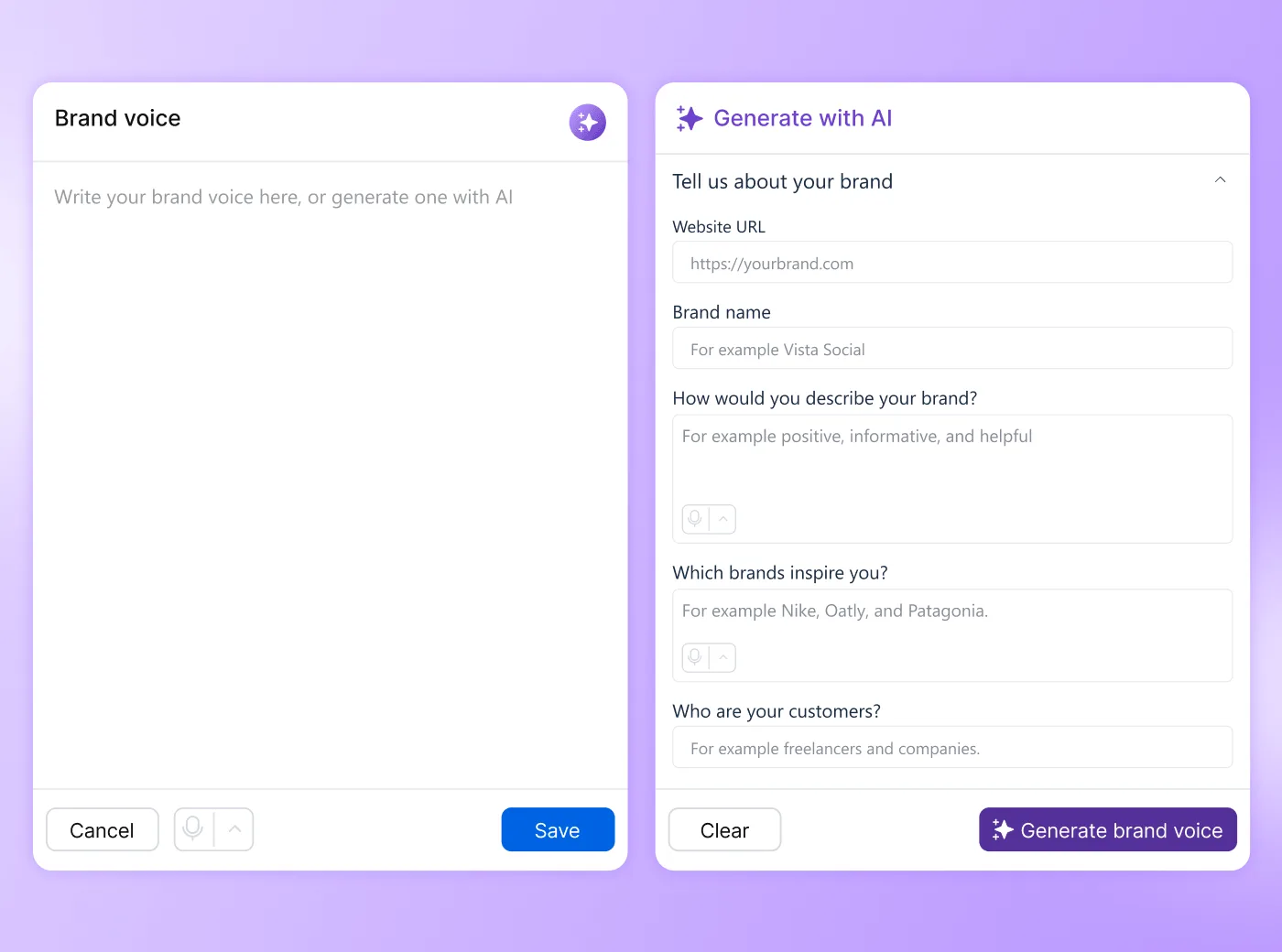
The fix begins with one approved brand voice and examples of what good looks like. That guidance should sit inside the drafting workflow, where humans and AI can use it.
Accountability becomes vague
The public sees the brand name above the post. A client, regulator, customer, or journalist won’t treat the AI tool as the accountable publisher.
Your policy should name the human owner for every external action. It also needs an escalation route for legal claims, financial promises, health information, crisis responses, and other topics where a routine approval isn’t enough.
MyCity shows why oversight needs evidence
New York City’s MyCity chatbot was built to answer business owners’ questions using official city information. Early reporting found incorrect answers that conflicted with housing, employment, and consumer-protection rules.
The governance problem became clearer in a December 2025 MyCity audit. The city’s Office of Technology and Innovation said the chatbot regularly achieved more than 95% accuracy, produced almost no hallucinations, and received negative feedback on about 2.25% of responses.
The Comptroller’s office challenged how those figures were calculated. Using the number of questions asked as the denominator, auditors recalculated August 2025 accuracy at between 84.8% and 92.7%. Among the 70 people who submitted positive or negative feedback in July and August, 71.4% reported a negative experience.
This is the part enterprise teams should notice. The city and its auditor had access to the same system, yet they disagreed about what counted as an accurate answer and which denominator belonged in the report.
An AI policy needs more than a promise to monitor quality. It should define the approved source material, testing method, success metric, review owner, remediation process, and evidence kept for an audit. The person approving a public response still owns the final check.
Copy this AI usage policy template
Replace the brackets and remove any clause that doesn’t apply. Send the draft to the owners of marketing, security, privacy, legal risk, and social publishing.
SOCIAL MEDIA AI USAGE POLICY

Effective date: [DATE]
Policy owner: [NAME AND ROLE]
Review cadence: [QUARTERLY / EVERY SIX MONTHS]
Escalation contact: [LEGAL / PRIVACY / INFORMATION SECURITY CONTACT]

1. SCOPE
This policy covers [EMPLOYEES, CONTRACTORS, AGENCIES, AND VENDORS] working on
[BRANDS, CLIENTS, PROFILE GROUPS, REGIONS, AND SOCIAL CHANNELS].

2. APPROVED AI TOOLS
The team may use only these tools for social media work:
[TOOL] for [APPROVED USE]
[TOOL] for [APPROVED USE]

New tools require approval from [OWNER OR REVIEW GROUP] before company, client,
or customer information is entered. Team members must use company-managed
accounts where provided.

3. DATA RED LINES
Never enter the following into an AI tool unless Legal, Privacy, and Information
Security have approved the exact use:
- Client-confidential or NDA-protected material
- Unreleased products, campaigns, results, financials, or strategy
- Customer, patient, employee, or creator personal data
- Login credentials, access tokens, security details, or private links
- Regulated, restricted, or export-controlled information
- Anything classified as [CONFIDENTIAL / RESTRICTED] under [DATA POLICY]

When unsure, stop and ask [CONTACT].

4. HUMAN REVIEW BEFORE PUBLISHING
Every AI-assisted post, reply, image, report, or recommendation must be reviewed
by a person before external use.

[CONTENT TYPES / CLIENTS / REGIONS] require [ONE / TWO / THREE] approval stages.
Legal claims, health or financial guidance, crisis responses, and public policy
content must be escalated to [REVIEWER].

5. BRAND VOICE AND APPROVED SOURCES
AI drafts must follow the approved brand voice and use only the source material
approved for [BRAND / CLIENT / PROFILE GROUP].

The reviewer must verify names, dates, prices, claims, links, disclosures, and
promises against an approved source before publishing.

6. DISCLOSURE
We disclose AI use when [LIST CONTENT TYPES OR THRESHOLD].
Use this label or wording: [DISCLOSURE TEXT].

The policy owner reviews disclosure requirements for each market and platform
every [CADENCE].

7. ACCOUNTABILITY AND INCIDENTS
The person who approves or publishes the content owns the final check.
The business owner for the account is [ROLE].

Report inaccurate, unsafe, confidential, or improperly published AI content to
[CONTACT] within [TIME]. Preserve the draft, prompt, source material, approvals,
and published URL for review. Do not delete evidence unless instructed.

8. ENFORCEMENT AND RECORDS
The team will support this policy with:
- Role-based access to social accounts and AI settings
- Approval workflows before publication
- Brand or client-specific policies and approved sources
- Activity and usage review by [OWNER]
- Access removal when a team member or vendor leaves

Violations are handled under [SECURITY / HR / VENDOR / INCIDENT POLICY].
This policy is reviewed after any incident and at least every [CADENCE].
The template creates a usable baseline, but it isn’t legal advice. Teams in regulated industries and global organizations should align it with contracts, applicable law, internal security standards, and records-retention requirements.
How to enforce the policy in your social tool
A policy that lives only in a document depends on memory. The social platform should help the team apply it while they draft, approve, publish, and reply.
Look for five control areas in any platform you evaluate:
- Rules that can change by brand, client, or business unit
- Human approval before public content goes live
- Access permissions tied to each person’s role
- AI grounded in approved brand material
- Activity records that the policy owner can review
These are useful platform requirements for a small team and essential controls when an enterprise reviews its social stack.
Set AI rules by brand or client
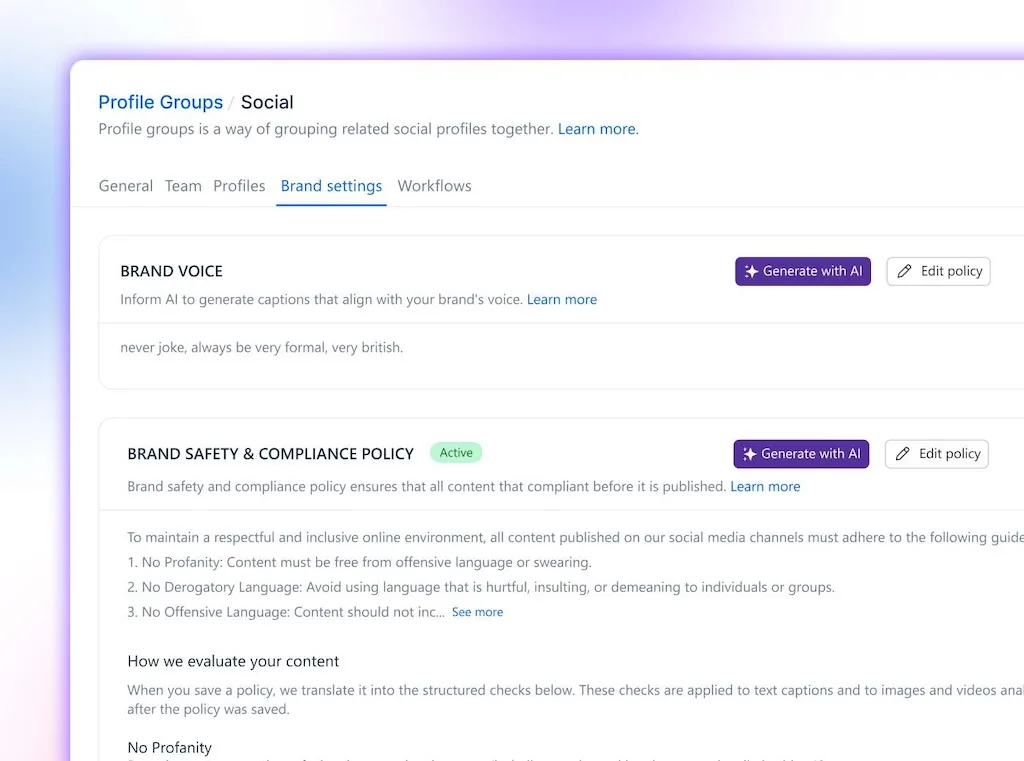
A hospital, financial-services client, consumer brand, and internal employer-brand account may need different rules. Group-level controls let you apply the right policy without forcing every account into the strictest setting.
Decide what changes between groups:
- Approved claims, disclosures, and source material
- Prohibited topics, language, and data
- Review owners and escalation contacts
- Rules for posts, replies, and regulated content
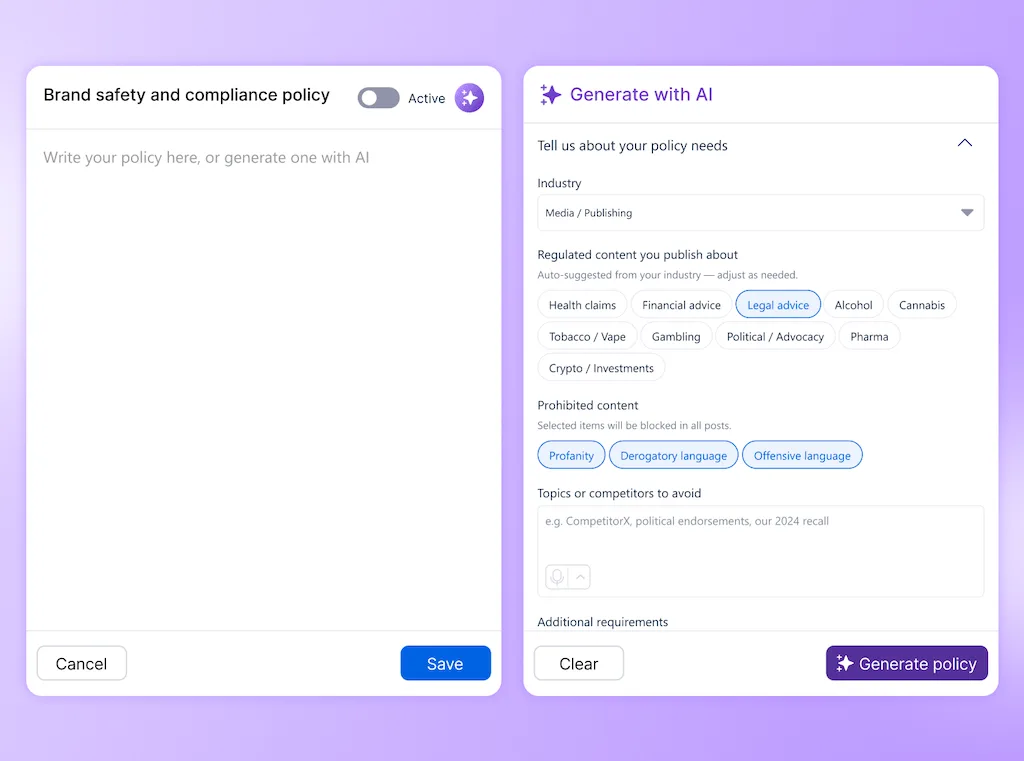
The Vista Social fast path: Add a Brand Safety and Compliance policy to each Profile Group. Admins can paste an existing policy or generate one, activate it for that group, and show policy warnings when a draft post or reply falls outside the guidance.
The feature is currently available on Enterprise or through the Brand Safety and Compliance add-on. Smaller teams can still use profile groups, brand voice, and approvals, then keep the written AI policy in a shared location until they add automated policy checks.
Require approval before publishing
Human review should be a workflow state, not a sentence people are expected to remember. Put AI-assisted posts into approval before they can reach a live channel.
Match the number of stages to the risk:
- Routine community content may need one publishing manager
- A global campaign may move from the social lead to the market owner and then Legal
- Agency work may need an internal review followed by external client approval
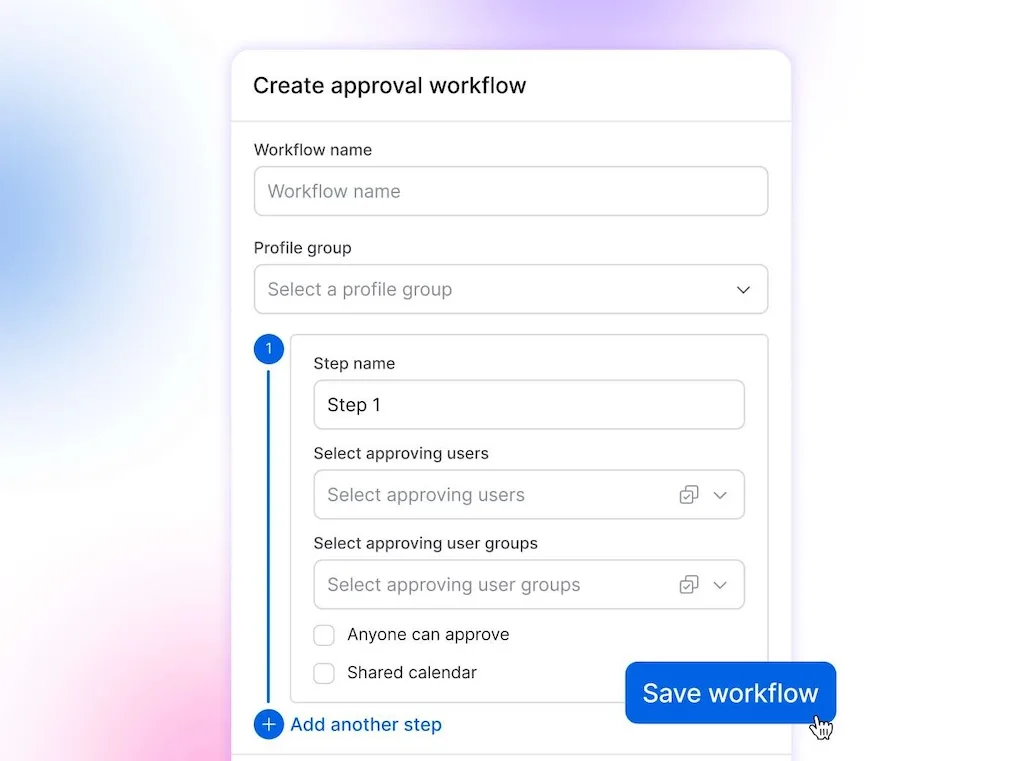
The Vista Social fast path: Use single-step approval on Professional, Advanced, Scale, or Enterprise. Multi-step workflows start on Advanced and can combine internal reviewers with external client approval through a shared calendar.
Apply the same judgment to inbox work. Our guide to message intent shows why routine questions, complaints, and sensitive requests need different routes, while comment automation helps the team decide what can run automatically.
Set up an approval workflow before the next AI-assisted post enters the calendar.
Control who can change the settings
Enterprise teams often call this least-privilege access: each person receives only the permissions needed for their role. It keeps publishing, approvals, settings, and account administration from collapsing into one oversized permission.
Your access map should answer three questions:
- Who can change the company-wide settings?
- Who can manage an assigned brand, client, or Profile Group?
- And who can see the policy while drafting without being able to edit it?
The Vista Social fast path: Account admins and assigned Profile Group admins can create or edit Brand Safety and Compliance policies. Restricted users can view the policy but can’t change it, keeping the rule visible without giving everyone control of it.
Pair those permissions with an owner list in the policy. When an employee, contractor, agency, or vendor leaves, remove their access during offboarding and record who completed the change.
Keep AI grounded in approved material
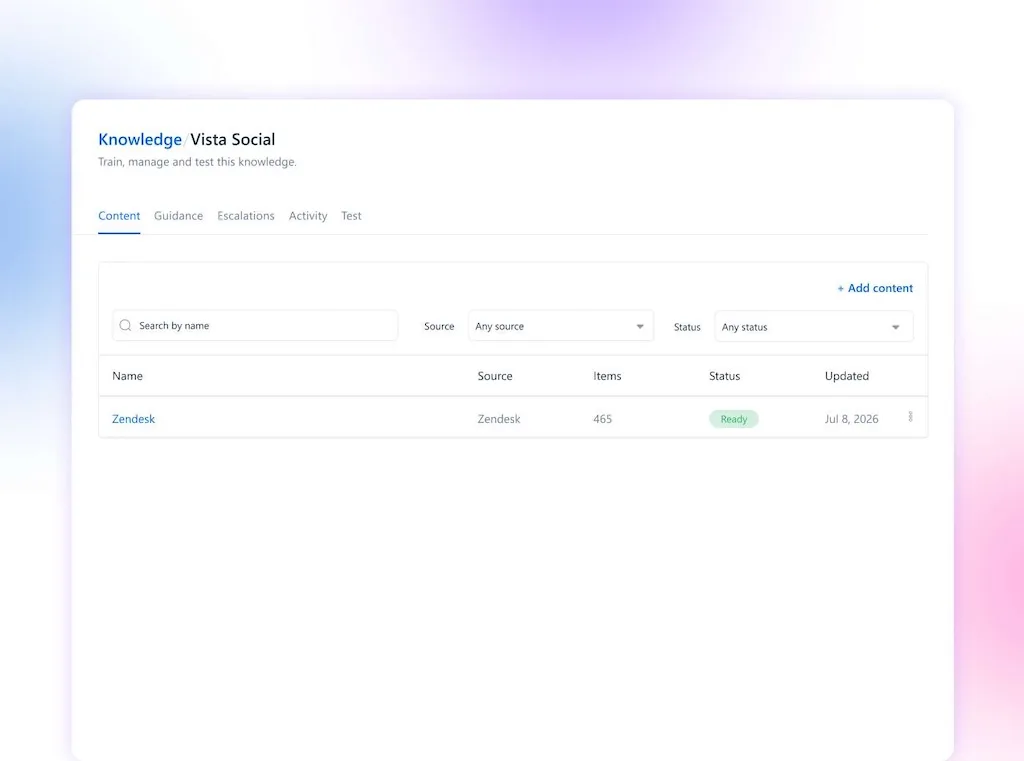
Brand voice tells AI how the brand sounds. AI Training & Knowledge supplies the approved facts, policies, products, and support material it may use.
As content consultant Erika Heald writes:
“So much of the bland, boring AI content clogging our social feeds and inboxes is 100% the result of not having a defined brand voice.”
Erika Heald, content governance (2024)
Build the approved context from the following:
- Brand guidelines and product documentation
- Approved web pages, sitemaps, and support content
- Guidance covering claims, tone, and prohibited answers
- Escalation rules for questions that need a person
The Vista Social fast path: On Advanced and higher, AI Training & Knowledge grounds captions and replies in approved sources. Each setup belongs to a Profile Group, so agencies and enterprise teams can keep every brand’s source material separate, test it before use, and add guidance or escalation rules.
Build an AI Training setup from approved brand material and test it with the questions customers ask most.
Watch usage and keep records
An enterprise policy needs evidence that the process ran. Decide which records are kept and how often the policy owner reviews them:
- The original prompt, draft, and approved source material
- Reviewer names, decisions, and timestamps
- The final published URL and any later edits
- Escalations, incidents, and corrective actions
The Vista Social fast path: AI Training & Knowledge includes an Activity tab with a running history of questions answered and content generated from the approved setup. Review it on a set cadence to find recurring errors, missing sources, weak guidance, and questions that should have reached a person.
Keep the Activity review beside your approval and incident records. Together, they show what the AI produced, what a person approved, and what the team changed afterward.
Set up your social controls in Vista Social and keep policy, approvals, brand guidance, and review inside the same workflow.
When a one-page policy is not enough
The template is a practical operating document for a social team. It shouldn’t replace a legal, privacy, security, records, or regulatory review when the risk calls for one.
Bring in Legal, Privacy, Information Security, Procurement, or the relevant risk owner when the work involves the following:
- Regulated data: health, financial, biometric, children’s, employment, or other protected information.
- Material disclosures: public-company results, investor communications, regulated claims, or market-moving announcements.
- Strict contracts: client terms that limit subprocessors, storage regions, model training, retention, or cross-border transfers.
- High-impact decisions: content or automation that could affect access to employment, credit, healthcare, housing, or essential services.
- Global publishing: markets with different AI, privacy, advertising, accessibility, or disclosure requirements.
Enterprise teams can align the social policy with the NIST framework, their existing risk register, and the company’s data-classification standard. Teams handling personal data should also follow the relevant regulator’s current guidance, such as the UK’s ICO guidance.
Keep the social version readable after those reviews. Put technical schedules and jurisdiction-specific requirements in attachments, while the one-page operating rules stay clear enough to use during a busy publishing day.
Roll out the policy this week
The rollout should leave the team with a document, named owners, and working controls. This five-day plan is small enough to finish and structured enough for an enterprise team to adapt.
- Monday: Copy the template, name the policy owner, define the scope, and list the brands, regions, accounts, agencies, and vendors it covers.
- Tuesday: Send the draft to social, brand, Legal, Privacy, Information Security, Procurement, and any regulated-industry owner who needs to review it.
- Wednesday: Publish the approved-tools list, data red lines, exception process, disclosure rule, and incident contact in the place the team already works.
- Thursday: Add approval workflows, role-based access, brand guidance, AI Training & Knowledge, and the strictest policy settings required for the highest-risk account.
- Friday: Walk the team through three examples, test one draft from start to approval, record the result, and book the next policy review.
You’ll know the rollout is working when a team member can answer four questions without opening the policy: which tool may I use, what data stays out, who reviews this, and who owns the final post.
Give the team rules they can use
An AI usage policy should make good work easier to approve, trace, and improve. The team knows which tools are cleared, enterprise reviewers know where risk enters the process, and every public action still has a human owner.
Copy the template and fill in the four decisions that matter first: approved tools, data red lines, required reviewers, and the policy owner. Then add the controls inside the place where the team publishes, because that is where the rules have to work.
Put the policy into practice with a Vista Social trial. You can try it free for 14 days, and you won’t need a credit card to start.
Frequently asked questions
What is an AI usage policy for a social media team?
It is the team’s operating rulebook for AI. It names the approved tools, protected information, review owners, and accountable publisher, then applies those decisions to public channels, client accounts, replies, approvals, and social publishing.
What should a social media AI policy include?
Include scope, approved tools, data red lines, human review, brand voice, disclosure, accountability, and enforcement. Enterprise teams should also name the legal, privacy, security, procurement, records, and incident-response owners connected to those rules.
Is a company-wide AI policy enough?
It provides the foundation, but social teams need operating rules for public content, client information, disclosure, and publishing authority. A short social policy can sit underneath the company standard and translate it into daily decisions.
How do we enforce an AI policy?
Back the written rules with approved accounts, role-based access, brand or client policies, human approval before publishing, approved source material, and activity review. Keep the exception and incident processes visible so people know what to do when normal rules don’t fit.
Should social teams disclose AI-generated content?
Set a disclosure rule with Legal and apply it consistently across markets and content types. The threshold may change for synthetic images, fully generated copy, editing support, regulated claims, and platforms with their own labeling rules.
How do we stop client data from entering random AI tools?
Give the team an approved option, a short never-paste list, and a clear exception route. Connect those rules to company-managed accounts, data classification, training, access controls, and activity review, then escalate regulated or contract-restricted data to the correct owner.
About the Author

Content Writer
Orion loves to write content that refuses to be boring. As part of Vista Social, he helps brands, creators, and agencies stop doom scrolling and start winning with social media. When he's not in front of a keyboard, he's watching films in IMAX with his wife, dissecting football tactics (the European kind), and getting lost in a good book.