

Published on February 9, 2026
9 min to read
Vista Social vs. Sendible: Complete Comparison Guide

Summarize with AI

Table of contents
Summarize with AI

ChatGPT

Claude

Perplexity
Share

Vista Social

X (Twitter)


If you’re weighing Vista Social against Sendible, you’re probably looking for a tool that actually keeps up with everything on your plate.
With 5.66 billion people now active on social media, you need something that handles publishing, analytics, engagement, and more—without draining your budget or boxing you in.
Both platforms promise to make social media easier. But they take different approaches. One offers a wider range of features and platform support. The other leans into agency white-labeling and basic scheduling.
So which one actually fits the way you work? Let’s break it down feature by feature so you can decide for yourself.
Table of contents
Vista Social vs. Sendible: Which tool fits your needs?
Now let’s get into it. Here’s how these platforms compare in the areas that matter most for your daily social media work.
Social media publishing
If you can’t schedule and publish content easily, nothing else really matters. Good scheduling tools are just the starting point. Both Vista Social and Sendible help you plan posts in advance—but there are key differences in how far that support goes.
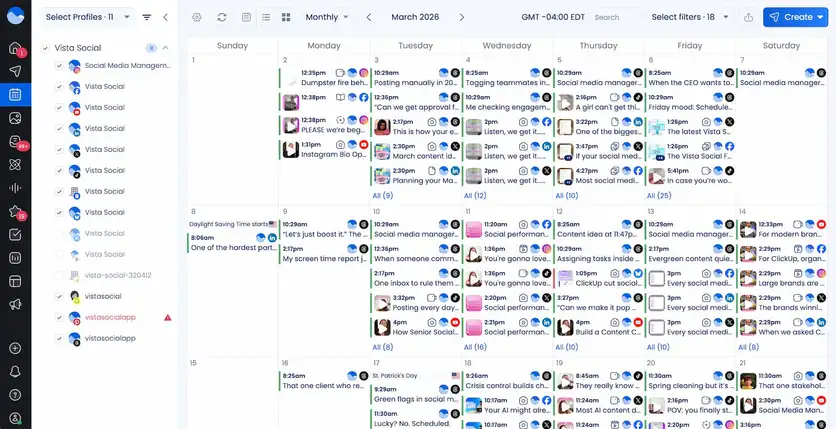
Vista Social gives you a clean visual calendar where you can drag and drop posts. You can schedule content across 13+ platforms from one composer. That includes newer networks like Threads, Bluesky, Reddit, and Snapchat that many tools still don’t support. Bulk scheduling lets you upload up to 100 posts at once through a CSV file.
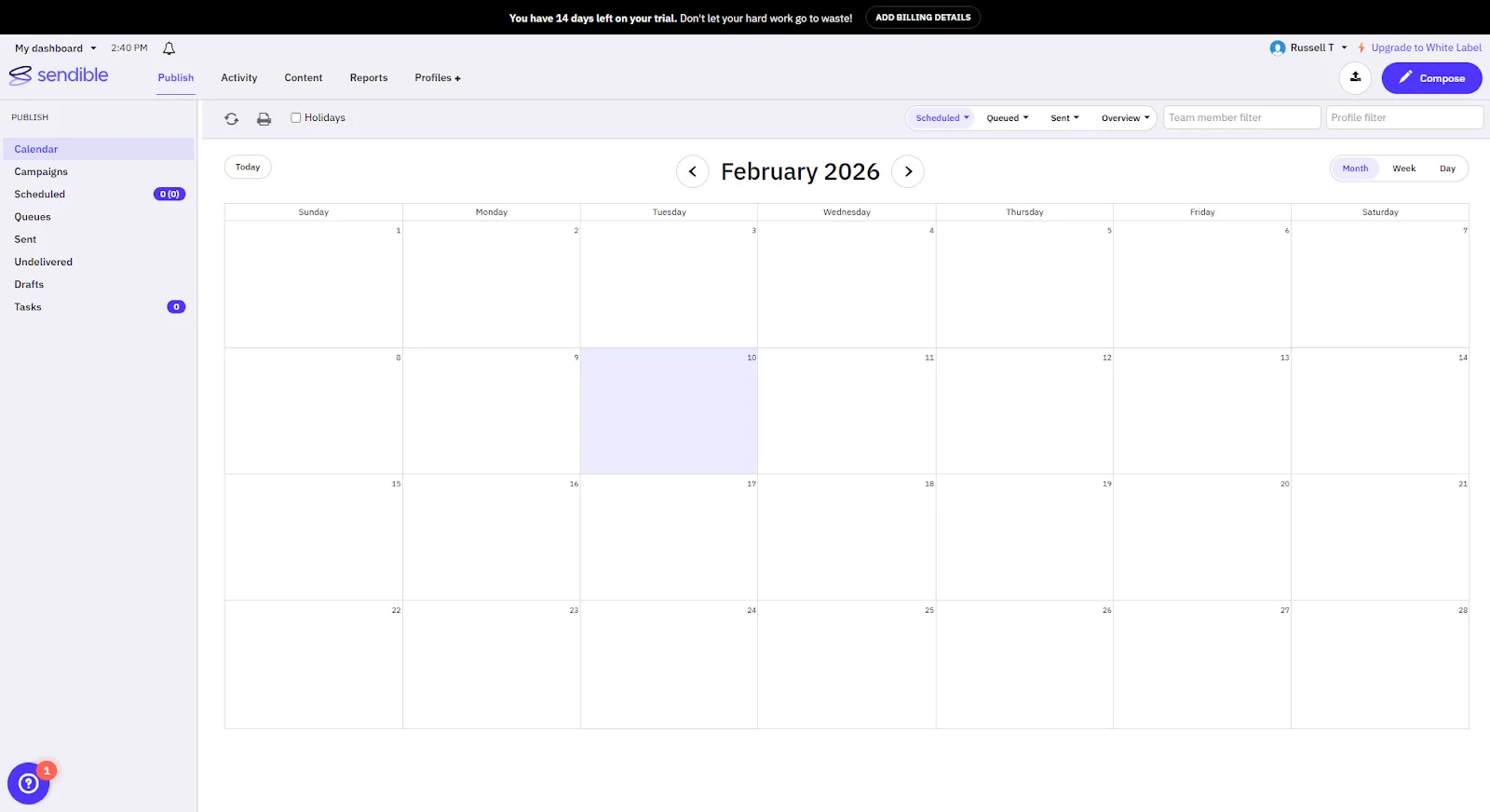
Sendible also has a solid calendar and its Smart Compose Box for creating posts. Its bulk import feature works through CSV uploads, and Smart Queues recycle evergreen content on a set schedule.
The tool supports 8 social platforms: Facebook, Instagram, X/Twitter, LinkedIn, TikTok, YouTube, Google Business Profile, and Bluesky.
The biggest gap? Platform coverage. Vista Social connects to 13+ social networks, including Pinterest, Reddit, Snapchat, and Tumblr. If your brand is active on these networks, you’ll need to manage them outside of Sendible.
Social media analytics
You can’t improve what you’re not tracking. Both tools offer analytics, but the depth and access differ.
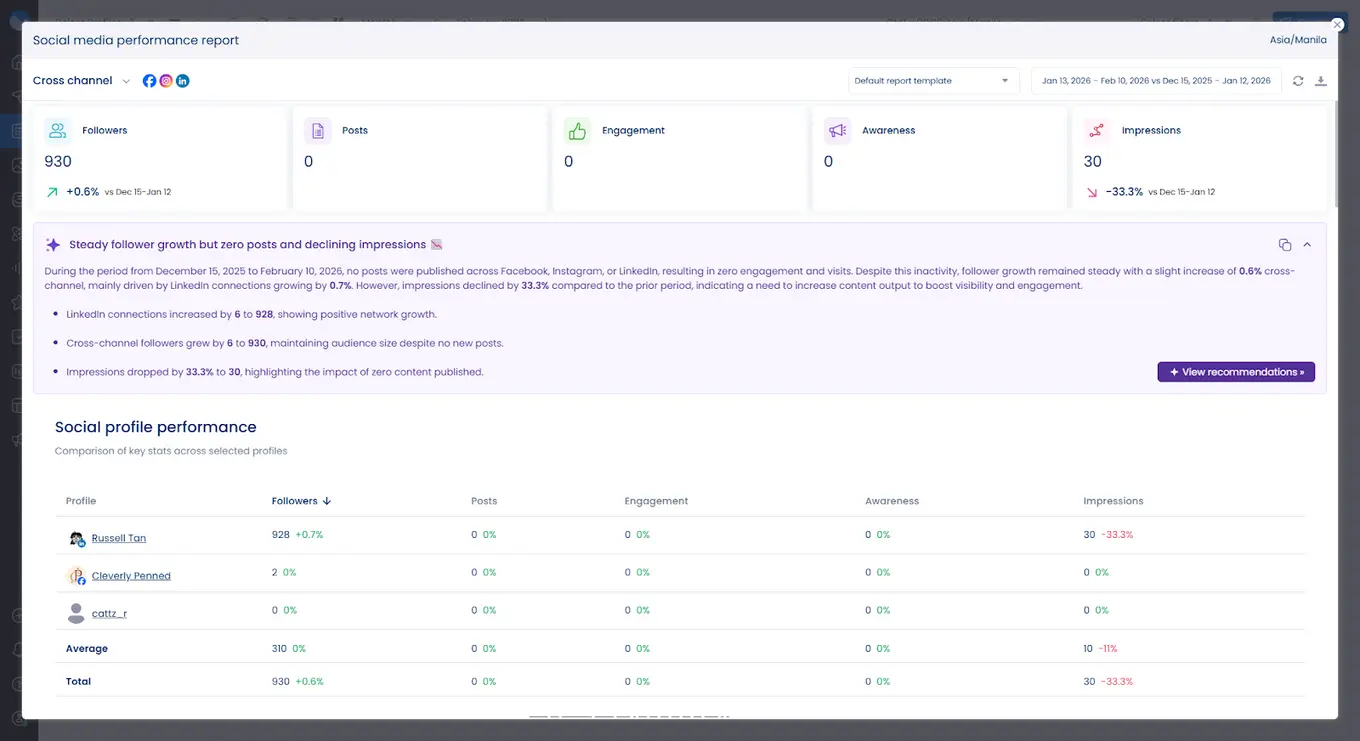
Vista Social provides cross-platform analytics and reporting on all paid plans. You can track performance metrics, compare competitor activity, and build custom reports.
Automated report scheduling sends branded PDFs to clients or stakeholders on a set cadence. The platform earns high marks on G2 for its reporting tools.
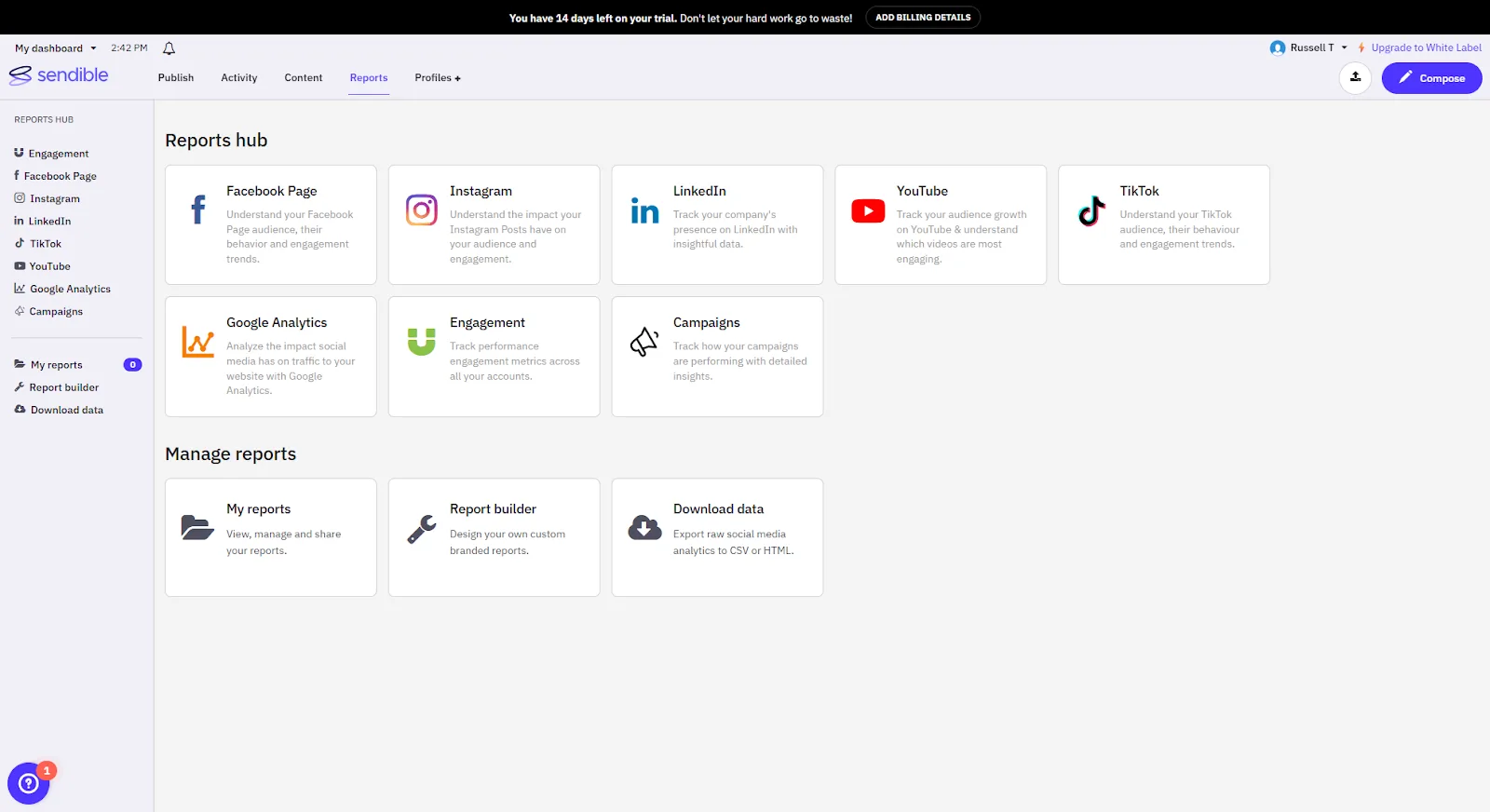
Sendible offers engagement reports and platform-specific reports. Its reporting is solid, especially for agencies. You can create automated reports and white-labeled documents.
However, custom reports and full automated delivery are limited on lower-tier plans. The best reporting tools are locked behind the Scale plan ($199/month).
Bottom line: if you want deep analytics without paying for a premium plan, Vista Social gives you more room to work with at every price tier.
Social inbox
How many tabs do you have open right now just to check messages? A unified inbox puts everything in one place so you’re not bouncing between platforms.
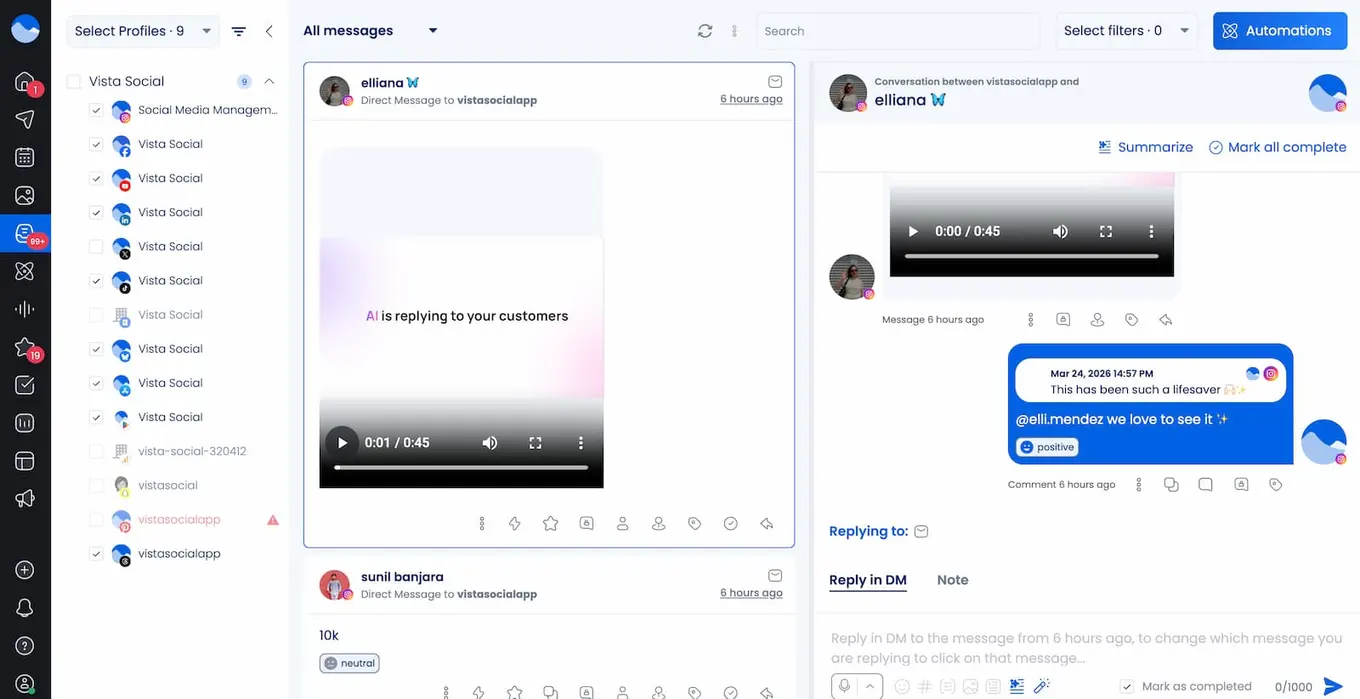
Vista Social puts all your messages, comments, and reviews in one place. You can filter conversations, assign them to team members, and respond without leaving the dashboard. This works across every connected platform.
The tool also lets you manage reviews from Facebook, Google Business, Yelp, TripAdvisor, and more. Learn more about how to improve your workflow with social media inbox management.
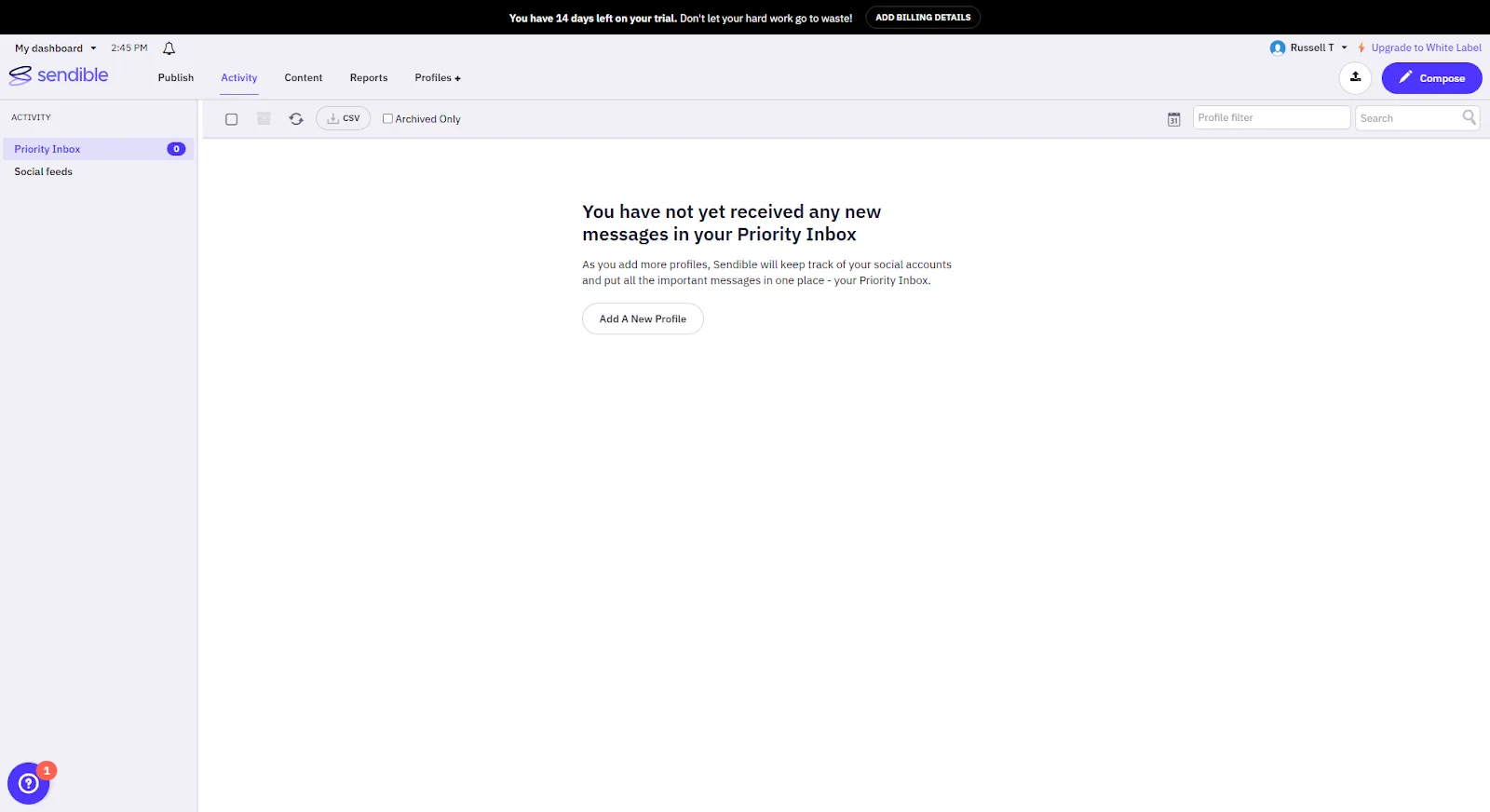
Sendible’s Priority Inbox pulls in messages and comments from platforms like Facebook, Instagram, LinkedIn, and YouTube. You can assign interactions to team members and reply directly. It’s a useful feature, but it doesn’t cover as many sources as Vista Social’s inbox. There’s also no built-in review management.
If your team handles a high volume of customer messages and reviews, Vista Social’s inbox covers more ground.
Social listening
Do you know what people are saying about your brand right now? Social listening helps you track those conversations—and it’s key for staying ahead of trends and managing your reputation.
Vista Social offers built-in listening tools on its Professional plan and above. You can track brand mentions, monitor keywords, and follow conversations across social media and the web. Enterprise users also get automatic sentiment detection. Check out how listening analytics can shape your strategy.
Sendible provides basic monitoring through Google Alerts and keyword tracking. You can set up alerts for certain topics and follow mentions. But it doesn’t offer the same depth as a true social listening tool. Several user reviews note that Sendible’s monitoring features are limited compared to other platforms.
If listening is part of your social media marketing strategy, this is a big gap. Vista Social gives you real listening tools built right in.
Link-in-bio
You’ve only got one link in your bio. A link-in-bio tool makes it count by turning your profile into a mini landing page that drives traffic where it matters most.
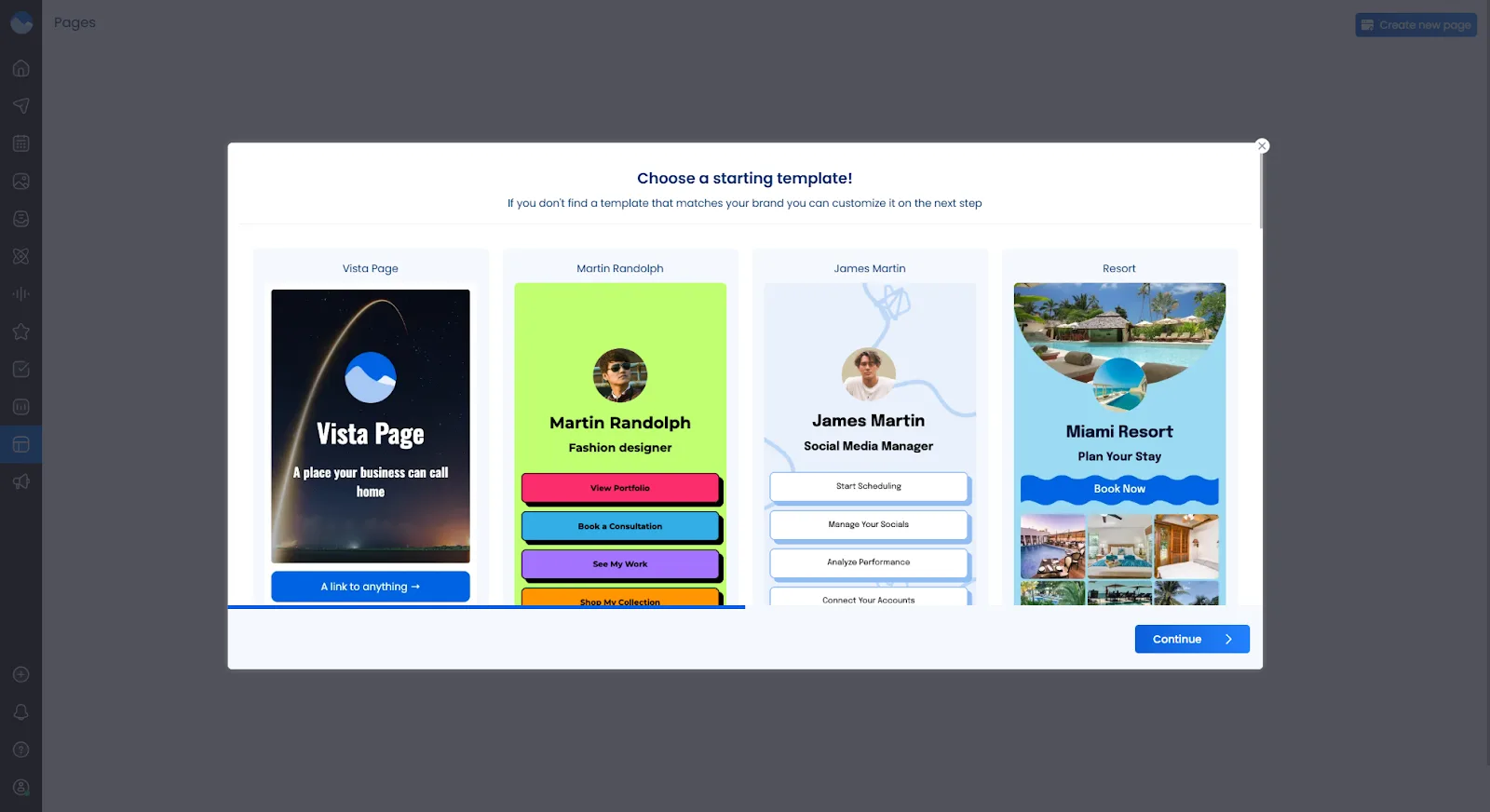
Vista Social includes Vista Page, a built-in link-in-bio and micro site builder. You can create custom landing pages, add multiple links, and match your brand’s look and feel. This is a handy option for anyone looking for the most popular link-in-bio tool features without adding another subscription.
Sendible does not offer a link-in-bio tool. If you need this feature, you’d have to use a separate platform like Linktree and manage it outside of Sendible.
That’s one less tool to pay for—and one less login to remember.
Team collaboration
Once your team grows past one person, things can get messy fast. Clear workflows keep everyone on the same page—but access to those tools varies by plan.
Vista Social includes approval workflows, task assignments, and user permissions on all paid plans. Your team can draft content, submit it for review, and get approval before anything goes live. Internal notes keep communication organized. Learn more about setting up a smooth social media approval process.
Sendible also offers approval workflows and user roles. The Creator plan ($29/month) supports one user, so collaboration really starts at the Traction plan ($89/month) with 4 users. Sendible does stand out with its Client Connect feature, which lets you onboard clients securely without sharing passwords.
If you’re a growing team or agency, Vista Social gets you those collaboration tools sooner—and at a lower price.
Artificial intelligence
Let’s be real—AI in social media is table stakes at this point. But not all AI features are created equal.
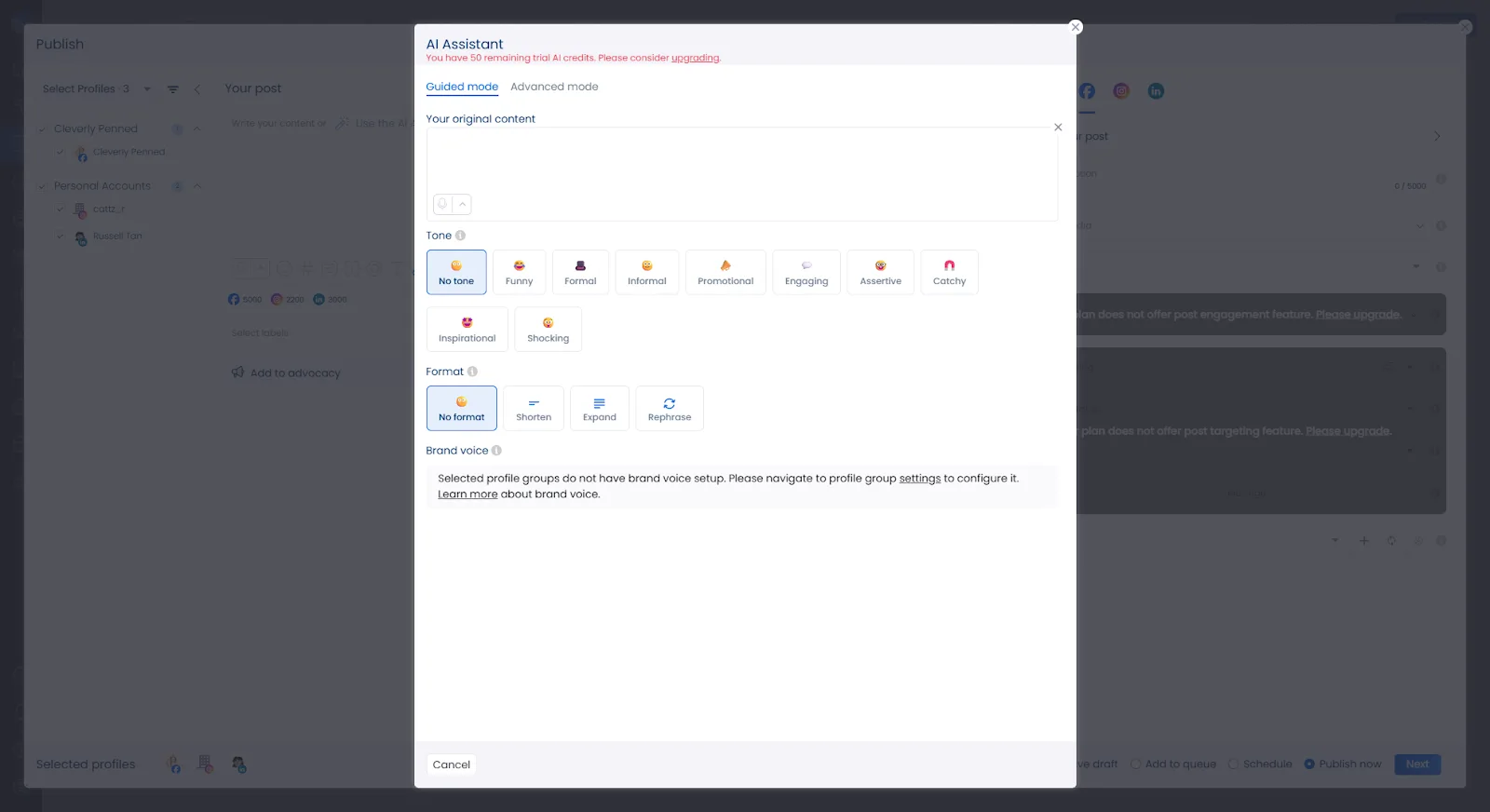
Vista Social’s AI Assistant helps you generate captions, brainstorm content ideas, create hashtags, and even build reports. It’s built right into the composer. The Advanced plan gives you unlimited AI access. Lower plans include AI credits to get started.
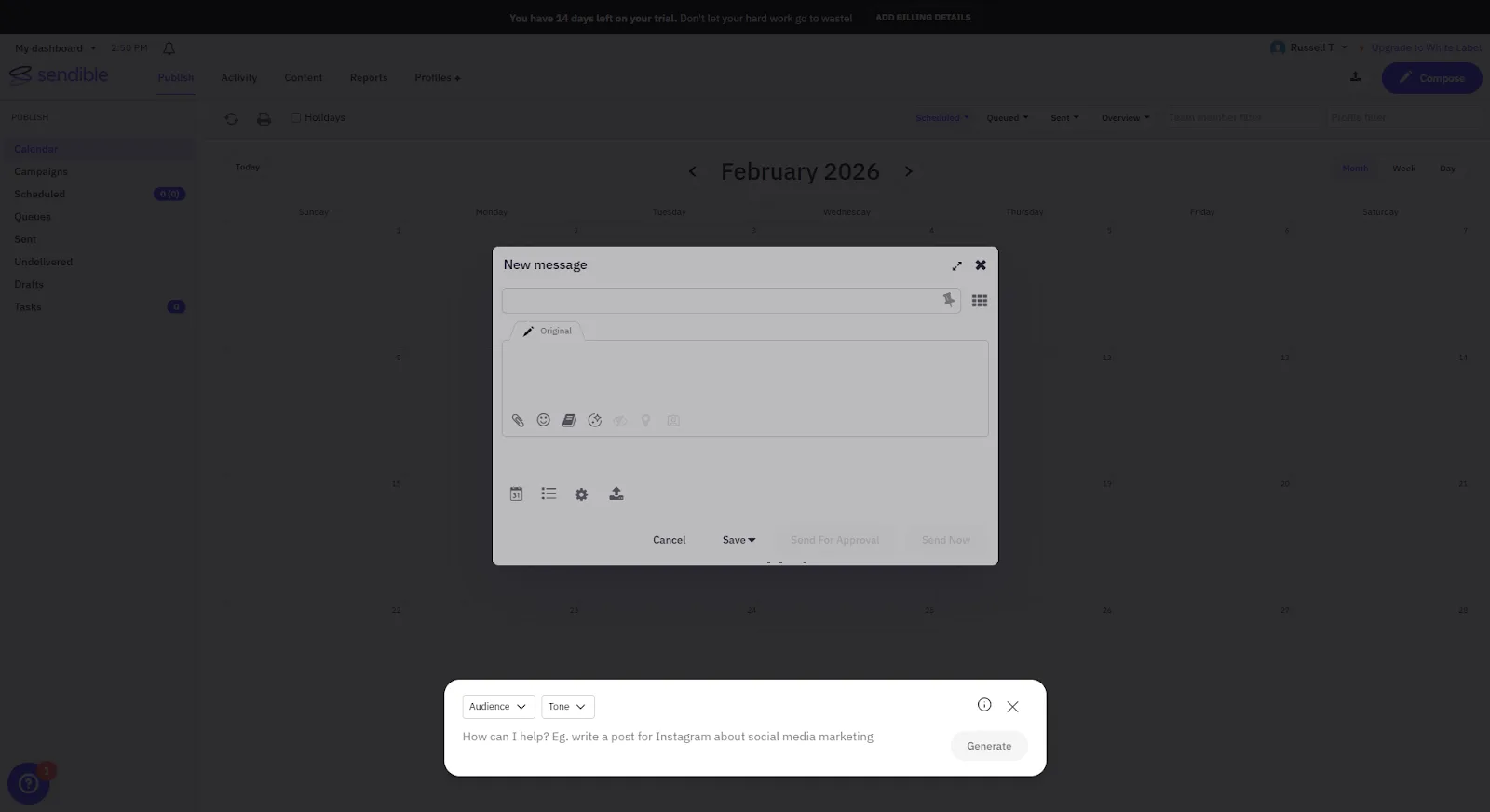
Sendible’s AI Assist generates captions and rephrases text in the Compose Box. It can also suggest hashtags. It’s helpful for quick text edits but more limited in scope. There’s no AI-powered reporting or content analysis.
If you want AI that goes beyond caption writing, Vista Social covers more ground here.
Automation
What happens to your DMs and comments when you log off for the day? Automation helps you stay responsive even when you’re not online.
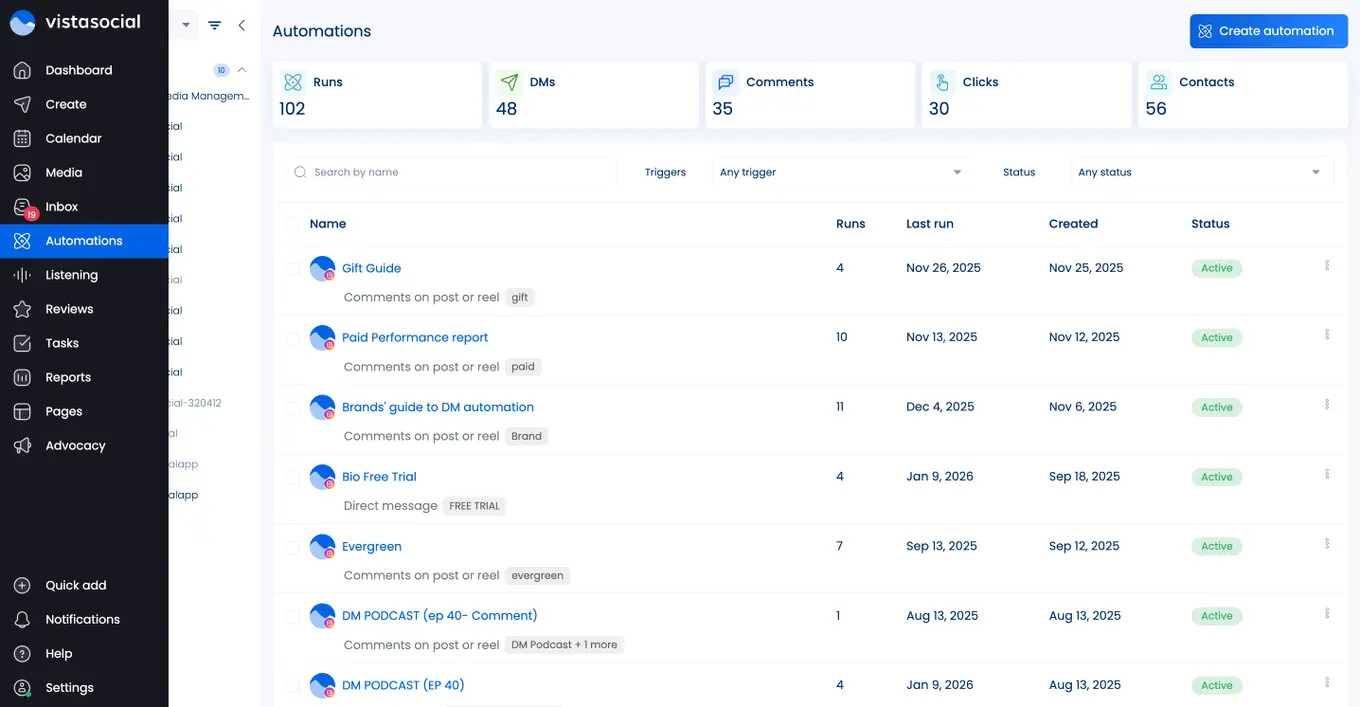
Vista Social offers DM automation that auto-responds to messages, collects lead data, and sends links or answers questions without manual effort. You also get auto-publishing and content recycling. These tools help you keep a steady presence while saving time on routine tasks.
Sendible’s main automation feature is Smart Queues. This lets you add evergreen posts to a recurring schedule so they get reposted over time. It’s useful for maintaining consistency, but it doesn’t include DM automation or interactive engagement tools.
If you’re looking to turn social media into a lead generation channel—not just a publishing tool—Vista Social’s DM automation makes that possible.
Employee advocacy
Your team is already on social media. Why not make that work for your brand? Employee advocacy turns your people into brand ambassadors—and it’s one of the most effective ways to grow your reach.
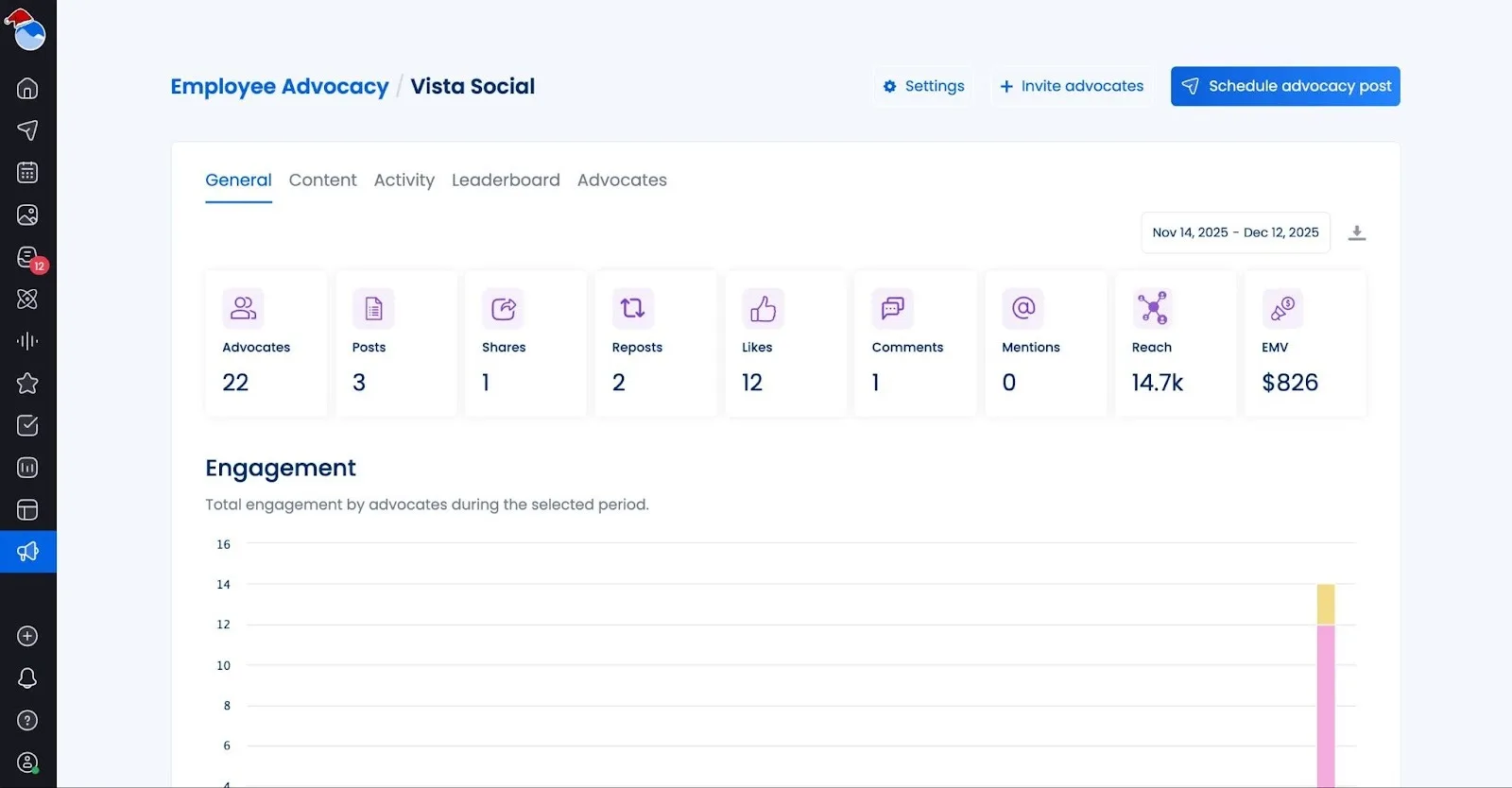
Vista Social includes a built-in employee advocacy program. You can create shareable content for your team, track participation, and measure the results.
Sendible does not offer an employee advocacy feature. If this is part of your strategy, you’d need a separate tool.
If advocacy matters to you, Vista Social has it built in for your first three employees and for $199/month for up to 25 employees.
White labeling
If you run an agency, first impressions matter. White labeling lets you put your brand front and center when clients log in.
Vista Social offers white-label features on its Advanced plan ($149/month) and above. You can customize your dashboard with your brand’s domain, logo, and colors. Client portals give your customers a branded experience.
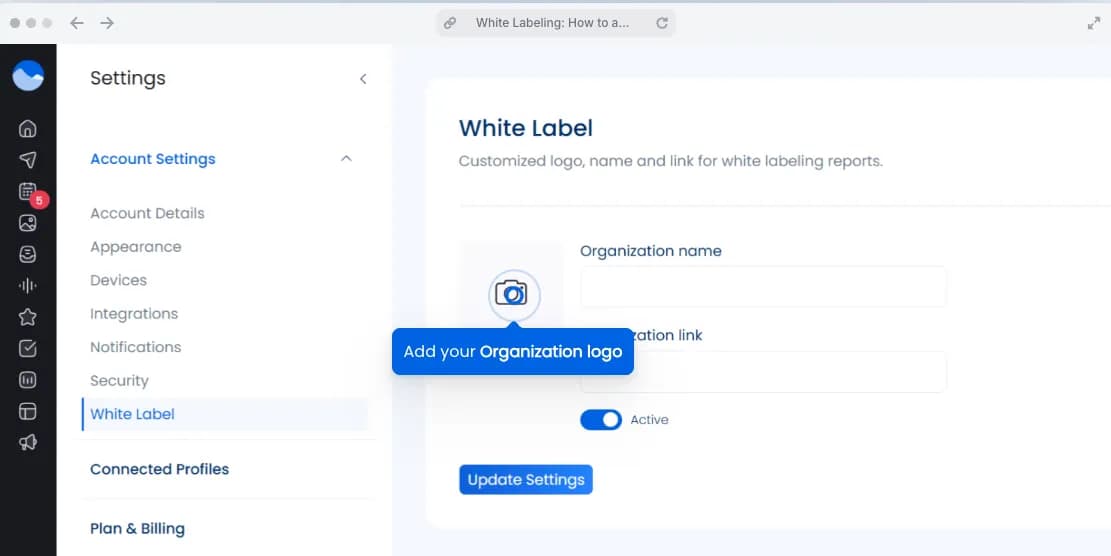
Sendible’s white labeling is one of its strongest selling points. Starting at the Scale plan ($199/month), you can fully brand the platform with your own domain and customize the client dashboard. Sendible also offers a dedicated White Label add-on for even deeper customization. Its Client Connect feature is a standout for secure client onboarding.
Both tools deliver solid white-label features. Sendible has deeper customization, but at a higher price. Vista Social offers strong branding tools at a more affordable tier.
Integrations
Here’s a simple question: does your tool connect to every platform your audience uses? The average user now visits 6.75 different platforms each month, so coverage matters more than ever.
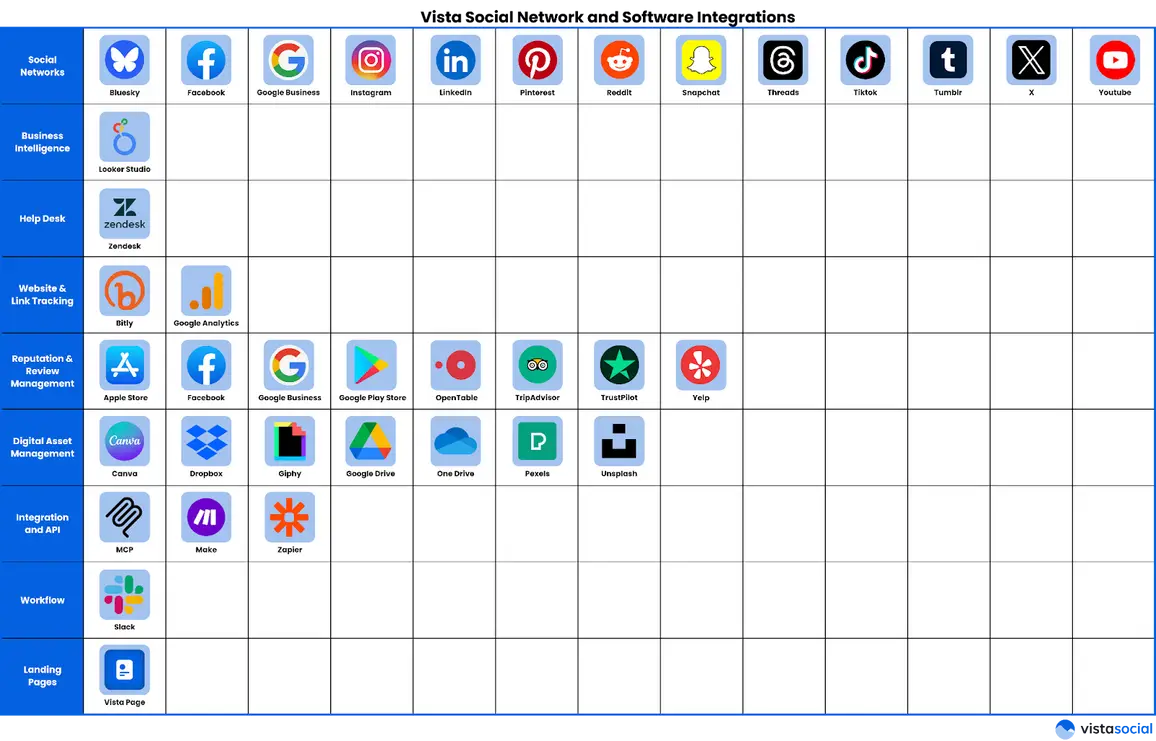
Vista Social supports 13+ social networks:
- Facebook (Pages, Groups, Messenger)
- Instagram (Feed, Reels, Stories, DMs)
- TikTok
- X (Twitter)
- YouTube
- Threads
- Bluesky
- Snapchat
- Tumblr
- Google Business Profile
For review management, the platform connects to:
- Yelp
- TripAdvisor
- OpenTable
- Trustpilot
Third-party integrations include:
- Canva
- Google Drive
- Dropbox
- OneDrive
- Zapier
- Make
- Slack
- Zendesk
- Salesforce
- HubSpot
- Google Analytics, and more
Sendible connects to 9 social platforms:
- X (Twitter)
- TikTok
- YouTube
- Google Business Profile
- Threads
- Bluesky
Third-party tools include:
- Canva
- Google Drive
- Dropbox
- Pexels
- GIPHY
- Google Analytics
Sendible also supports WordPress blog publishing.
Vista Social’s broader platform support is a clear advantage, especially if your audience is spread across Pinterest, Reddit, Snapchat, or review sites.
Pricing
Let’s talk money. Price matters, especially when you’re managing multiple clients or scaling your team.
Vista Social pricing:
- Professional: $64/month; 15 profiles, 3 users, bulk scheduling, listening, review management
- Advanced: $120/month; 30 profiles, 6 users, advanced workflows, advanced DM automations, integrations with Zapier, Make and MCP
- Scale: $304/month; 70 social profiles, 10 users, advanced plan features, white label setup, unlimited AI Assistant
- Enterprise: Custom pricing; unlimited profiles, unlimited users, premium analytics, custom integrations
Sendible pricing:
- Creator: $29/month; 1 user, 6 social profiles, unlimited scheduling, image/video editor, monitoring & replying, reporting
- Traction: $89/month; 4 user, 24 social profiles, team collaboration, assignment & approval, client dashboards, user management
- Scale: $199/month; 7 user, 49 social profiles, custom & automated reports, content & hashtag library, campaigns, account manager
- Advanced: $299/month; 20 user, 100 social profiles, bulk posting custom tags, advanced user permissions, live report sharing, account manager
- Enterprise: $750/month; 80 user, 400 social profiles, access to all features, optional SSO, scalable users and & profiles, dedicated customer success
Both platforms offer a 14-day free trial with no credit card needed. Neither offers a free plan.
When you factor in everything Vista Social includes at each tier, the value per dollar is hard to beat. If you need social media planning tools that actually deliver, Vista Social gives you more at every level.

Try Vista Social for free
A social media management platform that actually helps you grow with easy-to-use content planning, scheduling, engagement and analytics tools.
Get Started NowAbout the Author

Content Writer
Russell Tan is a content marketing specialist with over 7 years of experience creating content across gaming, healthcare, outdoor hospitality, and travel—because sticking to just one industry would’ve been boring. Outside of her current role as marketing specialist for Vista Social, Russell is busy plotting epic action-fantasy worlds, chasing adrenaline rushes (skydiving is next, maybe?), or racking up way too many hours in her favorite games.
Loading related tools...




Tools
PublishingAnalyticsEngagementIntegrations
FacebookInstagramLinkedInRedditSnapchatThreadsTikTokX (Twitter)YouTubeBlueskyVista Page (link-in-bio)All IntegrationsCopyright © 2026 Vista Social LLC. All Rights Reserved.