


Published on June 16, 2026
10 min to read
Vista Social vs Loomly: Which Tool Comes Out on Top?

Summarize with AI

Table of contents
Summarize with AI

ChatGPT

Claude

Perplexity
Share

Vista Social

X (Twitter)


Picking a social media management tool feels like a big commitment, and it should. The platform you choose shapes how your team plans, publishes, and reports every single day. With more than 5.79 billion user identities active on social media worldwide, the work keeps growing while your hours stay the same.
That’s why the Vista Social vs Loomly question matters so much for marketers, freelancers, and agencies. Both tools promise to simplify your social media marketing strategy, but they take very different approaches to features, team size, and pricing.
In this guide, we’ll compare the two platforms across every major capability. By the end, you’ll know exactly which tool fits your workflow and your budget.
Table of contents
Vista Social vs Loomly: Which tool fits your needs?
A checkmark in a table only tells you part of the story. The real differences show up in the details. Think about how many platforms you can publish to, whether your whole team can log in, and what happens when you outgrow your plan.
Some gaps matter more than others, especially around social media listening platforms and engagement features that Loomly only offers in limited doses. Let’s walk through each area one by one.
Social media publishing
You can’t be everywhere at once, but your audience expects you to try. Pew Research found that YouTube and Facebook remain the most widely used platforms among US adults, while younger audiences live on Instagram, TikTok, and Reddit. Covering all of that ground manually eats up your entire week.
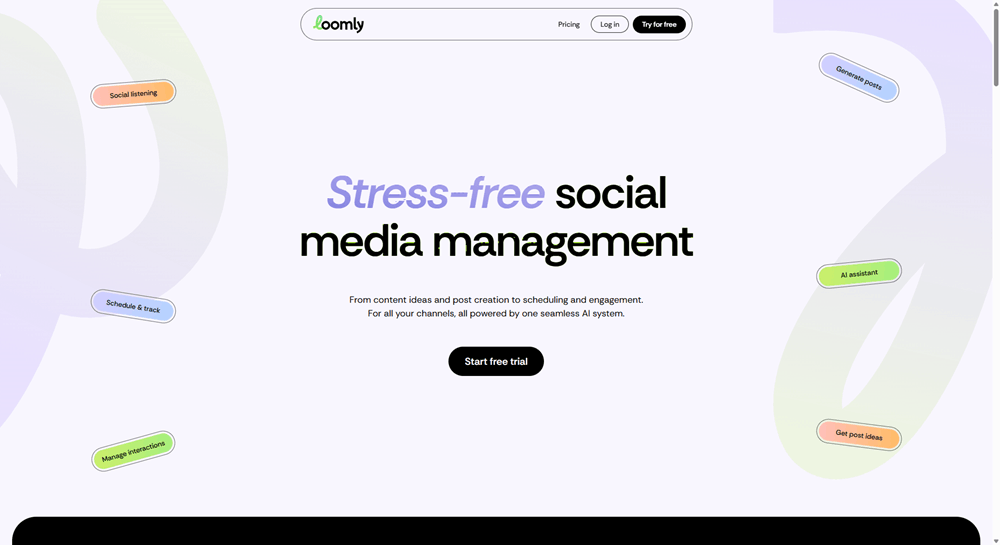
Both tools handle the basics well here. Loomly supports unlimited scheduling across major networks like Facebook, Instagram, LinkedIn, TikTok, YouTube, Pinterest, and Threads, with a clean post builder that previews content per platform.
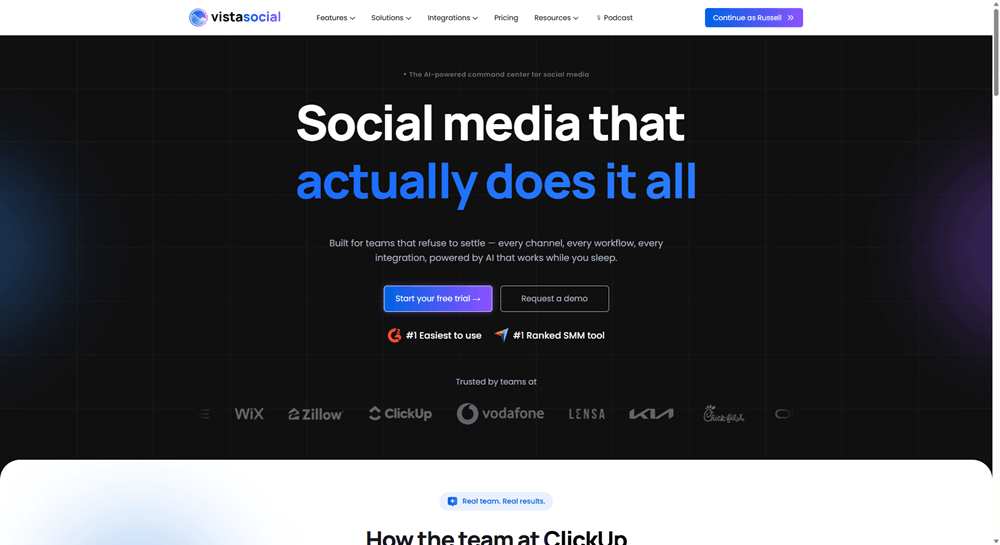
Vista Social goes wider. You get unlimited scheduling on every plan across 13+ networks, including Reddit, Bluesky, Tumblr, and Snapchat, which Loomly doesn’t cover. That matters if your clients want to test emerging platforms without adding another tool.
Vista Social also includes bulk scheduling on every plan, so you can upload weeks of content in one CSV instead of building posts one at a time. If you’re comparing social media scheduling tools on publishing power alone, Vista Social simply reaches more places.
Social media calendar
A calendar should give you an instant answer to one question: what’s going out, and when? Loomly is genuinely strong here, and it’s worth saying so. The platform was built around a structured editorial calendar, every plan includes unlimited calendars, and the list and calendar views make planning feel organized.
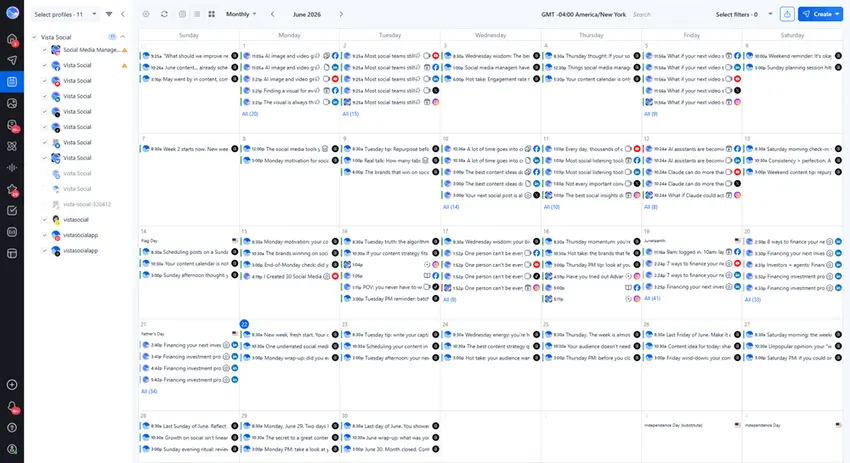
Vista Social matches that visual planning experience and adds team context on top. You can drop calendar notes for holidays and campaigns, sync external calendars, and customize each post per profile right from the calendar view. On Advanced plans and up, shared calendars let clients view upcoming content without needing a paid seat.
If you’re evaluating social media planning tools, both options will keep your schedule organized. Vista Social pulls ahead once multiple brands and stakeholders enter the picture.
Social media analytics
Reporting is where most social media managers lose their Friday afternoons. You need numbers that prove your work is paying off, and you need them in a format your boss or client will actually read.
Loomly includes advanced analytics on every plan, covering post performance and link tracking. Scheduled reports, however, only unlock on the Beyond plan, which means Starter users export and send reports by hand each month.
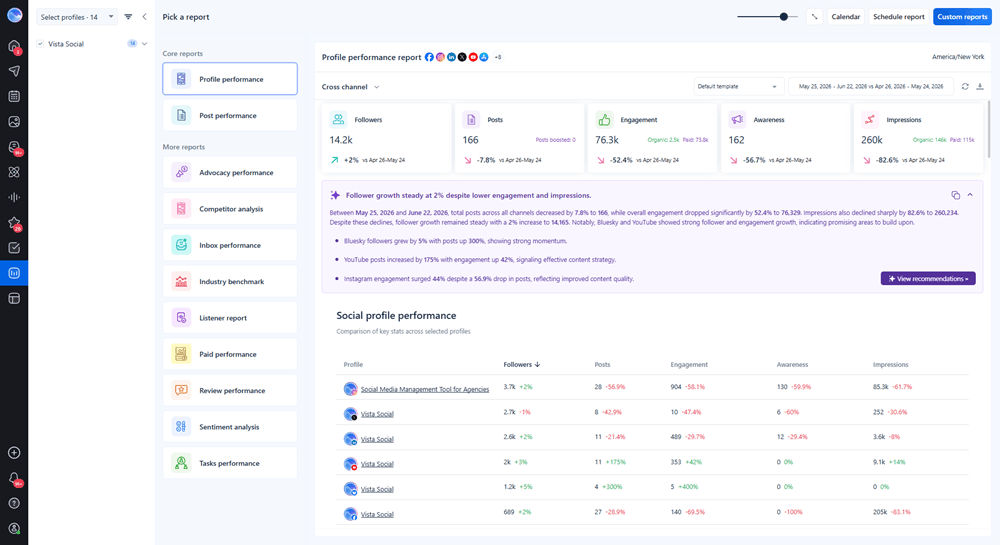
Every Vista Social plan comes with social media reports, post performance reports, competitor reports, and web analytics reports, plus scheduled report delivery built in. Custom report builders open up on Advanced plans, so agencies can shape data around what each client cares about.
The platform’s analytics and intelligence features also reach further than Loomly’s, with sentiment analysis and industry benchmarking available at the Enterprise level. For teams comparing social analytics tools, Vista Social reports on competitors and sentiment that Loomly can’t touch.
Social inbox
Every unanswered comment is a customer walking away quietly. The challenge gets worse as you add platforms, because messages scatter across a dozen different apps.
Loomly lets you reply to comments and messages and assign conversations to teammates, which works fine for lighter engagement needs. What it lacks is breadth. There’s no review management, so responses to Google or Yelp reviews happen outside the tool.
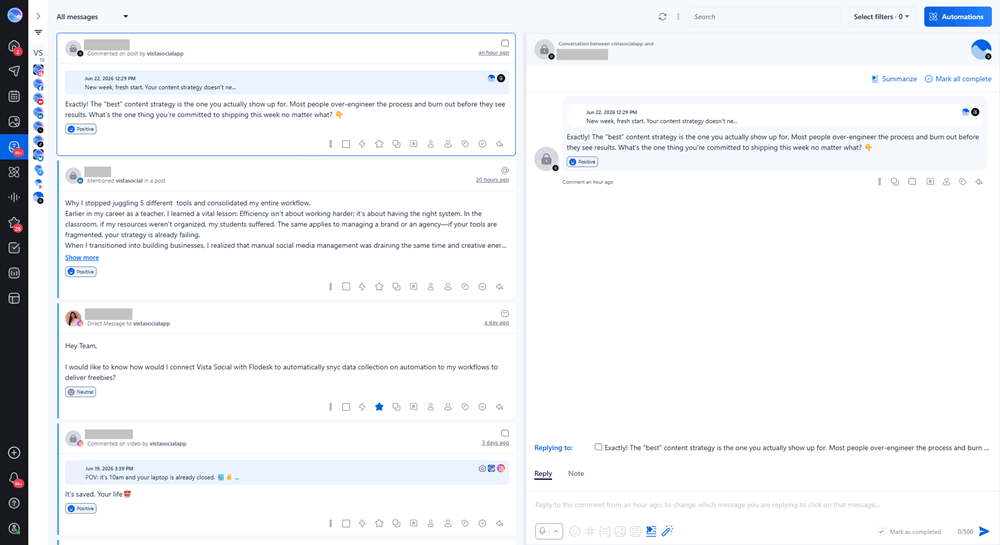
Vista Social brings everything into one social media inbox: comments, DMs, mentions, and reviews from sites like Google, Facebook, Yelp, and Trustpilot. Saved replies, message labels, spam filtering, and task assignments keep a busy inbox manageable for the whole team.
You can also pair the inbox with social listening analytics to catch brand conversations you weren’t tagged in. Loomly limits social listening to one per month on Starter and four on Beyond, while Vista Social includes listening on your own profiles with every plan.
Campaign management
Campaigns fall apart when content lives in one place and results live in another. You need to group related posts, watch them roll out, and measure them as a unit.
Loomly approaches this through its calendar structure, where you can organize content by calendar and track performance per post. It works well for teams running one brand with a steady content rhythm.
Vista Social handles campaigns through post labels, which let you tag every asset in a campaign and then filter both your calendar and your reports by that label. That means you can answer “how did the spring launch perform?” in seconds instead of stitching numbers together by hand. It also makes it easier to track engagement across an entire campaign rather than post by post.
Team collaboration
Most social media work is teamwork, even when the team is just you and one very opinionated client. The question is how much a tool charges you for that collaboration.
Loomly deserves credit for including collaboration features early. Starter comes with 3 users, roles, and comment threads on posts. The limits show up when you grow, because the next tier with more users is Beyond, which jumps from $49 to $249 per month on annual billing.
Vista Social scales more gradually, with 3 users on Professional, 6 on Advanced, and 10 on Scale, plus custom roles and permissions on every plan. Teammates can comment on posts, leave internal notes on messages, and hand off tasks without leaving the platform. Among social media tools built for growing teams, that smoother path matters more than any single feature.
Link-in-bio
Your bio link is often the only clickable path from your content to your revenue. Sending followers to a bare homepage wastes that click.
Loomly doesn’t include a link-in-bio tool, so you’d need to pay for a separate product and manage it outside your main workflow. That’s one more login, one more invoice, and one more place where branding can drift.
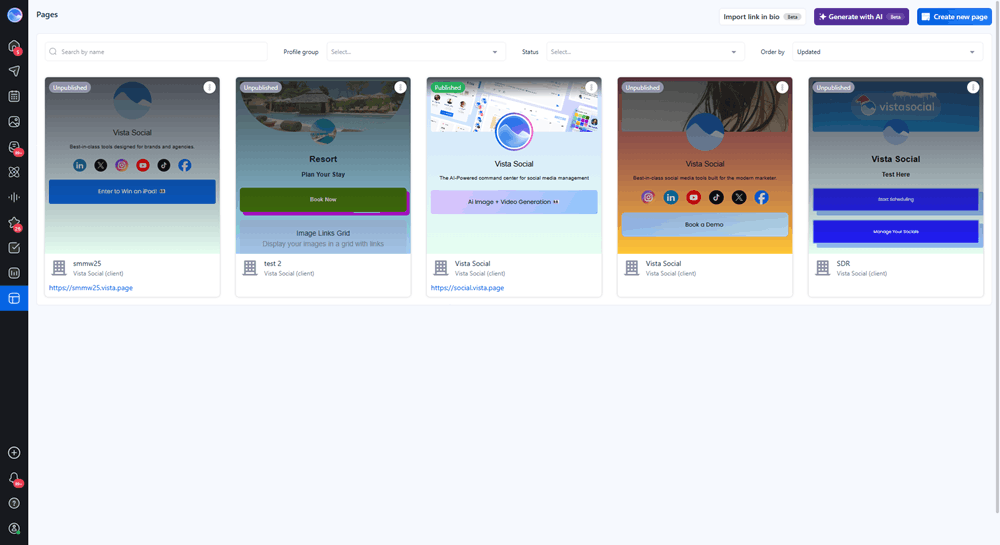
Vista Social includes Vista Page on every plan, a fully customizable link-in-bio tool that doubles as a micro landing page. Advanced plans add custom domains and Google Tag Manager support, so you can track conversions properly. Everything updates from the same dashboard where you already plan your content.
Approval workflows
Nothing stalls a content calendar like approvals stuck in email threads. Both platforms understand this, which makes this one of the closer matchups in the comparison.
Loomly built its reputation on approval workflows, and they’re solid. Every plan includes structured approvals with roles, and Beyond adds custom workflows for more complex sign-off chains.
With Vista Social, single-stage approvals come standard on every plan, and multi-stage workflows unlock on Advanced and up, with support for outside approvers like clients who don’t need full accounts. If your social media approval process involves several rounds of internal and client review, both tools can handle it. Vista Social just bundles those workflows with far more features at a similar price point.
Artificial intelligence
AI has moved from a nice extra to a daily writing partner for most social teams. The difference between tools now comes down to how much AI you get and what it can actually do.
Loomly includes an AI Assistant chat, AI captions, and post generation, with limited monthly usage on Starter and extended usage on Beyond. It helps with ideas and drafts, but the caps are vague and there’s no AI image or video generation built in.
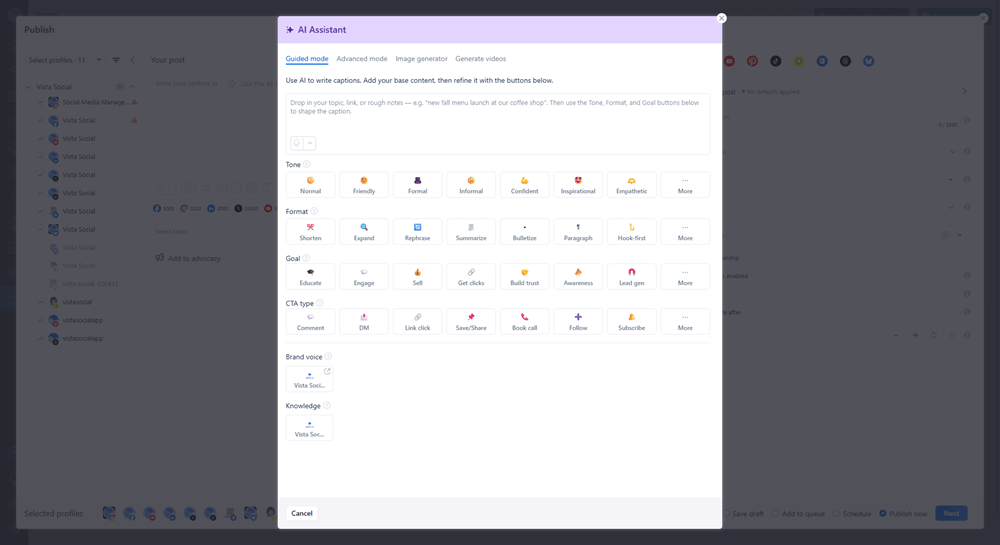
Vista Social treats AI in social media as a core feature rather than a bonus. The AI Assistant writes captions and replies, with 2,500 monthly credits on Professional, 10,000 on Advanced, and unlimited use on Scale.
You also get AI image and video generation credits on every plan. Advanced plans unlock AI Training & Knowledge, which learns from your own content and documents so generated replies actually sound like your brand.
Automation
The best automation gives you hours back without making your brand feel robotic. This is one of the widest gaps between the two platforms.
Loomly offers recurring posts, which help with evergreen content. Beyond that, engagement stays manual, so every DM and comment needs a human reply.
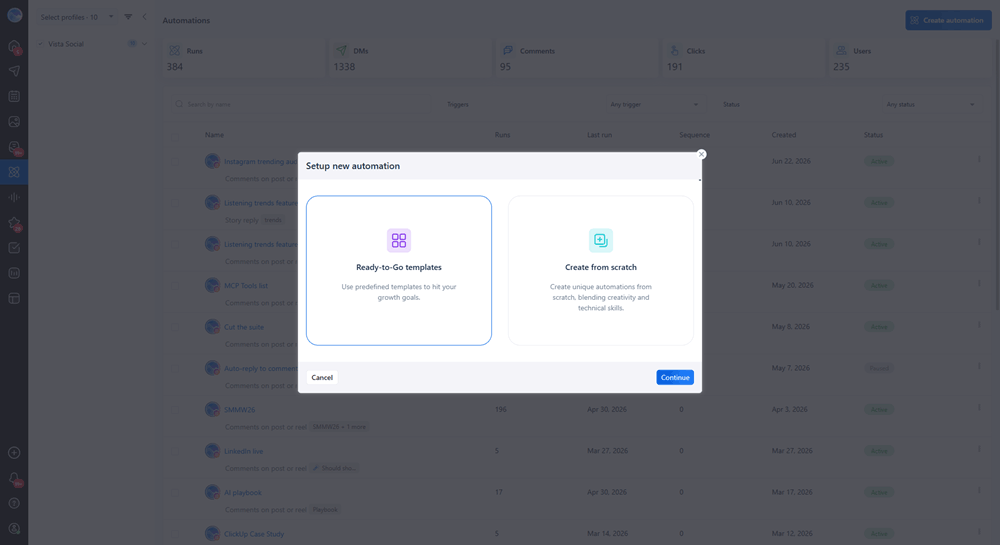
DM automations come built into every Vista Social plan, letting you auto-reply to comments and messages, run keyword triggers, and collect leads on autopilot. Professional supports 10,000 contacts, Advanced raises that to 25,000 with lead collection flows, and Scale handles 100,000. If you’ve wondered how to use DM automation to turn comments into customers, this is the difference between reading about the tactic and running it.
Employee advocacy
Your employees’ combined networks are usually bigger than your brand’s following. Most companies never tap that reach because coordinating it by spreadsheet is painful.
Loomly doesn’t offer an employee advocacy feature at all. Teams that want one have to buy and manage a separate platform.
Vista Social offers employee advocacy as a built-in program, free to try with 3 advocates and available as an add-on starting at $199 per month for 25 employees. Employees get a simple feed of approved content they can share in one tap, and you get reporting on the reach they generate. Compared with standalone employee advocacy tools, keeping advocacy inside your main social platform removes a whole layer of admin work.
Integrations
Your social tool has to play nicely with everything else in your stack. Otherwise you end up copying and pasting between apps all day.
Loomly connects with Canva, Google Drive, Unsplash, Giphy, and Zapier, with Slack and Microsoft Teams notifications reserved for the Beyond plan. It covers the creative basics well.
On the Vista Social side, Canva, Google Drive, OneDrive, and Dropbox come standard on every plan. Advanced plans add Zapier, Make, Slack, and MCP, which lets you connect AI assistants directly to your Vista Social account. Combined with native support for more social networks overall, Vista Social leaves fewer gaps for workarounds.
Pricing
Sticker price only tells you so much, because the real cost depends on what’s included and what forces an upgrade. Take note that the prices below are billed annually.
Vista Social pricing:
- Professional: $64/month for 15 social profiles and 3 users
- Advanced: $120/month for 30 social profiles and 6 users
- Scale: $304/month for 70 social profiles and 10 users
- Enterprise: Custom pricing for unlimited profiles and users
Loomly pricing:
- Starter: $49/month for 12 social accounts and 3 users
- Beyond: $249/month for 60 social accounts and unlimited users
- Enterprise: Custom pricing for unlimited accounts and users
Both platforms offer free trials with no credit card required, and neither offers a free plan. Loomly gives nonprofits a 50% lifetime discount, while Vista Social offers nonprofit pricing on its Professional and Advanced plans for US organizations.
Loomly’s Starter plan looks cheaper at first glance, and for a small team that never grows past 3 users, it can be. The problem is the cliff between tiers. Adding a fourth user or a thirteenth account forces you straight from $49 to $249 per month, with nothing in between.
Vista Social grows with you in smaller steps. Each tier packs in features like DM automations, review management, and a link-in-bio tool that Loomly either limits or doesn’t offer at all.

Try Vista Social for free
A social media management platform that actually helps you grow with easy-to-use content planning, scheduling, engagement and analytics tools.
Get Started NowAbout the Author

Content Writer
Russell Tan is a content marketing specialist with over 7 years of experience creating content across gaming, healthcare, outdoor hospitality, and travel—because sticking to just one industry would’ve been boring. Outside of her current role as marketing specialist for Vista Social, Russell is busy plotting epic action-fantasy worlds, chasing adrenaline rushes (skydiving is next, maybe?), or racking up way too many hours in her favorite games.