


Published on May 13, 2026
14 min to read
How to Get More Reviews for Your Business: 14 Proven Strategies

Summarize with AI

Table of contents
Summarize with AI

ChatGPT

Claude

Perplexity
Share

Vista Social

X (Twitter)


Sometimes your customers have a great experience, fully plan to leave a positive review, but then life happens and time gets away from them. That gap between a satisfied customer and a posted review is almost always a logistics problem.
According to BrightLocal’s 2026 Local Consumer Review Survey, 83% of people who are asked to leave a review actually do it. That’s an extraordinary number, and it means that for most businesses, the difference between a thin review profile and a thriving one comes down almost entirely to whether you ask, how you ask, and how consistently you do it.
This guide gives you 14 strategies to build that consistency, from same-day quick wins to automated systems that make review acquisition a reliable part of your operation rather than something you chase when you remember.
Table of contents
Why getting more reviews matters
Reviews shape three things that directly affect business performance:
- Local search visibility
- Conversion rate
- Customer trust
On the local SEO side, Google’s algorithm weighs review volume, recency, and response rate when ranking businesses for local queries. A business with 400 recent reviews and active owner responses will consistently outrank a competitor with better offerings and a dormant profile.
For multi-location brands, this plays out at the individual location level, and the traffic difference between a 4.8-star location and a 3.9-star one is measurable in foot traffic and bookings.
On conversion, reviews embedded on landing pages raise purchase intent and lower hesitation. For Google Ads campaigns, your review profile influences quality scores. And for agencies managing client reputation, review volume and star rating trends are increasingly the KPIs that clients ask about in monthly reporting calls.
And of course on customer trust, reviews and ratings are a major form of social proof. When potential customers see that your brand has had a lot of happy customers, they’re that much more likely to give you their business.
94% of consumers say they’re open to writing a review if asked at the right moment, and consumers now use an average of six review sites during their research process. Relying on organic review volume alone, or on Google as the only platform worth monitoring, leaves most of that opportunity untouched.
14 proven strategies to get more reviews
If you’re on a mission to get more reviews for your business, you need to be actionable about it. The strategies below treat review acquisition the way it should be treated: as an operational system rather than a periodic campaign.
1. Just ask—and ask everyone
The single biggest predictor of review volume is whether you ask. Most businesses that struggle with low review counts are simply not asking consistently, and some are making a more specific mistake. They’re only asking customers they believe will respond positively.
That practice is called review gating, and it’s an explicit violation of Google’s review policies. Every customer deserves the chance to leave a review regardless of what you expect them to say.
What’s worth understanding is that building real review volume isn’t always a quick process, and the most powerful reviews rarely come from a single well-timed email. Sometimes it takes months of consistent outreach, relationship-building, and follow-up before a customer who genuinely loves your product finds the moment to say so publicly.
That slower process can feel frustrating, but it produces something that a short-term campaign never will: reviews that are completely genuine and nearly impossible to fake.
Vista Social CEO Vitaly Veksler learned this firsthand while building Vista Social’s own review presence across G2, Capterra, and Facebook.
His goal was to build a product that users would love, and that would be channeled into reviews as indisputable evidence that Vista is indeed the best SMM tool (and you can see it for yourself). But he also knew that getting those reviews wouldn’t be easy.
Vitaly explains, “Everyone is busy, and often, as much as they love you, they just may not find the time to leave a review. However, we now have several thousand reviews across review sites (G2, Capterra, Facebook, etc.). In most cases, this was made possible through a consistent outreach effort. We foster a relationship with our users where writing a review feels very natural.”
You can ask across a range of touchpoints:
- In person at the close of service
- By email in a post-purchase follow-up
- By SMS shortly after the transaction
- On the printed receipt or invoice
- Inside order confirmation or delivery notification emails
The channel matters less than the habit. Build the ask into every customer interaction, and volume will follow.
2. Time the ask for peak satisfaction
Timing a review request correctly makes the difference between a response and an ignored one. The window between “that was a great experience” and “I’ve completely forgotten about it” closes faster than most businesses realize.
This is why, for example, sites like Airbnb and Tripadvisor automatically ask for a review right after you’ve finished up an experience or checked out of a hotel.
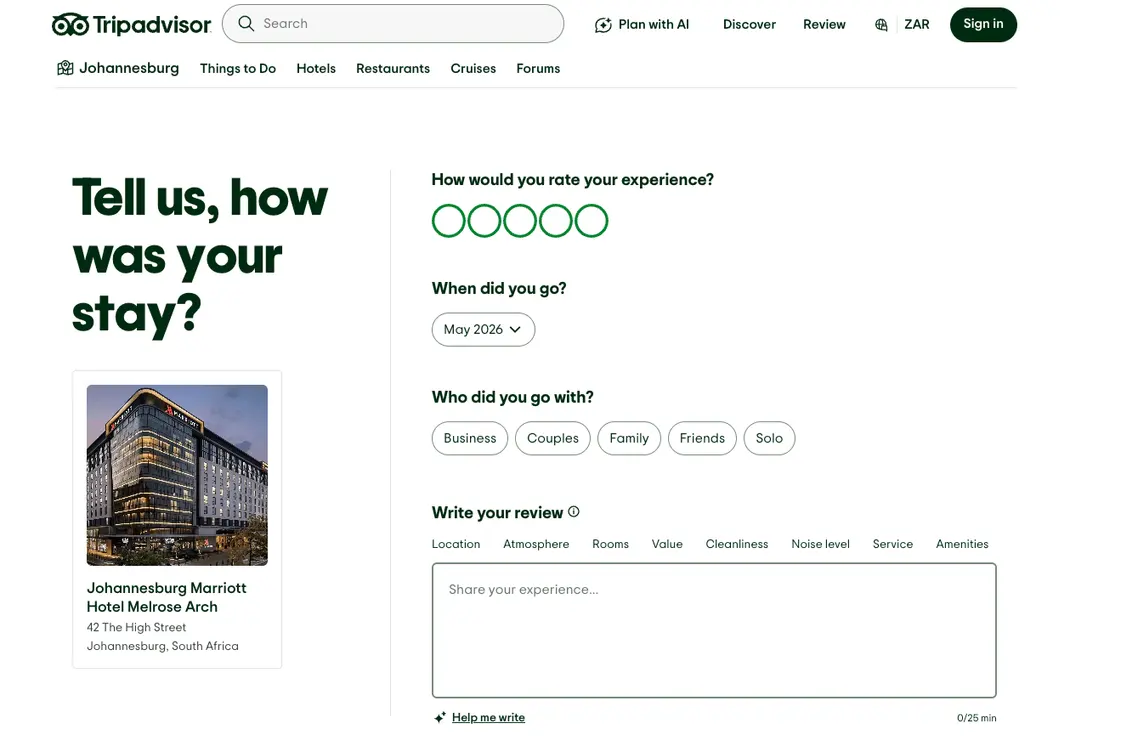
It’s important to know when the optimal timing is for your industry so you can put a plan in place for your review request. Here are a few industries and the recommended time frame for each:
| Business type | Optimal timing |
|---|---|
| Restaurants and retail | At the table or register before the customer leaves |
| Salons, gyms, service businesses | Same-day follow-up |
| E-commerce and product delivery | 3 to 5 days post-delivery |
| SaaS and subscription services | After first successful milestone or onboarding completion |
| Skincare and wellness products | After 2 to 4 weeks of use, when results are visible |
Timing the ask to match the customer’s actual experience of the product is what produces the review worth having.
3. Make it stupidly easy with direct review links
Every extra click between “I want to leave a review” and “review submitted” costs you completions. Friction kills review intent, and the single most impactful change most businesses can make is sending customers directly to the review form rather than to a profile page or homepage.
Google Business Profile generates a direct review link that takes the customer straight to the review input field with zero intermediate steps. For multi-location businesses, every location needs its own direct link, because routing all customers to the head office link dilutes local SEO value and creates attribution problems.
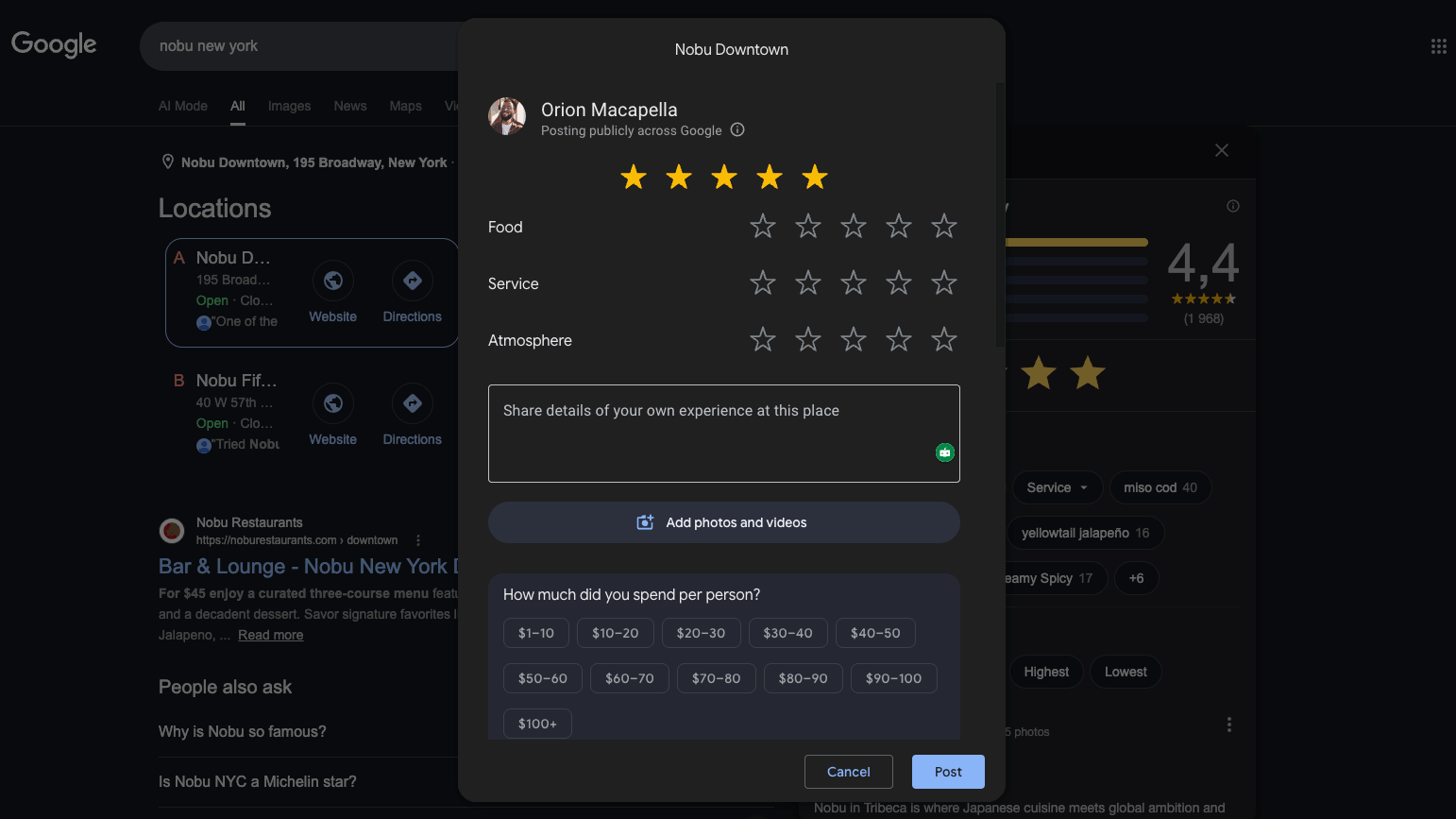
Vista Social’s Google review management tools centralize your location profiles, making it straightforward to manage and distribute the right link for each location rather than maintaining a manual spreadsheet.
4. Send post-purchase email requests
Email remains the most reliable review acquisition channel. As much as 70% of reviews come from post-transactional review request emails, making it the single highest-volume channel for generating review requests at scale. The format allows customers to act on their own schedule with a clickable link that eliminates the friction of finding your profile.
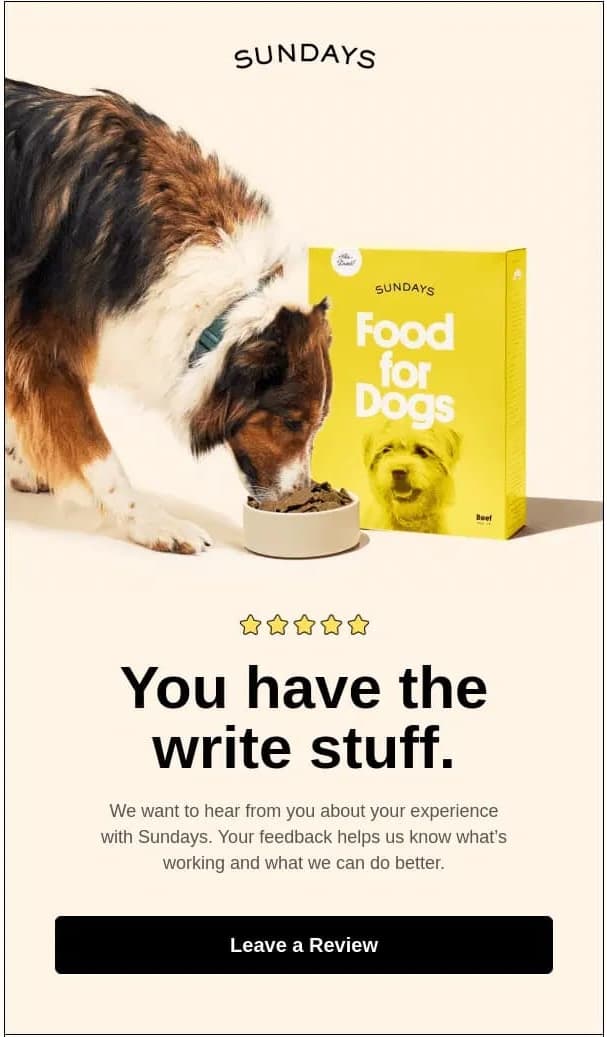
A review request email that works:
- Subject line: Short and personal. “How was your visit?” or “A quick question about your order” consistently outperform promotional-style subject lines
- Body: Three to four sentences. Acknowledge the experience, make the ask directly, include one clear CTA button
- Format: Mobile-optimized, single CTA above the fold, no additional promotions in the same email
Here’s a template you can adapt:
Subject: How did we do?
Hi [Name],
Thanks for visiting [Business Name] on [Date]. We’d love to hear about your experience.
If you have two minutes, a quick Google review would mean a lot to us and helps other customers know what to expect.
[Leave a review →]
Thanks, [Your name]
5. Use SMS for higher response rates
Text messages get read fast. 90% of SMS messages are read within three minutes of delivery, and response times are nearly instantaneous, making it one of the most effective channels for time-sensitive requests like review asks.
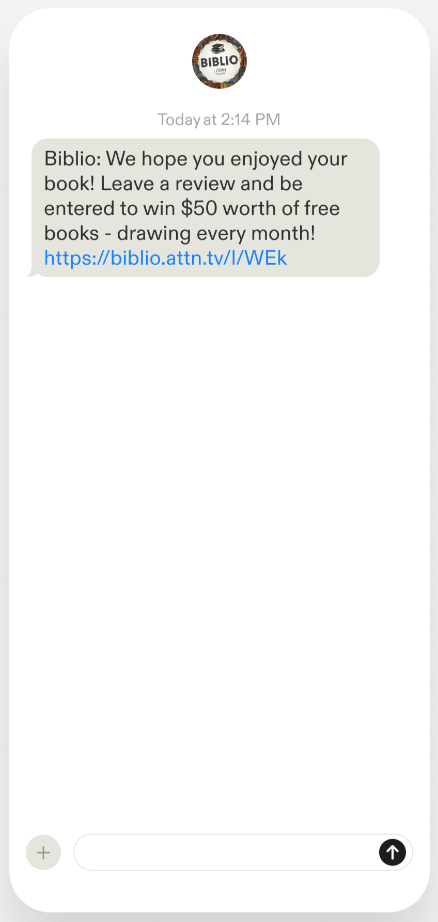
A simple SMS script that works:
“Hi [Name], thanks for your visit to [Business Name] today! We’d love a quick review if you have a moment: [link]”
Two compliance points worth noting before you send:
- TCPA consent (US): You must have explicit SMS consent from the customer before sending any marketing or review request texts. Similar laws apply across the EU, UK, Canada, and Australia
- Keep it short: A long text reads like a marketing message. A short one reads like a note from a business the customer already chose to visit
6. Add QR codes to physical touchpoints
For businesses with a physical presence, a QR code on printed material is one of the fastest to implement and lowest cost review acquisition tools available. A customer who just had a positive experience is seconds away from completing the action when they see a clear prompt and a scannable code.
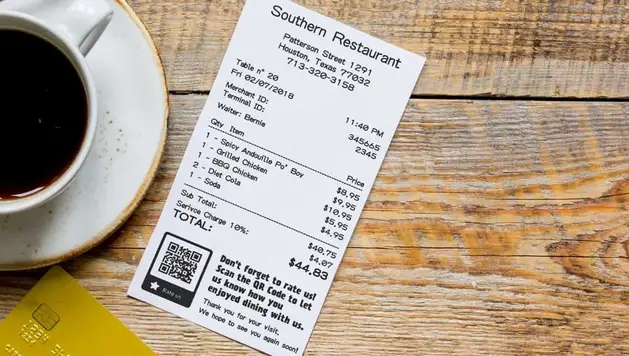
Strong placements for review QR codes:
- Receipts and invoices
- Table tents and menus
- Business cards and product packaging
- Waiting room and fitting room walls
- Branded bags and packaging inserts
- Loyalty program cards
Each QR code should deep-link directly to the review form, not to a profile page that requires an additional click. For multi-location businesses, generate a separate QR code per location so reviews land in the right place for local SEO.
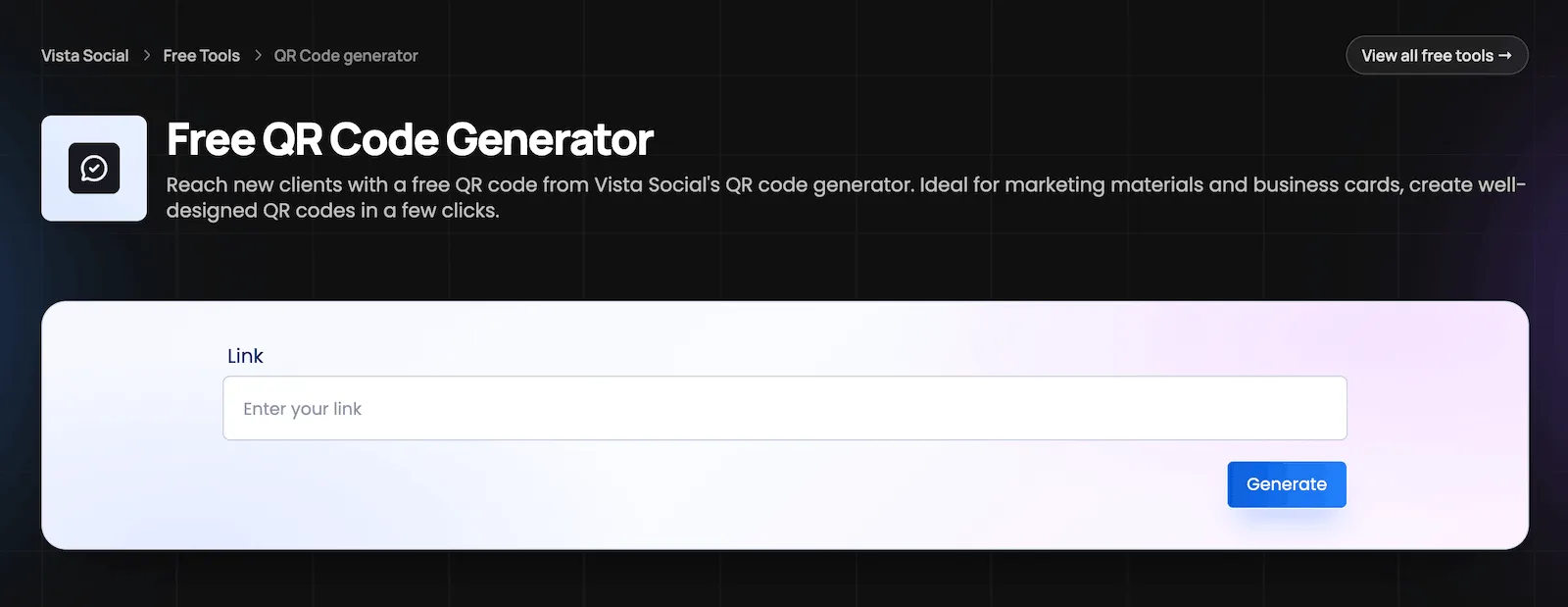
Vista Social offers a free QR code generator to make it even easier to create scannable codes for your business.
7. Embed review CTAs across your online presence
Review acquisition works best when it’s woven into the digital touchpoints customers already hit, rather than confined to a dedicated campaign. Several evergreen placements generate steady review volume with no ongoing effort once they’re configured:
- Email signature: “Enjoyed working with us? [Leave us a review →]” beneath every outbound email reaches a warm audience daily
- Website footer and thank-you page: Natural prompts for customers already in a positive transaction state
- Order confirmation emails: Arrive at a peak attention moment right after purchase
- Shipping notification emails: Another high-open touchpoint that most brands leave unoptimized
- Social media link-in-bio: Prime real estate that most brands underuse for review acquisition
Vista Social’s Vista Page tool lets you build a clean, branded landing page that houses your review links across platforms alongside your other key destinations, making this genuinely simple to manage across multiple profiles.
8. Ask on social media
Your social media following already has a relationship with your brand, which makes them more likely to complete a review request than a cold audience.
Tactics that work well:
- Stories prompts: with a swipe-up link to your review form, particularly on Instagram and TikTok
- Post captions: with a review link after sharing a positive customer moment (“Here’s how to return the favor: [link]”)
- Comments: on high-engagement posts where the audience is already responding positively
Or you can create a clever Reel that subtly mentions reviews (with a tangible ask in the caption) and hope your customers get the hint, like Ari + Ava did below:
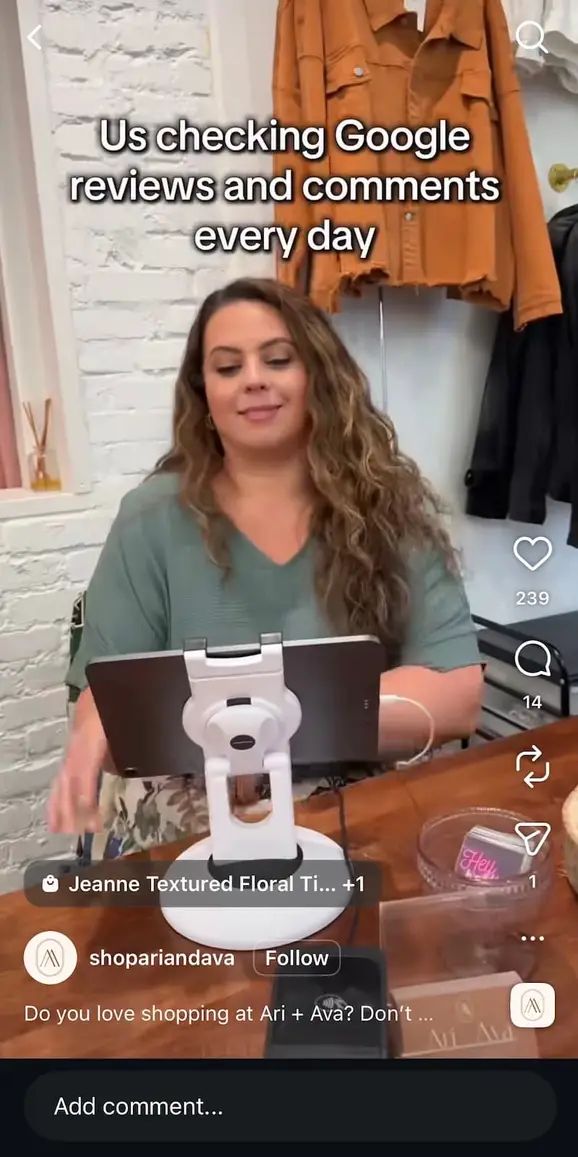
Social works best as a supplementary channel alongside email and SMS, rather than the primary ask. Use it to keep review acquisition visible to your existing community between campaigns.
9. Automate the request workflow
Manual review requests fall through the cracks reliably. Someone forgets to send the follow-up, the reminder gets snoozed, or a busy week passes without a single ask going out. Automation removes the human dependency from the parts of the process that don’t require human judgment.
The trigger for an automated review request can come from:
- A completed appointment in your booking platform
- A closed ticket in your CRM
- A fulfilled order in your e-commerce system
- A check-out event in your POS
- A milestone completion in your SaaS product
Set the delay to match your industry’s optimal timing window, and every eligible customer gets the request without anyone having to remember.
Vista Social’s review automations enable triggered workflows tied to social interactions and review sites, including auto-responses configured by star rating or keyword content.
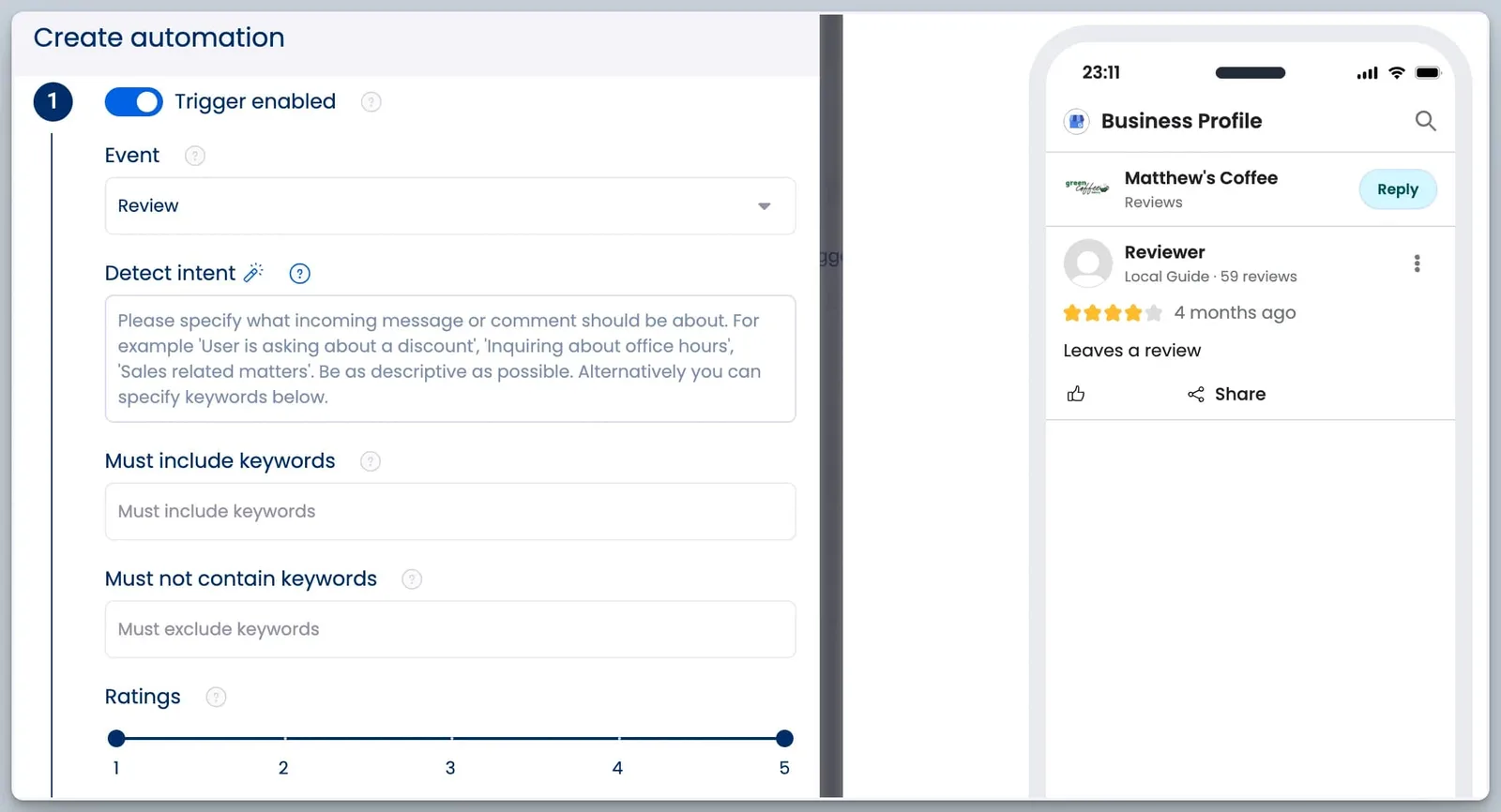
A five-star review receives an automatic personalized thank-you, while a one or two-star review gets escalated to a human team member before it goes unaddressed.
10. Respond to every review, fast
Responding to reviews signals two things simultaneously: to potential customers reading your profile that real people run this business and take feedback seriously, and to Google’s local algorithm that your profile is active and engaged. Plus, 42% of consumers say they’re less likely to work with a business that completely ignores its reviews—so it’s just good practice.
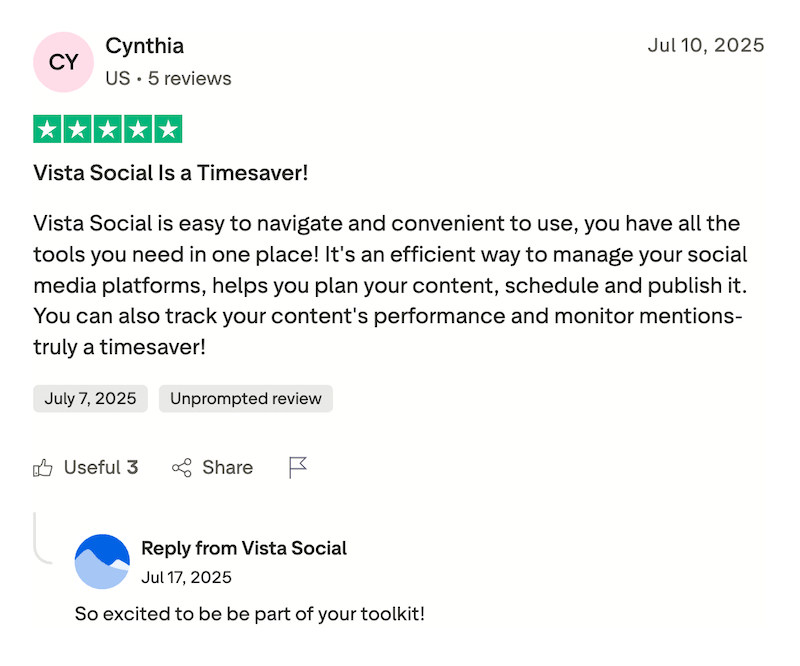
Here’s a quick guide at how to approach the different reviews your business is likely to receive:
| Review type | Response approach |
|---|---|
| Five-star | Acknowledge something specific from the review. Personalized, warm, never copy-pasted |
| Three to four-star | Thank the customer, acknowledge any friction points mentioned, show you’ve listened |
| One to two-star | Empathy first, solutions second, invite the conversation offline. Never argue publicly |
Vista Social’s AI Assistant helps draft on-brand responses quickly across Google, Facebook, the App Store, and Google Play, all from a single dashboard. For negative reviews where tone carries extra weight, having a well-structured draft to refine is significantly better than composing from scratch under pressure.
11. Use AI to handle review responses at scale
For multi-location brands, franchise operations, and e-commerce businesses with high review volume, manual responses are operationally impossible to maintain at the standard that actually builds trust. A chain with 40 locations receiving reviews daily across Google, Yelp, and TripAdvisor cannot staff its way to consistent, timely responses without automation.
Vista Social’s review automations handle the volume that manual teams can’t sustain, with AI-generated responses that match brand voice and escalate critical reviews to humans automatically.
With Vista Social’s AI Knowledge feature, those automated responses are trained on your brand’s specific tone, FAQs, and product details, so every reply sounds like it came from someone who actually works there rather than a generic template.
The AI Intent feature categorizes incoming reviews by topic, whether service, pricing, product quality, staff, or wait time, so patterns emerging across locations are visible in aggregate rather than buried in individual notifications, turning your review data from a reputation management task into an operational intelligence layer that informs real business decisions.
12. Showcase reviews to inspire more reviews
Reviews generate reviews. When customers see feedback prominently displayed and actively acknowledged, it reinforces that reviewing is normal, valued, and worth doing.
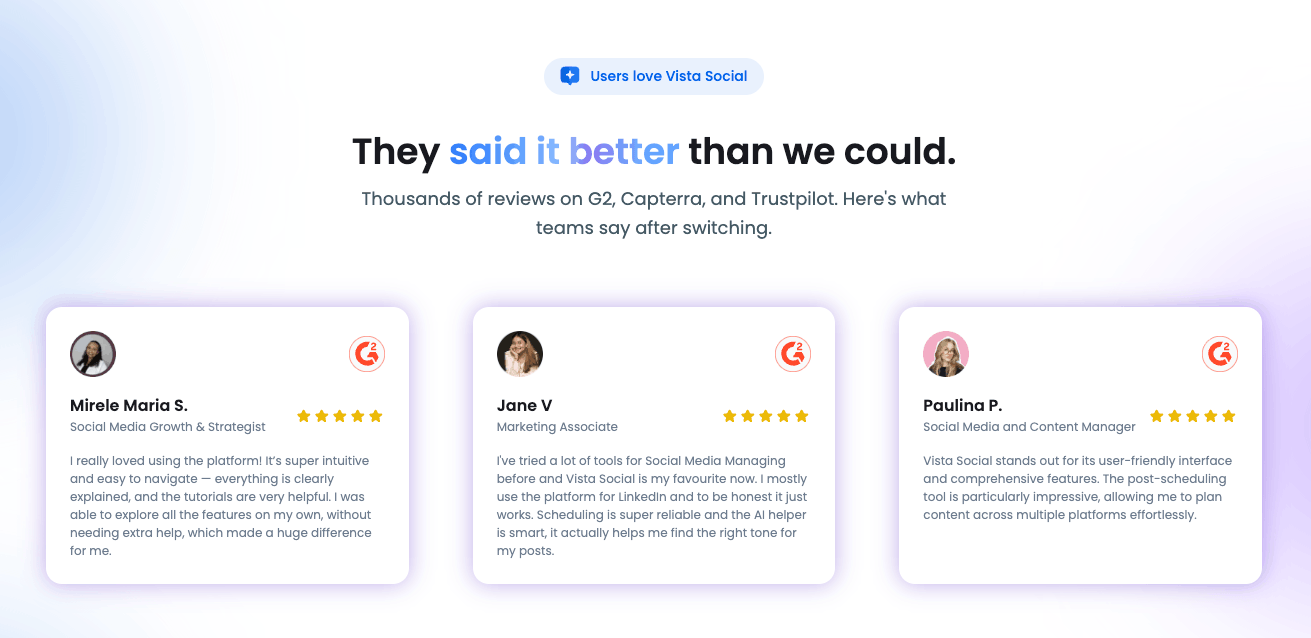
Ways to keep reviews visible:
- Share standout reviews as social posts, tagging the customer where appropriate
- Embed review widgets on product pages and your homepage
- Include customer reviews in marketing emails, particularly welcome flows and post-purchase sequences
- Feature reviews in paid ad creative, where social proof reduces hesitation at the conversion stage
The flywheel effect is real. Visible reviews generate more reviews, which generate more visibility.
13. Train your team to ask in person
Frontline staff are the most underused review acquisition channel in almost every service business. They have direct contact with customers at peak satisfaction moments, and a genuine in-person ask from someone who just provided the service converts at higher rates than any automated message.
To make this consistent:
- Give every team member a QR code card they can hand over at checkout
- Build the ask into the close-of-service script (“If you enjoyed your visit today, we’d really appreciate a quick Google review.”)
- Set a clear team expectation that asking is part of the service ritual, not an optional add-on
- Recognize team members who drive review volume in team meetings or with small incentives
14. Centralize review monitoring across every platform
Customers leave reviews across an expanding list of platforms, and manually monitoring all of them is operationally unmanageable without a centralized system:
- Google Business Profile
- Yelp
- Trustpilot
- TripAdvisor
- OpenTable
- Apple App Store and Google Play
- Industry-specific directories that vary by category
Vista Social’s reputation management tools surface reviews from all major platforms in one dashboard, with notification alerts the moment a new review arrives. Vista Social also sends review notifications via email, text, and in-app alerts so your team is always the first to know regardless of which platform the review came from, meaning nothing sits unread while someone logs into each native app individually.
Review analytics are exportable to PDF and schedulable as recurring reports for clients or leadership. For agencies using Vista Social’s profile group structure, each client’s review data is tracked separately but rolls up into brand-wide reporting that shows sentiment trends, platform breakdown, and response rate across the entire portfolio.
What NOT to do when asking for reviews
Several tactics that still appear in older guides violate platform policies, FTC regulations, or both.
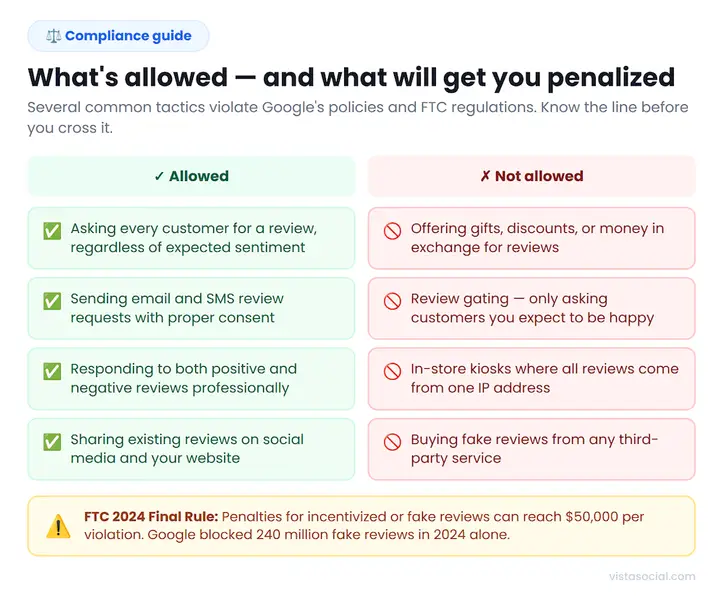
Keep these guidelines in mind so you don’t accidentally make one of these mistakes:
- Don’t incentivize reviews: Offering discounts, gifts, or any benefit in exchange for a review violates Google’s policies, Yelp’s terms, and the FTC’s Endorsement Guides. The FTC’s 2024 Final Rule on fake reviews made this a fineable offense, with penalties reaching $50,000 per violation. BrightLocal’s 2026 survey found 11% of consumers were still offered incentives for a positive review, meaning this is a widespread risk that many businesses haven’t resolved.
- Don’t review-gate: Filtering customers before sending a review request so that only the happy ones receive it is an explicit Google policy violation. Ask everyone.
- Don’t use review kiosks: A tablet at your front desk asking customers to review on-site generates reviews from a single IP address, which Google flags as coordinated activity and removes.
- Don’t buy reviews: Google blocked 240 million fake or policy-violating reviews in 2024 alone. Consequences include profile suspension and FTC enforcement action.
- Don’t argue with negative reviewers publicly: Every future reader sees how you handle criticism. Acknowledge the experience, offer to resolve it, and move the conversation offline.
How to scale review acquisition across multiple locations or clients
The strategies above work well for a single-location business. For multi-location brands, franchises, and agencies managing a portfolio of clients, the challenge is different in kind rather than degree: how do you maintain consistent review volume and quality across dozens or hundreds of locations without a proportional increase in headcount?
The answer is infrastructure. Each location needs:
- Its own Google Business Profile with its own direct review link
- Location-specific request workflows triggered by transaction data
- Dedicated monitoring for incoming reviews
- Reporting that shows performance at the individual location and brand-wide level
Vista Social’s profile group structure is built for this use case. Each location or client sits inside its own profile group, with reviews tracked at the individual level and rolled up into brand-wide reporting. Automated alerts notify the right team member when a low-star review lands anywhere in the portfolio, and white-labeled scheduled reports give agencies a client-ready review performance summary without manual compilation.
For a franchise where review volume varies wildly between locations, that visibility is what converts review management from a reactive task into a managed program. The online reputation management capabilities that Vista Social provides at this level are a genuine differentiator for agencies that want to deliver review growth as a measurable, recurring part of their client offering.
Build your strategy for getting more reviews
Reviews compound over time, and the businesses with the strongest profiles are almost always the ones that built the habit earliest and maintained it most consistently. The strategies in this guide work best when layered—direct links distributed at every touchpoint, an automated post-transaction request workflow as the backbone, in-person asks built into the team’s service close, and centralized monitoring across every platform where customers are leaving feedback.
Starting with two or three of these strategies this week will produce visible movement within 30 days. Adding the infrastructure layer, automation, centralized monitoring, and scheduled reporting is what turns that early momentum into a sustainable program that runs without constant manual input.
Explore Vista Social’s review management tools and see how centralized monitoring, AI-powered responses, and automated workflows make review acquisition a system you run, not a task you chase.
How to get more reviews FAQs
Is it legal to ask customers for reviews?
Yes. Asking customers for reviews is legal and encouraged by platforms like Google and Yelp. What violates policy and FTC regulations is incentivizing reviews with gifts or discounts, filtering customers before asking (review gating), and buying fake reviews. The FTC’s 2024 Final Rule on fake reviews formalized enforcement around deceptive review practices, with fines reaching $50,000 per violation.
Can you pay for Google reviews?
No. Paying for reviews violates Google’s policies, Yelp’s terms of service, and the FTC’s Endorsement Guides. Google blocked 240 million fake or policy-violating reviews in 2024, and businesses caught buying reviews face profile suspension and potential regulatory action.
What’s the best way to ask for a review?
The most effective approach combines an in-person ask at the peak of the customer’s experience with a same-day or next-day follow-up by email or text that includes a direct review link. Reducing friction is the single biggest lever: every extra click between the ask and the review form costs completions.
How many reviews does my business need?
There’s no single target, but local SEO research consistently shows that businesses with more than 100 recent reviews have a meaningful ranking advantage. Review recency matters as much as volume: a steady cadence of new reviews signals ongoing activity to Google’s algorithm and to potential customers reading your profile.
Can I delete a negative review?
You can flag a review for removal if it violates platform policies (fake, spam, irrelevant, or containing prohibited content), but you cannot remove a legitimate review simply because it’s negative. Responding professionally, acknowledging the experience, and inviting resolution offline is consistently more effective at protecting your reputation than any removal attempt.
How do I get more 5-star reviews?
Deliver experiences worth five stars, ask immediately after those experiences, and make leaving a review as frictionless as possible. Responding actively to every review you receive also compounds over time: customers reading your responses see a business that pays attention, which raises both the likelihood of leaving a review and the likelihood of it being positive.

Try Vista Social for free
A social media management platform that actually helps you grow with easy-to-use content planning, scheduling, engagement and analytics tools.
Get Started NowAbout the Author

Content Writer
Orion loves to write content that refuses to be boring. As part of Vista Social, he helps brands, creators, and agencies stop doom scrolling and start winning with social media. When he's not in front of a keyboard, he's watching films in IMAX with his wife, dissecting football tactics (the European kind), and getting lost in a good book.