


Published on August 5, 2026
11 min to read
The Real Cost Multi-location Social Media Management

Summarize with AI

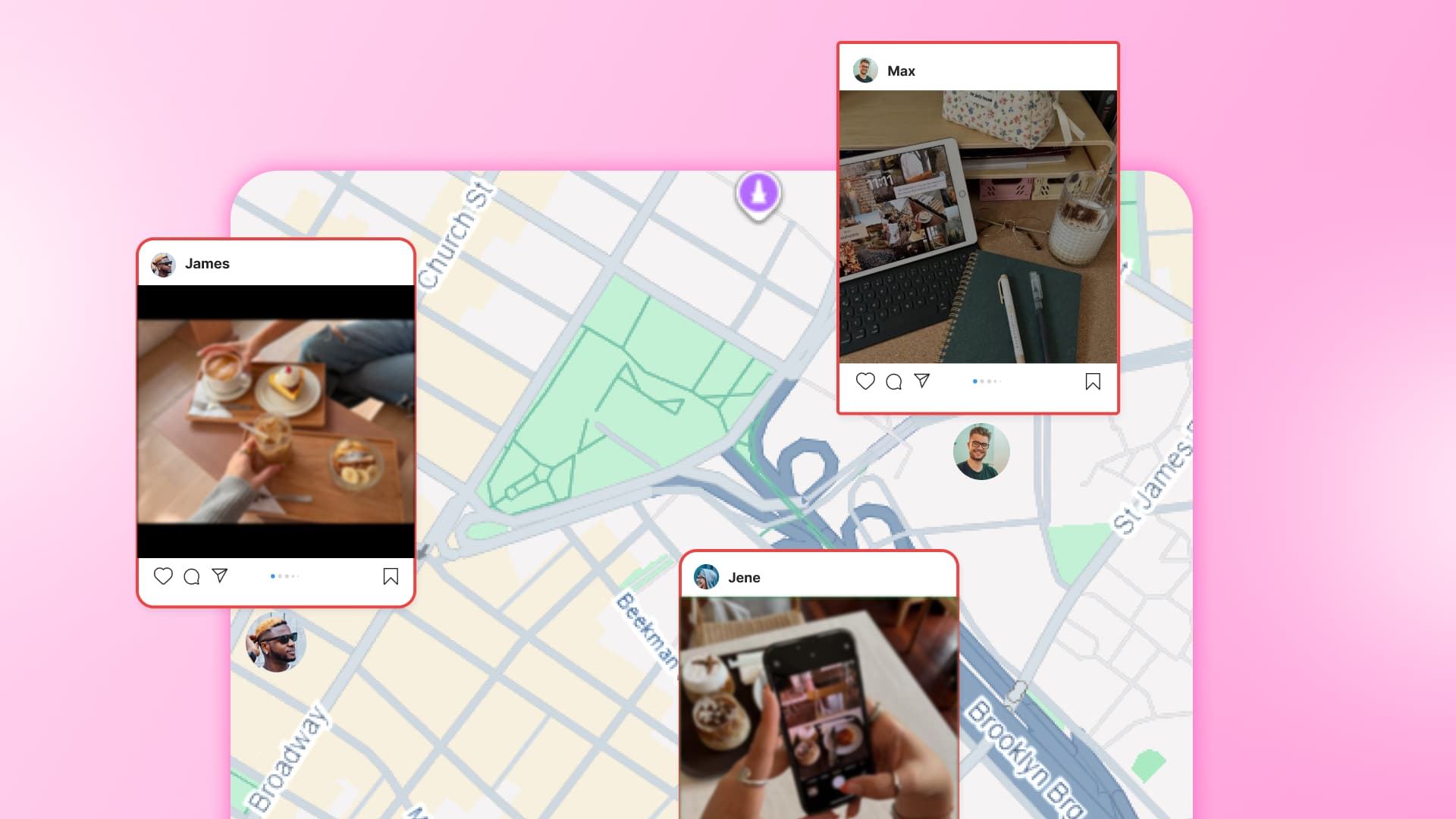
Table of contents
Summarize with AI

ChatGPT

Claude

Perplexity
Share

Vista Social

X (Twitter)


A regional promotion goes live across twelve locations. Three weeks later, your VP asks which one performed best. The question sounds easy until every result needs an asterisk.
One location posted on Wednesday instead of Monday. Another changed the offer, while a third skipped the image. The team spent hours publishing, yet the results can’t tell you where to invest next.
That is the larger problem with multi-location social media. The logins take time, while uneven execution takes away your ability to learn. Good multi-location social media management lets each page sound local within a campaign you can compare.
Account switching is the cheapest cost. The expensive part is finishing all that work with results you cannot use anywhere else.
The short version:
- Repeat work is the visible cost. The larger cost is losing a fair comparison.
- Three locations are an early warning. Each new location adds another page to coordinate.
- HQ and local teams need different jobs. Centralize the campaign rules and measurement, then leave room for useful local context.
- AI works best with local guidance. Give each profile group the right facts and rules, while people keep approval and judgment.
- Start with one shared campaign. Use one calendar, review route, and reporting tag.
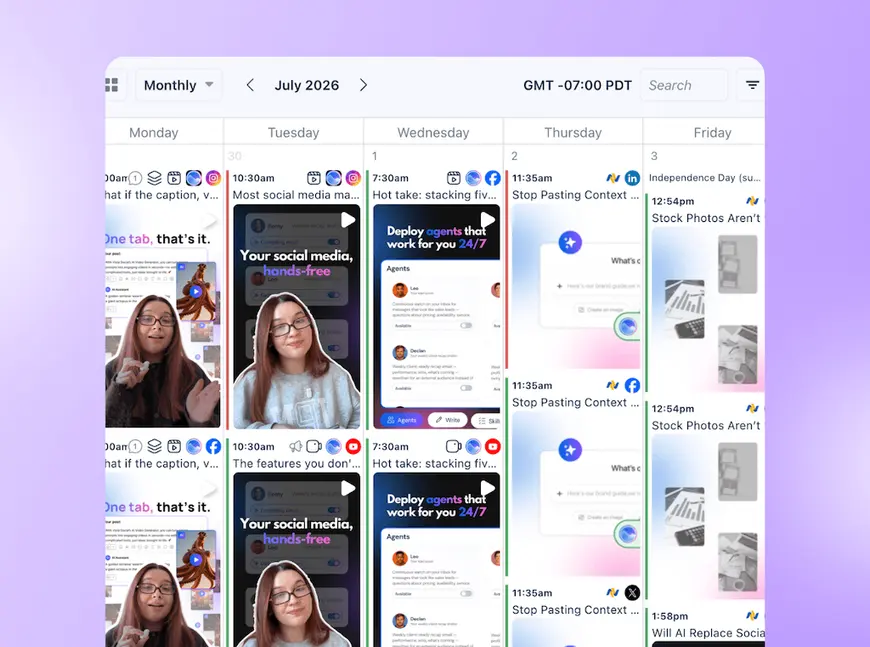
Table of contents
Where multi-location social starts costing you
The four costs to look for
Multi-location social charges you in four ways. The copy-pasting is easy to see, but the other costs stay with the business after publishing ends.
The setup rarely begins as a grand strategy because each account solves one immediate need. One store opens a Facebook Page, then another manager starts an Instagram account for local events. A spreadsheet usually arrives later to hold it together.
| Cost | What you see during the week | What the business loses | A practical Vista Social response |
|---|---|---|---|
| 1. Duplicated effort | The same campaign is pasted into separate pages. | Time and more chances for errors. | Use one calendar, one post, and local custom fields. |
| 2. Brand drift | A local post uses the wrong offer or old creative. | Trust and time spent fixing the mistake. | Give contributors scoped access and require approval. |
| 3. Lost comparability | Versions, timing, and tags differ by location. | Clear evidence about what worked. | Keep campaign conditions shared and report in one place. |
| 4. Single point of failure | One person owns the logins and unwritten rules. | Continuity when they are away or leave. | Use named accounts and a documented review route. |
Account switching is still annoying, but the bigger losses keep running after the afternoon ends. Our guide to the wider operational challenges covers that daily pressure in more depth.
If these costs sound familiar, see every location in one working view.
The tipping point: three locations
Coordination gets harder when the third location joins, because every page must stay aligned with the others. With two locations, there is only one comparison: A versus B. Add location C, and there are now three: A versus B, A versus C, and B versus C.
You do not need to calculate anything yourself because the table does the counting for you.
| Locations | Possible comparisons | What that looks like |
|---|---|---|
| 2 | 1 | One straightforward A-versus-B check. |
| 3 | 3 | Each page is checked against the other two. |
| 5 | 10 | Ten possible pairs to keep aligned. |
| 10 | 45 | Far too many pairings for a useful mental checklist. |
You do not need a meeting for every pairing. Each pair can still differ in timing, branding, tagging, ownership, or reporting. Once those differences sit in separate logins and spreadsheets, memory stops being dependable.
Native tools can be right for one or two locations. They are free and often receive new formats first.
At three or four locations, ask two simple questions:
- Must one person remember every difference between the pages?
- Can the rest of the team see the live plan before it publishes?
If the answers are “yes” and “no,” respectively, the team has already outgrown informal coordination.
Ownership matters as much as location count. McDonald’s says nearly 95% of its locations are run by local franchisees. Its operating model keeps local knowledge close but puts thousands of decisions under one public name.
Why the reports stop being trustworthy
Fair comparisons need the same core content. They also need similar timing and shared tagging. Separate publishing often breaks one of those conditions.
The report treats several tests as if they were one, leaving no clear way to know which change drove the result.
Your budget conversation now rests on weak evidence because too many variables changed. A post may have won because of its message or market. Timing, format, or a better local offer may have tipped it too.
You can’t repeat the success because you don’t know which part mattered.
Gartner’s 2026 brand analysis found that 84% of companies were caught in a brand measurement doom loop. Those companies were half as likely to beat their growth targets. The survey covered 426 senior marketing leaders in late 2025.
Weak data shapes budget choices, which makes Sharon Cantor Ceurvorst’s warning especially useful. She is a VP Analyst in the Gartner Marketing Practice:
“Underfunded measurement breeds C-suite skepticism, which deprives brand of the investment it needs to drive growth.”
Sharon Cantor Ceurvorst, in Gartner’s 2026 analysis
For a location marketer, that warning turns a messy report into a budget risk. Before your next regional campaign, run this four-question audit:
- Coverage: Did every planned location publish the campaign? A “no” means the sample contains locations that received different treatment.
- Timing: Did the posts go live in comparable windows? A “no” leaves timing tangled with location performance.
- Creative: Did the core copy and asset stay consistent apart from planned local fields? A “no” makes it hard to identify what drove the result.
- Tagging: Can one campaign tag or report pull every post together? A “no” means the team must rebuild the comparison by hand.
If you answer “no” twice, treat the final ranking as a rough guide. Then fix those two conditions before you increase spend.
How to protect the brand without silencing local teams
Protecting the brand does not require dragging every local decision back to HQ. Make the shared rules visible and give people the access their roles need. Catch risky changes before customers see them.
Build approval into the workflow
Brand drift happens because a document can explain the standard, while a review step catches departures before publication. A manager planning Saturday’s event is trying to move quickly. They still need an accurate asset, offer, and route to approval.
McDonald’s saw how far one local message could travel in October 2023. Its Israeli franchise announced on social media that it was providing free meals to Israeli soldiers.
Boycott calls spread across the Middle East and other markets. McDonald’s said sales were affected far beyond Israel, according to an AP report.
The fallout did not stay with the local operator. McDonald’s then agreed to acquire the operator’s 225 restaurants in April 2024, a deal confirmed in the company’s own announcement.
The public sees one brand, even when the organization sees hundreds of separate operators. Corporate still should not write every local caption because local knowledge has real value. The review route needs to match the reputation at stake.
Local pages earn their place because they know the community. They can cover the school fundraiser or the weather that changed an event. Our local playbook goes deeper on that value.
A useful split is to centralize identity and leave room for voice:
- HQ controls: Logos, claims, offers, disclaimers, and campaign assets.
- Local teams add: People, references, event details, and community context.
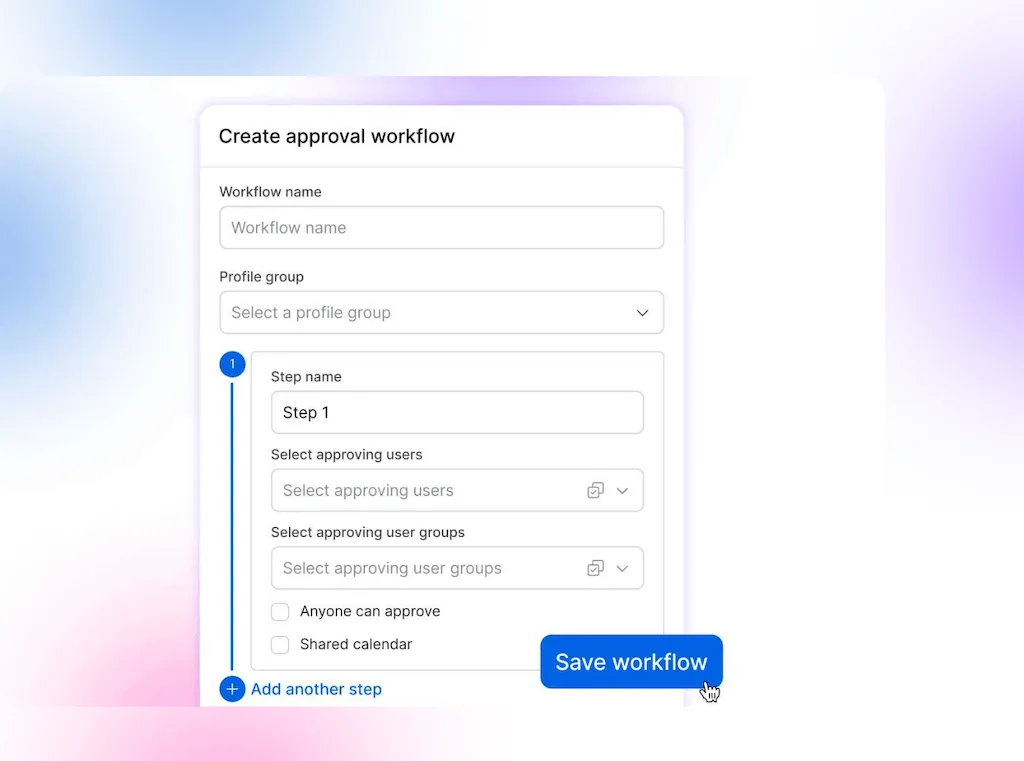
In Vista Social, a Contributor can draft and schedule inside selected profile groups. Every post they create still requires approval. The menu path is Settings → Publishing Settings → Approval Workflows → Add approval workflow.
Duplicating a workflow saves time, but each copy needs its name, profile group, and approval steps checked by hand. A forty-location rollout still requires forty careful edits.
Remove the single-person bottleneck
When one person holds the logins and unwritten rules, publishing, approvals, inbox replies, and review responses can stall together. The team may have a content plan. Nobody else knows which page needs a different link or who can approve the change.
Three controls cut that risk:
- Scope each named user to the right profile groups.
- Record who reviews and approves each type of post.
- Give a backup owner enough visibility to spot stalled work.
Shared credentials create risk because they blur who changed a post and make offboarding harder.
A local contractor may receive more access than the job requires. Named accounts keep the handoff visible when the usual owner is away.
Where AI can take work off the team
AI can reduce the repeat work across forty locations. The social manager still decides what the campaign means and what is ready to publish.
The guidance works because it lives with the right profile group. Vista Social lets you set AI Training & Knowledge, brand voice, and Brand Safety there.
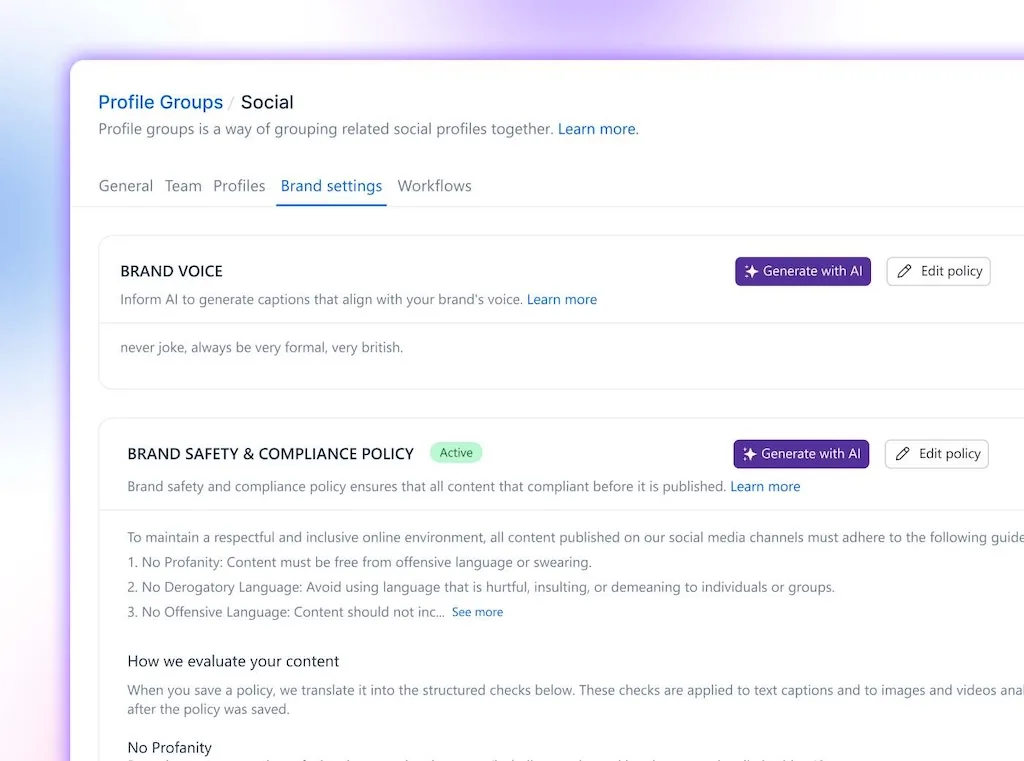
Give each location its own facts and rules
Location twelve can use its own hours, services, and sources instead of borrowing facts or tone from location three.
That makes the profile group the unit of AI governance for a multi-location brand. The access boundary can also define which facts and policy guidance support its drafts.
Let AI handle the repeatable work
The four costs change in practical ways:
- Duplicated effort: Custom fields fill local details inside one shared post.
- Brand drift: Approved local context guides the writer, while Brand Safety can flag a policy conflict.
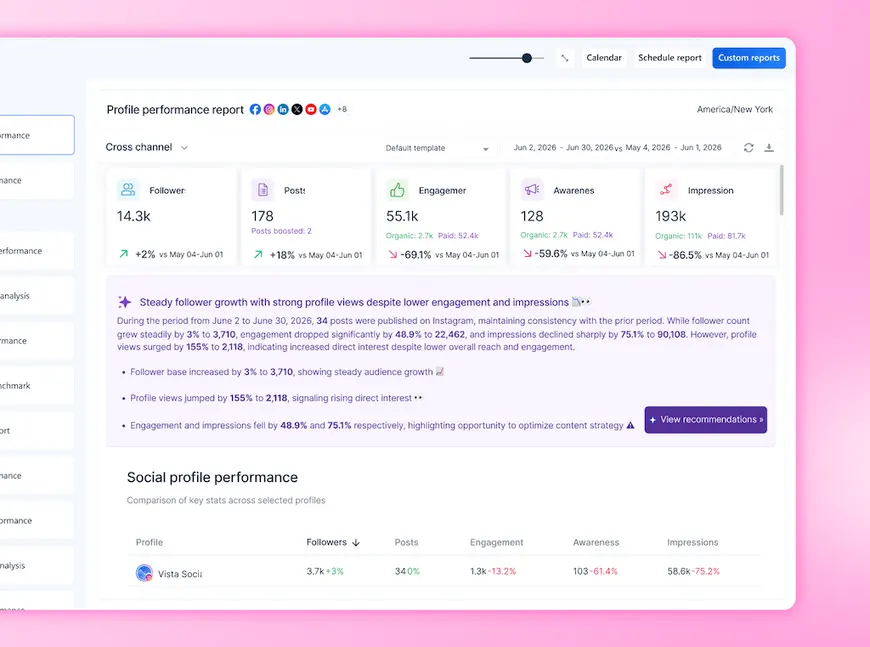
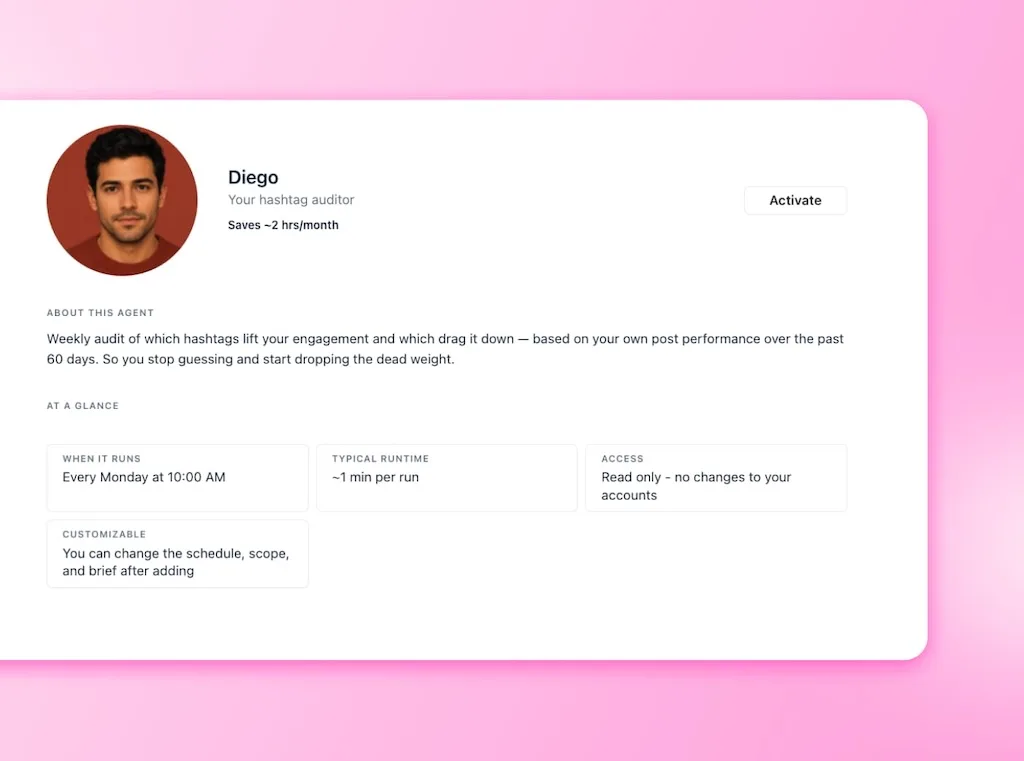
- Lost comparability: A Scheduled Agent can report on chosen profiles without someone rebuilding the view from exports.
- Coverage risk: Named access lets another person step in without receiving the keys to the whole account.
Our guide to AI agents covers the mechanics. The AI controls guide helps you choose which features each profile group may use.
Gartner’s 2025 survey of 402 marketing leaders found that 49% saved time with generative AI. Lower costs were cited by 40%, while 27% reported more capacity. The research was not specific to multi-location social media.
AI guidance still needs maintenance because sources and policies change. Keep the setup dependable with a short routine:
- Update a profile group’s sources when its hours, services, or policies change.
- Check where Brand Safety applies so warnings appear for the right groups.
- Keep human approval because some posts carry legal, reputational, or campaign risk.
- Review agent reports, then decide whether the wider plan should change.
Try the setup on one real campaign. Try Vista Social with one location group, then expand it once the workflow works.
Decide what HQ owns and what stays local
Centralize distribution, measurement, and brand identity, while local voice and replies stay with the people who know the location. That split gives HQ a sound campaign core without turning every page into corporate copy.
| Centralize across the brand | Leave room for local control |
|---|---|
| Campaign: objective, offer, message, and dates | Context: local events, people, and changes |
| Identity: assets, claims, disclaimers, and visual rules | Voice: phrasing that sounds natural there |
| Calendar: drafts, approvals, owners, and publish dates | Timing: the best allowed local window |
| Measurement: tags, reporting period, and success metric | Replies: answers that need local knowledge |
The split should change by campaign because the risk changes too. A regulated offer may need tighter copy control, while a store anniversary should give the local manager more room.
Control can become too strict as well. In 2024, employee Miriam Webb said Chick-fil-A asked her to stop posting popular TikTok meal reviews because they broke company rules.
Marketing Brew reported she had built tens of thousands of followers. Within a week, she posted the first of two paid Shake Shack videos. Other brands appeared on her account too.
Blanket bans can block useful local voices along with risky ones. Defined topics, clear red lines, and an approval route give that energy somewhere safe to go.
For shared campaigns, build one post and insert the local fields you would otherwise swap by hand. Keep timing flexible where it helps, then preserve the reporting tag and core asset.
See every location in one place. Then decide what should stay shared and what belongs with the local team.
Choose the right access level for local managers
Location access can sit anywhere between “HQ does everything” and “everyone can publish.” Six rungs help you match permissions with experience and risk. They also account for the local knowledge a post needs.
| Rung | What the location manager can do | Setting that creates it |
|---|---|---|
| 1. HQ only | Send ideas outside the platform. HQ publishes. | No location access. |
| 2. Review without login | Review from a shared calendar link. | External viewer in the approval workflow. |
| 3. Contribute with approval | Draft for assigned locations. Every post is reviewed. | Scoped Restricted user with Contributor permission. |
| 4. AI-assisted local drafting | Draft with local facts and policy warnings, then submit. | Contributor plus per-group AI guidance and approval. |
| 5. Publish inside one location | Manage assigned groups without account-wide access. | Profile Group Admin for selected groups. |
| 6. Full publishing rights | Publish first, then receive a later review. | Manage access and an audit routine. |
For many multi-location teams, rung four works well because the location contributes its knowledge, the draft uses approved context, and a person still gives the final yes.
Rung two helps when a manager refuses another login. A trusted regional owner may fit rung five within defined profiles. Full publishing rights are faster, but the review happens after the audience can see the post.
Vista Social’s approval workflow guide shows the full setup. Brand Safety and Compliance is available through Enterprise or the relevant add-on.
Make the next campaign easier to compare
Your shared setup earns its keep when your VP asks which page did best because you can answer without adding caveats to half the results.
The campaign came from one visible plan, with deliberate local differences and one shared tag.
Centralizing the setup makes the work easier to see, but it will not fix weak ideas or fill empty pages. You still need local people and a social lead who can turn their knowledge into a campaign worth running.
AI does not make those decisions, but it can draft from approved information, warn about policy conflicts, and deliver a cross-location report. A person still decides what sounds right, what the numbers mean, and what earns approval.
You can improve the next comparison without redesigning the whole operation, so start with one live campaign you can compare.
Change one manager to Contributor or set up AI Training & Knowledge for one profile group, then compare that location with the workflow you use today.
Start a free trial and give every location one place to work from. No credit card, no auto-charge, and no limits.
Frequently asked questions
Should each location have its own social media account?
A separate account makes sense when customers search for that location and need local details, events, or replies. Each new profile adds publishing, review, and measurement work, so manage them from one shared view with scoped access.
Is multi-location social media management worth it for four locations?
It can be, because four locations create six pairs that may need alignment. Judge the need by visibility and fair comparison. The location count alone won’t answer it.
How do you keep social media consistent across franchise locations?
Control the brand assets, offers, claims, and required campaign details centrally. Give local contributors scoped access, supply the right location facts, and require approval before publication where the risk warrants it.
Should every location post the same content or different content?
Use the same core post when you need a fair campaign comparison, then add local content around it. A planned mix protects measurement while giving each page enough community relevance to earn attention.
Will AI-generated posts make every location sound like a bot?
Generic guidance can produce generic drafts. Give the AI local source material, brand voice, and policy rules. Human review can catch anything that still sounds wrong.
What happens when the person running multi-location social leaves?
Publishing and customer response can stall because the logins and process live with one person. Named accounts, scoped permissions, a documented approval route, and read-only backup visibility make the handoff much safer.
Does centralizing social media make every location sound corporate?
It will if HQ controls every word. Centralize the campaign plan and reporting. Then let local teams add the people, timing, references, and replies their community needs.
Try Vista Social for free
A social media management platform that actually helps you grow with easy-to-use content planning, scheduling, engagement and analytics tools.
Get Started NowAbout the Author

Content Writer
Orion loves to write content that refuses to be boring. As part of Vista Social, he helps brands, creators, and agencies stop doom scrolling and start winning with social media. When he's not in front of a keyboard, he's watching films in IMAX with his wife, dissecting football tactics (the European kind), and getting lost in a good book.