


Published on October 23, 2026
9 min to read
MCP Security for Social Teams: What to Check Before Connecting AI

Summarize with AI

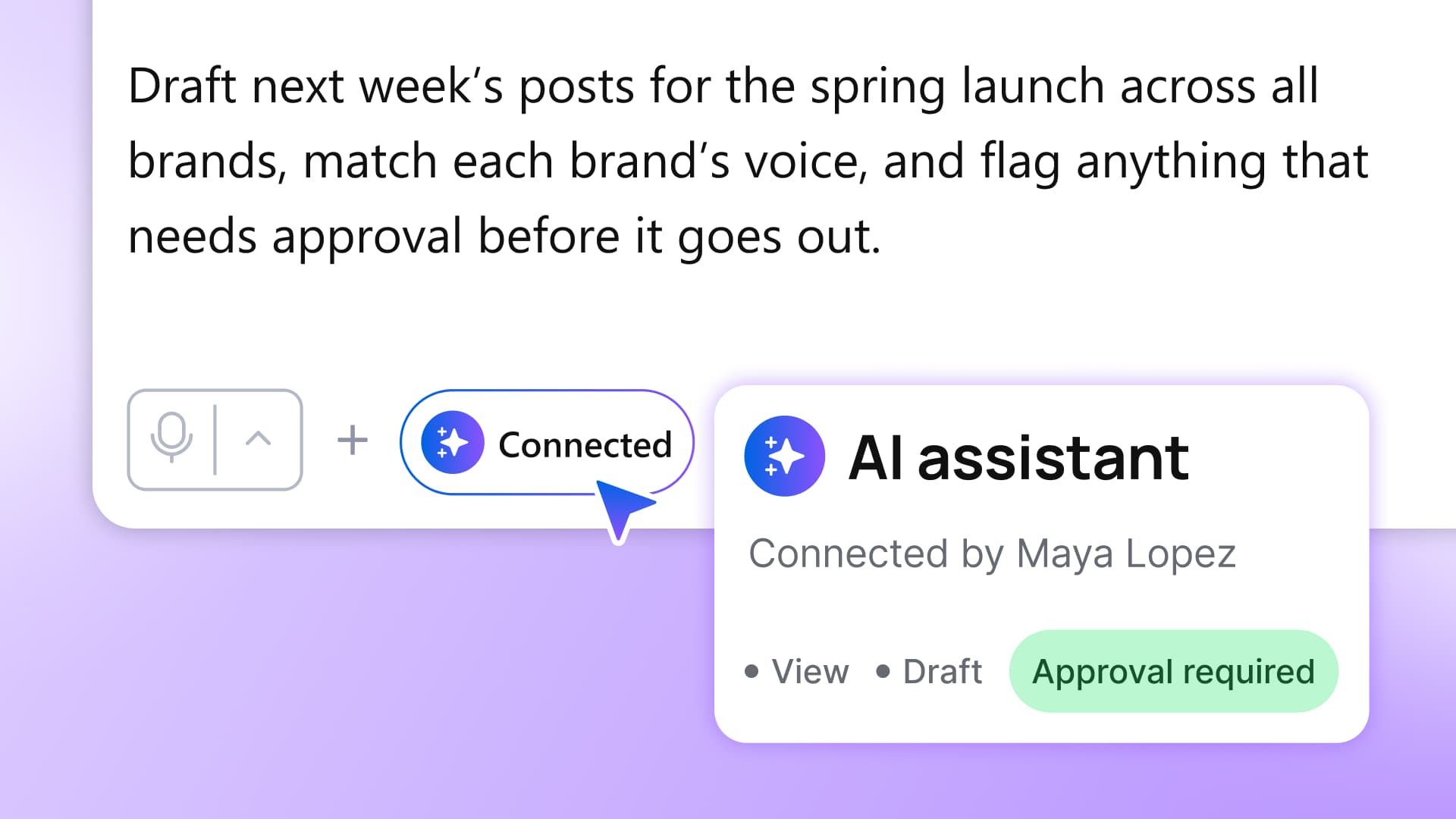
Table of contents
Summarize with AI

ChatGPT

Claude

Perplexity
Share

Vista Social

X (Twitter)


You want AI to pull a launch report for two regions. IT asks which accounts it can reach, whether it can publish, and how you’ll disconnect it. Before anyone clicks Authorize, you need answers that hold up beyond the setup screen.
An assistant connected through your admin account could have far more access than the report needs. A customer conversation could enter an AI workspace approved only for campaign results. And when someone changes teams, the connection they set up can outlast their responsibility for those accounts.
MCP security is how you put boundaries around that work. Your team gets a useful connection, and you can explain what it reaches, what it does, and where the evidence stops. Start with the reporting request, then work through access, data handling, the five IT answers, and a test your security lead can review.
The short version
- Access follows the user: The account used to connect an assistant determines its permissions. A narrow reporting brief doesn’t narrow an admin account.
- Data has a destination: Results returned to an outside assistant enter that provider’s environment. Its workspace and data terms belong in your review.
- Records have limits: An activity log can show covered changes without recording every read. Match the evidence to what security needs.
- A useful answer isn’t the whole test: The report must be right, and the access boundaries must hold when you try to cross them.
Table of contents
What MCP security controls
MCP security controls which AI assistants can connect to an app, what they can read or change, and how you track and revoke access.
The Model Context Protocol lets an assistant use another app’s tools directly. It can retrieve campaign results or prepare work in your social platform instead of waiting for someone to copy everything into a chat. Our MCP guide explains how that connection works.
The apps still have to enforce the controls. The MCP specification says it “cannot enforce these security principles at the protocol level.” Supporting MCP doesn’t prove that a vendor checks the right permissions on every request.
A reporting request can expose more than results
When the setup is unclear, a launch report becomes a wider investigation. Your regional leads may have checked the figures, but that doesn’t answer security’s questions about how the assistant obtained them.
The consequences reach beyond the report:
- The next region stays on hold: A successful pilot is hard to expand when IT has to reconstruct the original access decision. Each new team brings the same questions back to your desk.
- An incident interrupts delivery: Unexpected data in a response means stopping the workflow while security establishes what was shared and where. Your team returns to manual reporting during that review.
- You can’t give leadership a complete answer: The finished report shows performance, not who owns the connection or whether its access still matches the job. Without that record, you have a result you can present but a setup you can’t defend.
The report and the connection need separate evidence. Accurate figures don’t prove that access was appropriate.
Blocking a connector doesn’t settle the problem of personal AI tools. Microsoft’s and LinkedIn’s 2024 research found that 78% of AI users brought their own tools to work. An approved route gives your team somewhere to do the job without improvising a data-sharing policy.
IBM’s 2025 study examined 600 organizations that had experienced breaches. One in five attributed a breach to shadow AI, meaning AI used without organizational approval or oversight. That describes the breached sample, not the risk for every company using AI.
Asana’s 2025 disclosure shows why account boundaries matter
In June 2025, a flaw in Asana’s MCP implementation potentially made some customers’ data accessible to other users of the feature. Asana acknowledged the issue in its annual filing.
The lesson for your review is specific: a successful sign-in doesn’t establish that account boundaries hold. You need to see what happens when the assistant requests something it shouldn’t reach.
Match the connection’s access to the work
Vista Social’s MCP tools support reporting, content work, and account administration. Those jobs carry different consequences, even when you start them from the same chat.
| Work you want AI to do | Tools that support it | Boundary to establish |
|---|---|---|
| Review performance or find work needing attention | Retrieve post results, calendar entries or inbox items | Access only the profiles and data required for the job. |
| Prepare or change public work | Create or edit posts, schedule, approve, reject or reply | Keep the required human approval before public action. |
| Manage account access | Invite users, change group permissions or remove teammates | Separate administrative authority from routine reporting and drafting. |
For the launch report, record the two regions’ profile IDs, reporting dates, required metrics, and reviewer. Leave publishing, replies, and user changes outside the request. That written scope tells you which permissions to configure next; it doesn’t configure them for you.
Your assistant inherits the connecting user’s permissions
The assistant works through the permissions of the Vista Social user who connects it. Check that identity, especially when your browser is already signed in as an admin.
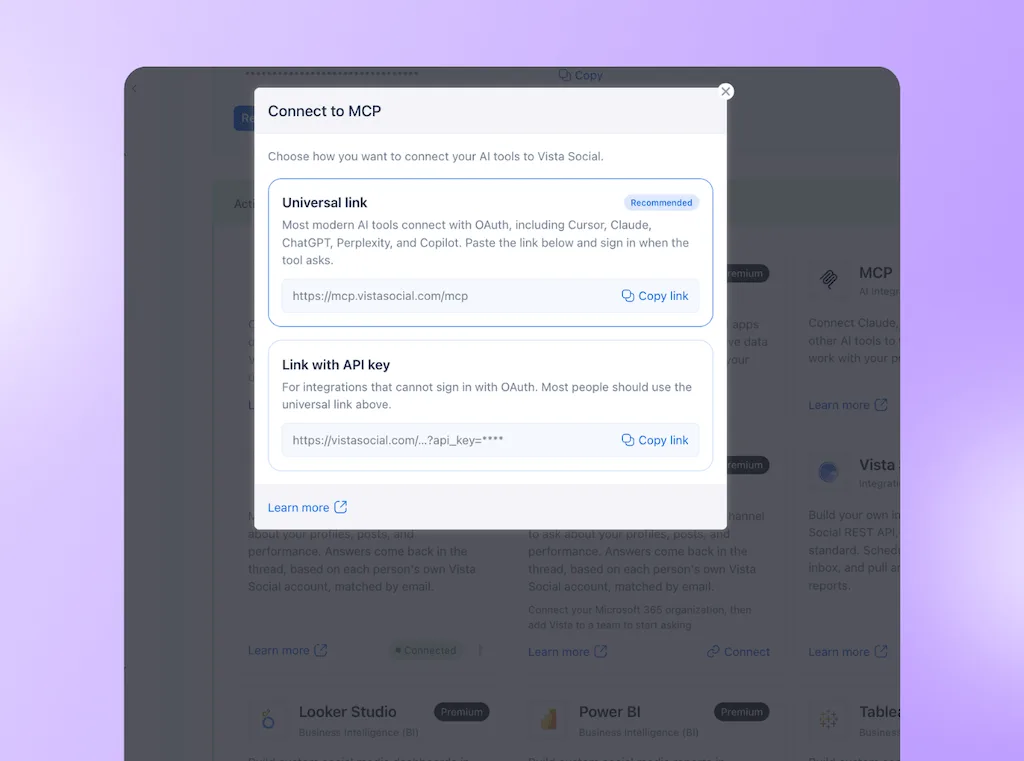
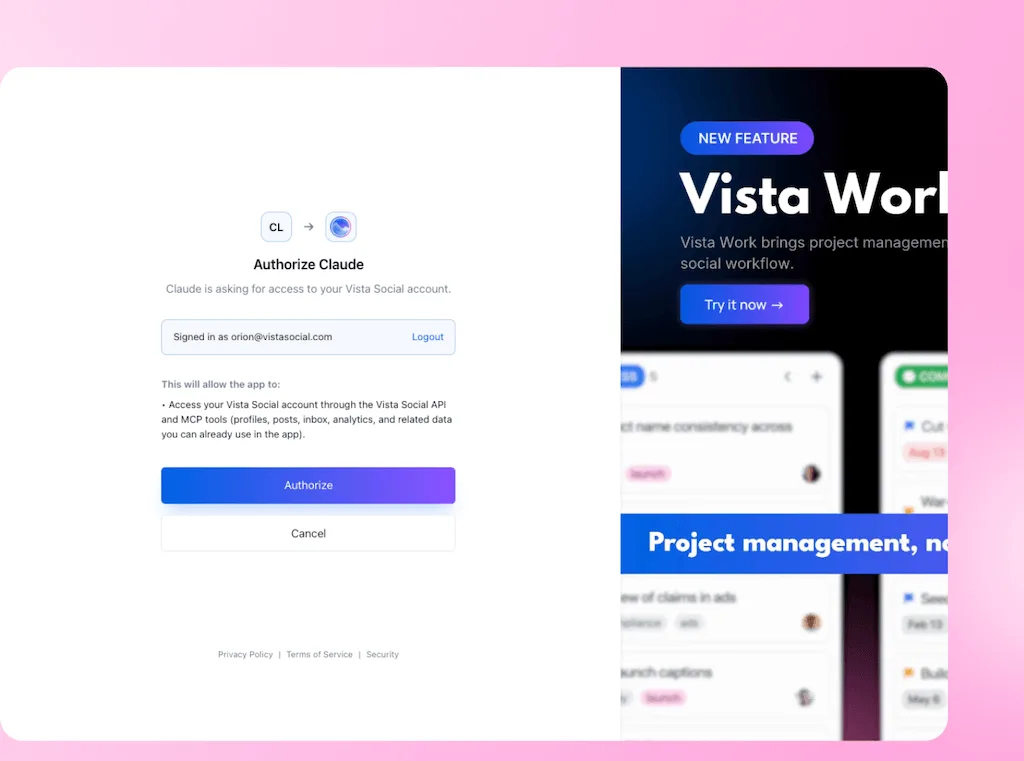
With the universal OAuth link, you sign in to Vista Social and review the requested access before clicking Authorize. OAuth handles this approval without requiring you to paste your account password into the assistant’s chat.
Profile groups organize social accounts for a brand, region, or set of locations. The permissions guide distinguishes these choices:
| Permission choice | What it allows | What to watch |
|---|---|---|
| Account admin | Full account access, including closing the account | Too broad for a daily reporting connection. |
| Profile group admin | Full access within selected profile groups | Regional scope still includes powerful rights within that group. |
| Restricted user | Per-feature No Access, View and Manage controls | Review both assigned profiles and permitted functions. |
| Read-Only option | Viewing across the whole account without making changes | Read-only doesn’t mean restricted to the requested region. |
Contributor is an additional permission under Publish that requires review for the user’s posts, not another account-wide role. Before adding assistant-created content, demonstrate how it enters your approval workflow and what prevents it from skipping review. The permission settings alone don’t establish that behavior through MCP.
A prompt asking the assistant to stay within two regions is an instruction, not an access control. If the connected identity can reach more, the wording of your reporting request doesn’t remove that access.
5 questions your team will ask about Vista Social’s MCP connection
Use these as a handoff alongside the connection guide. Fill in your selected assistant, connecting user and report scope before forwarding.
1. Which assistants can connect?
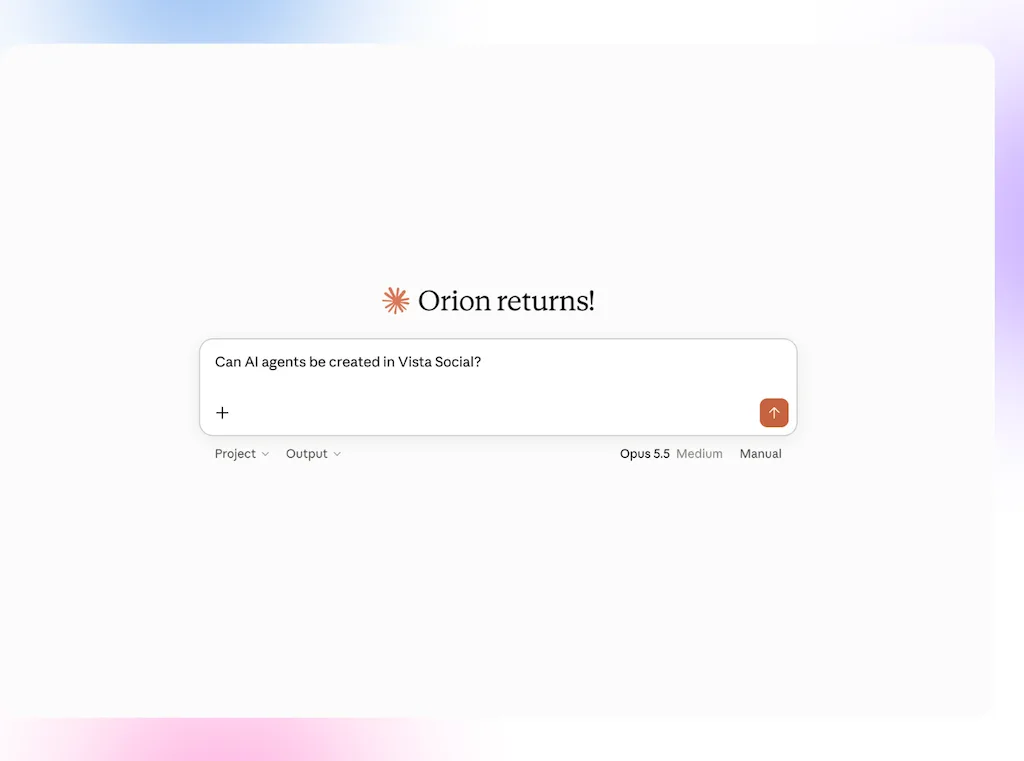
Vista Social supports OAuth sign-in for Claude, ChatGPT, Cursor, Copilot, and Perplexity. Other remote app redirect addresses require review, with local-development exceptions described in the guide.
- Our selection: Name the company-approved assistant, workspace, and subscription.
2. How will the connection sign in?
OAuth uses the named Vista Social user assigned to the work. An API-key link is an alternative for clients that can’t use OAuth; the link itself contains a credential.
- Our identity: Name the connecting user and method. Keep credential-bearing links out of tickets, screenshots, and shared prompts.
3. What access are we requesting?
For this pilot, published-post results for two specified regions and a fixed reporting period. No content changes, replies, or user administration are part of the job.
- Our access record: Attach the profile IDs and saved feature permissions, with a named reviewer for the report.
4. How can we see and disconnect it?
Open Settings > Security > Connected Apps to see OAuth connections, connection dates, last-use dates, and revocation controls. Disconnect on the assistant’s side too where needed.
- Our removal route: Name the person responsible for revocation. Inventory API-key connections separately; this list covers OAuth apps.
5. What activity record will we have?
The Enterprise audit log requires activation; there is no earlier history. Covered MCP actions appear under the connecting person, marked as automated and filterable by the MCP client.
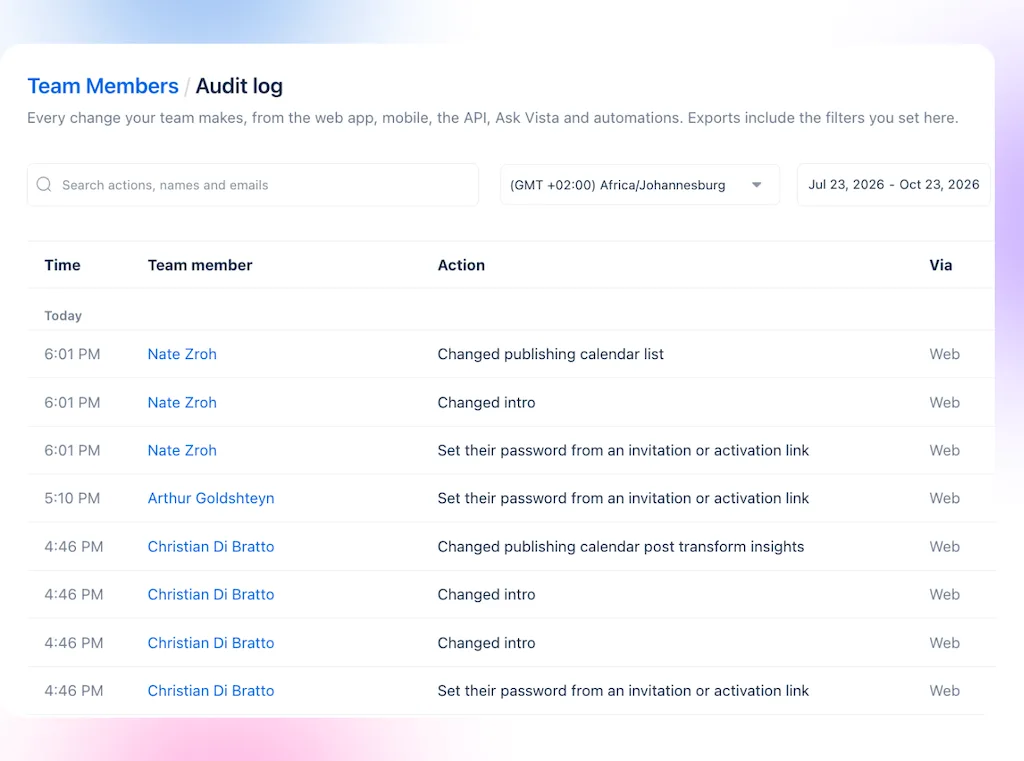
- Limits: Ordinary reading and browsing aren’t logged; exports and downloads are. Retention defaults to 12 months and is adjustable, with CSV export available. Security must decide whether this coverage meets the pilot’s evidence requirements.
Test the report and the controls separately
Run the launch report internally and compare it with the source results. Use the Claude setup guide if that’s your approved client. A correct summary passes the accuracy check, but it doesn’t prove the assistant respects its limits.
Use pass or fail tests before expanding
Run permission tests in an authorized demo, not against unrelated live accounts. Record the request, expected outcome, and observed result for each relevant test. If a control fails, fix the configuration or narrow the workflow before proceeding.
| Test | What passing looks like | Hold the rollout if |
|---|---|---|
| Report accuracy | Accounts, dates and figures match the source; missing data is identified | The answer silently drops an account or presents gaps as zero. |
| Account scope | Assigned profiles are accessible; an unrelated demo profile is blocked | The assistant returns data outside the permitted accounts. |
| Action limits | Excluded publishing, reply and user-management actions are blocked | The reporting identity can carry out those actions. |
| Draft review, before adding content work | A draft reaches the intended reviewer and cannot skip required approval | The review can be bypassed or has no clear owner. |
| Connection removal | Revocation stops further access through that grant | The revoked grant still permits requests. |
| Required records | A covered test change or export appears after logging is activated | Your policy needs evidence the setup cannot supply. |
For the reporting run, use the profile IDs and dates from your access record:
Save the source comparison and test results without credentials. The MCP prompt examples cover other assignments once this one passes; each new type of work needs its own access decision.
Give the connection an owner after the pilot
- Access review: Revisit connections monthly and when staff or responsibilities change. Last use shows activity, not whether that activity is still authorized.
- Cost and quality: Review provider usage charges, setup effort, and corrections alongside report quality. A cheap run that needs extensive repair hasn’t earned a wider rollout.
- Agency access: Review an external partner’s connections separately. The agency MCP guide covers that arrangement.
Agree with IT on what approval covers
Your team needs a way to use connected AI without reopening the same security discussion for every report. Once a setup passes review, record which uses that approval covers and what would require a new decision. A regional lead should know whether a request fits the approved work before connecting another assistant.
Use the five IT answers as your internal handoff. Where approval depends on seeing a control work, ask Vista Social to demonstrate it before you authorize the connection.
Frequently asked questions
Does connecting through MCP approve an AI tool for company use?
No. Technical compatibility and company approval are separate decisions. Your security team still needs to approve the chosen provider, workspace, data handling and intended work.
Is Read-Only enough for a regional reporting pilot?
Vista Social’s Read-Only option can view the whole account, so it may be broader than your regional brief. Per-feature permissions and profile assignments are the relevant choices to review for a narrower connection. Verify the result through the scope test, not the role name alone.
Which Vista Social plans include MCP?
The current connection guide lists paid plans, including legacy plans, and excludes Free and AppSumo. Action audit logging requires Enterprise and separate activation. Your chosen AI subscription and workspace must also support the connector.
How is MCP different from Ask Vista?
Ask Vista is the assistant inside Vista Social. MCP lets outside assistants use Vista Social’s tools from their own interface. Choose the route your company approves for the work and data involved; in-platform access doesn’t override your AI policy.
What if the assistant returns another account’s data?
Stop the test and revoke the affected connection rather than exploring further. Tell your security lead and the platform’s support team what you expected and which request produced the result. Preserve evidence through your approved incident process without spreading customer data into more chats or tickets.
Try Vista Social for free
A social media management platform that actually helps you grow with easy-to-use content planning, scheduling, engagement and analytics tools.
Get Started NowAbout the Author

Content Writer
Orion loves to write content that refuses to be boring. As part of Vista Social, he helps brands, creators, and agencies stop doom scrolling and start winning with social media. When he's not in front of a keyboard, he's watching films in IMAX with his wife, dissecting football tactics (the European kind), and getting lost in a good book.