


Social Media for Multi-Location Home Services Brands
October 13, 2026
12 min read

Summarize with AI

Table of contents
Share

Vista Social

X (Twitter)


Your best home services content already exists: in repair photos, failed parts, customer reviews, technician notes, weather events, and changes in branch capacity. Any one of those could help a homeowner decide whom to call.
Most of it is not ready to publish. A jobsite photo without the location, customer consent, technician finding, or current service capacity cannot safely become a local post. By the time somebody tracks down the missing details, the moment has passed.
Storm week exposes the gap fast. Demand moves differently across territories and response capacity changes by the hour, so a blanket post can be wrong for half the portfolio. Useful local content needs current job evidence, verified availability, and the right level of review.
Multi-location home services social media turns real job proof into accurate local posts while you keep control of claims, approvals, reviews, and reporting.
This guide follows that path: location data, field evidence, approvals, reviews, connected systems, and reporting.
The short version
- Build from maintained local data: Keep service areas, contact details, availability, approved offers, and local job evidence attached to the correct location.
- Route content by risk: Routine job proof can move quickly, while pricing, safety, insurance, regulated claims, and active incidents reach the correct reviewer.
- Treat reviews as an operating queue: Send the correct location link, set a response SLA, and give every urgent review a visible owner.
- Connect and monitor the operation: Bring approved social data into your existing systems, start with one agent, and report the exceptions that need a person’s decision.
Table of contents
Home services marketing breaks at the handoffs
A homeowner usually needs one location, one service, and one clear reason to trust the company. Your social operation has to produce that clarity across an entire portfolio.
Four handoffs decide whether the program works.
Field evidence reaches you without enough context
Technicians capture failed parts, completed installs, storm damage, code corrections, and customer reactions. A photo labeled IMG_4821 does not tell you which location owns it, whether the customer consented, what service was completed, or which claim is safe to make.
The asset enters a shared drive without the facts needed to publish it, then expires while someone searches for the technician who took it.
Approval treats every post as equally risky
When every post receives the same review, routine content stalls behind legal or brand approvals. When locations can publish everything freely, a stale offer, unsafe recommendation, or unsupported performance claim can go live under the national name.
The problem is the missing risk model, not a lack of reviewers.
Reputation quality varies by location
One branch answers every review. Another leaves a service complaint untouched for a week. Customers see the local failure as evidence about the whole brand, while your central team learns about it through a forwarded screenshot.
BrightLocal’s 2026 Local Consumer Review Survey found that 97% of consumers read reviews for local businesses. It also found that 74% care only about reviews from the previous three months, making current review coverage a location-level operating concern.
A blended report hides the weak locations
A national engagement total can rise while twelve locations have not published for a month. An average review response time can look healthy while one region repeatedly misses urgent complaints.
You need the system-level view and the exceptions underneath it. Otherwise, the program is active without being under control.
With dozens of locations, content volume is the easy part. The real test is whether every location stays current, accurate, responsive, and visible to the people responsible for the brand.
Build one reliable location record
Localized publishing starts with maintained data. A location manager should never retype the branch phone number, booking link, service area, or approved offer into a caption.
Create one source record for each location and assign an owner for every field.
Google Business Profile for contractors
If you manage a Google Business Profile for contractors across dozens of service areas, the phone number, hours, booking link, and emergency availability cannot live in someone’s caption draft. Store those details as controlled location data, assign an owner, and update the record whenever routing, staffing, territory, or availability changes.
| Field | System owner | Refresh trigger | Publishing use |
|---|---|---|---|
| Location name and service area | Operations | Territory or branch change | Local references, geotags, and profile details |
| Phone, booking URL, and emergency path | Contact center or revenue operations | Routing or vendor change | Calls to action and campaign tracking |
| Hours and on-call availability | Regional operations | Holiday, storm, staffing, or seasonal change | Availability posts and profile accuracy |
| Approved services, offers, and exclusions | Marketing with legal or compliance | Campaign or policy change | Offers, disclaimers, and service claims |
| Local approver and escalation contact | Regional leadership | Role or coverage change | Approval routing and urgent review response |
Audit the record before automating it. A system will repeat an outdated emergency number with the same consistency as a correct one.
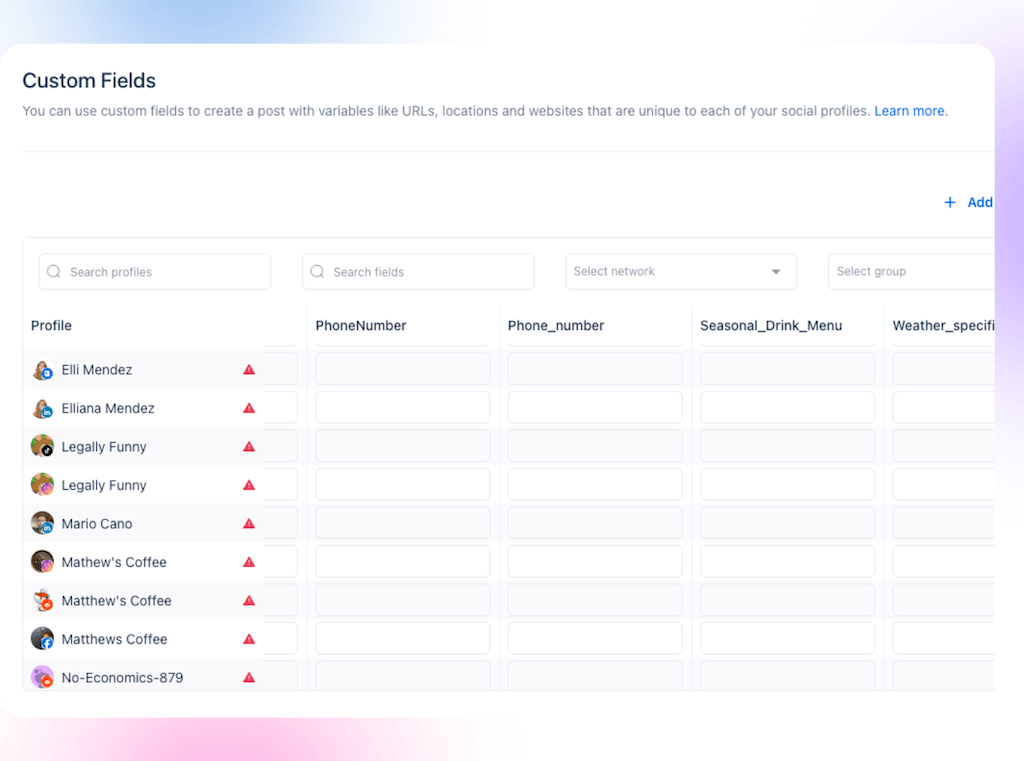
Vista Social custom fields and profile groups can keep location-specific details attached to the right social profiles. The broader localized content workflow explains how those fields support campaign variants without asking every branch to retype the same facts.
Turn field evidence into a controlled content supply
Locations contribute the facts you cannot know from headquarters. Your content team turns those facts into posts without asking technicians or branch managers to interpret the brand strategy.
Capture the same evidence
- Evidence: one clear before image, one clear after image, and an optional vertical clip.
- Job context: location, service, customer problem, technician finding, completed work, and final check.
- Permission: the approved consent status plus confirmation that faces, house numbers, paperwork, access codes, and license plates are removed.
- Risk flags: safety claim, pricing, warranty, insurance, code, financing, customer complaint, or active incident.
- Ownership: the location contributor and the person who can answer a follow-up question.
The technician supplies evidence, not a caption. The content team receives a complete packet that can move without a chain of clarification messages.
Divide every post into three ownership layers
This model gives locations a meaningful role without giving every contributor a blank campaign brief.
Match the content to the trade and the local condition
One campaign structure can work across the portfolio, while the evidence changes by trade, market, weather, and service capacity.
For the broader channel, audience, and planning fundamentals behind these trade-specific examples, use the social media marketing guide for local businesses.
HVAC social media marketing
Show the condition a technician found and the check completed before the first heat wave or cold snap. Coil condition, airflow corrections, failed components, replacements, and technician explanations give homeowners evidence of readiness without turning the post into a performance promise.
Social media marketing for plumbers
The strongest plumbing content makes a hidden problem understandable. A failed supply line, root intrusion, or water-heater component gives the technician something concrete to explain, while the protected work area and finished repair show care. Freeze preparation, heavy-rain drainage, holiday demand, and local water conditions give those examples a timely reason to publish.
Roofing social media post ideas
Pair damage documentation with the repair, ventilation, flashing, cleanup, or final inspection. During storm season, local capacity, inspection demand, material lead times, and verified service-area information are more useful than a generic storm graphic.
Electrician marketing
Panel replacements, EV chargers, generator connections, lighting, code corrections, and final tests all provide visible proof of careful work. Outage season, generator readiness, renovations, and local EV adoption create timely angles. Keep general education separate from advice about a specific home.
| Trade | Proof to request | Best local moment |
|---|---|---|
| HVAC | Condition found, failed component, correction, and final check | Before the first heat wave or cold snap |
| Plumbing | Failure, protected work area, repair, and technician explanation | Freeze preparation, heavy rain, or local water changes |
| Roofing | Damage, repair, flashing, cleanup, and final inspection | Hail, storm response, or material lead-time changes |
| Electrical | Installation, code correction, safety check, and final test | Outage season, renovations, generator readiness, or EV adoption |
Route energy, pricing, financing, warranty, health, insurance, damage-attribution, code, and safety claims through the risk model below.
Route approvals by risk
A faster workflow does not remove review. It concentrates review where an error would matter.
| Risk class | Examples | Review path | Release condition |
|---|---|---|---|
| Routine | Completed job, staff recognition, approved maintenance reminder, and community participation | Approved template plus location review; sample after publication when the location has earned it | Required fields complete and no risk flag |
| Promotional | Discount, financing, membership plan, or capacity claim | Regional marketing plus offer owner | Terms, dates, locations, exclusions, and links verified |
| Safety or regulated | Electrical safety, code, refrigerant, health, environmental, insurance, or warranty language | Subject-matter owner plus legal or compliance where required | Source attached and approved wording preserved |
| Incident or crisis | Injury, property damage, outage, active dispute, legal threat, or widespread service interruption | Named incident team only | Authorized spokesperson approves the final response |
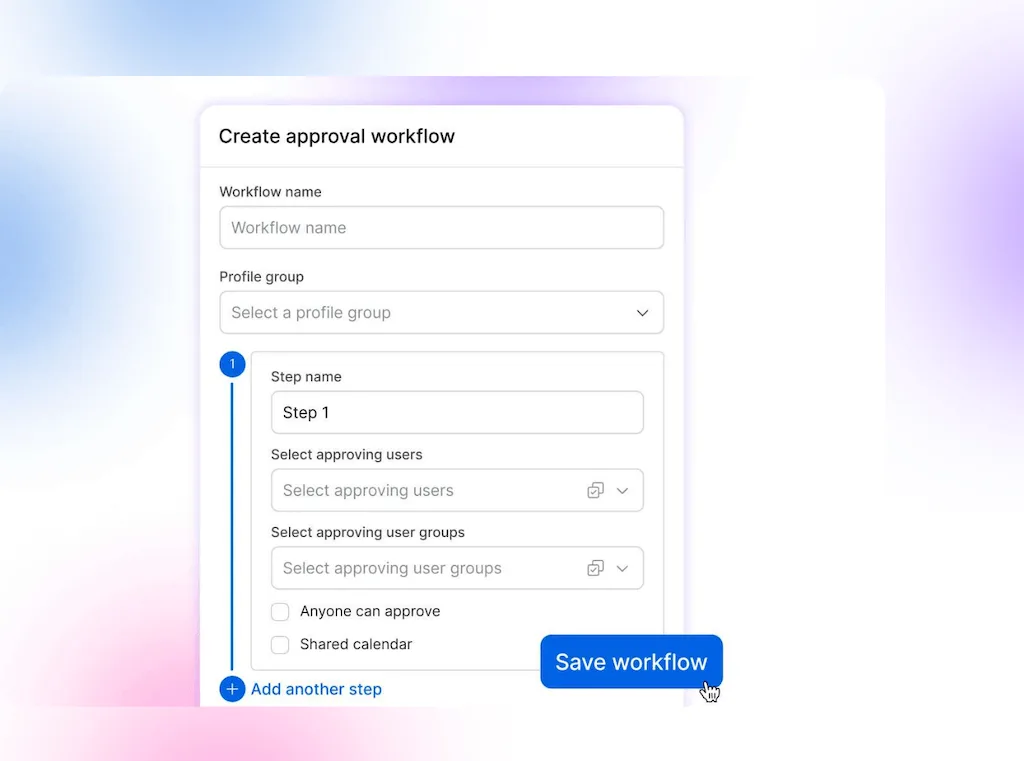
Vista Social supports ordered multi-step approval workflows on Advanced, Scale, and Enterprise. Use them for the risk classes that require more than one reviewer, and keep routine content out of a legal queue it does not need.
Manage reviews as an operating queue
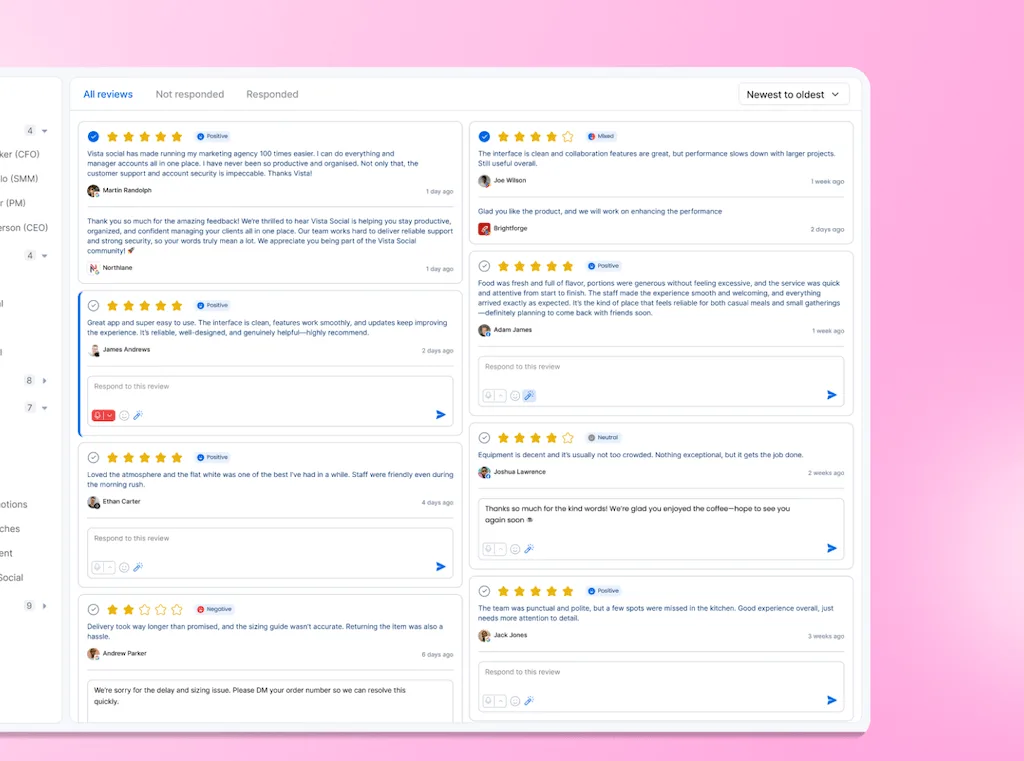
Review management needs the same ownership model as content. You set the response standard, regional leaders see risk across the territory, and each location adds the ticket facts only it can verify.
How to get more Google reviews across every location
The goal is not a one-time review drive. It is a closeout process that gives every eligible customer the correct location link while the completed service is still fresh. BrightLocal’s 2026 survey found that 31% of consumers will only use a business rated 4.5 stars or higher, up from 17% the year before. It also found that the average consumer checks six review sites before choosing a business.
- Trigger the request from the completed job. Do not rely on a quarterly campaign or the memory of a busy branch.
- Send the correct location link. A review for the wrong branch distorts both customer choice and location reporting.
- Ask for honest feedback. Do not screen for happy customers or offer an incentive. Google’s review guidance prohibits incentives.
Once reviews arrive, monitor every connected source and route them by priority. Google matters, but customers may check the same branch elsewhere before calling.
| Priority | What belongs here | Owner | Control |
|---|---|---|---|
| Urgent | One or two stars, safety concern, property damage, billing dispute, discrimination allegation, or active legal threat | Local fact owner plus regional or corporate escalation owner | Same-day triage and approval before public response |
| Standard | Mixed feedback, communication complaint, scheduling issue, or recoverable service concern | Location manager under approved response guidance | Response SLA set by the business and exceptions sampled |
| Routine | Positive review or simple thank-you | Location manager or community team | Approved starting point plus one specific detail |
During the storm week, higher call volume should not hide service failures. A low-star review enters the urgent route, the branch supplies the ticket facts, and the regional owner approves the public response. Headquarters can see the unresolved exception without taking every routine thank-you away from the location.
The detailed multi-location review workflow covers response structure, delegation, and escalation without turning every complaint into a corporate bottleneck.
Connect the social operation to your enterprise systems
Your social program rarely operates in isolation. Leadership reporting, service-recovery workflows, location records, and campaign planning may already live in approved internal systems.
Vista Social MCP tools can retrieve profile metrics, published-post performance, inbox statistics, approval workflows, and other account data subject to the user’s permissions. That gives your team a controlled route into an internal dashboard or operating assistant without exporting a new spreadsheet for every request.
For security and procurement, the control needs to be inspectable. Post history records who submitted, approved, or rejected a post and preserves the review notes. On Enterprise, Vista Social’s optional audit log can record activity from the app, API, MCP, Ask Vista, Slack, Microsoft Teams, and automations. It is off by default and starts recording only after your organization enables it.
Let agents watch recurring queues
- Review watch: scans connected reviews, surfaces the locations requiring attention, and returns a visible run. A person verifies ticket facts and approves sensitive replies.
- Approval watch: finds posts stuck in configured workflows, names the current approver, and shows what may miss its date. The assigned reviewer still accepts, edits, or rejects the post.
- Quiet-location watch: checks calendars by profile group and flags unexpected gaps. A regional owner decides whether the gap reflects capacity, risk, or a missed handoff.
- Weekly portfolio report: summarizes selected profile groups, posts, audience, and inbox data. The social leader validates the interpretation and decides what changes next week.
Vista Social’s Ask Vista agent library, available on Advanced, Scale, and Enterprise, includes review, approval, quiet-profile, and reporting workflows.
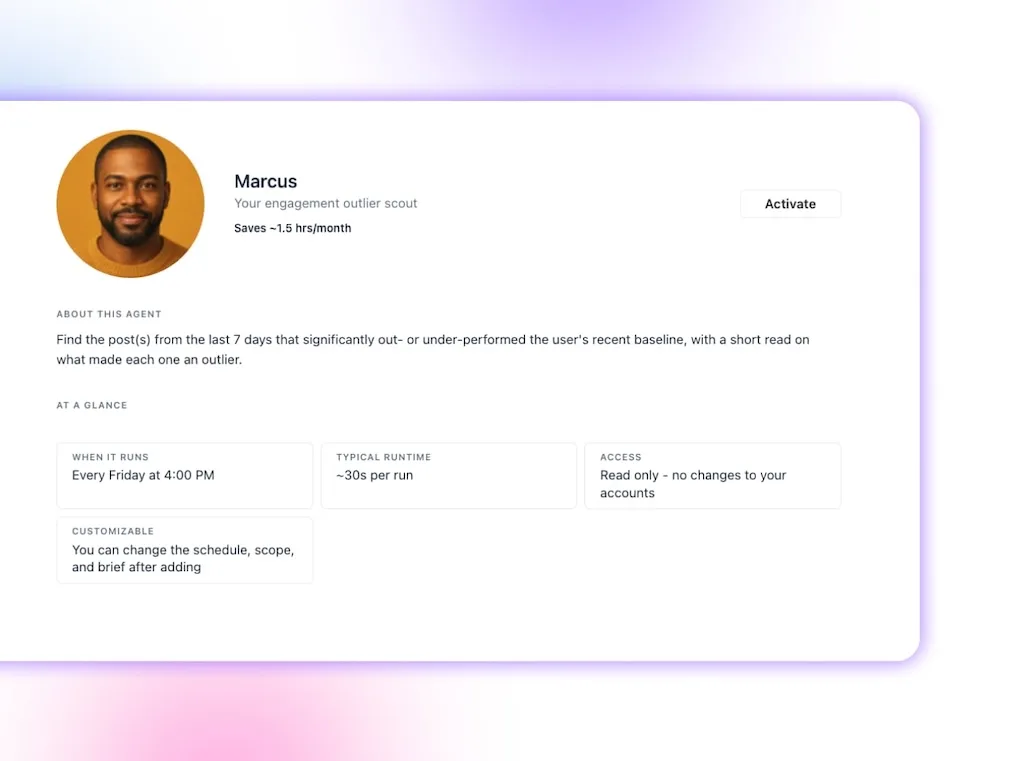
Agent actions depend on the configuration, connected profiles, account permissions, and the specific agent selected. Review every workflow before activation and keep human approval wherever the output will reach a customer or carry brand risk.
Report the system and the business signal
Social rarely receives sole credit for a home-services booking. A homeowner may search, read reviews, watch a local video, return through the website, and call. Report what the channel influenced and what the operating system controlled.
For the storm week, leadership should be able to separate four questions: which branches had demand, which supplied publishable proof, which met the approval and review SLA, and which recorded inspection requests or booked calls through the agreed source field.
The report does not award social sole credit. It shows where social entered the decision and where the operating model held or failed.
| Reporting layer | Measures | Leadership decision |
|---|---|---|
| Coverage | Locations active, locations without scheduled content, complete proof packets, and stale profile data | Where is the operating model failing? |
| Governance | Approval time, posts returned for correction, risk-class compliance, and unresolved exceptions | Are controls protecting the brand without stopping routine work? |
| Reputation | Review volume, rating distribution, urgent response coverage, response SLA, and recurring complaint themes | Which locations need service recovery or coaching? |
| Content learning | Relevant engagement, profile visits, inquiries, content topics, formats, and location outliers | Which evidence should the portfolio repeat? |
| Business signal | Booked calls mentioning social or reviews, tracked booking links, assisted conversions, membership inquiries, and service-area demand | Where is social appearing in customer decisions? |
Do not stop at the portfolio average. Show the median, the strongest locations, the weakest locations, and the exceptions requiring action. Vista Social’s custom reports, available on Advanced, Scale, and Enterprise, can combine profile, post, inbox, and review sections for selected profiles or profile groups.
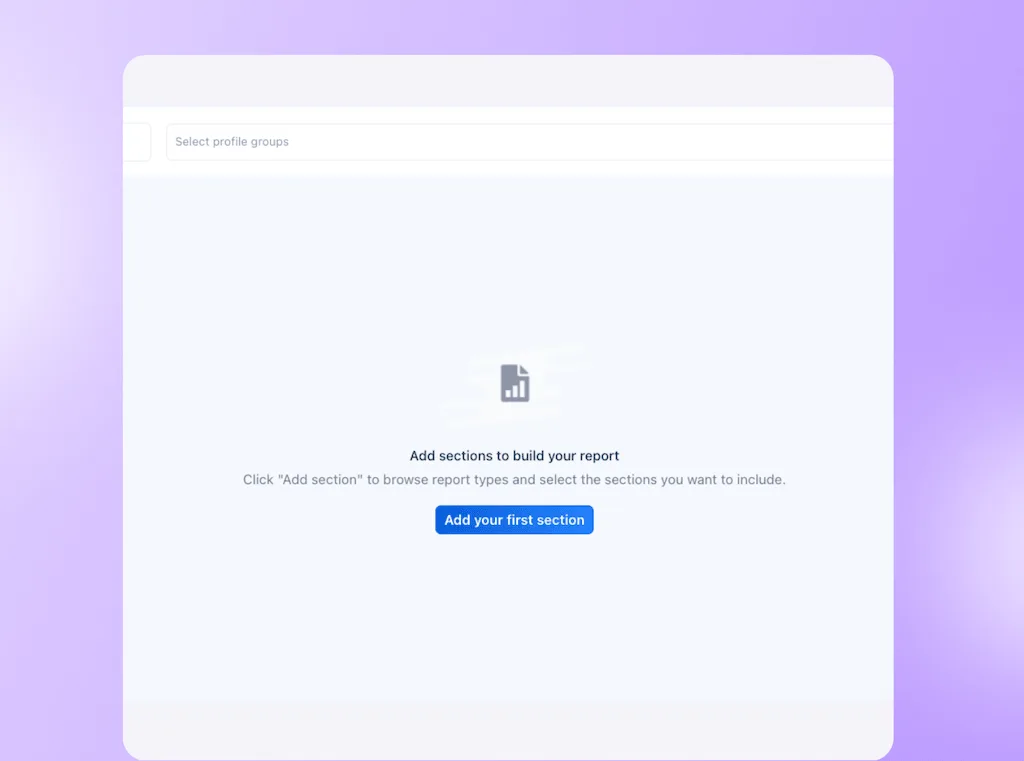
The multi-location analytics guide goes deeper on comparing regional performance without rewarding only the largest markets.
Your first 30 days
Do not roll this across every branch at once. Use one region or a representative group of locations to prove the controls, then expand.
- Days 1 to 5: audit the location record: Check service areas, phone numbers, booking links, hours, emergency availability, approved offers, and owners. You are done when every test location has complete fields and a named updater.
- Days 6 to 10: define the risk classes: Separate routine job proof from promotions, safety or regulated claims, and incidents. You are done when each class has a reviewer and release condition.
- Days 11 to 15: set the review SLA: Name the owner for routine, standard, and urgent reviews, plus the route for retrieving ticket facts. You are done when an overdue review cannot remain unowned.
- Days 16 to 22: choose three exception metrics: Start with quiet locations, approval delays, and review SLA breaches. You are done when the weekly report names the location and owner behind every exception.
- Days 23 to 30: activate one agent: Start with the queue creating the most repeat checking, such as new reviews or stalled approvals. You are done when the agent completes a scheduled run, a person checks the result, and ownership of the next action is clear.
Make every location easier to choose
A campaign approved at headquarters is only the starting point. You know the program is working when every location can add current proof, every risky claim reaches the right reviewer, every urgent review has an owner, and your leadership team can see where the system needs attention.
If your home-services portfolio is still running that work through shared drives, spreadsheets, and forwarded screenshots, request a Vista Social walkthrough built around your location structure, approval rules, review workflow, and reporting requirements.
Frequently asked questions
What is multi-location home services marketing?
Multi-location home services marketing coordinates brand, local content, reputation, and measurement across branches, territories, or franchise locations. You control the shared standards while local teams contribute accurate service-area details and current job evidence. The operating model matters as much as the content itself.
How do you keep location content on-brand without making it generic?
Lock the elements that define recognition and risk, populate repetitive location facts from maintained data, and ask each location for one piece of current evidence. A real job photo, verified technician finding, or local condition gives the post specificity without asking a branch manager to rewrite the campaign.
Should every local social post require corporate approval?
No. Routine content can move through approved templates and lighter review after a location has shown it can follow the rules. Pricing, safety, warranties, insurance, regulated claims, and active incidents should always follow the approval path defined by your legal, compliance, and brand teams.
How should a multi-location home-services brand measure social media?
Measure operating coverage, approval performance, review response, content learning, and business signals. Report portfolio totals beside location-level exceptions, and add a consistent source field to the booking or call workflow so social and review mentions can be recorded. Avoid claiming direct revenue attribution when the customer used several touchpoints.
Can AI manage social media across home-services locations?
AI agents can monitor defined recurring work such as new reviews, approval delays, quiet profiles, and weekly performance reporting when they have the right connected profiles and permissions. Your team should keep final judgment over strategy, safety claims, prices, legal language, service recovery, and any public response carrying material brand risk.
About the Author

Content Writer
Orion loves to write content that refuses to be boring. As part of Vista Social, he helps brands, creators, and agencies stop doom scrolling and start winning with social media. When he's not in front of a keyboard, he's watching films in IMAX with his wife, dissecting football tactics (the European kind), and getting lost in a good book.