


How to Respond to Negative Reviews Across Every Location (Without Drowning)
July 7, 2026
12 min read

Summarize with AI

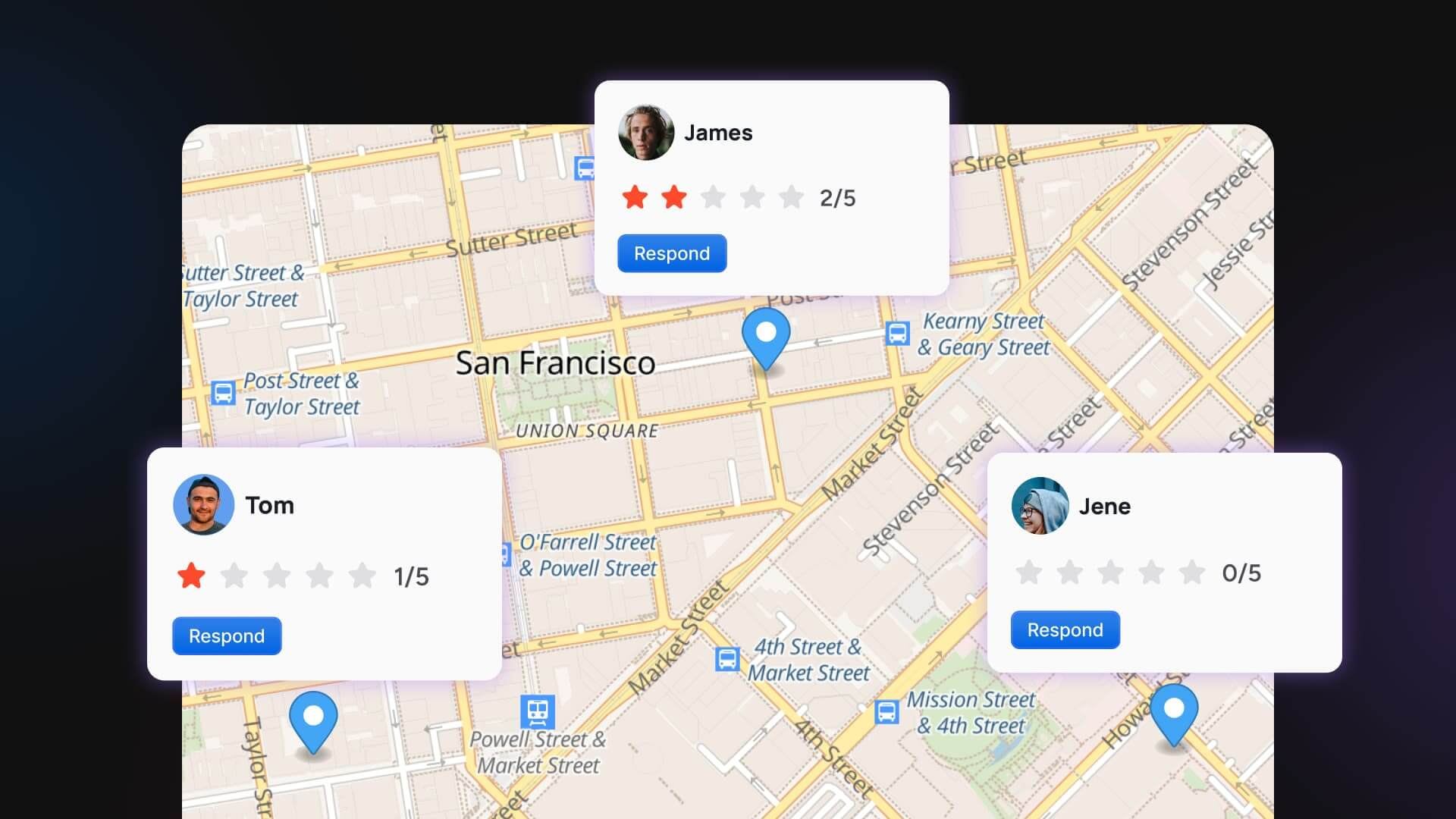
Table of contents
Share

Vista Social

X (Twitter)


You run reviews for dozens of locations, so your Monday starts with a screenshot. A regional manager has forwarded a two-star Google review from one of your stores, angry and specific, and it’s already six weeks old. You didn’t see it because it lives in a platform you don’t check, and the corporate spreadsheet that was supposed to track this stopped updating months ago.
Now multiply that by every store you’re responsible for. Reviews land on Google, Facebook, Yelp, and TripAdvisor all at once, and no one person can watch every platform by hand. The ones you miss don’t stay quiet, because the customer who left that review is watching to see if you reply, and so is the next shopper deciding whether to trust the brand.
There is a fix, however, that works whether you have four locations or four hundred. How to respond to negative reviews is a skill with a repeatable shape, and doing it at scale is a system you can set up this week. We’ll cover the five-step reply first, then the operating system that runs it across every location without eating your days.
The short version:
- A silent negative review costs you the next customer: Most shoppers read reviews before they buy, and an unanswered complaint tells them you don’t care enough to show up.
- The reply follows a five-step shape: See it fast, acknowledge and own it, apologize plainly, move the fix offline, and keep it short, human, and genuine.
- You don’t have to answer literally every review: Prioritize the ones that carry money, trust, or a public grievance.
Table of contents
Why ignoring a bad review costs more than answering it
The instinct to skip a harsh review makes sense, because answering can feel like giving it oxygen. But it’s already public, and your real audience is the stranger reading it next, deciding whether to trust you.
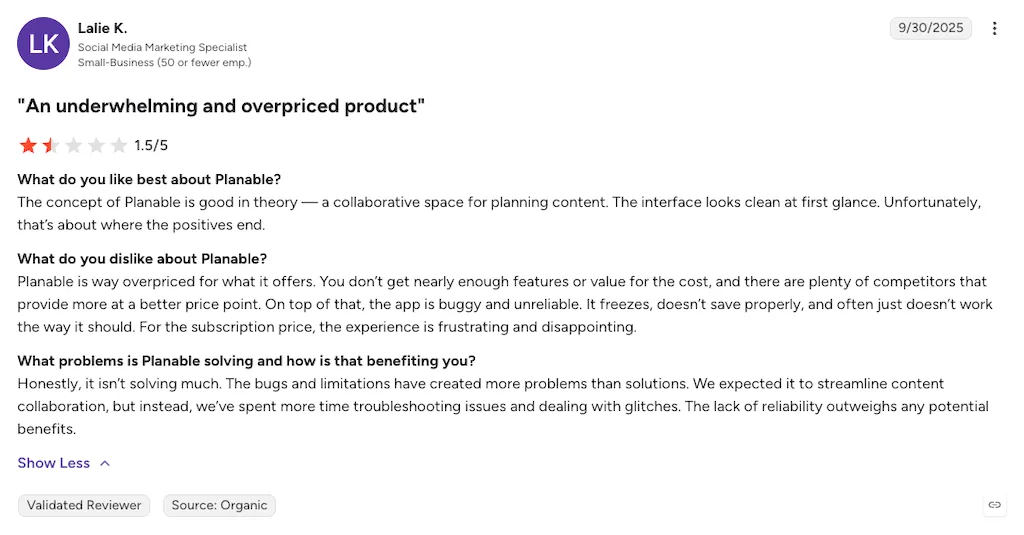
That stranger is almost everyone. BrightLocal’s 2026 survey found that 97% of consumers read online reviews for local businesses, and 41% now say they always read them before deciding, up from 29% a year earlier. Reviews aren’t a side channel anymore, but rather the storefront people see first.
The same survey found that 31% of consumers will only consider a business rated 4.5 stars or higher, nearly double the 17% who said so a year earlier. Your star rating has become the filter for whether you even make the shortlist, and a pile of unanswered one-stars drags that number down.
The shopper also can’t tell a bad franchisee from a bad brand. You might know one store is just a manager having a rough quarter, but the person reading its reviews doesn’t. To them, that one star is the brand, so a single ignored review at one location bruises the name over every door.
An answer does the opposite, signaling to everyone reading over that customer’s shoulder that a real person runs the place. The same BrightLocal survey found that 80% of consumers say they’re likely to use a business that responds to all of its reviews, while 42% say they’re unlikely to use one that never replies.
The effort compounds well beyond the one person you’re writing to. Our guide to reputation management goes deeper on why that matters.
A one-star you never saw can’t be the one that costs you the next customer. See every review in one place so nothing sits ignored across your locations.
Should you respond to every online review?
This is where people get stuck. Answering every review across dozens of locations sounds impossible, so they end up answering almost none. The honest answer depends on the kind of review, and for negatives, the bar is high. Marketing author Jay Baer, who wrote the book on customer complaints, is blunt about it:
“In the book, I recommend you answer every complaint…in every channel…every time.”
Jay Baer, author of Hug Your Haters. Source: The Baer Facts, Issue 52
Hold that standard for anything that reads as a genuine complaint or a service failure. Those get a real reply, every time, because leaving them is the loudest signal that no one is home.
Positive and neutral reviews are a softer call, worth a thank-you when you can manage it but not an emergency. When your week is tight, every real complaint gets a human answer first, and your review response rate on the negatives is the number that protects the business.
How to respond to a negative review: the 5-step method
A good reply to a bad review follows a shape you can run every time. Here are the five steps, in order.
1. See it fast
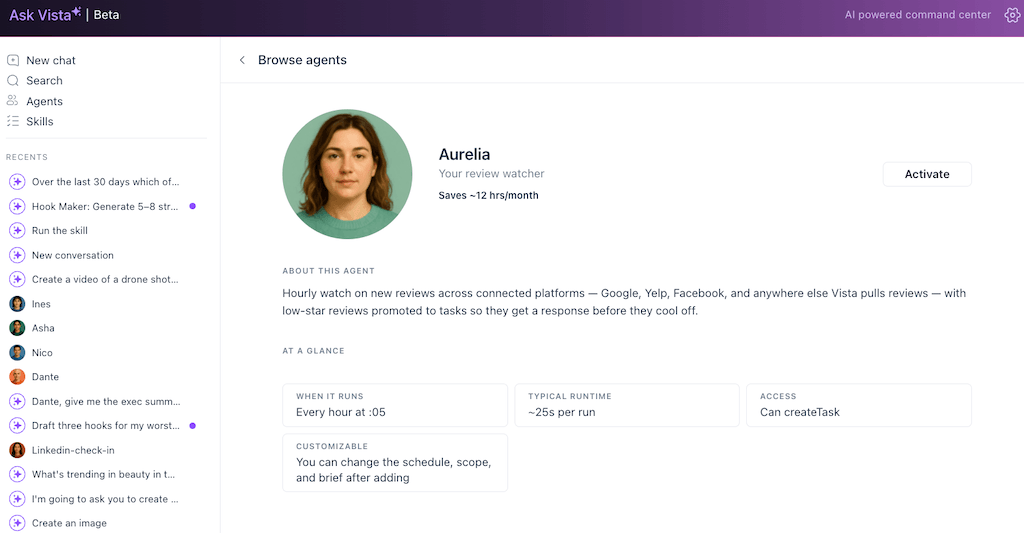
You can’t answer what you don’t know about. A complaint that sits for four days does more damage than the complaint itself, because now it looks ignored on top of unresolved. The fix is monitoring. An alert the moment a low-star review lands on any location so you never find out days later by accident.
This is the job to hand to an AI agent first. Instead of you checking dozens of platforms, a monitoring agent watches every connected location around the clock and flags the one and two-star reviews as they land, so a six-week-old complaint can never surprise you again. It reports what needs a human; you decide what to say.
2. Acknowledge and own it
Open by naming what went wrong in the customer’s own terms. “You waited 40 minutes for a table you’d booked, and no one explained why” lands far better than “we’re sorry you had a bad experience,” because a specific line shows you read the review while a generic one shows a template answered it.
3. Apologize plainly
Say sorry without the lawyer clause. “We’re sorry if you were inconvenienced” is a dodge, and readers can smell it, whereas “we’re sorry, that’s not the experience we want anyone to have” reads as a real apology. A plain sorry shows you care that it happened, and it doesn’t commit you to any legal fault.
4. Move the fix offline
Don’t litigate the details in public. Once you’ve acknowledged and apologized, invite them somewhere directly: “We’d like to make this right, could you email us at [address] so we can look into your visit?” It gives you a real shot at fixing it and shows every future reader you handle problems properly.
5. Keep it short, human, and genuine
Three or four sentences is plenty. Skip the corporate throat-clearing, drop the “valued customer” language, and sign off with a real first name, because “— Priya, store manager” reads like a person owns the problem, while “The Management Team” reads like no one does.
The whole shape lands in one before-and-after. For example, a one-star review that reads, “Waited 40 minutes past my reservation, staff didn’t care, never coming back.” Might then be replied to in the following way.
| The reply that fails | The reply that works |
|---|---|
| “We’re sorry to hear about your experience. Your feedback is important to us. We strive to provide excellent service to all our valued customers. Please contact us. — The Management Team” | “You booked a table and waited 40 minutes with no explanation? That’s on us, not you. We’re incredibly sorry. That’s not how a reservation here should go. I’d like to make it right personally, could you email me at [address]? — Priya, store manager” |
The failing version is generic, unsigned, and defensive. The working one names the problem. It comes across like you own it and was responded to by a person. For platform-specific wrinkles, our walkthrough on negative Facebook reviews covers what trips people up.
How fast is fast enough?
Speed matters most where the review is angriest and most public. A one or two-star review is a small fire, and the longer it burns unanswered, the more people notice. Answer those the same day, ideally within a few hours. Give three, four-star, and mixed feedback 24 to 48 hours.
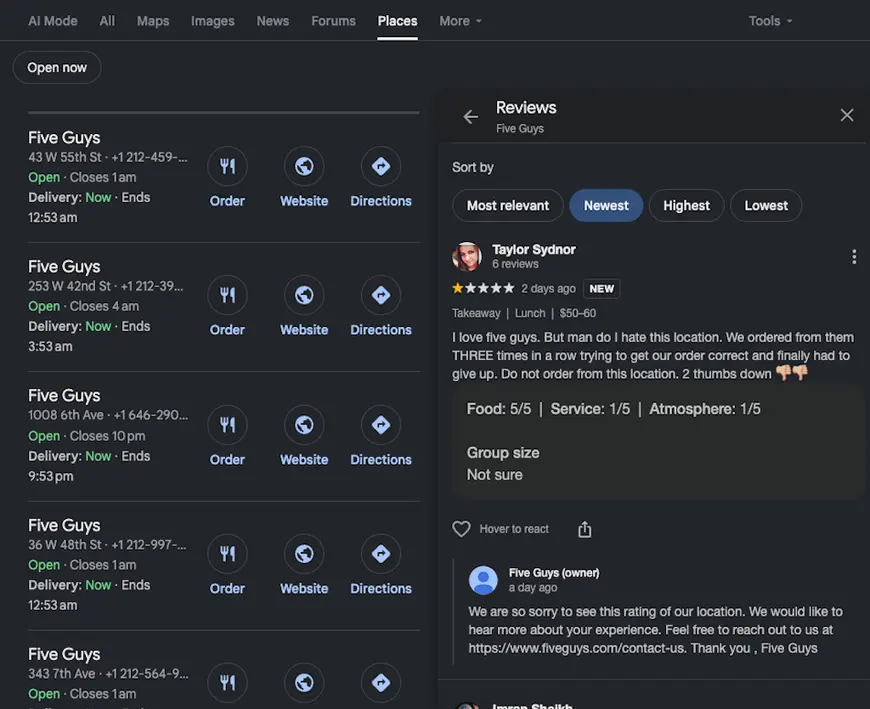
Set that as your floor, and you have a standard you can hold, instead of a vague “reply ASAP” that turns into “reply eventually.” The point is that the angriest, most visible reviews never sit in a queue you forgot to open, and that comes down to monitoring and routing.
How to respond to reviews across 40 locations: the operating system
Everything above works fine for one location. What breaks people about multi-location review management is the logistics, not the replies themselves. Reviews are scattered across Google, Facebook, Yelp, and TripAdvisor and across dozens of locations. No one can watch every platform by hand.
More hours won’t fix that, but an operating system will. One place to see every review, a consistent voice across stores, safe delegation to local managers, and a way to make the urgent ones surface on their own.
Put every location’s reviews in one queue
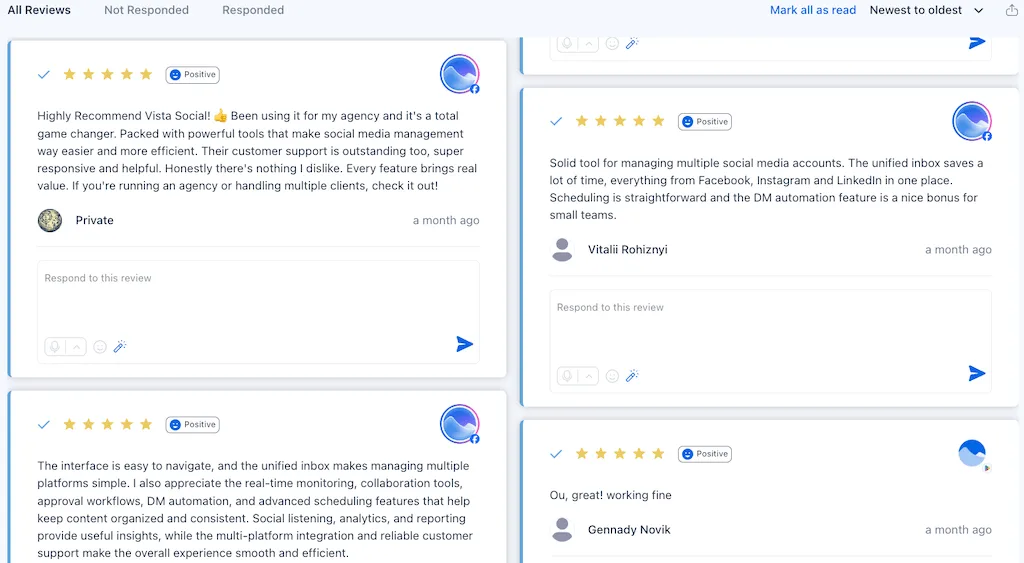
The first job is to stop location-hopping. Instead of logging into Google Business Profile for one store, Facebook for another, and Yelp for a third, pull every review from every connected location into one stream, and you work top to bottom.
The Vista Social fast path: Vista Social’s review management brings reviews from Google Business Profile, Facebook, Yelp, TripAdvisor, OpenTable, and Trustpilot into one centralized inbox, across all your locations. You reply to Google and Facebook reviews natively, right from the queue.
For the other networks, it surfaces the review and links you straight to that network’s response page. Every location collapses into one list you work through top to bottom, so nothing hides in a platform you never open.
Build corporate-approved templates and a saved brand voice
At scale, you can’t hand-write every reply, and you don’t want forty managers each inventing their own tone. The answer is a small library of approved templates for common situations: long wait, wrong order, and rude staff complaint, plus a saved brand voice so every reply sounds like one company.
Templates are a starting point, not a script. A manager pulls the closest one, then swaps in the specific detail from the review so it doesn’t read like a form letter.
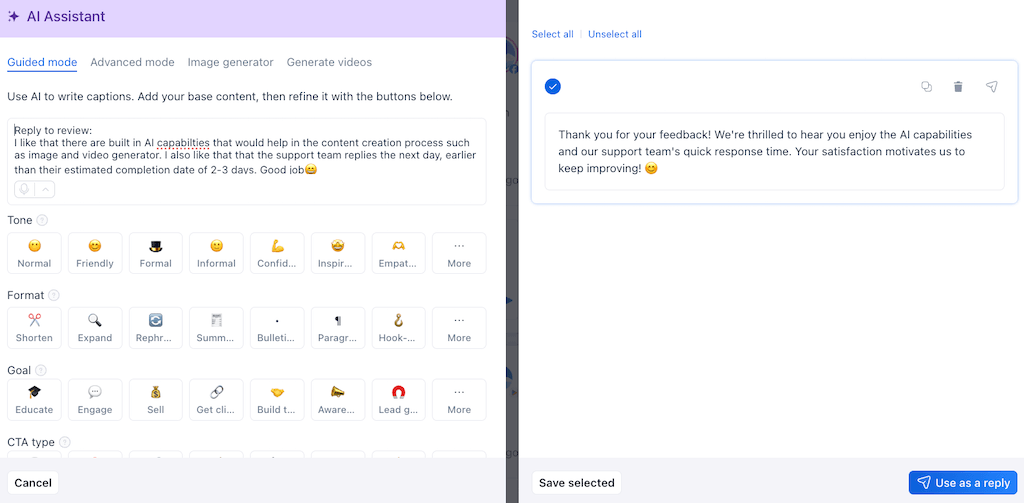
The Vista Social fast path: Vista Social’s AI Assistant drafts a reply in your saved brand voice, tuned to the specific review, and hands it to a manager to approve, tweak, or send. A five-minute write-up becomes a ten-second review, and the tone never drifts from store to store.
The agent does the writing and the person keeps the final say, so nothing posts until a human approves it.
Delegate with guardrails
One person can’t own reviews for dozens of locations and shouldn’t. The scalable model puts local managers in charge of their own store’s reviews, since they know what happened on the ground, while you set the guardrails. The brand voice, the templates, the response-time floor, and a rule that anything legally or reputationally hot gets escalated before it’s posted.
A shared queue with roles is what makes that work. Managers see only their locations, you see everything, and high-stakes replies can route through an approval step so nothing tone-deaf goes public with the company’s name on it.
Triage so the urgent ones never wait
Not every review carries the same weight, and treating them as one flat pile is how the important ones get buried under the routine. Sort by urgency, the way an emergency room sorts patients, using a simple model you can run across every location:
| Priority | What lands here | Target response | Who handles it |
|---|---|---|---|
| Urgent | 1–2 star reviews, service failures, anything public and angry | Same day, within hours | Local manager replies, high-stakes ones escalated for approval |
| Standard | 3–4 star and mixed feedback worth a reply | 24–48 hours | Local manager, template + specific detail |
| Light-touch | 5-star praise, short positive notes, thank-yous | When time allows | Saved reply or AI draft, quick approve and send |
Once the priorities are set, the urgent reviews surface on their own instead of waiting for someone to scroll down and find them, and the routine stuff gets handled without stealing that attention.
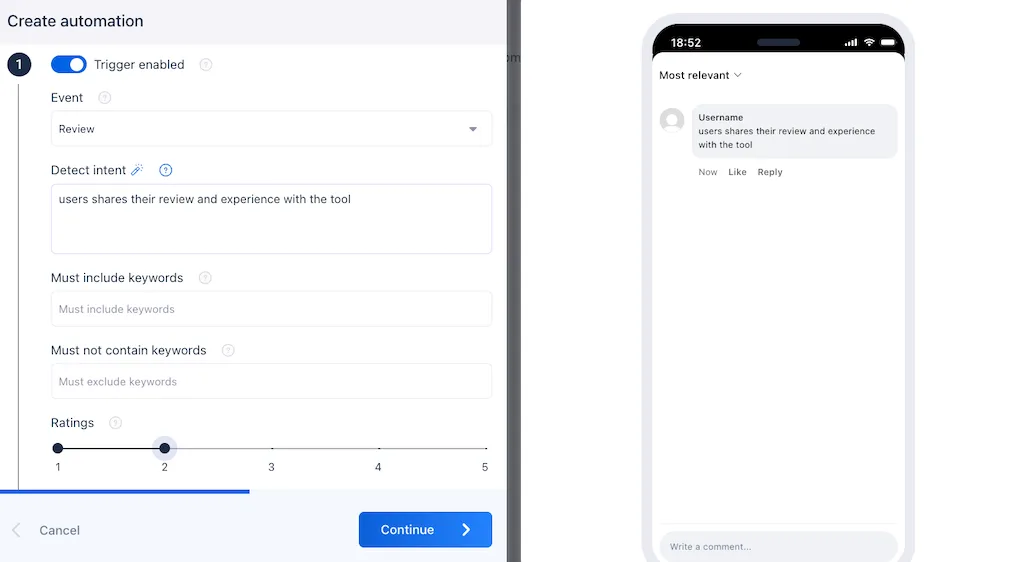
You don’t have to check dozens of platforms to stay on top of your reviews. Bring them all into one Vista Social queue, set your priorities, and reply where it counts.
Handling unfair, fake, or abusive reviews
Not every negative review is fair. Some come from people who were never customers, some from competitors, and some are just cruel. The right response is a calm, deliberate reply that protects the brand. Never silence, and never a public fight.
For a review you believe is fake or against the platform’s policy, report it through the network’s official flagging process. Google, Yelp, and the rest all have a path for this, though removal isn’t guaranteed.
For a review that’s unfair but real, and for the abusive ones you can’t get removed, the move is a short, calm public reply that corrects the record without taking the bait. “We don’t have a record of a visit matching this, but we’d like to understand what happened. Please reach out at [address].”
Write for the reasonable person reading later, not for the attacker. They’ll see a composed business next to a review that doesn’t add up and draw the obvious conclusion for themselves. Our guide to negative comments has more on holding that line.
Do this today (your first week)
You don’t have to overhaul everything at once. This order gets you from drowning to in control inside a week:
- Day 1: see it all in one place: Connect your locations and networks into one review queue so you know the true size of the backlog instead of guessing.
- Day 2: clear the urgent tier: Filter to 1–2 star reviews and answer those first with the five-step method since those are the highest-impact hours of your whole week.
- Day 3: write templates and set your brand voice: Draft approved responses for your three or four most common complaints and lock a saved voice so every reply sounds like one company.
- Day 4: set your response-time floor and delegate: Same-day for 1–2 stars, 24–48 hours for the rest, and hand each location’s queue to its manager with the guardrails in place.
- Day 5: turn on triage and alerts: Set urgent reviews to surface on their own, and work the other half of reputation too by asking for reviews from happy customers to keep your star rating climbing.
Ready to run that first week? Pull every location’s reviews into Vista Social, and clear your review pile before the backlog clears you.
From forwarded screenshot to running system
Go back to that Monday with the system running. No regional manager is forwarding you a six-week-old screenshot because the monitoring agent caught that two-star the day it landed and flagged it at the top of your queue. A draft reply in your brand voice is already waiting for the store manager to approve, and every other location is handled by its own manager under the same guardrails.
That’s what responding to negative reviews looks like once it’s a system instead of a scramble. You catch the ones that matter fast, keep the voice consistent across every store, and stop losing mornings to platforms you forgot to check. The reply was always the easy part, and once you can see every review in one place, the hard part takes care of itself.
Stop dreading your review inbox and start running it. Bring every location’s reviews into Vista Social.
Frequently asked questions
How do you respond to a negative review professionally?
Follow a repeatable shape: acknowledge what went wrong in the customer’s own words, apologize plainly without a legal dodge, move the fix offline by inviting them to email or call, and keep it short, human, and signed with a real first name. Skip the “valued customer” language. Three specific sentences from a named person beat a generic template every time.
Should you respond to every negative review?
Every genuine complaint, yes, because a bad review left unanswered tells every future reader you don’t show up for your mistakes, and that costs you more than the review itself. Positive reviews are a softer call, worth a thank-you when you have time but not an emergency. When your week is tight, answer every real complaint first.
How fast should you reply to a bad review?
For a one or two-star review, aim for the same day, ideally within a few hours, because those are the angriest and most public. For three, or four-star and mixed feedback, 24 to 48 hours is a fine floor across every location. Speed matters most on the loud ones. As long as the most visible complaints never sit in a queue you forgot to open, you’re handling this well.
How do you manage reviews across multiple locations?
Treat it as a systems problem, not a willpower one. Pull every location’s reviews into one queue so you stop hopping between platforms, build approved templates and a saved brand voice so replies stay consistent, delegate each location’s queue to its manager with guardrails, and set priority rules so urgent reviews surface on their own.
How do you handle a fake or unfair review?
If it violates the platform’s policy or is clearly fake, report it through the network’s official flagging process, though removal is never guaranteed. If it’s unfair but you can’t get it removed, reply publicly with a short, calm correction that doesn’t take the bait, and invite the person to continue offline. You’re writing for the reasonable reader who’ll see it later, not for the attacker.
What is a good review response rate?
There’s no magic percentage, but the number that matters most is your response rate on negative reviews specifically. Aim to answer 100% of genuine complaints, because those are the ones that damage public trust when they sit unanswered. Tracking your rate by location and by star level tells you where reviews are slipping through and which stores need help.
About the Author

Content Writer
Orion loves to write content that refuses to be boring. As part of Vista Social, he helps brands, creators, and agencies stop doom scrolling and start winning with social media. When he's not in front of a keyboard, he's watching films in IMAX with his wife, dissecting football tactics (the European kind), and getting lost in a good book.