


Localized Content Marketing for Every Location Without Losing the Brand
September 22, 2026
12 min read

Summarize with AI

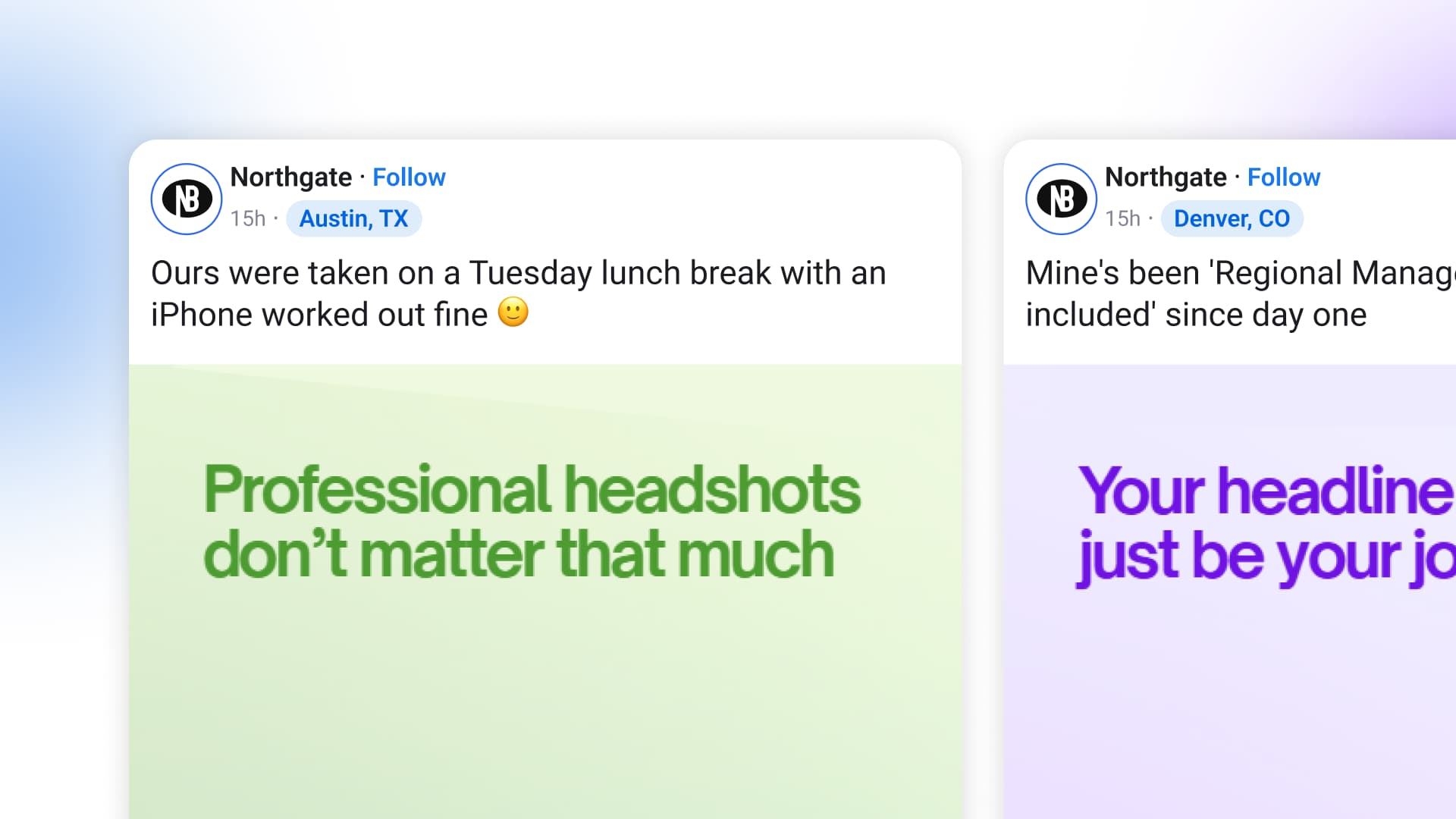
Table of contents
Share

Vista Social

X (Twitter)


At 9 a.m. on Tuesday, one seasonal promotion appears on 38 local pages. The photo, caption, and “your neighborhood” sign-off are identical, so customers see a national post wearing a local page name.
This is a composite example, but the failure is familiar. Corporate supplied approved content, and every location followed the brief. Giving those locations an empty caption box would only trade generic posts for brand errors and a packed review queue.
Effective localized content marketing sets the boundaries before anyone writes. Corporate locks the shared brand elements, location data fills automatically, and the local team supplies one piece of evidence only it would know. AI can accelerate that system, but generating 38 different captions does not make them local.
By the end, you will have a three-layer model, a copyable post template, and a weekly review routine designed to take about 20 minutes.
The short version
- Split every post into three layers: locked, filled, and free.
- Keep the creative choice to one current image and a short local line.
- Populate store details from fields instead of asking managers to retype them.
- Approve the template, then sample routine output each week. Route price, claims, and safety content through approval every time.
Table of contents
Why identical corporate posts underperform locally
A post that could have appeared anywhere gives a local customer little reason to stop, comment, or share. That missed connection is expensive because organic reach is thin.
| What the 2026 evidence shows | Why it matters here |
| Socialinsider measured an average Facebook reach rate of 1.25% in August 2026 across a study of 872,075 Facebook and Instagram posts. | A generic post has little room to recover if the people who see it find no local reason to respond. |
| In Salesforce’s State of Marketing research, 84% of 4,450 marketing decision-makers said they still run generic campaigns, despite 75% adopting AI. | More generation does not create relevance when the system lacks location context. |
A useful local post carries at least one signal that could not have come from every other branch because it must prove the page belongs to that place:
- Current staff or storefront photo
- Town, neighborhood, school, charity, or event
- Availability confirmed by that location
- Practical visit detail, such as parking or temporary access
A longer brief will not help a manager handling customers, deliveries, and staffing. So give them a nearly finished post with one meaningful decision left to make.
For the broader strategy around profiles, reporting, and reputation, use our multi-location social media marketing guide. The system below focuses on the content handoff itself.
The three layers of localized content marketing
Robert Rose’s plural-brand argument gives this operating model its strategic center:
“The plural brand optimizes for integrity of character.”
Robert Rose, Chief Strategy Advisor at Content Marketing Institute, February 2026
The brand keeps a fixed center while locations express it through details that are specific and true.
In practice, that idea becomes three ownership layers: locked, filled, and free.
| Layer | Who owns it | What belongs there | Working rule |
| Locked | Corporate | Logo, colors, product names, offer terms, required disclosures, approved claims | Lock anything customers use to recognize you or legal needs to review |
| Filled | Your system | Store name, city, address, phone, hours, local URL, geotag | Store the value once and populate it automatically |
| Free | Location | A current photo and a short line from the location | Leave a blank small enough to finish on a phone |
1. Lock the parts that carry recognition or risk
The locked layer protects the elements that should survive every local version because they carry recognition or risk. It covers the approved visual, brand colors, product name, offer terms, legal copy, and any regulated claim.
Locking should follow risk because taste and risk are different. A marketing director may prefer one caption word for word, but changing “Visit us this weekend” to “Come see Mia and Jordan on Saturday” does not alter the offer. Rewriting a finance claim or offer expiry date can.
Use this quick test:
- Would a customer rely on it when deciding to buy? Lock it.
- Would legal, compliance, or brand governance want to review a change? Lock it.
- Could a local version remain truthful while sounding more specific? Leave that part outside the locked layer.
Regulated brands will need a larger locked area because mistakes carry more weight. Healthcare, finance, alcohol, and other claim-sensitive fields may route every finished post through review. The model still cuts editing work and makes the risky fields clear.
2. Fill repetitive local facts automatically
The filled layer covers facts that vary by location while staying fixed in the source record. Useful fields include:
- Location name and city
- Address and phone number
- Opening hours
- Local landing page or booking URL
- Approved geotag
- Regional contact or store-specific offer code
A dynamic field inserts the stored value for each profile, so one campaign post can use the right city, link, and phone number across many locations. It also prevents copied numbers, stale holiday hours, and national URLs from entering local posts.
Audit the source data before building the template because automation repeats a wrong field as fast as a correct one. Assign one owner for the location list and make updates there, not inside captions.
3. Give the location one meaningful choice
The free layer creates local texture, so ask for one photo and one sentence grounded in what the location sees that day. That small contribution should add knowledge corporate cannot possess from headquarters.
Do not ask a manager to invent a campaign angle, interpret brand strategy, or write a full caption.
Give the location a useful prompt instead of “make this local”:
This approach supports brand consistency across locations because the recognizable parts stay fixed while the useful local detail changes.
Build a post a location can finish in two minutes
Choose one recurring post for the first template. A seasonal offer works well because it has fixed terms, known location data, and room for a local photo or line.
Here is a copyable structure:
For example, the final post for one location could read:
Our autumn offer is here: save 20% on selected items through October 31. Terms apply: [approved terms URL].
Available at Northfield Market, Cedar Grove. Plan your visit: [local page URL]
Come by before Saturday’s school parade. Oak Street closes at noon, but the rear parking lot stays open.
#BrandCampaign #AutumnOffer
One short local line proves the location knows its surroundings without changing the approved offer.
Test the template before rollout
Test the template on a phone because that is where many managers will use it. Ask a store manager who did not build it to finish the post during a normal shift. If they must hunt for an asset, rewrite a paragraph, or ask what a field means, revise the template.
Then run this five-point check before release:
- Can the manager see exactly what can change?
- Are address, phone, hours, and links populated from a maintained source?
- Can the free sentence be answered from local knowledge?
- Does the preview make locked copy visually distinct?
- Can the whole task be completed on a phone in about two minutes?
Our guide to custom fields for multi-location content explains the mechanics behind the filled layer.
Make the template ready for AI without letting AI invent the local story
An experienced marketer can ask an AI model for 50 regional variants before lunch, but each version still needs approved brand context and a real location fact.
Treat the campaign as a structured content packet instead of a loose prompt. The model should receive five inputs:
| Input | What it contains | Why the AI needs it |
| Locked source | Approved offer, terms, claims, product names, and required wording | Prevents the model from rewriting controlled facts |
| Location record | Store name, city, URL, hours, contact details, and geotag | Gives every variant accurate local data |
| Local evidence | A current photo plus one note from the location | Supplies facts the model cannot infer safely |
| Risk class | Routine, promotional, regulated claim, safety, or crisis | Determines the required approval path |
| Output rules | Network, length, language, CTA, and brand voice | Shapes the post without changing its facts |
Give AI a factual boundary
This changes the AI’s job because it formats known inputs instead of manufacturing local color. A manager can submit “Oak Street closes at noon for Saturday’s parade,” while AI adapts it for each network and creates accessible alt text for the supplied photo.
Then use a prompt with a hard factual boundary:
AI can also translate or adjust tone, but language review should follow the risk of the message. A routine opening-hours post may need a fluent local reviewer. A regulated claim needs the formal approval route in every language.
The same rule applies to autonomous agents: permission to draft is separate from permission to publish. Give the agent access to approved sources, restrict the actions it may take, and route higher-risk classes to a person.
Our guide to setting different AI rules by profile group shows how to make those boundaries visible inside the workspace.
Review risk instead of reading every post
Approving 200 routine posts each week turns reviewers into traffic controllers. The queue grows, so feedback gets thinner, and each approval receives less attention.
Build review around risk:
| Content type | Review route | Reason |
| Locked campaign plus filled fields | Template approved once, then sampled after publishing | Corporate already controls the message and data structure |
| One local photo and sentence | Publish, then include in the weekly rotating sample | Low-risk local context still receives oversight |
| Price, offer terms, product or health claims | Approval required before publishing | Errors can mislead customers or create legal exposure |
| Safety, crisis, or sensitive community issue | Approval required before publishing | Context and timing need deliberate judgment |
| New contributor or location with recent misses | Temporary pre-publish approval | Coaching happens before more errors repeat |
A 20-minute weekly review routine
Sample output across locations instead of reviewing the same reliable stores every week.
- First 3 minutes: Select five published posts from different regions and contributors.
- Next 7 minutes: Check the locked elements, populated fields, image quality, and truth of the local sentence.
- Following 5 minutes: Record patterns, not isolated preferences. Note repeated missing geotags, weak photos, stale hours, or misunderstood prompts.
- Next 3 minutes: Correct the template or source data when the same issue appears twice.
- Final 2 minutes: Give direct coaching to any location that needs it and choose next week’s sample.
A location that clears two samples can move to post-publish review for routine content as a starting policy. If it misses a locked rule, it returns to pre-publish approval until the issue is fixed. Adjust the sample count to the category’s risk, contributor turnover, and past error rate.
In practice, this creates a clear path to trust without treating every location as equally risky forever.
Read our social media approval process guide if your current workflow has too many reviewers or unclear ownership.
Your first two weeks
Avoid a system-wide launch before the template has survived a real Friday afternoon because a small pilot will expose unclear prompts and broken data while the stakes are manageable.
Week 1: build and test with five locations
- Pick one recurring campaign, not the highest-risk promotion of the quarter.
- Mark every element as locked, filled, or free.
- Verify the location directory and assign an owner for future updates.
- Build one template and test it on a phone.
- Ask five locations from different regions to complete it during a normal workday.
- Watch where they pause, then revise the template rather than explaining around it.
Week 2: publish, sample, and expand
- Publish the pilot posts at staggered times.
- Review all five because the model is still new.
- Fix any repeated issue in the template, field data, or permission setup.
- Document the permanent approval triggers: price, claims, safety, crisis, or another category specific to your business.
- Expand to one region only after the template works without live assistance.
- Begin the 20-minute rotating sample once routine output is stable.
Your first success measure is adoption: did all five locations finish and publish? Reach and engagement become useful because the workflow eventually produces enough posts to compare. Track local actions against each page’s past results instead of forcing one benchmark across the network.
Use a scorecard that separates workflow quality from content performance
A campaign can earn strong engagement while the production system remains fragile. It can also run smoothly while the content itself misses the audience. Report both layers so the team knows what to fix.
| Metric | Calculation | What it diagnoses |
| Location adoption rate | Locations that published ÷ locations assigned | Whether the template is easy enough to use |
| Median completion time | Middle completion time across participating locations | Whether “quick to finish” is true in practice |
| Field exception rate | Posts with corrected location data ÷ posts created | Whether the source records are reliable |
| Approval rework rate | Posts returned for edits ÷ posts reviewed | Whether prompts, permissions, or training are unclear |
| Local contribution rate | Posts with valid local evidence ÷ localized posts | Whether variants contain real location knowledge |
| Performance against baseline | Localized post result compared with that page’s recent format median | Whether the content improved, apart from workflow adoption |
Do not set a universal target before the pilot. Measure the first two weeks, find the slowest or least reliable step, and set the next target against your own baseline. Compare like with like: a localized Reel belongs against that page’s recent Reels, not the network average or a link post from another region.
Ready to organize locations, populate local fields, and route higher-risk posts through approval from one platform? Start your free Vista Social trial. No credit card required.
How Vista Social supports this operating model
The model can run with spreadsheets and sound process design, but Vista Social removes repeat handling when more locations and contributors make that process hard to maintain.
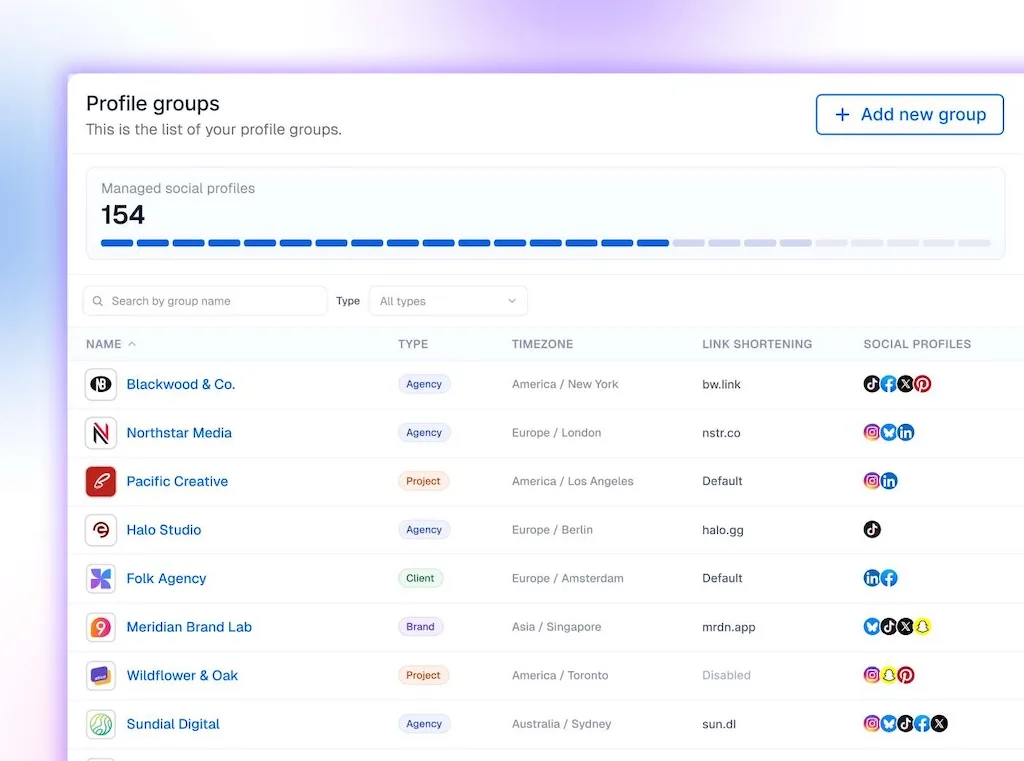
- Profile groups organize social profiles by region, brand, or location and scope each user’s access to the groups they need.
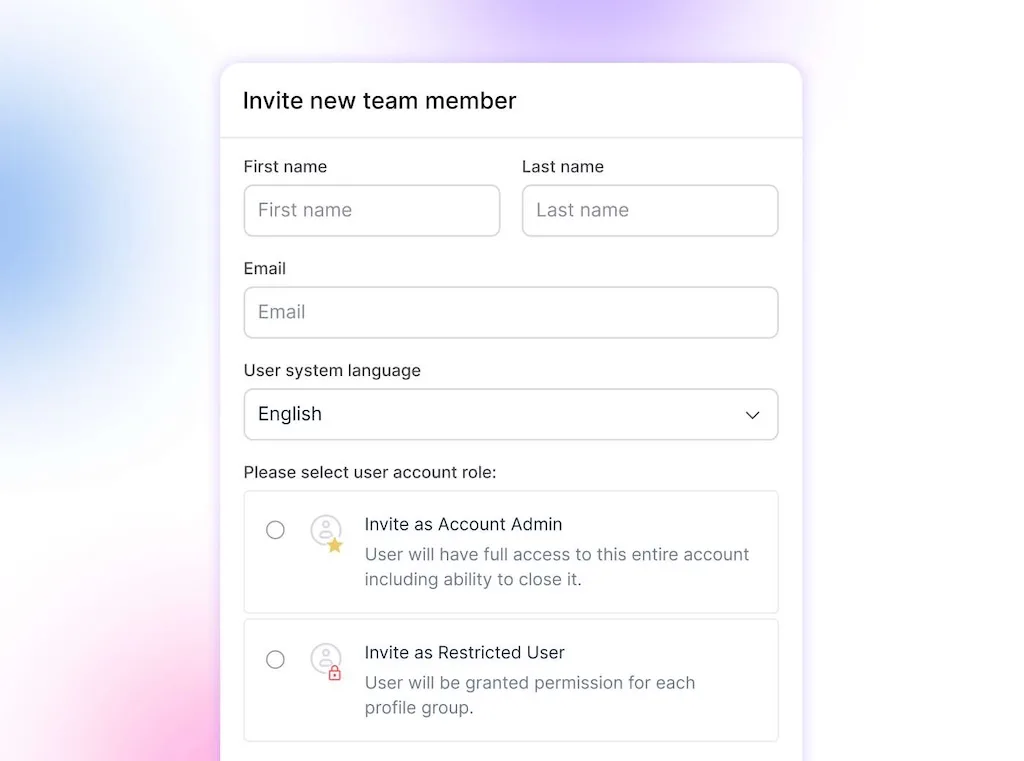
- Contributor access lets local users create and submit posts while preventing them from publishing without the required review.
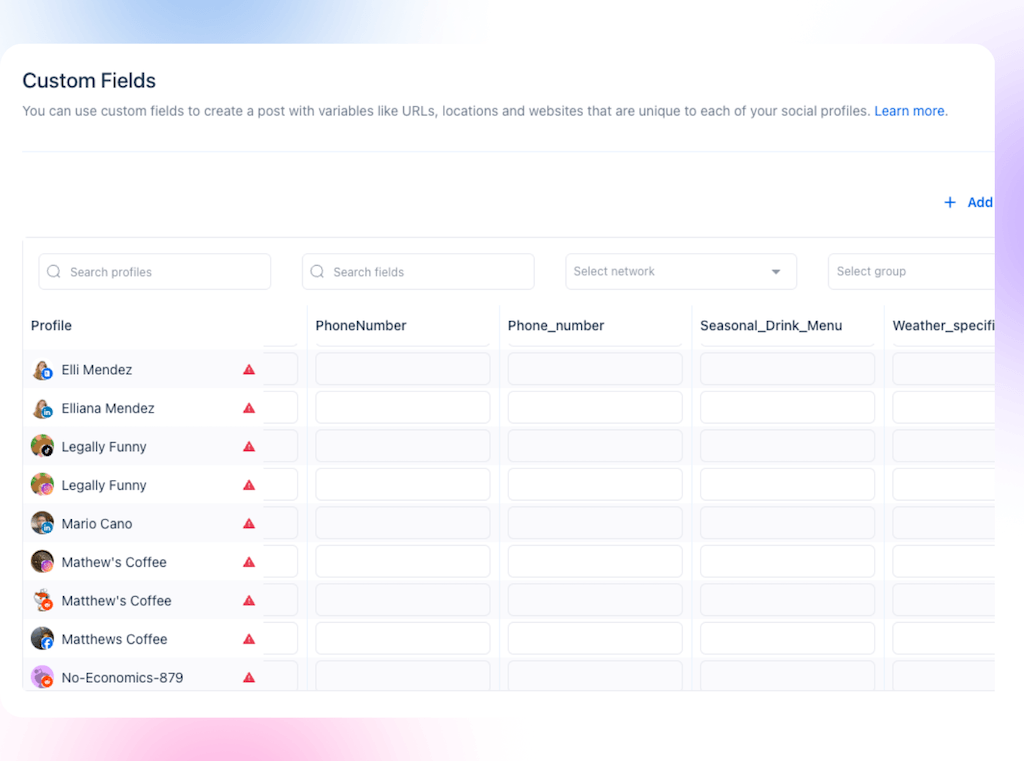
- Custom fields insert location-specific details into a shared post, which supports the filled layer without manual retyping.
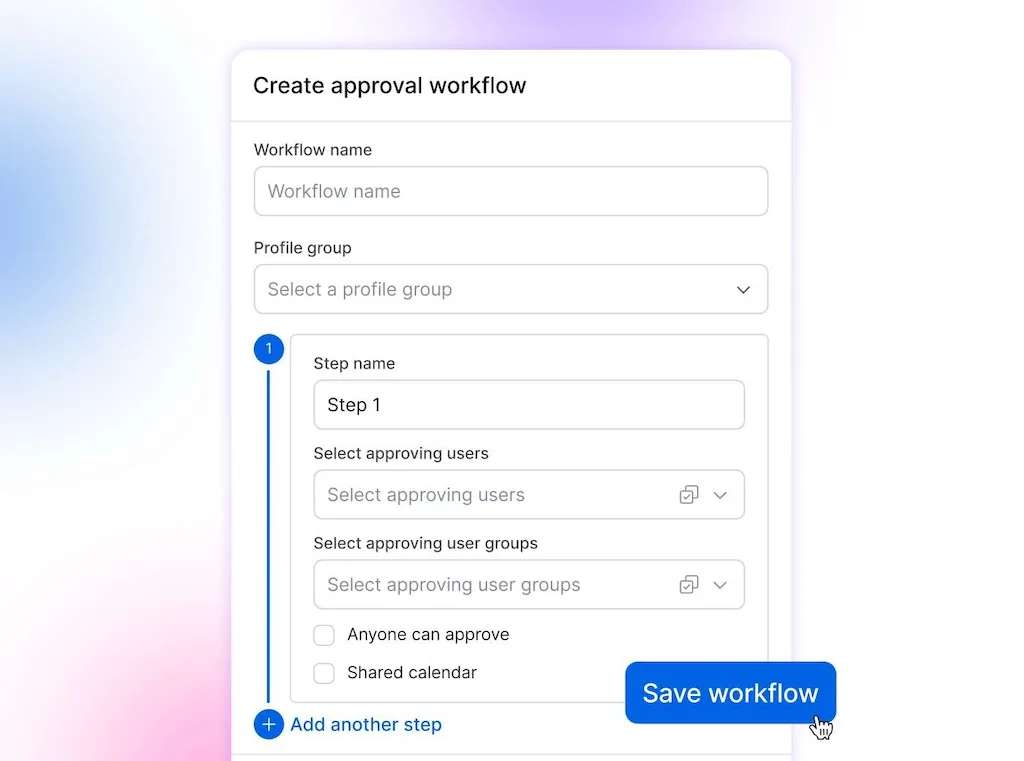
- Multi-step approval workflows route posts through internal or external reviewers in a defined order. Workflows can be duplicated across profile groups.
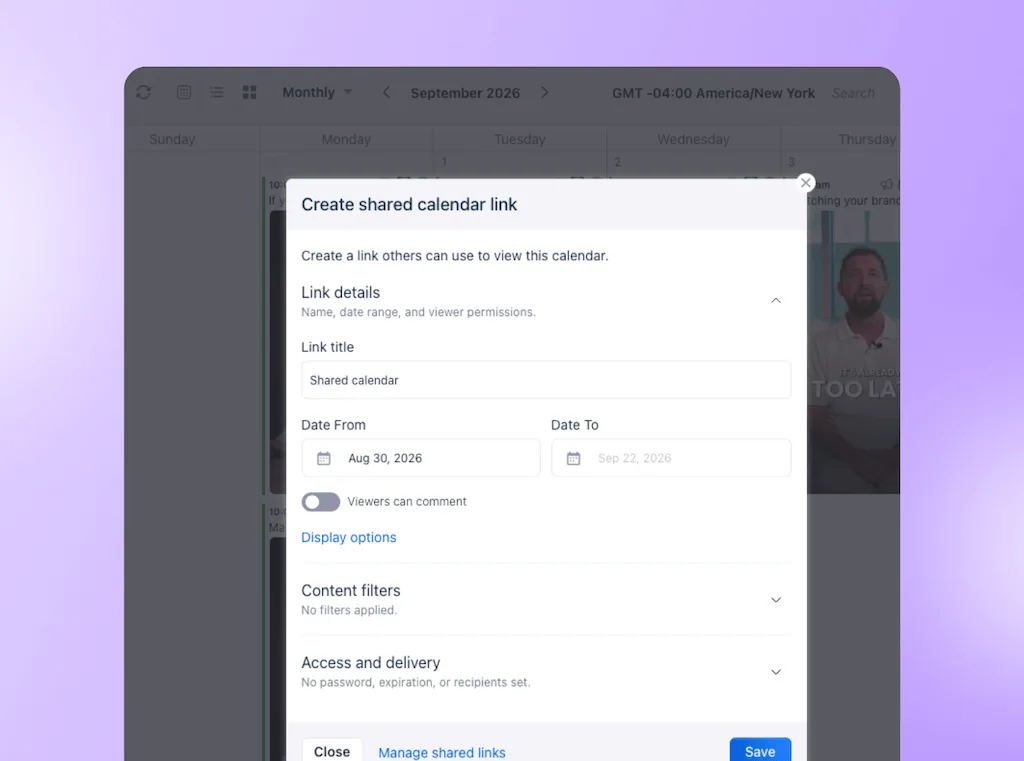
- Shared calendars let an external or regional reviewer approve, reject, and comment through a link without logging in.
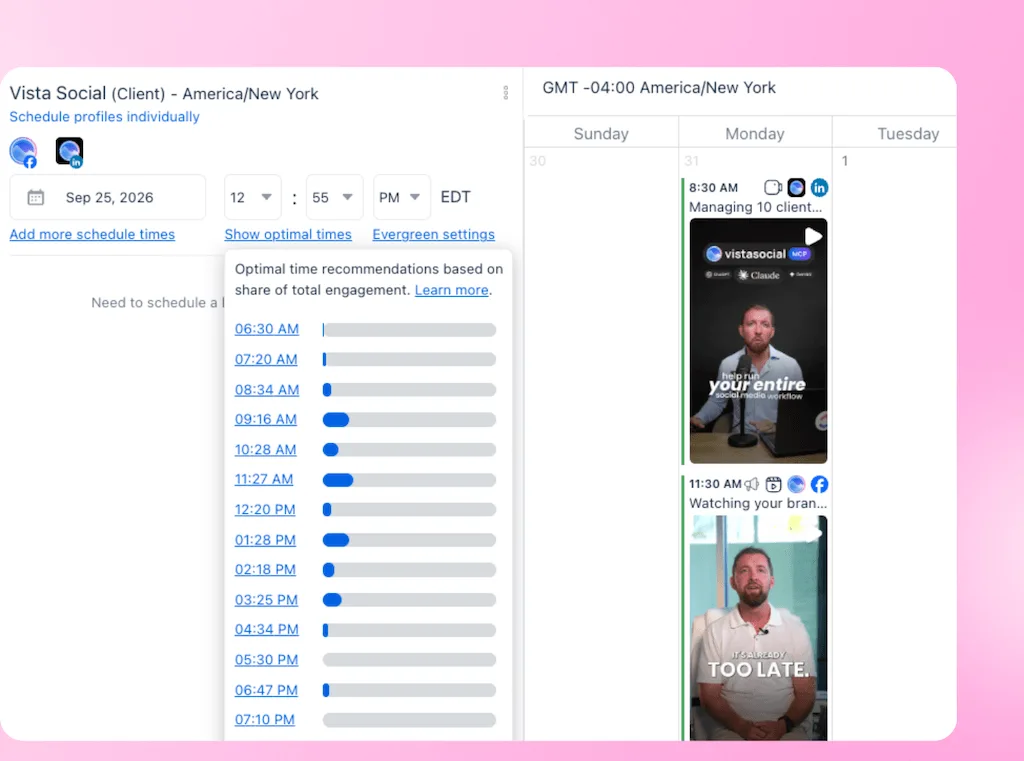
- Stagger publishing times applies randomized delays between selected profiles instead of sending every location’s post at once.
- AI Assistant can apply a profile group’s brand voice to caption drafts. AI Training & Knowledge on Advanced and above can ground generation in approved campaign and business context.
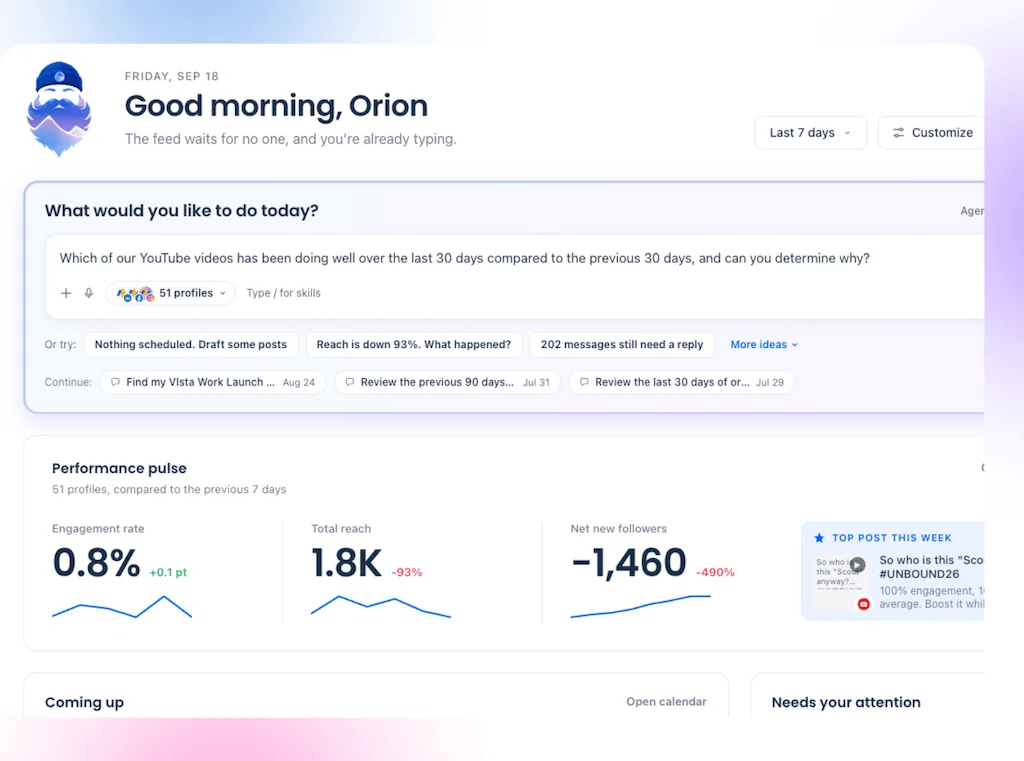
- Per-group AI controls let an agency or enterprise enable caption help for one group while using stricter settings for another.
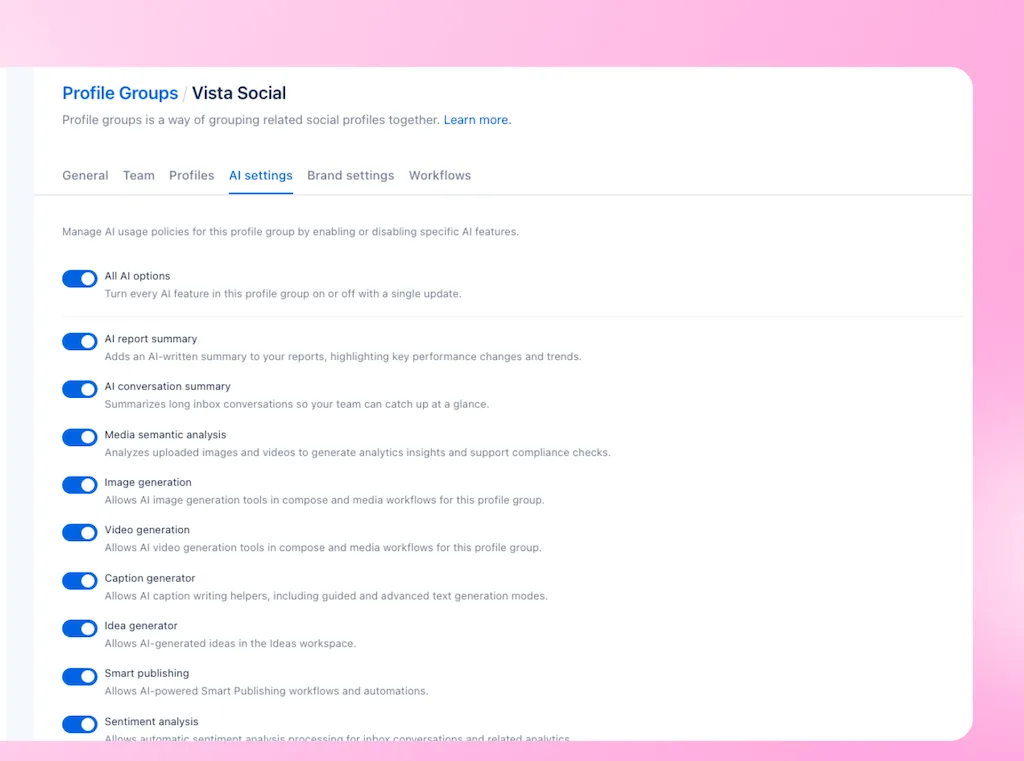
Vista Social currently documents custom post fields, profile groups, contributor permissions, and single-step approvals on Professional and above.
Multi-step approval workflows require Advanced, Scale, or Enterprise. Check the current pricing page when selecting a plan because packaging can change.
See how multi-location brands run social from one place.
When this model earns its keep
| Situation | Best approach |
| Many locations contribute facts or content, while corporate owns campaign claims | Use the three-layer model to divide ownership before production begins. |
| One person can still write every location’s posts accurately and on time | Keep the simpler process until queue length, errors, or approval load becomes a constraint. Eight locations is a review point, not a universal threshold. |
| Healthcare, finance, alcohol, safety, or another claim-sensitive category | Use the layers to reduce editing, but keep every required legal or compliance review. |
| The system needs franchisee billing, location-funded ad entitlements, or financial controls | Evaluate a specialist franchise platform alongside the social workflow. |
Content is only one part of local trust. BrightLocal’s 2026 survey found that 97% of US consumers read reviews for local businesses, while use of generative AI for local tips rose from 6% to 45%.
Once local pages publish with care, use the same ownership model for review management: corporate sets the response rules, and locations add the facts only they know.
Make the blank smaller
Return to that Tuesday morning rollout, where one approved campaign can become 38 posts with accurate location data and 38 small details worth noticing.
Corporate keeps control of recognition, offers, and risk while each location adds the photo and sentence that prove the page belongs to a real place. The review team can focus on claims, exceptions, and patterns instead of rereading approved copy.
Run the model on one recurring campaign. The template is ready to expand when local teams can complete it on a phone without live help, while corporate can verify the controlled fields without rereading the whole post.
Turn one corporate campaign into useful local content. Start your free Vista Social trial to build the template, assign the right permissions, and focus review on the work carrying real risk.
Frequently asked questions
Should each location have its own social page?
Brand and location pages do different jobs. While the brand page carries national launches, location pages help nearby customers find staff, events, stock, and other local details.
How much of a post should locations be allowed to change?
Set the editable area according to risk and skill. A routine retail post may allow a current image and short local line, while a regulated offer may limit the location to a pre-approved dropdown. Keep recognition, terms, disclosures, and claims locked in both cases.
How do you get locations to use corporate content?
Give them a finished post with one small decision left. Test it during a real shift on a phone, then remove every search, rewrite, or unclear instruction that slows completion.
Do you have to approve every local post?
Routine, low-risk posts can be reviewed through a rotating sample after the template is approved. Price, claims, safety, crisis communication, and any regulated category should follow the approval rules set by your legal and governance teams.
Will identical posts across locations be treated as spam?
Platforms make their own publishing decisions, so no scheduling tactic can guarantee delivery. Vista Social recommends avoiding large spikes of simultaneous posts to the same network. Vary the local photo and sentence, then stagger publishing times to create a more natural schedule.
How long does setup take?
A focused pilot can be built and tested in two weeks. Use the first week to create one template and test it with five locations. Then publish, fix the weak points, define approval triggers, and prepare a regional rollout in week two.
About the Author

Content Writer
Orion loves to write content that refuses to be boring. As part of Vista Social, he helps brands, creators, and agencies stop doom scrolling and start winning with social media. When he's not in front of a keyboard, he's watching films in IMAX with his wife, dissecting football tactics (the European kind), and getting lost in a good book.