


Why Your Social Media Reporting Never Gets Faster
August 6, 2026
11 min read

Summarize with AI

Table of contents
Share

Vista Social

X (Twitter)


When was the last time your social team stopped sending a report?
One new report is easy to agree to. Then the weekly update is joined by a monthly summary, a quarterly deck, and a client-specific version. Together, those requests take hours from the same team, use the same limited resources, and leave less time to understand the results or improve the work.
Automation speeds up each report, but your team still sends the weekly, monthly, and quarterly versions. The work gets quicker, one report at a time, while the full list stays the same.
That is why social media reporting keeps filling the week. The team has improved how reports are made without checking whether every report is still needed.
Start with a simple list: what you send, how often it goes out, who reads it, and what decision it helps them make.
The short version
- Count every report: Write down each report your team sends so none of the work stays hidden.
- Name the reader: Link each report to one person because a department name is too broad to test.
- Stop work that no longer helps: Review reports with no clear reader or purpose so the team can discuss removing them.
- Label campaigns early: Add the campaign label when you publish so future reports are easier to build.
Table of contents
Why reporting stays slow after automation
A recurring report is work that returns on a set schedule. It may arrive every week, month, quarter, or year. Automation can shorten the production time, but the report keeps coming back until someone changes that schedule.
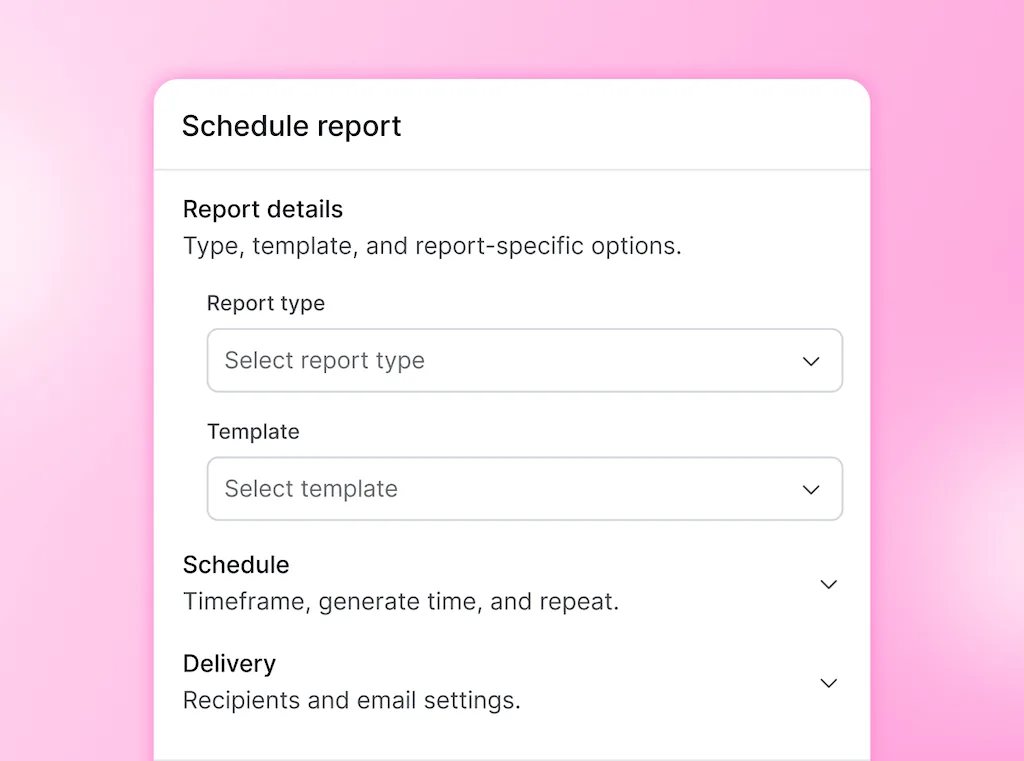
Automation can remove several repeat steps:
- Collect the data: Pull fresh results from the right profiles and date range so the report starts with the correct numbers.
- Build the file: Place the numbers in the same charts and sections so readers know where to look.
- Send the report: Then deliver it to the people who need it on a set day.
Your team still has work to do after those steps run:
- Check the scope: Make sure the right profiles, dates, and labels are included so the comparison is fair.
- Explain the result: Tell the reader what changed and why it matters so they know what to do next.
- Adjust the detail: Give leadership, clients, and the social team the context each one needs because they make different choices.
- Answer questions: Follow up when the report leads to a budget, content, or channel decision, since the file cannot make that choice for them.
Imagine five reports that once took two hours each. Templates and scheduled exports cut each one to 45 minutes. That is a real improvement, but the five reports still take three hours and 45 minutes before any follow-up work begins.
Scheduled reports handle the repeat production well. They pull fresh data, package it in the same format, and deliver it without another manual export. Our guide to automated reports explains that workflow.
Duke Fuqua’s March 2026 CMO Survey asked marketing leaders where their teams fell short. A lack of people, time, and budget was the top answer, with added pressure around AI, analytics, and marketing technology.
Sending a report nobody uses takes time away from those limited resources. The first goal is to find out which reports help someone make a decision and which ones keep returning because nobody has reviewed them.
Count every report your team sends
Create a report audit table. This is a simple list of every report that goes out on a schedule, including the reports your tools send automatically.
Build the table with four simple columns:
- Report: Use the name your team already knows.
- How often it is sent: Write weekly, monthly, quarterly, annual, or the schedule you use.
- Who reads it: Name one person who expects or uses the report instead of listing a whole department.
- What decision it helped: Add one clear choice the report helped someone make, plus the date if you know it.
The example below shows how the table works. The annual report has no entry in the final column because the team could not name a decision it changed. That does not mean it should be deleted on the spot, but it is the first report the team should ask about.
| Report | How often it is sent | Who reads it | Last decision it helped |
|---|---|---|---|
| Monday performance summary | Weekly | Social lead | Moved two posts from Friday to Tuesday, May 2026 |
| Marketing director deck | Monthly | Marketing director | Shifted paid support toward product demos, June 2026 |
| Leadership social pack | Quarterly | VP of Marketing | Paused one low-return network, Q1 2026 |
| Fiscal-year social review | Annual | CFO | |
| Priority client campaign report | Monthly | Client marketing lead | Extended the creator series, April 2026 |
Your table may show a few warning signs:
- Missing reader: A group inbox receives the file, but nobody is responsible for using it.
- Unclear question: The report shows that numbers changed without explaining what the reader needs to decide.
- No response: Recent reports went out without a reply, follow-up question, or next step.
- Positive results only: Every slide has to show that the work went well, even when the plan needs to change.
- No end date: A one-off request turned into a permanent report without a review.
This type of review already exists in management reporting. A March 2026 guide to reporting schedules recommends sending each report as often as its reader needs to make a decision. It also asks whether the report helped with a recent choice.
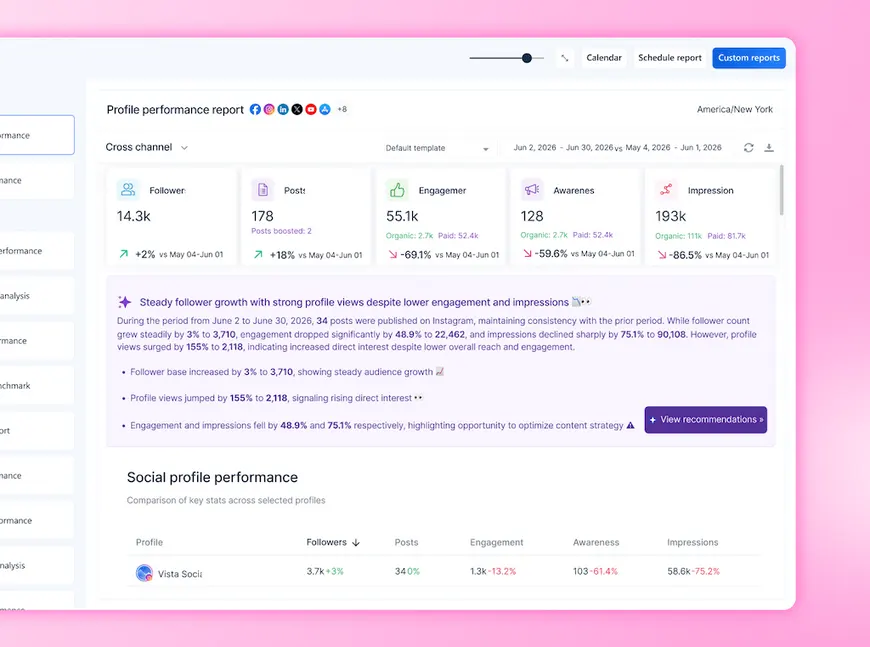
The same rule works for social media. If someone reviews strategy once a month, four weekly reports may be repeating the same update before that person has a chance to act.
Check which reports still matter
A report can still be required even when your team cannot name the decision it changed. It may support a client contract, a legal check, a board update, or another report built by a different department.
Find the person who owns the request and ask what they use it for. If there is no clear answer, discuss sending it less often, merging it with another report, or stopping it.
The table can also expose duplicate work. A weekly and monthly report may show the same charts to the same reader. One report at the right time may give them everything they need.
How to decide which reports to stop
Ask three questions about each report in your audit table:
- Who acted on it: Name one person who made a decision after reading the report in the last quarter. “Leadership” is too broad.
- Was it used: Check whether recent reports were opened and whether they led to questions in the last two review meetings.
- Could it recommend a change: Ask whether the report could support ending a content series, cutting spend, leaving a channel, or changing the plan. A report that can only show good news is a status update.
The third question matters in a budget conversation. The World Federation of Advertisers and Ebiquity surveyed 71 senior leaders and interviewed 25 more in 2026. Yet only 15% said proof of effectiveness was the main reason budgets changed, according to the WFA research.
Christine Moorman leads The CMO Survey and teaches at Duke Fuqua. In March 2026, she described the wider response to that pressure:
“Rather than investing in deeper customer insights, most marketers focus on developing stronger performance tracking as the primary way to demonstrate value.”
Christine Moorman, CMO Survey
More tracking can create more reports without helping anyone decide what to do next. These three questions connect each report to a real person and a real choice.
Check with the report owner first
Do not stop sending a report based only on a low open rate or a quiet meeting. Confirm why the report exists and whether another team uses it.
Use these three quick checks before changing it:
- Ask what it supports: Find out which decision, contract, legal check, or leadership update depends on it.
- Offer a simpler option: Suggest sending it less often or combining it with another report.
- Agree on the change: Record who approved the new schedule and when it starts.
How agencies can simplify client reports
Some agency reports are promised in the client contract, so the agency and client need to agree before the schedule changes. Review those reports during the next client meeting instead of letting them continue without a clear purpose.
Show the client when a weekly and monthly report answers the same question. Suggest one report at the point when the client can use it. Agencies can also keep one standard layout across accounts, then adjust the explanation and recommendations for each client.
Which reports should you remove first?
Start with a full report that has no clear reader or purpose. Stopping one report saves more time than removing a few slides while the rest of the report keeps returning.
| What to stop | Why it costs your team time |
|---|---|
| A recurring report with no named reader | Your team keeps producing it without knowing who uses it |
| A report that repeats another one | The same numbers and explanation are prepared twice |
| Follower count as the main result | The reader sees audience size without knowing whether it helped the business |
| Tables with no explanation | The reader sees that a number changed without learning why or what to do next |
| Screenshots from native dashboards | The images become outdated and can be hard to read in a presentation |
| A metric that can never support stopping | The report rewards more activity even when the work no longer helps the goal |
Use Vista Social’s Report Builder to rebuild the reports you kept around the questions their readers still need answered. Our custom reports guide covers that job.
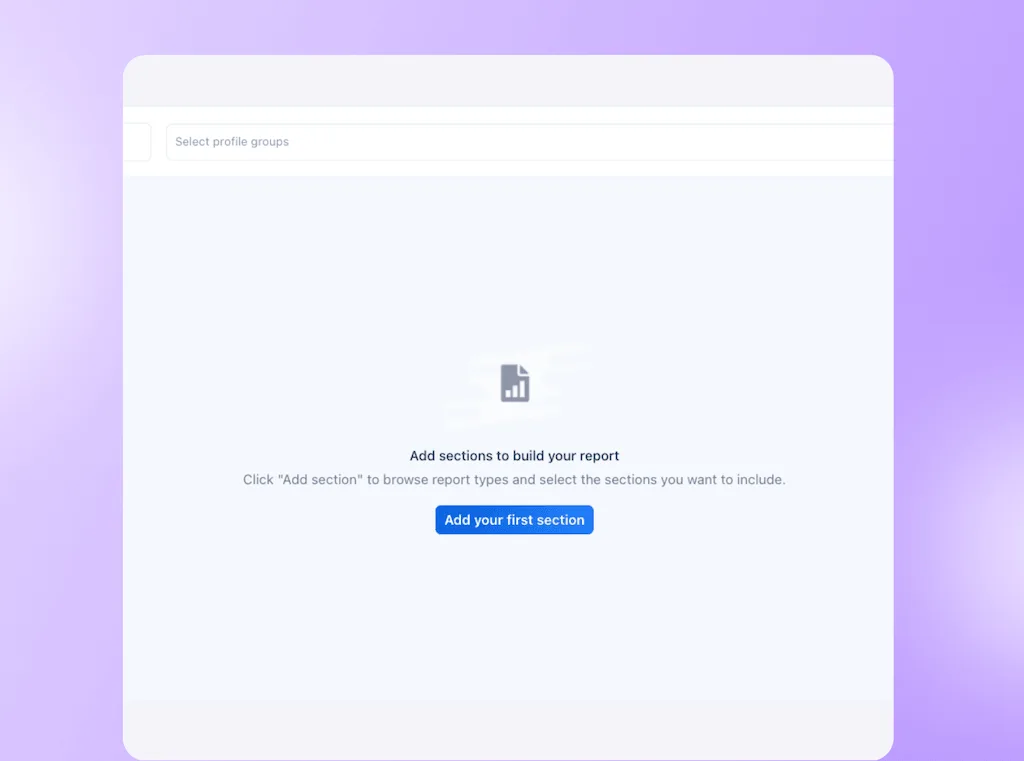
In Vista Social’s report calendar, open the scheduled report. Then choose whether to remove the current occurrence or all future reports. Keep the current one when you owe a final delivery, but cancel its schedule after the agreed date.
Ready to put the reports you kept on a set schedule? Try Vista Social free, with no credit card needed and no autocharge. Connect your profiles a few days before the first report is due because the first full sync can take 48 to 72 hours.
Why campaign reports get harder over time
Campaign reports need more than performance data. They also need a clear record of which posts belonged to the campaign and what those posts were meant to achieve.
A reporting tool can pull the results months later. It cannot know whether an old Reel belonged to a product launch, an evergreen series, or a partnership unless someone recorded that information.
Record three small details while the campaign is still clear:
- Campaign name: Use one spelling across every profile and format.
- Business goal: Note the action or outcome the campaign is meant to support.
- Date range: Set the first and last campaign dates so later filters stay clean.
Those details take seconds at publishing time. Later, they spare the team from guessing which posts belong in the report and why they went live.
Each unlabeled post adds a judgment call to the eventual report. Months later, someone has to search captions, links, creative files, and calendar notes before analysis can begin.
Label campaigns when you publish
In Vista Social, add a campaign label below the media while composing the post. You can select an existing label or type a new one in the Select labels field and create it there.
For a backlog, open Calendar, switch to list view, and filter the content. Then select the relevant posts and use the tag icon to apply one label without opening every card.
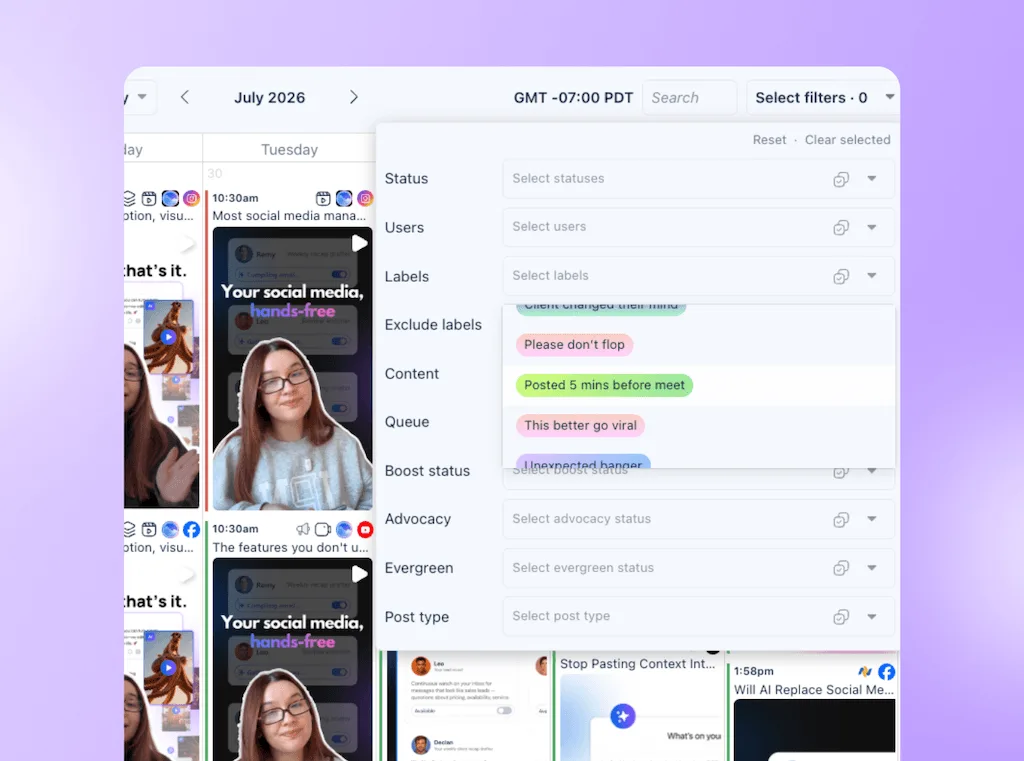
You can then go to Reports and run or schedule a Post Performance report. Include the campaign label so you can compare total posts published and total engagement for that label. Our post labels walkthrough explains the wider reporting setup.
Bulk labeling restores the tag, but it can’t recover missing context. Mark a reconstructed campaign set as an estimate when its boundaries are unclear.
Where AI helps with reporting
AI is most useful after your team has decided which reports are worth keeping. It can handle repeat analysis and prepare a first draft for the social media manager to review.
AI can help with three reporting jobs:
- Draft the explanation: Turn structured performance data into a clear first version of the report.
- Compare time periods: Show what changed between two dates, profiles, or campaigns.
- Combine shorter reports: Use monthly results to prepare the first draft of a quarterly summary.
Ask Vista can work with the profiles and report data linked to your workspace. You can ask for the best posts, a change over a set period, or a draft summary. Then review the dates, profiles, and conclusion.
Claude and ChatGPT can reach permitted Vista Social data through Model Context Protocol (MCP) when the connection is enabled. The MCP guide covers the setup.
A reporting agent can run on a schedule and prepare the analysis for review. The social media manager then checks the scope, adds context, and decides what to recommend.
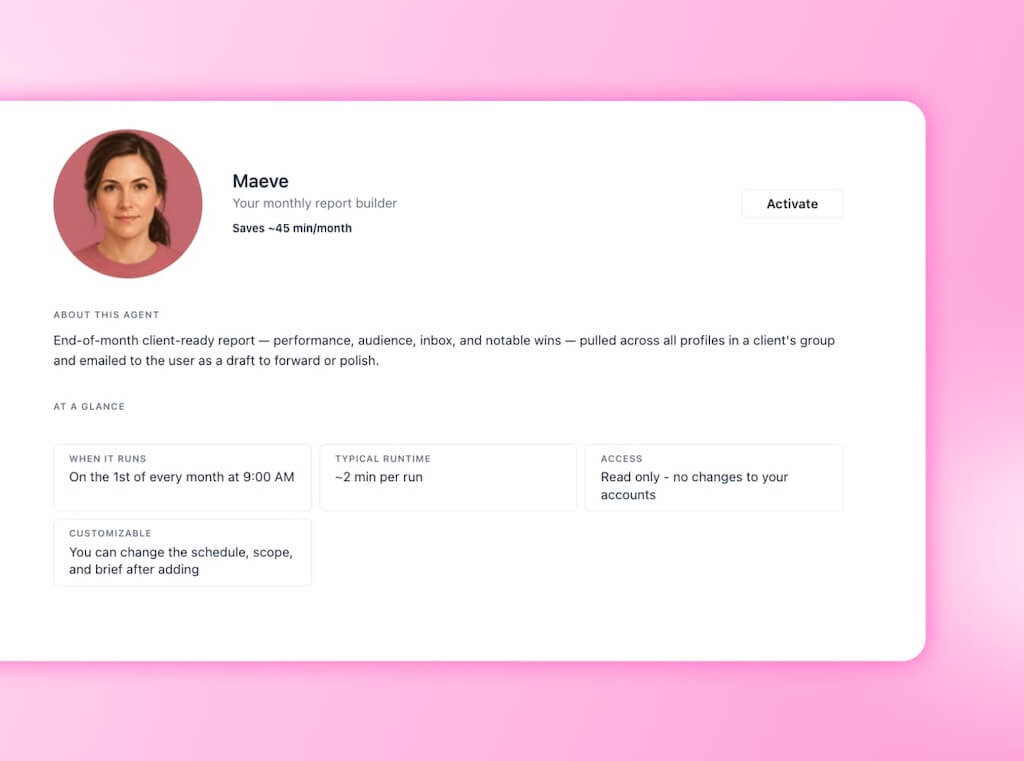
A person still has to decide whether a report is required. That choice can affect client contracts, board requests, and what the reader needs from your team.
There is also a practical risk. When a new report takes one prompt to create, it becomes easy to add regional, client, and leadership versions without reviewing the reports already running.
Review the report list before you automate another one. Let AI prepare the repeat work while a person remains responsible for the reader, the decision, and the final recommendation.
Stop one report this week
Go back to the report audit table and find the report with no clear reader or recent decision. Ask its owner whether it can be sent less often, combined with another report, or stopped.
Once the owner agrees, remove the future reports from the schedule. Use the time you get back to explain a result, test an idea, or answer the question the reader still has.
When the next social media reporting week arrives, your team will have one less file to check and explain. Every report left on the schedule will have a reader and a reason to exist.
Spend 15 minutes on your report audit, then schedule reports with Vista Social. It’s free to try. You can start without a credit card, and the trial won’t roll into a charge.
Frequently asked questions
How many social media reports does a team need?
There is no fixed number. A small firm may need one team report and one report for leaders. Add campaign or annual views when a clear need calls for them, and review reports that give the same answer to the same reader.
How are social media analytics and reporting different?
Social media analytics is the data collected from profiles, posts, audiences, and conversations. Reporting turns selected data into a file sent to a specific reader for a clear purpose. That report keeps returning on its schedule until someone changes or removes it.
How do I ask to stop sending a report?
Ask which choice the report supports and offer a lower frequency first. Try: “Is there a decision you use this for, or would a monthly version cover what you need?” Then check client terms, board needs, and rules before changing the schedule.
Can I report on a campaign if the posts were not labeled?
Yes, but the result becomes an estimate when the campaign boundary is unclear. Bulk labeling lets a Post Performance report filter old posts, while your team still has to work out which content was part of the campaign.
Does more frequent reporting improve performance?
Only when someone can make a useful decision between reports. A weekly creative review may need a weekly report, while a quarterly budget review needs a longer view. Sending two reports before the reader can act creates more work without helping them make a new choice.
Can AI write a social media report?
AI can create the first draft, compare time periods, and build a summary from structured data. A social media manager checks the profiles and dates, adds outside context, and decides what the numbers mean, including when an agent prepares the report on a schedule.
Why is data missing after I connect a profile?
A complete data sync in Vista Social often takes 48 to 72 hours because metrics are processed in passes. Report data then refreshes every five to six hours. Connect profiles early, and check the selected profile group’s timezone if the date range looks wrong.
About the Author

Content Writer
Orion loves to write content that refuses to be boring. As part of Vista Social, he helps brands, creators, and agencies stop doom scrolling and start winning with social media. When he's not in front of a keyboard, he's watching films in IMAX with his wife, dissecting football tactics (the European kind), and getting lost in a good book.