


We Shipped 100+ Major Features in 2026. Here’s Every Single One.
September 25, 2026
18 min read

Summarize with AI

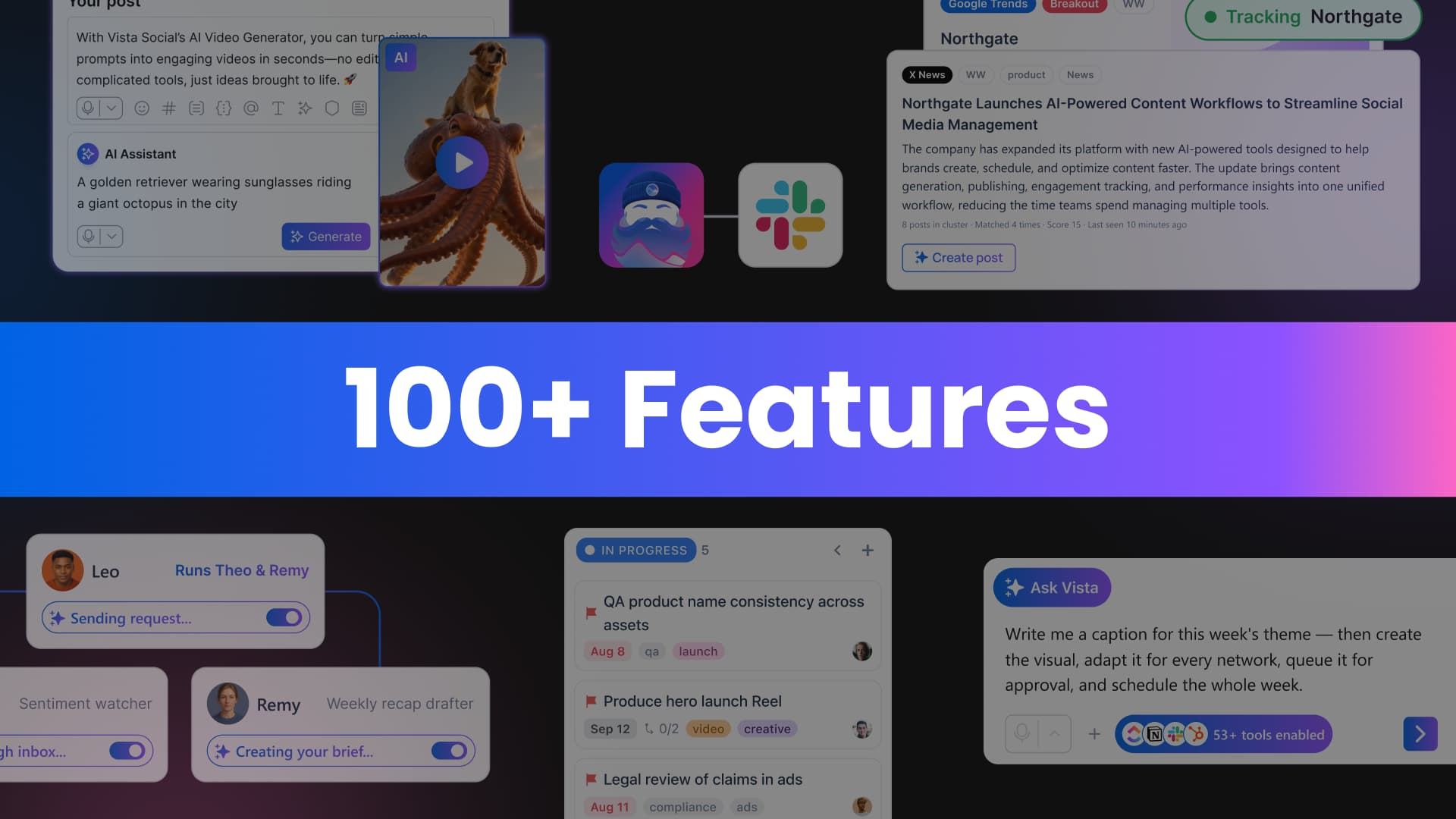
Table of contents
Share

Vista Social

X (Twitter)


An approval stalls because the feedback is scattered across messages. A reporting deadline turns into an afternoon of exports and cleanup. A trend is already fading by the time someone moves from discovery to publishing.
Those gaps become delays, extra tabs, and repetitive work for social teams. In 2026, we focused on closing them while keeping strategy, judgment, and final review with the people running the work.
The result is 106 major features across publishing, engagement, reporting, AI, collaboration, advocacy, and platform administration.
Below is the dated, numbered list of what each release does and why we built it. Our claim is simple: we ship. Here are the receipts.
Table of contents
AI and content creation
Train AI on approved context, generate and refine content, and reduce repetitive production work.
1. AI Training & Knowledge (Feb). Train Vista Social’s AI on your brand: upload documents, FAQs, tone guidance, and key facts. From then on, every caption, DM reply, and inbox response draws on your real information instead of generic filler. We built this because AI that doesn’t know your business creates more editing work than it saves. Once trained, it can prepare repeatable drafts and responses from approved context, while your team keeps judgment and final review. View changelog
2. Goal-driven caption AI (Mar). The Caption AI Assistant now works toward outcomes, not just output. Generate ideas in your trained brand voice, then steer each caption with a selectable goal (clicks, lead generation) and CTA type (book a call, follow). Content is easier to create and better aligned with the outcome the post is meant to support. View changelog
3. Generate with AI in Smart Scheduler (Mar). Pick a topic, and Smart Scheduler generates post ideas, including ones that pull in current news so your content stays timely. Staying consistent is the hardest part of social. This removes the blank-page problem from your recurring schedule. View changelog
4. Holiday posts from the calendar (Jun). Any holiday on your content calendar, fun, national, or religious, can be turned into an AI-generated post right where you see it. Timely campaigns go from “we should post something” to publish-ready in one step. View changelog
5. Auto titles, descriptions, and alt text (May). When you upload an image or video, Vista Social generates titles, descriptions, and alt text automatically. That gives teams a usable starting point for accessible publishing and media organization without entering every field by hand. You can review and edit every suggestion before publishing. View changelog
6. AI image generation (May). Create a brand-new visual from a text prompt, or update an existing image with an instruction, from Composer or Ask Vista. Stock libraries feel generic, and design requests pile up. Now you generate, refine, and publish inside one workflow. View changelog
7. AI video generation (May). Generate videos from text prompts or images right inside the publishing workflow, then attach, save, and share. Creating video no longer requires leaving the publishing workflow or moving files between separate tools. View changelog
8. Clip Maker beta (Aug). Feed it a long video, and AI scans the footage, surfaces the best moments, and filters out the bad ones: eyes closed, low light, and poor framing. You get a curated shortlist with auto-generated covers, a full cover editor, and one-click publish or save to library. One long video becomes a content pipeline instead of an afternoon of manual scrubbing. View changelog
9. 4:5 Instagram Stories (Sep). Publish 4:5 stories directly from the 9:16 story canvas. Instagram is showing more 4:5 placements, and your stories should fit them without a re-crop round trip.
10. Choose how AI text lands (Sep). When AI generates text, you decide whether it’s added to what you wrote or replaces it. A small control that ends a real frustration: losing your draft because the AI overwrote it.
Trends and publishing
Move from discovery to publishing with fewer handoffs, then manage high-volume calendars with more control.
11. Trends across five sources (Jun). Vista Social Trends monitors X, YouTube, Google Search, and the open news web, deduplicates, and ranks stories by cross-source confirmation. Single-platform spikes are usually noise. A story confirmed across multiple sources is a real trend, and each one arrives with an AI summary and suggested actions so you know what to post, not just what’s trending. View changelog
12. Turn a trend into a post (Jun). When a trend surfaces in your listening dashboard, convert it to a publish-ready post on the spot. Choose an angle (newsjack, educational, or hot take), pick a tone, and AI generates copy and visuals on the same screen. The window for timely content is narrow. This closes the gap between spotting a trend and going live. View changelog
13. Instagram trending sounds (Jun). Search trending audio by track or artist, preview it, adjust volume, and publish. Your Reel gets tagged with the audio the way native Instagram posts do, instead of being marked as original sound. Audio is a reach lever on Instagram, and until now using it meant finishing the post in the Instagram app. View changelog
14. TikTok location tags and trending audio (Aug). Tag a real place and attach trending audio when you schedule TikTok posts, with volume control, exactly like the TikTok app. Local discovery and audio-led reach no longer wait until after publish. Multi-location teams can lock place and sound into the plan up front. View changelog
15. Posting defaults (Jun). Set per-profile defaults once, first comment, first like, and other post-level options, and they apply automatically every time that profile is selected. For teams scheduling at volume, the settings that slowed down every single post now need attention exactly once. Bulk uploads and drafts inherit them too (Jul). View changelog
16. Stagger publishing times (Jul). Posting identical content to several profiles on one network at the same minute can look like spam to the platform. Stagger applies a randomized gap, in minutes, hours, or days, between each profile so posts go out in a natural sequence. Schedule more than five profiles, and we recommend it automatically. Fewer rejected posts, especially for agencies and multi-location brands. View changelog
17. Grouped calendar view (Jun). One post scheduled to 3 or 30 profiles now shows as a single grouped calendar entry you can expand, instead of one row per profile. Calendars with dozens of profiles used to become unreadable fast. Drag-and-drop rescheduling for whole groups followed in August. View changelog
18. Auto-delete after publish (Apr). Set an auto-delete time when scheduling, and Vista Social removes the post from the network once the window closes. No reminders, no manual cleanup, no expired influencer content overstaying its licensing terms. The post stays in your calendar and history, so analytics are preserved and the team knows what happened. View changelog
19. Delete Instagram posts (Jul). Delete eligible Instagram posts directly from Vista Social instead of switching to Instagram for cleanup. View changelog
20. CSV bulk scheduling from the cloud (Jan). Upload bulk-scheduling CSVs straight from Google Drive, Dropbox, and OneDrive. Teams working from shared folders skip the download-then-upload shuffle entirely. View changelog
21. Bulk ideas (Aug). Bulk Publisher can now turn large batches of ideas into content workflows in one pass, so a quarter’s worth of concepts doesn’t need manual setup one idea at a time. View changelog
22. Larger calendar CSV export (Jul). High-volume teams can export more posts from the calendar in a single CSV instead of stitching together multiple files. View changelog
23. Evergreen reuse explained (Aug). When an evergreen reuse plan isn’t possible, the settings now say why and show exactly how many repeats fit your setup. No more silent failures in recurring content. View changelog
24. TikTok takedown notice (Aug). If TikTok removes a published post for Community Guidelines issues, Vista Social shows it clearly so you can respond fast instead of discovering it weeks later in a report. View changelog
25. Any-size video thumbnails (Feb). Upload video thumbnails at any size. If the dimensions don’t match requirements, you crop right in the platform. Perfectly formatted thumbnails without a detour through an image editor. View changelog
26. YouTube comment preview in dark mode (Aug). Comment previews are now readable in dark mode for a cleaner pre-publish review. View changelog
27. YouTube “made for kids” control (Sep). Set the made-for-kids audience flag explicitly when publishing. It affects monetization and comment behavior, so it should be a decision, not a default.
28. X paid partnership labels (Sep). Label sponsored X posts at publish time, keeping disclosure compliant without a follow-up edit in the X app.
29. Facebook “Made with AI” disclosure (Aug). Add the Made with AI label on Facebook Reels and video stories when you publish AI content. Platforms increasingly require it. Now it’s one toggle in the composer.
30. Label posts as AI-generated (Jul). Mark AI-generated posts wherever networks support it, staying transparent and aligned with platform requirements without leaving Vista Social. View changelog
31. 12-hour or 24-hour time (May). Choose your time format once in Settings, and every timestamp across the platform follows: scheduled posts, reports, analytics, and team activity. Global teams stop translating am/pm in their heads. View changelog
Mobile workflows
Complete more publishing and engagement work without waiting to return to a desktop.
32. Tagging on mobile (Jan). Tag users on Instagram video posts and X posts directly from the mobile app, so platform-native content doesn’t have to wait for a desktop. View changelog
33. Instagram Trial Reels on mobile (Jan). Schedule Trial Reels from the app to test and optimize content wherever you are. View changelog
34. X controls on mobile (Jan). Post exclusively to Super Followers and control who can reply, right from mobile. View changelog
35. Like from the mobile inbox (Jan, expanded Jul). Like comments on LinkedIn and Facebook, and like mentions on X, without leaving the app. Engagement micro-actions shouldn’t require a laptop. View changelog
36. Mobile inbox filters (Jan). Filter the mobile inbox by sentiment and engagement type, with more audience detail on every conversation. Find and prioritize the conversations that matter from your phone. View changelog
37. Link button and AI in the mobile composer (Jul). A dedicated link button like the web composer and Generate with AI in the mixed-media menu, so mobile-first users create complete posts without workarounds. View changelog
38. Connect profiles from mobile (Jul). Connect new social profiles directly from the app. New accounts no longer wait for someone to get back to a desktop. View changelog
39. Ask Vista on mobile (Jun). The full AI assistant in the mobile app drafts captions, asks strategy questions, analyzes content, and generates copy with the same account context as the web app. One less reason to be chained to a laptop. View changelog
40. Advocacy on mobile (Sep). Advocates connect their personal profiles and share approved content straight from the app, between meetings or on a commute. Advocacy now fits into the moments people actually have free, which means faster participation and more authentic reach. View changelog
Inbox and engagement
Route, review, and respond to conversations across networks from one workspace.
41. Inbox Automations 2.0 (Jan). Automations fully powered by AI: define the types of questions that trigger an action and let AI respond using your approved context. Automations can also assign tasks to the right teammates and send email notifications. The automation clears repetitive routing and first-response work, while your team reviews sensitive or high-risk conversations and keeps control of the response strategy. View changelog
42. Reddit in Inbox (Jan). View and respond to Reddit comments and DMs alongside every other network, and point the same AI automations at them. Reddit stopped being the network you check separately. View changelog
43. Hide and delete comment automations (Mar). Automatically hide comments that don’t align with your brand and delete harmful ones. Routine moderation can continue outside working hours using rules your team defines and reviews. View changelog
44. DMs to Zendesk tickets (Mar). When a customer DMs you, the automation prompts them for name and email and opens a Zendesk ticket with everything support needs. Social stops being the place where support requests go to get lost. View changelog
45. Automation delivery to external destinations (Jan). Send data collected by automations to email, Slack, or a custom API endpoint. The API option pipes collected leads and answers straight into your own systems and dashboards. View changelog
46. Advanced automation controls (Feb). Control execution order, make automations exclusive so only one runs at a time, and limit triggers to once per user. Sophisticated automation workflows without automations tripping over each other. View changelog
47. Instagram opening DM on comment replies (Jul). Send an opening DM when manually replying to eligible Instagram comments, so you can take a public conversation private even when the user hasn’t messaged first. View changelog
48. React to Instagram and Facebook DMs (Sep). Send reactions on direct messages from the inbox. Sometimes the right reply is a heart, and now that doesn’t require opening the native app.
49. Reply to Instagram mentions on other people’s posts (Sep). When someone mentions your brand on a post you don’t own, reply from the inbox. Brand moments on other people’s content used to be the ones you missed.
50. Reply to Instagram collab invites (Aug). Handle collaboration invites directly from the inbox instead of the Instagram app.
51. Image-only DM replies (Jun). Reply to DMs with just an image, from any attachment source. Sometimes the answer is a screenshot, a menu, or a map.
52. Inbox date-range filters (Sep). Narrow any inbox view to a time window. Useful for campaign windows, incident reviews, and “what came in while I was out.”
53. Inbox display settings (Sep). Choose how dates display and what counts as completing a reply, so the inbox matches how your team actually works.
54. Mark all reviews read (Jun). Clear the review queue in one step instead of working through items one by one. View changelog
55. Inbox badges stay in sync (Aug). Badge counts update across key actions, so the number on the tab is the number in the queue. Trustworthy counts mean nothing gets missed. View changelog
Reporting and analytics
Build, schedule, and interpret reports with deeper network and post-level data.
56. Custom report builder (Feb). Build fully customizable report templates using widgets from any report type in one place. Combine performance data, engagement insights, and audience breakdowns into one cohesive report tailored to each client, without exporting to a spreadsheet to stitch it together. View changelog
57. Scheduled reports: live link, PDF, or both (Mar). Deliver scheduled reports as live shared links, static PDFs, or both. Edit or delete a single send or the whole series, like recurring calendar events. Recipients get the format that works for them, and you stop rebuilding schedules to make one change. View changelog
58. One-time reports for any date range (Jul). Pick any start and end date, then choose when the report runs. Campaign recaps and month-end reports used to mean running the report manually and exporting by hand. Set it once and it delivers itself. View changelog
59. Engagement rate on posts (Jun). ER (engagements divided by impressions) is now a column in Top Performing Posts and a metric card on every post you open from the calendar. It’s the number clients actually ask about, now in the same place you review performance. View changelog
60. Reels skip rate (Apr). See exactly when viewers disengage from your Reels. The drop-off point shows where attention changed, giving the team a clearer place to investigate the opening, pacing, or audience fit. View changelog
61. LinkedIn audience and click depth (Aug). Break down followers and page visitors by country, industry, job function, seniority, and company size, and see which posts generated the most clicks. For B2B teams, this is the difference between “LinkedIn is working” and knowing exactly who you’re reaching. View changelog
62. YouTube, Instagram, and Facebook report widgets (Sep). New widgets across profile and post reporting: YouTube followers, engagement, viewer age and gender, views by country, and top referrers; Facebook follower distribution by city; total engagements by account for Instagram and cross-account comparisons. A more complete picture of growth and discovery on every major network. View changelog
63. Facebook click metrics over time (Aug). Page Performance reports show clicks across the period, so you can see which content drives action, not just impressions. View changelog
64. Instagram paid vs. organic split (Sep). Profile metrics separate paid and organic performance. When reach jumps, you’ll know whether you earned it or bought it.
65. Saves metric (Sep). Saves in post performance tables. It shows which posts people considered valuable enough to keep for later.
66. TikTok For You page percentage (Aug). See what share of a post’s reach came from the FYP. Teams can now separate For You distribution from other discovery sources at the post level.
67. X follower attribution (Sep). See which X posts won you followers, in the performance report and a dedicated ranking. Growth stops being a mystery when you know which posts caused it.
68. Poll votes in reports (Sep). Poll votes count toward profile performance. Every interaction your content earns shows up in the numbers.
Ask Vista and agents
Use scheduled assistance for research, monitoring, summaries, and repeatable tasks, with human review where it matters.
69. Ask Vista agents (May). 25 ready-to-deploy AI agents for recurring social tasks. They can run on a schedule to monitor activity, generate summaries, and prepare content drafts for your team to review. Customize any agent, or describe what you need and Ask Vista builds a custom agent from scratch. View changelog
70. Agent teams (Sep). A saved agent can run a team of other agents every time it runs, set up straight from chat. Your weekly reporting agent can now delegate to a data agent and a summary agent. Agents can pass defined steps between one another, while your team sets the workflow and reviews the result.
71. Run agents in parallel from chat (Sep). Kick off several saved agents at once from an Ask Vista chat instead of waiting for each to finish.
72. Stop a running agent (Sep). Cancel an agent run mid-flight. Full control means you can experiment freely.
73. Ask Vista in Slack (Sep). The assistant answers in your Slack channels, with per-channel knowledge and profile group scoping. Your team asks questions where they already work, and the answer knows which client the channel belongs to.
74. Ask Vista web research (Aug). Ask Vista searches the web, reads pages, and cites live sources. Competitive research, trend checks, and fact-finding happen in the same chat as everything else. View changelog
75. Ask Vista chats and connectors view (Aug). Start a fresh chat, reopen recent conversations, and see exactly which tools are connected in a dedicated Connectors view. Repeat workflows like research and onboarding get faster. View changelog
76. AI usage dashboard (Jun). Your credit balance and its real-dollar value up front, then a rolling 30-day breakdown by category: images, videos, chat, and agents, with cost per category and a Top Agents by Cost list. If video generation is quietly eating your AI budget, you see it immediately. A clear ledger instead of a black box. View changelog
77. AI ROI view (Jun). “What your AI is worth” shows the estimated dollar value your agents and content tools generated in the past 30 days: hours reclaimed by agents at a conservative blended rate, plus the gap between what you spent on AI content and what a freelancer or stock library would have charged. There’s even a “could be saving” figure for paused agents. Justify the spend in 30 seconds. View changelog
78. Read, create and edit documents in Ask Vista (Oct). Use Ask Vista as an AI report generator to turn connected social data and supported files into a social media report, presentation, or workbook. Request changes to the generated document in chat, then review and export it without rebuilding the work in another tool. Explore the new document capabilities.
Employee advocacy
Invite advocates, govern participation, and measure programs with clearer controls.
78. Shareable invite links (Jun). Generate one invite link so advocates self-register, with allowed email domains enforced automatically. Drop it in Slack, onboarding docs, or a QR code at an event. No more inviting people one at a time, no more losing high-intent signups to email delays. View changelog
79. Leaderboard scoring you can explain (Jul). Hover any advocate’s score for the full breakdown: points per action, weighted by the values you assign, plus reach when you want it counted. Admins set the weights, so the leaderboard rewards what your program actually values. Clear scoring builds trust, and trust keeps advocates sharing. View changelog
80. Leaderboard by date range and metric (Jul, Aug). Filter leaderboards to a campaign, contest, or reporting period instead of all-time totals, and sort by individual performance metrics. Run quarterly competitions with clean scoreboards. View changelog
81. Program limits and governance (Aug). Limit profile connections by network and quantity, review and remove connected profiles that no longer match program rules, and remove disqualified advocates from a competition without deleting their account or history. Programs scale without losing the guardrails. View changelog
82. Advocacy push notifications (Sep). Advocates get a push notification the moment new content is ready, deep-linked to the post. Content gets shared while it’s fresh, because the ask arrives where advocates will actually see it.
Collaboration and work management
Keep tasks, approvals, calendars, feedback, and team access connected to the social work itself.
83. Vista Work (Aug). Full project management inside Vista Social: projects with boards, list and calendar views, tasks with assignees, due dates, priorities, labels, subtasks, checklists, attachments, and comments. Create a task from the post, DM, or report that started it, so work stays linked to the thing it’s about. Teams can keep social work and project context together instead of recreating the same task in a separate system. View changelog
84. Approval visibility (Feb). See exactly which posts are waiting on you, and let everyone see where each post sits in the review process. Less guessing, faster approvals, nothing slipping through. View changelog
85. Who sent it for review (Aug). Post history shows who submitted a post for review, and shared calendars show each post’s approval stage. Approval activity you can follow after the fact. View changelog
86. Internal comments on shared calendars (Jun). Logged-in team members leave internal comments directly on a shared calendar. Feedback lands next to the publishing plan instead of in a separate thread. View changelog
87. Repeating notes (Jun). Calendar notes can repeat automatically, so recurring reminders and process notes stop being recreated by hand. View changelog
88. Faster calendar sharing (Jul). Sharing drops you straight into the share flow, the link manager shows profiles and expiry at a glance, creating a calendar that takes a shorter form, and you can email people the moment a calendar is created and then resend anytime. Links can auto-delete when they expire. It also all works from Ask Vista, MCP, and the API. Agencies managing many client calendars save clicks on every single one. View changelog
89. Bulk team invites (Jul). Invite team members from a CSV instead of one at a time, manage collaborator handles, and let contributor-level users edit drafts without broader publishing permissions. Onboarding a 40-person team stops being an afternoon of forms. View changelog
90. Ideas from the Media Library (Jan). Turn a saved asset into an actionable content Idea without switching workflows. Less organizing, more planning. View changelog
Vista Page
Create and protect link-in-bio experiences connected to the content teams already publish.
91. Import or generate your Vista Page (Feb). Import your existing link-in-bio from other providers in a few clicks, or generate a fresh page automatically from your website content. Nobody should rebuild a page from scratch that already exists somewhere. View changelog
92. Instagram and TikTok image grid (Mar). Sync your Instagram and TikTok content to your Vista Page as a clean, clickable image grid. Each grid item gives visitors a direct path from published social content to the relevant product, service, or offer. View changelog
93. Vista Page phishing protection (Sep). Pages flagged as phishing are blocked at publish, and owners see exactly why their page can’t go live. Protects visitors, protects the platform’s reputation, and protects every legitimate page owner using the same domain.
Platform experience, administration, and security
Help teams start faster, personalize the workspace, and control access.
94. Vista Home (Sep). Your new default landing page, AI-first. When you log in, you see what’s happening across profiles, what Vista is already handling, and what needs your attention: approve a post, reply to a review, drop content into your best time slot, and check on your agents. Ask Vista sits at the top. You start the day moving, not navigating. View changelog
95. Desktop apps (Feb). Vista Social on Windows (Microsoft Store) and Mac (direct download). Fewer browser tabs, more focus. View changelog
96. Dashboard in your language (May). Multilingual support across the dashboard. Agencies with multilingual staff and brands operating across regions work in their preferred language without workarounds. View changelog
97. Custom navigation (Jul). Reorder the left menu to match how you work, and hide what you rarely touch into More. Restore defaults anytime with one click. Your dashboard, built around your routine. View changelog
98. Passkeys (Jul). Log in with a fingerprint or face scan instead of a password. No typing, no waiting for a code, and phishing-resistant by design. Manage devices in Security settings. View changelog
99. Connected apps (Sep). A security page listing every app with OAuth access to your account: Claude, ChatGPT, Cursor, or anything else connected through MCP. Revoke one with a click, or revoke everything. The same visibility Facebook and Google give you, built for Vista Social. View changelog
100. White-label controls (Jan). Customize or hide every link in the Help menu, and hide the Integrations and White Label menus for a cleaner, fully branded setup. Your clients see your brand, not ours. View changelog
101. New permissions (Jan). Granular permissions for Dashboard, Automations, and Media Library. Teammates see what they need, sensitive workflows stay protected, and roles scale with the team. View changelog
API and integrations
Connect Vista Social to approved assets, project tools, custom workflows, and external assistants.
102. API 2.0 (Jun). A public REST API with an auto-generated OpenAPI spec covering publishing, inbox, media, and more. Build your own tools on the same surface Ask Vista uses. If our AI can do it, your code can too.
103. Post actions via API and MCP (Jul, Aug). Delete posts, turn drafts into scheduled posts, add and edit labels, and get grouped post IDs in exports and API responses. Complete publishing control for teams that automate. View changelog
104. Bynder integration (Jul). Browse your Bynder library inside Vista Social and pull approved photos, videos, and graphics straight into posts, the media library, ideas, the inbox, and Vista Pages. Brand-approved assets flow directly into social without the download-upload loop. View changelog
105. ClickUp connector (Jul). Connect ClickUp’s MCP to Ask Vista in one click, with OAuth support added in August. Social content and project tasks move forward from one place. View changelog
106. Notion connector (Jul). A built-in Notion MCP connector with OAuth for Ask Vista. Your docs and wikis become context the assistant can use.
That is 106 major features, plus more than 30 smaller customer-facing improvements across report widgets, notifications, listening controls, and everyday workflow details.
The releases also build on one another. Brand knowledge added in February can guide caption creation in March. Trends identified in June can become posts that teams stagger across profiles in July. Scheduled agents introduced in May can now work together inside defined, reviewable workflows.
Shipping only matters when each release removes friction or gives the team better information for its next decision. That is the standard behind this list, and the work is continuing.
Follow the Vista Social changelog to see what ships next.
About the Author

CEO @ Vista Social