

Published on September 29, 2026
5 min to read
How to Use UTM Tracking in Vista Social (Step by Step)

Summarize with AI

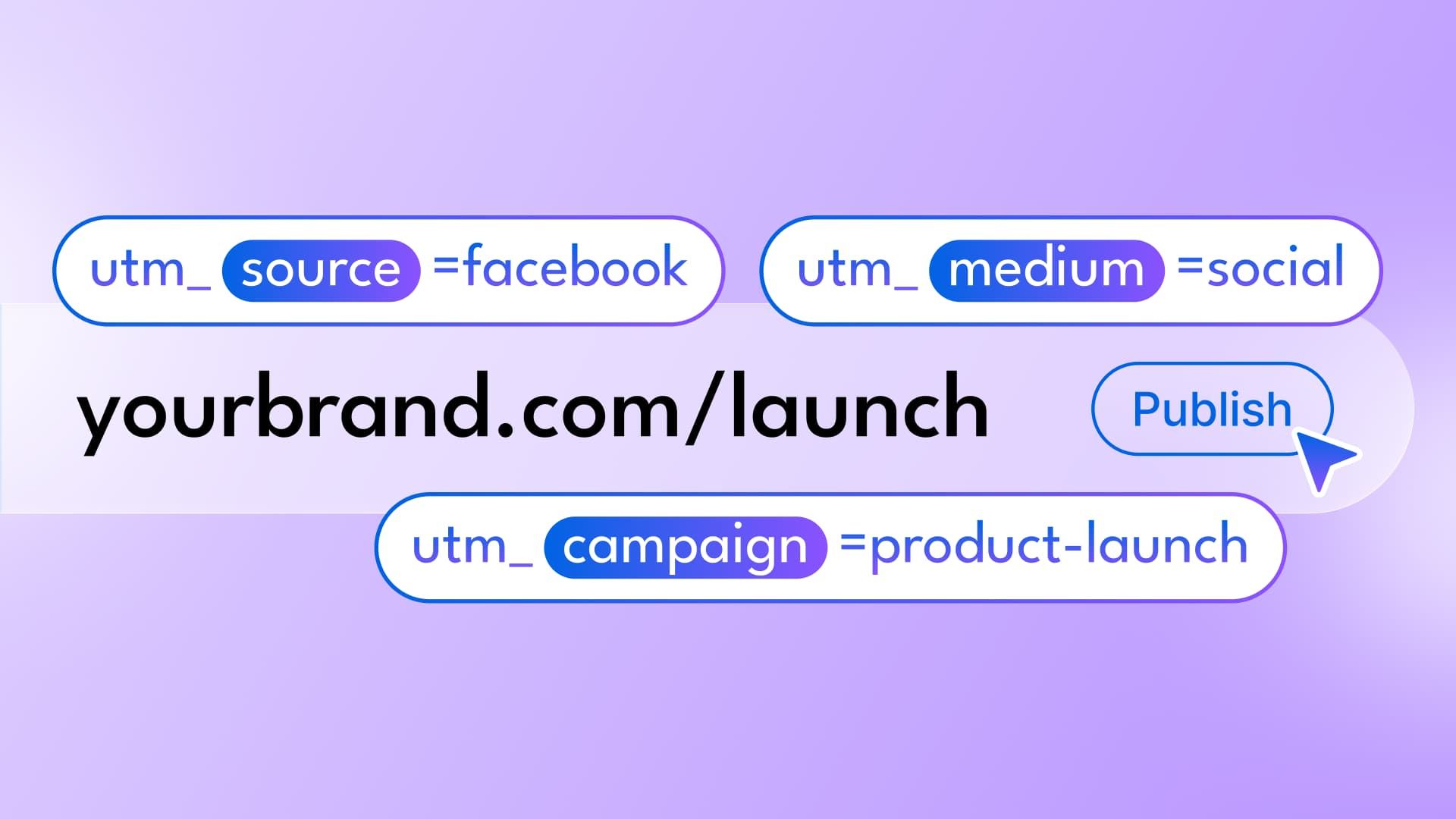
Table of contents
Summarize with AI

ChatGPT

Claude

Perplexity
Share

Vista Social

X (Twitter)


Small naming differences can break UTM tracking. One person writes `spring-launch`, another uses `Spring_Launch`, and a third publishes without a tag.
The campaign can still send visitors, but GA4 splits the proof across several rows.
Vista Social’s URL Tracking replaces that repeated decision with a saved rule. Save the destination and parameter values once, then test the rule before using it across a campaign.
This guide starts inside the product. If you need the underlying terminology first, learn the UTM basics before setting up a rule.
The short version
- Choose the destination: start with the exact landing-page URL you plan to publish.
- Define the naming system: decide what source, medium, campaign, and content should mean before creating the rule.
- Automate the variable parts: use Social Network, Social Account, or Unique ID where the value needs to change.
- Test before scaling: publish one controlled post, click it, and confirm the final URL and GA4 dimensions.
Table of contents
How to set up UTM tracking in Vista Social
1. Open URL Tracking
Go to Settings → Publishing Settings and select URL Tracking.
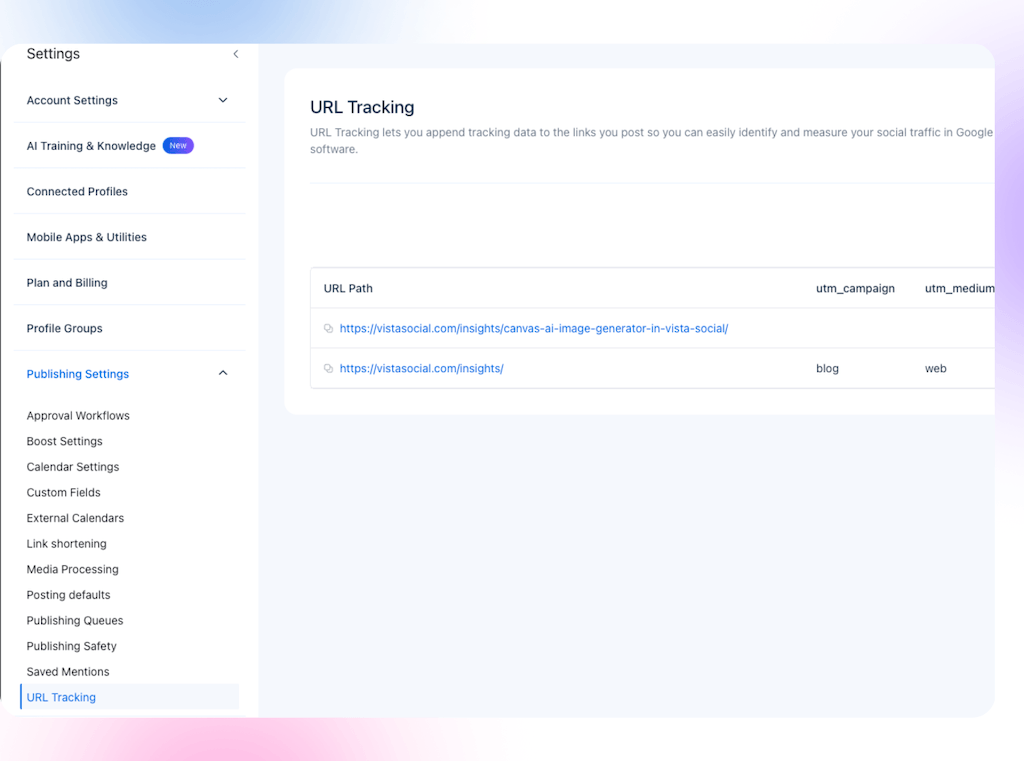
Done when: the Add URL form is open.
2. Add the destination URL
Enter the landing page you want to track, such as `https://yourbrand.com/launch`. Confirm the final HTTPS destination and remove accidental query strings.
Use the exact final landing page instead of relying on one broad domain rule. This keeps the match testable and makes redirect problems easier to diagnose.
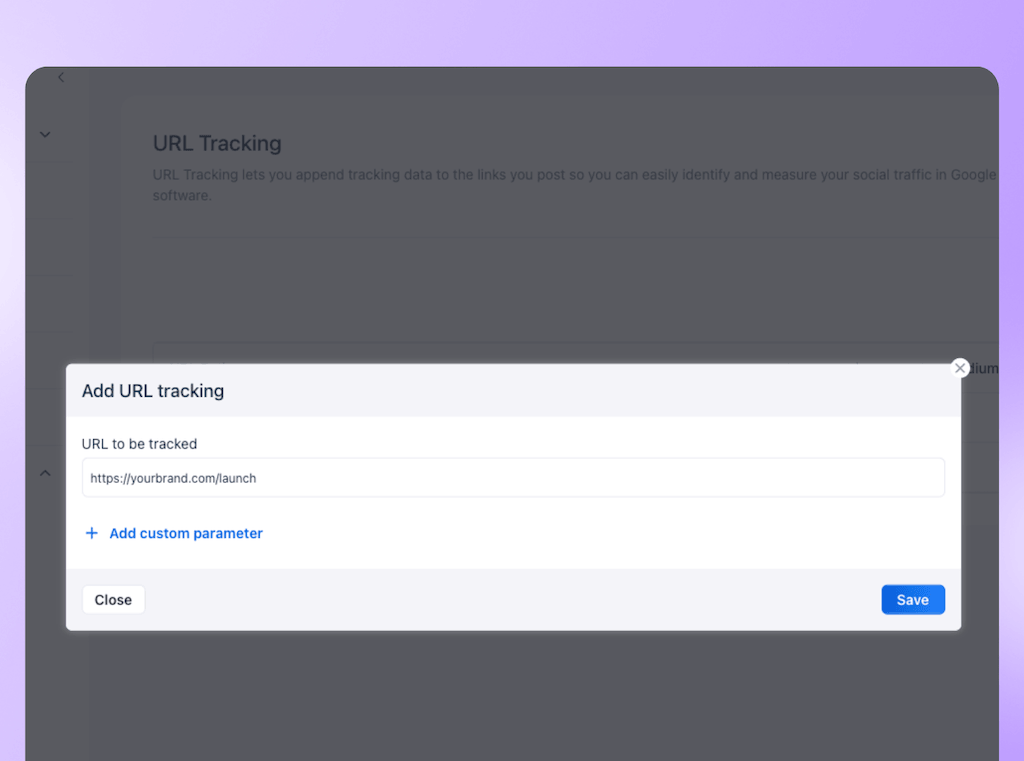
Done when: the URL in the rule matches the page a visitor reaches after redirects.
3. Define your default parameters
Vista Social groups campaign source, medium, and campaign name as the default parameters. Its dropdown also includes dynamic options and a Custom Value.
| Parameter | Practical Vista Social value | What it should answer |
|---|---|---|
utm_source | Social Network | Which network sent the visit? |
utm_medium | Social Account or a Custom Value | Which profile or channel category sent it? |
utm_campaign | Custom Value | Which coordinated campaign does it belong to? |
utm_content | Unique ID | Which individual outgoing post produced it? |
The choice for `utm_medium` deserves attention. Social Account separates managed profiles, while a value such as `organic_social` preserves a familiar channel label in GA4.
Choose the approach that matches the reporting question, then document and reuse it.
Google recommends setting all relevant UTM parameters because missing fields can create `(not set)` values. Use source, medium, and campaign as your minimum set. Add content when post-level attribution matters.
Done when: another team member can explain what every value will mean in GA4.
4. Add a custom parameter only when the report will use it
Vista Social allows custom parameter names of up to 100 characters. You might add a client, region, or content-theme field. GA4 will not automatically turn every query parameter into a standard report dimension.
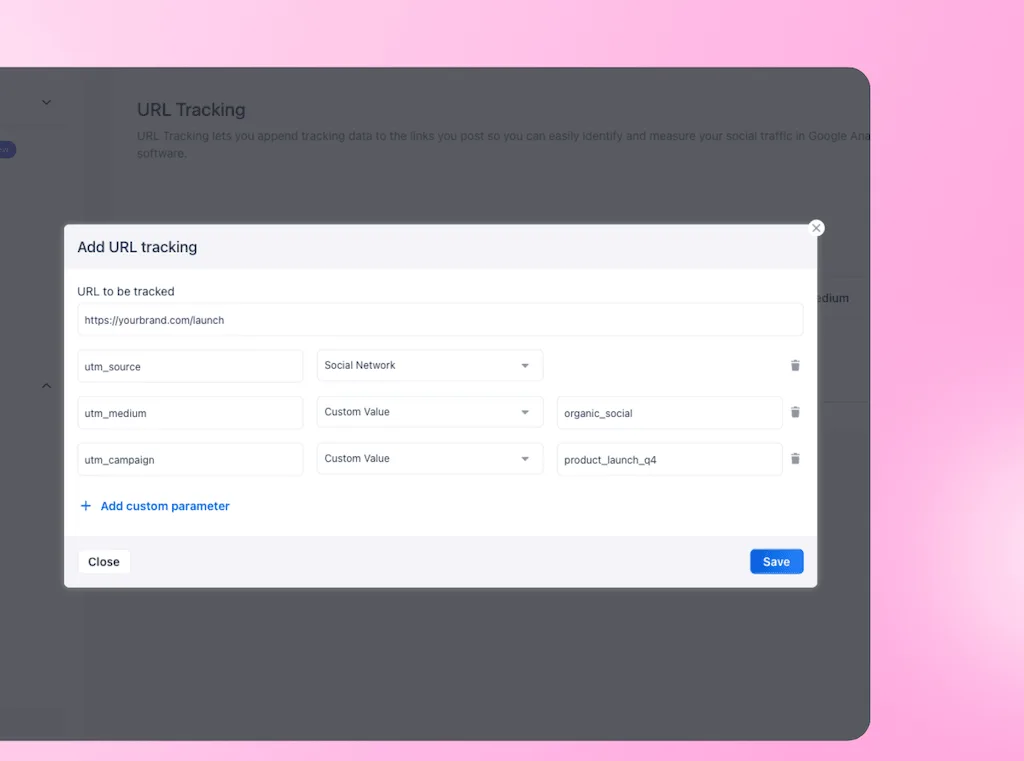
Before you add one, decide where you will read it and whether GA4 needs a registered custom dimension. Skip any field that makes the URL longer without improving a decision.
Done when: every custom field has an owner, reporting destination, and naming rule.
5. Save the rule and run a controlled test
Save the rule, create a post with the configured URL, and publish it to a controlled profile. Click the live link and confirm that each parameter survived any redirects with the expected value.
Do this before rolling the rule across a campaign. A saved configuration proves the rule exists, but a clicked test proves the tracking reaches the website.
Done when: the final browser URL contains the expected source, medium, campaign, and content values.
Keep long tracking links out of the caption
Vista Social’s current link-shortening options include Vist.ly, no shortening, a custom Vist.ly domain, and a connected third-party shortener. The default belongs to a profile group, and you can override it for an individual post.
The shortened link appears on the published post, not in the preview or calendar. Test it on the published post instead of expecting it in the Composer.
Read the UTM data in Google Analytics 4
Google’s current GA4 path is Reports → Acquisition → Traffic acquisition. If the report is absent, an Editor or Administrator can add it back.
Use the primary-dimension dropdown to answer the first three questions:
- Network: use Session source.
- Profile or channel category: use Session medium, depending on your naming system.
- Campaign: use Session campaign.
For an individual post, add Session manual ad content as a secondary dimension or use the field in Explorations. Google documents it as populated by `utm_content`. It is not a primary option in the standard Traffic acquisition dropdown.
Pair traffic with an outcome such as leads, key events, or revenue. A post may produce many sessions but no meaningful action. In that case, it solved a distribution problem rather than a business problem.
Our guides to social media ROI and social media metrics explain the next decision layer.
Keep the data clean after setup
- Use lowercase campaign values and one separator, such as underscores.
- Maintain a short naming document that defines every field.
- Avoid duplicate rules for the same landing page until you understand which rule wins.
- Use Unique ID for `utm_content` when the team needs post-level evidence.
- Test redirects and shorteners again whenever the landing-page flow changes.
- Review campaign rows monthly for unexpected spelling or casing variants.
Once the data is dependable, bring it into the wider social media reporting workflow. That way, GA4 supports the social report instead of becoming a separate analytics chore.
Turn one setup decision into reliable attribution
A useful URL Tracking rule needs a precise destination and a documented naming system. It also needs a published test that reaches GA4 intact. Once those are verified, Vista Social can apply the rule without asking the team to rebuild every URL.
Start your free Vista Social trial with one tested URL Tracking rule. Use a campaign your team already plans to measure.
Frequently asked questions
How do I add UTM parameters in Vista Social?
Open Settings, select Publishing Settings, find URL Tracking, and choose Add URL. Enter the destination, configure the parameters, save the rule, and publish one controlled test.
Does Vista Social automatically add UTM codes to posts?
Yes. Vista Social documents that the configured parameters are attached automatically when the tracked URL is added in the publisher.
Can I use custom UTM parameters in Vista Social?
Yes. Custom parameter names can contain up to 100 characters. Confirm how the analytics system will use the field before adding it.
Does UTM tracking work with link shorteners in Vista Social?
Yes. Vista Social currently documents Vist.ly, custom Vist.ly domains, a connected third-party shortener, and no shortening. Publish and click a test link to confirm that the UTM parameters survive the redirect.
Try Vista Social for free
A social media management platform that actually helps you grow with easy-to-use content planning, scheduling, engagement and analytics tools.
Get Started NowAbout the Author

Content Writer
Orion loves to write content that refuses to be boring. As part of Vista Social, he helps brands, creators, and agencies stop doom scrolling and start winning with social media. When he's not in front of a keyboard, he's watching films in IMAX with his wife, dissecting football tactics (the European kind), and getting lost in a good book.
Loading related tools...

The most complete social media management platform for teams who demand more.





Tools
PublishingAnalyticsEngagementIntegrations
FacebookInstagramLinkedInRedditSnapchatThreadsTikTokX (Twitter)YouTubeMCPVista Page (link-in-bio)All IntegrationsCopyright © 2026 Vista Social LLC. All Rights Reserved.