


How Many Clients Can a Social Media Manager Handle?
November 6, 2026
9 min read

Summarize with AI

Table of contents
Share

Vista Social

X (Twitter)


Your social media manager has kept Thursday afternoon open for client revisions, although the resourcing sheet makes it look like room for another account. They know the feedback is coming; they just don’t know which client will send it first.
Taking on the next retainer means finding room for that work as well as the posts. This guide helps you work out how many clients a social media manager can handle, where a better workflow could make space and when you need more support.
The short version
- Count the manager’s full workload: Include decisions, production, coordination, and review. Check other team members’ availability separately.
- Check the busy week: Monthly spare hours don’t guarantee someone is available when the work lands.
- Plan the next retainer: Check its workload, delivery costs, and deadlines before allocating the space a workflow change creates.
Table of contents
List what each client needs from the manager
Two retainers can buy the same number of posts and still need very different amounts of attention. Before comparing clients, record:
- Content requirements: Networks, formats, original shoots, revisions, and who supplies usable assets.
- Service commitments: Calls, reporting dates, approvers, response targets, and weekend coverage.
- Delivery support: Who handles design, video, community work, and final checks, including the manager’s time briefing and reviewing them.
You already have a scheduling platform, but the report spreadsheet, approval emails, and manual queue checks can still land with the manager. Put those jobs in the estimate, too. The multi-client guide covers organization; here, you’re checking whether the next retainer fits.
Calculate how many clients fit in the month
Use one manager’s calendar and existing time records. Fill gaps with a representative week’s log, then add monthly jobs from the last completed cycle. Work through these five checks together.
1. Work out the manager’s available hours
Start with the month’s working hours, then make three checks:
- Subtract non-client commitments: Planned leave, internal meetings, training, and management duties reduce the hours available for delivery.
- Keep client calls in the workload: Include their preparation and follow-up. Don’t deduct them here and count them again under the client.
- Include unbilled work: Extra revisions still use time even when the retainer doesn’t pay for them separately.
Keep the financial view alongside this calculation. Unbillable time isn’t spare time.
2. Add up the hours each client needs
Total the manager’s time across all three categories. The split helps you choose what to change later; none of these hours disappears from the calculation.
| Work category | Examples | What to retain in the estimate |
|---|---|---|
| Judgment and relationships | Strategy, client calls, interpreting results, sensitive replies and final sign-off | Preparation, decisions and follow-through |
| Production | Drafts, design, editing and preparing posts for each network | Creation plus briefing, revisions and quality checks |
| Coordination and routine checks | Report assembly, approval follow-ups, queue checks and calendar-gap checks | Exceptions, corrections and human review after automation |
- Record the work: Note the client, person, task, minutes, and deadline for each entry.
- Separate people’s hours: A designer’s production belongs against their capacity. The manager’s briefing and review still belong to the manager.
- Match the frequency: Scale weekly work to the month, add a monthly report once, and list one-time onboarding separately.
- Count active effort: Include approval follow-ups, not the three days spent waiting for a reply.
- Measure the complete job: Count setup, repeated attempts, corrections, and human review through to a usable result. Apply this rule when comparing manual and AI-assisted work.
3. Leave room for unexpected work
Don’t assign every available hour to clients. Keep some time free for urgent requests and unexpected fixes. Planned revisions and monthly reports belong in the workload, not the buffer.
Before adding another client, check that their monthly workload fits within the hours left after existing commitments and that buffer.
- Similar packages: Divide the planned hours by the hours per client, then round down.
- Different packages: Add each client’s hours instead. A 28-hour client uses twice the capacity of a 14-hour client.
4. Check when the new client’s work is due
Once the monthly hours fit, check the dates. Put the new client’s kickoff, approval deadlines, content production, and report beside the work already due that week.
- Check deadline collisions: Six hours free next week won’t cover six hours needed tomorrow.
- Check specialist support: Spare manager time won’t solve a fully booked editor or an uncovered weekend inbox.
- Check onboarding separately: The recurring retainer may fit even when this month’s setup does not. Agree a start date or temporary cover rather than quietly funding it with evenings.
5. Check the estimate with the manager
Before agreeing to the assignment, ask the manager where the estimate differs from their week. Look for work already being squeezed out:
- Approval recovery: Late sign-offs repeatedly turn into urgent rescheduling.
- Reduced analysis: Reports still go out, but there isn’t time to explain the results.
- Extra review: The owner keeps catching work after hours because planned checks no longer fit.
- Coverage gaps: Customer replies wait beyond the agreed response target.
Ask what got displaced and why before choosing a response. The burnout guide covers the broader people implications.
Keep the agreed inputs and any unresolved gap in this record:
Decide what needs to change before adding a client
If the hours or deadlines don’t fit, identify what’s causing the gap. Reporting preparation, extra revisions, and an uncovered weekend inbox need different responses; the scope creep guide covers requests outside the retainer.
| What is filling the available hours? | Decision to consider |
|---|---|
| Repeated preparation and status checks | Change one recurring job and compare the time it takes |
| Recurring work outside the agreement | Clarify scope, fee and delivery commitments with the client |
| Editing, design or community coverage | Add or reassign the relevant specialist capacity |
| Strategy, client relationships and final decisions | Add experienced account or strategy support |
You don’t need to automate every admin task before making a necessary hire.
If repeated preparation or checking is the gap, test one smaller workflow change before updating the client’s estimated hours.
Test one time-consuming job in Vista Social
Social Hackettes’ October 2024 case study shows the type of change worth testing:
- Work changed: The agency used post duplication, caption assistance, and bulk scheduling in Vista Social.
- Result reported: It estimated about 100 hours saved weekly across the business and reported a higher client load without a larger team.
That’s the agency’s estimate, not a per-manager allowance. Choose one job from your own log. Use a client group to scope the test, then try the approval check or client-review route that matches the gap.
Keep the test focused on one client
Use a profile group to keep the test tied to the right client:
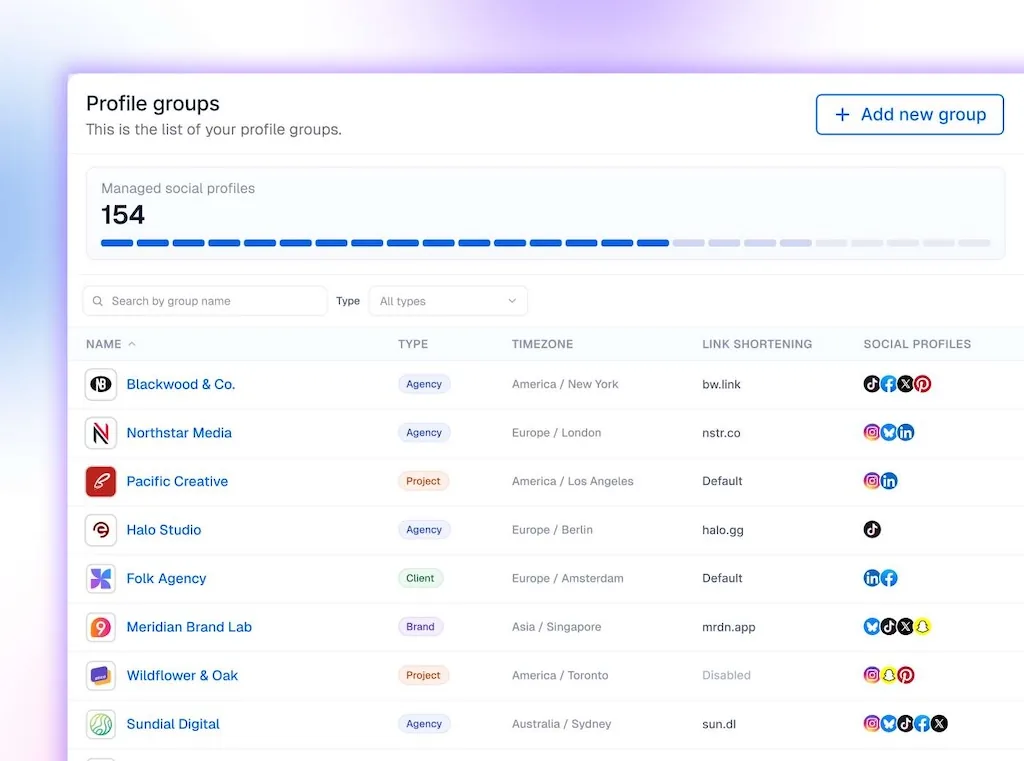
- Select the same profiles: Filter the calendar and reports by that group so the before-and-after comparison covers the same accounts.
- Set team access: Give people access to the client groups they need for the work.
- Respect AI restrictions: Use group-level AI settings to disable supported capabilities individually. Retain the client’s agreement in the brief.
Find posts waiting for approval with Ask Vista
If the log shows repeated time-checking of overdue reviews, test Ask Vista’s scheduled agents for approval monitoring:
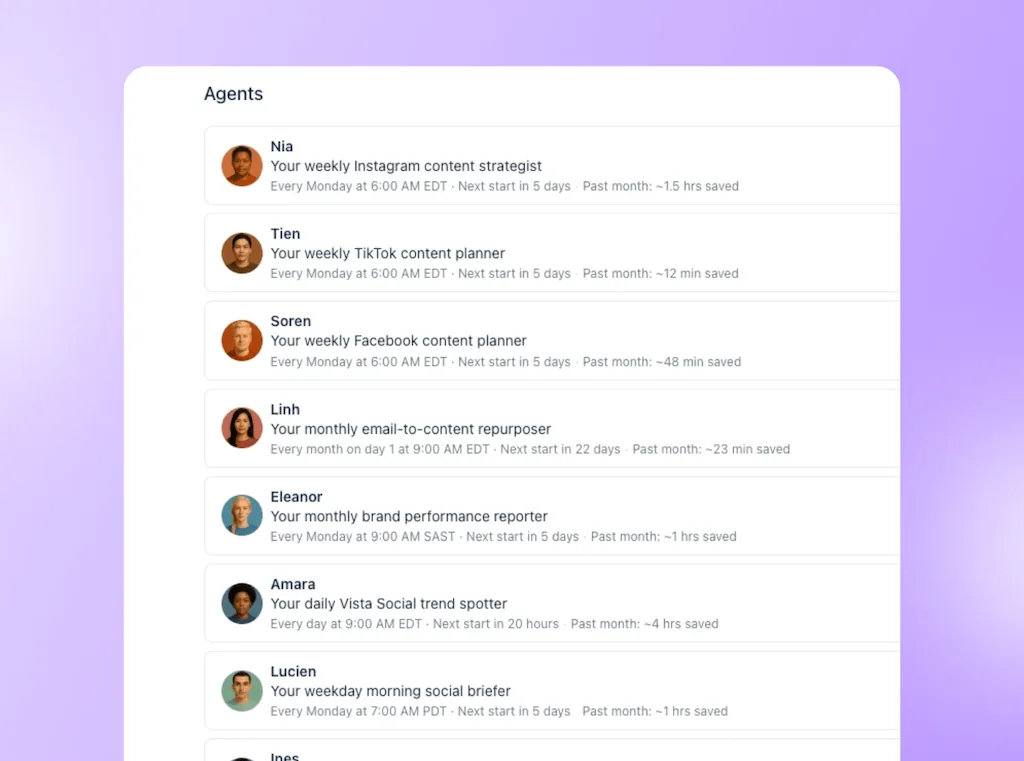
- Set the check: Select the client profiles, schedule, and review the cutoff. Keep it to internal checking and reporting; agent actions depend on configuration and permissions.
- Review the findings: Check affected posts and available status information. The manager decides who needs a follow-up and which posts to hold.
Collect client decisions through one review link
If transferring feedback takes the time, test a shared-calendar approval step:
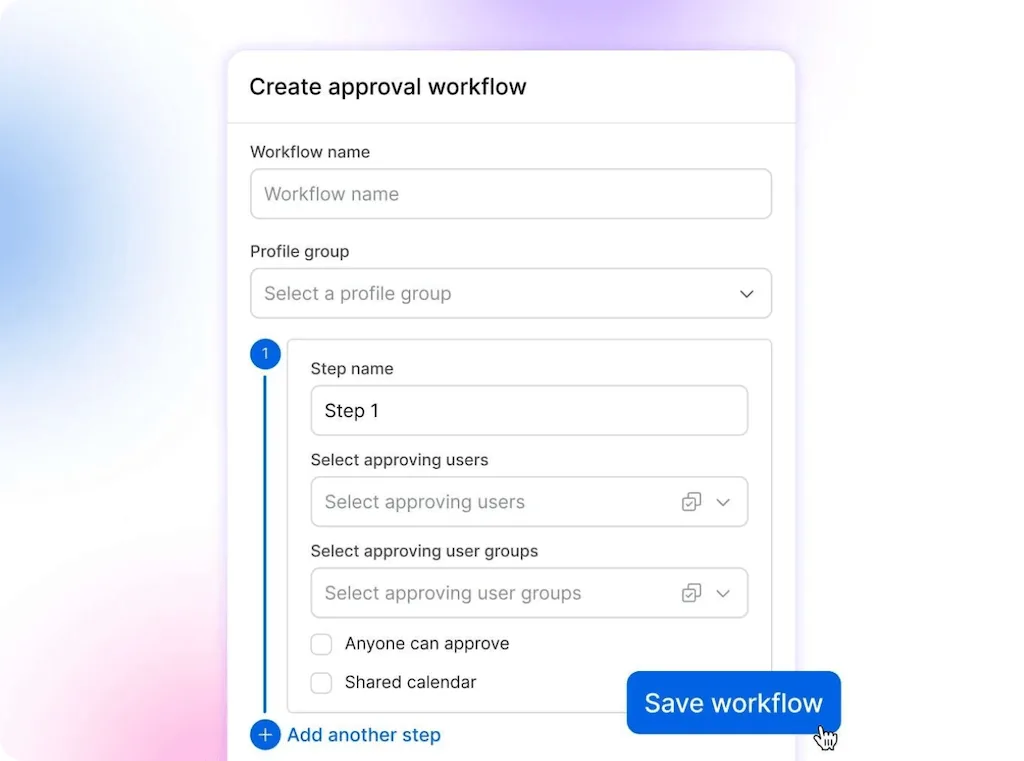
- Send the batch: Share the calendar link and review deadline. Clients can approve, reject, and leave notes without a Vista Social login, entering their name and email.
- Keep follow-up owned: A simpler review route doesn’t guarantee a prompt answer. Name the person who handles unresolved approvals.
- Compare similar batches: Count follow-up and schedule-repair time before and after changing the review route.
- Plan requirements: Agents and shared-calendar approvals are documented for Advanced, Scale, and Enterprise.
- AI usage: Runs consume credits. Check their cost in the AI usage view. The dashboard’s savings estimates aren’t a record of staff time.
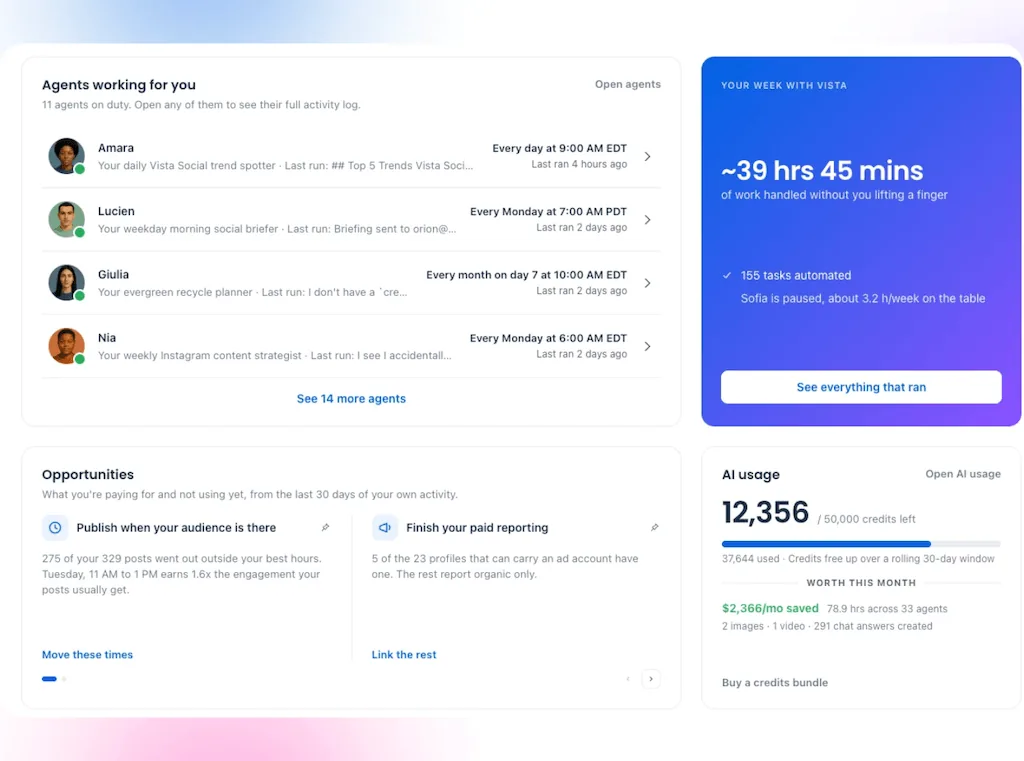
The agency AI guide covers other jobs you can test after this one.
Recalculate before assigning the next client
Take the updated hours and the proposed retainer back to the manager. If the workload, deadlines, and delivery costs fit, you can agree on a start date and the support behind it. If they don’t, you’ll know what needs to change before saying yes.
Start your 14-day free trial with one client’s recurring job, then use the result to plan the next account. The aim is growth your team can deliver, without the owner quietly picking up the overflow after hours.
Frequently asked questions
How many clients should a social media manager have?
Use the workload and service commitments to set the number. Divide available client-delivery time, after a buffer, by the manager hours similar clients need, then check deadlines and support. For different service packages, add each client’s hours instead of using one average.
How many social media accounts can one person manage?
Profile count helps describe the workload, but posting frequency, formats, engagement volume, and approval requirements determine the effort. One client with several low-volume profiles may need less time than a single busy channel with daily customer coverage. Include both in the estimate.
How many hours a week should a manager spend on clients?
Plan from actual availability, not a universal billable-hours target. Subtract internal commitments and leave from working time, and keep room for unexpected work. Count client calls and preparation as delivery time even when they aren’t billed separately.
Can AI help one manager handle more clients?
It can create room by reducing recurring preparation and checks. Whether that supports another client depends on the time released and the new account’s needs. A manager still needs room for client decisions and customer coverage.
When should an agency hire another social media manager?
Add support when the agreed workload exceeds sustainable availability or the required skills and coverage aren’t present. The right hire might be an editor, community specialist or account lead rather than another end-to-end manager. Use the task breakdown to identify the gap instead of waiting for routine overtime to expose it.
About the Author

Content Writer
Orion loves to write content that refuses to be boring. As part of Vista Social, he helps brands, creators, and agencies stop doom scrolling and start winning with social media. When he's not in front of a keyboard, he's watching films in IMAX with his wife, dissecting football tactics (the European kind), and getting lost in a good book.