

Published on August 28, 2026
9 min to read
Sprout Social vs. Buffer vs. Vista Social: Which Tool Fits Your Team in 2026?

Summarize with AI

Table of contents
Summarize with AI

ChatGPT

Claude

Perplexity
Share

Vista Social

X (Twitter)


Updated August 28, 2026
Put the same five profiles into Sprout Social, Buffer, and Vista Social. Each tool can fill a calendar. But gaps appear when a client wants a report or a DM needs more help.
Vista Social is the best overall choice in this comparison. Its flat tiers include several users, so the work around each post stays together.
Buffer is the easiest budget pick for a solo creator or small publishing team. Sprout Social suits companies that need mature care and listening, although its per-seat price climbs with the team.
The cheapest plan won’t tell you which platform fits your day. You also need to check the people, clients, messages, and reports behind each post.
The short version
- Overall choice: Vista Social covers the broadest workflow. Its AI can use the accounts and data where the work happens.
- Budget pick: Buffer keeps publishing affordable and easy to learn, especially when you manage a small set of channels.
- Care specialist: Sprout Social offers mature inbox, listening, reports, and controls. Teams need to support its per-seat cost.
- Buying question: Compare the full job you need done. Each platform charges for a different unit and covers a different amount of work.
Table of contents
Quick verdict
Vista Social comes first for agency and brand teams that want more than a scheduler. It keeps the wider job in one workspace.
Buffer keeps a small publishing operation easy to manage, while Community brings public comments together and offers AI reply suggestions. Sprout Social goes deeper into customer care and paid listening, but each new seat raises the bill.
| Tool | Best fit | Main strength | What to check |
| Vista Social | Agencies and brand teams | Broad workflow, connected AI, flat tiers | Match the tier to your seats and profiles |
| Buffer | Creators and small teams | Low price and clean scheduling | Check DMs, listening, and client needs |
| Sprout Social | Care and listening teams | Mature inbox and paid listening | Check seat costs and add-ons |
Pricing comparison
These pricing models count different things. Vista Social bundles users and profiles, Buffer counts channels, and Sprout counts seats.
A channel or profile is one brand account on one network. That means a client using five networks needs five connections.
Vista Social pricing in 2026
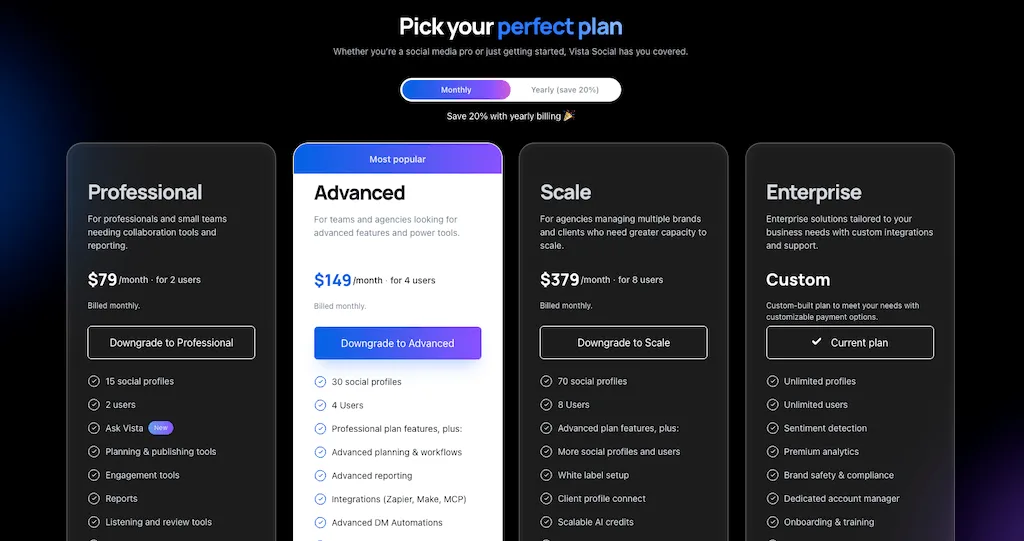
Vista pricing starts at $79 per month and includes more than one user:
- Professional: $79 monthly for two users, 15 profiles, and 1,000 AI credits.
- Advanced: $149 monthly for four users, 30 profiles, and 2,000 AI credits.
- Scale: $349 monthly for eight users, 70 profiles, and 3,500 AI credits.
- Enterprise: Custom pricing for larger profile counts, users, security needs, and rollout support.
Annual billing brings those plans to $63.17, $119.17, and $303.17 per month. Included users also avoid a charge for every login.
Buffer pricing in 2026
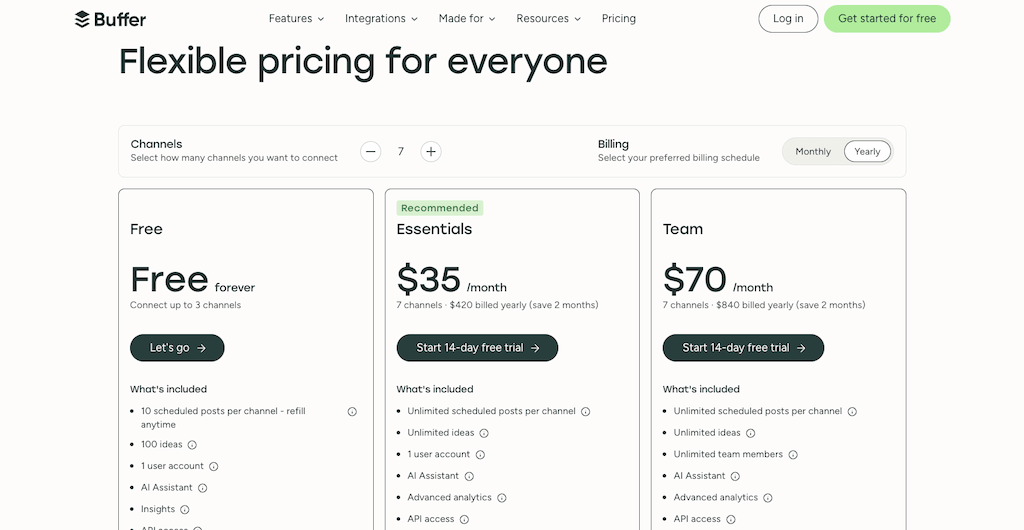
Buffer pricing is based on the number of connected channels:
- Free: Three channels, one user, and 10 queued posts per channel.
- Essentials: $6 per channel monthly or $5 with annual billing, for one user.
- Team: $12 per channel monthly or $10 with annual billing, with unlimited users and approval tools.
Buffer adds volume discounts above 10 channels. This model works well because the team can grow without changing the channel count.
Sprout Social pricing in 2026
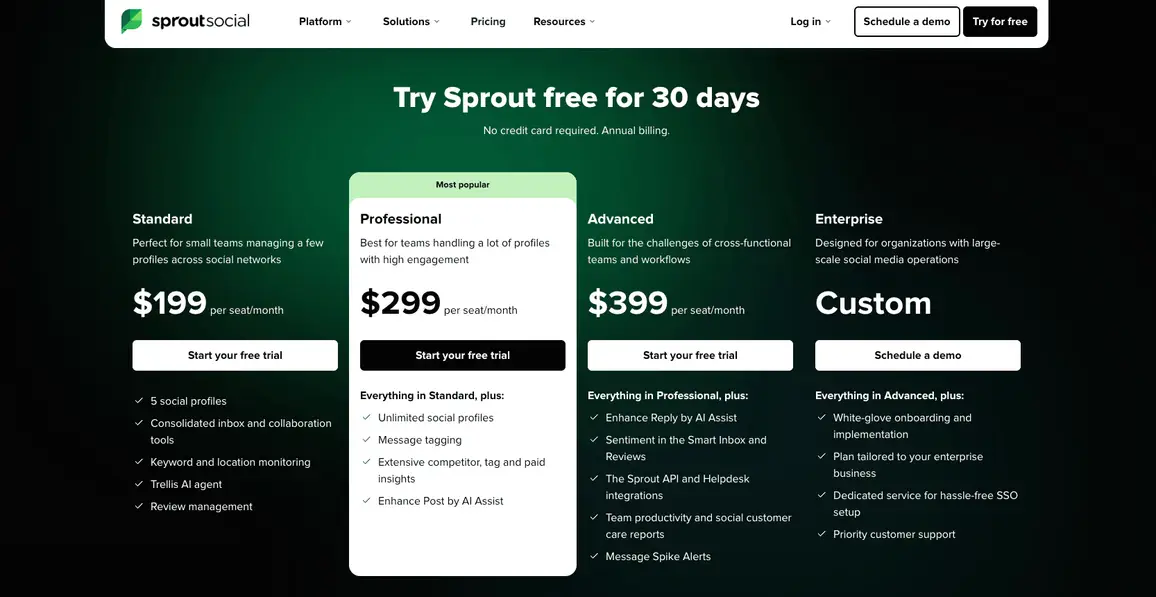
Sprout pricing is listed per seat on annual billing:
- Essentials: $79 per seat monthly for five profiles.
- Standard: $199 per seat monthly. It includes five profiles, a consolidated inbox, and review management.
- Professional: $299 per seat monthly with unlimited profiles, deeper analytics, and additional workflow tools.
- Advanced: $399 per seat monthly with more customer care, automation, and reporting features.
- Enterprise: Custom pricing and controls.
Sprout offers a 30-day trial but no permanent free plan. Listening and other add-ons can also raise the public seat price.
Real cost at scale
The table uses annual billing and the lowest public plan that fits the team. Buffer stays at 10 channels because its price doesn’t follow headcount.
Buffer costs the least here because the example holds it at 10 channels. Vista Social covers more work, while Sprout’s price rises with each seat.
Because the basket isn’t perfectly equal, count your users, profiles, X accounts, and add-ons first. Our guide to pricing models explains why.
Map the people and profiles you need now, then test the closest Vista Social plan with your real workflow in a free trial.
Platform support
All three cover the major networks, but gaps appear with Google Business Profile, Reddit, Snapchat, Tumblr, and Mastodon.
Supported networks compared
Vista Social has the broadest native publishing mix here, while Buffer alone supports Mastodon. Sprout also extends into Reddit and Snapchat through integrations.
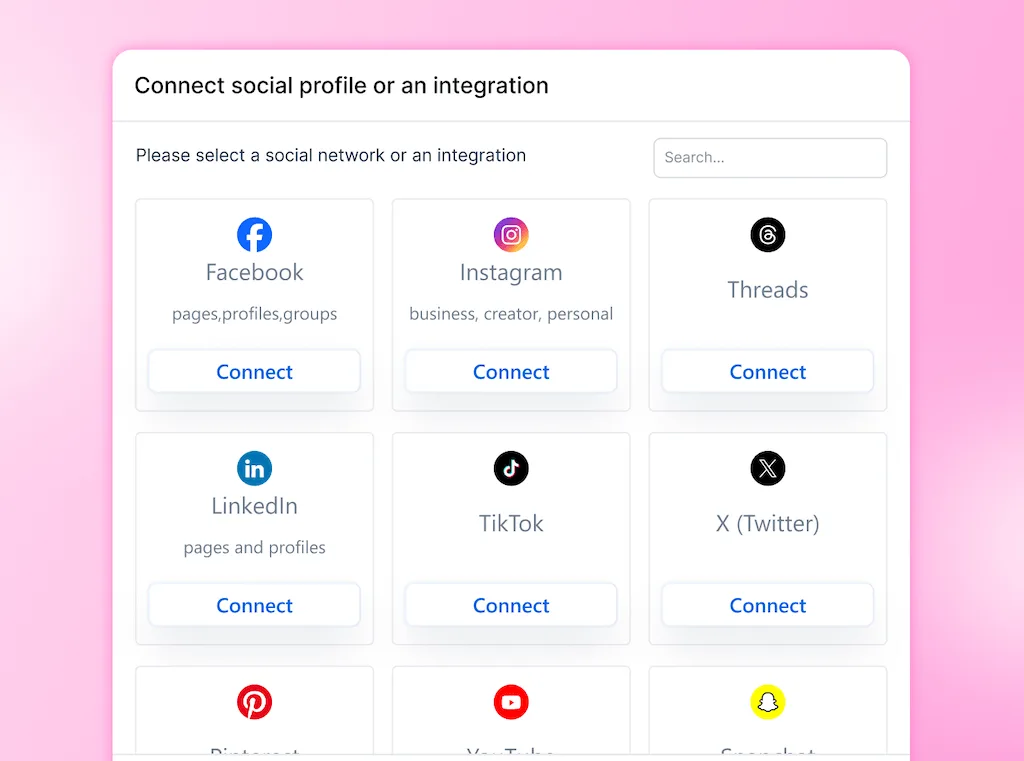
Support can mean publishing, analytics, inbox access, or listening. For that reason, test the exact formats your team uses before moving a calendar.
Scheduling and publishing
Publishing is the shared foundation. Buffer keeps planning light, Sprout adds controls on higher plans, and Vista Social connects the calendar to more social work.
Post limits and queuing
- Vista Social: Paid plans include unlimited scheduling and Smart Publishing. You also get bulk uploads, evergreen queues, and several publish dates inside one post.
- Buffer: Free accounts can queue 10 posts per channel. Paid plans support larger queues, recurring schedules, bulk uploads, and a 5,000-post fair-use limit per channel.
- Sprout Social: Public plans include scheduling, bulk publishing, and campaign tags. Optimal send-time guidance and planning tools vary by tier.
Calendar and collaboration
Vista Social includes one-step approval on Professional and multi-stage review from Advanced. A shared calendar link also lets clients review the current post without a team seat.
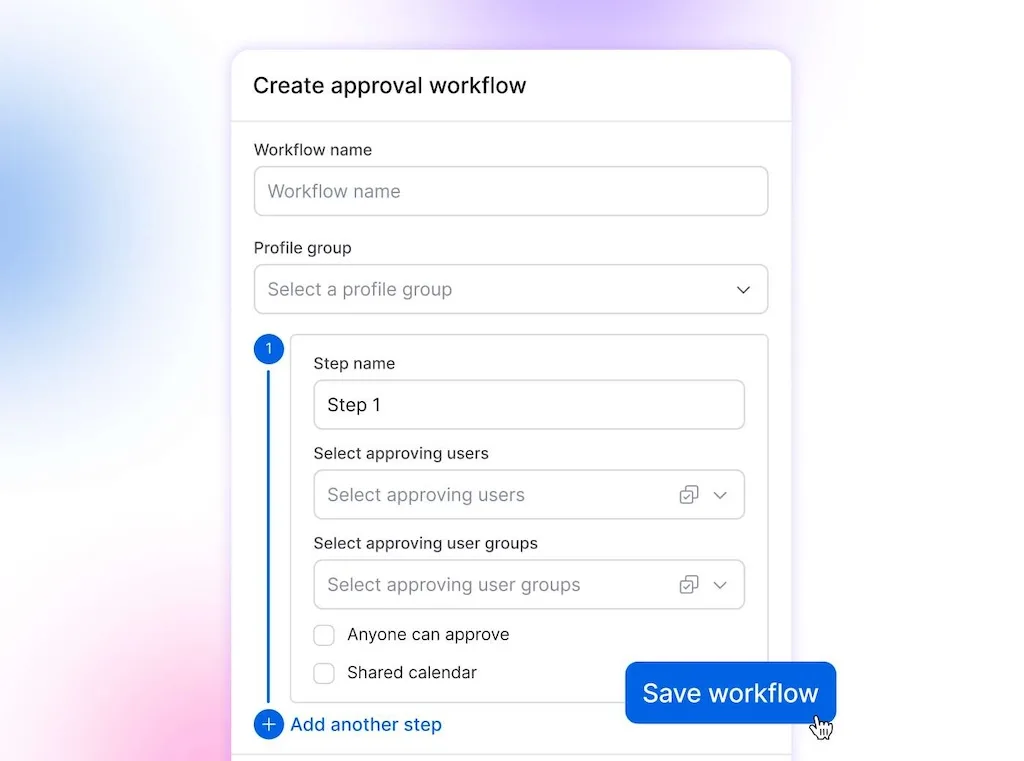
Buffer Team adds drafts, approvals, and access controls. Sprout has mature collaboration, though message approval sits on higher plans and each user needs a seat.
Best time to post
Each product recommends posting times from past data, while Vista Social can also answer timing questions through Ask Vista.
Your team still decides whether the advice fits the campaign. A launch announcement and a weekly tip don’t carry the same urgency.
Analytics and reporting
Sprout has deep reporting, while Buffer keeps channel analytics easy and Vista Social adds client-ready delivery. Start with the reader because their next decision defines what the report needs.
Built-in analytics
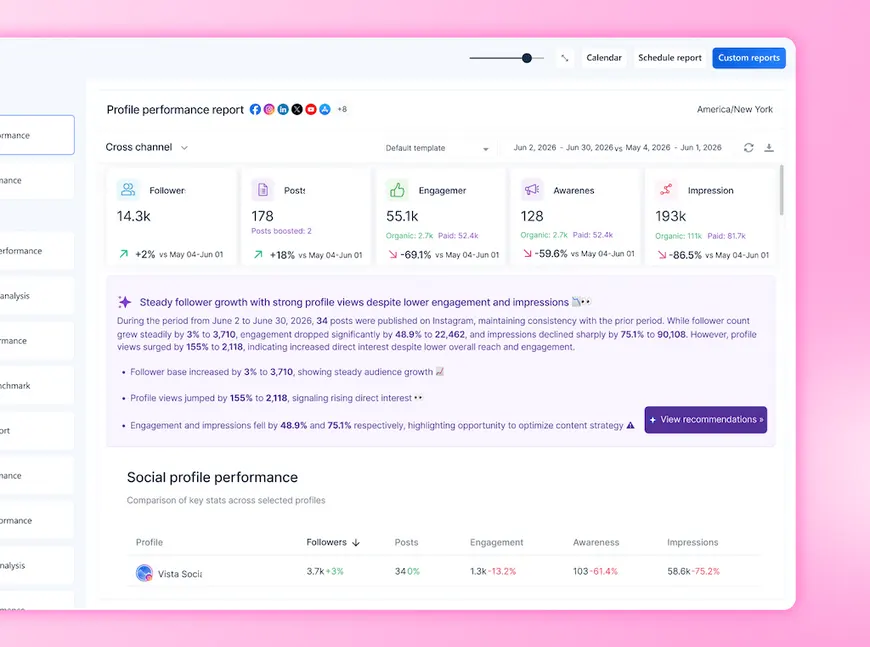
- Vista Social: Measure profiles, posts, rivals, reviews, sentiment, and cross-channel results. Ask Vista can pull account data and explain the change in plain language.
- Buffer: Essentials adds advanced post analytics, while paid plans help compare content and find higher-performing formats.
- Sprout Social: Reporting spans profiles, posts, tags, rivals, care, and team activity. Advanced reports and data access depend on the plan or add-on.
Custom reports and white labeling
Vista Social Advanced adds custom reports, and Scale expands white-label reports and client-facing branding. Agencies can schedule delivery, so they don’t rebuild the same deck each month.
Sprout Professional offers more report customization, while Premium Analytics extends the reporting layer. Buffer reports are also useful for routine updates, but they don’t offer the same white-label client experience.
Engagement and inbox
Public comments and private messages create different work, so Buffer’s Community area groups public conversations. Vista Social and Sprout cover more message types and team actions.
Unified social inbox
- Vista Social: Manage supported comments, DMs, mentions, reviews, and shares. Assign owners, add notes, apply macros, and turn a conversation into linked work.
- Buffer: Community brings public comments and some reviews into one view, with saved replies and AI suggestions. It isn’t designed as a full private-message care desk.
- Sprout Social: Smart Inbox covers public and private engagement. Higher tiers add routing, reply help, sentiment, and care reports.
DM automations
Vista Social’s DM automations can start from DMs, comments, mentions, and reviews. A flow can collect lead details or send a sensitive conversation to a person.
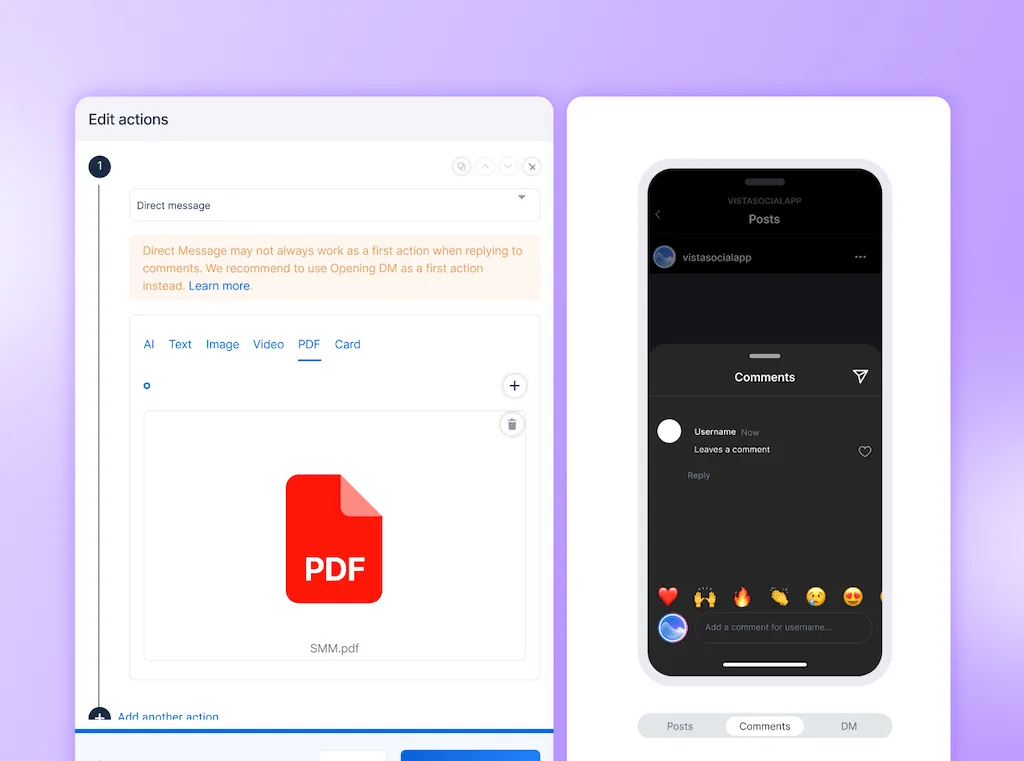
Sprout can automate inbox rules and parts of customer care, especially on Professional and Advanced. Buffer offers AI-assisted public replies, but it doesn’t provide a comparable multi-step DM workflow builder.
The human handoff still matters because AI can clear routine sorting and first replies while your team owns tone, judgment, and approval.
Build one comment-to-DM flow around a real campaign. Then see how Vista Social handles the routine steps before your team takes over.
AI tools
All three products use AI for different jobs. Buffer helps with content, Sprout uses it across care and reports, and Vista Social connects it to live workspace data.
AI content generation and assistants
Buffer’s AI Assistant can draft, shorten, expand, and repurpose copy. Sprout offers AI-assisted writing and reply features, with more advanced care and sentiment tools on higher tiers.
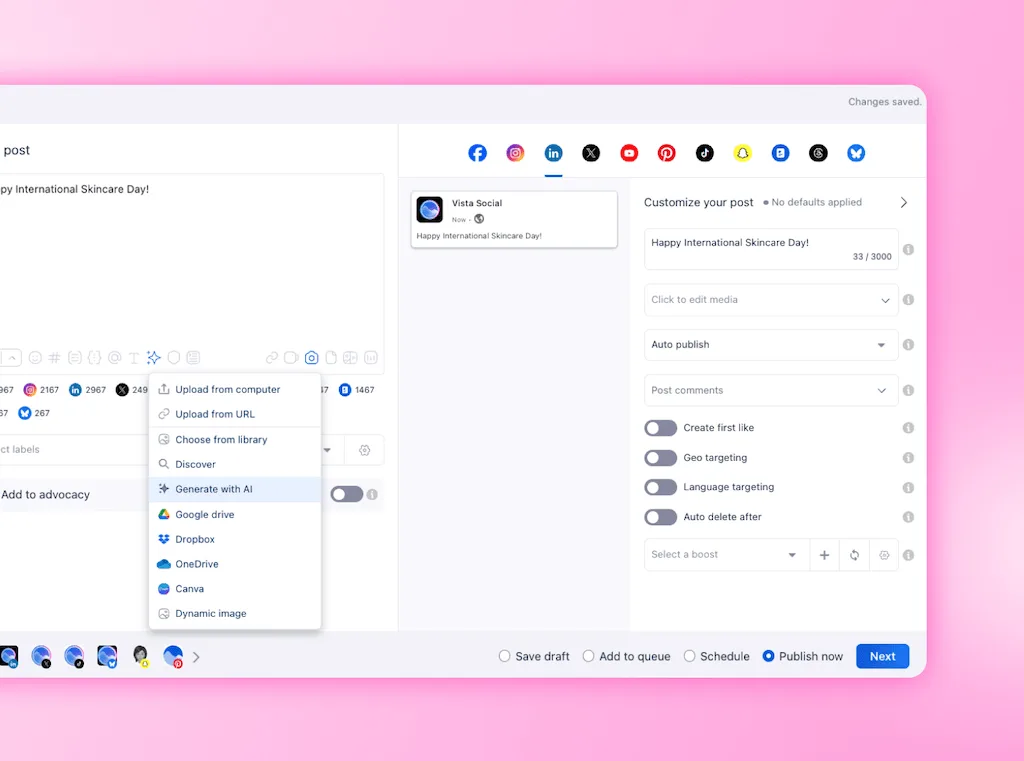
Vista Social can also generate captions, ideas, images, and videos. AI Training & Knowledge grounds that work in approved brand information.
AI agents and automation
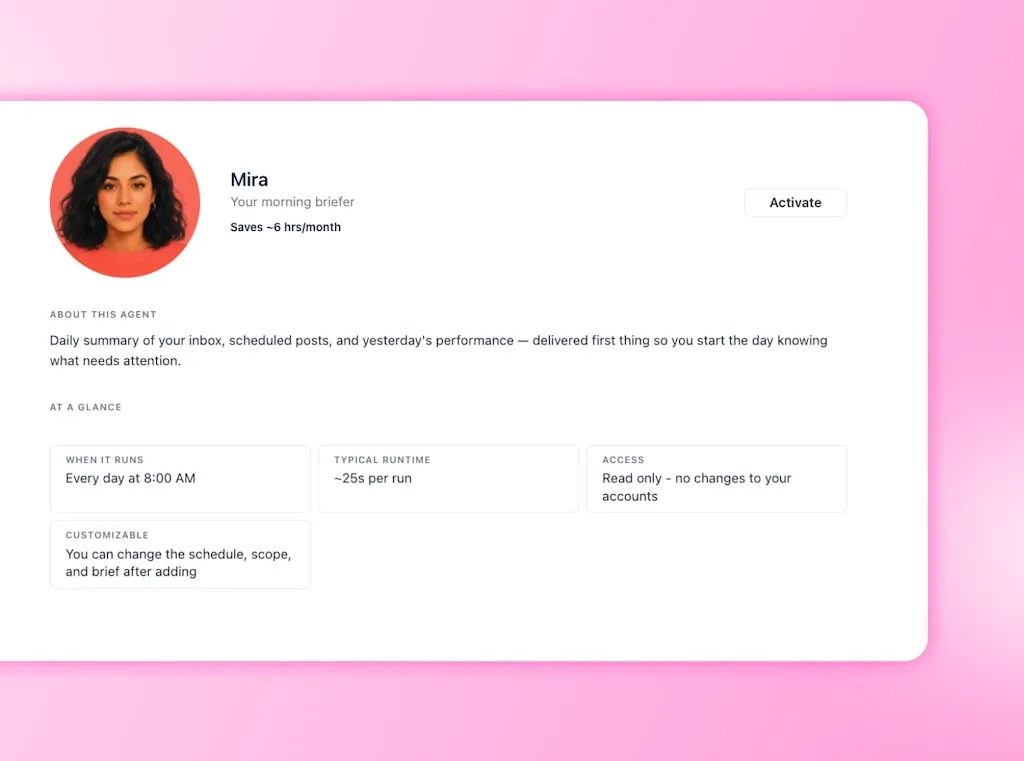
Ask Vista is an account-aware AI command center inside the platform. Ask it what’s scheduled, who needs a reply, or how a profile performed.
Agents can run assigned tasks and report back, while Skills provide a repeatable process. Your team reviews public work and decides what goes live.
Buffer also offers MCP and an API for compatible external AI tools. Sprout adds AI to publishing, care, and insights, with access varying by plan.
Vista Social has the strongest connected AI case because Ask Vista, Agents, Skills, and MCP share one workspace. Buffer is a good writing helper, while Sprout serves teams buying its care suite.
Ask Vista one question that normally sends you through three reports. Compare the answer with the way your team works today.
Additional features
Your deciding feature may sit outside publishing because agencies need client approvals, while brand teams may need listening or review tools.
Social listening
Vista Social includes listening for connected profiles. Its advanced listening add-on starts at $75 monthly and adds public posts, news, themes, sentiment, and alerts.
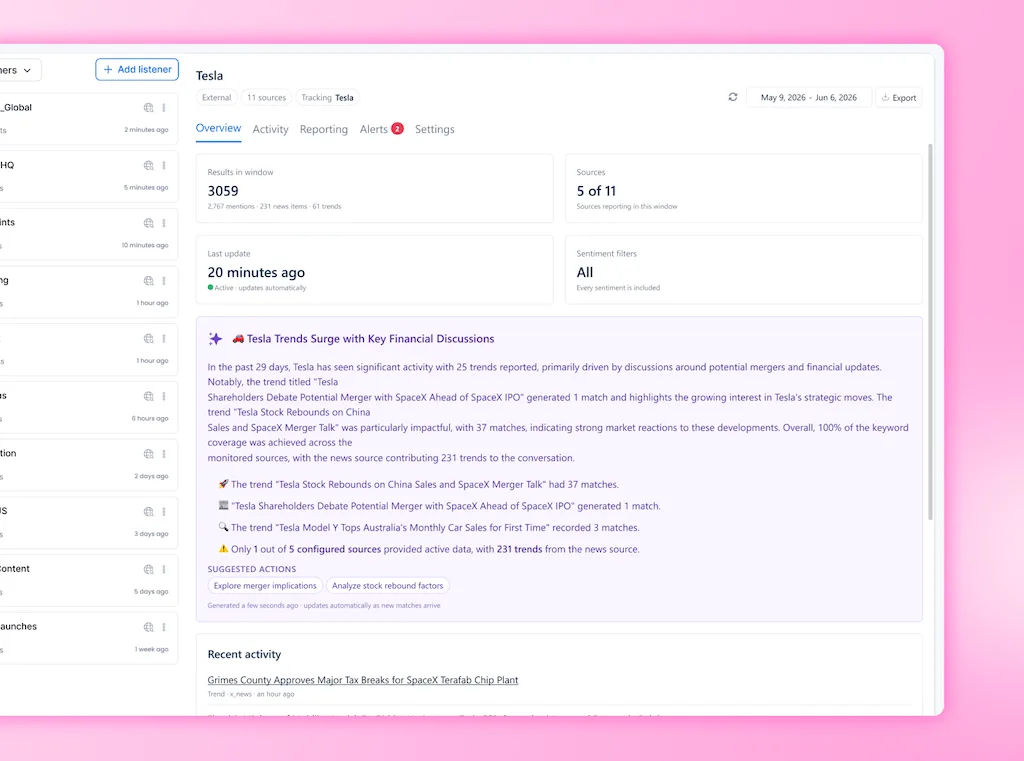
Sprout offers social listening as a paid add-on, with broad coverage and mature analysis. Buffer doesn’t provide broad keyword or market listening, so teams that need it will add another product.
Review management
Vista Social monitors reviews across eight supported sources, including Google Business, Facebook, Yelp, and major app stores. Some sources allow monitoring but not replies.
Sprout Standard and above include review management for supported sources. Buffer Community covers selected reviews, but it isn’t a dedicated multi-source reputation workflow.
Approval workflows
Vista Social supports internal and external approvals, including shared links for clients who don’t need a platform login. Buffer Team adds drafts and approval, while Sprout’s message approval is available on Advanced.
A client may only approve next week’s posts. They shouldn’t need the same paid seat as the person building reports and answering messages.
Employee advocacy
Vista Social and Sprout sell employee advocacy apart from their core plans. Vista Social lets teams try the first three advocates first.
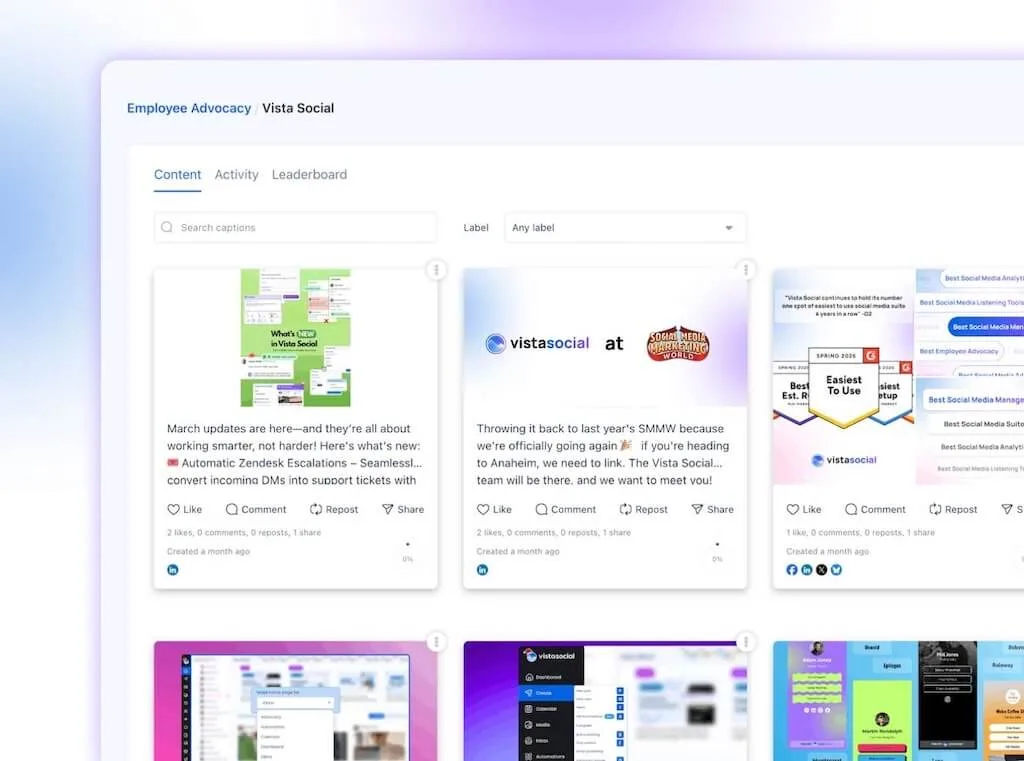
Buffer doesn’t offer a similar advocacy program. Scheduling an executive’s profile isn’t the same as giving staff approved posts to share.
Who should choose each tool?
Who should choose Vista Social?
Choose Vista Social when you want publishing, engagement, reviews, reports, project work, and AI to stay connected. It is the strongest overall option for agencies and in-house teams that want better team economics.
It also fits teams that want AI to use live social data. Agents and Skills can take on repeatable work without taking final judgment from the SMM.
Who should choose Buffer?
Choose Buffer when publishing is the center of the job and you want a low starting cost. Small teams get a capable calendar and public comment workflow.
Buffer Team works well when many people share a limited set of channels. Other tools may be needed for private DMs, broad listening, or white-labeled client work.Our Buffer comparison goes deeper on queue, approval, and reporting details.
Who should choose Sprout Social?
Choose Sprout Social when care, listening, and mature analytics justify a larger budget. It works best when you can keep the required users inside its paid-seat model.
Run the seat math before you buy because contractors, regional leads, and approvers may all need access.Our Sprout comparison breaks down the pricing and workflow gaps in more detail.
Our 2026 verdict
The cleanest calendar won’t help if your SMM opens another tool for every DM flow, approval, review, and report. Pick around the full week, then price the people and profiles that need access.
Buffer is the economical choice when the week is mostly publishing. Sprout deserves a look for care and listening, while Vista Social offers the strongest overall mix.
Run one normal week with a client, brand, or Profile Group. The right tool should make handoffs easier without lowering your standards.
Try Vista Social free for 14 days with no credit card. Test the calendar, inbox, reports, approvals, and Ask Vista with work your team already knows.
Frequently asked questions
Is Sprout Social worth the price?
Sprout can be worth it when mature care, listening, and reports matter most. Per-seat pricing becomes harder to justify as the team grows.
How much does Buffer cost for 10 channels?
On annual billing, 10 channels cost $50 per month on Essentials or $100 on Team. Monthly billing raises those totals to $60 and $120.
Can Vista Social replace both Sprout Social and Buffer?
For many social teams, yes. Vista Social combines the core work, but buyers should test their exact networks and security needs.
Does Buffer offer social listening?
Buffer doesn’t offer broad social listening for public keywords, brands, and market conversations. Its Community feature focuses on engagement tied to your connected channels.
Which tool is best for agencies?
Vista Social is the best agency choice here. Its tiers bundle users and profiles, while higher plans add white labeling and deeper approvals.
Does Vista Social have a free trial?
Yes. Vista Social offers a 14-day free trial with no credit card required.
Try Vista Social for free
A social media management platform that actually helps you grow with easy-to-use content planning, scheduling, engagement and analytics tools.
Get Started NowAbout the Author

Content Writer
Orion loves to write content that refuses to be boring. As part of Vista Social, he helps brands, creators, and agencies stop doom scrolling and start winning with social media. When he's not in front of a keyboard, he's watching films in IMAX with his wife, dissecting football tactics (the European kind), and getting lost in a good book.
Loading related tools...

The most complete social media management platform for teams who demand more.






Tools
PublishingAnalyticsEngagementIntegrations
FacebookInstagramLinkedInRedditSnapchatThreadsTikTokX (Twitter)YouTubeMCPVista Page (link-in-bio)All IntegrationsCopyright © 2026 Vista Social LLC. All Rights Reserved.