

Published on December 10, 2025
19 min to read
100+ AI Social Media Prompts to Scale Content Creation

Summarize with AI

Table of contents
Summarize with AI

ChatGPT

Claude

Perplexity
Share

Vista Social

X (Twitter)


Ever open your laptop, ready to create, only for your mind to go empty at the worst moment?
You’re not alone. It happens to literally everyone who works in social media. You plan content. You check engagement. You manage approvals. By the time you reach the part where you need fresh ideas, the tank feels empty.
This is where a small lift makes a big difference. AI gives you a spark when your thoughts slow down so you can move again with less friction. You stay in control of the voice while you shape the message. AI clears the bumps so you can glide.
To make things easier, we’ve put together over 100 AI social media prompts in this guide that you can drop into your AI tool whenever you need a gentle push forward. Begin with loose ideas. End with something tangible that can help scale your content creation initiatives.
Table of contents
How to write an AI prompt for social media
This is where beginners and skilled AI users split. This section shapes how you use AI marketing tools to generate better, more accurate content.
Here’s the deal…
Many users drop simple prompts into generative AI tools like “Create 10 social media posts for LinkedIn” or “Share 10 interesting content ideas for Facebook” then wonder why the output feels flat.
Prompts like these leave your AI with almost nothing to work with, which leads to results that fall short of what you actually need. Good input = good output.
Since you’re using AI for the long haul, you want a setup that pulls out stronger work each time you run a task, just like you expect from the best content creation tools. This is where building your own GPT comes in, along with using meta prompts that shape how the tool thinks before it ever begins writing.
Once you set this foundation, your output shifts from generic ideas to responses that feel tailored, sharp, plus far more useful.
Here are the exact steps to follow if you’re using ChatGPT.
Step 1: Use ChatGPT to create a meta prompt
What’s a meta prompt, you might ask? Think of a meta prompt as a master instruction you hand to your AI. It guides how the tool analyzes information, makes decisions, behaves, or approaches your requests.
Since you want to scale your content creation with AI, your meta prompt should include your writing guidelines, brand details, plus the traits of the audience you serve. This matters even more now that AI plays a central role in how teams plan, create, or ship content.
To create a meta prompt, open a new ChatGPT session then ask it to build one for you. Tell ChatGPT to ask you crucial questions first so the meta prompt reflects your goals plus the way you work. This gives you a strong foundation shaped around your own dynamics instead of a generic setup.
Here’s a prompt you can use for this step:
“I need you to build a meta prompt for a custom GPT that will scale my content creation workflow. Before writing the meta prompt, ask me every question required to produce a precise and deeply customized instruction set. Your questions must cover identity, writing style, audience, tone, workflows, output formats, restrictions, platform-specific accuracy, hard non-negotiable rules, among other must-haves. Do not assume anything.”
After using this prompt, ChatGPT will produce several questions for you to answer. Pay close attention to what it asks.
It should dig into your writing style, your ICP, your goals, plus any other details that shape how you create content. If the questions feel thin or you notice gaps, tell ChatGPT to ask for the missing pieces so nothing important slips through.
Once you answer everything then click submit, ChatGPT will generate the meta prompt built around your needs.
Step 2: Create a GPT
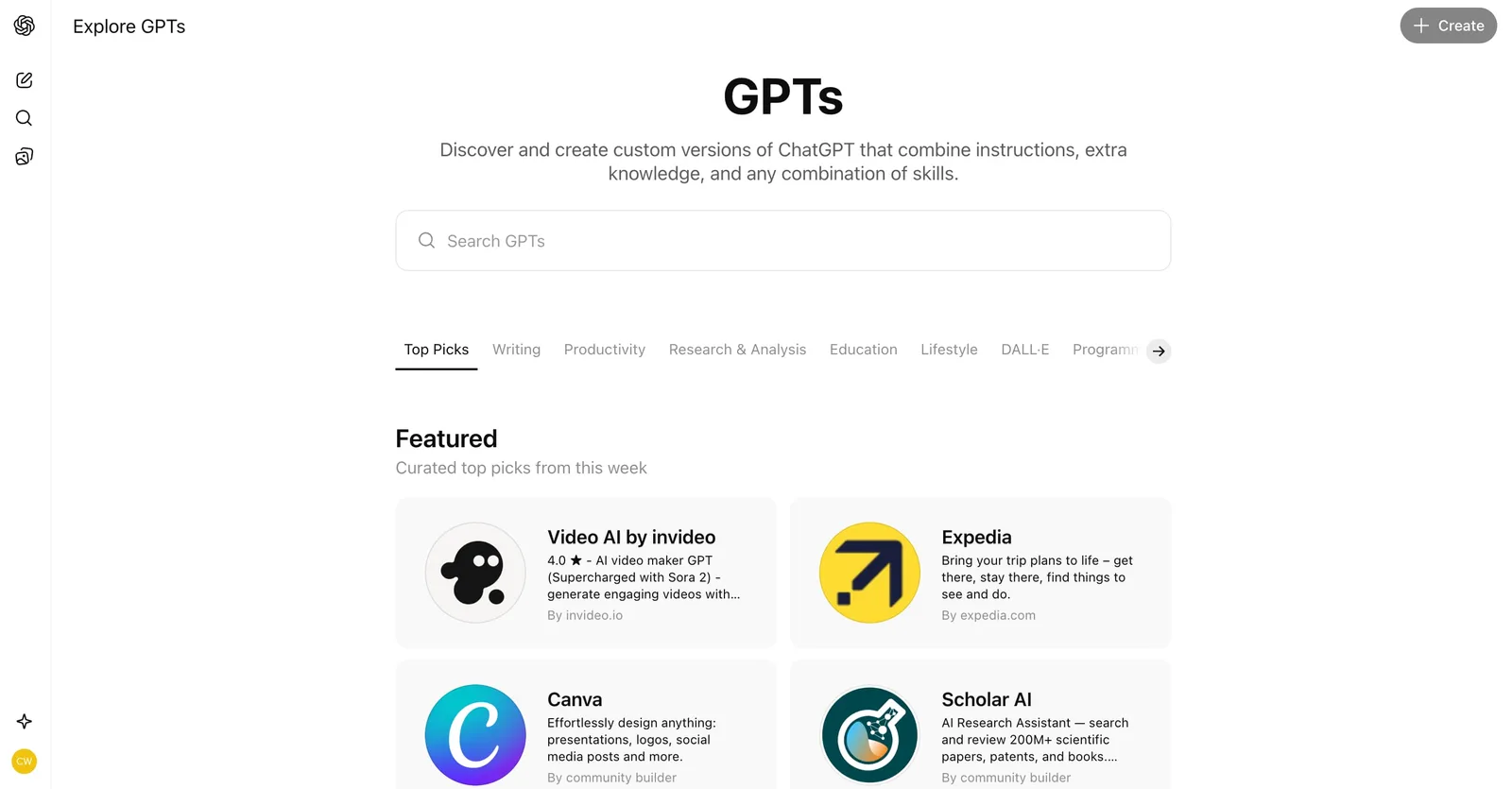
Go to the left menu. Under the GPTs section, click the Explore button, then click the Create button on the upper right hand side.
Step 3: Add your meta prompt
On the left half of your screen, you can toggle between the Create page or the Configure page.
Go to the Configure section, then add the details needed, such as the name or the description. This gives your GPT a clear identity before you load its instructions.
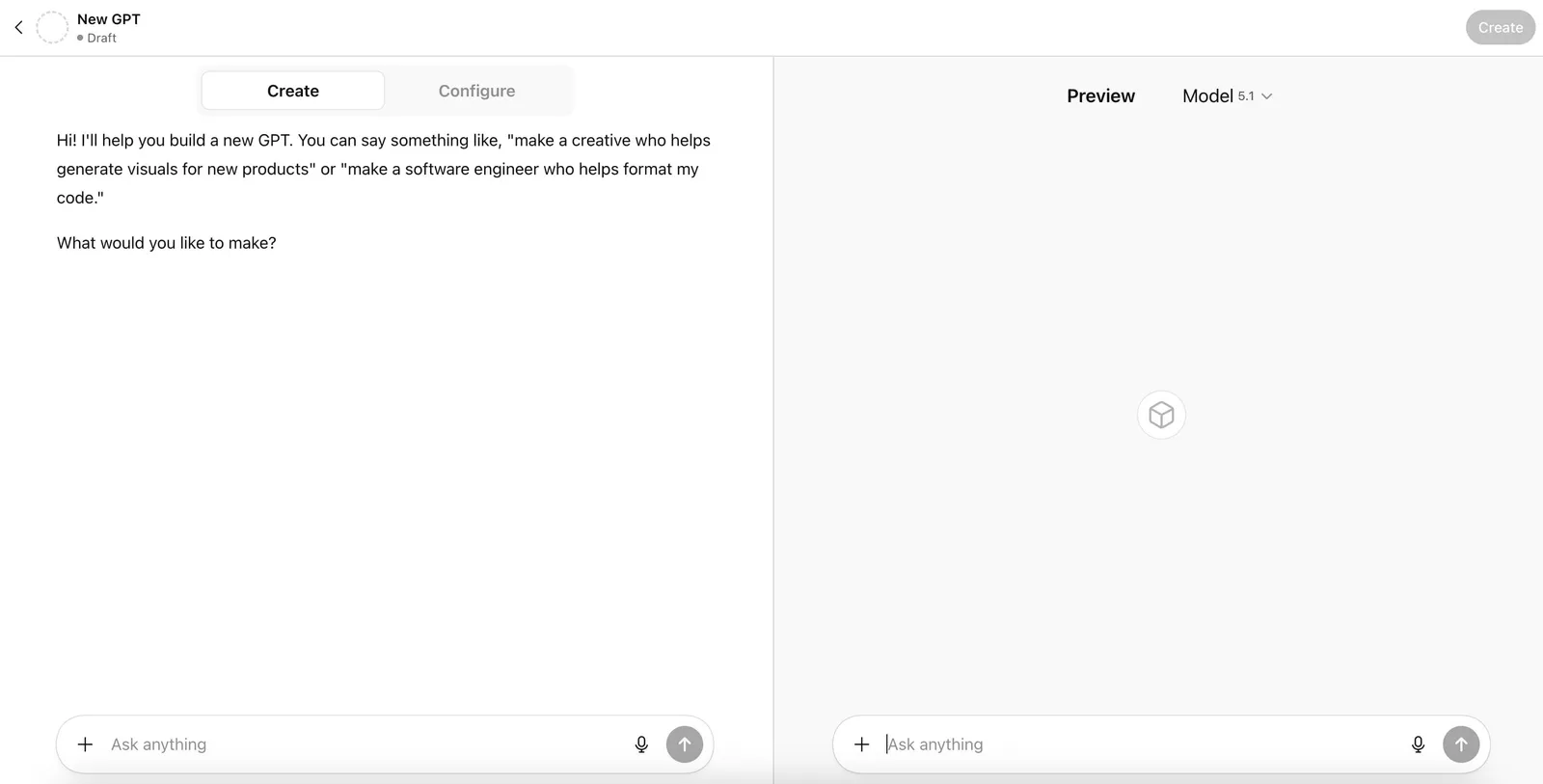
Once that part is done, switch to the Create page, then paste the comprehensive meta prompt that ChatGPT produced for you in step 1.
By doing this, you equip your new GPT with enough context to shape how your content gets produced. The setup also keeps your audience alignment, messaging style, tone, plus other key preferences locked in from the start.
Step 4: Test
With step 3 complete, you can test your GPT to confirm it delivers the results you need. The right side of your screen displays the Preview section, where you can enter prompts and review how the GPT responds. This is where you determine whether the GPT adheres to the meta prompt or if anything drifts off target.
Let’s say your content must follow American English, something you already added to the meta prompt. If the preview shows British spelling, you know the GPT needs an update. You can start making adjustments so the next round stays true to your style.
Once you’re happy with the GPT’s output, hit Create in the top right corner.
100+ AI social media prompts your social media team needs
Quick reminder: Before using the prompts below, make sure you follow the steps we covered earlier for creating a GPT and setting up your meta prompt. If your AI tool does not start with a complete meta prompt, your results may fall short of what the prompt can achieve.
AI social media prompts for idea generation
1. Generate ten fresh content ideas about [insert topic here] that challenge common assumptions your audience holds. Include a short explanation for why each idea matters today.
2. Share seven unique angles my audience can explore around [insert topic here] that aren’t already overused in the industry. Explain what makes each angle stand out.
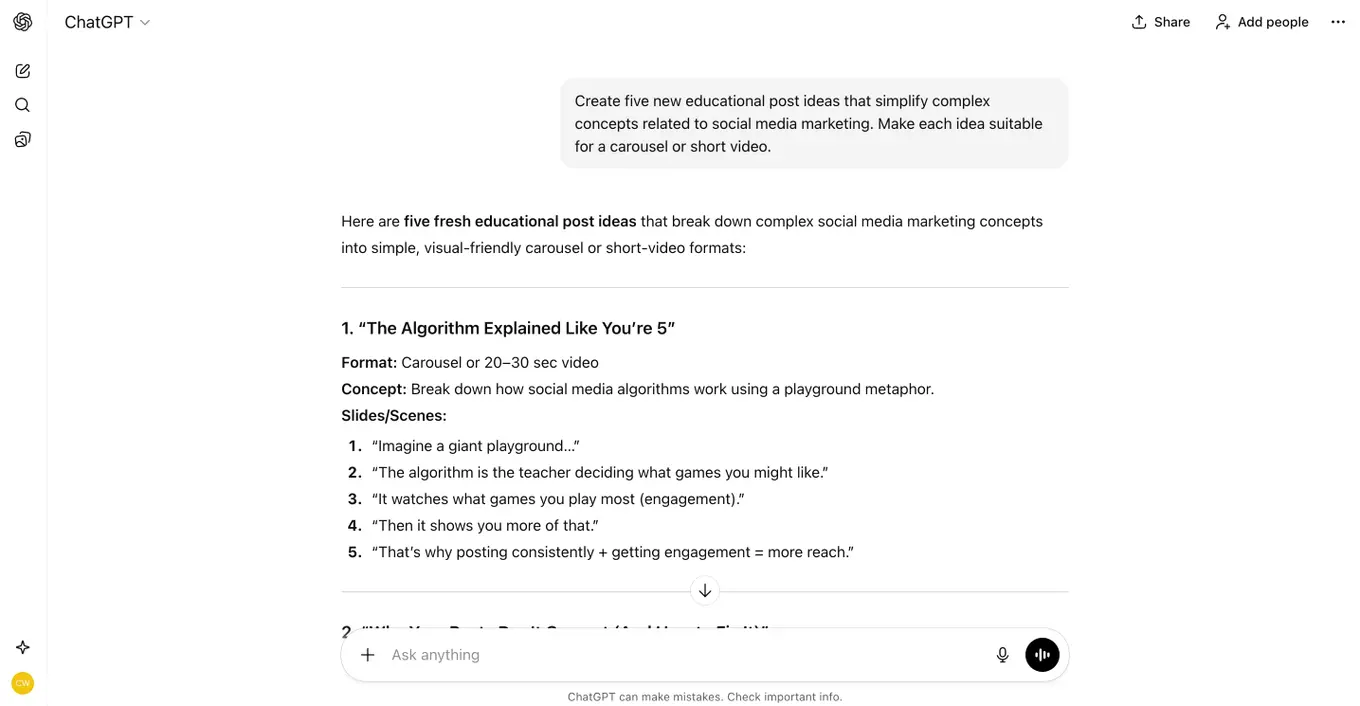
3. Create five new educational post ideas that simplify complex concepts related to [insert topic here]. Make each idea suitable for a carousel or short video.
4. Develop ten thought-starter ideas that spark conversation about [insert topic here]. Include one sentence on why each idea encourages engagement.
5. Generate eight storytelling-driven post ideas tied to [insert topic here] that help my audience see themselves in the narrative. Include the emotional hook for each idea.
6. Create six content ideas that highlight overlooked opportunities related to [insert topic here]. Explain why these opportunities aren’t widely discussed.
7. Share ten “myth vs. truth” ideas focused on [insert topic here]. For each one, explain why the myth persists and why the truth matters.
8. Produce seven listicle-style post ideas that break down key lessons about [insert topic here]. Include what the reader will gain from each lesson.
9. Generate eight ideas that compare old ways vs. new ways of approaching [insert topic here]. Describe what changed and why the new approach works better.
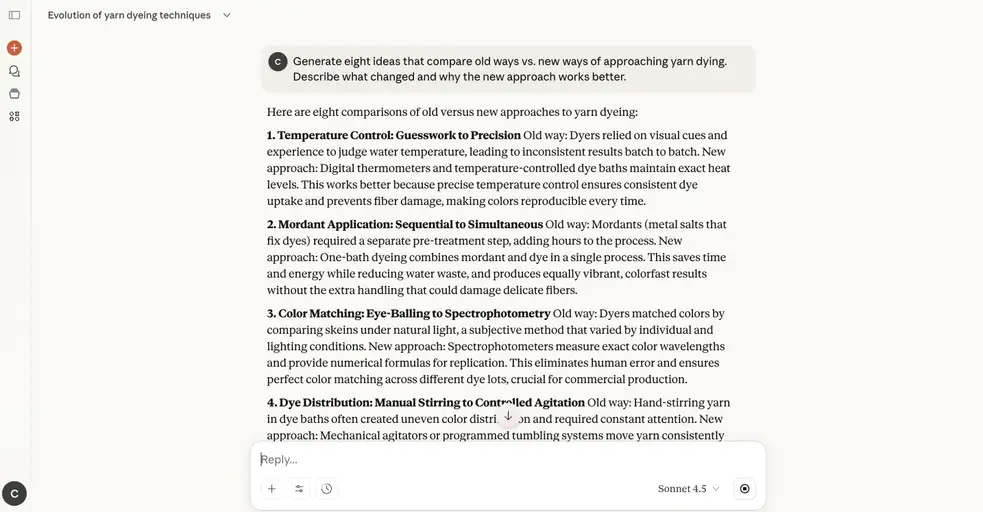
10. Create ten beginner-friendly content ideas for people who are just starting to learn about [insert topic here]. Include one practical takeaway for each idea.
AI social media prompts for caption creation
11. Generate an engaging caption that introduces a fresh insight about [insert topic here]. Explain why this insight matters to your audience and offer one practical action they can take today. End with a question that encourages responses.
12. Create a caption that highlights a recent win related to [insert project or goal here]. Include what triggered the breakthrough, why it’s meaningful, and a prompt inviting followers to share a win of their own.
13. Write a caption that reacts to a trend emerging in [insert niche here]. Summarize the trend in simple terms, explain its potential impact, and ask your audience where they stand on it.
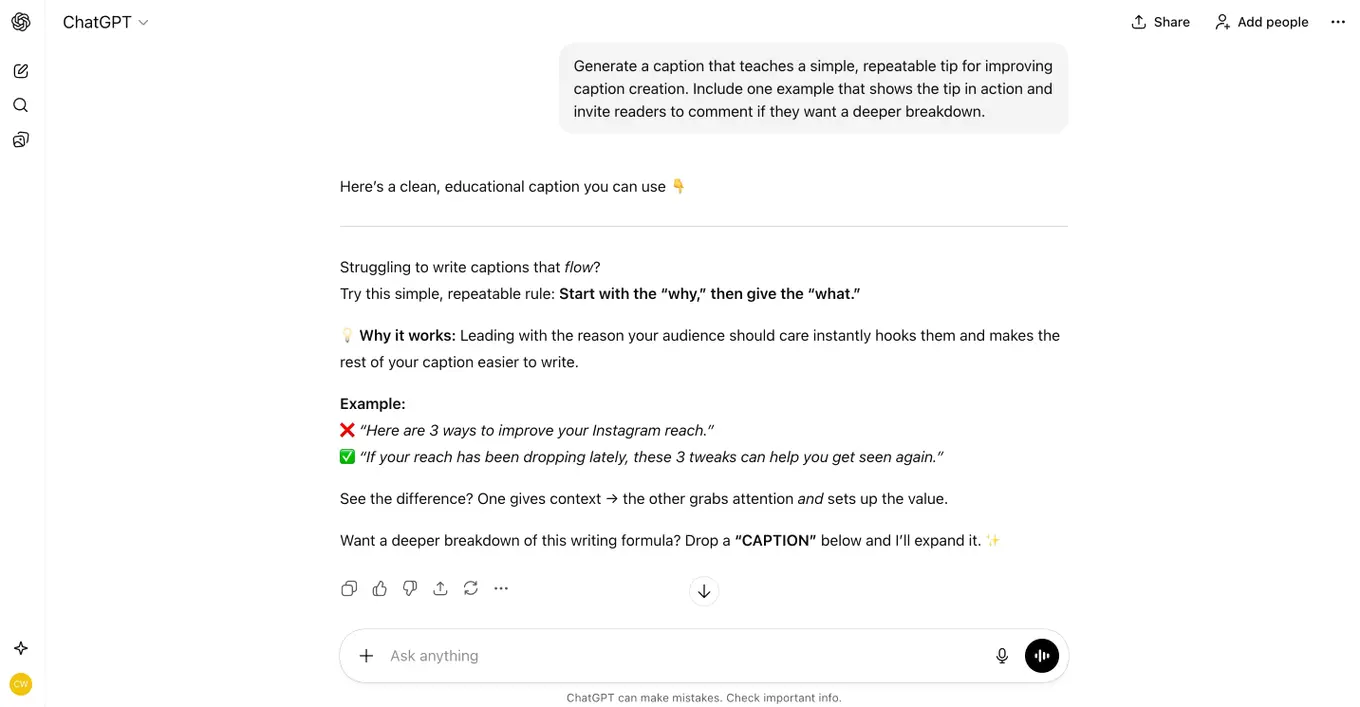
14. Generate a caption that teaches a simple, repeatable tip for improving [insert outcome here]. Include one example that shows the tip in action and invite readers to comment if they want a deeper breakdown.
15. Create a caption using a short story from a moment you experienced while dealing with [insert challenge here]. Include what shifted your understanding and encourage followers to share a similar moment.
16. Write a caption that debunks a common misconception about [insert topic here]. Clarify what people usually get wrong, share the truth in a concise way, and invite followers to weigh in.
17. Generate a reflective caption built around a question your audience should consider about [insert niche here]. Explain why answering the question leads to better decisions and invite them to share their answer.
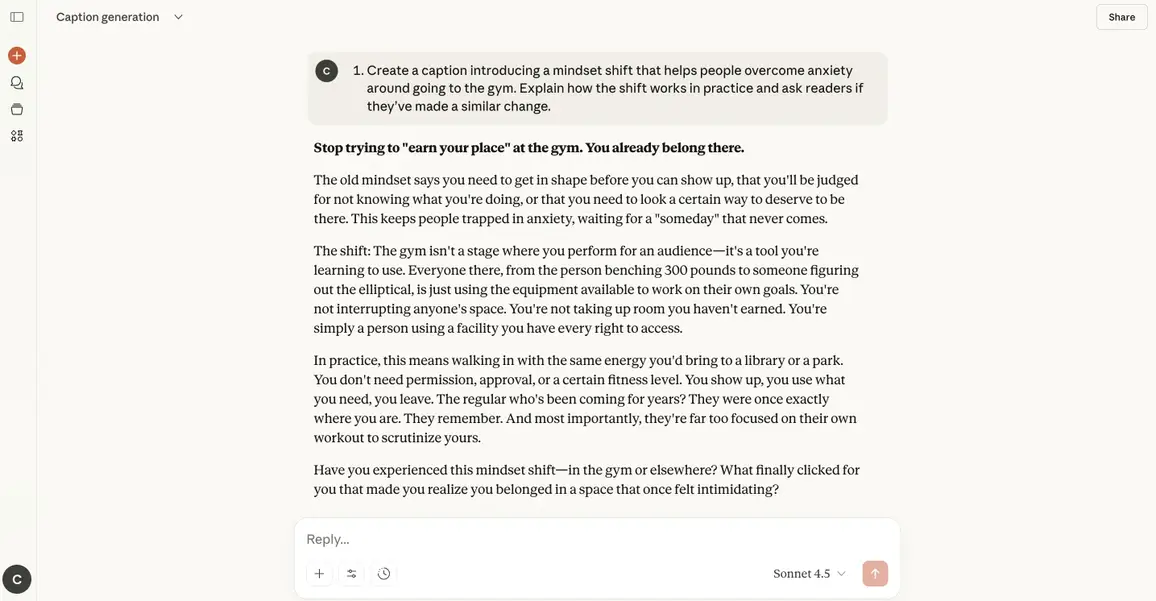
18. Create a caption introducing a mindset shift that helps people overcome [insert obstacle here]. Explain how the shift works in practice and ask readers if they’ve made a similar change.
19. Write a caption summarizing a practical insight you recently gained while working on [insert task here]. Show how your audience can apply it immediately and ask whether they want more insights like this.
20. Generate a caption that shares the one thing you wish you knew earlier about [insert field or topic here]. Explain why it would have saved time or stress and prompt readers to share their own “wish I knew sooner” lesson.
AI social media prompts for image or video generation
21. Generate a clean, modern graphic that visually explains [insert topic here]. Use bold icons, a minimal color palette, and clear visual hierarchy so the idea is instantly understandable. Include space for a short caption at the bottom.
22. Create an image that symbolizes the core problem behind [insert challenge here]. Use expressive lighting, contrasting colors, and metaphorical elements to capture the emotional weight of the issue.
23. Produce a carousel-ready set of images (4–6 frames) that visually breaks down [insert concept here] step-by-step. Each frame should include simple illustrations, a focused title area, and consistent branding colors.
24. Generate an infographic style image that compares [insert option A] vs. [insert option B]. Use side-by-side panels, clear icons, and concise labels that make the differences instantly obvious.
25. Create a hero-style banner image that represents [insert niche topic] using bold typography, abstract background textures, and a focal visual element that draws the eye to the center.
26. Design an image that conveys the feeling of progress related to [insert goal or transformation]. Use growth-oriented visuals like upward movement, expanding shapes, or gradients that represent momentum.
27. Generate a thumbnail-ready image that teases a tutorial about [insert skill or process]. Use large readable text, a bold color pop, and an icon or symbol that previews the topic.
28. Create an aesthetic mood board image that captures the vibe of [insert theme or style]. Use complementary colors, textures, and small visual elements that express the overall atmosphere.
29. Produce a high-contrast image that highlights a surprising insight about [insert topic here]. The layout should emphasize one main visual metaphor and include a subtle area for an overlayed headline.
30. Generate an illustrated scene that represents the moment someone solves [insert problem here]. Convey clarity, relief, or excitement using expressive character poses and warm lighting.
31. Create a looping visual concept (GIF-style) that reinforces the core idea behind [insert simple concept here]. Use smooth repetition, minimal shapes, and symbolic motion that strengthens the message.
AI social media prompts for boosting engagement
32. Create a post that asks our audience a thought-provoking question about [insert topic here] and explain why this question helps reveal insights people rarely talk about. End with a clear call for readers to share their perspective.
33. Write a post that presents two contrasting options related to [insert topic here] and briefly explain how each option leads to different outcomes. Invite followers to choose a side in the comments.
34. Create a fill-in-the-blank prompt tied to [insert topic here] and make the statement open enough to encourage personal, honest responses. Ask readers to complete the sentence.
35. Write a post that encourages our audience to share their first experience with [insert topic here] and explain why early memories help spark conversation. Invite readers to join the thread.
36. Create a post that asks readers to share one mistake they made while learning [insert topic here] and explain why reflection builds connection. End with a nudge for readers to respond with their own story.
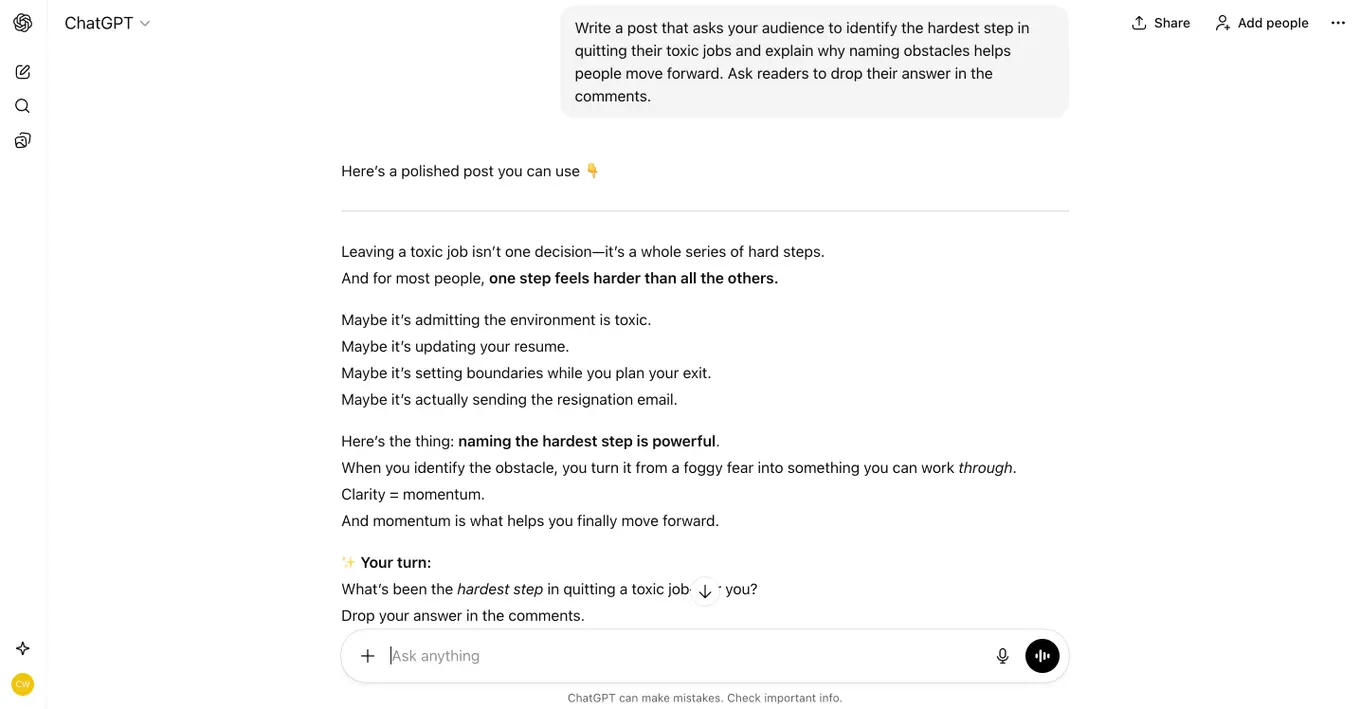
37. Write a post that asks your audience to identify the hardest step in [insert process related to your topic here] and explain why naming obstacles helps people move forward. Ask readers to drop their answer in the comments.
38. Create a post that invites our audience to predict the next major shift in [insert industry or niche here] and explain how forecasting encourages deeper engagement. Ask readers what they expect to happen next.
39. Write a post that asks our audience to complete an open-ended sentence about [insert topic here] and explain why different interpretations spark richer discussion. Encourage readers to finish the thought in the comments.
AI social media prompts for different platforms
40. Write a LinkedIn post that shares a practical insight about [insert topic here] and explain why this insight matters to professionals in the space. Include one actionable takeaway your audience can apply today.
41. Create a LinkedIn post that challenges a common belief inside [insert topic here] and explain how a different approach leads to better results. End with a question that invites thoughtful discussion.
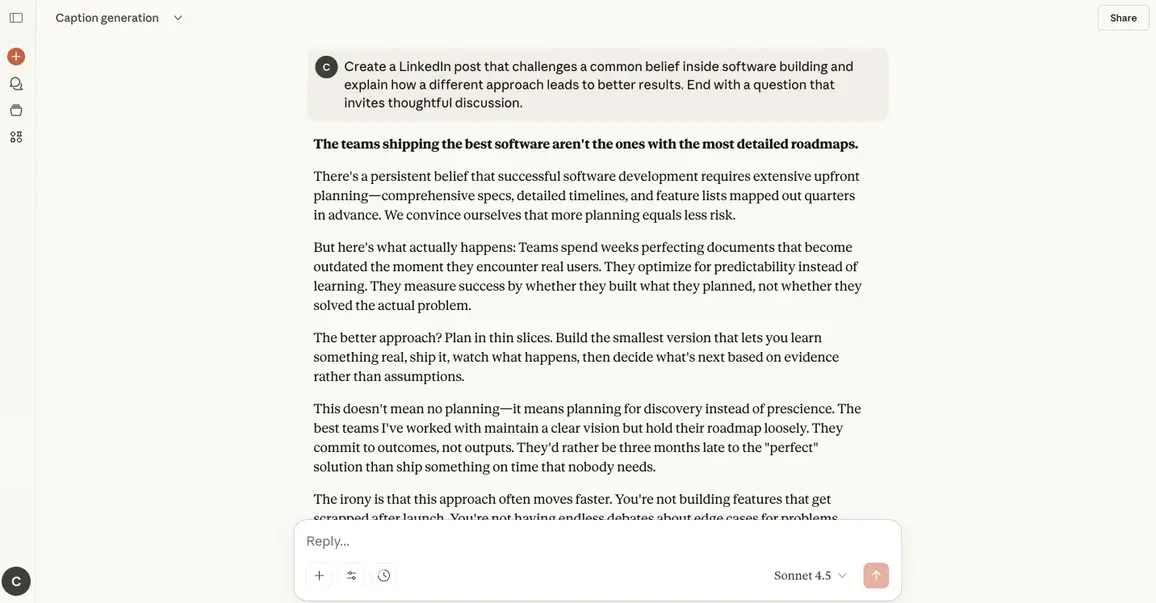
42. Write a LinkedIn post that breaks down an emerging shift happening in [insert topic here] and explain how this shift affects daily decision-making. Add one prediction your audience should prepare for.
43. Create a Threads post that opens a casual, fast-paced conversation about [insert topic here] and share why the idea crossed your mind. Encourage replies to keep the thread going.
44. Write a Threads post that reflects on a small moment tied to [insert topic here] and explain how it led to a meaningful realization. Ask followers if they’ve experienced something similar.
45. Create a TikTok script that teaches a quick, simple action related to [insert topic here] and explain why the step drives fast improvement. Outline how to present it clearly within 10–15 seconds.
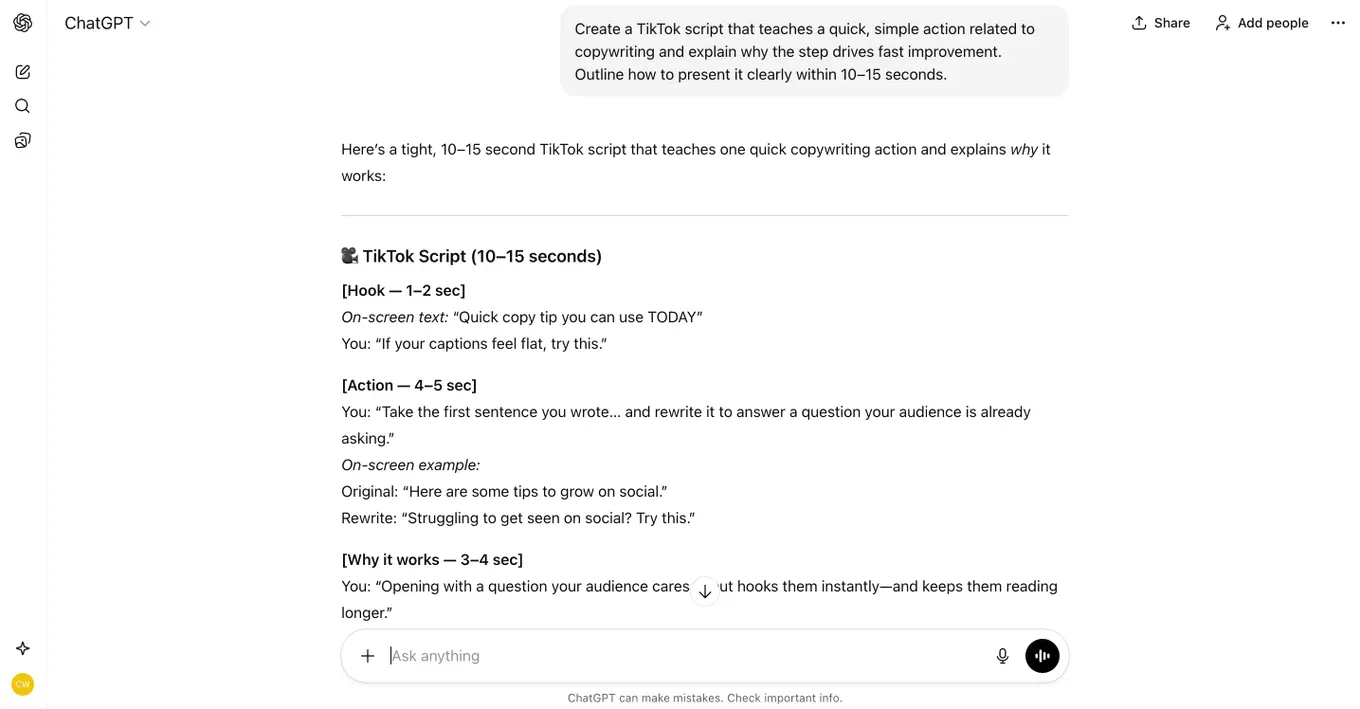
46. Write a TikTok script that reacts to a trend inside [insert topic here] and explain why the trend is gaining traction. Show who benefits most from the shift and encourage viewers to share their take.
47. Create an Instagram caption that highlights a lesson you learned about [insert topic here] and explain why it matters for your audience today. End with a soft call to action that invites saves or shares.
48. Write an Instagram caption that shares a behind-the-scenes moment from [insert project or task here] and explain what the moment taught you. Invite followers to ask for a deeper breakdown.
49. Create a Facebook post that starts a supportive community conversation around [insert topic here] and explain why this topic deserves more attention. Ask followers to share their own perspective.
50. Write a YouTube Short script that teaches a three-step sequence for improving at [insert topic here]. Present each step with fast clarity and end with a prompt asking viewers if they want a full video.
51. Create a YouTube Short script that reveals a surprising truth about [insert topic here] and explain why most people overlook it. Guide the pacing so the hook lands within the first two seconds.
AI social media prompts for analyzing performance
52. Analyze my top-performing post about [insert topic here] and break down the exact elements that drove engagement. Highlight the hook, tone, structure, and timing, then explain why each part worked and how I can replicate the success in future posts.
53. Review the last 10 posts I published on [insert platform here] and identify patterns in which topics, formats, or tones performed best. Explain why these patterns matter and what strategic adjustments I should make moving forward.
54. Study the comments and reactions on my recent content related to [insert topic here] and summarize the audience sentiment. Identify what resonated most, what caused confusion, and what opportunities I should explore next.
55. Compare the performance of two posts covering [insert topic here]. Explain why one outperformed the other by analyzing clarity, emotional pull, content structure, timing, and relevance. Provide recommendations for improving the weaker post.
56. Evaluate engagement metrics for my posts targeting [insert audience segment here] and explain what these metrics reveal about their interests, behavior, and content preferences. Offer three data-backed content ideas based on these insights.
57. Analyze the drop-off points in my video content about [insert topic here] and explain why viewers lose interest at those moments. Give actionable guidance on how to restructure future videos to boost retention.
58. Review my last month of analytics for posts about [insert niche here] and identify which formats (carousel, video, text-only, etc.) delivered the strongest results. Explain what makes these formats effective for my audience.
59. Examine the post that received unusually low engagement around [insert topic here]. Identify possible causes—timing, weak hook, unclear messaging, lack of relevance—and recommend what I should change next time.
60. Analyze how my posting frequency and timing on [insert platform here] impact content performance. Recommend the ideal cadence and posting windows based on user behavior patterns.
61. Review my top three posts related to [insert topic here] and extract the common factors that made them successful. Turn those factors into a repeatable formula I can use for future content.
AI social media prompts for ad planning
62. Create three strategic angles for ads about [insert topic here]. Include the core hook, ideal target audience, emotional trigger, and a suggested offer that would convert well.
63. Break down the best audience segments for promoting [insert topic here]. Include interest-based targeting, behaviors, lookalikes, and retargeting layers that would strengthen the campaign.
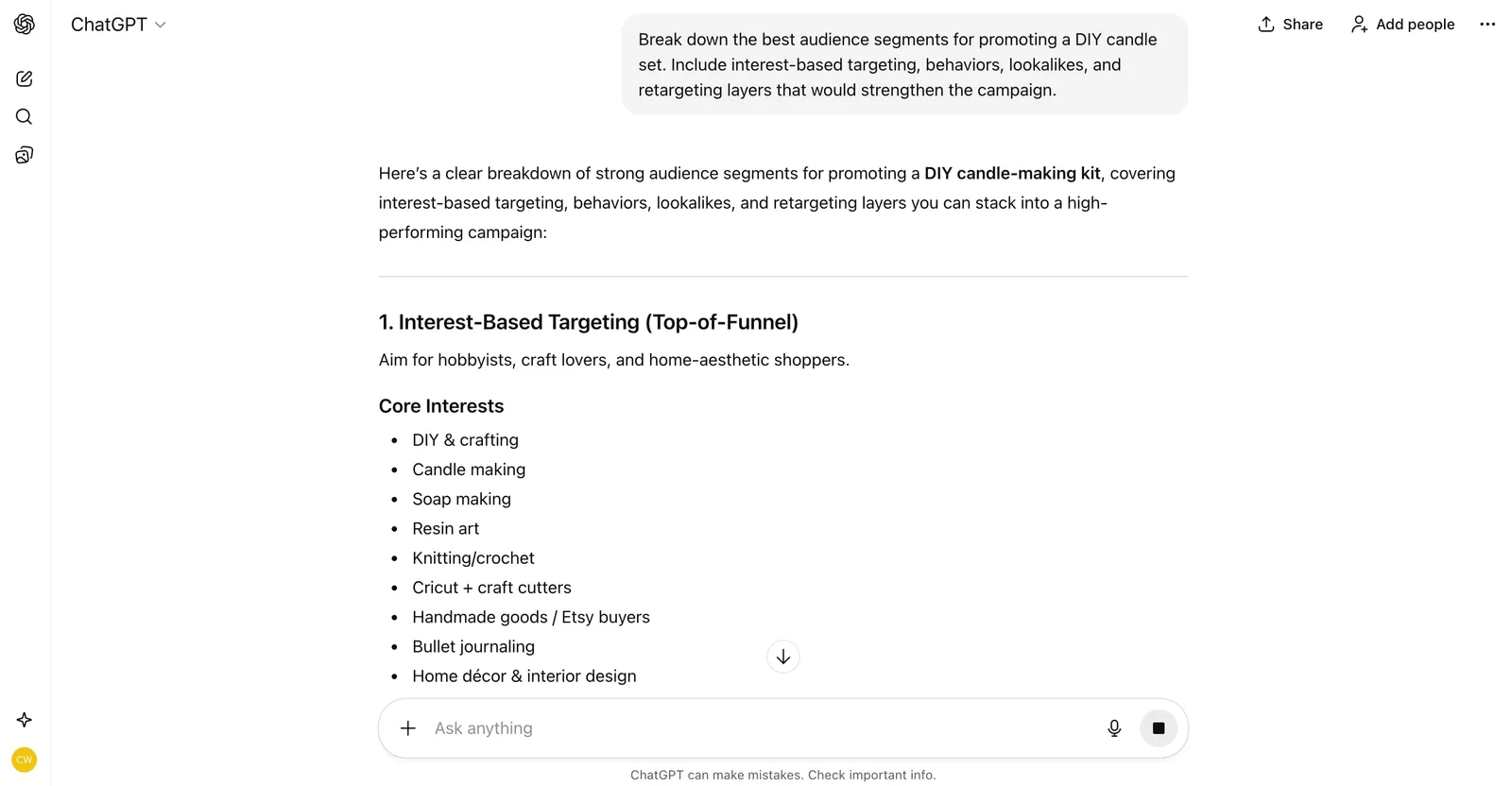
64. Craft five ad hooks for [insert topic here]. Make each hook short, punchy, and based on different psychological triggers so I can test multiple versions.
65. Plan a full 30-day ad funnel for [insert topic here]. Include top-of-funnel awareness content, mid-funnel nurturing ideas, and bottom-funnel conversion ads.
66. List creative formats that would perform best for ads about [insert topic here]. Include short-form videos, carousel concepts, static visuals, and UGC angles.
67. Map out a complete ad testing structure for [insert topic here]. Include which elements to test first, how many variations to launch, and when to scale.
68. Write a landing page outline optimized for conversions for an ad campaign promoting [insert topic here]. Include headline ideas, value propositions, social proof, objections, and CTA options.
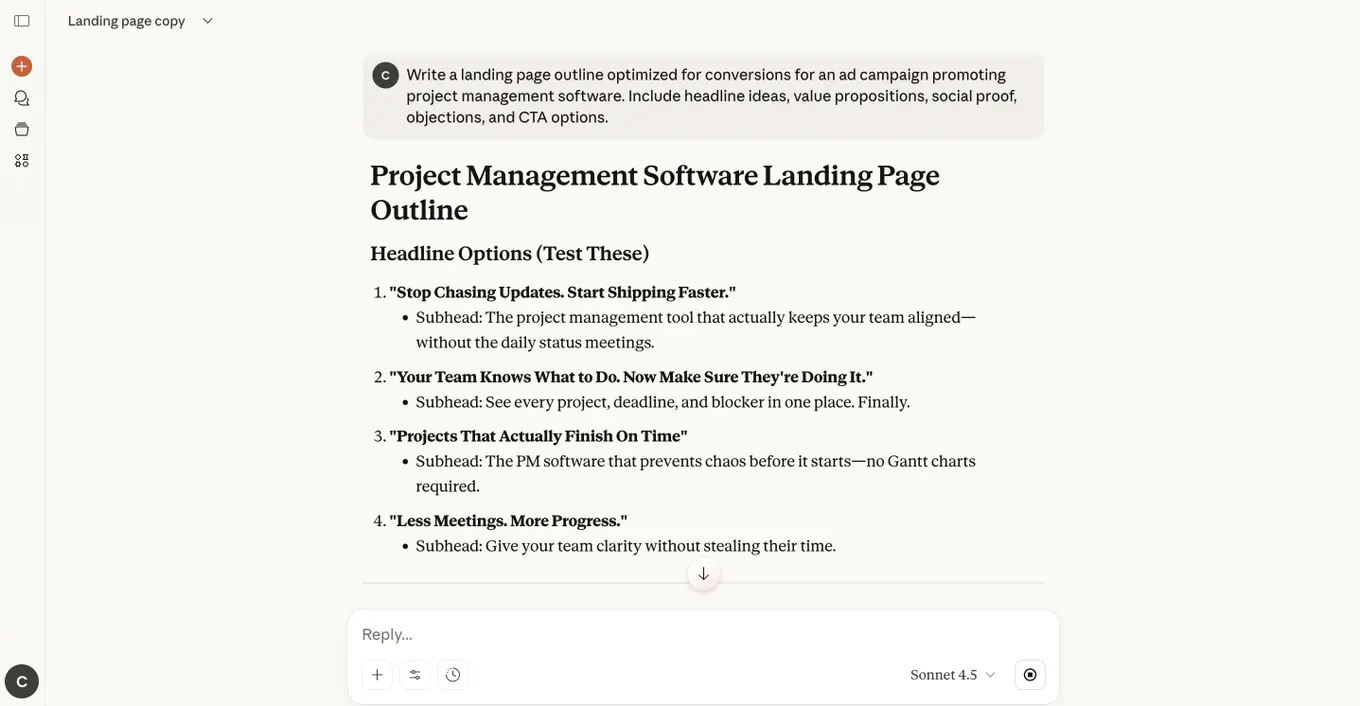
69. Create a retargeting strategy for people who showed interest in [insert topic here] but didn’t convert. Include messaging, timing, and creative ideas.
70. Develop a set of performance metrics I should track for ads about [insert topic here]. Include KPIs for awareness, engagement, conversions, and scaling decisions.
71. Write five CTAs I can test in ads about [insert topic here]. Make each CTA fit a different buyer stage to increase conversion flexibility.
72. Create a full ad-planning checklist for [insert topic here] that covers research, offer clarity, creative direction, audiences, testing, budgets, optimization, and reporting.
AI social media prompts for different types of social media posts
73. Create a Q&A post answering a common question people have about [insert topic here], written in a friendly and conversational style.
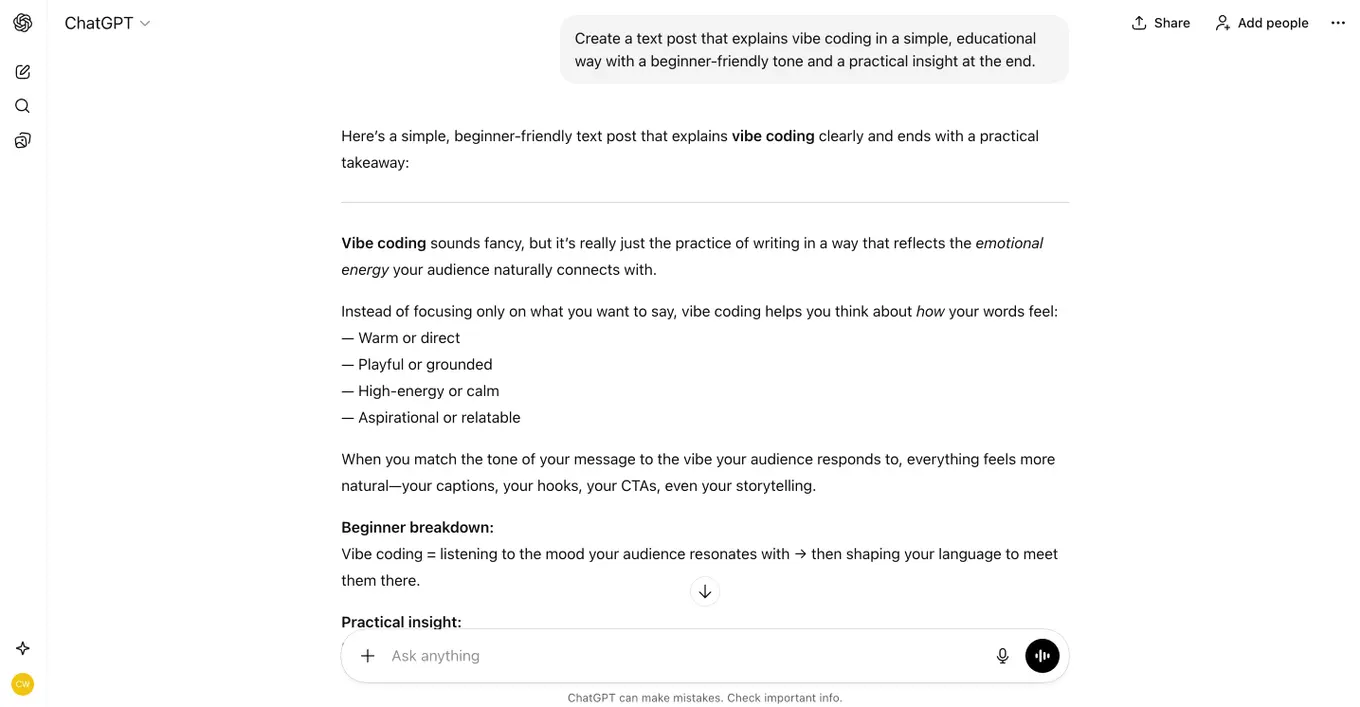
74. Create a text post that explains [insert topic here] in a simple, educational way with a beginner-friendly tone and a practical insight at the end.
75. Create a carousel post with slide-by-slide copy that breaks down [insert topic here] into a clear sequence that teaches, guides, or inspires.
76. Create a storytelling post that uses a relatable moment connected to [insert topic here] and ends with a reflection or question that sparks comments.
77. Create a motivational post that encourages readers who struggle with [insert topic here], using an uplifting message and a hopeful tone.
78. Create an engagement post that asks a thought-provoking question about [insert topic here] and invites followers to share their thoughts in the comments.
79. Create a promo post that highlights the value, benefits, and unique angle of [insert topic here], ending with a direct CTA to learn more or take action.
80. Create a how-to post that breaks down [insert topic here] into simple steps readers can follow right away.
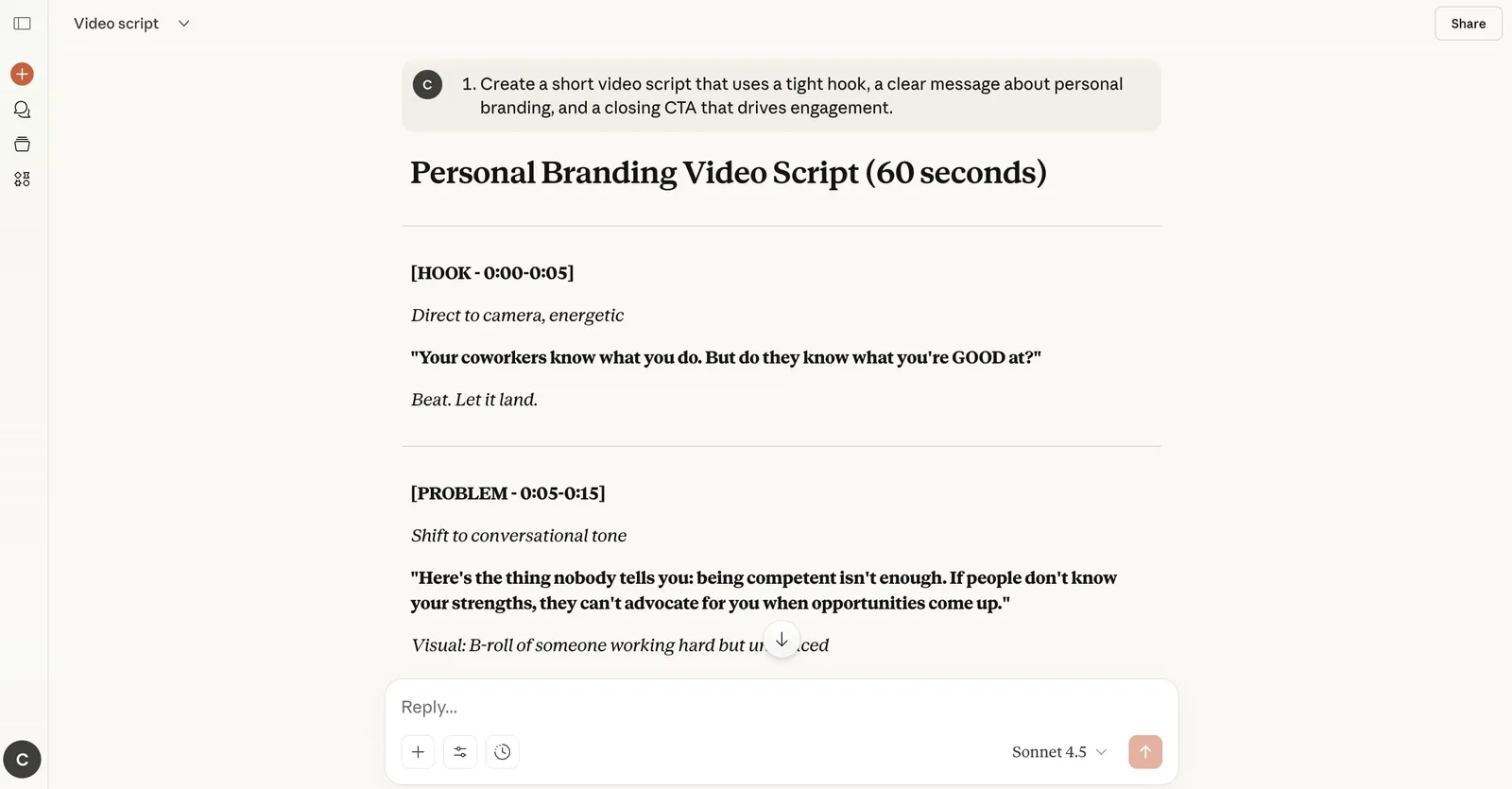
81. Create a short video script that uses a tight hook, a clear message about [insert topic here], and a closing CTA that drives engagement.
82. Create a short reel about [insert topic here] using a strong hook, a clear takeaway, and a closing CTA that encourages viewers to engage or share.
83. Create a personal insight style post that shares a lesson, shift in perspective, or recent realization connected to [insert topic here].
84. Create a hot take post that presents a bold but thoughtful opinion about [insert topic here] in a way that sparks discussion without being polarizing.
AI social media prompts for competitive analysis
85. Analyze the top three competitors in [insert niche here]—listed here: [insert competitor names or URLs]—and break down their strongest content themes. Explain why these themes resonate with their audience and identify one gap your brand can fill.
86. Review the competitor posts I’ve added below about [insert topic here]: [paste competitor posts]. Summarize the strategies they use to drive engagement, then recommend how my brand can differentiate.
87. Compare how these competitors explain [insert concept here]—here are their samples: [paste competitor explanations or links]. Identify where their messaging feels unclear or incomplete, then suggest how my brand can deliver a clearer angle.
88. Study the tone and voice of my competitors in [insert niche here]—provided here: [insert competitor profiles or links]. Outline their patterns, note which tone builds the most trust, and recommend how my brand should position its own voice.
89. Evaluate these top-performing competitor posts related to [insert trend here]—here’s the content: [paste competitor posts]. Explain what makes them effective, then identify one opportunity where my brand can offer deeper value.
90. Audit competitor posting frequency on [insert platform here] using the accounts listed below: [insert competitor handles]. Compare how consistency affects visibility across these profiles and recommend the ideal posting rhythm for my brand.
91. Analyze how my competitors respond to customer comments about [insert topic here]—here are examples: [paste comment interactions]. Identify helpful or harmful patterns, then suggest a superior response strategy for my brand.
92. Review competitor visuals tied to [insert theme here] using the samples below: [paste images, descriptions, or links]. Break down which design choices work well, which hinder clarity, and how my brand can stand out visually.
93. Examine the emotional triggers competitors use when discussing [insert pain point here]—content provided here: [paste competitor messaging]. Explain why these triggers work and recommend a more authentic or resonant emotional angle for my brand.
94. Compare competitor calls to action used when promoting [insert offer type here]—here are their examples: [paste CTAs or landing pages]. Identify which approaches convert most effectively and suggest a stronger CTA direction for my brand.
AI social media prompts for product promotion
95. Write a post that explains how [insert product] removes a frustrating obstacle inside [insert niche] and show why this obstacle slows progress. Describe the moment relief appears once the product is used, then ask readers if this obstacle sounds familiar.
96. Create a post that explains how [insert product] speeds up a slow step inside [insert workflow] and show how faster progress changes outcomes. Include one real scenario where the speed shift feels noticeable, then ask readers how long that step usually takes them.
97. Write a post that highlights a success story tied to [insert product] and explain what held the person back before using it. Show how the transformation unfolded and invite readers to picture the same result for themselves.
98. Create a post that compares life with [insert product] versus life without it inside [insert niche] and show why the difference feels immediate. Describe one moment where the improved version stands out, then ask readers which path they prefer.
99. Write a post that explains how [insert product] simplifies [insert task] and show why simplicity leads to consistent progress. Provide one example where the old approach caused friction, then ask if readers want the easier version.
100. Create a post that spotlights a feature inside [insert product] that users often overlook and explain why this detail has a major impact on results. Give a use case that proves its value, then ask readers whether they’ve tried this feature.
101. Write a post that shows how [insert product] fits into a larger workflow inside [insert niche] and identify which bottlenecks it removes. Describe how this changes momentum, then ask readers which part of their workflow slows them down most.
102. Create a post that highlights an update inside [insert product] and explain why the improvement enhances user experience. Show what the update changes in day-to-day use, then ask which feature they hope arrives next.
103. Write a post that introduces a new bundle or offer tied to [insert product] and explain why the timing matters for your audience. Describe the advantage of acting now, then ask what questions they want answered before deciding.
104. Create a post that explains who [insert product] serves best inside [insert niche] and show why this group benefits more than others. Describe one scenario where the fit becomes clear, then ask readers whether they match the profile.
105. Write a post that offers a starter path for people trying [insert product] for the first time and explain why beginning small builds consistency. Show the quick win they can expect early, then ask if they want a walkthrough.
106. Create a post that highlights the long-term payoff of using [insert product] inside [insert niche] and show why consistency beats occasional use. Describe one milestone they can reach, then ask what milestone they’re aiming for.
107. Write a post that reveals a misconception about [insert product category] and explain how [insert product] breaks that expectation. Show how the truth helps people make smarter decisions, then invite readers to share myths they once believed.

Try Vista Social for free
A social media management platform that actually helps you grow with easy-to-use content planning, scheduling, engagement and analytics tools.
Get Started NowAbout the Author

Content Writer
Jimmy Rodela is a social media and content marketing consultant with over 9 years of experience, with work appearing on sites such as Business.com, Yahoo, SEMRush, and SearchEnginePeople. He specializes in social media, content marketing, SaaS, small business strategy, marketing automation, and content development.
Loading related tools...




Tools
PublishingAnalyticsEngagementIntegrations
FacebookInstagramLinkedInRedditSnapchatThreadsTikTokX (Twitter)YouTubeBlueskyVista Page (link-in-bio)All IntegrationsCopyright © 2026 Vista Social LLC. All Rights Reserved.
Social media prompts FAQs
What are the best ChatGPT prompts for social media marketing?
The best ChatGPT prompts give clear direction about your audience plus the goal you want the content to reach. This matters even more when you use AI for content marketing since the tool stops guessing and follows your intent. You get drafts that sound closer to your voice with less cleanup, which keeps your workflow fast across multiple accounts.
How can you create a social media calendar with ChatGPT?
You can build a calendar by giving ChatGPT details about your posting rhythm plus the themes you want to cover. The AI can shape that information into a weekly or monthly layout that shows what to publish next. You stay in control of the direction while the AI turns your notes into a structure that keeps you organized during heavier cycles.
What are prompts in social media?
Prompts are short instructions that guide the AI so it can produce content that fits your brand plus the people you serve. They give the context needed to shape ideas, captions, or visuals without starting from an empty page. Strong prompts support your workflow by giving you a steady starting point each time you create.