


Why Scheduled Social Media Posts Fail to Publish
August 14, 2026
10 min read

Summarize with AI

Table of contents
Share

Vista Social

X (Twitter)


Once a post says Scheduled, you should be able to stop babysitting it. You got the copy approved, picked the time, and moved on to the next client. Then the client asks why yesterday’s post never went live.
Scheduled social media posts fail to publish when a credential expires, somebody changes access, or the network rejects the content. Vista Social’s connections can drop too because no scheduler controls those outside events.
The calendar can still look fine, so the missing post feels even stranger. If your scheduled post did not publish, the error state should point you in the right direction. Then check it before you open every native app.
“Scheduled” does not mean “published” because the calendar records your plan before the network confirms the outcome. A useful scheduler flags a broken plan and shows which posts need attention. It also gives you enough detail to choose the next step.
The short version
- A calendar shows intent: The network must still accept the post at publish time.
- Connections have outside dependencies: Tokens expire, people change access, and platforms update their APIs.
- Sixty days has a cause: Meta puts the common long-lived user-token cycle at about 60 days, although access can end sooner.
- Failure needs a visible state: A failed post should look different and remain easy to find later.
- Your client shouldn’t be the alert: Ask when the tool warns you and what happens to queued work.
A scheduled post is a promise made with permission borrowed from the network. Because that permission can expire or be revoked, judge the tool by what happens next.
Claire Vo described the pain of hearing about a failure from customers in a product interview. Mind the Product published it on September 6, 2024. Her example came from a hosting outage at ChatPRD.
The same trust problem appears when a client spots a missed post first.
“A few weeks ago, our hosting provider had a 30-minute outage. Within 60 seconds, I was getting messages left and right and center.”
Claire Vo, Mind the Product
When people outside your business report a failure first, they become your monitoring system. The team loses the moment and then starts checking every post by hand.
Table of contents
Why do social connections drop at all?
Social connections drop for three broad reasons. A credential expires, a person changes access, or the network changes the route used by the scheduler.
An access token is a temporary digital permission that lets an application act for a person, Page, or business asset. Your scheduler can publish without storing the social password, while the platform decides when access ends.
| Cause | What can trigger it | Can a scheduler prevent it? | What the scheduler can do |
| Token expiry | The credential reaches the lifetime set by the network or expires early | No | Detect the invalid token, alert the right person, and explain how to reconnect |
| Access changes | A password changes, app access is revoked, or the connected person logs out | No | Show which profile lost access and keep the failed work visible |
| API changes | The network retires a version, changes a permission, or alters a publishing rule | No | Keep the integration current and explain any action the customer must take |
Tokens expire by design
As of August 2026, Meta’s token guide said short-lived tokens typically last one to two hours. Long-lived tokens last about 60 days, but Meta warns that either lifetime may change or end early.
That cycle covers a common Meta user-token pattern. Page and system-user tokens can behave differently, while other platforms set their own rules.
People can change the connection
Meta’s error guide confirms that logging out or changing a password can invalidate a token. Revoking an app’s authorization also removes the permission it needs.
Meta says Facebook won’t notify an application at the exact moment a token becomes invalid. The scheduler may learn on its next API request, such as a data refresh or publishing attempt.
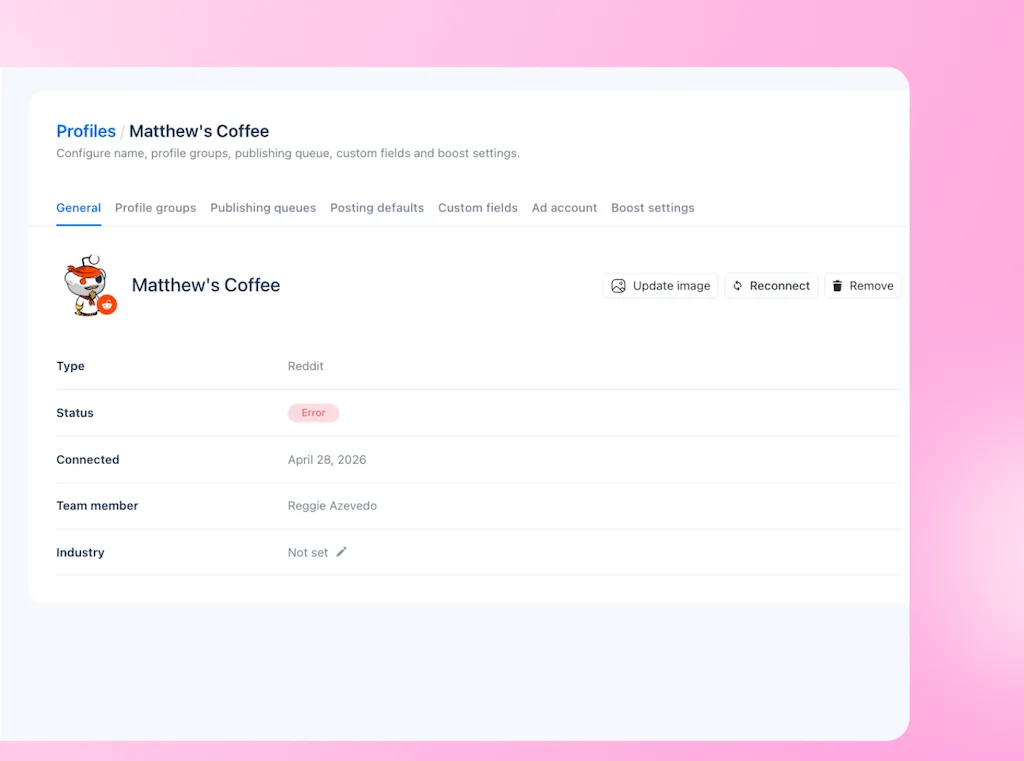
Vista Social can’t stop a network from invalidating a credential. But it can surface the disconnection and name the affected profile. It also gives the team a clear route to reconnect profiles.
Why does it happen on roughly a 60-day cycle?
You may reconnect Facebook or Instagram every couple of months. That timing can track Meta’s long-lived user-token cycle, which lasts about 60 days in its common form.
That explains one common pattern, but it doesn’t diagnose every disconnection. Tokens can expire early, and a password or access change can break the connection sooner.
The 90-day detail needs context
Meta’s long-lived guide covers the iOS, Android, and JavaScript SDKs. Those SDKs can refresh tokens when the person used the app within the prior 90 days, but that rule doesn’t promise 90 days of access for every scheduler.
The exact behavior depends on the token type and how the integration was built. If someone gives you one rule for every Meta connection, ask which token they mean because the details change by token type.
Ask who owns the permission
A Page access token can begin with a user token from a person who has a role on the Page. Meta also documents system users that can act on business assets without an individual signing in for each action.
Those options don’t reveal how your scheduler was built. Ask the vendor, “Does publishing depend on one employee’s account?”
Then find out what breaks when that person leaves. Ask during offboarding too, before the account owner leaves and takes the answer with them.
Keep a small connection record for every profile. It can be a spreadsheet or an internal table with four columns:
- Profile owner: Name the person or business account that authorized access.
- Last reconnection: Record the date so a repeating cycle becomes visible.
- Alert recipient: Choose an inbox that somebody reads every working day.
- Backup owner: Assign the person who can reconnect the profile during leave or offboarding.
What about failures that are not disconnections?
A social media video upload can fail while the account remains connected. Each network sets rules for format, codec, size, length, resolution, and aspect ratio. A video can pass on one network and fail on another.
This failure class is easier to reduce because many checks can happen before publish time. A scheduler can inspect the file and compare it with known rules. It can then process the video or warn you before you queue it.
Validation catches the predictable problems
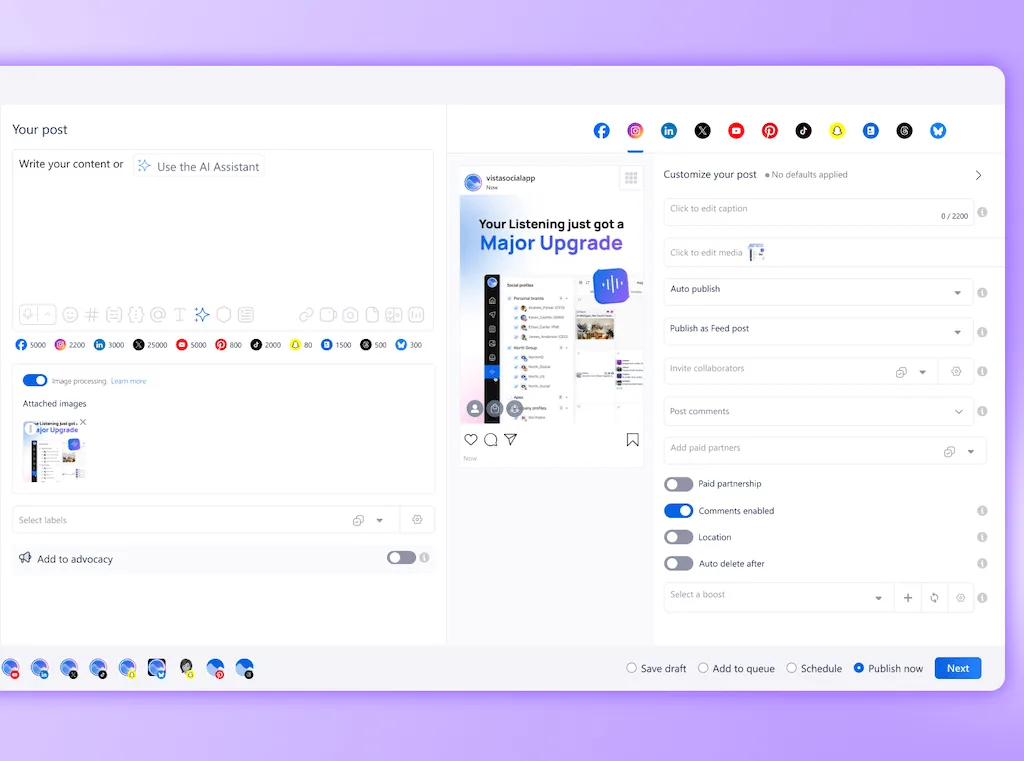
Vista Social’s video processing is enabled by default for X (Twitter), Instagram, and Facebook. It adjusts videos, so fewer preventable format problems reach the queue.
Processing can’t guarantee every upload. A network may return a temporary error, enforce a rate limit, or reject the post for an account issue.
When the same video fails twice, don’t keep pressing publish and hoping the third attempt has better manners. Open the error and compare the file with the current network specs. Then choose a new export or a native post for that deadline.
AI Agents belong after detection. If a tool gives an Agent confirmed failed-post data, it can group similar errors and prepare a recovery list for a person to review.
Vista Social’s AI isn’t an account-wide monitor, so it needs a prompt and the relevant error. Ask Vista can help you work through the message, but you still decide whether a delayed post belongs on the feed.
What is the failure nobody asks about?
A connected social account is only one layer of access. The scheduling app also needs permission to use the platform’s API. That route carries your post from the calendar to the network.
Platforms release new API versions and retire old ones. Meta’s current versioning guide says each Graph API version remains available for at least two years. Security and privacy changes can arrive sooner.
If a tool falls behind, reconnecting your Facebook Page won’t repair an old integration. The vendor must update the app itself. For that reason, API upkeep belongs in your software review even when the feature page says nothing about it.
A clear owner, migration plan, and customer notice show whether the vendor has handled a version change before. The trial checklist below puts that API question beside alerts, queue behavior, and connection ownership.
What should happen when a connection drops?
The network controls the credential, but your scheduler controls what happens after it fails. Good handling also has four parts. You need a useful alert, smart retries, a clear Failed state, and a history you can check later.
Alert the person who can fix it
An alert sent to an abandoned admin inbox has helped nobody. Route warnings to the account owner, so the message leads to action. Then give a second person enough access to cover leave.
As of August 2026, Vista Social sends alerts and emails for profile disconnections. The notification center includes alerts for publishing issues and profile problems. Its settings also let users toggle individual notification types, including Post failure and Profile removed.
Retry only where it can work
A temporary API or network error may clear on another attempt. An expired credential needs a person to restore access, so repeated retries only add more waiting.
Ask a vendor to explain which conditions retry automatically. Vista Social’s public failed-post workflow tells you to inspect the error, duplicate the post, and schedule or publish it again; it does not document a blanket automatic retry for failed posts.
Make failed work easy to find
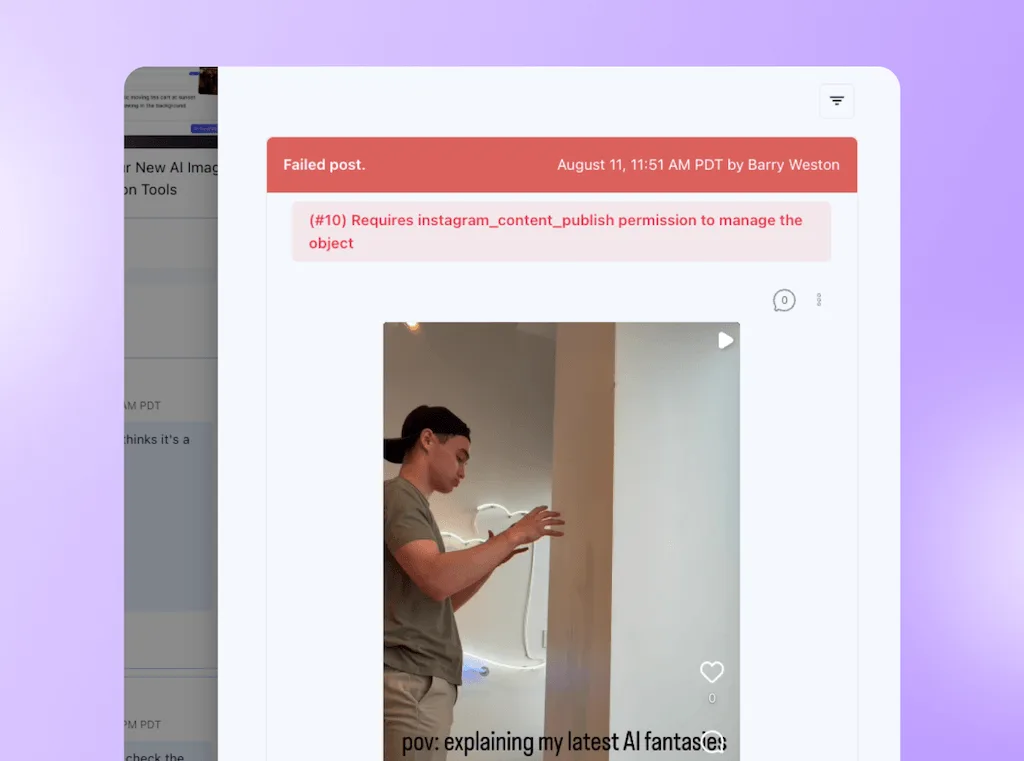
“Pending,” “Processing,” and “Failed” describe different situations, so they should look different. Vista Social marks disconnected profiles as “Error” in red. Its calendar uses a red Failed status for missed posts.
The Calendar filter gives you a practical history of failed posts. It isn’t a dedicated incident report, so set the profile group and period you need.
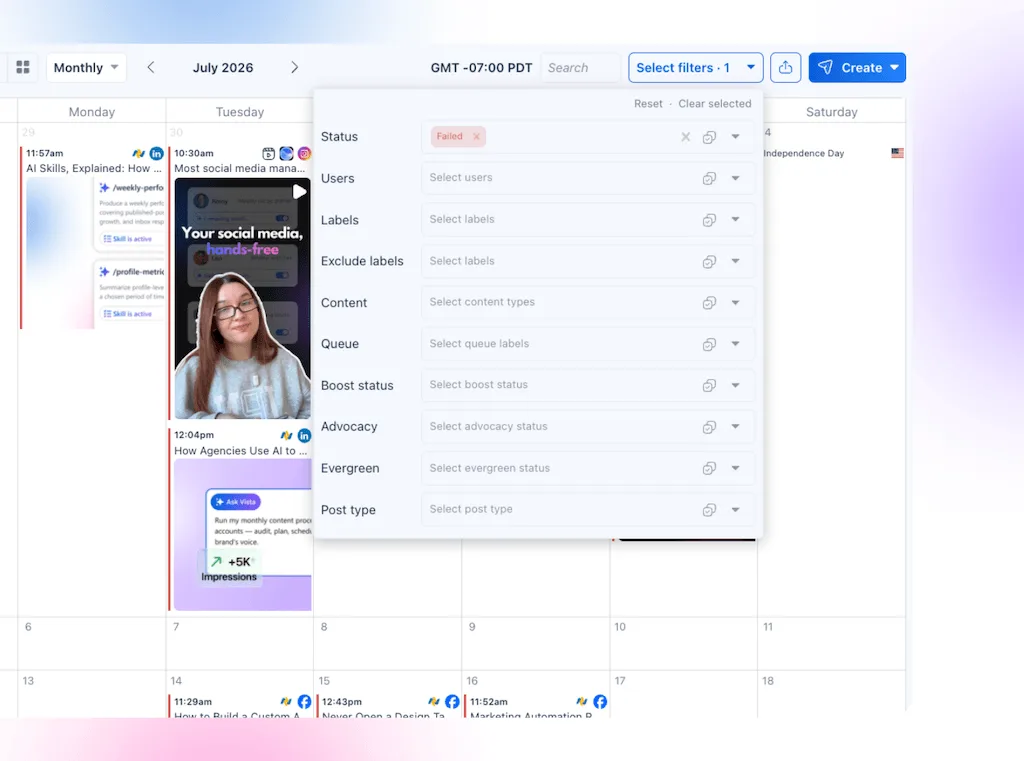
For that comparison, use the same date range in both places. Our guide to reporting differences explains why totals can still vary.
How do you test a scheduler for this?
Run these six questions against the tool you already use before booking another demo. Together, they cover alerts, retries, failed-post history, connection ownership, and API upkeep.
| Ask this | A useful answer | Test it during a trial |
| How will we find out? | The alert names the profile, problem, next step, and recipient. | Check the settings and ask to see a real failure alert. |
| How quickly will we know? | The vendor explains whether detection happens at disconnection or on the next API request. | Ask which event triggers the warning. |
| What happens to queued posts? | Temporary errors and invalid credentials follow different paths, and late posts wait for review. | Open a failed post and trace the recovery steps. |
| Can we find old failures? | Failed posts remain filterable by profile and date range. | Filter last month’s calendar during the trial. |
| Who owns the connection? | The vendor explains whether publishing depends on an employee or business account. | Map one live profile to its owner and backup. |
| Who owns platform changes? | A named team handles API migrations, customer notices, and queued content. | Ask for one recent migration example. |
Test with a post you can afford to miss
Use a private test profile or a low-stakes evergreen post. Then schedule it, confirm the notification settings, and note what the calendar shows before and after publication.
Don’t disconnect a live client profile during a campaign to prove a point. If you can’t simulate the failure safely, ask support to show the exact screens you would see.
Decide what happens after reconnection
A game-day post that missed the game shouldn’t publish late without review. An evergreen tip may still be useful, while an expired offer or delayed safety notice needs a human decision.
Write one recovery rule for your team: after access returns, the post owner reviews the time, copy, and context before anything is scheduled again. If the delay changed the meaning, archive the old version and create a fresh post.
Frequently asked questions
Is it normal for social accounts to disconnect from a scheduling tool?
Yes. Platforms can expire or invalidate the credentials that third-party tools use, and the scheduler can’t override that decision. The tool should tell you which account lost access and show any affected posts clearly. Learning about the problem from a client several days later deserves a closer look at the notification setup.
Why do I have to reconnect my accounts every couple of months?
A roughly two-month cycle can line up with Meta’s long-lived user tokens, which generally last about 60 days. It won’t explain every case because token types differ and access can be invalidated early. Record the reconnection dates and ask which token or connection model your tool uses. That gives support something more useful than “it keeps happening.”
Can I stop my accounts from disconnecting?
You can reduce avoidable disconnections, but a platform can still revoke access. Keep permissions current, remove old admins carefully, and include social connections in your password-change and offboarding checklists. Ask whether the connection depends on one employee’s login. If it does, assign a backup owner and reconnect before that person loses access.
How should a scheduling tool tell me a post failed?
The warning should name the profile and post. It should explain the error in plain language and reach somebody who can act. The calendar should also show Failed as a different state from Scheduled or Processing. Check the notification toggles during setup rather than after the first missed post. A useful warning has both a destination and an owner.
Why do my videos keep failing to upload?
The file may miss a network requirement for format, codec, size, duration, resolution, or aspect ratio. A connection can remain healthy while the network rejects the media. Compare the error with the current platform specifications and check whether your scheduler’s media processing was enabled. If the deadline is close, decide whether a corrected native upload is safer.
What happens to a scheduled post while an account is disconnected?
The answer depends on the scheduler and the error. A post may fail, wait, retry after a temporary problem, or need a person to schedule it again after access returns. Ask for the exact behavior before a campaign and write down who reviews delayed posts. Timing can change the meaning of an offer, event update, or public statement.
Can a scheduling tool lose access to a whole platform?
Yes. A platform grants API access to the scheduling application, and it can change permissions or retire API versions. Reconnecting one account won’t fix an application-level issue. Ask the vendor how it tracks platform changes, communicates an interruption, and handles queued content during a migration.
About the Author

Content Writer
Orion loves to write content that refuses to be boring. As part of Vista Social, he helps brands, creators, and agencies stop doom scrolling and start winning with social media. When he's not in front of a keyboard, he's watching films in IMAX with his wife, dissecting football tactics (the European kind), and getting lost in a good book.