

Published on October 20, 2026
10 min to read
6 Signs Your Social Media Management Tool Is Limiting Agency Growth

Summarize with AI

Table of contents
Summarize with AI

ChatGPT

Claude

Perplexity
Share

Vista Social

X (Twitter)


A client’s question about a post shouldn’t have to wait for the one person who remembers where it was approved. If the answer sits in an account manager’s chat history rather than your social media management tool, someone has to track it down before you can respond.
Report rebuilding and duplicate trackers create the same drag. The posts still go out, but each account needs manual coordination that crowds out analysis and creative work. With a fixed retainer, those extra delivery hours eat into your margin.
Another hire might help with the workload. It won’t remove the repeated steps everyone inherits. Before you renew, switch platforms or add payroll, and separate the work your process can remove from the work your tool should handle.
The short version
- Count the delivery cost: Include chasing approvals, assembling reports, and updating duplicate records, even when clients receive everything on time.
- Check six warning signs: Follow approvals, reporting, onboarding, teammate access, task tracking, and cover for absent account managers.
- Evaluate AI by the work completed: Look for report preparation, reusable client knowledge, and scheduled checks, then include AI credits and human review in the cost.
- Fix processes before switching: Use the scorecard to identify which problems your current setup can solve and which jobs a replacement must handle.
Table of contents
1. Client approvals are scattered across chats
A thumbs-up in a chat can be clear approval. Trouble starts when someone has to match that message to the right caption, asset, and scheduled post later.
Your account manager has to keep the decision and calendar aligned. A last-minute edit adds another question: did the client approve the version that went live, or the one before it?
Follow one recent post and ask:
- Approved copy: How does your agency save the copy and asset the client signed off?
- Named reviewer: Can a colleague find who gave the final yes without searching someone else’s messages?
- Later edits: Is it clear which changes require another approval?
Clients resisting another login is normal behavior to design around. In Vista Social’s shared calendar approval workflow, clients review the current post from a link, approve or reject it, and leave feedback. They provide a name and email so you can identify the submitted review.
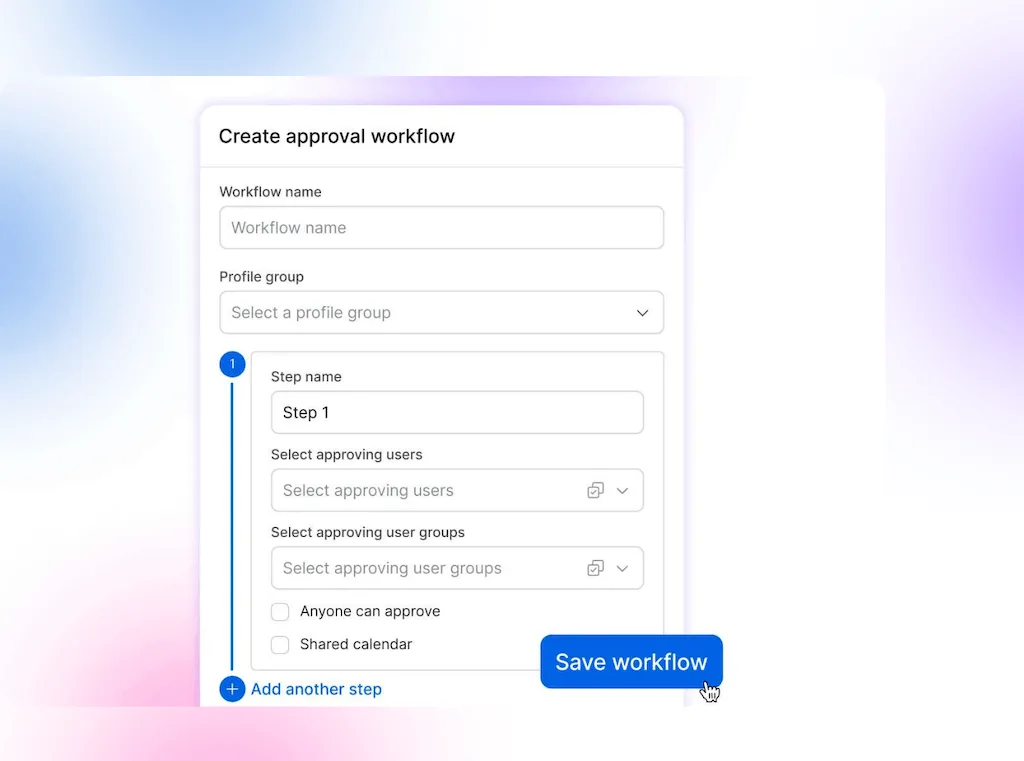
Agree how your agency saves the final approved copy and handles later edits, whichever tool you choose. Don’t assume a shared review link alone preserves every past version.
The owner’s cost includes both chasing the decision before publication and reconstructing it when a client questions the work afterward.
2. Client reports need manual assembly every month
A useful monthly report explains what changed and what you recommend next. If preparation mostly means repairing exports and rebuilding slides, the analysis gets squeezed.
Split the work into two categories:
- Analysis: Explaining results, recommending changes, and relating performance to the client’s goals.
- Manual assembly: Copying figures, replacing logos, and recreating a layout you’ve already agreed to.
Your white-label reporting setup should preserve the standard format and branding. For a custom request, Ask Vista can build a report from connected account data. Ask for a PDF or presentation, then revise the generated document in chat before checking the figures and conclusions.
That’s a useful AI test: can it prepare something your account manager can review and use without rebuilding the answer elsewhere? A short summary that still needs an hour of formatting leaves part of the job unfinished.
3. Every new client repeats the same setup work
New accounts need a brief, permission check and agreed goals. But you shouldn’t have to redesign how the agency delivers social every time you win one.
Compare your last two onboardings:
- Reusable setup: Could you reuse the working structure for profile access, approval stages, and reporting? Or did someone recreate the same settings and supporting documents from memory?
- Shared client context: Store approved brand facts, voice, and rules in Brain for the client’s profile group. Ask Vista chats and agents use that shared context, so update it when the client’s instructions change.
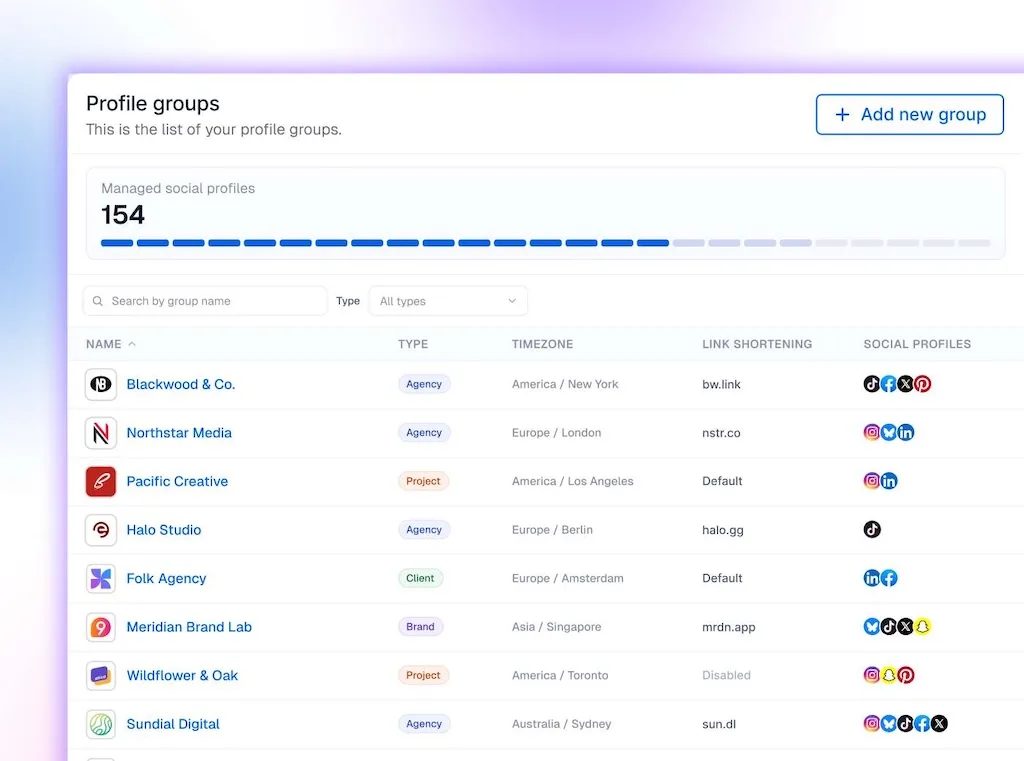
A repeatable approach to managing social accounts for multiple clients separates learning the client’s business from repeating your own administration. Otherwise, each retainer adds setup effort before the first campaign begins.
4. New teammates can’t work directly in the tool
You’ve brought in a writer, intern, or contractor, but their drafts still arrive by email. An account manager has to enter them because suitable access is unavailable or hard to justify within the account budget.
Check three parts of the setup:
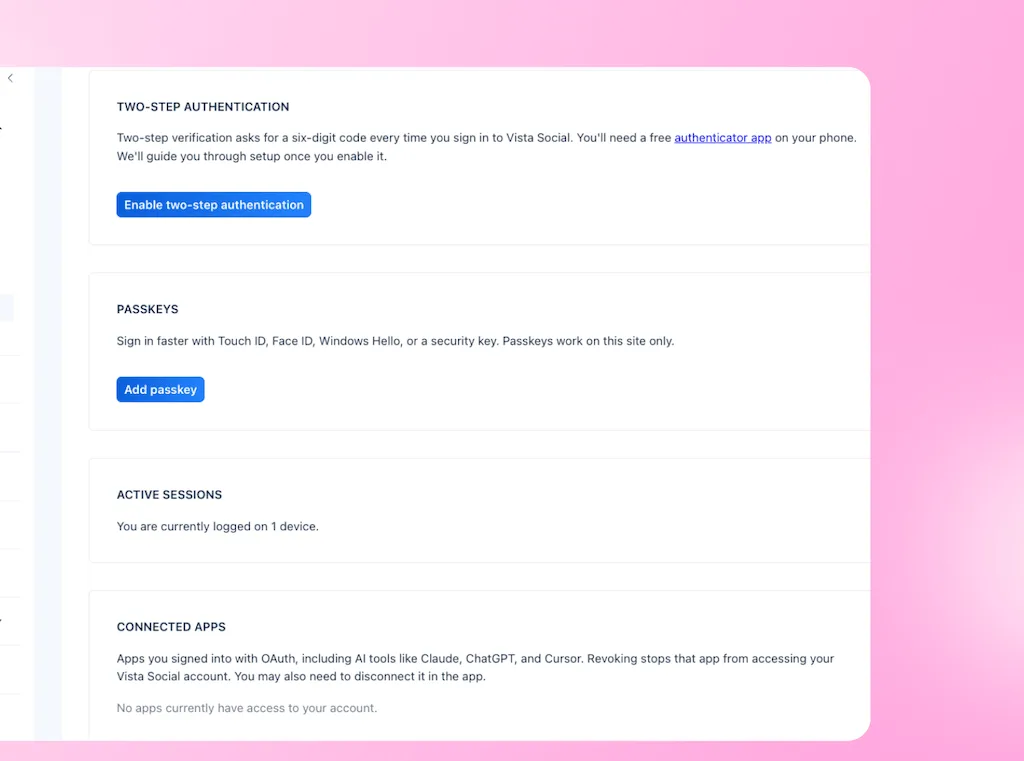
- Individual logins: Shared credentials make it harder to identify who changed something or remove one person’s access later.
- Suitable permissions: Give each person access to the right client accounts with the required review step. Full publishing rights are excessive when someone only needs to prepare work for review.
- Cost of the handoff: Compare the access arrangement with the delivery time your account manager spends entering someone else’s work and explaining its status. Extra help should create capacity, not another go-between role.
5. Task and post statuses need updating in two places
A photo shoot, revised offer, or unanswered client question can hold up next week’s content. The publishing calendar alone doesn’t explain those dependencies.
A separate project tool is fine when the handoff works. Choose a delayed post and check:
- The blocker: Can your account manager find what the post is waiting for?
- The next action: Is it clear who owns the task and when it’s due?
- The current status: Does someone have to copy each change between the tracker and calendar, then check both to know which is right?
If a status meeting is needed to reconstruct those facts, you’re paying people to reconcile records instead of move the work forward.
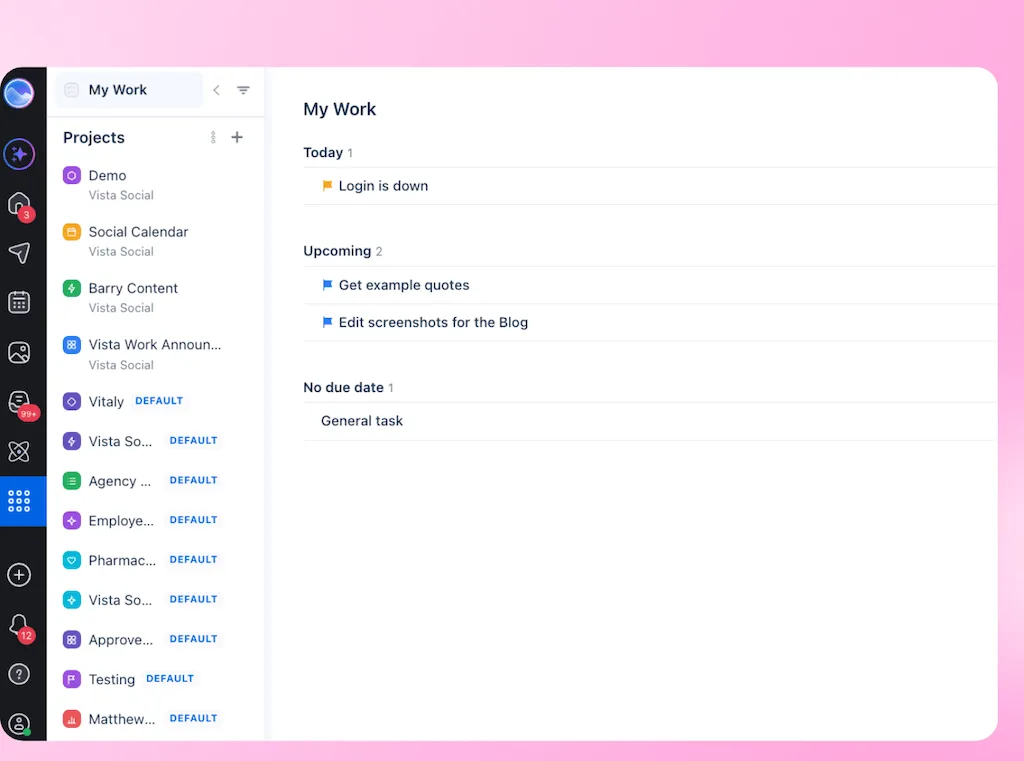
Once tasks are recorded properly, an Ask Vista agent can surface overdue work and approval bottlenecks on a schedule. Start with an internal exception list. Your account manager resolves the blockers; the agent doesn’t replace missing task owners or automatically synchronize an unrelated spreadsheet.
6. Client work stalls when one person is away
Ask what happens when your most experienced account manager takes two weeks off without checking messages.
Can a colleague prepare the usual report and identify the next approval deadline from the account records? Or do routine delivery questions come straight to you?
That account manager has been filling gaps with experience. They know which export needs adjusting and which client’s approver recently changed. If that knowledge isn’t easy to find, their leave turns you into the backup for the account.
Test a handover without a narrated tour:
- Next deadline: A teammate finds what’s due and who’s responsible.
- Latest decision: They locate the current brief, approval decision, and outstanding feedback.
- Routine delivery: They prepare the standard report or review queue from shared instructions.
Write down anything missing. If the instructions exist but the records remain scattered, investigate the setup too. An agency hasn’t gained much capacity if every holiday gives its owner another account to manage.
Is it the tool or the process? Run this ten-minute check
Complete this with your account manager. Use a recent post, report, or handover as evidence rather than scoring from memory.
Ask two questions for each sign:
- Does it happen: Has this affected your team at least once in the past month?
- Can your current setup fix it: Would an agreed rule, an existing feature, or a corrected setting remove the repeated work?
Before answering No to the second question, check the available features and ask for help if needed. Include the cost of a plan change. A feature you haven’t configured isn’t evidence that you need a different platform.
Test native or connected AI against the same job, access restrictions, and review requirements before calling it a tool gap.
Gartner’s 2025 marketing technology survey reports 49% utilization of marketing technology across marketing organizations, not agencies specifically. Establish what you already have before paying to replace it.
Copy this table and replace the options with your answers. Give a row one tool point only when the answers are Yes and No.
| Warning sign | Happened this month? | Current setup can fix it? | Tool point |
|---|---|---|---|
| Approval evidence is scattered | Yes / No | Yes / No | 0 / 1 |
| Reports need rebuilding | Yes / No | Yes / No | 0 / 1 |
| Onboarding repeats the same setup | Yes / No | Yes / No | 0 / 1 |
| Teammates lack suitable access | Yes / No | Yes / No | 0 / 1 |
| Task and post statuses need reconciling | Yes / No | Yes / No | 0 / 1 |
| Routine delivery depends on one person | Yes / No | Yes / No | 0 / 1 |
Read the total as a practical rule of thumb, not a validated buying score:
- 0 or 1 point: Start with the process fixes and investigate the remaining gap on its own.
- 2 points: Test the available fixes, then reassess before renewal.
- 3 to 6 points: Make a replacement evaluation a priority, using the unresolved jobs as your criteria.
One fix might clear several rows. Make it and rescore before treating related symptoms as separate reasons to switch. An urgent access or approval risk needs attention regardless of the total.
When switching tools won’t solve the problem
Settle who approves, what the report includes, and who owns overdue work before changing platforms. Keep specialist tools that add value rather than trying to reach an arbitrary app count.
A move also takes planning, training, and client communication. If renewal is months away, use the time to test fixes and alternatives. Record the notice deadline so automatic renewal doesn’t decide for you.
Test one client workflow with your account manager
Choose an account affected by your tool-scored problems. Run the trial together: your account manager checks how the work gets done, while you judge the delivery cost and capacity it creates.
In Vista Social, test these connected jobs:
- Client review: Send a shared calendar approval link for a sample post. Check that the client can review without logging in and that your account manager can find the submitted decision and feedback.
- Report production: Save the required layout as a reusable template and test scheduled delivery to an internal recipient. For a custom request, review an Ask Vista-generated document before sending it to the client.
- Account cover: Keep the client’s profiles together, with assigned tasks in its Vista Work project. Give a colleague access only to the relevant groups and use Contributor publishing permissions when their posts need review.
In Vista Social’s 2024 Bee Seen case study, owner Diane Freeman estimated that content creation took half the time after consolidating her workflow. Your trial needs to establish the capacity benefit for your own retainers, rather than assume the same result.
Compare AI credits with the cost of the completed job
AI tokens are units a model processes when reading inputs and producing outputs. Vista Social tracks product AI usage in credits. Tokens and credits aren’t interchangeable, and Ask Vista chats and agent runs don’t have a fixed credit cost.
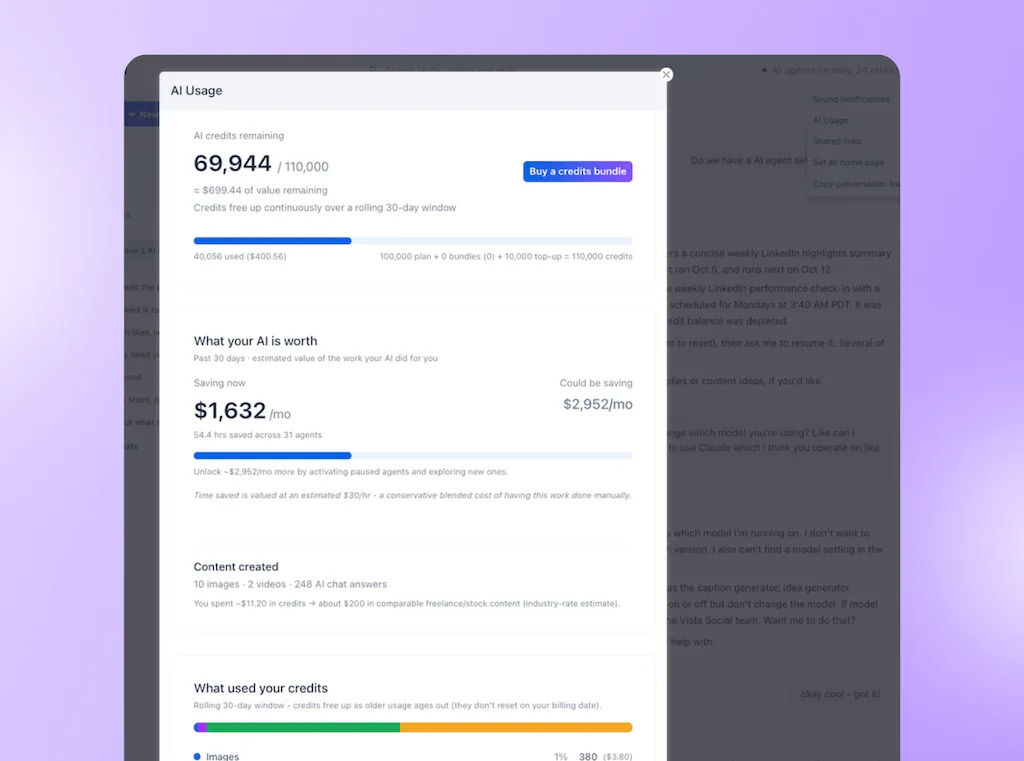
For AI work across client accounts, compare four things:
- Work per run: Profile count and task complexity affect credit use. Test the client’s actual job rather than extrapolating from a small demonstration.
- Run frequency: A weekly recap and an hourly check create different monthly usage. The AI usage dashboard shows recorded usage and estimated monthly agent cost; treat the estimate as a budget guide, not a fixed quote.
- Included versus extra usage: Track credits covered by your subscription separately from additional bundles, so you don’t count the same spending twice.
- Human effort: Include review, corrections and setup when comparing costs. Convert that time to your internal delivery cost before adding AI spend. Low credit use alone doesn’t prove a margin gain.
Make room for your next client
Decide against the next account’s real scope: can your team deliver it within paid working hours, with the required review intact? A better tool should remove repeated work, not leave you or your account manager absorbing it after hours.
Take one unresolved workflow and start a 14-day Vista Social trial with your account manager. Compare delivery time, corrections and total cost before bringing more clients over. No credit card required.
Frequently asked questions
How do you know whether the tool or the process is the problem?
Test a clear way of working in your existing setup first. If ownership, settings and training resolve the issue, keep that fix. If routine work still requires manual reconstruction, take it into a replacement evaluation.
How many clients can you manage before outgrowing a scheduler?
There isn’t a fixed client limit. Approval requirements, reporting needs and the people involved determine how much work each account creates. Watch what happens to delivery effort when you add a client, rather than using roster size alone.
Is it worth switching during a contract?
Compare the remaining commitment and move effort with the harm of staying. Waiting for renewal is sensible when the problems are manageable, but a serious access or publishing risk deserves action sooner. Plan around client delivery and your notice period.
Does AI make an agency’s social workflow cheaper?
Compare the cost of completing the same job to the same standard. Include AI usage, setup, human review and corrections, rather than comparing credits with the whole manual job. Keep the workflow only when the result and delivery economics justify it.
Try Vista Social for free
A social media management platform that actually helps you grow with easy-to-use content planning, scheduling, engagement and analytics tools.
Get Started NowAbout the Author

Content Writer
Orion loves to write content that refuses to be boring. As part of Vista Social, he helps brands, creators, and agencies stop doom scrolling and start winning with social media. When he's not in front of a keyboard, he's watching films in IMAX with his wife, dissecting football tactics (the European kind), and getting lost in a good book.
Loading related tools...

The most complete social media management platform for teams who demand more.






Tools
PublishingAnalyticsEngagementIntegrations
FacebookInstagramLinkedInRedditSnapchatThreadsTikTokX (Twitter)YouTubeMCPVista Page (link-in-bio)All IntegrationsCopyright © 2026 Vista Social LLC. All Rights Reserved.