


How to Plan a Social Media Campaign When You Have Hours, Not Weeks
July 21, 2026
7 min read

Summarize with AI

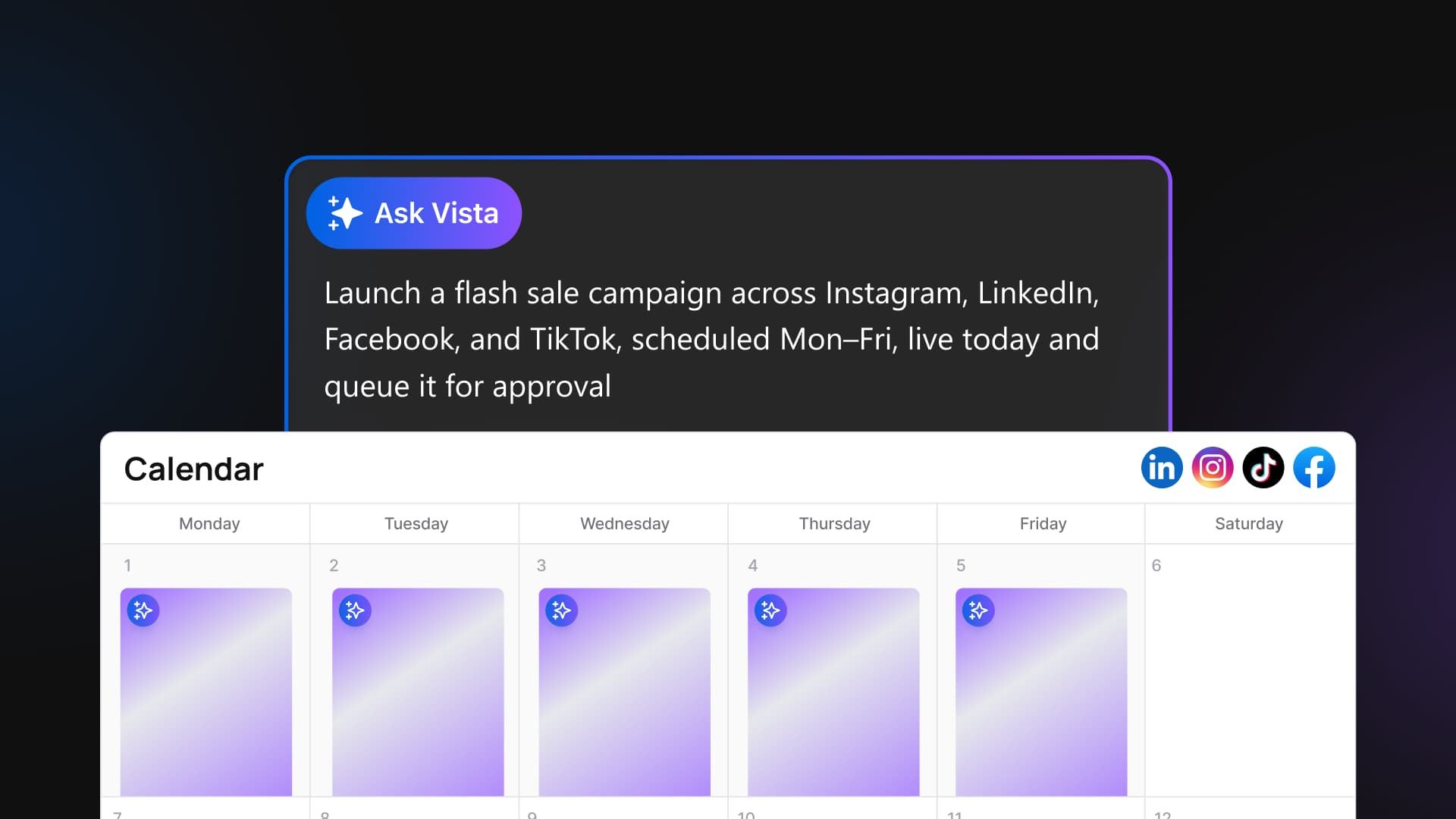
Table of contents
Share

Vista Social

X (Twitter)


It’s 9:11 on a Tuesday, and you’re about to learn how to plan a social media campaign in the next few hours instead of the next few weeks. You’ve got a coffee you haven’t touched and a Slack message you can’t unsee: “Big news just dropped in our space, can we get a campaign up today reacting to it?” There’s no brief and no assets, just a call at 3pm and a blank calendar.
Every strategy guide out there starts with weeks of audience research, which is genuinely useful and completely irrelevant to the next six hours. You don’t need a workshop.
You need eight posts written, a graphic that doesn’t look like a ransom note, and everything scheduled across four accounts before lunch. Here’s how to do exactly that, without the campaign looking like you threw it together between meetings.
A last-minute campaign is not a worse campaign. It’s the same campaign with the busywork removed. By the end of this guide, you’ll have run a full same-day campaign, drafted and scheduled, in about 25 minutes.
Key takeaways
- The strategy behind a campaign takes minutes. Writing, designing, and scheduling is the slow part, and it’s now delegable
- An account-aware AI assistant can draft posts, generate a visual, and schedule across every connected account in one flow
- Nothing publishes without your approval. You stay the editor and the final gate
- A realistic same-day campaign takes about 20 to 30 minutes, start to finish
Table of contents
What you need before you start (2-minute prep)
Before you touch the six steps below, get these three things in place. None of them take long to check.
- A Vista Social account with your social profiles already connected
- A one-line brief covering your goal, your angle, your offer, and when it needs to go live
- About 25 minutes with no meetings booked
That’s the whole prerequisite list. No design tool, no separate scheduler, and no writer on standby. If you’re figuring out how to plan a social media campaign for the first time under a deadline, this short list is the entire runway you need.
The 25-minute campaign: 6 steps
The plan for a same-day campaign takes about two minutes: state the goal, the angle, and the deadline in one line. Everything after that is production, and production is what you hand off. The six steps below move from that one-line brief to a queued, on-brand campaign in roughly 25 minutes.
Step 1. Write the one-line brief
Name the goal, the angle, the offer, and when it goes live, all in one sentence. If you’re stuck on the angle itself, a quick scan of proven campaign formats can jog something loose faster than staring at a blank doc.
This step is yours, and it’s the only part of the process where your judgment can’t be delegated. Done when you can say the whole campaign in one sentence, out loud, to another person.
Step 2. Ask the assistant to draft the posts
Give an AI assistant that actually works inside your accounts your one-line brief and ask for native variants per platform. Ask Vista drafts in the brand voice you’ve already set, and you edit before anything ships. That’s a step beyond a caption generator bolted onto a scheduler.
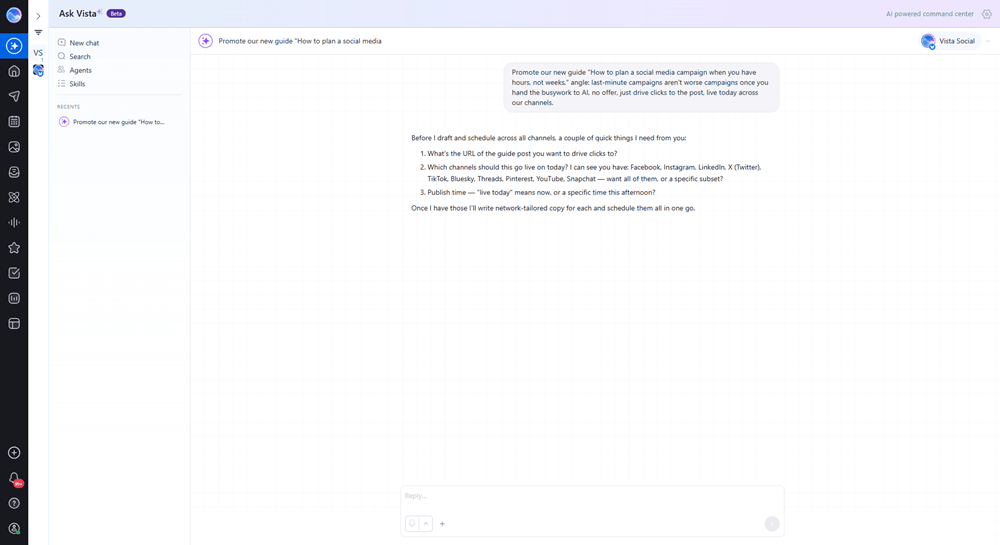
Ask Vista is wired into your connected profiles, so it already knows which platforms you’re posting to and shapes each draft for that audience instead of handing you one generic paragraph to copy four times. It also ships on every plan, including the entry-level Professional tier at $79 a month billed monthly (less per month if you pay annually), so there’s no upgrade to chase before you can use it.
Step 3. Generate the visual in the same window
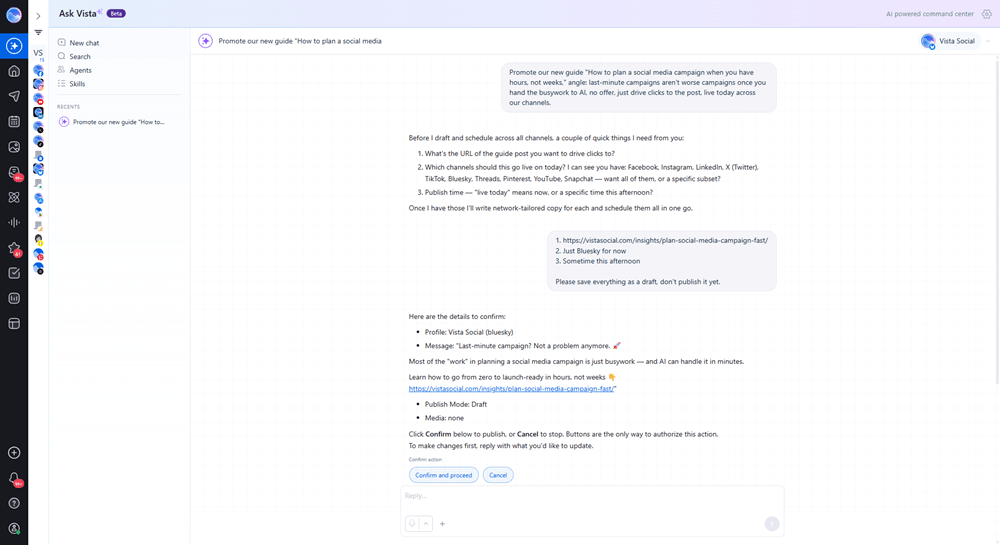
Ask for an on-brand image or a short video without opening a separate design tab. Image and video generation draw from your plan’s monthly AI credit pool, and both generating and editing an image use those same credits. Re-prompt with one concrete change if the first pass isn’t quite right.
Step 4. Schedule across every account in one pass
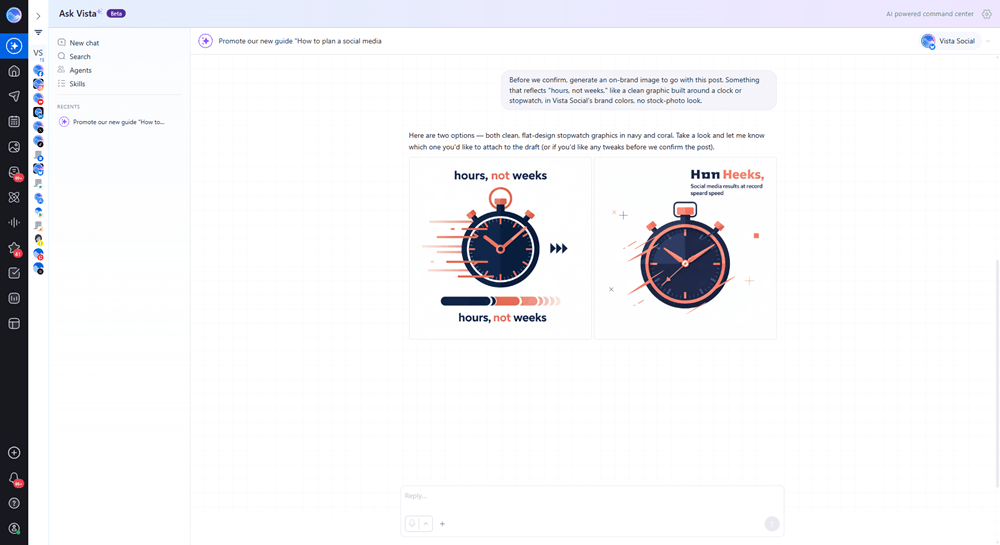
Send the drafts to your calendar at sensible times for each platform. One action covers every connected profile, so you’re not logging into four dashboards to do the same job four times. For the weeks that aren’t urgent, a repeatable content calendar is worth building once you’re past today’s fire.
Step 5. Queue it for approval
Route the campaign through an approval step so a teammate or client signs off before anything goes live. Single-stage approval workflows are available on every Vista Social plan, so this isn’t a feature you have to unlock. This is the guardrail, not an afterthought.
Step 6. Do the final human read, then ship
Read the whole set once, end to end, for tone and accuracy. Approve it, and it publishes on schedule. You’re back at your 10am standup with the campaign handled instead of hanging over you.
What to do when it goes sideways (troubleshooting)
- The draft sounds generic: Tighten your brand voice settings first, then add one specific detail to the one-line brief instead of a vague goal like “promote the sale”
- The graphic is off: Re-prompt with a single concrete change, such as a different background or a smaller logo, rather than starting the whole prompt over
- You scheduled to the wrong account: Double-check the profile selection before you move to the next post, not after you’ve queued all six
- You’re nervous about auto-posting: Keep the approval step turned on. That’s the whole point of it, not a workaround you can skip once you trust the tool
None of these gotchas are rare. They’re the normal friction of a new workflow, and each one has a thirty-second fix once you know to look for it.
When you should slow down instead
This fast path is for the routine “we need something today” ask, not for the once-a-year bet-the-brand moment. A regulated announcement, a crisis response, or a major brand launch with legal and executive sign-off deserves the full planning runway it deserves, not a 25-minute sprint. The judgment about what a moment needs still has to be yours.
An assistant is fast at production. It doesn’t know that legal hates a certain word, or that a client called angry yesterday. Keep a human on strategy and on the final read, every time.
Frequently asked questions
How long does it take to plan a social media campaign?
A full strategic campaign with audience research and a multi-week calendar can take weeks. The planning itself, the goal, the angle, the posts, takes minutes. With an account-aware assistant handling drafting, visuals, and scheduling, a routine same-day campaign is realistic in 20 to 30 minutes.
Can AI create a whole social media campaign?
AI can draft the posts, generate the visuals, and schedule them across your accounts. It shouldn’t make the final judgment call or publish unreviewed. Keep a human on strategy and approval, and let AI carry the production.
What’s the difference between an AI caption generator and an AI social media assistant?
A caption generator writes text and stops there. An account-aware assistant is wired into your connected accounts, so it can draft, generate media, and schedule across profiles, taking publishing actions only with your approval.
What are the steps of a social media campaign?
Define the goal and angle, draft native posts per platform, create the visual, schedule across accounts, route for approval, and publish. This guide compresses those into a 6-step, roughly 25-minute flow.
Is it safe to let AI post to our accounts automatically?
Yes, when there’s an approval step turned on. Nothing should be published until you or a teammate releases it. Keep the approval workflow enabled and the AI queues instead of posting.
When should I not rush a campaign?
For regulated announcements, crisis response, or a major brand launch that needs legal and executive sign-off. Those earn the full multi-week runway. The fast path is for routine, timely campaigns, not the once-a-year bet-the-brand moment.
About the Author

Content Writer
Russell Tan is a content marketing specialist with over 7 years of experience creating content across gaming, healthcare, outdoor hospitality, and travel—because sticking to just one industry would’ve been boring. Outside of her current role as marketing specialist for Vista Social, Russell is busy plotting epic action-fantasy worlds, chasing adrenaline rushes (skydiving is next, maybe?), or racking up way too many hours in her favorite games.