


Table of contents
Summarize with AI

ChatGPT

Claude

Perplexity
Share

Vista Social

X (Twitter)


Organic reach on Instagram has been in slow decline for years. Brands and creators are getting less return for the same effort—and the answer isn’t always more content or a bigger ad budget. Sometimes it’s a smarter use of the tools already built into the platform.
Instagram collab posts are one of those tools. According to Emplifi’s analysis of over 1.1 million Instagram posts, collaborative posts generate more than twice the impressions and interactions of non-collaborative organic content. That kind of lift, and at zero ad spend to boot, is worth understanding.
This guide covers what Instagram collab posts are, how they differ from tagging and other features, how to create one step by step, and how to use them strategically in 2026—including the mechanics that most older guides have missed or gotten wrong.
Table of contents
What is an Instagram collab post?
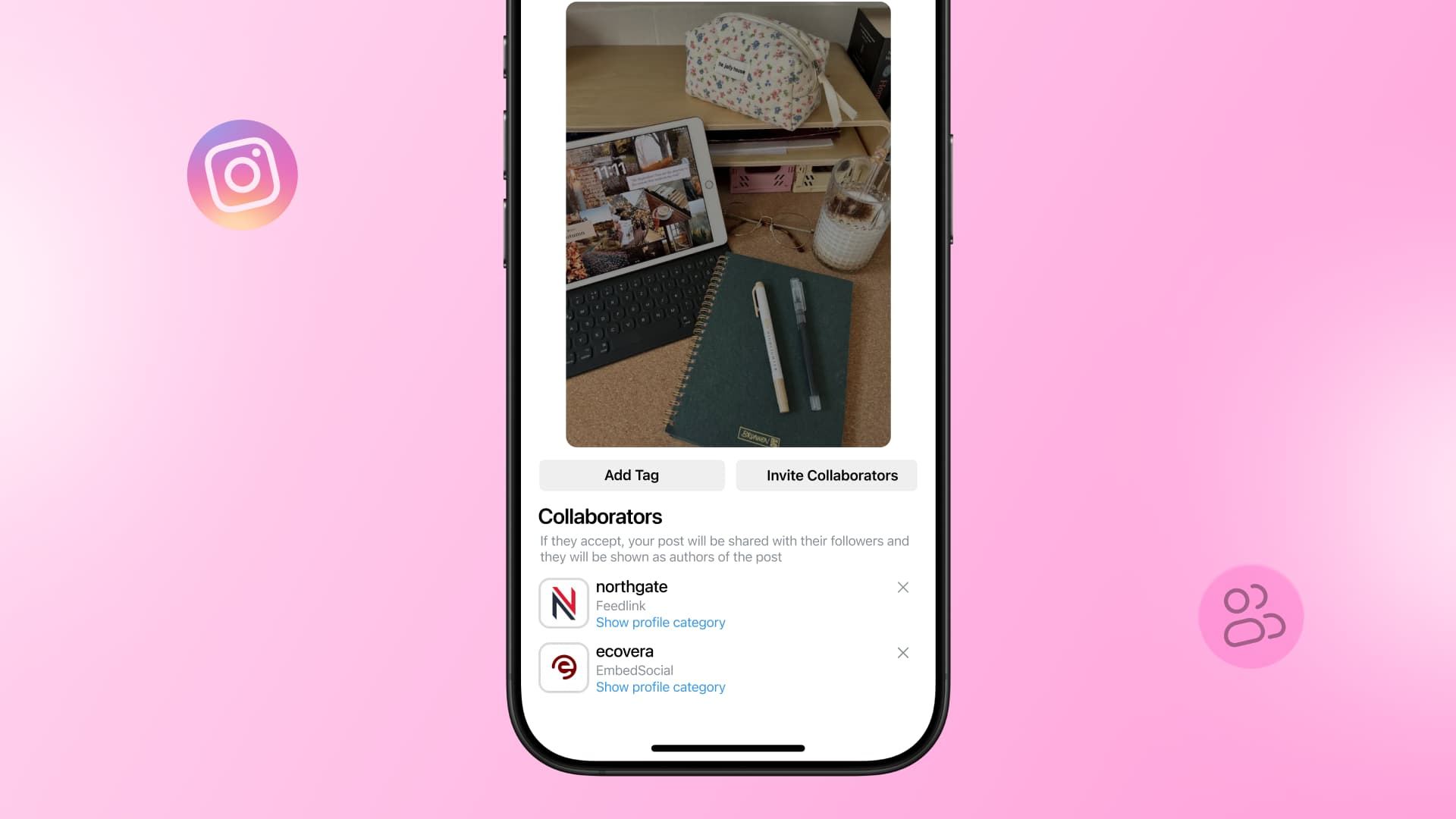
An Instagram collab post is a feed post, carousel, or Reel co-authored by two or more accounts. Every collaborator’s handle appears at the top of the post, the content shows on each collaborator’s profile grid simultaneously, and all engagement—likes, comments, views—pools into one shared count.
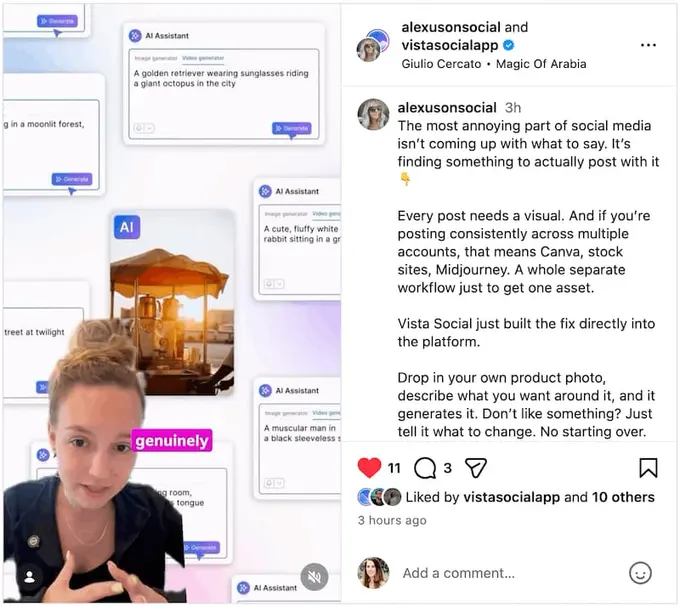
Instagram introduced the collab feature in June 2021, originally as a way for two accounts to share a single post. Since then, it’s expanded considerably.
When you create a collab post, every collaborator’s handle appears as a co-author at the top. The content lives on all collaborators’ profile grids at once—no duplicate posting, no cross-sharing. All engagement across every audience merges into a single shared count.
For a step-by-step walkthrough of the invitation process, check out our dedicated guide on how to add a collaborator on Instagram.
Collab posts vs. tags, mentions, reposts, and branded content
A lot of accounts use collab posts interchangeably with tagging or mentions. They’re not the same thing, and the differences matter—especially if you’re running paid partnerships.
| Feature | What it does | Shared placement? | Shared engagement? |
| Collab post | Makes another account a true co-author | Yes—lives on all grids | Yes—one merged count |
| Tag | Mentions another account in the post | No—stays on your grid only | No |
| Mention | @handle in caption or comments | No | No |
| Repost/reshare | Duplicates content as a new post | Separate post on their grid | No—separate counts |
| Branded content tag | Discloses a paid partnership | No | No |
The last row is worth expanding on, because it’s the one most guides skip. A collab post and a paid partnership label are completely different things.
If a collaboration involves payment—a brand paying a creator, or any compensated arrangement—Instagram’s policies and FTC disclosure rules in the US still require the branded content tag.
A collab post alone does not satisfy that requirement. In paid partnerships, you need both: the collab post for shared placement and metrics, and the branded content tag for legal and platform compliance.
Why use Instagram collab posts?
The most obvious benefit is reach—one post, multiple audiences, no cross-posting penalty. But that’s only part of the picture.
When two or more accounts co-author a post, all the resulting likes, comments, and saves pool together. That combined engagement signal is stronger than what either account would generate alone, which matters to the Instagram algorithm. Posts with higher early engagement get surfaced more in Explore and in followers’ feeds—so a collab that performs well in the first few hours has compounding reach beyond just the combined follower count.
There’s also a credibility dimension. Co-authoring with a respected account transfers trust. Your audience sees a familiar name vouching for the content, and the other account’s audience gets an introduction to your brand from a source they already follow. That kind of warm introduction is harder to buy than it looks.
Collab posts also push accounts out of their usual content patterns. Working with another creator or brand brings a different perspective and visual style into your feed. The result tends to feel fresher than solo content—and audiences notice.
Our social media manager Alexus Brittain explains why she uses Instagram collab posts when managing Vista Social: “It’s been one of the easiest ways to extend the reach of our content. Instead of relying solely on the brand account’s audience, we’re able to put the same post in front of both audiences at the same time.”
She continues, saying, “For brands, this is a huge opportunity. Your employees, founders, executives, and subject matter experts are often building audiences of their own. Collab posts allow you to combine that reach, increase engagement, and get more mileage out of content you’re already creating. In many cases, people are more likely to engage with content coming from a person they follow than from a brand alone.”
Alexus also shares that some of the collab posts she’s created have generated 10x the reach than just posting from the brand alone. Creating a social media strategy that mixes brand posts and collab posts can be the perfect way to reach more of your target audience.
Plus, all of this happens without ad spend. At a time when organic reach is declining and paid costs are rising, that’s not a small thing.
How Instagram collab posts work
A lot of what’s floating around online about this feature is outdated. These are the mechanics that actually apply in 2026.
You can add up to 5 collaborators per post—6 accounts total including the original author. There’s no follower minimum, so any public business, creator, or personal account can send or accept an invite.
Feed posts, carousels, and Reels all support collabs. Stories don’t, though every collaborator can reshare the post to their own Story once it’s live.
Collabs do require acceptance. Until a collaborator approves the invite, the post only appears on the original author’s profile. Nobody gets content pushed onto their grid without consent.
In addition, the original author controls the post. If they delete it, it disappears from every collaborator’s profile as well.
If either side blocks the other, the collaboration ends, but the post stays on the original author’s profile. The original author’s privacy settings govern the whole post, and if they deactivate their account, the post goes with it—though it’s restored if they come back.
Also, collaborators can leave at any time. You’re not permanently attached to a post if you later decide you don’t want it on your feed.
How to create an Instagram collab post
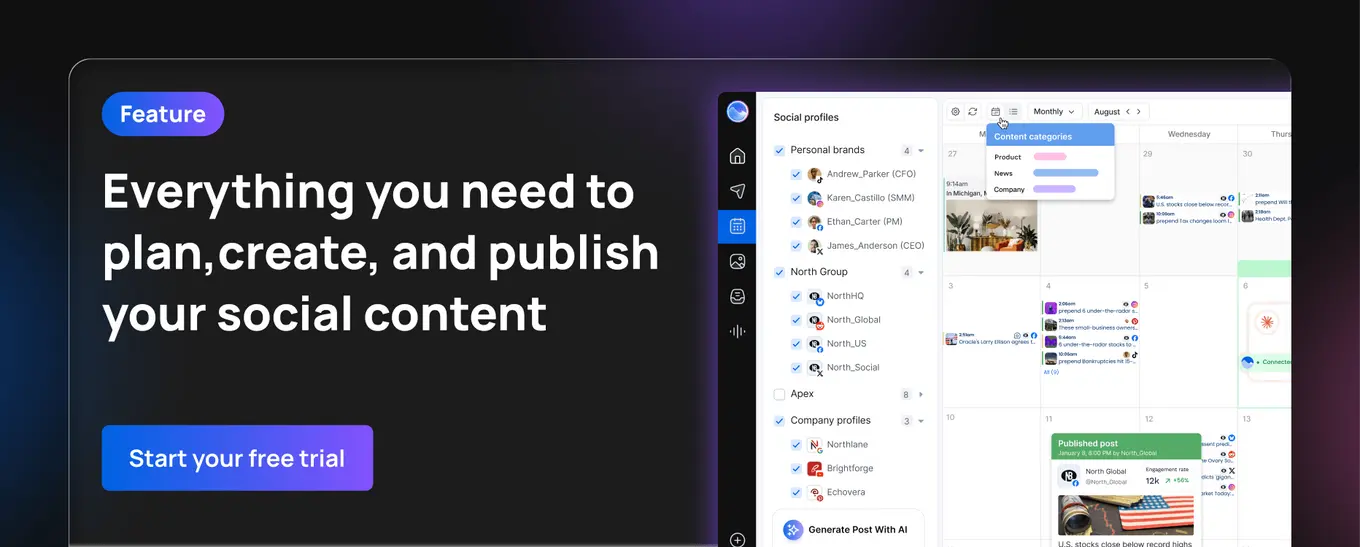
The creation flow is the same whether you’re publishing a feed post, carousel, or Reel—and Vista Social lets you handle it without touching the Instagram app.
How to create a collab post on Instagram
1. Tap the Create (+) button and select Post (or Reel)
2. Choose your photo, video, or carousel images
3. Write your caption and add any hashtags or location
4. Tap Tag people
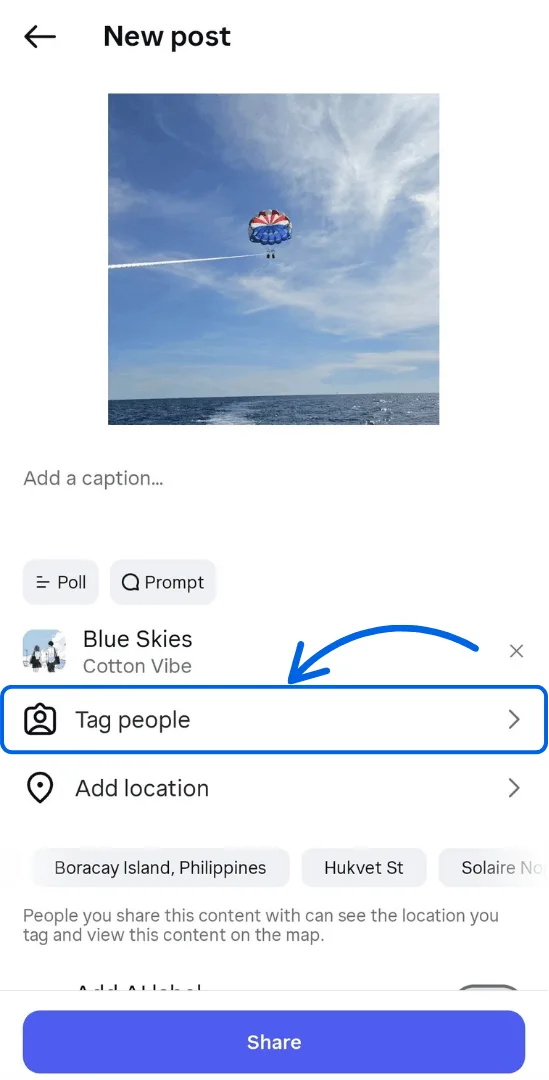
5. Select Invite collaborator
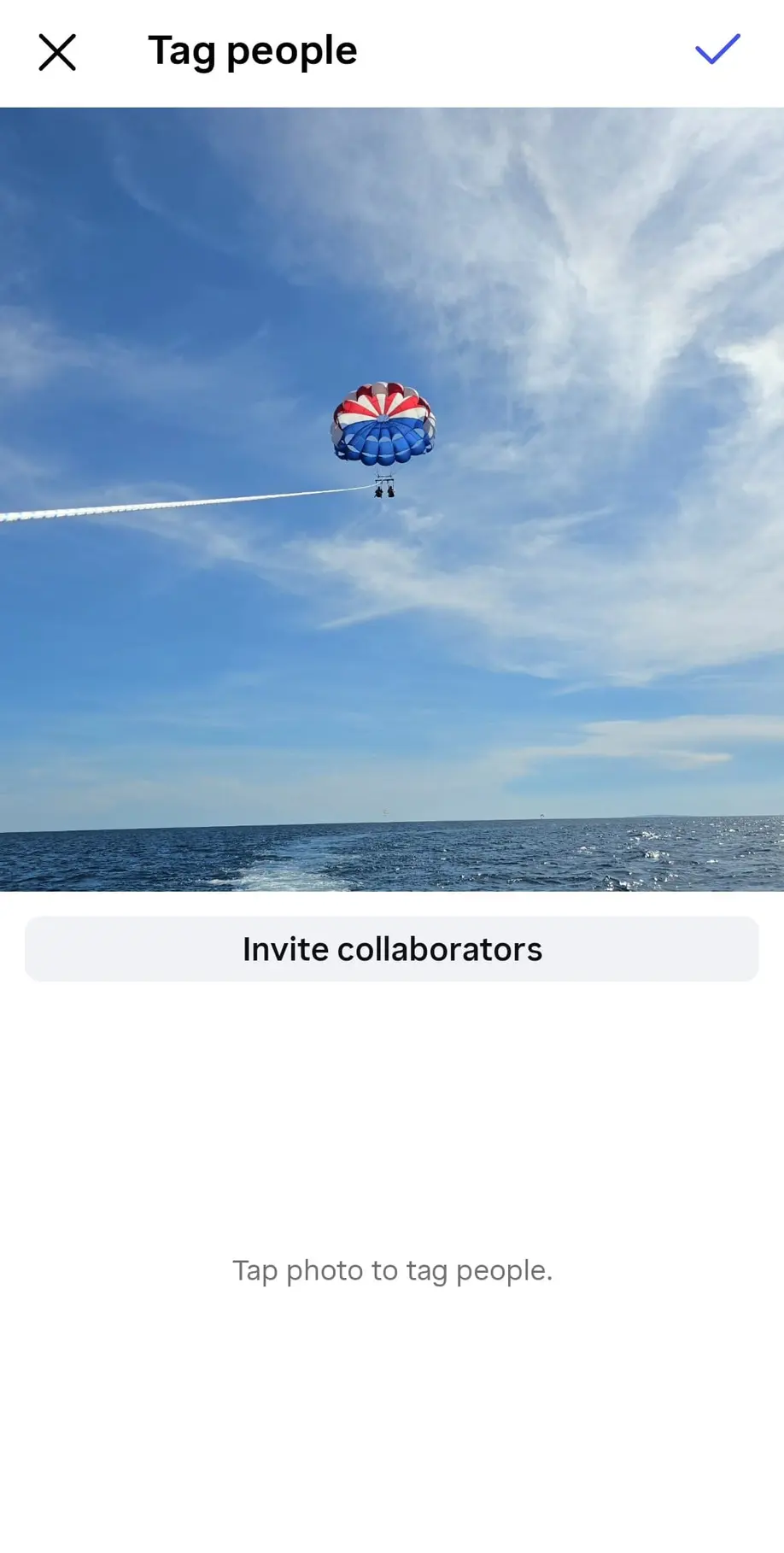
6. Search for and select up to 5 accounts to co-author the post
7. Tap Share—the post goes live on your profile immediately
8. Each collaborator gets a notification and must accept before the post appears on their grid
For a more detailed walkthrough with screenshots of each screen, see our full guide on how to add a collaborator on Instagram.
How to create a collab post in Vista Social
If you’re managing Instagram for clients or scheduling content in advance, Vista Social lets you add collaborators directly in the publishing workflow—no need to do it manually in the app after the fact.
1. In Vista Social, go to Create → New post and select your Instagram profile
2. Write your caption and upload your media
3. On the right-hand side, click the Invite collaborators dropdown. You can also use the collaborator icon at the bottom of the video preview for Reels
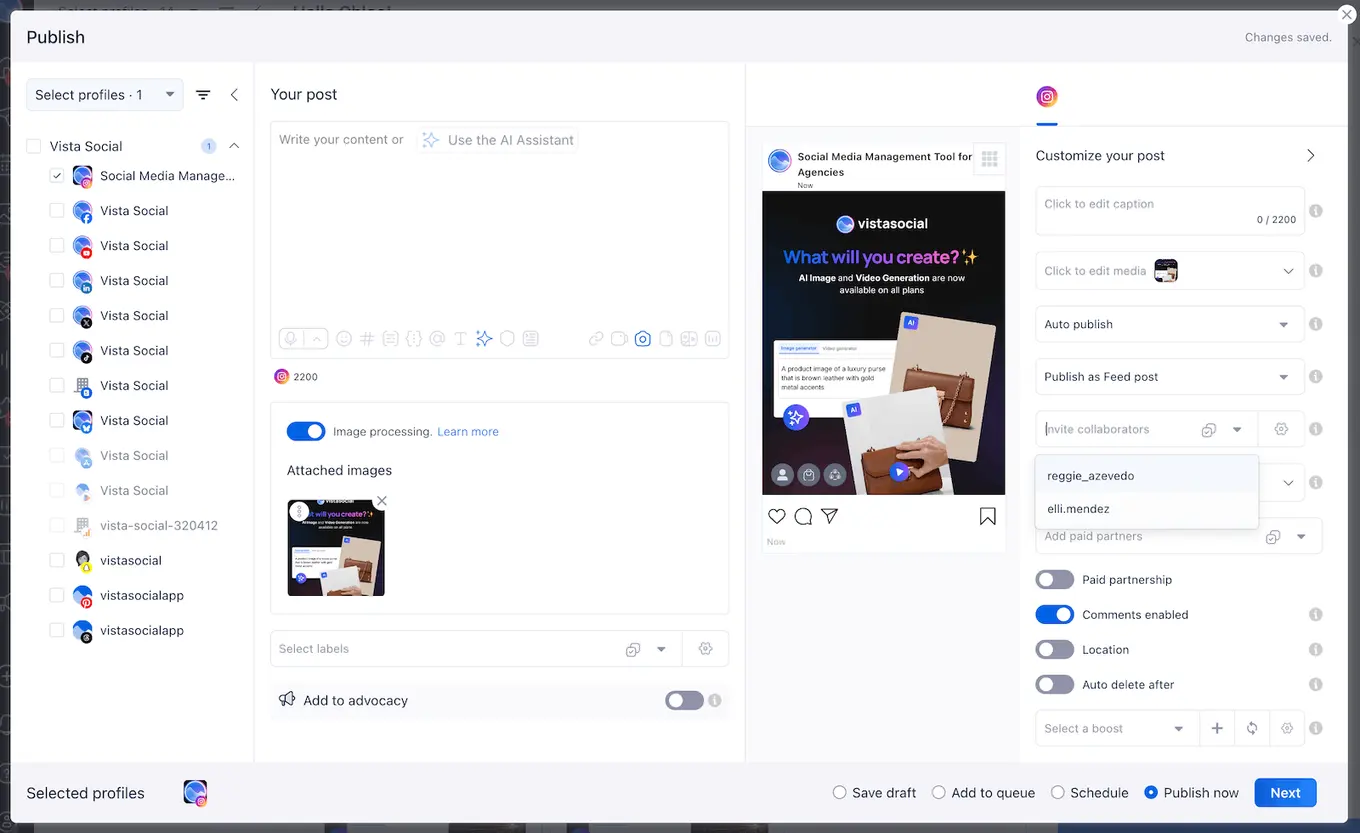
4. Enter your collaborators’ Instagram handles (up to 5) and click Save
5. Schedule or publish the post as you normally would
Once the post is published, each collaborator will receive a notification in their Instagram app. They’ll need to accept the invite on Instagram directly—this step happens on the platform, not inside Vista Social.
How to add or remove a collaborator after posting
If you need to update collaborators once a post is already live, here’s how:
- Open the post and tap the three dots (⋯) in the top right
- Select Edit
- Tap Tag people
- To add: select Invite collaborator and search for the account
- To remove: tap the collaborator’s handle and select Remove
The new invite follows the same process—the collaborator receives a notification and must accept before the post appears on their profile.
How to use Instagram collab posts strategically
The feature itself is simple. What separates accounts that get real results from those that don’t is how they use it. Here are five plays that consistently work.
1. Influencer and creator campaigns
This is the most common use case, and for good reason. Instead of having a creator post separately and tag the brand, you co-author the content so it lives on both grids with merged engagement.
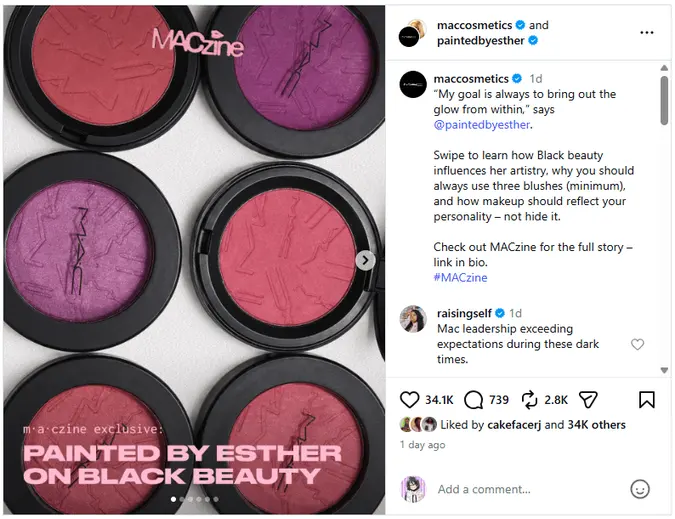
MAC Cosmetics does this well. In this collab with makeup artist and creator @paintedbyesther, both handles appear as co-authors at the top of the post—so the carousel landed on MAC’s grid and Esther’s simultaneously. MAC gets credibility from a creator her audience already trusts. Esther gets placement on one of the biggest beauty brand accounts on the platform.
One important reminder: if the partnership involves payment, the collab post doesn’t replace the legal requirement to disclose it. Use the branded content tag alongside the collab feature for any paid arrangements. Our influencer marketing guide covers the disclosure rules in more detail.
2. Brand-to-brand partnerships
Influencer collabs center on one brand and one creator. Brand-to-brand collabs flip that—two companies with complementary audiences co-author content and share the lift equally.
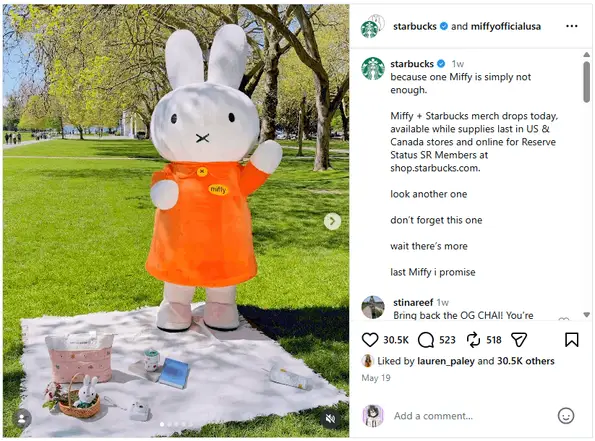
Starbucks and Miffy (@miffyofficialusa) nailed this with their limited-edition merch drop. Both brands bring nostalgia-driven, lifestyle-oriented audiences—so the overlap was genuine, not forced. The caption kept it light and playful, matching Miffy’s brand personality while still doing the job of announcing the drop. Neither brand had to compromise their voice to make it work.
3. User-generated content amplification
Brand-to-brand collabs work well at scale, but some of the most effective ones happen at the individual level.
A customer posts a great photo of your product. Instead of just reposting it, co-author it with them as a collab. They get their name on your profile, the post lives on both grids, and the engagement merges. It rewards the customer publicly, lends the content more reach, and signals to other customers that you notice and appreciate what they create.

GoPro does this consistently with creators like @emmett_sparling. Rather than reposting his sunrise shots from Marrakech as a brand reshare, GoPro co-authored the post so it lives on both profiles with merged engagement. The caption stays in Emmett’s voice—his honest take on the MISSION 1 PRO after a week of shooting.
Take note that this is one of the most underused applications of the collab feature as brands developed the practice of tagging the customer instead. For more on working with customer content, see our guide on user-generated content.
4. Employee and founder collabs
Co-authoring content between a brand account and an employee or founder’s personal account extends reach into their personal networks and makes the brand feel more human.
When a real person at the company shares a product launch or an event moment as a co-author, it lands differently than the same content posted from the brand account alone.
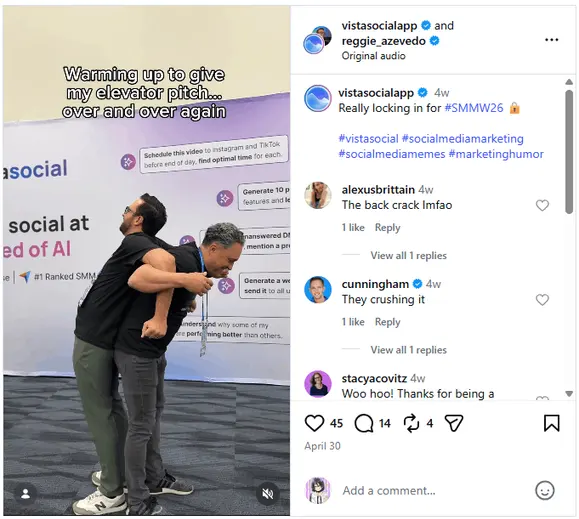
Vista Social does this with their own leadership. This Reel, co-authored with co-founder @reggie_azevedo at #SMMW26, shows him warming up for an elevator pitch at the event—casual, in-the-moment, and shot against a Vista Social backdrop.
It reaches Reggie’s personal network alongside Vista Social’s followers, and the fact that a founder is putting his face to the brand at an industry event says something a polished brand post alone can’t.
If you’re building out this kind of internal advocacy more broadly, our employee advocacy guide is a good place to start.
5. Event and launch co-promotion
Employee collabs tend to be ongoing. Launch collabs are about hitting a single moment hard.
When you’re launching something new with multiple partners involved, the multi-collaborator update changes what’s possible. Up to five partners can co-author a single launch-day post, so the announcement hits every collaborator’s audience at the exact same moment. There’s no staggered posting, no misaligned timing, no one partner’s version underperforming. One post, coordinated reach across all involved accounts.
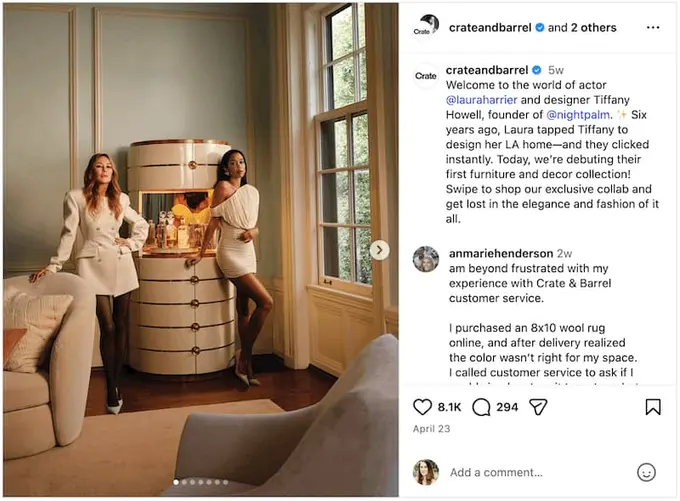
Take this example above from Crate and Barrel. The brand worked with Laura Harrier and Tiffany Howell to put together a new furniture collection, and announced it with an Instagram collab post tagging everyone involved.
Tips for Instagram collab posts that actually perform
A few things that separate collab posts that drive results from ones that just exist:
- Choose partners with genuine audience overlap. Shared values and shared audiences matter more than follower count. A micro-influencer whose followers care about your product will outperform a large account whose audience has no connection to what you do
- Agree on everything before you post. The caption is shared across all collaborators’ profiles—it needs to work for every audience. Agree on the copy, the visuals, the hashtags, and the timing before anyone hits publish. Misaligned collabs look unprepared
- Write the caption for all audiences, not just yours. The original poster writes the caption, but it shows up for everyone’s followers. Make sure it lands without assuming any prior familiarity with your brand
- Time the post when all audiences are active. Use analytics to identify the overlap between your peak engagement window and your collaborator’s. A good collab posted at a bad time loses momentum fast
- Reshare it to Stories. Once the collab post is live, every collaborator can share it to their own Stories for extra reach. This is one of the quickest ways to extend the post’s visibility beyond the initial feed placement
- Don’t collab just to collab. Random partnerships without strategic fit dilute your feed and confuse your audience. Every collab should have a clear reason to exist
- Measure it. Compare your collab posts against solo posts in Vista Social’s analytics to see what the lift actually looks like for your specific audience. Use social media engagement rate as a baseline comparison
Instagram collab post FAQs
How many collaborators can you add to an Instagram post?
Instagram currently supports up to 5 collaborators per post, for 6 accounts total including the original author. This is a significant update from the original 1:1 limit when the feature launched in 2021.
Can you add a collaborator on Instagram after posting?
Yes. Open the post, tap the three dots, select Edit, then tap Tag People to invite a new collaborator or remove an existing one. The new collaborator will need to accept the invite before the post appears on their profile.
What’s the difference between an Instagram collab and a tag?
A tag mentions another account in a post, but the content still lives only on the original poster’s profile and engagement isn’t shared. A collab makes the other account a true co-author: the post appears on their profile grid and all engagement—likes, comments, views—merges into a single shared count.
Do Instagram collab posts work for Stories?
No. The collab feature doesn’t apply to Instagram Stories. However, collaborators can each reshare an existing collab post to their own Stories after it’s published. Instagram Lives have a separate co-hosting feature.
Is an Instagram collab post the same as a paid partnership label?
No, and this distinction matters. A collab post is a publishing feature that creates shared authorship. The branded content tag (paid partnership label) is a disclosure tool required by Instagram’s policies and by law in many regions—including FTC rules in the US—whenever a collaboration involves compensation. If a collab is a paid deal, you need both: the collab post and the branded content tag.
Can business and personal accounts collaborate?
Yes. Any combination of public business, creator, and personal accounts can use the collab feature. The main restriction is account privacy: if either account is private, both accounts need to follow each other for the collaboration to work.
How do collab posts affect Instagram analytics?
All engagement from a collab post—likes, comments, saves, shares, and views—is pooled into a single shared count that every collaborator can see. In Vista Social, you can view performance data on posts you created and invited collaborators to. Due to Instagram’s API limitations, posts you were invited to as a collaborator can’t currently be managed inside Vista Social, though you can still view your own created collab posts.
Can you remove yourself from a collab post?
Yes. If you accepted a collab invite and want to remove yourself, you can leave the collaboration by editing the post and removing your account. Keep in mind that the original author can also remove collaborators at any time.
Why can’t I see the “Invite Collaborator” option?
A few things can cause this. The collaborator’s account may be set to private, which blocks collab invites. Their account settings may also have collaboration invites disabled—users can control who can invite them to collabs, and there’s no way to detect this setting from outside their account. If you’re using Vista Social and an invite fails, check our support article on why collab invites fail for a full list of causes and fixes.

Try Vista Social for free
A social media management platform that actually helps you grow with easy-to-use content planning, scheduling, engagement and analytics tools.
Get Started NowAbout the Author

Content Writer
Russell Tan is a content marketing specialist with over 7 years of experience creating content across gaming, healthcare, outdoor hospitality, and travel—because sticking to just one industry would’ve been boring. Outside of her current role as marketing specialist for Vista Social, Russell is busy plotting epic action-fantasy worlds, chasing adrenaline rushes (skydiving is next, maybe?), or racking up way too many hours in her favorite games.