


Table of contents
Summarize with AI

ChatGPT

Claude

Perplexity
Share

Vista Social

X (Twitter)


As a social media manager, you want allllll the tricks to getting more reach in your toolkit. And here’s one that you definitely should be trying.
I mean, think of it like this. You’ve just spent hours filming and editing the perfect Reel. You’ve really hit the nail on the head with this one, and you know your target audience is going to get a kick out of it.
So why not share it in all of the ways so you can maximize reach?
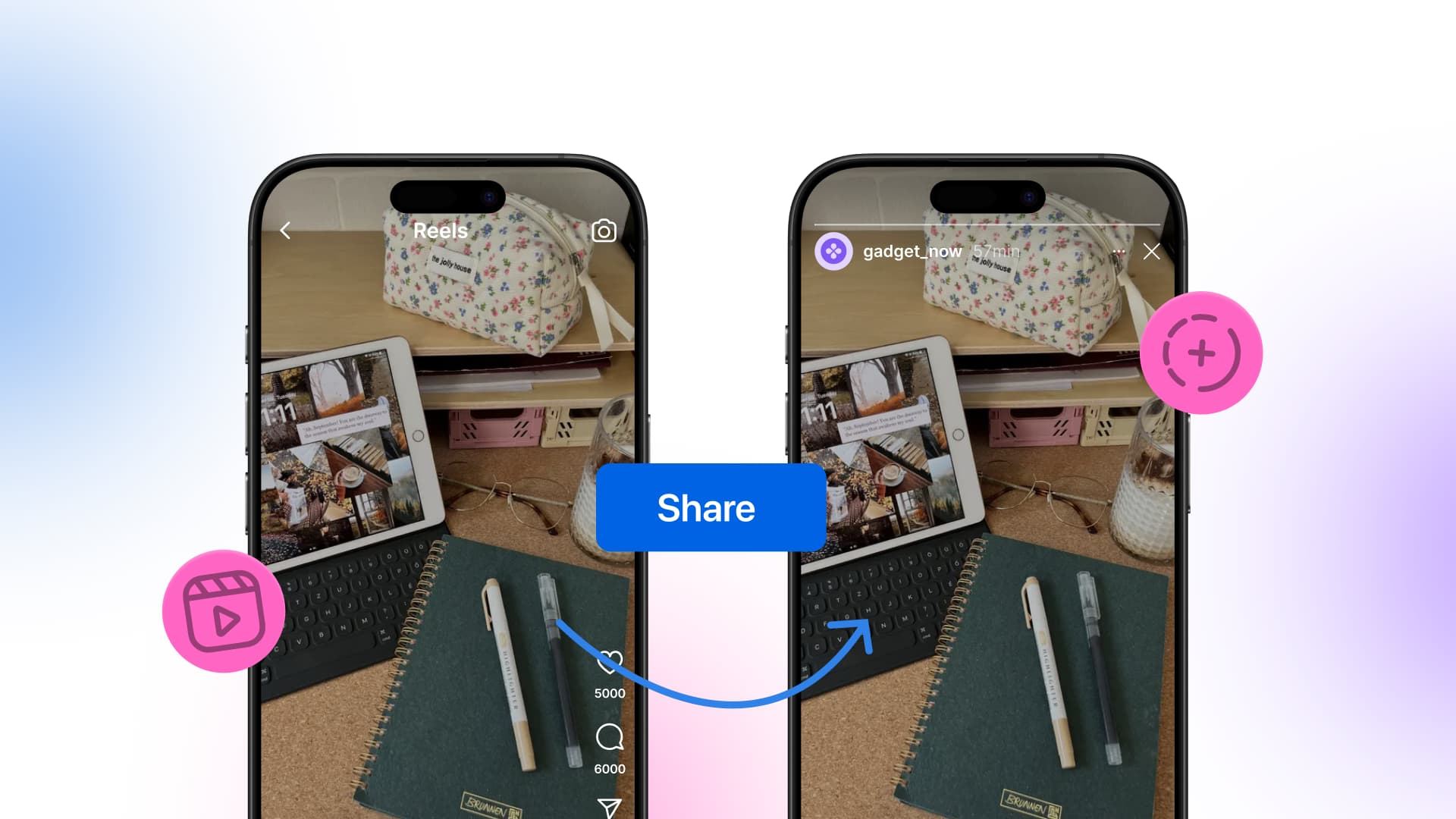
This is exactly why we’re going to teach you how to share a Reel to your Instagram Story. So you’ve got one more (extremely quick—we’re talking like 5 seconds) way to push your content to even more potential viewers.
In this guide, we’ll walk through how you can share your Reels to your Story on both Instagram and Facebook. We’ll also cover why it works, when to skip it, and how to protect your Story performance.
Table of contents
How Stories and Reels can work together
When you open Instagram, what do you tap first? If you’re like most people, it’s Stories, because they sit right at the top. You see one of your favorite brands or influencers has shared a Story recently, so you click it.
And you’re not alone. Around 500 million accounts use Stories every day, and it’s easy to see why. They’re one of the first things users see when they open the app and they’re built for quick engagement.
Now think about where your Reels live. They’re buried in the feed, competing with recommended content from accounts your followers have never heard of. Instagram Reels are built for discovery. Stories are built for retention. They serve two different jobs, but they’re strongest when you connect them.
When you share a Reel to your Story, a few things happen at once:
- Followers who missed your Reel get a second chance to see it. Not everyone scrolls through their feed. But most of your engaged followers tap through Stories every day.
- You create a teaser that drives curiosity. A well-designed Story with a text overlay or poll makes people want to tap through and watch the full Reel.
- You double your engagement from one piece of content. A Story view plus a Reel view gives the algorithm two signals instead of one.
Brands (just like us at Vista Social) do this regularly with both Reels and posts. But we don’t just repost the Reel on its own. We add text overlays and stickers to give followers a reason to tap. Instead of just saying “new Reel,” the Story gives context, like “We tested this and the results surprised us.”
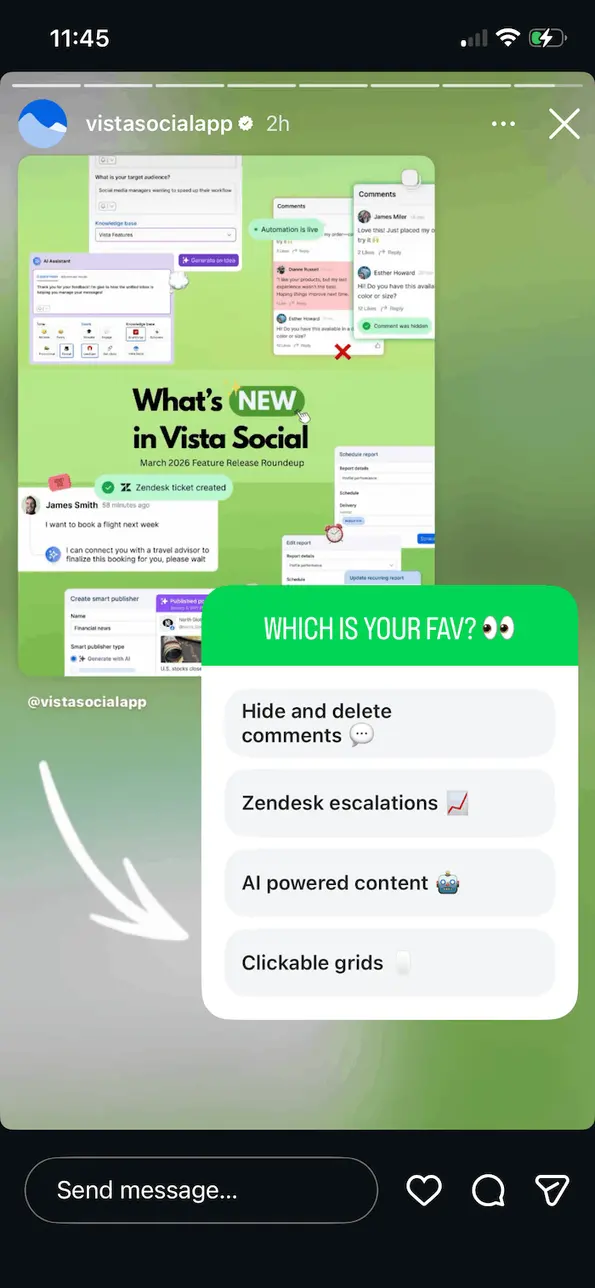
One thing to keep in mind: Instagram has said on its official blog that users prefer original Stories over reshared feed posts. The platform doesn’t suppress reshared Stories but viewers engage less with them because they feel like duplicates. That’s why adding a poll, a teaser, or even a GIF makes a real difference. It turns the reshare into something that feels worth clicking!
This is also where your broader Instagram marketing strategy comes in. Reels, Stories, feed posts, and Highlights can all feed into each other.
A Reel introduces a topic, a Story sparks conversation around it, and a Highlight saves the best responses for future followers. When you coordinate them, your content works like a system instead of a pile of one-off posts.
How to share a Reel to your Story on Instagram
Sharing a Reel to your Instagram Story only takes a few taps. The process is the same whether you’re sharing your own Reel or one from another account.
Sharing your own Reel
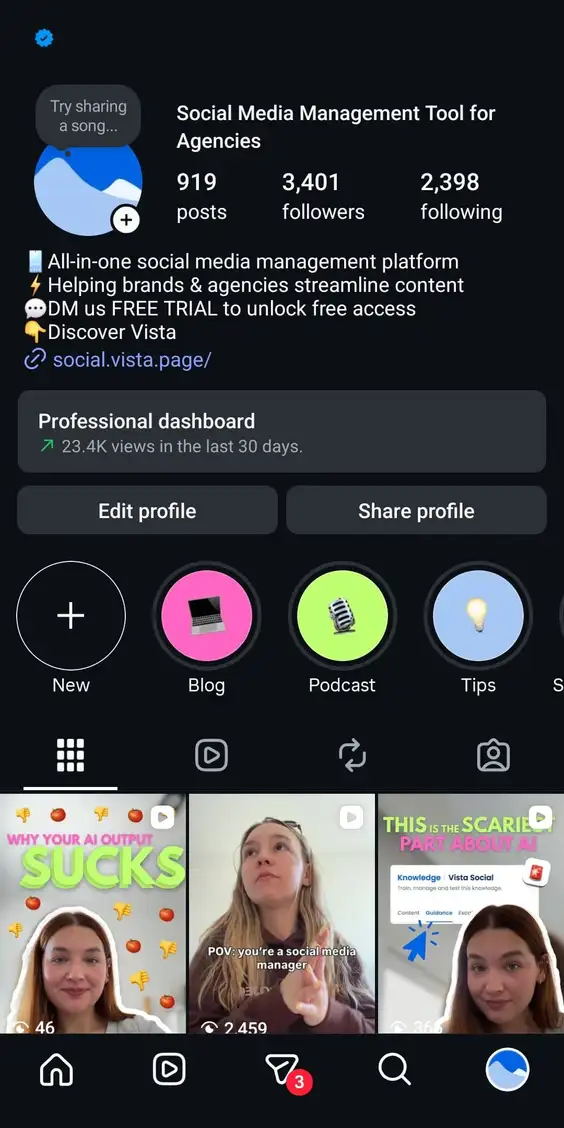
Step 1: Open the Instagram app and go to your profile. Find the Reel you want to share.
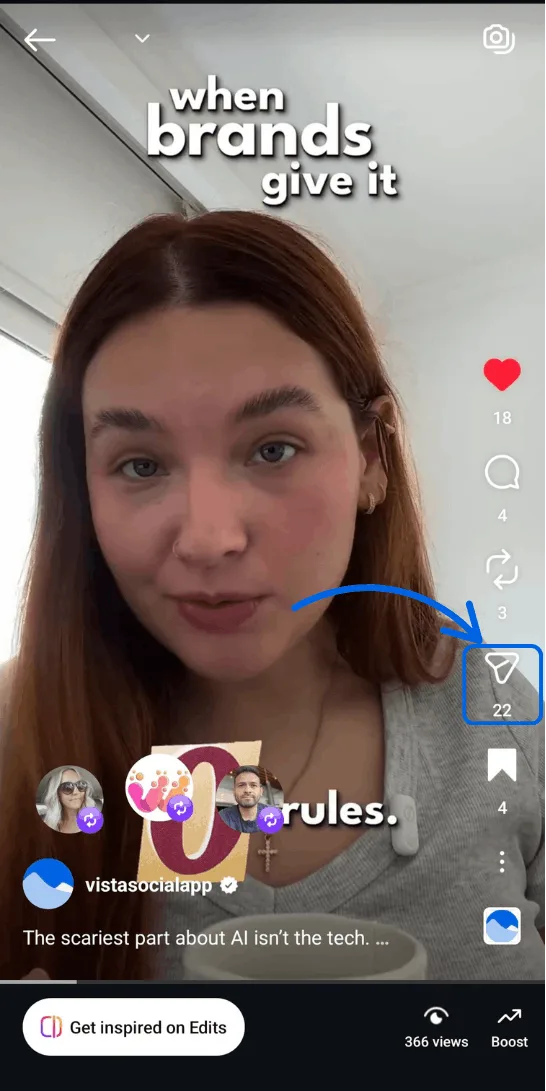
Step 2: Tap the paper plane icon (the Share button) below the Reel.
Step 3: Select Add to Story from the options at the bottom of the screen. Instagram will create a preview of your Reel as a Story.
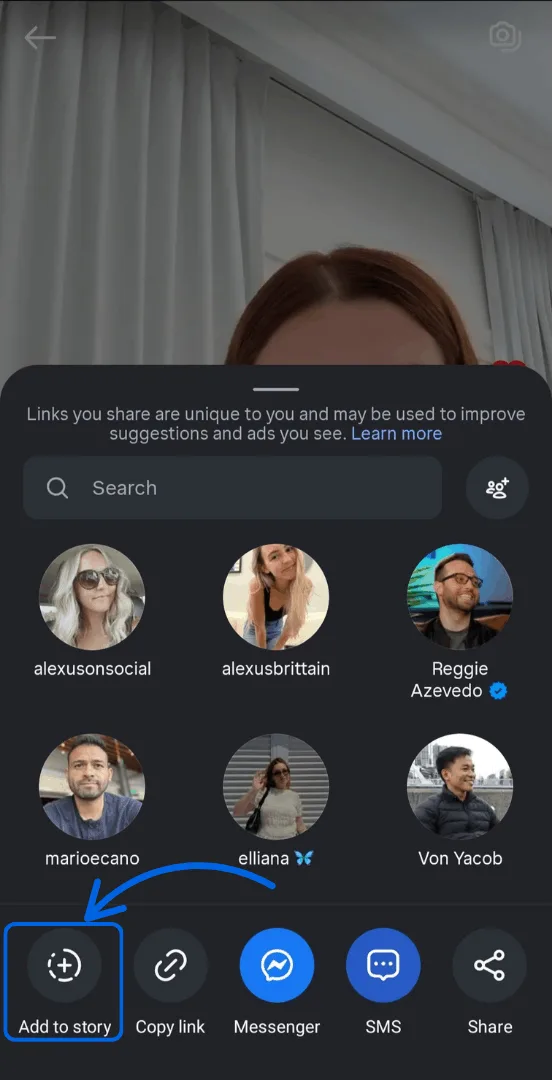
Step 4: Customize the Story before you post. This is the step most people skip, and it matters the most. A few ways to make it stand out:
- Add a text overlay with a teaser like “This one surprised us” or “Watch till the end”
- Drop in a poll, question sticker, or countdown timer
- Use GIFs or arrows to draw attention to the Reel preview
- Write a short CTA like “Tap to watch the full Reel”
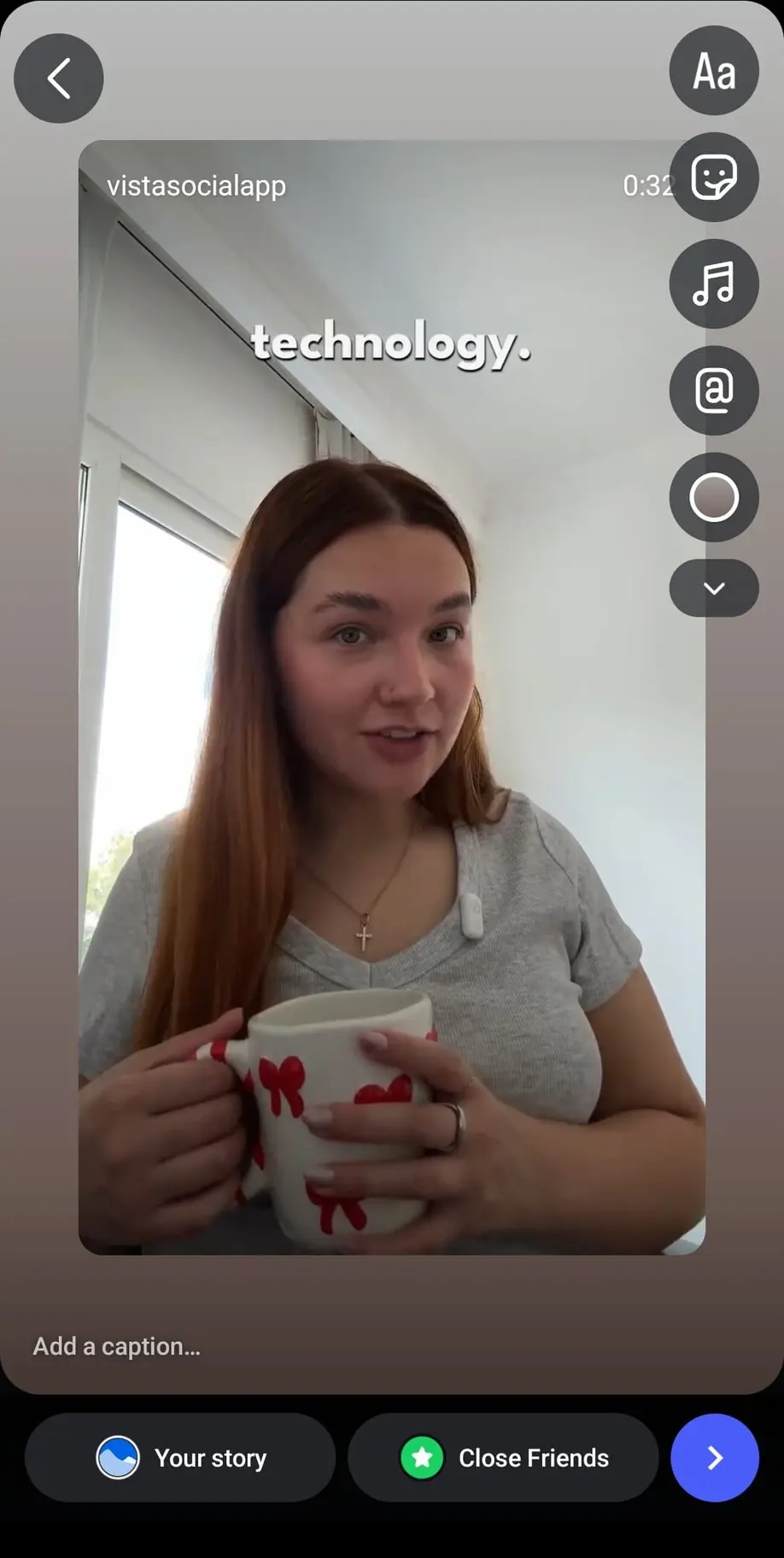
The goal is to make the Story feel like its own content, not just a reshare. Even one small addition can make a big difference in how people respond.
Step 5: Tap Your Story to publish. Followers will see a small preview of your Reel. Tapping on it takes them to the full video.
Sharing someone else’s Reel
You can also share Reels from other public accounts. The steps are the same: tap the paper plane icon, select Add to Story, customize, and post. The original creator’s name shows up on the Story automatically.
This is a useful tactic for sharing Reels from partners, customers, or industry voices you want to spotlight. Just keep in mind this is a mobile-only feature. You can’t do it from the desktop.
How to share a Reel to your Story on Facebook
Facebook also lets you share Reels to Stories. If your audience is active on both platforms, this is an easy way to double your reach without creating extra content.
Sharing a new Reel to your Story at the same time
Step 1: Open the Facebook app, click on the + button, and go to Reel. You can do this from your Facebook Page or profile.
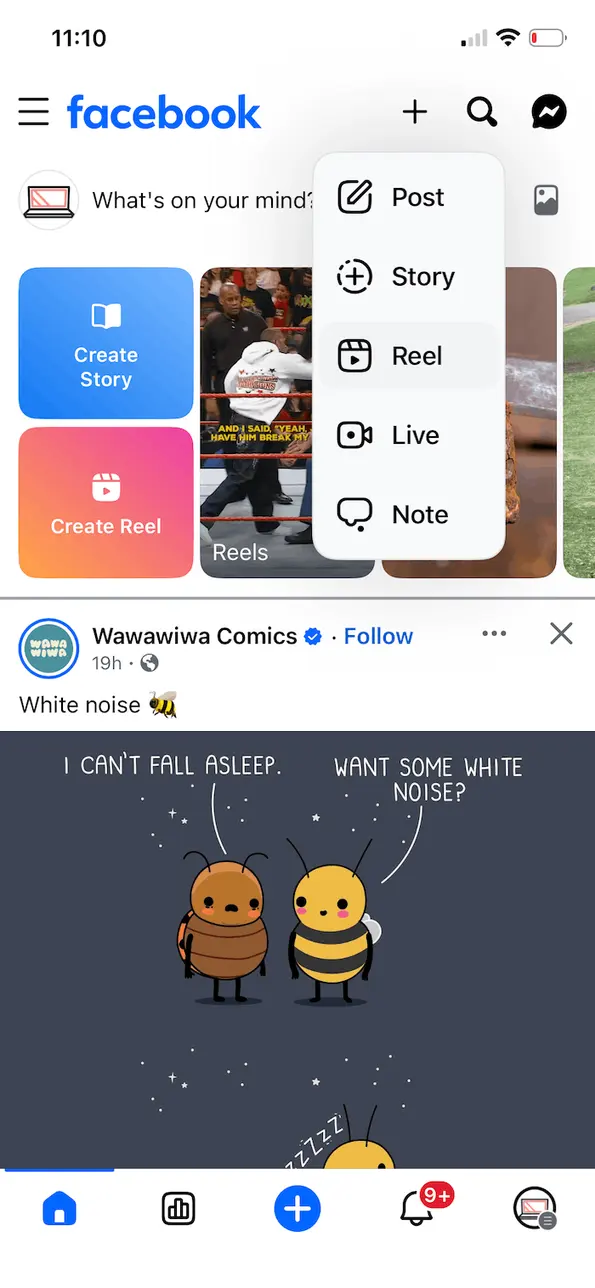
Step 2: Select the Reel that you want to upload on Facebook. Click Next.
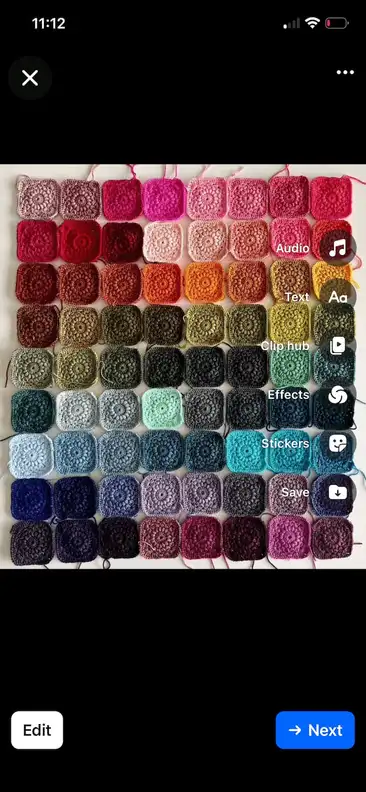
Step 3: Look for the Share to your story option and tap it.
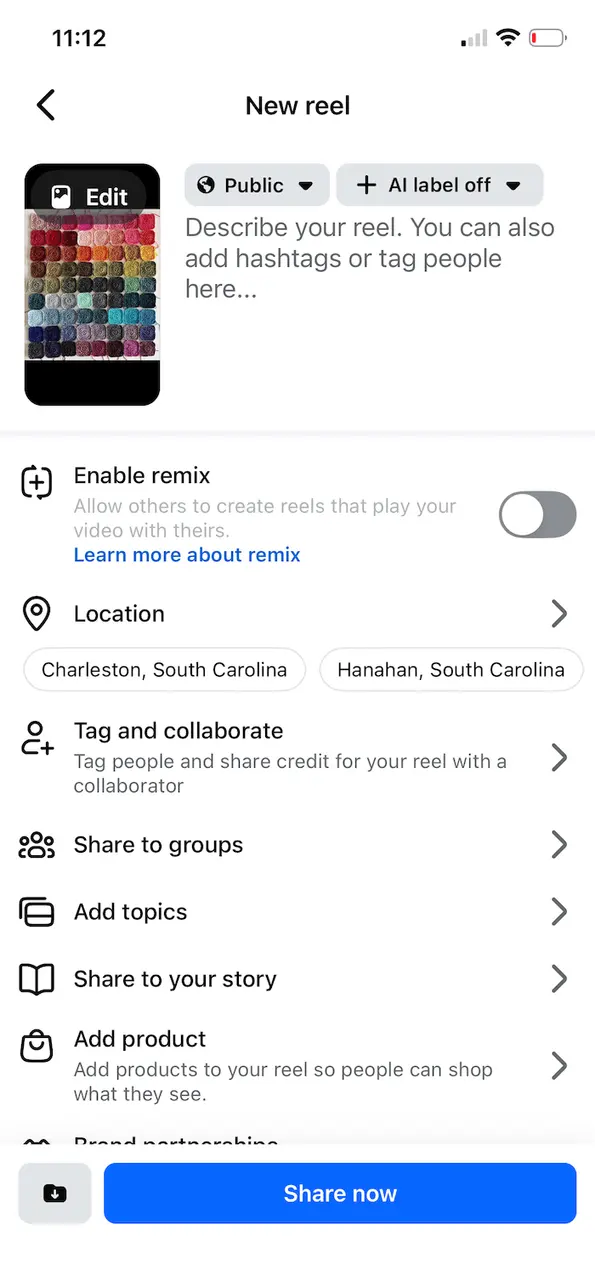
Toggle this feature on. You’ll also be able to choose what the sharing frequency is: always or just once. Then click Save.
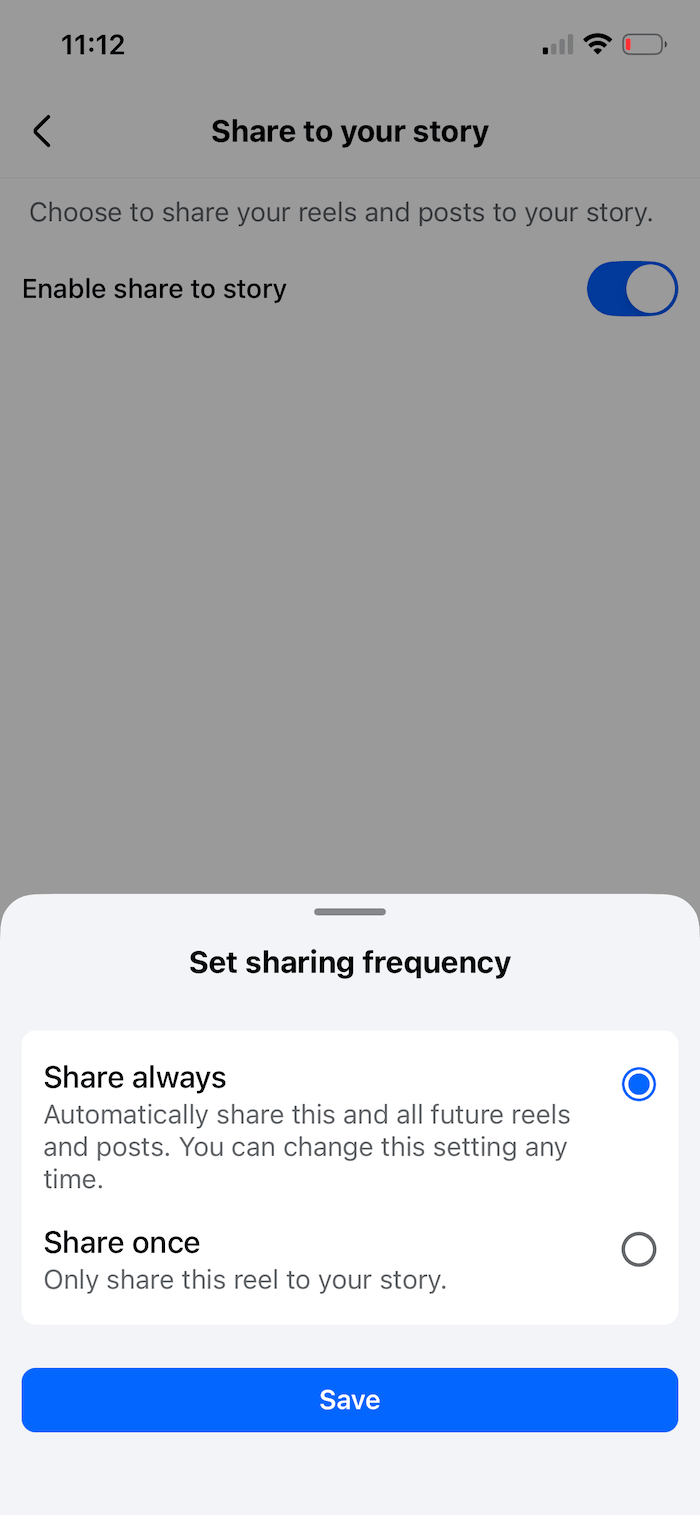
Step 4: If you’re done, click Share now. Your Reel will go live in your feed and your Story at the same time!
Sharing an existing Reel to your Story
Already posted a Reel and want to share it later?
- Go to the Reel on your profile and tap the three-dot menu.
- Select Share to your Story.
- Customize with text and/or stickers, then tap Share to Story.
Cross-posting from Instagram to Facebook
If you posted a Reel on Instagram first, you can push it to Facebook through Meta’s Accounts Center. Here’s how to set it up:
- Go to Instagram Settings > Accounts Center > Sharing across profiles
- Pick your Instagram account under “Share from”
- Pick your Facebook account under “Share to”
- Turn on the toggle for the content types you want
One thing to know: this shares a Reel as a Reel on Facebook. It doesn’t add it to your Facebook Story automatically. You’ll still need to share it to your Story separately.
Why would you want to share your Reels to your Stories?
The process takes seconds, but the payoff goes well beyond saving time.
It puts your Reel in front of followers who missed it
Instagram’s algorithm doesn’t show your Reel to every follower. Feed content only reaches a portion of your audience. If someone hasn’t engaged with your posts recently, they might never see your Reel.
Stories sit at the very top of the app. The people who watch your Stories are usually your most engaged followers. Sharing your Reel there puts it directly in front of the audience most likely to watch, react, and share it.
Those early signals matter too. Instagram uses watch time, likes, and DM shares to decide how far to push a Reel. When your loyal followers engage through your Story, it can boost the Reel’s reach to even more people.
It gets past the crowded feed
Instagram now fills roughly half the feed with recommended content from accounts people don’t follow. Your posts are competing with creators and viral content from all over the world for the same screen space.
Stories don’t have that problem. They only show content from accounts a person follows. When you share a Reel to your Story, you skip the crowded feed entirely.
It gives your audience a reason to engage twice
When someone watches your Reel from the feed, they might like it and move on. But if they see your Story first with a teaser, they’ll often tap through to watch the full Reel too. That’s two interactions from one piece of content. That double signal tells the algorithm your content matters. It also keeps your account top of mind for future posts.
It opens the door for Story-based conversations
Stories come with tools that Reels don’t have: polls, question boxes, emoji sliders, quizzes, and link stickers. When you share a Reel to your Story, you can add these on top to spark conversations your Reel alone wouldn’t start.
This is especially useful when your Reel promotes a product or lead magnet. Try adding a poll like “Would you try this?” or a question sticker about the topic. Those replies land straight in your DMs.
If you’re promoting offers at scale, Vista Social’s DM automation takes this further. Say your Reel promotes a free template. You share it to your Story with a CTA like “Reply YES for the link.” Vista Social sends automated DM responses triggered by Story replies. It delivers the link instantly, so you skip the manual work. That turns a passive Story view into lead capture.
This connects directly to generating leads with Instagram Stories. It’s one of the most underused tactics in social media right now.
It creates urgency around your content
Reels can pull in views for weeks. But sometimes you need attention right now, like during a product launch or flash sale.
Sharing the Reel to your Story adds that urgency. Stories disappear in 24 hours, so followers feel the push to act fast. The Reel stays on your profile for good, but the Story drives a quick burst of early momentum. If the Reel does well, save the Story to a Highlight so new followers can find it later.
It keeps you visible on quieter days
You won’t always have time to create fresh Story content. On those days, sharing a recent Reel is a smart way to keep your Story ring active and remind followers you’re posting.
One caveat on timing: if you have an important Story planned that day, skip the Reel share. Product launches and behind-the-scenes series deserve your audience’s full attention. Since users engage less with reshared Stories than original ones, save the Reel share for quieter days.
It supports a bigger Instagram strategy
If you’re using Reels for sales, sharing them to your Story adds another step in the buyer’s journey. Someone might find your brand through a Reel on Explore, then see it again in your Story. That repetition builds familiarity and trust.
You can take it further by pairing formats together. For example:
- Post a Reel that introduces a topic
- Share it to your Story with a poll or question
- Follow up with a carousel that goes deeper
- Save the whole sequence to a Highlight
Each step moves the viewer closer to action, and it all starts with one Reel shared to one Story.
But also—know when to skip it
This isn’t something to do with every Reel. If you’re posting several Stories in a day, the reshared Reel will likely get fewer views than your original content. People tap past reshared posts faster because they’ve already seen the Reel or the preview doesn’t grab them.
Use it as a tool, not a default habit. Share your Reel to your Story when it adds value. Skip it when original Stories need your audience’s full attention.
Combine your Instagram Reel & Story strategies
Sharing a Reel to your Story is simple. The steps take seconds on both Instagram and Facebook. But the real payoff comes from using it as part of a connected strategy.
The brands getting the most from this tactic don’t just repost and move on. They add context, spark conversations, and tie their Reels into Story engagement tools like polls, questions, and DM automations.
If you want to test what works, trial Reels let you share content with non-followers first. And a strong Reel cover can decide whether someone taps or scrolls past your video on your profile grid.
Start small. Next time you publish a Reel, share it to your Story with a teaser or a poll. Watch how it affects your views and build from there. If you’re managing Reels and Stories across multiple accounts, Vista Social helps you plan, publish, and track it all from one place.

Try Vista Social for free
A social media management platform that actually helps you grow with easy-to-use content planning, scheduling, engagement and analytics tools.
Get Started NowAbout the Author

Content Writer
Russell Tan is a content marketing specialist with over 7 years of experience creating content across gaming, healthcare, outdoor hospitality, and travel—because sticking to just one industry would’ve been boring. Outside of her current role as marketing specialist for Vista Social, Russell is busy plotting epic action-fantasy worlds, chasing adrenaline rushes (skydiving is next, maybe?), or racking up way too many hours in her favorite games.
Loading related tools...

The most complete social media management platform for teams who demand more.






Tools
PublishingAnalyticsEngagementIntegrations
FacebookInstagramLinkedInRedditSnapchatThreadsTikTokX (Twitter)YouTubeMCPVista Page (link-in-bio)All IntegrationsCopyright © 2026 Vista Social LLC. All Rights Reserved.