


The Five-Tool Social Stack and What It Costs You Per Week
August 10, 2026
11 min read

Summarize with AI

Table of contents
Share

Vista Social

X (Twitter)


How many times does one caption change hands before it reaches your client’s monthly report?
You write it in a shared doc because that is where approvals happen. Then you paste it into a scheduler, repair the line breaks, check the crop somewhere else, and copy the result into a reporting deck two weeks later.
The caption was finished after the first step. Everything after that was moving work between tools.
Your social media tech stack probably grew for good reasons. A scheduler stopped the live-posting scramble, a client needed an easier approval process, and a reporting tool made the monthly numbers presentable. Each purchase stayed because it solved the problem in front of you.
Nobody paused to price the gaps between them, so those gaps became part of your week. You pay the subscription total once a month and the copy-paste cost every time a post moves.
The short version
- Count the full cost: Add subscription fees to the hours spent copying, reformatting, checking, and rebuilding reports.
- Follow one post: Time a caption from first draft to client report because that path shows where the handoffs live.
- Keep useful specialists: Deep listening, advanced video editing, and niche creative work can still deserve dedicated tools.
- Consolidate the overlap: Publishing, approvals, inbox work, and standard reporting should not require several versions of the same post.
Table of contents
How you ended up with five tools without deciding to
A five-tool stack tends to grow one sensible purchase at a time. The issue appears later because nobody reviews all five decisions as one working system.
The first tool is often a scheduler. Posting by hand across several client accounts is risky and tiring, so one calendar gives the work some order.
Then the client asks to comment on captions before they go live. A shared document joins the stack because the scheduler’s approval flow does not match how that client works.
A missed comment creates the next purchase. The inbox inside the scheduler feels too thin, so you add a separate tool and keep the native apps nearby as backup.
Listening comes next when a prospect asks what people say about their brand. Reporting arrives when native exports and a few charts no longer look strong enough for the monthly client meeting.
| Tool added | Good reason at the time | Work it adds later |
|---|---|---|
| Scheduler | Stop publishing by hand | Captions still arrive from another approval space |
| Shared document | Let clients comment easily | Approved copy must be moved and formatted again |
| Inbox tool | Keep up with messages and comments | Profiles and conversation context may sit elsewhere |
| Listening tool | Track brand and category conversations | Another login and another data set need review |
| Reporting tool | Produce stronger client reports | Post data, captions, and context must be rebuilt |
None of those purchases makes you disorganized. The stack kept growing because a new tool was easier to add than the whole workflow was to revisit.
Krishna Sai, CTO at SolarWinds, described that pattern in a 2026 interview with Forbes. His point matters here because the problem begins with individually sensible choices:
“It happens one reasonable decision at a time; a team adopts a new tool to solve a real problem, and a year later you have ten tools solving overlapping problems, and nobody owns the full picture.”
Krishna Sai, Forbes (2026)
To see the full picture, follow the route your work takes. A post moving across the stack reveals more than the list of logos on a billing page.
The cost nobody puts on the invoice
The handoff tax is the time and error cost of moving work between tools. It covers copying, reformatting, checking, and retyping because each transfer produces no new work.
Take a 120-word Instagram caption. The client approves it in a document because that is where comments happen, and you paste it into the scheduler. The paragraph spacing breaks, the tagged account needs to be entered again, and the image crop has to be checked against the platform preview.
Two weeks later, the report needs the caption beside its results. You copy it into a slide, shorten it so the layout holds, and search for the final creative because the report tool has the metric but not the reason the post existed.
That one caption now carries three separate handoffs:
- Approval handoff: Move the draft into the place where the client comments.
- Publishing handoff: Transfer the approved copy and repair its formatting.
- Reporting handoff: Match the final post to its data and campaign context.
That path can look harmless when each move takes two minutes. Across 20 posts and four clients, those minutes add up, so they start taking whole blocks from the week.
Current research gives the wider problem some scale. In April 2026, Howdy surveyed 954 knowledge workers who spent most of their job on a computer. Respondents used seven tools on average, and 38% said they suffered from tool sprawl.
Half said they constantly switched tools between tasks. The same Howdy survey put the average loss at 31 minutes a day, while one in three respondents had at least three tools with overlapping functions.
Your own number will be different because social work has a specific mix of posts, client checks, and reports. Measure the work directly instead of borrowing a generic productivity estimate.
There is also an error cost because the approved caption may not be the one that gets scheduled. A late client edit may stay in the document, or the report may use a different date range.
Those mistakes lead to more checking. You open the document beside the calendar, compare versions, and make sure the post in the report is the post the client approved.
The subscription total is still worth tracking, but it is only the visible part. Labor, rework, and mistakes explain why a low-cost collection of tools can feel expensive to operate.
The most expensive gap is the monthly report
Reporting tends to collect every earlier handoff. The report needs publishing data, engagement, audience movement, campaign context, client goals, and a useful explanation of what happened.
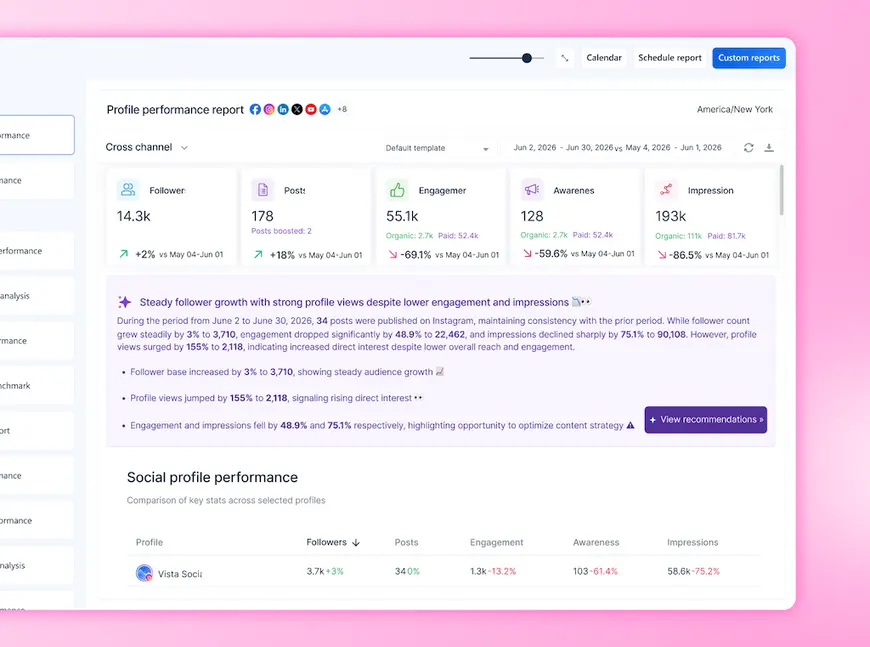
Separate tools rarely agree on names or date boundaries. One export uses profile names, another uses account IDs, and a third groups metrics by network. You still have to decide which rows belong together.
The monthly report also needs context that analytics cannot reconstruct on their own:
- Why the post existed: A promotion, launch, partnership, or experiment changes how the result should be read.
- What changed before publishing: A client edit or channel-specific version may explain why two posts performed differently.
- Which result matters: Reach, clicks, saves, leads, and watch time answer different questions.
- What happens next: Turn the platform data into a recommendation the client can use.
A reporting tool can make the deck look better without removing those handoffs. If the post plan and final data live elsewhere, somebody still pulls the pieces together before analysis can begin.
The cost climbs when each client gets a custom layout built from scratch. A chart moves, a screenshot gets replaced, and last month’s notes are duplicated into a new file. None of that helps you understand why the campaign worked.
Built-in reports reduce the transfer work because the post, profile, labels, and performance data already share the same system. Scheduled reports can also deliver a PDF or report link on a weekly or monthly schedule, while the social media manager checks the explanation and recommendation.
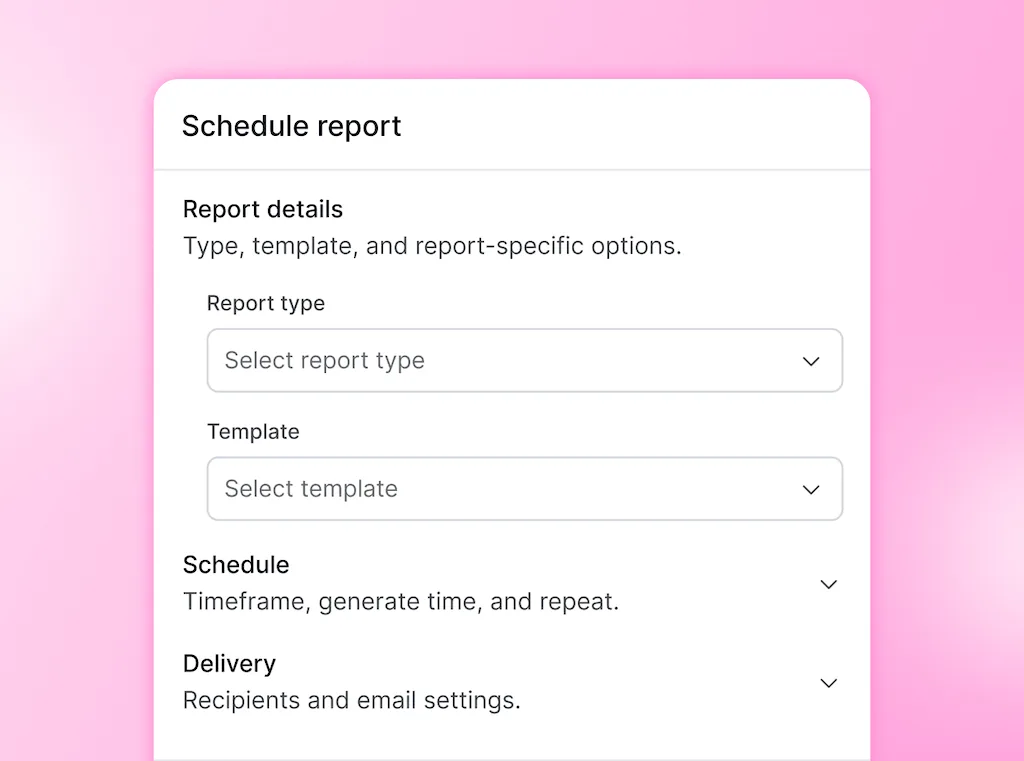
If rebuilding the deck is taking over your last week of every month, start free and run one client report from live post data. You won’t need a credit card, and the trial won’t turn into a charge.
Our guide to client reporting goes deeper on the client-facing process. The analytics guide covers the metrics and decisions that belong inside the report.
How many tools should your stack have?
Use as few tools as you can without weakening the work your clients pay you to do. For many freelancers and small agencies, that means one broad social platform plus a specialist, where the specialist earns its place.
The number matters less because the handoff test tells you more. If a caption must be retyped so it can move from approval to publishing or from publishing to reporting, two tools are covering one job badly together.
Ask four questions before removing anything:
- Does the tool do unique work? Name the result you cannot produce to the same standard elsewhere.
- Do you use that depth weekly: A powerful feature adds little value when it appears in one pitch deck and never in client work.
- Does it receive clean inputs: Check whether the tool creates analysis or makes you spend hours preparing files for it.
- Would removing it hurt the client: Look for slower replies, weaker creativity, missing data, or a real drop in quality.
BetterCloud’s 2025 SaaS research found that 33% of surveyed organizations had consolidated redundant apps or accounts. Its survey covered about 600 IT professionals, so it is broader than a small agency stack. The behavior still points to a useful habit: review overlap before the next renewal makes it permanent for another year.
Keep a dedicated listening platform when deep research is part of the service you sell. Keep an advanced video editor when the work depends on detailed cuts, color, sound, or motion that a social composer cannot match.
Clients care about accurate work, on-time posts, fast responses, and reports they can understand. Unless a contract requires a named platform, the number of tabs in your back office is not part of the deliverable.
If you want to compare broad platforms before changing anything, our platform guide shows the capabilities worth checking. It will help you compare coverage without turning this audit into another shopping spree.
Consolidate the middle and keep the specialist
The “commodity middle” is the set of everyday jobs that broad social media tools now cover: publishing, approvals, a unified inbox, and standard reporting. You can call it the overlapping middle if that feels more natural, because the name matters less than the duplicate work.
Keep the specialist that produces something distinct. Move the repeat social workflow into one place so the post can travel from draft to report without being retyped.
Count the tools and the tax
List every product used to plan, approve, publish, engage, listen, create, and report. Include free tools because a zero-dollar subscription can still create a costly handoff.
For each one, record four details:
- Monthly cost: Use the amount on your latest bill, including seats and add-ons.
- Job it owns: Write the task you would miss if the tool disappeared tomorrow.
- Weekly use: Note which clients and deliverables depend on it.
- Transfer time: Add the minutes spent moving work into or out of it.
Then time one normal post from draft to published to reported. Pick a post with a client edit and one network-specific change because a perfect post will hide the friction you feel on a normal week.
Separate the commodity middle from the true specialist
Put the tools beside the work instead of comparing feature lists. You are looking for several products that all schedule posts, hold approvals, monitor comments, or display the same standard metrics.
| Job | Usually safe to consolidate | Specialist may still earn its place when |
|---|---|---|
| Publishing | Calendar, scheduling, first comments, basic approval | A network or format requires a niche workflow |
| Inbox | Comments, DMs, labels, tasks, routine replies | Support needs deep ticketing or regulated case records |
| Reporting | Profile, post, audience, and campaign reports | Bespoke research uses outside business data |
| Creative | Resizing, captions, alt text, simple image or video generation | Advanced editing or original design is part of the service |
| Listening | Basic brand and keyword monitoring | Deep consumer intelligence is a core paid offering |
An all-in-one platform earns its place when everyday work shares enough context to stop the constant rebuilding. Keep specialists for the jobs where their added depth improves the final work.
Consolidate the middle
Vista Social can hold the publishing plan, client approval, Social Inbox, and reports in the same profile group. A caption approved in the calendar stays attached to the published post, and its performance can move into a report without another copy-paste round.
The Social Inbox can also replace a separate engagement tab when your needs are comments, messages, labels, notes, and task routing. Our inbox guide shows the wider setup, while DM automation covers repeat replies and lead capture.
Creative work can stay closer to publishing too. You can attach media from the library, import from Canva, add alt text, and use built-in AI tools for supported caption, image, and video work. Keep your full editing software when the creative requires it.
Ask Vista gives you another way to work across connected social data. You can ask for a draft, a report, inbox follow-ups, or scheduling help in plain language, and it confirms with you before a high-stakes action goes ahead.
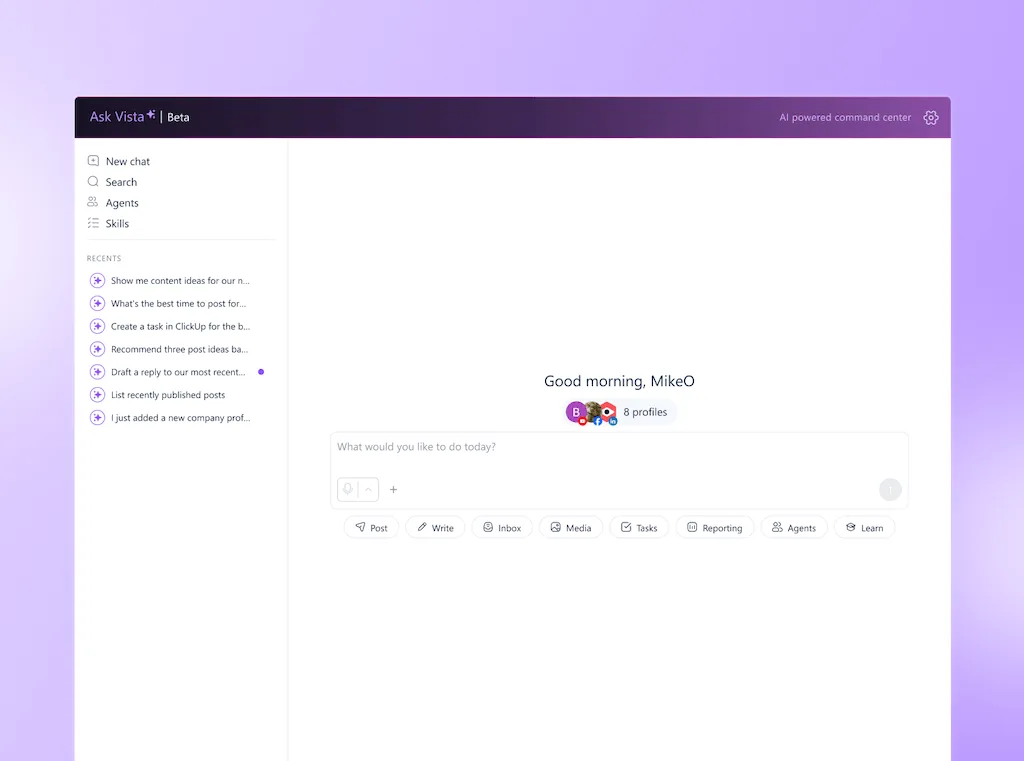
A reporting agent can prepare a recurring client summary, while a review agent checks the profile group, dates, and missing context. The social media manager reads the recommendation and approves what the client receives, so the repetitive work moves faster without giving away the judgment clients hired you for.
Social Hackettes provides a first-party example of the consolidation result. The agency had been using separate tools for scheduling, analytics, and content creation, while manual duplication and format changes limited the number of clients the team could support.
In its 2024 case study, the agency reported saving an estimated 100 or more hours each week after bringing more of that work into Vista Social. The recovered time went into creative ideas, client relationships, and growth rather than carrying posts between tools.
There are still buying details to check. Advanced Listening and publishing to X can add cost, and Vista Social plans include limits for users and profiles. Size the plan against your client list instead of assuming every feature sits inside one flat price.
If the overlap is obvious, try it free with one client workflow first. There’s no credit card required.
Add up your own handoff tax
Use your real bills and one timed post. You need three numbers: weekly software cost, weekly transfer time, and the hourly value of your time.
Here is a simple example for a small agency. Replace every number with your own before using it in a decision.
| Cost | Example calculation | Weekly amount |
|---|---|---|
| Five subscriptions | $260 per month divided by 4.33 | $60 |
| Post handoffs | 18 posts × 6 minutes = 108 minutes at $60 per hour | $108 |
| Report rebuilding | 3 hours at $60 per hour | $180 |
| Total weekly stack cost | Software plus transfer labor | $348 |
The example does not include the time spent correcting a wrong version or searching for an approval. Track those separately for a month if mistakes are common because they can change which migration is worth doing first.
Circle the tools that repeat the same everyday social work. Then choose one client and move the smallest complete workflow, from approved caption to finished report, into the broad platform you plan to keep.
Your social media tech stack is working when the same caption stops appearing in several editable places. The next report should begin with the post and its live performance already connected, leaving you to explain the result instead of rebuilding the evidence.
Frequently asked questions
How many social media tools do you need?
Use one broad platform from planning through client reporting, then keep a specialist only where it protects quality or supports a paid service. The right number is the smallest stack that covers the work without making you retype it between steps.
What is the full cost of using several social media tools?
Add the subscriptions, the time spent switching, the minutes used for copying and reformatting, and the cost of mistakes. Timing one post from draft to report gives you a more useful weekly number than looking at invoices alone.
Is one platform as good as five specialists?
One platform can cover the everyday social workflow well, but it may not match a dedicated product for advanced listening, video editing, or niche design. Consolidate overlapping work and keep the specialist that improves a client deliverable you use often.
How can an agency reduce software costs without lowering quality?
Start with duplicate capabilities instead of canceling tools at random. Move the shared client workflow into one platform, then test it with one client before ending the overlapping subscriptions.
When is a point solution still worth keeping?
Keep it when the feature is central to what the client pays for and a broad platform cannot deliver the same standard. Deep consumer listening, advanced video production, and specialist design are common examples, while a second scheduler rarely meets that test.
About the Author

Content Writer
Orion loves to write content that refuses to be boring. As part of Vista Social, he helps brands, creators, and agencies stop doom scrolling and start winning with social media. When he's not in front of a keyboard, he's watching films in IMAX with his wife, dissecting football tactics (the European kind), and getting lost in a good book.