

Published on August 19, 2024
5 min to read
Top 4 Church Social Media Strategies in 2025

Summarize with AI

Table of contents
Summarize with AI

ChatGPT

Claude

Perplexity
Share

Vista Social

X (Twitter)


Are your church social media strategies for your clients generating meaningful results?
I wouldn’t be surprised if you answered “n0.” After all, it takes more than just posting content to run successful campaigns.
You need to use tried and tested tactics that seasoned marketers use to enhance your clients’ online presence, boost audience engagement, and strengthen community ties.
So, what social media strategies can help your clients’ churches achieve this?
This guide has the answers.
Continue reading to explore the top four social media strategies that help your clients effectively engage their audiences and reach more people.
Table of contents
What you will learn
- What are church social media strategies?
- What are effective church social media strategies?
- How can you use Vista Social to implement church social media strategies?
- Ready to deploy the best church social media strategies?
How can you use Vista Social to implement church social media strategies?
Use Vista Social’s all-in-one social media management platform to publish content, manage profiles and engagement, and track post performance efficiently.
Through the Publisher, you can easily create, customize, and schedule your clients’ posts to auto-publish across their social media pages.
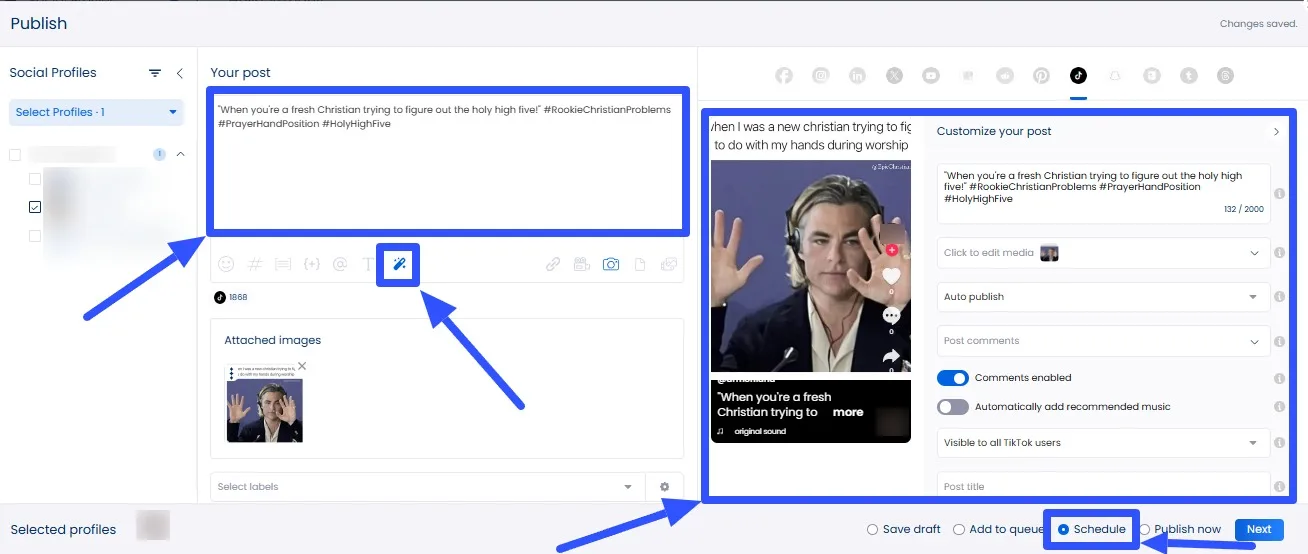
Don’t forget to use the AI Assistant.
The tool can instantly generate or tweak engaging captions and taglines for your clients’ social media posts.
[Must read: How to Use Vista Social’s AI Assistant for Custom Brand Voice Generation]
Stay on top of your clients’ engagement and never miss opportunities to connect with current and potential members.
Use Vista Social’s social media engagement feature, which includes a Social Inbox.
The tool unifies all your clients’ messages, comments, mentions, and reviews, simplifying managing and responding to audience interactions.
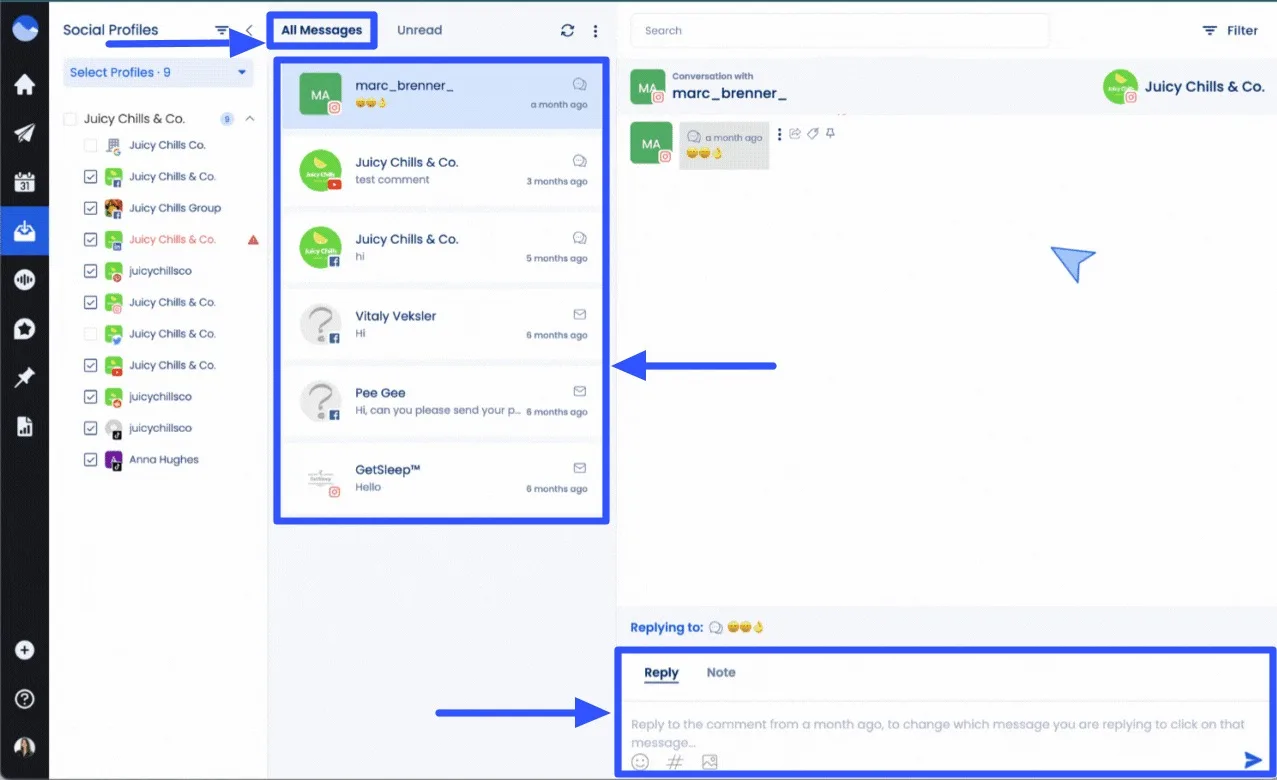
Vista Social’s other features include a link in bio tool, approval workflows, and a mobile app version.

Try Vista Social for free
A social media management platform that actually helps you grow with easy-to-use content planning, scheduling, engagement and analytics tools.
Get Started NowAbout the Author

Content Writer
Jimmy Rodela is a social media and content marketing consultant with over 9 years of experience, with work appearing on sites such as Business.com, Yahoo, SEMRush, and SearchEnginePeople. He specializes in social media, content marketing, SaaS, small business strategy, marketing automation, and content development.
Loading related tools...

The most complete social media management platform for teams who demand more.






Tools
PublishingAnalyticsEngagementIntegrations
FacebookInstagramLinkedInRedditSnapchatThreadsTikTokX (Twitter)YouTubeMCPVista Page (link-in-bio)All IntegrationsCopyright © 2026 Vista Social LLC. All Rights Reserved.