

Published on September 28, 2026
6 min to read
Ask Vista in Slack: The AI Agent for Social Media Teams

Summarize with AI

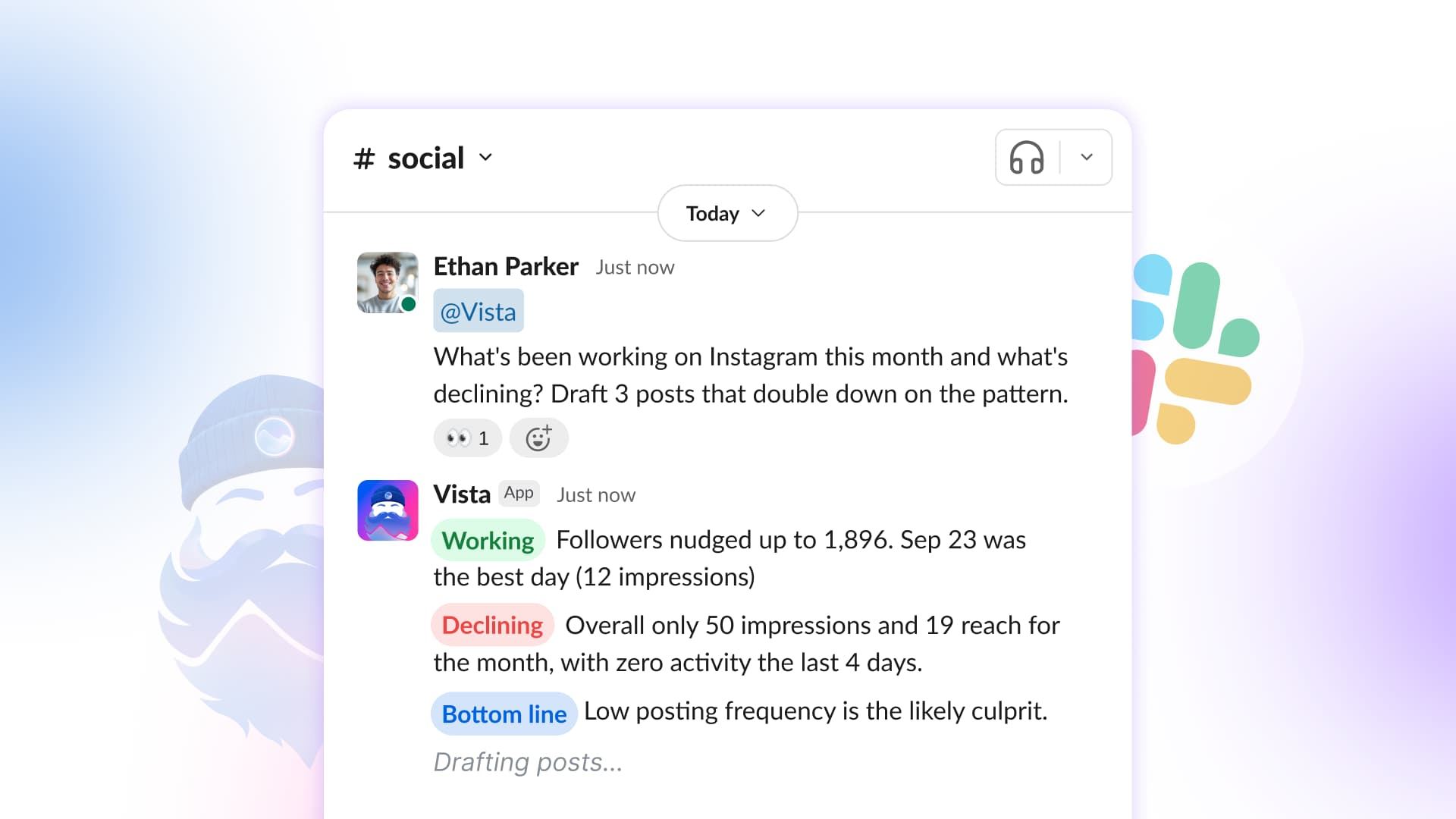
Table of contents
Summarize with AI

ChatGPT

Claude

Perplexity
Share

Vista Social

X (Twitter)


It starts with a Slack thread that should have taken 30 seconds.
- Can someone pull last week’s Instagram numbers?
- What is going out for Acme tomorrow?
- Is the launch post approved yet?
Then the thread goes quiet. Someone leaves Slack, opens Vista Social, digs for the answer, grabs a screenshot, pastes it back, and tries to restart the conversation.
The question was asked where your team talks, while the answer lived somewhere else. A simple request becomes a delay, a stale update, and another break in focus.
Ask Vista in Slack is live now for Vista Social accounts with the Premium integrations add-on.
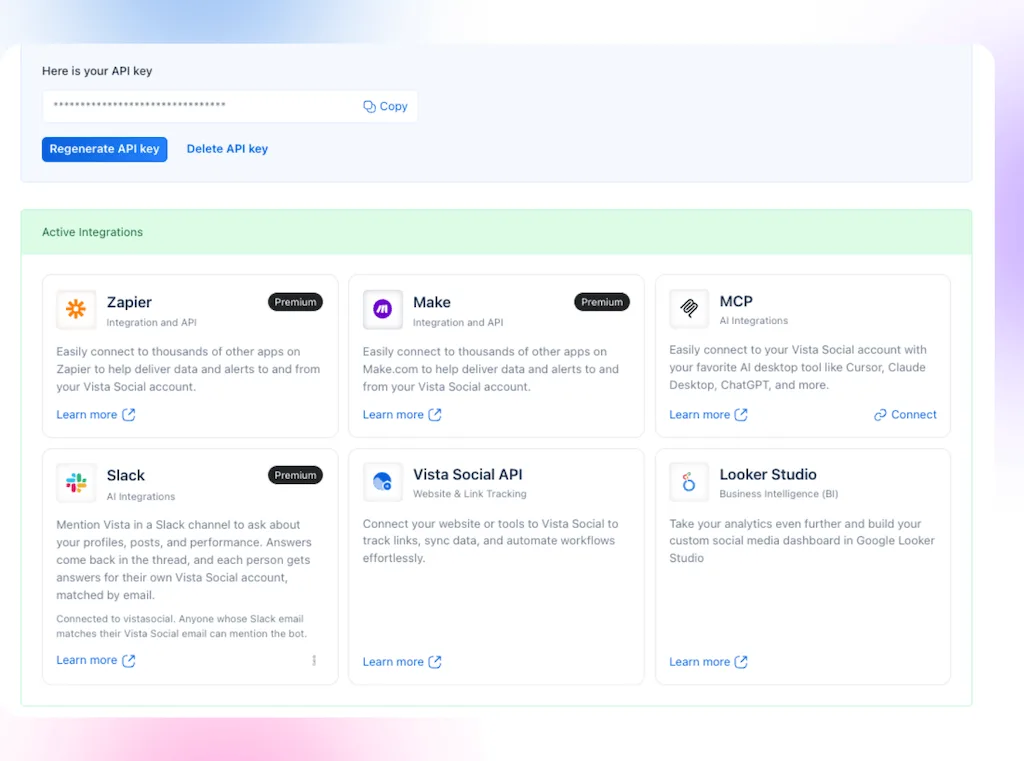
Mention @Vista Social in a Slack thread and get an answer grounded in the Vista Social data, tools, permissions, and brand knowledge available to you. Because each person uses their own Vista Social access, the assistant does not rely on a shared login or guess its way through the workflow.
You bring the social system into the thread instead of sending your team out of it.
Depending on your workspace settings, a Slack admin may need to approve the app.
Table of contents
Why does Ask Vista belong in Slack?
Ask Vista in Slack lets your team ask questions, draft content, and check the calendar where the conversation is already happening. The discussion stays in place, so a request does not become a side task in another tab.
Slack is already where social work gets discussed because launch plans and stakeholder questions land there. Client channels also fill up with approvals, revisions, and reporting requests.
The recurring problem is the handoff between that conversation and the system holding the work:
- A stakeholder wants last week’s numbers, so someone leaves the thread to pull them.
- When a client wants tomorrow’s schedule, someone checks the calendar and carries the answer back.
- A marketer shares a brief and asks for three post options, so someone switches tools to prepare the drafts.
Each request is straightforward. Repeating the lookup and handoff throughout the day is what drains time and momentum. Ask Vista brings the answer back to the same thread where the team will discuss it and decide what happens next.
Why is Ask Vista different from a general Slack assistant?
Ask Vista is an AI agent for social media built on the system where your team already manages content, approvals, reporting, inbox activity, and brand context.
A general assistant needs your team to supply the brands, profiles, calendar, and rules behind each request, while Ask Vista can work from the Vista Social context already available to the person asking.
That context can include profile access, scheduled content, reporting data, channel instructions, a selected profile group, and the knowledge your team has added to Vista Social.
Your team still makes the decisions. Ask Vista handles the lookup or prepares the draft, while people review the answer, apply judgment, and approve anything that will reach the public.
What can Ask Vista do in Slack?
Ask Vista can retrieve account data, prepare content, and use the Vista Social tools available to the person asking. The most useful jobs are the quick team requests that would otherwise send someone out of Slack to find an answer or finish the work.
Pull performance answers without rebuilding a report
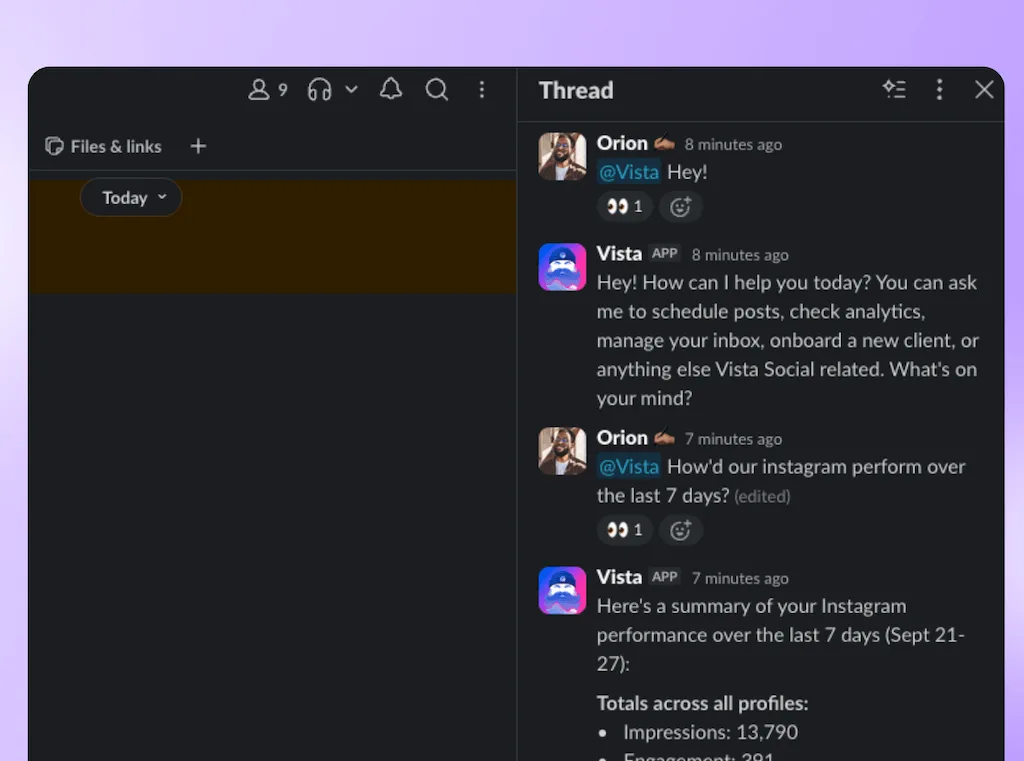
Mention @Vista Social in a public or private channel where it has been invited. Ask how Instagram performed last week, which LinkedIn post earned the most engagement this month, or how two date ranges compare. Ask Vista returns the written answer in the thread, while charts remain available when you open the conversation in Vista Social.
Check calendars, approvals, and publishing gaps
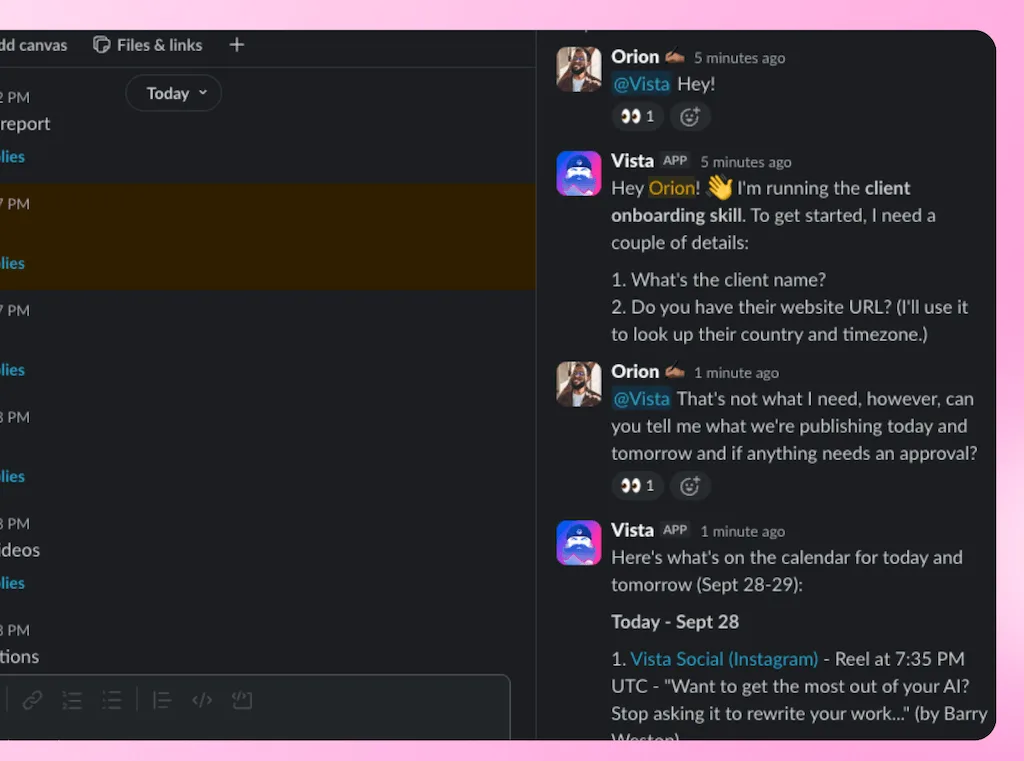
Ask what is scheduled, which posts still need approval, what is going out next for a client, or where the calendar has an open day. Ask Vista can inspect the content and statuses the person asking is allowed to see, then return the relevant posts and next decisions to the thread.
Draft posts from the context already in the conversation
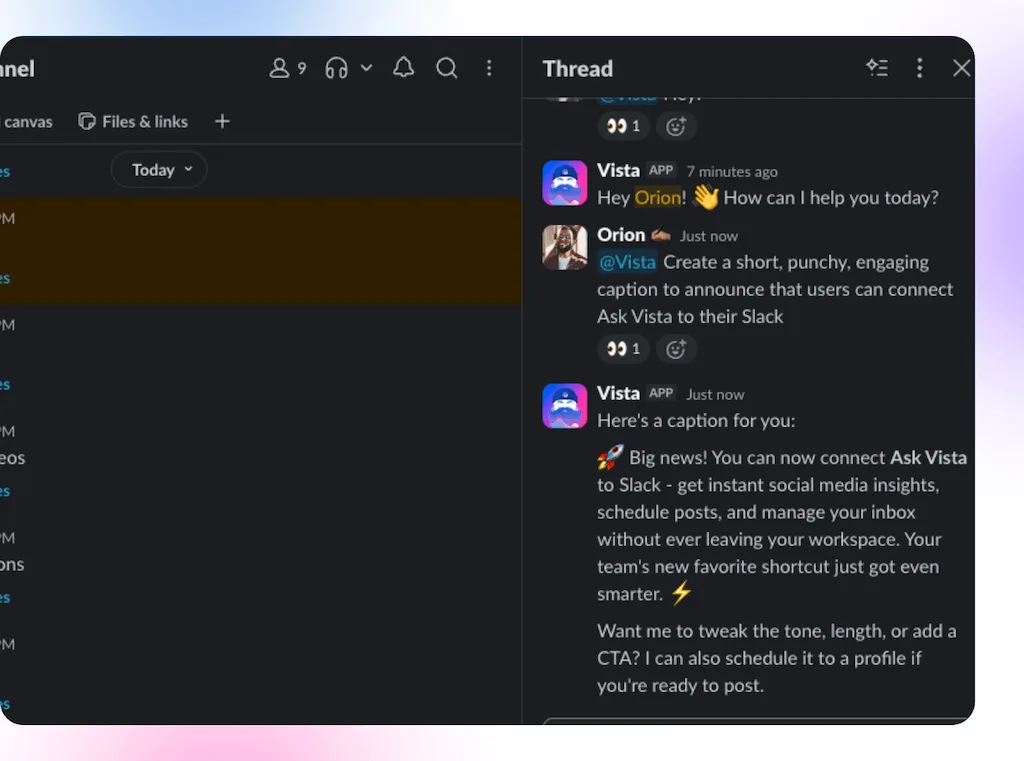
If someone pasted a launch brief or product update above the mention, Ask Vista can use the earlier messages as context. Ask for three LinkedIn options, an Instagram caption, or network-specific versions without restating the assignment. Channel instructions, an attached skill, and a connected knowledge base can keep the result aligned with that client or brand.
Turn approved copy into a Vista Social draft
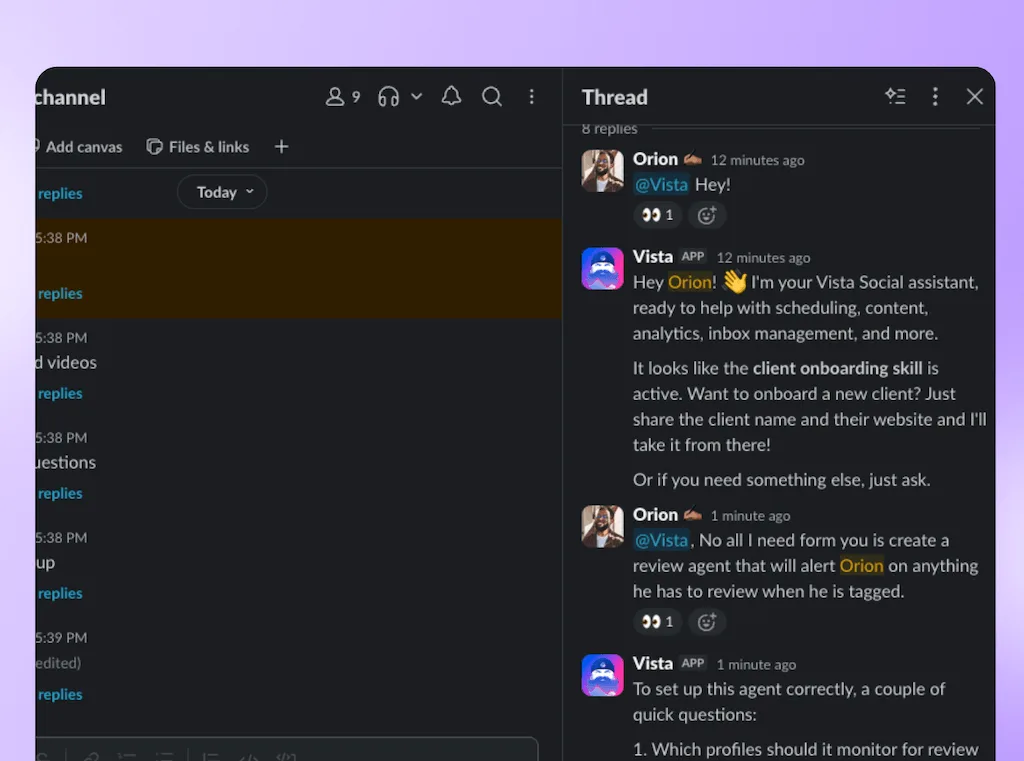
Ask Vista can create posts and help schedule content when the person asking has the required access. A sensible Slack workflow is to create the post as a draft, then let the team review the copy, profiles, media, timing, and approval route in Vista Social before anything is published.
Generate AI images and short videos
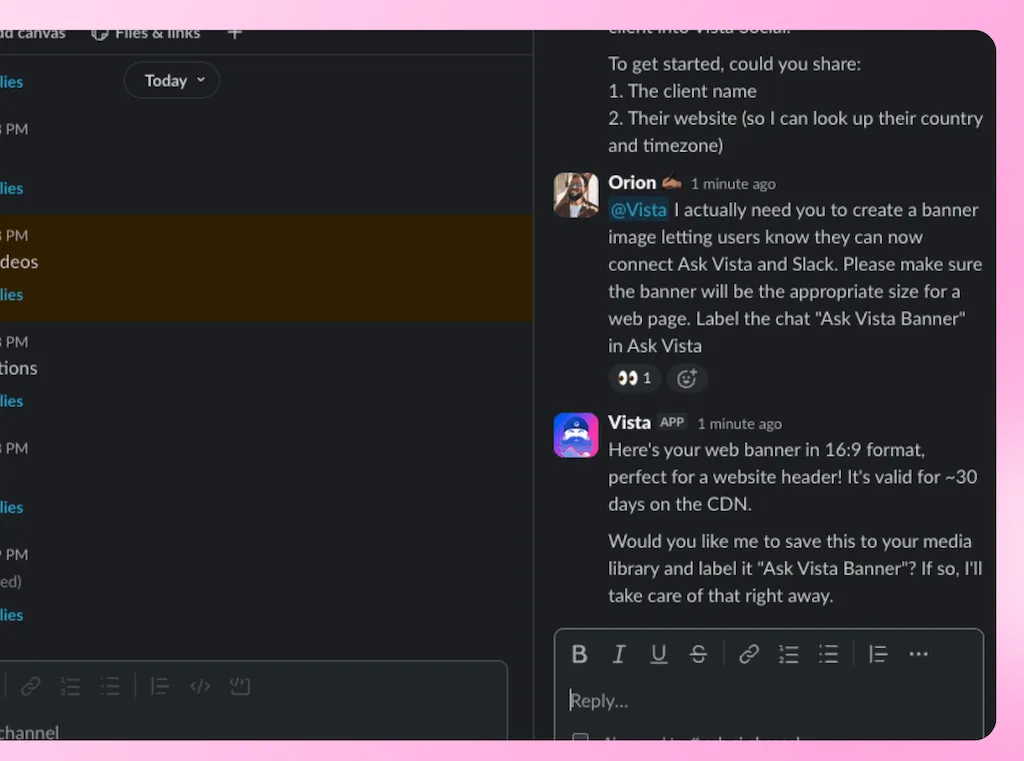
Ask Vista in Slack uses the same Ask Vista tools available inside Vista Social. That means a teammate can start an AI image or AI video request from the thread when those features are enabled and the account has enough AI credits. Continue from Ask Vista’s chat list in Vista Social to preview the generated media, refine an image, save the asset, or attach it to a post before publishing.
Answer brand and product questions from your own knowledge
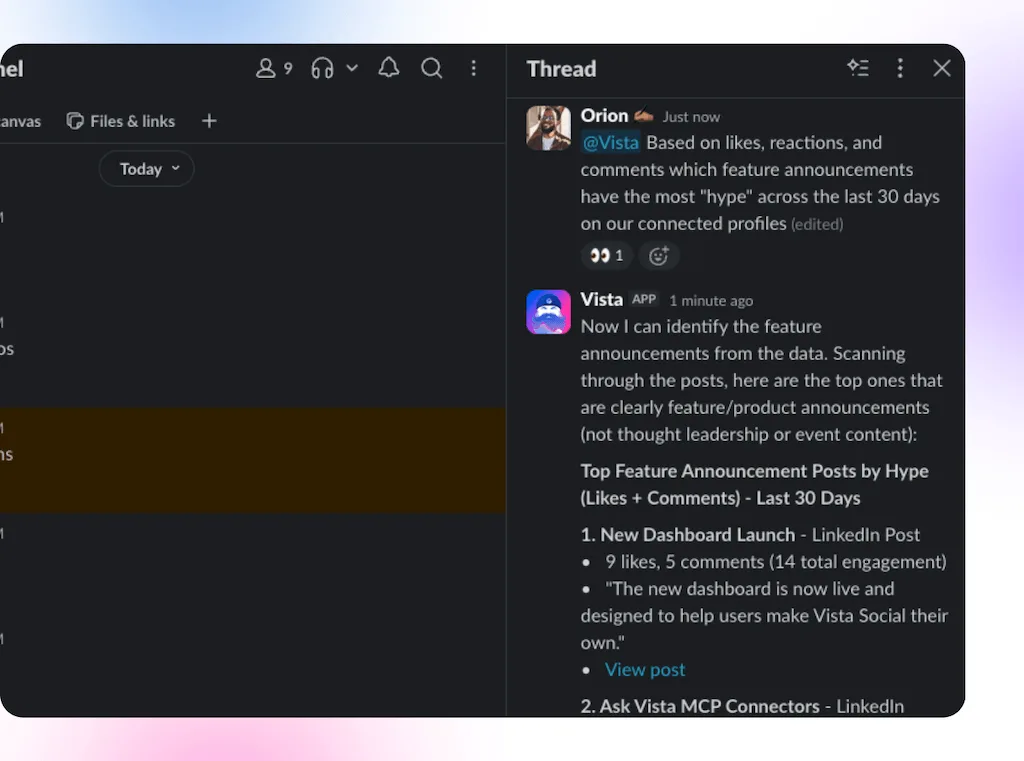
Connect a knowledge base to the channel so teammates can ask about approved messaging, product details, brand rules, or common customer questions. Ask Vista works from the selected documentation instead of asking the team to paste the same guidance into every thread.
Keep every answer tied to the right access and client
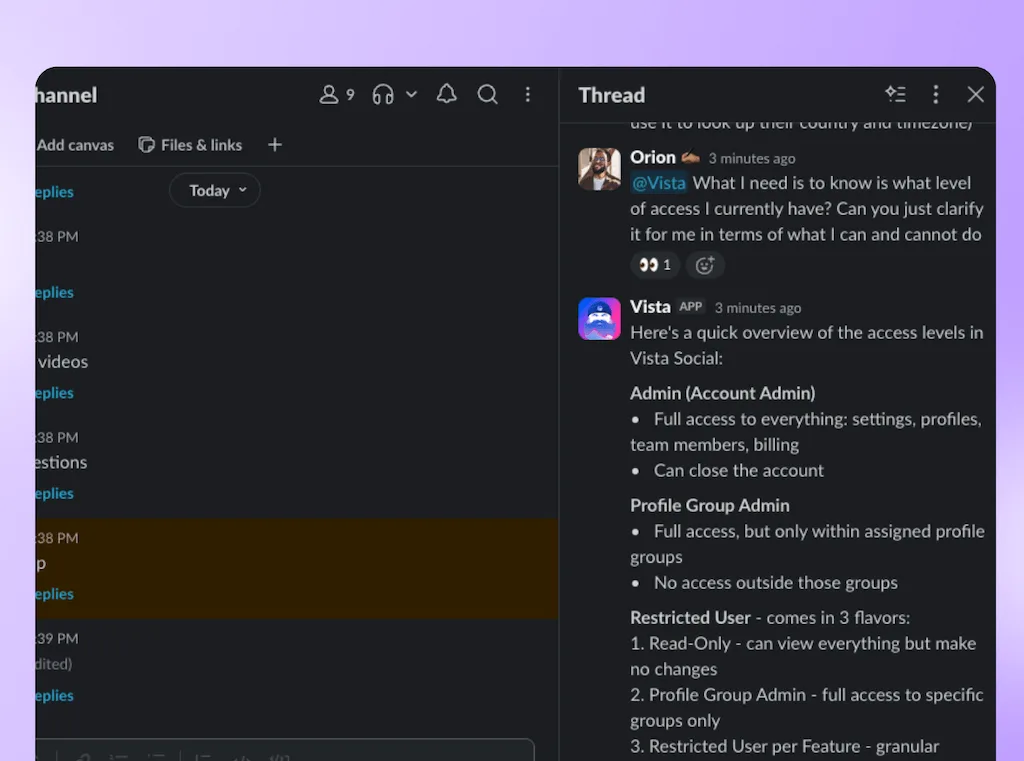
Every answer runs as the person who asked, so two teammates can receive different results when their Vista Social access differs. Admins can also point a channel at a profile group, add instructions, attach a skill, and connect a knowledge base so new requests begin with the right client context.
Continue in Vista Social when the work needs a fuller view
Slack conversations appear in the Ask Vista chat list inside Vista Social with a Slack icon. Open the same conversation there when you need charts, generated-media controls, or the wider workspace for reviewing and completing the task.
Why does this work especially well for agencies?
Agencies deal with these handoffs all day because the work is already organized channel by channel.
One client wants tomorrow’s content schedule. Another wants a quick performance read. Another drops feedback in a thread and wants three revisions back before lunch.
Each channel can be configured around that client’s work. Attach the right profile group, select the relevant knowledge base, and add standing instructions so the next request starts with useful context.
The team spends less time restating which client, profiles, and rules apply before Ask Vista can help.
How do you connect Ask Vista to Slack?
Setup takes three steps:
- Connect Slack from Settings > Integrations in Vista Social.
- Invite @Vista Social to the public or private channel where you want to use it.
- Mention @Vista Social with your first question.
If you want the complete walkthrough, use the Ask Vista in Slack setup guide.
What are the current limits?
Ask Vista in Slack is useful now, with a few clear limits:
- It works through channel mentions, not direct messages.
- Follow-up questions in a thread still need a fresh @Vista Social mention.
- Charts do not render in Slack, so open the conversation in Vista Social for richer visual output.
- Each person who uses it needs a Vista Social user on the connected account.
Those boundaries preserve the part that matters most: answers are tied to the user’s permissions, the channel’s context, and the Vista Social account where the work lives.
Keep the conversation moving
A useful workflow should hold up when the day gets collaborative, messy, and fast. Ask Vista in Slack brings account-aware answers into the client thread, launch discussion, reporting request, or content conversation already in progress.
Already use Vista Social?
Open Settings > Integrations and connect Slack, then invite @Vista Social to the channel where your team already discusses the work.
Ask the first real question your team would otherwise leave Slack to answer.
New to Vista Social?
Bring your social profiles, publishing workflow, reporting, brand knowledge and Ask Vista into one workspace so the conversation and the work stay connected. You can try Vista Social free for 14 days, with no credit card required.
Start your free trial and bring an account-aware social media agent into your team’s Slack workflow.
Try Vista Social for free
A social media management platform that actually helps you grow with easy-to-use content planning, scheduling, engagement and analytics tools.
Get Started NowAbout the Author

Content Writer
Orion loves to write content that refuses to be boring. As part of Vista Social, he helps brands, creators, and agencies stop doom scrolling and start winning with social media. When he's not in front of a keyboard, he's watching films in IMAX with his wife, dissecting football tactics (the European kind), and getting lost in a good book.
Loading related tools...

The most complete social media management platform for teams who demand more.






Tools
PublishingAnalyticsEngagementIntegrations
FacebookInstagramLinkedInRedditSnapchatThreadsTikTokX (Twitter)YouTubeMCPVista Page (link-in-bio)All IntegrationsCopyright © 2026 Vista Social LLC. All Rights Reserved.