

Published on June 29, 2026
12 min to read
AI Skills, Explained: How to Make Your Assistant an Instant Expert

Summarize with AI

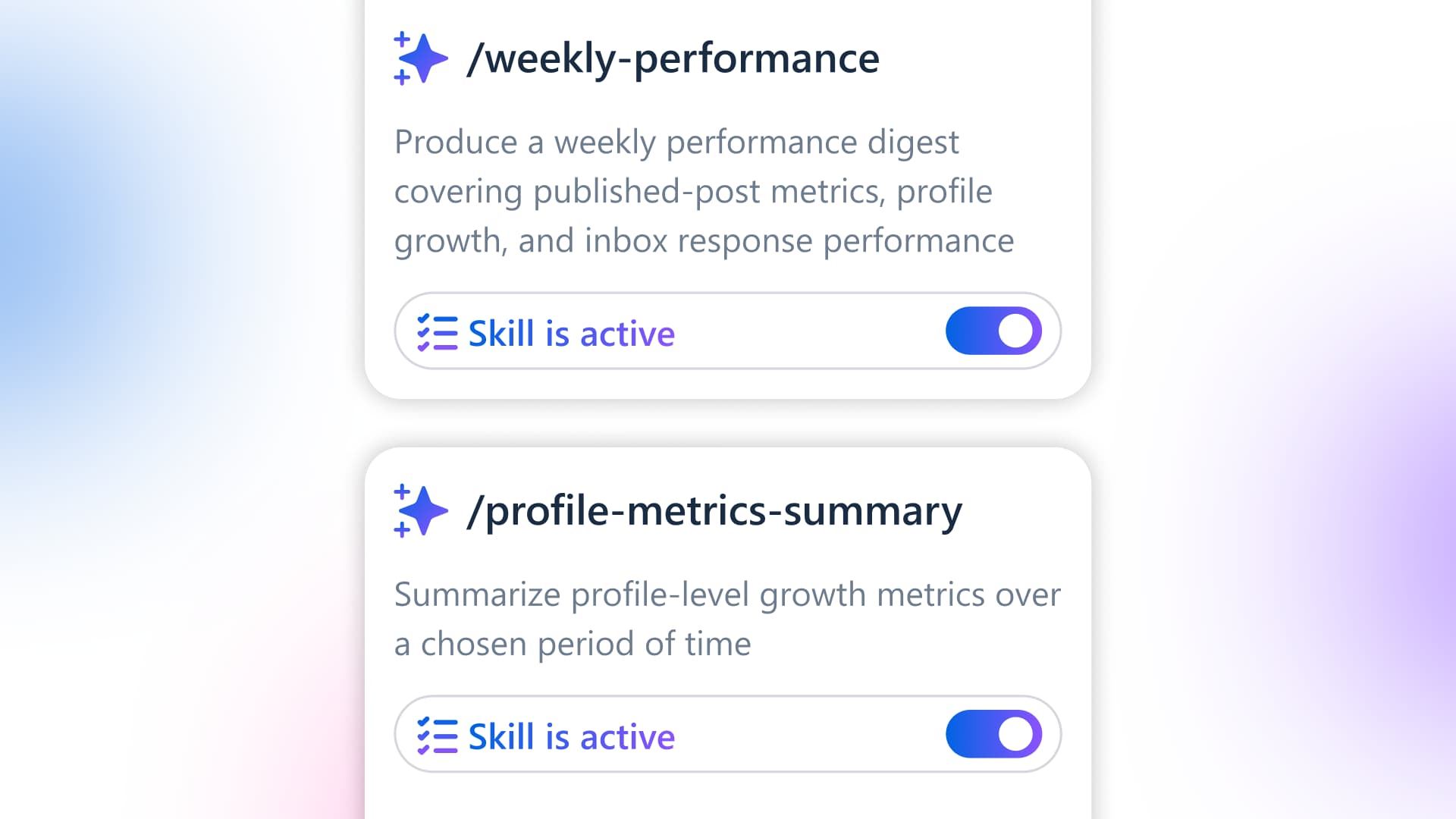
Table of contents
Summarize with AI

ChatGPT

Claude

Perplexity
Share

Vista Social

X (Twitter)


There’s a scene in The Matrix where Neo, wired into a chair, has fighting styles loaded straight into his brain. He opens his eyes, blinks, and says, “I know kung fu.” Morpheus doesn’t congratulate him. Instead, he stands up and says, “Show me.”
If you use AI for social media, you’ve probably wished for that exact thing. You’re re-typing your brand brief into a chatbot for the fortieth time and some part of you thinks: why can’t it know this already?
Not learn it slowly over a long conversation, but have the expertise loaded in and ready so it does the task like someone who’s done it a thousand times. That’s what an AI skill does, and most marketers have never had it explained to them plainly.
By the end of this, you’ll know exactly what a skill is, watch one transform a real task, and see where to get them already built for social media work and how to make your own.
The short version, if you’re scanning:
- An AI skill is a saved set of expert instructions you load into your assistant so it performs a task the way a specialist would, without you re-explaining the method each time.
- It fixes the daily “coaching tax” of re-briefing AI from scratch, and it’s the gap between marketers who get generic output and the few who get expert output.
- General tools like ChatGPT and Claude have their own versions of this. Ask Vista ships with 20+ social skills already built in and wired into your accounts.
- You can also bottle your own process into a skill in plain English, with no code, so your best work becomes a button your whole team can press.
Table of contents
You’ve been coaching an amateur
Most people’s relationship with AI looks the same, even after a year of using it daily.
You open a chat, explain who your brand is, and paste in your tone guidelines. Then list the three things you never say, name the product you’re pushing this week, and describe the format you want.
Often you get back something close but generic, so you correct it, then correct it again. By the time it’s usable, you’ve spent twenty minutes re-teaching the AI everything it forgot the second you closed the last window.
Tomorrow you do the whole thing over. Every morning you start from scratch with an assistant that remembers none of it.
It’s smart, but it has amnesia and no training, so you’re stuck onboarding the same talented intern day after day.
Almost everyone is stuck here, and the research backs it up. When Brafton surveyed marketers who use AI, the top complaint by a wide margin was that the output is thin or generic-sounding.
The second was that it takes too long to lift AI drafts up to the standard their audience expects. The tool is in everyone’s hands, but the expertise isn’t.
There’s a wider gap underneath that. Jasper’s 2025 State of AI in Marketing report, drawn from more than 500 marketers, found that only 29% rate their own AI use as “advanced.”
Everyone else is generating drafts and ideas, which are the beginner moves. Few have reached the point where AI runs a real task to a real standard without hand-holding.
What separates those two groups comes down to where the expertise lives. For most people it lives in their head and gets retyped every session. For the advanced group it’s been saved into the tool once and loaded on demand.
That saved expertise has a name, and it’s a skill.
Once you frame the problem this way, the layers stack up fast:
- Consistency: Without a skill, quality swings with how well you briefed the AI that day, while a skill bakes the expert method in every time.
- Borrowed expertise: A skill lets you run a process you couldn’t write yourself, so you load an expert’s playbook and operate at their level today.
- Your process: The best parts of your craft usually live in your head, and a skill turns them into a reusable asset for you and your team.
- The generalist gap: General AI can hold a skill, but it doesn’t know your accounts or your social craft, and the expertise and the wiring end up living in different places.
The leap isn’t a smarter model; rather, it’s loaded expertise.
What an AI skill actually is
An AI skill is a saved set of expert instructions you load into your AI assistant so it performs a specific task the way a specialist would. This happens without you having to explain the method each time.
That’s the whole idea. A skill is the procedure a great practitioner carries in their head. It’s written down once and handed to the AI so it can run that procedure on command.
Compare asking a new hire to “write me a hook” with handing them the playbook your best copywriter uses. The patterns that work, the openings that flop, and the structure that earns the scroll-stop. The new hire with the playbook performs like a pro on day one, and the skill is that playbook.
A few ways to picture it:
- The recipe card: The AI is a capable cook. A skill is the tested recipe that tells it how to turn the raw request into a dish that tastes like yours every time.
- A playbook handed to a rookie: Same player, far better decisions, because the expert’s plays are now in their hands.
- The kung fu upload: The method goes in once. After that the AI doesn’t need the lesson again, so you say go and it performs.
One honest boundary, because it matters. A skill loads method and expertise, and that’s all it loads.
Inside a purpose-built social tool, a skill makes the AI better at a task. However, it can’t make it do something you haven’t approved, like publishing a post or replying to a customer on its own. You get the expertise without handing over the keys, and we’ll come back to why that distinction matters.
Watch a skill in action
A definition only gets you so far, so let’s run one.
Take the hardest few words you write all week: the hook, the first line of a post that decides whether anyone reads the rest. Watch what changes when you ask AI cold versus with a skill loaded.
Without a skill, you type something like “write me a hook for a post about our new scheduling feature,” and you get this back:
“Introducing smarter scheduling — Vista Social now tells you the best time to reach your audience, so every post lands when it matters most.”
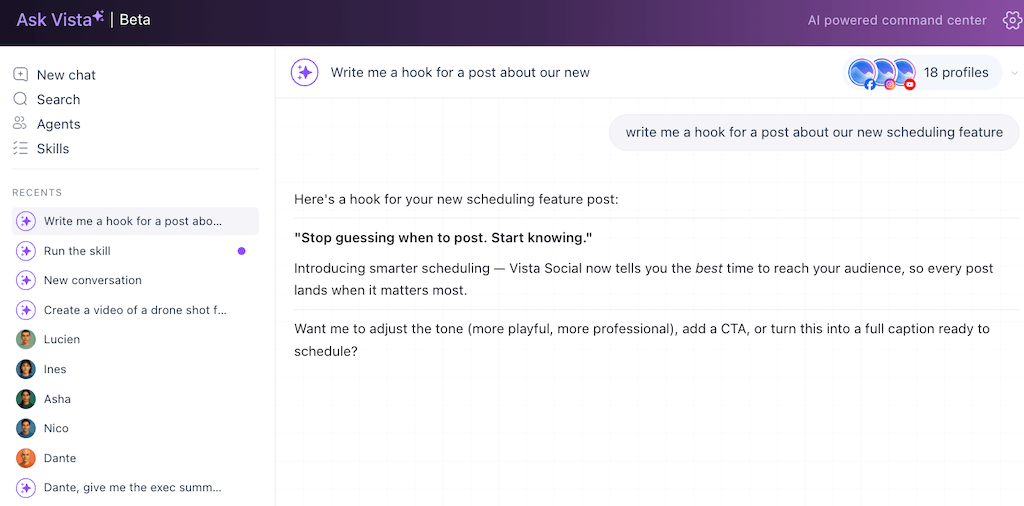
That’s the AI being a polite amateur. It’s grammatically fine and completely forgettable, and you’d never post it.
Now you load Ask Vista’s /hook-maker skill. A saved procedure written by a short-form expert that already knows the patterns that stop a scroll. It opens on tension, leads with the reader’s problem, and never buries the payoff. Same request, no extra coaching, and you get options like these:
- “Your posting schedule shouldn’t depend on you being online.”
- “Most social media managers are still scheduling posts the hard way.”
- “What if your content calendar ran itself?”
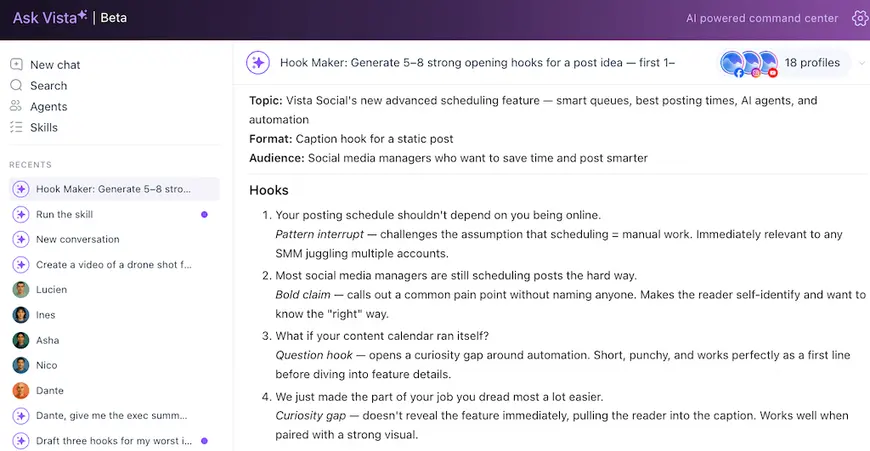
Same model, same one-line request. The only thing that changed is that the expertise was already loaded. So you spent your time choosing a winner instead of coaching a beginner.
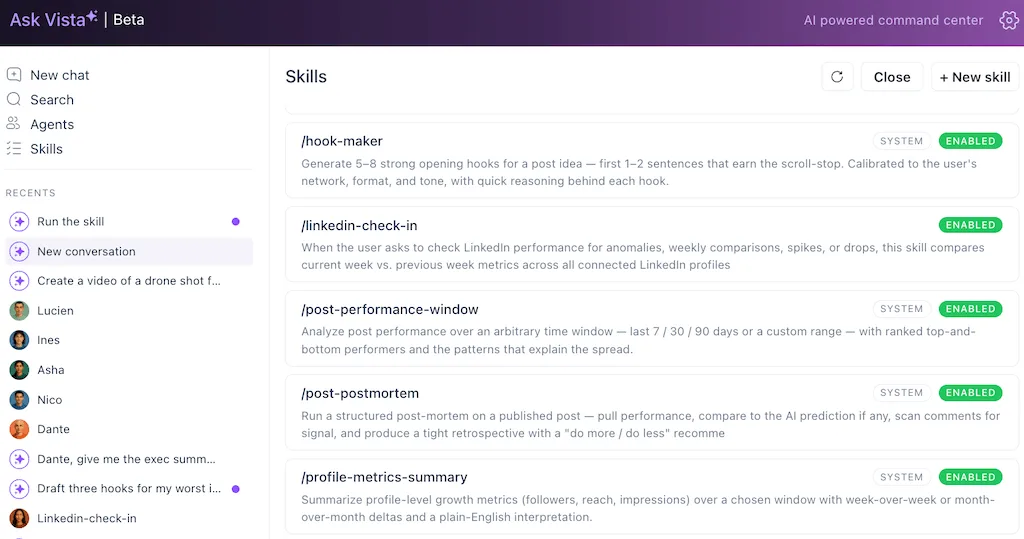
A hook is one skill, and Ask Vista ships with more than twenty of them. Once you watch /hook-maker turn a bland line into three you’d actually post, you start wanting a skill for every repeatable task on your plate:
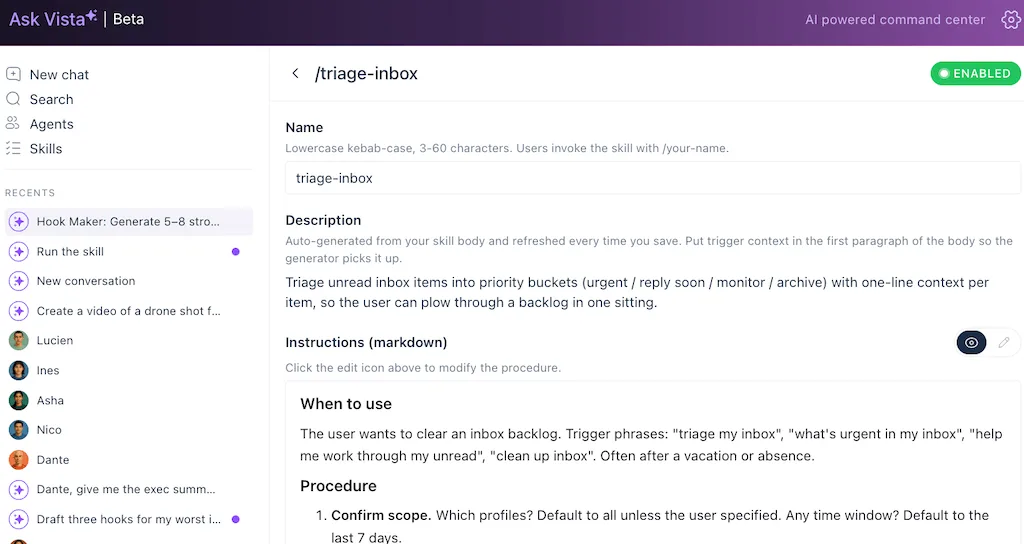
- Triage inbox: The /triage-inbox skill sorts and prioritizes your whole inbox in one move, so you start the day with the messages that matter on top instead of scrolling for them.
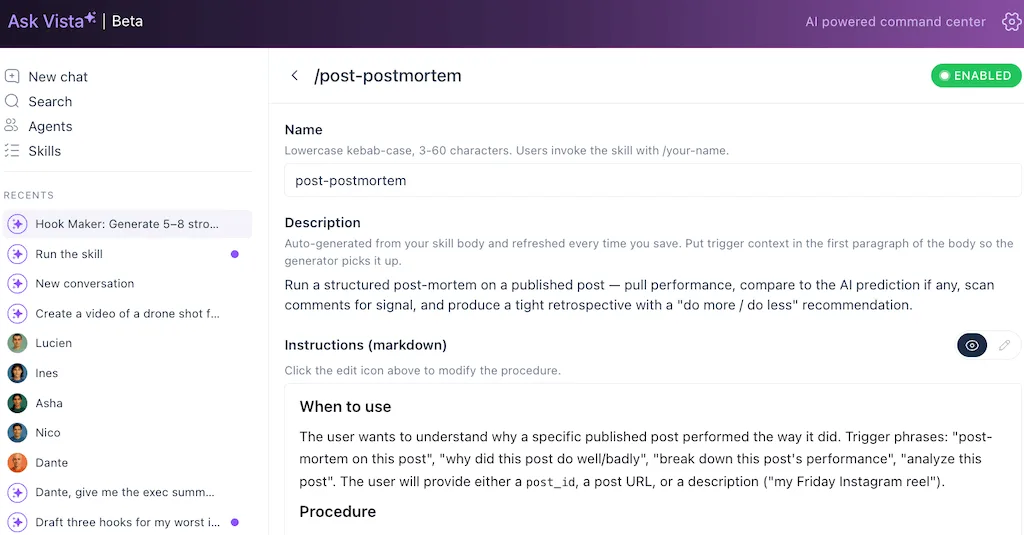
- Post postmortem: The /post-postmortem skill analyzes why a post worked or didn’t and hands back the takeaways, so your next post is built on what you learned from the last one.
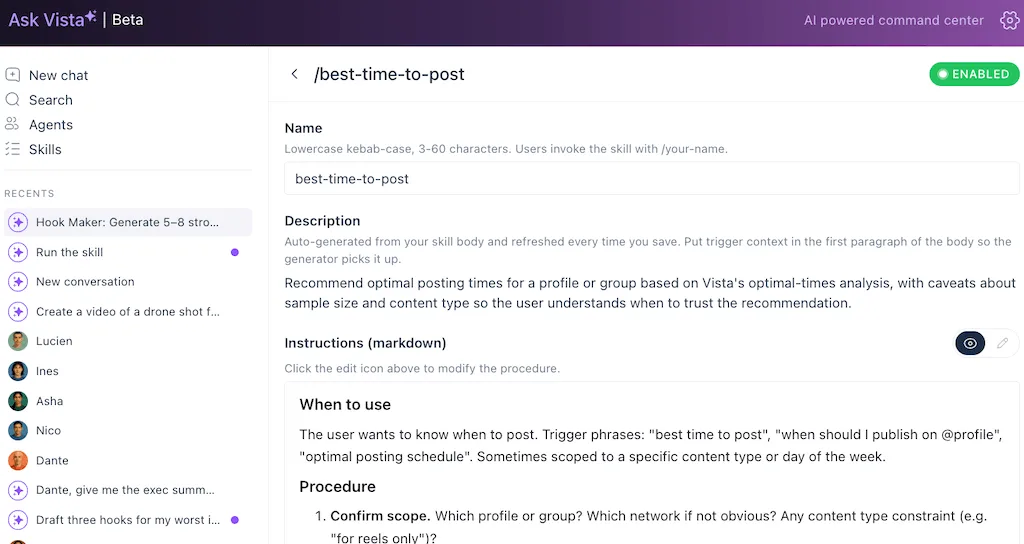
- Best time to post: The /best-time-to-post skill reads your own performance history and tells you when this account should publish, instead of you guessing from a generic chart.
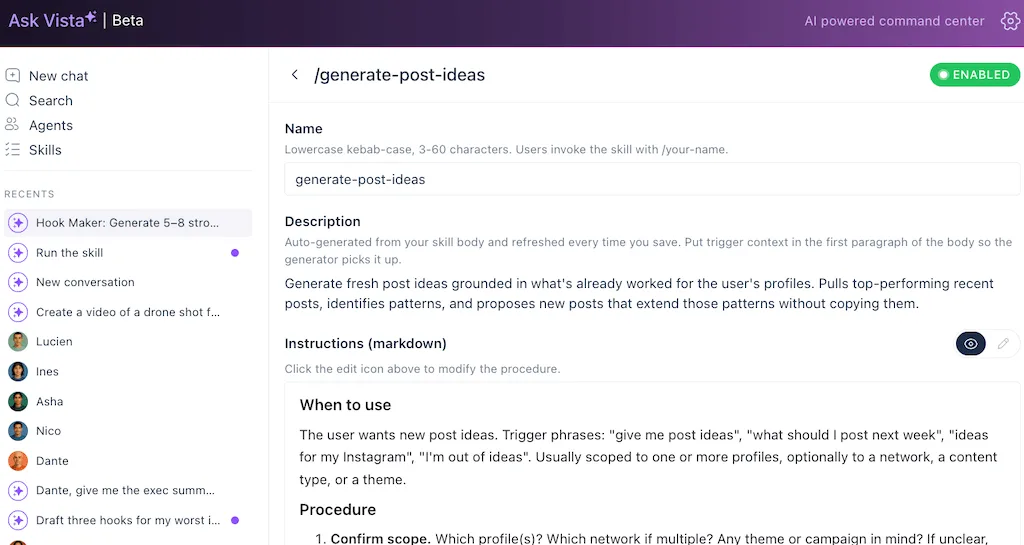
- Generate ideas: The /generate-post-ideas skill turns a single theme into a slate of angles to test, so you’re choosing between options rather than staring at a blank calendar.
Every one of those is a procedure your best teammate would run a certain way. A skill is that procedure saved, so the AI runs it the same way, at the same standard, every time.
This is the “Show me” moment. No one believes a skill is real until they watch ordinary input turn into expert output.
Load your first skill and watch your AI become an expert, for free, with Vista Social.
Generalists can hold skills—but Ask Vista is built for them
To be fair, this isn’t a trick only one tool can do. The big general assistants have moved this direction too.
You can save custom instructions, build a custom assistant for a specific job, and store reusable expertise so you’re not starting cold every time. If you’ve set one of those up well, you already know how much better the output gets. The concept is real and it isn’t exclusive.
So the question worth asking is which tool is built so the skill finishes your job, not only drafts a piece of it.
This is where a purpose-built social platform pulls ahead. A general chatbot can hold a hook skill, but it holds it in a blank room.
It writes you a hook, then you copy it, switch tabs, paste it into your scheduler, find the right account, set the time, and hit publish. The skill helped with one step out of six, and you did the other five.
Here’s how the same skill plays out in each place:
| A general chatbot | Ask Vista |
|---|---|
| You build the skill from a blank editor | 20+ social skills ship built in, ready to load |
| It can’t see your accounts or brand voice | Every skill inherits your real profiles and voice |
| The output lands in a chat window | The output lands one click from your calendar |
| You move the work to your scheduler by hand | The work finishes inside the platform |
Inside Vista Social, Ask Vista doesn’t start from a blank room. It comes with more than twenty social media skills already built in. Each one is written in plain language by social experts, so instead of building a hook skill from scratch, you’re choosing one that’s already tuned for the job.
It’s also wired into the things a hook is useless without:
- Real profiles: The skill knows which account it’s writing for because Ask Vista is connected to them.
- A brand voice: It isn’t guessing your tone from a pasted paragraph because your voice lives in the platform and every skill inherits it. Here’s how to set your brand voice once so everything downstream sounds like you.
- Inbox and analytics: A reply skill can see the real comment, and a caption skill can learn from what’s already performing.
- Your schedule: The expert output lands one click from the calendar instead of stranded in a chat window.
And skills don’t work alone. They pair with agents, the part of Ask Vista that runs tasks on a schedule. A skill stops being something you trigger by hand and becomes something that runs inside your workflow.
If you want the full picture of how the two fit together, start with how agents and skills make up your AI marketing team.
Kieran Flanagan, who writes about getting real leverage out of AI at work, put the principle plainly. The same logic applies to skills.
“The marketers who get the best results from Claude Code all have one thing in common: they build the foundation layer first.”
Kieran Flanagan, Kieran Flanagan Substack
A skill is that foundation layer. The platform it lives in decides whether the foundation connects to your work or sits in a chat window looking smart.
If you’ve ever weighed a general chatbot against a social-specific assistant, that’s the crux of it, and it’s worth reading why a social media AI beats a general chatbot in full.
See what 20+ built-in social skills feel like, free with Vista social.
Bottle your own expertise
Built-in skills get you off the blank page. The bigger unlock is saving the thing only you know how to do.
Every team has a procedure that lives in one person’s head. The way your founder writes a launch announcement, the exact structure of your monthly recap post, and the five rules your community manager follows when a comment turns spicy.
Right now that expertise walks out the door when that person is no longer at the company. It has to be re-explained to every new hire and every fresh chat window on Claude or ChatGPT.
A skill is how you bottle it. In Ask Vista you can create your own skill by describing your process in plain English. No code and no setup project, and every skill is written in plain, readable text you can open and edit.
You describe the task and the rules the way you’d brief a sharp new teammate: here’s what we’re doing, here’s how we do it, here’s what we never do. Save it, name it, and that expertise becomes a button anyone on the team can press.
You’re not limited to what you write, either. Ask Vista lets you import skills built elsewhere, so a process a peer or partner has already perfected can drop straight into your workspace.
Your process stops being a bottleneck and becomes an asset that compounds.
This is the kung fu upload pointed at your own knowledge. You’re recording your expertise and handing it to the AI so it performs your job the way you would, on the days you’re not in the room.
Turn your best process into a skill your whole team can run
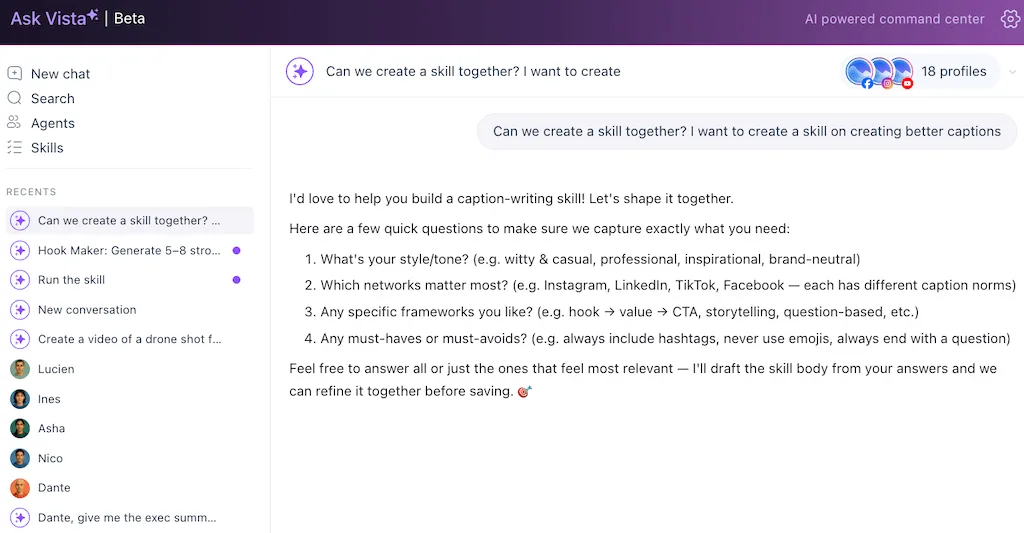
Worth saying clearly, since it’s the line between a skill and an agent: saving a skill makes the AI an expert at a task, but it doesn’t hand over the keys.
Ask Vista confirms with you before it does anything that publishes, sends, or changes, so a skill drafts like a pro and waits for your approval. For the version that runs on a schedule, with your guardrails, that’s where agents come in.
If you want to go deeper on stacking the right tools for the job, this rundown of AI content creation tools is a good map of the wider landscape.
Now show me
Back to Neo for a second. The thrill of that scene isn’t the upload itself.
It’s the moment after, when Morpheus says “Show me” and Neo, who couldn’t throw a punch a minute ago, holds his own against a master.
That’s what a skill does for the work you do every week. It takes a task you currently coach an amateur through and loads the expertise so the AI performs.
Built-in skills get you started, your own skills make it personal, and inside a platform that’s wired into your accounts, your voice, and your schedule, the expert output lands exactly where the work happens.
You don’t need years of training to operate like an expert. You need the skill loaded.
Try Vista Social free, no credit card required, and load your first skill today.
Frequently asked questions
What are AI skills in simple terms?
An AI skill is a saved set of expert instructions you load into your assistant so it performs a specific task the way a specialist would. Rather than re-explaining the method every time, you save it once and the AI runs it on command.
What’s the difference between an AI skill and an AI agent?
A skill makes the AI an expert at a task and waits for you to use the result. An agent takes action on a schedule within the limits you set.
A skill drafts the perfect hook. An agent can be the thing that runs your morning content routine. They work together, and you can read more in our guide to agents and skills as your AI marketing team.
Can I create my own AI skill?
Yes. In Ask Vista you describe the task and its rules in plain English, the same way you’d brief a new teammate, then save it. There’s no code and no setup project, you can edit it like a document, and once it’s saved anyone on your team can run it.
Do ChatGPT and Claude have skills too?
The general assistants offer ways to save reusable expertise, like custom instructions and custom assistants, so the concept isn’t exclusive to any one tool. The difference is that a social-specific platform ships with social skills already built and wires them into your real accounts, voice, inbox, and schedule, so the expert output lands where you do the work.
What’s a good first skill for social media?
A hook skill. The first line of a post does most of the work, it’s the hardest thing to get right cold, and it’s where a loaded skill makes the most obvious difference. After you watch the before and after once, you’ll want one for replies, reporting, and idea generation too.
Do I need to know how to code to use AI skills?
No. Built-in skills are ready to load, and creating your own is done in plain English. If you can write a brief for a colleague, you can build a skill.
Can a skill make the AI post on its own?
No, and that’s by design. A skill loads expertise, not authority. Ask Vista confirms with you before anything publishes or sends, so a skill drafts to an expert standard and waits for your approval, while acting on a schedule is the job of an agent with the guardrails you set.
How are Ask Vista’s skills different from a custom GPT?
A custom assistant in a general tool lives in a blank room. It can produce great copy, but you still move that copy by hand into your scheduler.
Ask Vista’s skills come purpose-built for social and connect directly to your profiles, brand voice, inbox, analytics, and calendar, so the work finishes inside the platform instead of starting over in another tab.

Try Vista Social for free
A social media management platform that actually helps you grow with easy-to-use content planning, scheduling, engagement and analytics tools.
Get Started NowAbout the Author

Content Writer
Orion loves to write content that refuses to be boring. As part of Vista Social, he helps brands, creators, and agencies stop doom scrolling and start winning with social media. When he's not in front of a keyboard, he's watching films in IMAX with his wife, dissecting football tactics (the European kind), and getting lost in a good book.
Loading related tools...

The most complete social media management platform for teams who demand more.






Tools
PublishingAnalyticsEngagementIntegrations
FacebookInstagramLinkedInRedditSnapchatThreadsTikTokX (Twitter)YouTubeMCPVista Page (link-in-bio)All IntegrationsCopyright © 2026 Vista Social LLC. All Rights Reserved.