

Published on March 12, 2026
9 min to read
Vista Social vs. Metricool: Which Tool is Better?

Summarize with AI

Table of contents
Summarize with AI

ChatGPT

Claude

Perplexity
Share

Vista Social

X (Twitter)


Finding the right social media management tool can feel like an endless search. Vista Social and Metricool are two platforms that show up often in these searches. But they take very different approaches to social media management.
Metricool built its reputation around analytics and competitor tracking, and has since added scheduling and inbox features. Vista Social was designed from day one as a complete social media management platform, with tools for publishing, analytics, engagement, listening, and team collaboration.
Both platforms can help you schedule posts and track performance. But the similarities start to thin out fast once you look deeper. This guide breaks down how Vista Social and Metricool compare across 12 key categories so you can see which one actually fits the way you work.
Table of contents
Vista Social vs. Metricool: Which tool fits your needs?
Vista Social covers more ground across the board, while Metricool leans heavily into analytics and ad tracking. Let’s dig into each category to see where the real differences are.
Social media publishing
Both Vista Social and Metricool handle the basics you’d expect from any social media scheduling tool. The real differences show up in platform coverage and posting limits.
Vista Social supports 13+ social networks from one composer. That includes the following:
- TikTok
- X/Twitter
- YouTube
- Threads
- Bluesky
- Snapchat
- Tumblr
- Google Business Profile
Every plan comes with unlimited posts, so you’ll never hit a cap no matter how much content you push out. You can also use bulk scheduling tools to upload up to 100 posts at once via CSV.
Metricool, on the other hand, supports around 11 platforms, including:
- TikTok
- X
- YouTube
- Threads
- Bluesky
- Twitch
- Google Business Profile
The free plan limits you to 50 posts per month, and the Starter plan caps at 2,000. Only the Advanced plan and above remove those limits. If you manage a high volume of content across many platforms, Vista Social gives you more flexibility right out of the gate.
Social media calendar
A visual content calendar is the backbone of any good social media planning tool. Both platforms deliver here, though with some differences.
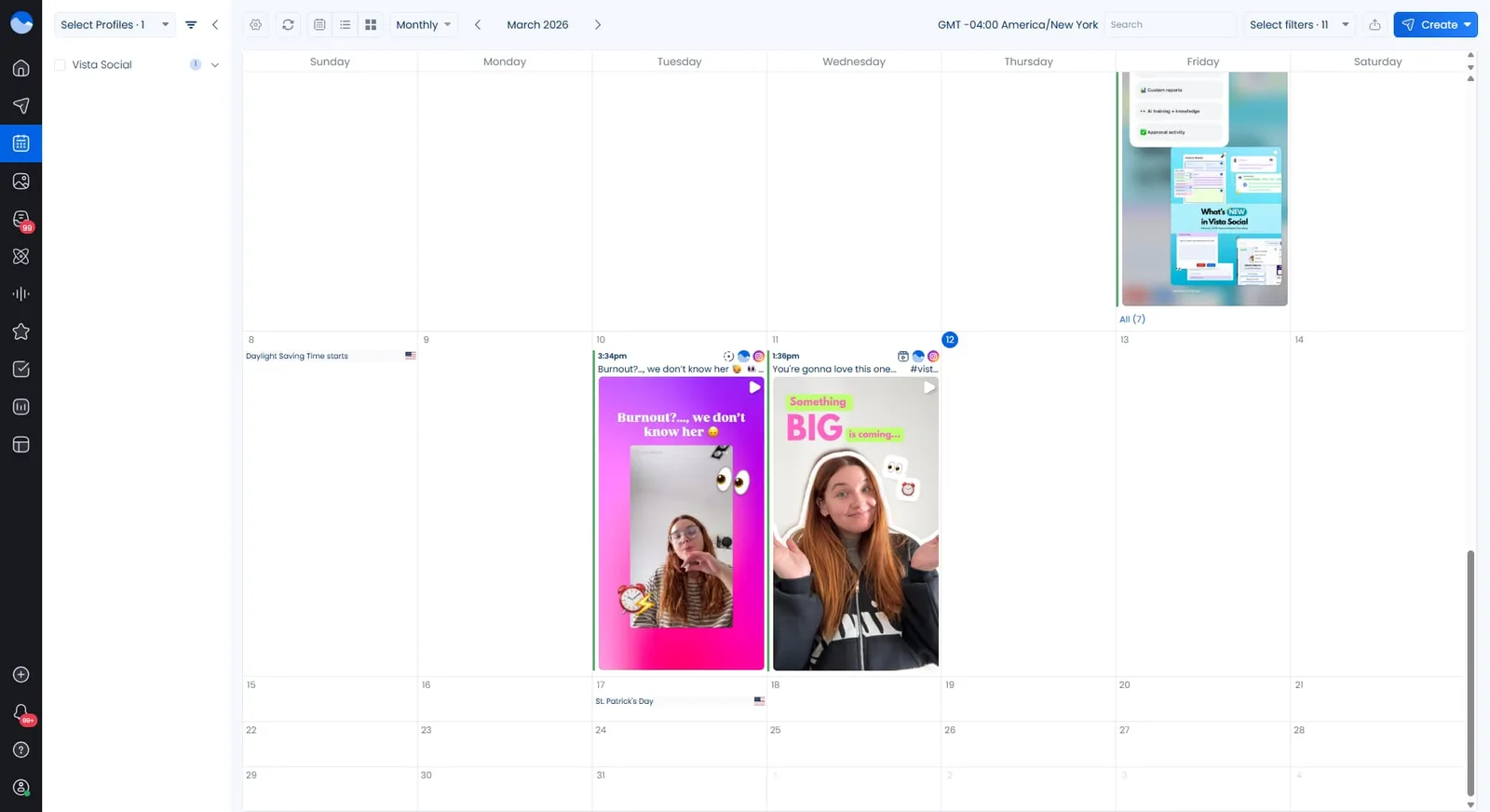
Vista Social offers a clean drag-and-drop calendar where you can view, filter, and organize posts by profile, status, or label. It also includes color-coding and team sharing, which makes it easy to keep campaigns on track across multiple clients or brands.
Metricool’s calendar is also visual and user-friendly. It highlights the best times to post and lets you add country-specific calendars—a nice touch for global teams. You can create posts directly from the calendar view.
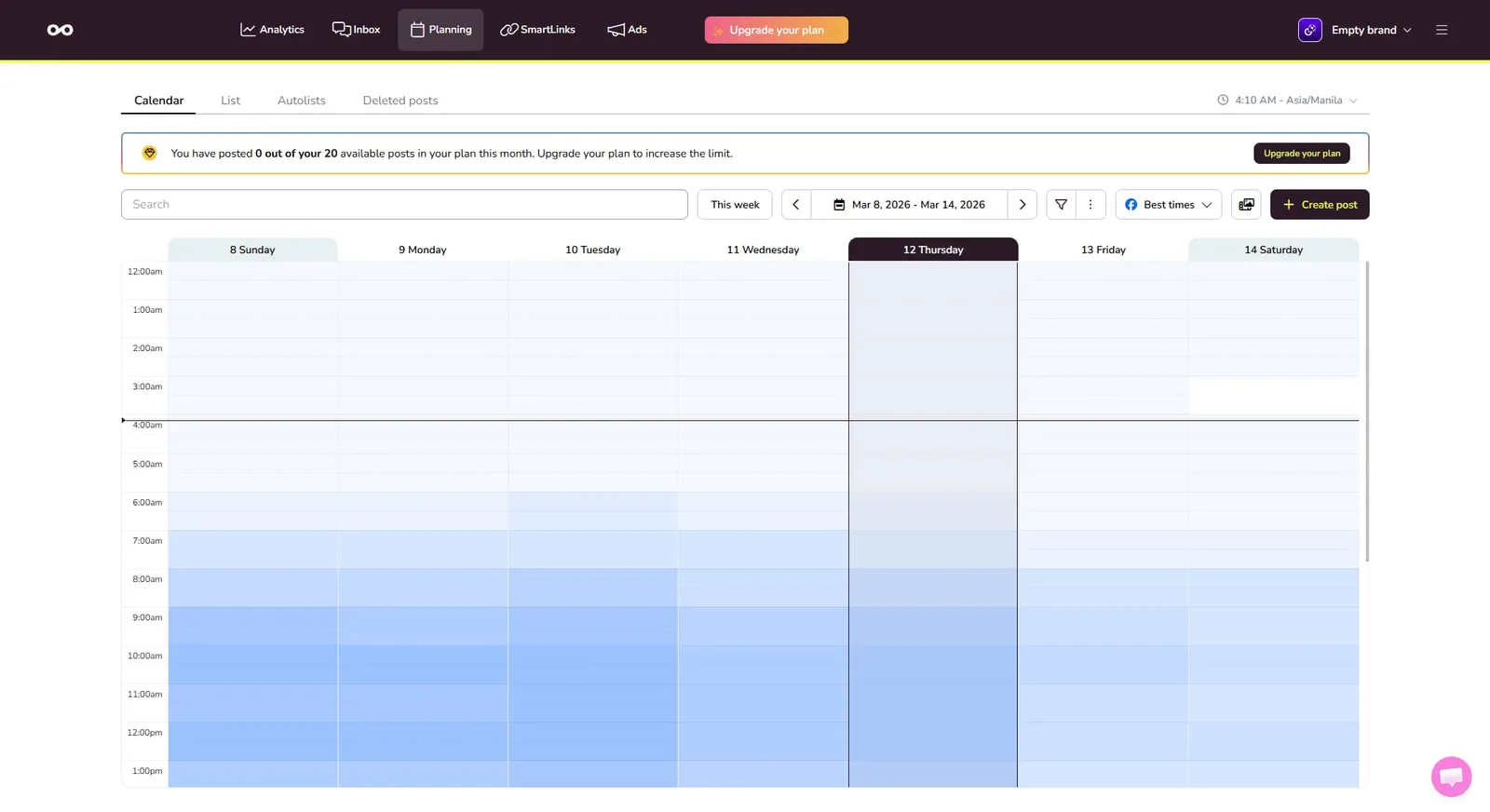
Both calendars get the job done well. Vista Social edges ahead with better filtering, labeling, and collaboration features for teams.
Social media analytics
You can’t improve what you’re not tracking. With brand awareness the top goal for 29% of social media marketers, solid analytics are essential. Both platforms offer social analytics tools, but the depth and flexibility differ.
Vista Social provides cross-channel reports that let you compare performance side-by-side across all connected profiles. You also get AI-powered summaries that highlight key takeaways and suggest next steps.
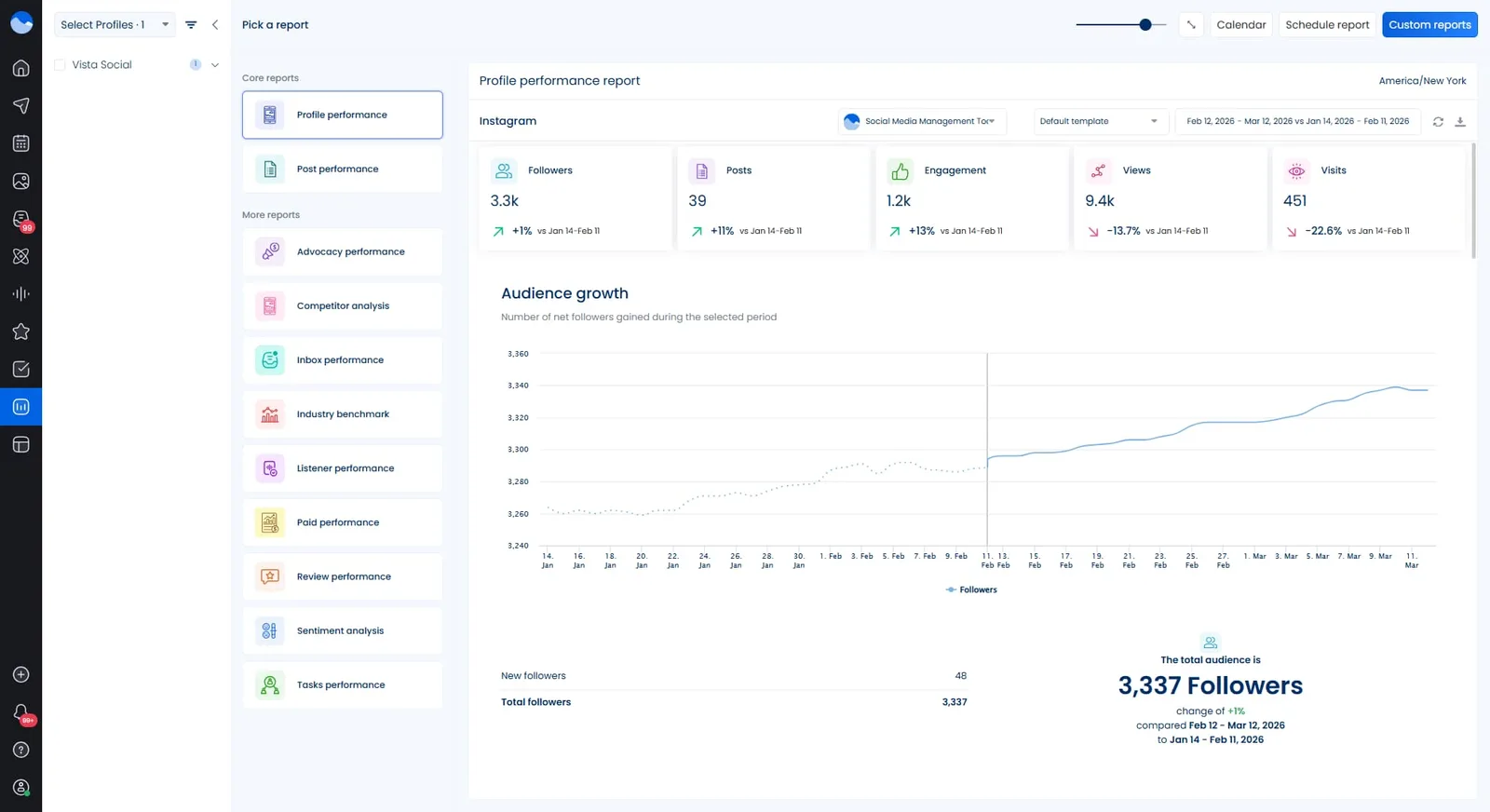
Reports are customizable, schedulable, and shareable with clients or stakeholders. For a deeper look at analytics options, check out this guide on social media analytics tools.
Metricool is strong on analytics too. It tracks engagement, reach, follower growth, and more. Competitor analysis lets you benchmark against up to 100 profiles on paid plans. However, the free plan only stores 3 months of data, and even paid plans have shorter retention windows than you might expect.
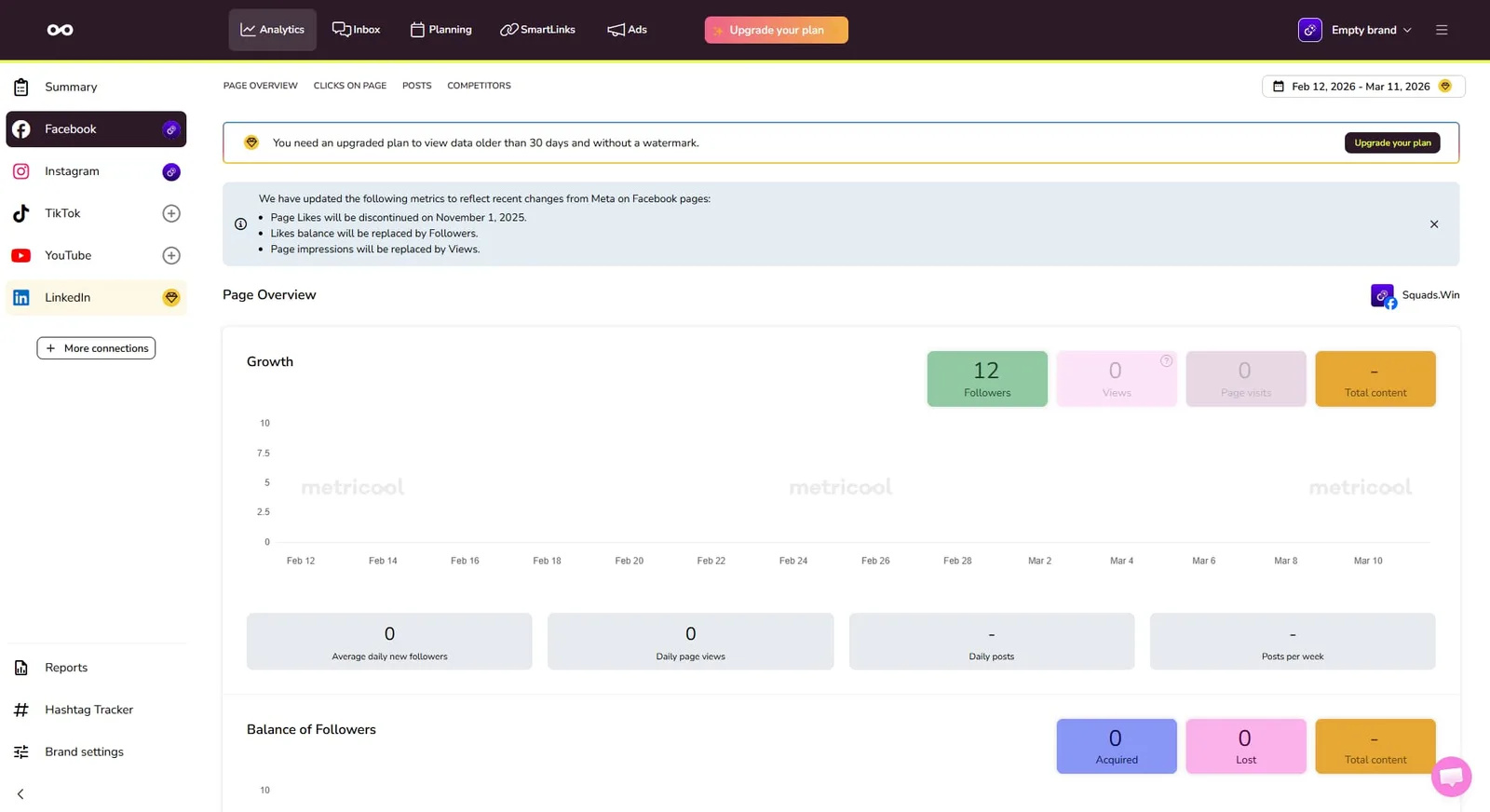
Both platforms give you the numbers you need. Vista Social adds more flexibility with AI insights and longer data retention, while Metricool stands out for competitor benchmarking.
Social inbox
Managing comments, DMs, and mentions across platforms is a job in itself. A strong inbox management tool keeps everything in one place.
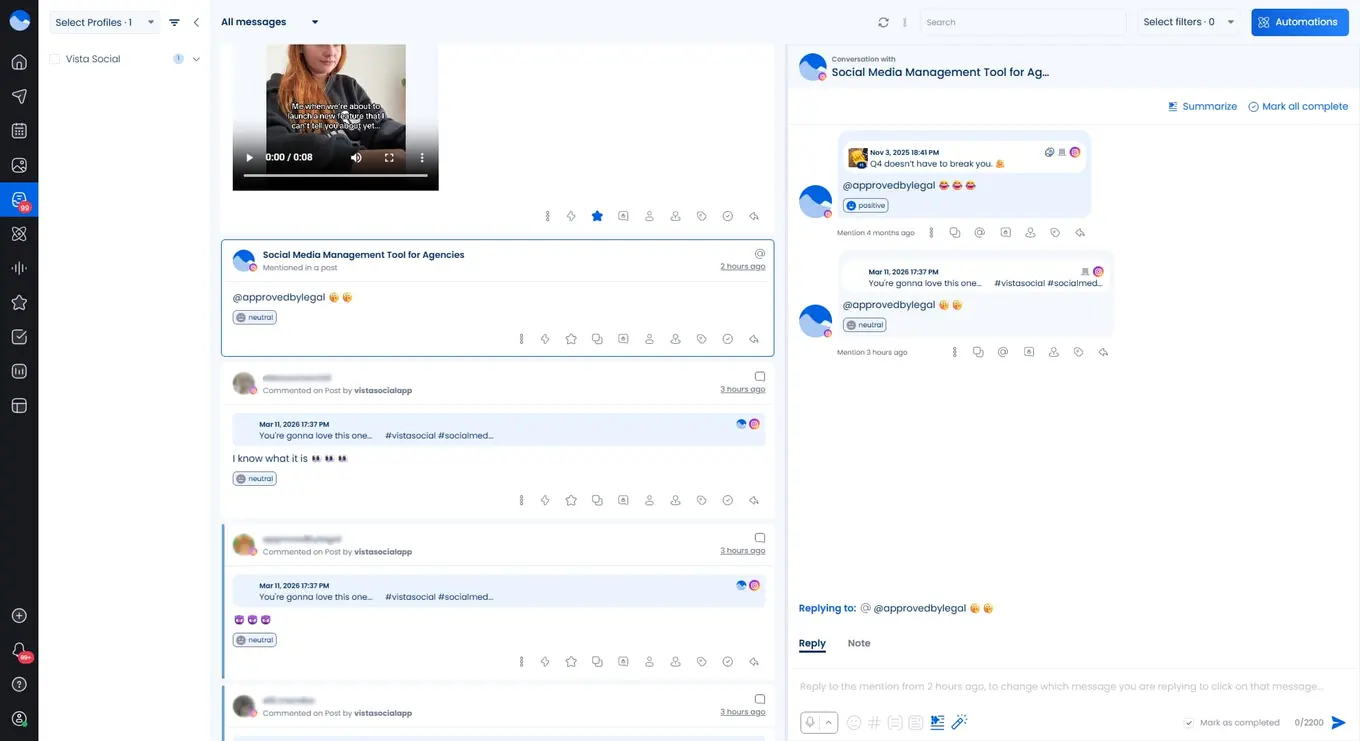
Vista Social’s unified inbox pulls in messages, comments, mentions, and reviews from all connected platforms. You can assign conversations to team members, use saved replies, and set up DM automation to capture leads or answer common questions automatically. Sentiment detection helps you prioritize messages that need attention.
Metricool also offers a unified inbox that collects comments, messages, and mentions. You can leave internal notes and filter by platform. However, it lacks features like DM automation, saved reply workflows, and sentiment analysis. Some users also report that the inbox can feel sluggish when managing multiple brands.
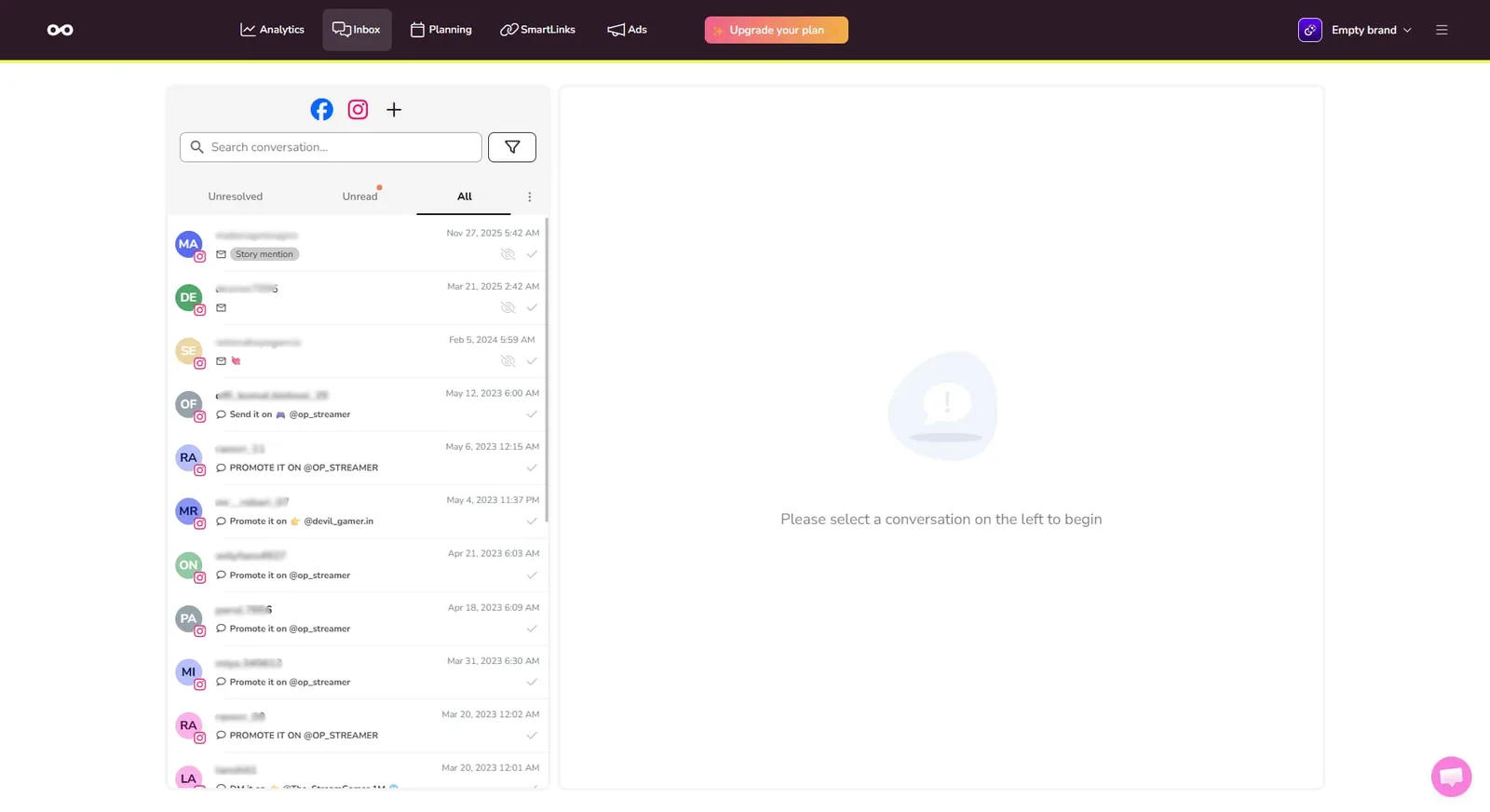
If engagement is a core part of your workflow, Vista Social’s inbox is significantly more powerful.
Social media advertising
If you’re looking for a tool that helps with social media advertising, these two can help—but in different ways.
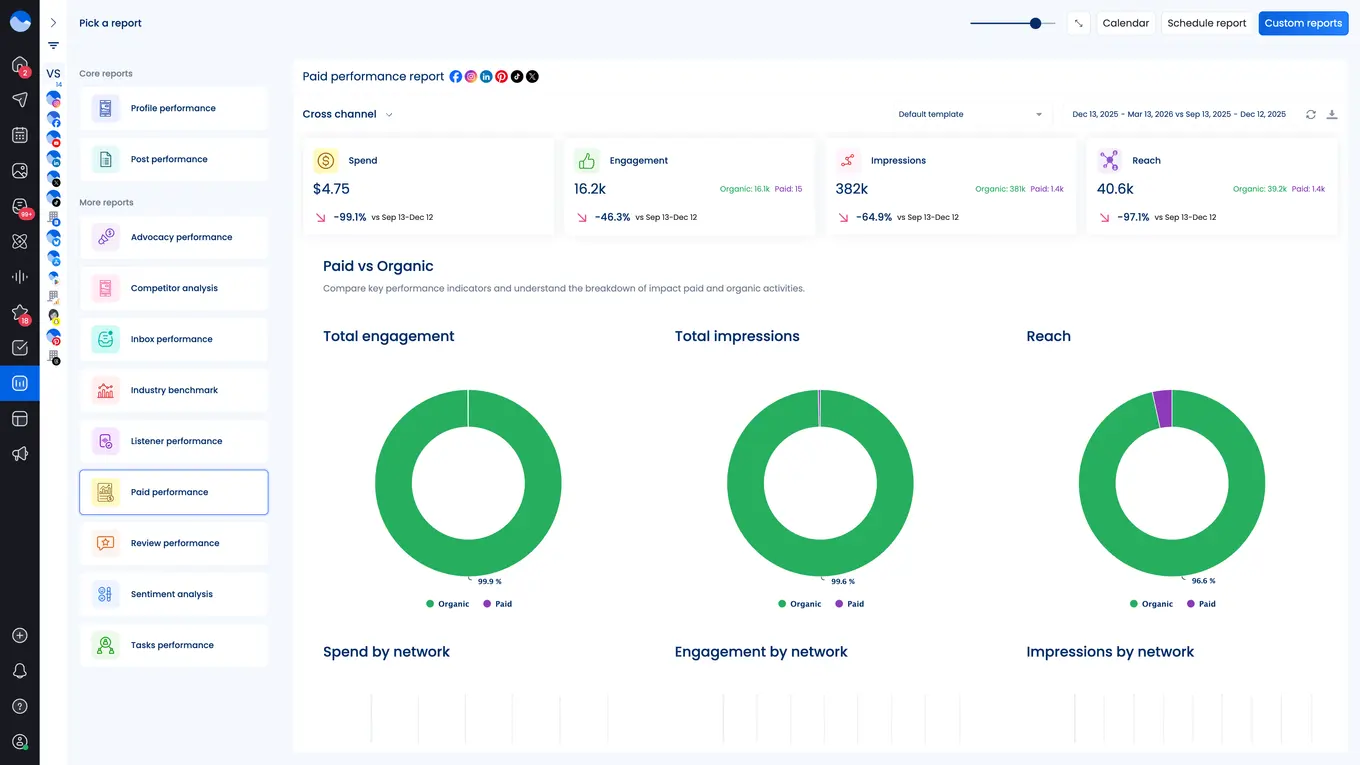
Vista Social doesn’t offer built-in ad campaign management at this time. However, users can boost posts across a number of supported platforms, helping brands put popular posts in front of even more users. Vista Social also offers a paid performance report that showcases paid vs. organic results across platforms.
On the other hand, Metricool lets you manage and monitor Facebook Ads, Google Ads, and TikTok Ads directly from the dashboard. You can track spending, compare paid vs. organic performance, and include ad data in reports. It’s not a full ad platform, but it’s handy for teams that want to keep an eye on campaigns without switching tabs.
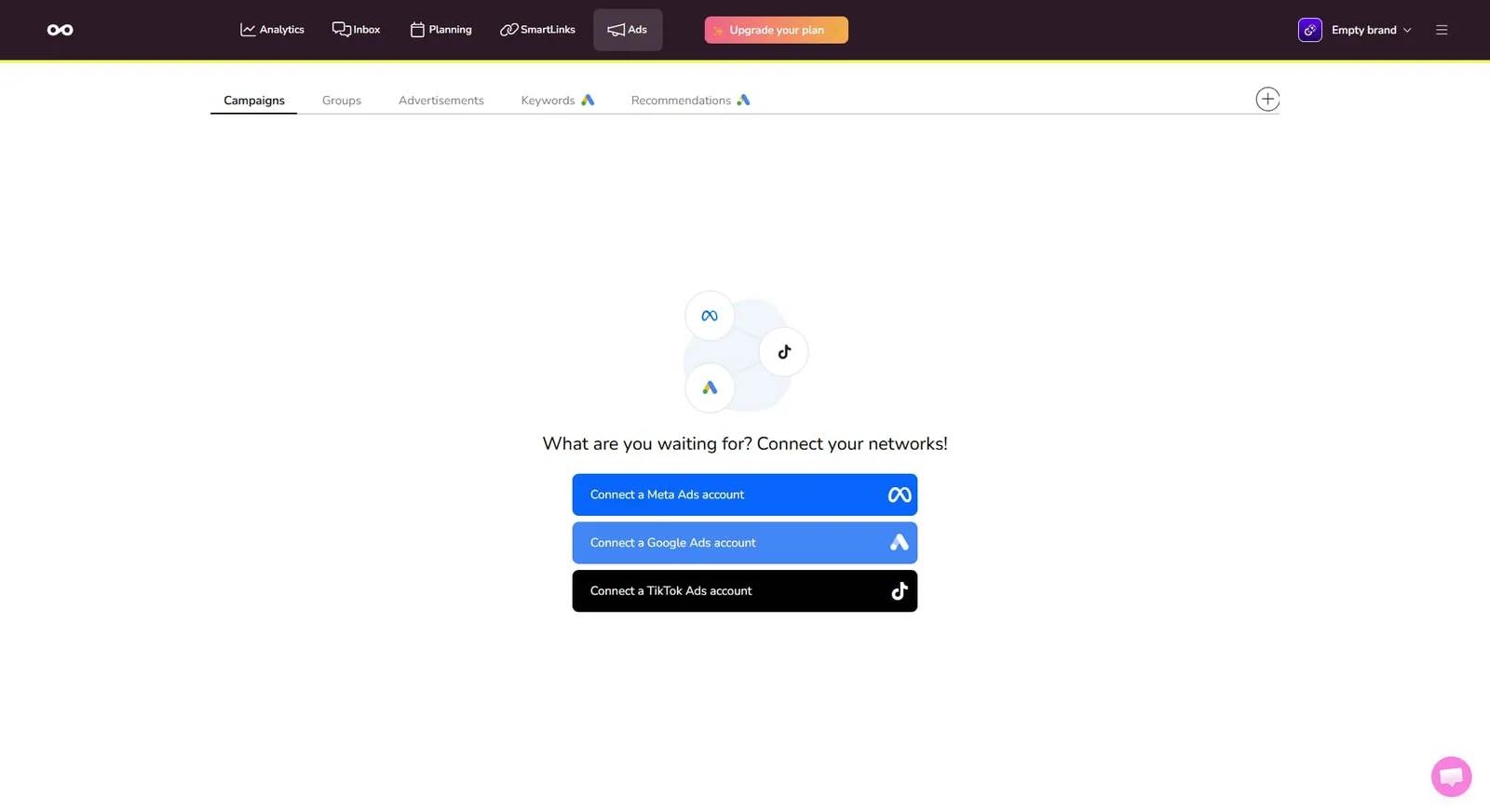
If tracking ad performance from the same dashboard is a must-have for you, Metricool covers that gap.
Link-in-bio
Both platforms offer link-in-bio tools, but they differ in depth.
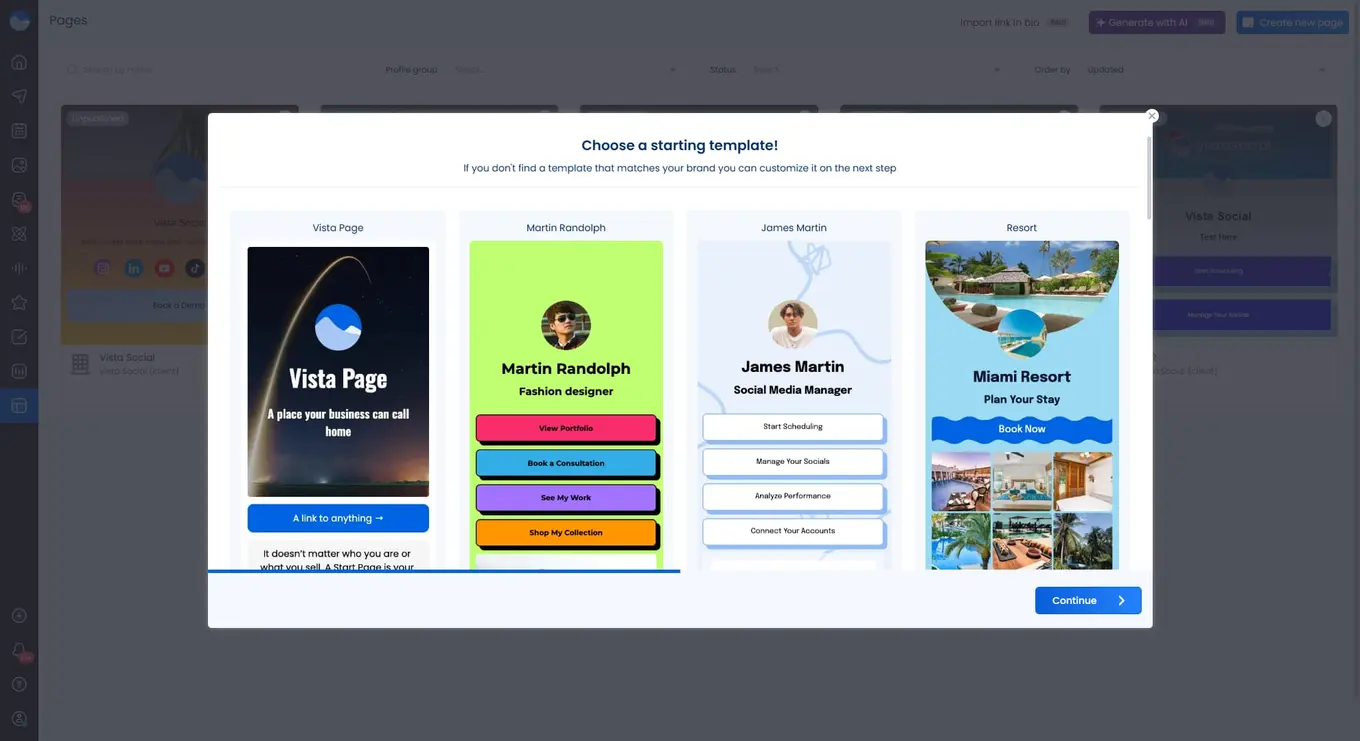
Vista Social’s Vista Page lets you build a custom microsite with multiple link blocks, embedded content, and custom branding. On higher plans, you can connect a custom domain and add Google Tag Manager for tracking. Learn more about link-in-bio options to see how this fits into your strategy.
Metricool’s SmartLinks feature serves a similar purpose. You can create a landing page with multiple links, customize colors, and track clicks and views. It’s a solid Linktree alternative that gets the basics right.
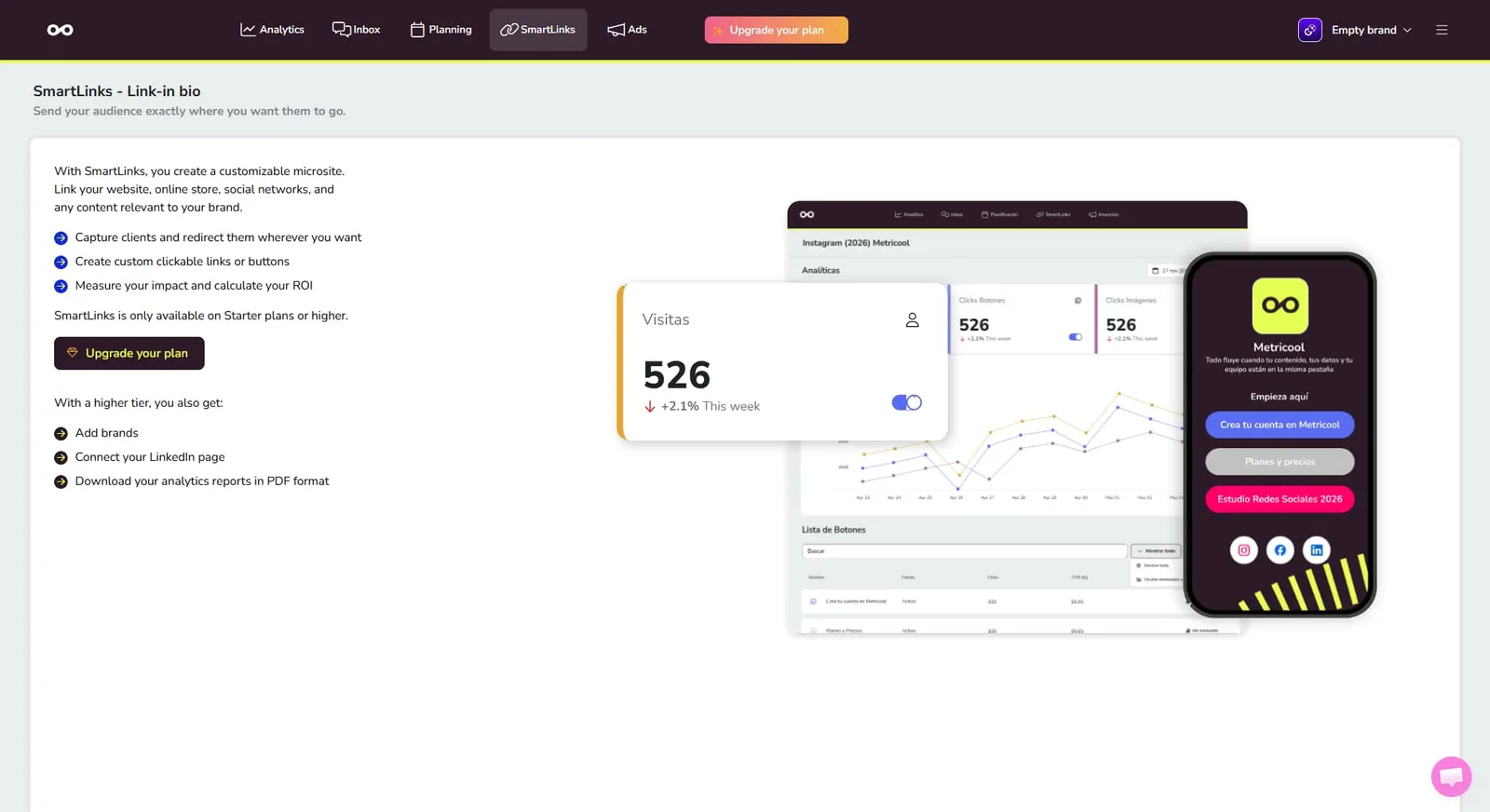
Both options work well. Vista Social offers more customization, especially for brands that want a polished, on-brand experience.
Approval workflows
When multiple people touch content before it goes live, approval workflows keep things from falling through the cracks. A clear approval process ensures nothing gets published before it’s ready.
Vista Social includes multi-stage approval workflows where team members can review, comment on, and approve posts before publishing. You can set up different approval chains based on client, brand, or team—which is essential for agencies managing several accounts at once.
Metricool offers basic roles and permissions, including a Client role that can approve or reject posts. You can also create custom roles. However, it doesn’t support the multi-stage approval chains that larger teams often need. For agencies and teams with structured review processes, Vista Social gives you more control.
Artificial intelligence
AI features are becoming table stakes for social media tools, but not all implementations are equal. Here’s how the two platforms compare on this front.
Vista Social implements AI assistance at every turn.
For starters, get access to an AI assistant that helps you generate captions, brainstorm content ideas, rewrite text in different tones, and respond to conversations in your social inbox.
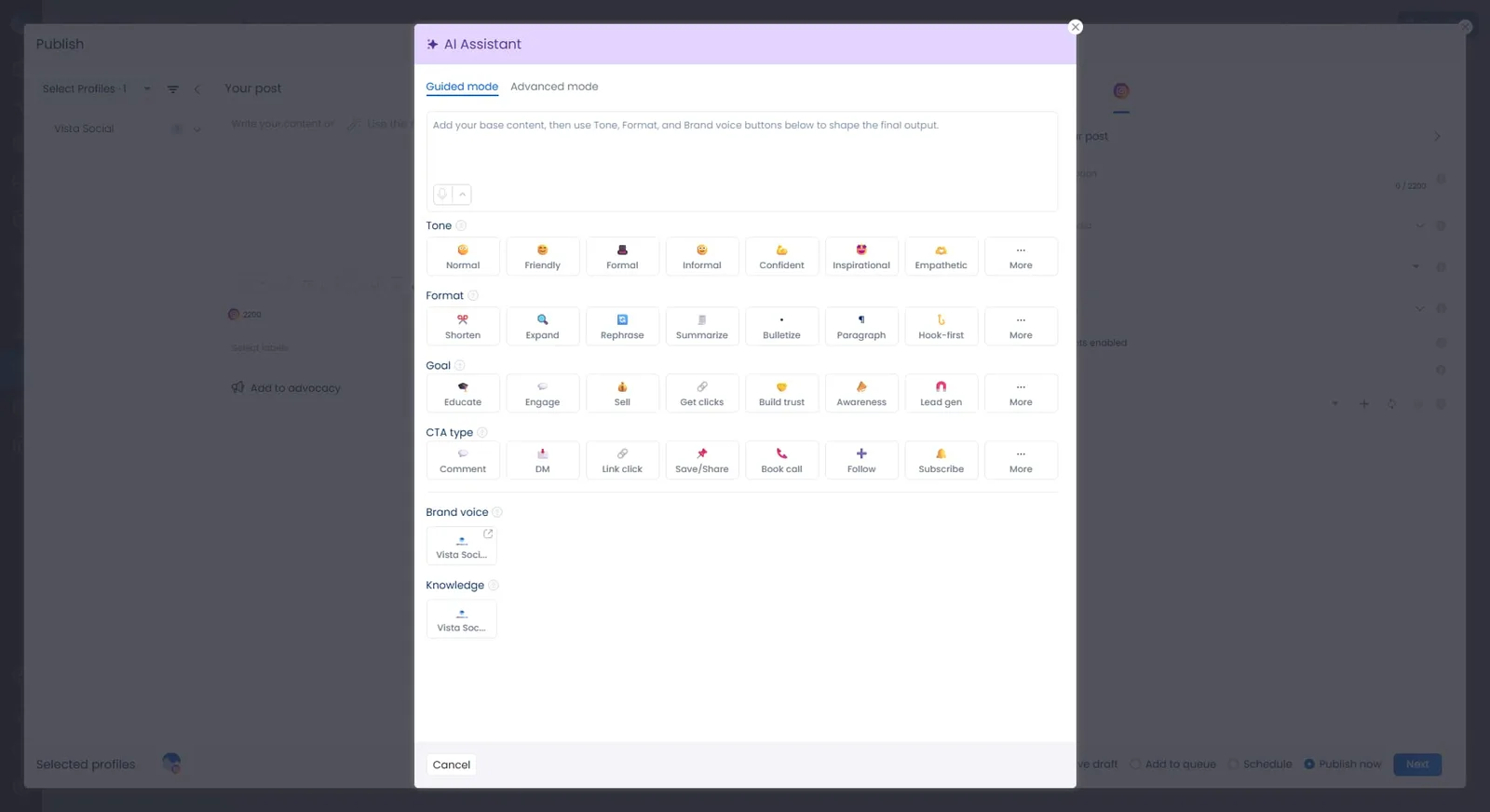
But Vista Social’s AI gets so much more powerful than that. Users can also:
- Manage their social media presence directly from their AI chatbot like Claude or ChatGPT through our MCP integration
- Train their AI on their brand by inputting things like policy documents, product data, feature information, and so much more into the AI Knowledge settings
- Use AI to detect message intent, making DM automations that much more valuable
- Get AI-powered summaries with actionable recommendations in analytics reports
The Advanced plan and above include unlimited AI usage, and the assistant is built right into the post composer.
Metricool includes an AI caption generator that helps you create content ideas and adjust tone. It’s useful for quick drafts, but it doesn’t extend to other features the way Vista Social’s does.
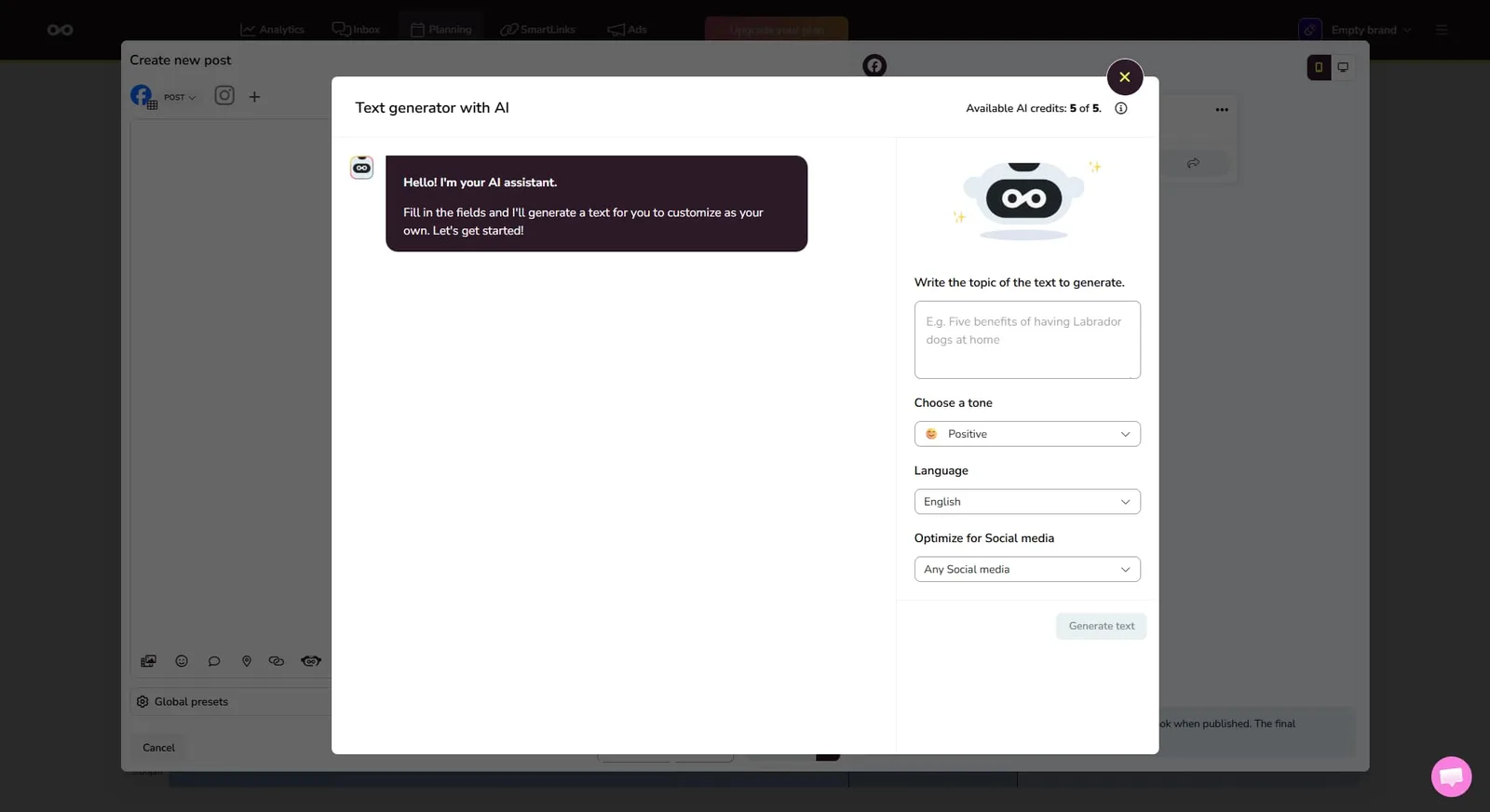
Overall, Vista Social’s AI tools go wider and deeper across the platform.
Automation
Automation saves hours every week when done right. Both tools offer some automation, but Vista Social goes further.
Vista Social includes DM automation that can send automatic replies, collect lead data, and respond to keywords. Smart Publishing auto-generates posts from topics you choose. RSS feed integration pulls in blog posts automatically. And the publishing queue lets you set recurring time slots so content goes out on a consistent schedule.
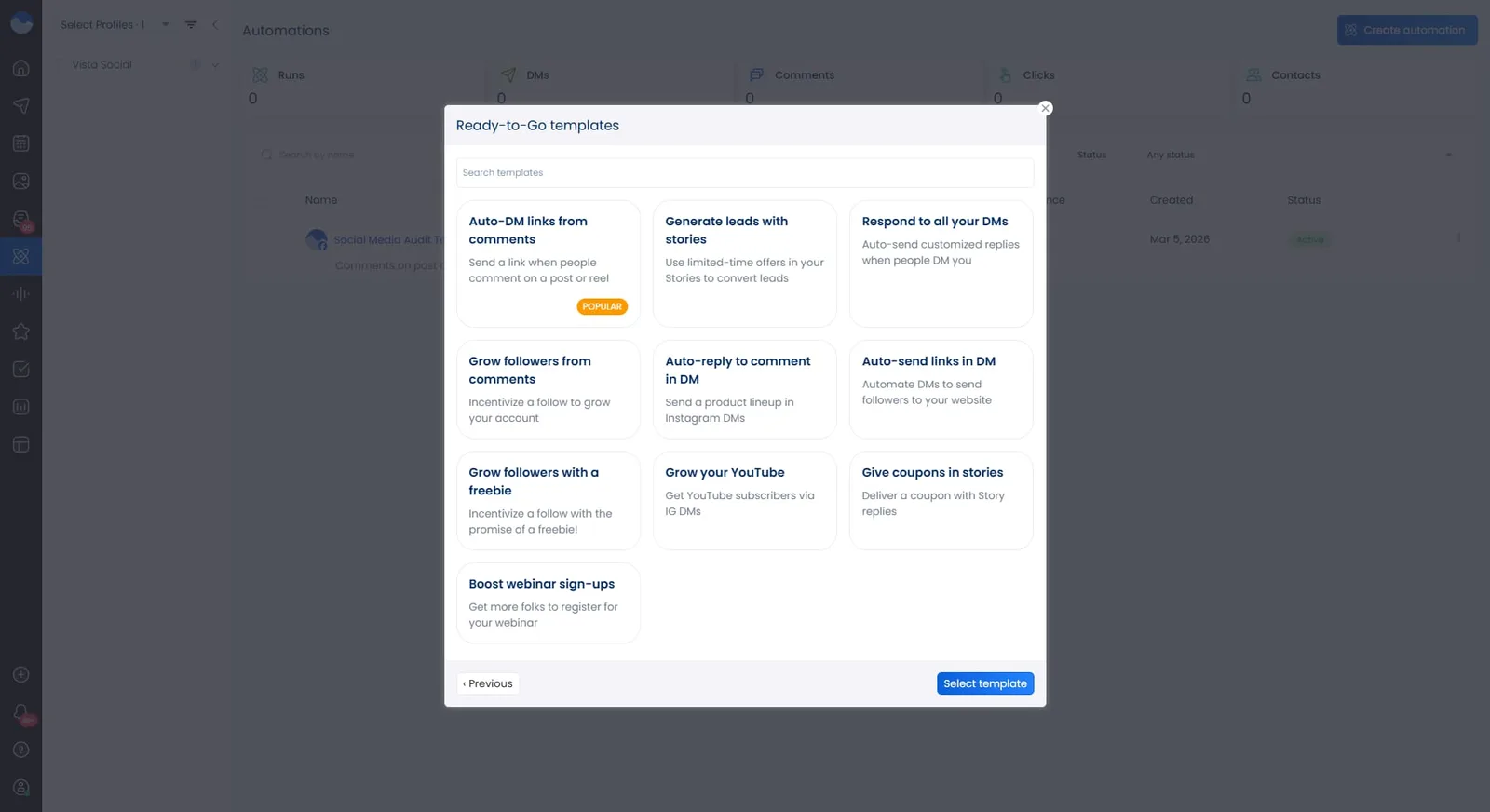
Metricool’s Autolist feature handles bulk scheduling and evergreen content recycling. RSS feed integration pulls in new blog posts for scheduling. Best time suggestions help you pick optimal posting windows.
However, there’s no DM automation or keyword-triggered responses. If you want automation that goes beyond scheduling—especially for engagement and lead generation—Vista Social has the edge.
Employee advocacy
Employee advocacy programs turn your team into brand ambassadors, extending your social reach organically. Check out this roundup of employee advocacy tools to see why this feature matters.
Vista Social includes a built-in employee advocacy program. You can curate shareable content, invite employees to participate, and track how their posts perform. It’s all managed from the same platform—no extra subscriptions needed.
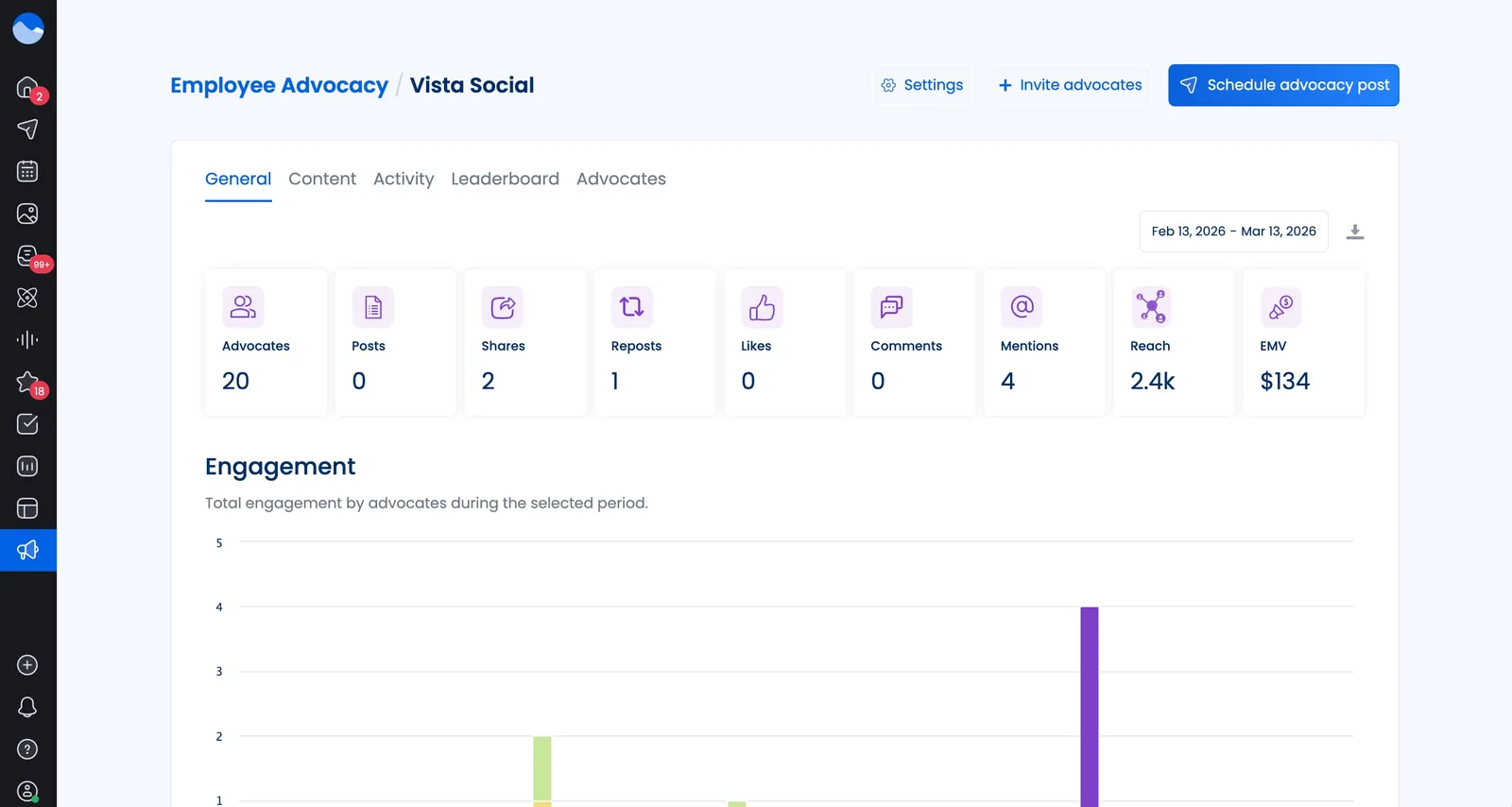
Metricool does not offer any employee advocacy features. If expanding your organic reach through your team is part of your strategy, this is a gap worth noting.
Integrations
The tools you connect to your social media platform shape your entire workflow. Vista Social integrates with 13+ social networks—more than most competitors. Beyond social channels, it connects with the following:
- Canva
- Google Drive
- Unsplash
- GIPHY
- Slack
- Zapier
- Make
- Bitly
- Google Analytics
- Yelp
- TripAdvisor
It also includes social listening built into the platform.
Metricool covers around 11 social platforms and adds integrations with the following:
- Google Ads
- Facebook Ads
- TikTok Ads
- Google Looker Studio
- Canva
- Google Drive
The Looker Studio connection is a nice touch for teams that build custom reporting dashboards. Vista Social wins on social platform coverage and native tool integrations, while Metricool has the advantage for teams that rely on Looker Studio or need ad platform connections.
Pricing
Let’s talk numbers. Only Metricool offers a free plan, and the paid tiers are structured differently. Take note that the prices listed below are billed annually.
Vista Social pricing:
- Professional: $64/month
- Advanced: $120/month
- Scale: $304/month
- Enterprise: Custom pricing
Metricool pricing:
- Free: $0/month
- Starter: Starting at $20/month
- Advanced: Starting at $53/mo
- Custom: Contact sales
Metricool comes in at a lower price point, especially for solo users or small teams with basic needs. However, Vista Social packs significantly more features into every plan—including unlimited posts, a full social inbox, social listening, review management, and employee advocacy.
When you factor in everything you’d need to add on or work around with Metricool, Vista Social often delivers better value for growing teams and agencies.

Try Vista Social for free
A social media management platform that actually helps you grow with easy-to-use content planning, scheduling, engagement and analytics tools.
Get Started NowAbout the Author

Content Writer
Russell Tan is a content marketing specialist with over 7 years of experience creating content across gaming, healthcare, outdoor hospitality, and travel—because sticking to just one industry would’ve been boring. Outside of her current role as marketing specialist for Vista Social, Russell is busy plotting epic action-fantasy worlds, chasing adrenaline rushes (skydiving is next, maybe?), or racking up way too many hours in her favorite games.
Loading related tools...




Tools
PublishingAnalyticsEngagementIntegrations
FacebookInstagramLinkedInRedditSnapchatThreadsTikTokX (Twitter)YouTubeBlueskyVista Page (link-in-bio)All IntegrationsCopyright © 2026 Vista Social LLC. All Rights Reserved.