


Social Media Trend Analysis: How to Spot a Real Trend Before You Waste a Post on a Fake One
July 8, 2026
12 min read

Summarize with AI

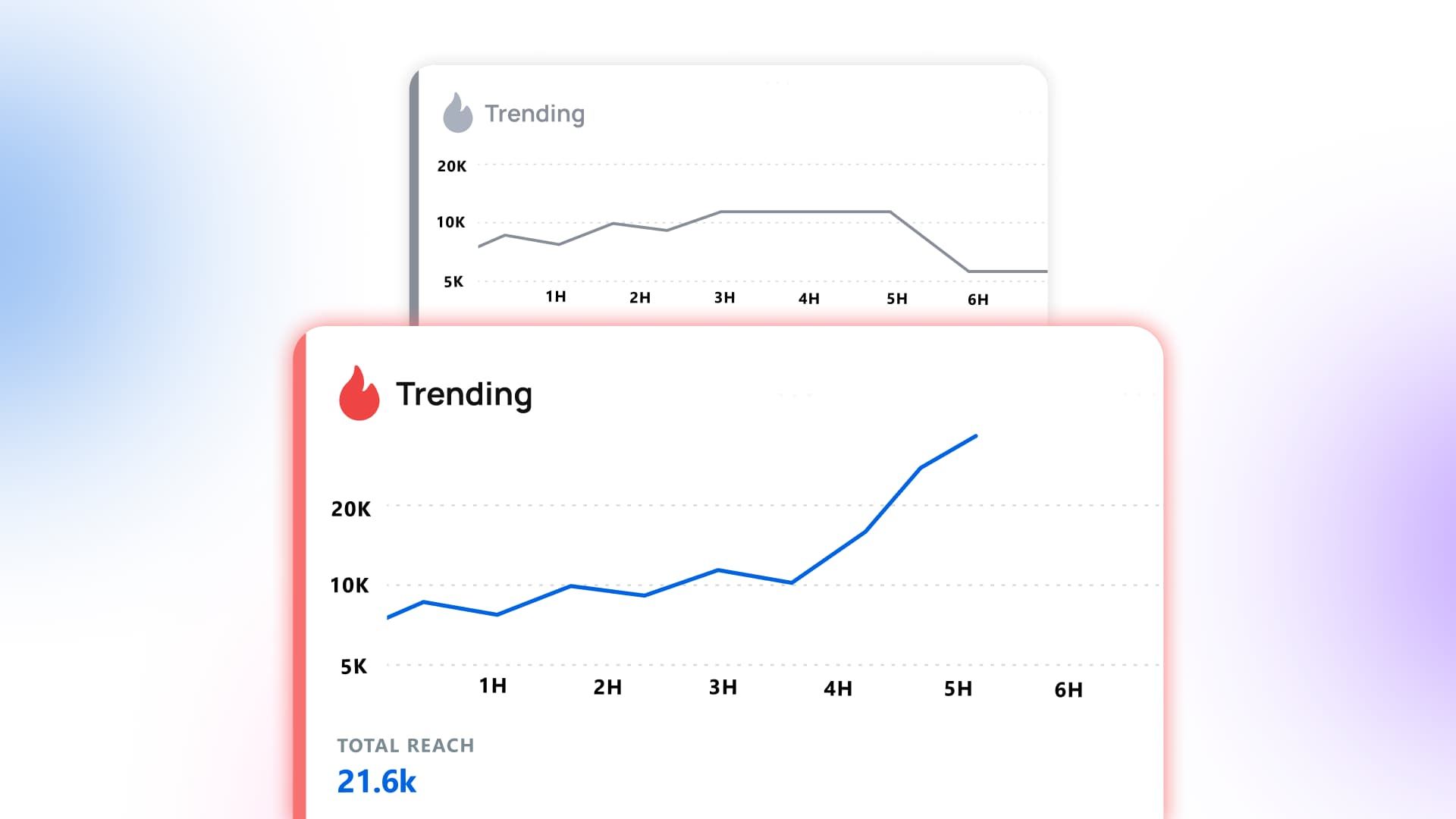
Table of contents
Share

Vista Social

X (Twitter)


Monday morning, a TikTok sound is all over your For You page. Every third video is using it, a couple of big accounts in your niche have already jumped on it, and it has that feeling of a trend about to pop. So you move.
By Tuesday you’ve edited three videos for three different clients. By Thursday the posts are flat. Barely any views, no comments, and the sound you chased has already dropped off the For You page. The client asks what happened, and you can’t honestly say the trend was ever real.
The sound was never a real trend. A few big accounts kept reposting the same handful of clips. The algorithm pushed it hard for a day, and by the weekend it was gone. You didn’t analyze that trend with data. Instead, you felt it, and you bet a week of work on the feeling. Every social team has done this at least once.
The fix is a quick check you run before you make a single asset. You’ll learn whether a trend has real momentum and fits your audience or whether it’s just loud on one app. That check is what social media trend analysis is, and this article is the method for running it.
One idea to keep in mind the whole way through: a trend is a claim you verify, not a thing you spot. Something “trending” on one platform hasn’t been proven yet.
The short version:
- What it is: Social media trend analysis is checking whether a trend is real and fits your audience before you spend a post on it.
- Real vs fake: Real trends show up across several independent sources at once; fake ones spike on a single platform or a small cluster of accounts.
- The method: Five quick steps you can run in minutes, from pulling the topic across sources to a final yes-or-no call.
- Why it’s faster: When the signal is pulled and confirmed across sources for you, validating a trend stops meaning six open tabs and a lost morning.
Table of contents
Why most “trends” are not worth a post
Go back to that flat Thursday. You reacted to a sound that looked like it was trending, when in fact that look was manufactured on purpose.
“Trending” is one of the easiest signals on the internet to fake. A coordinated push, a batch of bot reposts, a brand seeding its own hashtag, or the way one platform’s algorithm amplifies a moment can all look the same as real momentum. You’re shown a number and asked to trust it when the number could be fake.
Even a genuinely real trend isn’t automatically your trend. Something can be surging across the internet and still be pointless for your client. The wrong audience, the wrong tone, or the wrong moment. Riding a real wave your audience isn’t interested in is the same as riding a fake one.
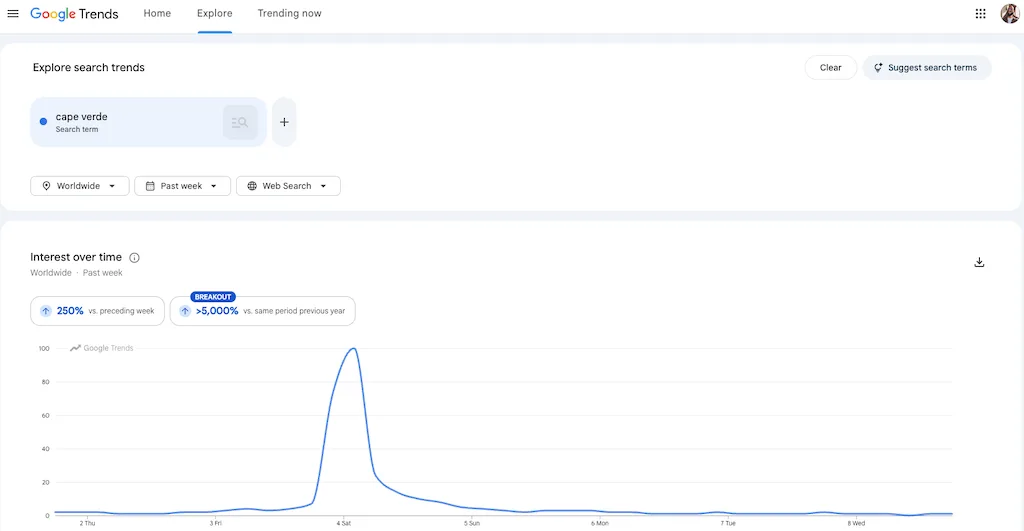
A big view count also isn’t the same as a real trend. Social strategist Rachel Karten, who studies what actually breaks through on social, makes the point well:
“When I study the most-watched videos on TikTok every month, I’m always surprised at how few actually broke through culturally. I know something is resonating today when the more interesting content is being made in comments sections and on personal accounts.”
— Rachel Karten, Link in Bio
The size of a spike tells you almost nothing on its own. What tells you a trend is real is whether people are picking it up and running with it in the comments, on their own accounts, and across more than one app.
The pressure to move fast is real. A good trend has a narrow window, and attention is short. Gloria Mark’s research at UC Irvine, shared by the University of California, put average focus on a single screen at about 47 seconds in her most recent measurements, corroborated by five independent studies. That is down from 75 seconds a decade earlier.
People give any one thing a few seconds now. A blip can peak and fade before you finish your first draft, so the window to act is genuinely short.
The trouble is that “move fast” has come to mean “skip the check.” That’s how you make three assets for a trend that was never there. You were never too slow. You just had no way to tell a real trend from a loud, empty one before you’d spent the work.
Here’s a real example of a manufactured trend. For years, local TV stations warned about scary viral TikTok “challenges” that teens were supposedly doing. Several of those challenges barely existed on TikTok at all.
Journalist Taylor Lorenz traced the panic to a handful of clips that got reposted over and over. Lorenz and Drew Harwell earlier reported that Meta had hired a firm to plant anti-TikTok stories, including fake trends, in local news.
From the outside, a manufactured push and a real cultural moment look the same. Both are a topic, a spike, and a lot of coverage. Checking the sources before you believe the spike is the whole job of trend analysis.
Instead of guessing whether a spike is real, you can see trends already confirmed across several sources and ranked by how many agree. See which trends are actually real in Vista Social.
How do you tell a real trend from a manufactured one?
Real trends confirm across multiple independent sources and grow organically. Manufactured ones spike on a single platform or from a small cluster of accounts. The tell is never the size of the spike. It’s the number of independent sources behind it and the shape of the growth. A few checks separate the two:
| What to check | Real trend | Manufactured or single-platform spike |
|---|---|---|
| Source count | Rising on several independent sources at once (search, video, news, social) | Loud on one platform, quiet or absent everywhere else |
| Who’s driving it | Lots of ordinary accounts, organically | A few big accounts and heavy reposting of the same clips |
| Growth shape | Builds over a few days, spreads outward | Vertical spike from a standing start, then a cliff |
| Search interest | A matching rise in people actively searching the topic | No real search lift; the conversation is all push, no pull |
You don’t need a data science degree to read this. Put the same trend across sources side by side and the shape gives it away. A topic roaring on one feed and silent on search and news is a rumor. A topic climbing on video, search, and news together is a wave.
The 5-step method to confirm a trend is real
Do these five things before you confirm a trend is real and worth a post. Pull the topic across sources. Count how many confirm it. Read the shape of the signal. Test whether your audience is actually in it. Then make one clear call. Run it on any trend and you’ll have a defensible answer in minutes.
Step 1: Pull the trend across sources, not one feed
One platform trending is a rumor, so never analyze a trend from inside the feed that surfaced it. Gather the same topic across search, video, news, and social before you judge it.
- Good read: You can see the topic on at least three or four independent sources in one place.
- Bad read: You’re eyeballing one platform’s trending tab and calling it a trend.
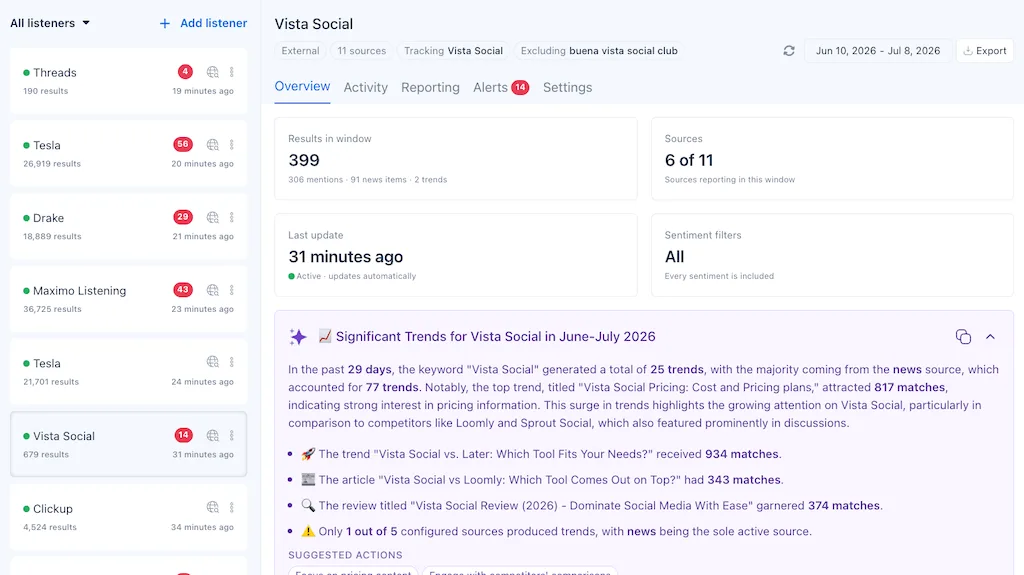
The Vista Social fast path: Vista Social Trends monitors what’s trending across several sources, including X, YouTube, Google Search, and the open news web, and pulls candidate trends into one view, so “check every source” stops meaning six open tabs and a lost afternoon.
It’s working when: A single screen shows you where a topic is alive and where it’s silent.
Step 2: Check cross-source confirmation
Now count the agreement. Is the same story rising from several independent sources at once? Confirmed across sources means real momentum. Confined to one means treating it as a spike until proven otherwise.
- Good read: The topic is covered by four sources, and real search interest is rising alongside the social chatter.
- Bad read: It’s huge on one app, flat on search, and nowhere in the news.
The Vista Social fast path: Trends are deduped and ranked by cross-source confirmation, so the stories that hold up across sources rise to the top and the one-platform noise sinks, without you scoring anything by hand.
It’s working when: The trends at the top of your list are the ones several sources agree on.
Step 3: Read the signal shape
Two trends can have the same follower count behind them and be completely different animals. Organic trends build; manufactured ones spike from a small set of accounts or reposts. Look at who is actually driving it and whether the growth curve looks natural.
- Good read: Many different accounts, a curve that builds over a few days, real replies, and remixes.
- Bad read: A vertical spike from a standing start, the same clip reposted, a handful of large accounts doing the heavy lifting.
The Vista Social fast path: Because each surfaced trend comes with an AI summary of what’s driving it, you get a fast read on the shape without reverse-engineering the feed yourself.
It’s working when: You can describe, in a sentence, who is driving a trend and how fast it grew.
Step 4: Test audience fit
A real trend is only yours if your audience is in the conversation and you can match the tone on-brand. This is the step that saves you from the technically real, completely irrelevant post.
- Good read: Your audience is already in this conversation, and you can add a genuine angle without contorting the brand.
- Bad read: The trend is real but lives with a crowd your client doesn’t serve, and joining would mean forcing it.
The Vista Social fast path: Each trend arrives with an AI summary that includes suggested actions, so you’re judging fit against a concrete angle instead of a raw topic.
It’s working when: You can name the specific angle your client would take or admit there isn’t one.
Step 5: Make the call
Now decide, and hold the line. Post only if the trend clears all three tests: confirmed across sources, fits the audience, and you can add a real angle inside the window. If it misses anyone, skip it.
| The check | Post it | Skip it |
|---|---|---|
| Confirmed across sources? | Yes, several independent sources agree | No, it’s one platform’s spike |
| Fits the audience? | Yes, they’re in the conversation | No, wrong crowd or off-brand tone |
| Real angle in time? | Yes, you can add something within the window | No, you’d just be reposting late |
Three yes votes and you move fast with confidence. Any “no” and you’ve just saved your feed from a post that was going to flop. Both are wins, because both are decisions you can defend.
Once a trend clears all three tests, you can turn it into a drafted post in the same place you validated it. Run the whole check inside Vista Social.
Is this trend worth a post? The audience-fit test
Trendjacking is inserting your brand into a trending moment to borrow its reach. Done with fit, it’s free attention. Forced onto a trend your audience isn’t in, it’s the cringe post everyone can smell, and it costs credibility you don’t get back cheaply.
The test is three honest questions. Is your client’s audience actually in this conversation? Can you match the trend’s tone without breaking brand? Can you add a real angle, not just a late repost? If any answer is no, the trend can be as real as gravity and still not be worth a single asset. A smaller trend your audience lives inside beats a massive one they’ve never heard of.
Trend analysis vs forecasting
Trend analysis validates what’s happening right now, before you post. Forecasting projects what’s likely to happen next when you plan. You need both at different moments.
Analysis is the yes-or-no call on today’s trend. Forecasting is the quarterly look at where the year is heading, so your calendar isn’t built entirely on reaction. Use analysis to decide what to post this week. Use forecasting to decide what to build next quarter.
How to run this in minutes, not hours
The manual version works. It’s also slow: checking searches, opening the video platforms, scanning news, eyeballing who’s posting, and holding five half-signals in your head before a window closes. Do that across a dozen client feeds and the check eats your day. Here are the same five steps inside Vista Social instead.
Do it live in Vista Social
Five steps, start to finished post:
- Open “Listening” in the left menu.
- Pick your profiles at the top, so the results match the accounts you actually post from.
- Open the Themes tab to see the trends, grouped and ranked instead of one long feed.
- Click the “overview” tab to read the AI summary of what’s driving it and how many sources back it.
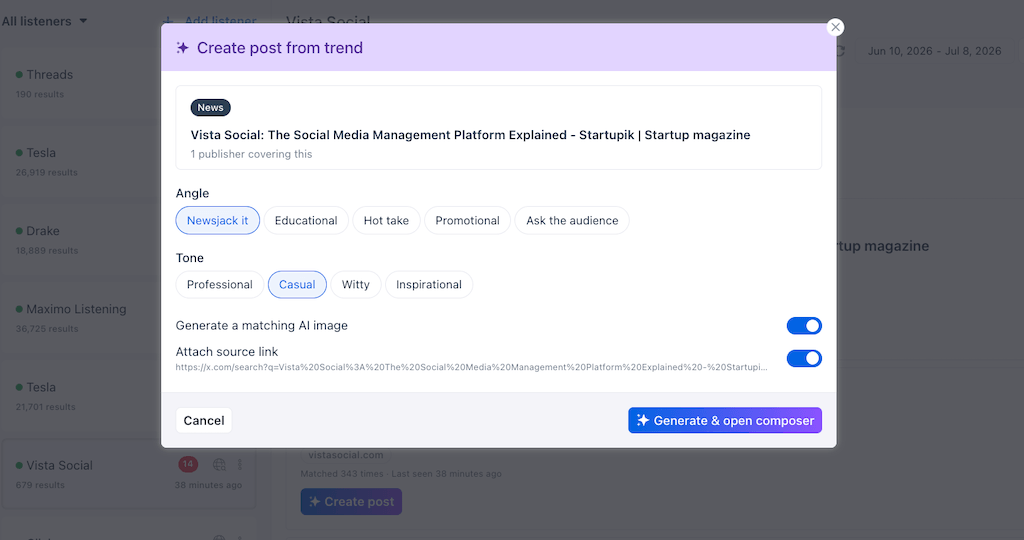
- Hit “Create post” right from that theme to turn a confirmed trend into scheduled copy.
The Themes view sorts trends several sources agree on above the one-platform noise, so you read the ranking instead of scoring anything by hand. A theme you confirm at 9:01 is scheduled to post by 9:04.
Let an agent run the check for you
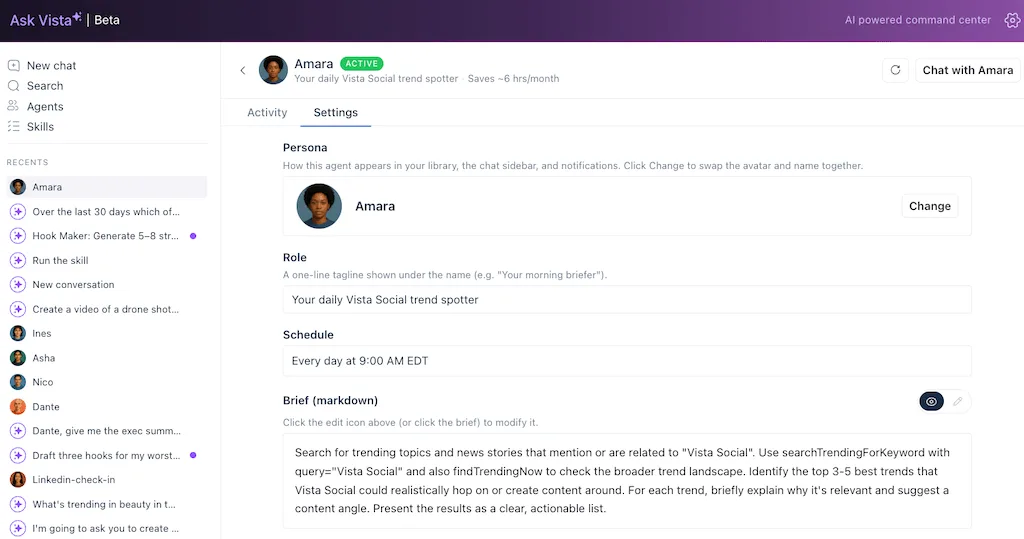
If you’d rather not open Trends at all, set up an agent to watch for you. It reads the same cross-source signal on a schedule and flags a trend while it’s still worth jumping on, and then a content agent turns that trend into fresh draft posts waiting in your queue. You approve or skip instead of hunting.
No tool proves a trend is real with certainty. What cross-source confirmation buys you is a defensible call in a fraction of the time. If you’re standardizing this across new client accounts, this is the part that stops being a per-person habit and becomes a system.
Stop gambling a client’s feed on a trending tab and start greenlighting trends you can defend. See which trends are actually real with Vista Social.
When to skip trends entirely
The most advanced move in trend analysis is often the confident no. For some brands, the best trend strategy is content that stands on its own. Social strategist Jack Appleby put it plainly:
“The most important skill a creative in social media can develop is the ability to make content that stands on its own. No trending audio, no meme format, no cultural moment to ride.”
— Jack Appleby, Future Social
None of this is anti-trend. The window really is short, and a well-fit trend delivers cheap reach you’d be silly to leave on the table. But a brand with a strong original voice can afford to sit most trends out and jump only on the rare genuine fit, and that discipline usually beats chasing everything.
Trend analysis includes knowing which trends to walk past and where trend content fits in your wider plan. The confident “no” is a skill, so be sure to treat it like one.
Show your work
Back to that Monday sound. Same desk, same clients, same TikTok audio blowing up your For You page, except this time you ran the check before you cut anything. You pulled the topic across sources, saw it was loud on one app and silent everywhere else, and you passed.
You’re not gambling the client’s fee on a hunch anymore, and when they ask why you did or didn’t jump on something, you can show your work. The trend was confirmed across four sources, driven by real accounts, growing for three days, and a fit for the audience.
Run your next trend through the whole check without opening six tabs. See which trends are actually real in Vista Social.
Frequently asked questions
What is social media trend analysis?
It’s the practice of verifying whether a trending topic has real, cross-source momentum and fits your audience before you act on it. It answers whether a trend is real and whether it’s worth a post for you.
How do you tell a real trend from a fake one?
Check how many independent sources confirm it and the shape of the signal. Real trends rise across several sources and grow organically; manufactured ones spike on one platform or from a small cluster of accounts.
Is it worth jumping on every trend?
No. A trend is only worth a post if it’s confirmed across sources, fits your audience, and you can add a genuine angle inside the window. Skipping the rest keeps your feed strong.
What’s the difference between trend analysis and trend forecasting?
Analysis validates what’s happening right now before you post; forecasting projects what’s likely to happen next when you plan. You need both, at different moments.
What tools help with social media trend analysis?
Tools that aggregate trends across multiple sources and rank them by cross-source confirmation help most, because single-platform trending lists can’t tell you whether a trend is real. Vista Social Trends, powered by its advanced social listening, monitors several sources and ranks trends by how many agree.
How long does trend analysis take?
Manually across sources it can take an hour or more. When candidate trends are pulled and confirmed across sources for you, the check takes a couple of minutes.
About the Author

Content Writer
Orion loves to write content that refuses to be boring. As part of Vista Social, he helps brands, creators, and agencies stop doom scrolling and start winning with social media. When he's not in front of a keyboard, he's watching films in IMAX with his wife, dissecting football tactics (the European kind), and getting lost in a good book.